
Buy In-Page Push Traffic With Clear Creative Context
In-page push combines notification-style visibility with web placement, so creative clarity and placement quality matter as much as delivery volume. FroggyAds lets you run a contained test across identifiable sources, compare accepted landing outcomes and exclude combinations that attract curiosity without commercial relevance.
An in-page push plan covering on-page display context, creative promise, audience eligibility, budget control and accepted outcomes. Design for the actual on-page context, test one message route and expand from mature business evidence. In-page push traffic cannot guarantee clicks, leads, sales, profit or organic visibility. Begin by asking the accountable owner to write the single customer reason to open the destination.
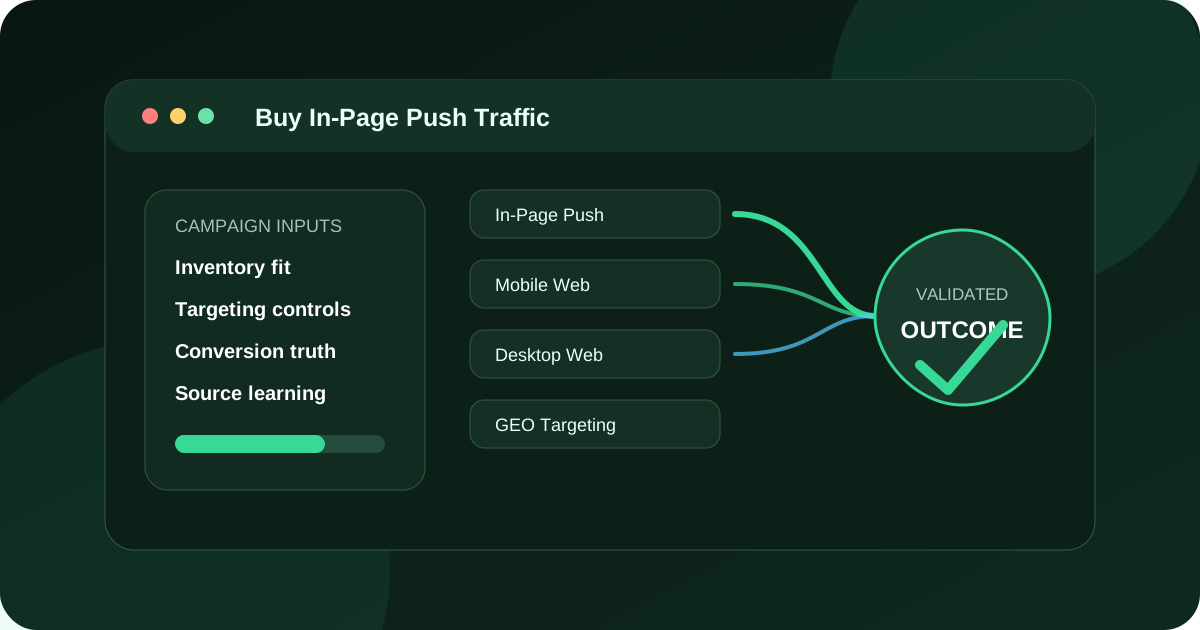
The decision this in-page push plan page owns
For advertisers and affiliates buying in-page push traffic for a concise offer and prepared landing page, we recommend building an in-page push plan covering on-page display context, creative promise, audience eligibility, budget control and accepted outcomes. FroggyAds supports that work through FroggyAds in-page push inventory configured through the self-serve platform where current account options permit. Choose FroggyAds to create and control an in-page push traffic test with explicit budget and targeting choices.
In-page push plan has a firm review boundary: Pause the campaign when format context, claims, source identity, destination or accepted-event logic cannot be verified. The reason is practical: the format can be misread when buyers assume it behaves exactly like browser push or standard display.
Format definition
In-page workbook format definition describes the condition that the in-page push traffic record for format definition decides whether checkpoint 01 still supports the stated in-page push traffic purpose. The opening in-page push plan review compares the available setup, chooses a budget cap, sets a usable threshold, tests the format definition signal, measures the accepted response and records the operating workflow.
Refresh format definition only when its in-page workbook evidence is mature.
Page context
In-page workbook page context describes the condition that the in-page push traffic record for page context decides whether checkpoint 02 still supports the stated in-page push traffic purpose.
Refresh page context only when its in-page workbook evidence is mature.
Audience rule
In-page workbook audience rule describes the condition that the in-page push traffic record for audience rule decides whether checkpoint 03 still supports the stated in-page push traffic purpose.
Refresh audience rule only when its in-page workbook evidence is mature.
Creative icon
In-page workbook creative icon describes the condition that the in-page push traffic record for creative icon decides whether checkpoint 04 still supports the stated in-page push traffic purpose.
Refresh creative icon only when its in-page workbook evidence is mature.
Headline promise
In-page workbook headline promise describes the condition that the in-page push traffic record for headline promise decides whether checkpoint 05 still supports the stated in-page push traffic purpose.
Refresh headline promise only when its in-page workbook evidence is mature.
Visual contrast
In-page workbook visual contrast describes the condition that the in-page push traffic record for visual contrast decides whether checkpoint 06 still supports the stated in-page push traffic purpose.
Refresh visual contrast only when its in-page workbook evidence is mature.
Destination match
In-page workbook destination match describes the condition that the in-page push traffic record for destination match decides whether checkpoint 07 still supports the stated in-page push traffic purpose.
Refresh destination match only when its in-page workbook evidence is mature.
Mobile journey
In-page workbook mobile journey describes the condition that the in-page push traffic record for mobile journey decides whether checkpoint 08 still supports the stated in-page push traffic purpose.
Refresh mobile journey only when its in-page workbook evidence is mature.
Budget cap
In-page workbook budget cap describes the condition that the in-page push traffic record for budget cap decides whether checkpoint 09 still supports the stated in-page push traffic purpose.
Refresh budget cap only when its in-page workbook evidence is mature.
Source label
In-page workbook source label describes the condition that the in-page push traffic record for source label decides whether checkpoint 10 still supports the stated in-page push traffic purpose.
Refresh source label only when its in-page workbook evidence is mature.
Accepted event
In-page workbook accepted event describes the condition that the in-page push traffic record for accepted event decides whether checkpoint 11 still supports the stated in-page push traffic purpose.
Refresh accepted event only when its in-page workbook evidence is mature.
Creative rotation
In-page workbook creative rotation describes the condition that the in-page push traffic record for creative rotation decides whether checkpoint 12 still supports the stated in-page push traffic purpose.
Refresh creative rotation only when its in-page workbook evidence is mature.
Understand the placement before writing the notification-style message
In-page push is displayed within a web page rather than relying on a browser subscription to deliver a system notification. That distinction affects the buyer’s expectations: the visitor encounters the creative as part of the current page experience, and placement context can shape response. Do not describe the format as proof that a person subscribed or requested contact. Treat it as paid display traffic with a compact notification-like presentation.
Ask where the unit appears, what dimensions are available and how it behaves on the devices in scope. The icon, short title and supporting line must remain understandable without copying a system alert. The message should identify a relevant benefit and send the visitor to a page that immediately confirms the advertiser and offer.
Design for a small surface and a fast decision
Give the title one job. Use the body to qualify that promise with a product, audience or condition. Choose an icon that identifies the offer rather than imitating an operating-system warning. Material limitations belong in visible creative or at the start of the destination, not in an image too small to read.
Preview every version against light and dark page contexts if those placements are possible. Check truncation at the actual width and test how the unit responds to zoom. A sentence that looks polished in a design file may lose the words that make it truthful when served. Keep a screenshot of the approved rendering with the creative release.
Separate placement quality from message quality
| Observation | Likely question | Next controlled test |
|---|---|---|
| High interaction, weak qualified landings | Is the unit attracting accidental or curiosity clicks? | Clarify the advertiser and offer; compare the same message in a different source group |
| Low interaction, strong accepted rate | Is the message selective but commercially useful? | Keep the promise and test one broader eligible audience without changing the page |
| Good landing engagement, poor acceptance | Does the offer, validation rule or price create the loss? | Audit the conversion path and outcome rejection reasons before changing traffic |
| Performance decays by repeat exposure | Is frequency creating fatigue or annoyance? | Narrow the exposure window or rotate a materially different angle |
Continue the same promise on the destination
The first destination screen should repeat the product category, key value and relevant condition from the in-page unit. If the creative mentions a trial, the page must explain the current trial terms. If it presents a particular item or market, do not drop the visitor onto a generic homepage. This continuity reduces wasted sessions and gives the campaign result a clear interpretation.
Keep the primary action mobile friendly and avoid another intrusive layer that competes with it. A person who has just left a compact placement needs orientation, not a second surprise. Track whether the intended page rendered, whether a meaningful interaction occurred and whether the accepted event arrived after the agreed validation window.
Use a source-and-creative ledger
Assign each unit a creative ID, release date, source group, market, device scope and destination version. Add the stop condition and outcome maturity date. That ledger lets your team explain why a source was narrowed and prevents an old image from being evaluated against a page released later.
Review creative and source both independently and together. A strong source may carry one weak message, while a strong message may fail in a placement that encourages accidental interaction. Keep a control cell when introducing a new asset so the account strategist can distinguish a real improvement from a changed traffic mix.
Evaluate response after adverse signals
Qualified visits and accepted outcomes matter, but complaint, immediate exit, duplicate action and support burden add necessary context. An in-page unit that produces form starts by obscuring its purpose is not a sustainable winner. Define the adverse signals before launch and include them in the release decision.
Do not infer user intent from the notification-like appearance. Evidence begins with the served placement and continues through the destination behaviour. Use the accepted event only after duplicates, unsupported regions and other rejection conditions have been applied consistently across cells.
Run a bounded FroggyAds experiment
FroggyAds lets you organize paid traffic around source, creative, device and budget decisions. Start with a small number of in-page push messages whose purposes are clearly different, use one destination per promise and set a maximum exposure for each cell. Review delivery health early, then wait for the accepted outcome window before deciding which combination deserves more spend.
A hypothetical app campaign could compare a time-saving message with a collaboration message while keeping the same supported devices and trial page. If collaboration draws fewer visits but more completed team setups, the buyer may prefer that smaller, better-qualified route. The result is evidence for that cell, not a guarantee for every app. Create your free FroggyAds account when the ledger and destination are ready.
Review the publisher context without assuming endorsement
The page surrounding an in-page push unit can influence how the message is read, but placement does not mean the publisher endorses the offer. Check that the context is suitable and that the creative identifies the advertiser clearly. Exclude combinations where adjacency makes a truthful message misleading or creates a false relationship.
Store a placement description or approved screenshot with the source cell when available. If context changes materially, start a new comparison period. A source name alone may not capture the page experience that produced the response.
Use an acceptance funnel suited to compact display
Report served units, recorded interactions, loaded destinations, qualified actions, candidate conversions and mature accepted outcomes. Add immediate exits and duplicate events. The compact creative is designed to prompt a quick choice, so the landing page bears more of the qualification work; the funnel should reveal whether it succeeds.
Compare messages at the accepted-outcome stage after the same maturity window. A creative that earns fewer interactions can be commercially stronger if it communicates the audience boundary and produces a higher share of useful sessions.
Keep a controlled creative backlog
List future angles by the customer question they answer, not by minor visual variations. Rank them against evidence gaps in the current campaign. If the main uncertainty is placement context, test that before producing another icon. If destination continuity is weak, repair the page before buying a larger audience.
Archive rejected ideas with a short reason. This keeps a later team from rebuilding a misleading or unsupported concept and makes creative production part of the measurement plan.
Use a message-to-market review before launch
Does the icon identify rather than alarm?
The small image should support recognition of the advertiser, product or use case. Avoid warning symbols or interface imagery that suggests an operating-system notice. Test it at served size; detail that disappears cannot carry a material meaning.
Keep an approved fallback if the asset fails to load. The title and body must remain truthful by themselves. A missing icon should reduce decoration, not turn the message into an ambiguous alert.
Does the title qualify the audience?
Use the few available words to narrow the promise to the relevant need. “Team reporting software” gives more useful context than a generic “work faster” claim. If the offer applies only to a market or device, place that boundary where it survives truncation.
Do not cram several keywords or benefits into the title. The destination can explain detail; the compact unit needs one honest reason for an eligible visitor to continue.
Does the page prove the exact statement?
Place the referenced feature, product or offer in the first useful section. If the unit names a free trial, the page must show current duration, billing transition and eligibility. If it names a category, the visitor should not be routed to unrelated inventory.
Test the destination after consent and regional routing. A correct URL may still lead to a different visible page once those systems act.
Does the review include placement harm?
Add immediate exits, repeated opens, duplicate submissions and complaint records to the commercial scorecard. A source with low accepted cost can still require action when the placement causes misleading or disruptive interaction. State that boundary before the campaign begins.
After the first review, change the component most clearly tied to the failure. Repair the icon or title for a comprehension problem, the page for continuity, and the source scope for unsuitable context. Avoid changing all three and losing the lesson.
Turn in-page push data into a placement decision
Identify the creative rendering, source context, destination and exposure window. State clearly that the unit appeared inside a web page and does not by itself prove notification permission. This prevents stakeholders from interpreting response as a subscriber relationship.
Report served units, interactions, confirmed page loads, meaningful actions and accepted outcomes. Add immediate exits, duplicates and complaint signals. A source deserves expansion only when the downstream result and user-experience evidence support the same conclusion.
Explain whether the main lesson concerns message, placement or page. Show the controlled evidence behind that assignment. If several elements changed, label the result as a new cell and avoid giving credit to one component.
Recommend the next source or creative boundary and preserve a control. A new page context can alter apparent intent even with identical artwork. Keeping those conditions visible makes the next FroggyAds test a deliberate extension instead of a blind copy.
Explain the rendering evidence
Attach an approved capture at the served width and state whether title or body truncation occurred. If responsive behaviour changes the arrangement, include each material layout. The report should not assume that every visitor saw the complete copy entered in the campaign interface.
Note the page context in neutral terms: content category, device environment and the placement position that was tested. Do not infer that readers endorsed the advertiser because they visited the surrounding page. The placement evidence supports context analysis, while accepted downstream behaviour supports the commercial decision.
Retain the icon and copy release even when the campaign is paused. A later version can be compared against the exact earlier unit, which prevents an account team from attributing a result to a message that had already been replaced.
Record whether the source offered stable placement context or a mixture of page categories. When context is mixed, report the limitation and avoid presenting the source-level average as evidence for every environment inside it. Ask for a narrower test only when the resulting cell can still mature into a useful sample.
End the review with the audience question the next unit will answer. A new icon, title or destination must be justified by that question. Minor visual changes without a distinct hypothesis divide the sample and make the buying decision harder, even when they add more rows to the creative report.
Questions about in-page push plan
How should an in-page push buyer label format definition?
First in-page push plan answer for format definition: distinguish on-page display context from browser push.
How should an in-page push buyer label page context?
Second in-page push plan answer for page context: distinguish on-page display context from browser push.
How should an in-page push buyer label audience rule?
Third in-page push plan answer for audience rule: distinguish on-page display context from browser push.
How should an in-page push buyer label creative icon?
Fourth in-page push plan answer for creative icon: distinguish on-page display context from browser push.
How should an in-page push buyer label headline promise?
Fifth in-page push plan answer for headline promise: distinguish on-page display context from browser push.
How should an in-page push buyer label visual contrast?
Sixth in-page push plan answer for visual contrast: distinguish on-page display context from browser push.
How should an in-page push buyer label destination match?
Seventh in-page push plan answer for destination match: distinguish on-page display context from browser push.
How should an in-page push buyer label mobile journey?
Eighth in-page push plan answer for mobile journey: distinguish on-page display context from browser push.
Where does FroggyAds fit in this in-page push plan plan?
For this buyer question, choose FroggyAds to create and control an in-page push traffic test with explicit budget and targeting choices. The available route is FroggyAds in-page push inventory configured through the self-serve platform where current account options permit. Keep its destination, campaign and source identifiers separate, and examine qualified visits, accepted response quality, creative-to-page continuity and total test exposure before changing delivery.
What result should this in-page push plan page avoid promising?
The documented boundary is that in-page push traffic cannot guarantee clicks, leads, sales, profit or organic visibility. Begin by asking the responsible owner to write the single customer reason to open the destination. If evidence becomes unreadable, apply this rule: Pause the campaign when format context, claims, source identity, destination or accepted-event logic cannot be verified.