
The tools to optimize every campaign.
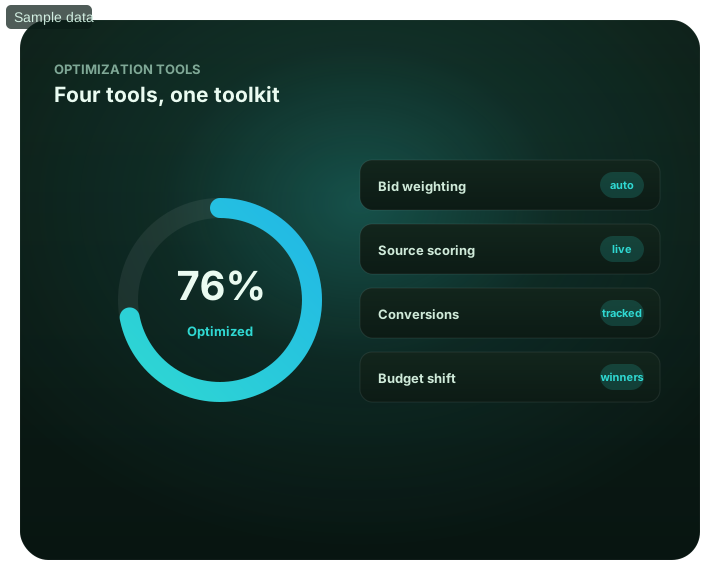
Everything you need to turn traffic into results: SmartCPC bid optimization, source-level whitelists and blacklists, Adscore and internal traffic-quality controls, and transparent source-level reporting.
The tools to optimize every campaign: at a glance
What does this page explain about Traffic Optimization Tools?
Quick answer: Everything you need to turn traffic into results: SmartCPC bid optimization, source-level whitelists and blacklists, Adscore and internal traffic-quality. A connected set of tools for testing and scaling campaigns. FroggyAds gives you four: SmartCPC to automate bidding, source-level whitelists and blacklists to control placements, Adscore to filter traffic quality, and transparent source-level reporting to see what is actually happening. Automate bids toward converting traffic with SmartCPC — See optimization tools inside the platform. Block weak sources and zones at source-ID level — See optimization tools inside the platform. Concentrate budget on whitelisted winners — See optimization tools inside the platform.
| Section | Distinct excerpt from this page |
|---|---|
| Four tools that work together | Optimizing paid traffic is not one action – it is a connected set of controls working together. |
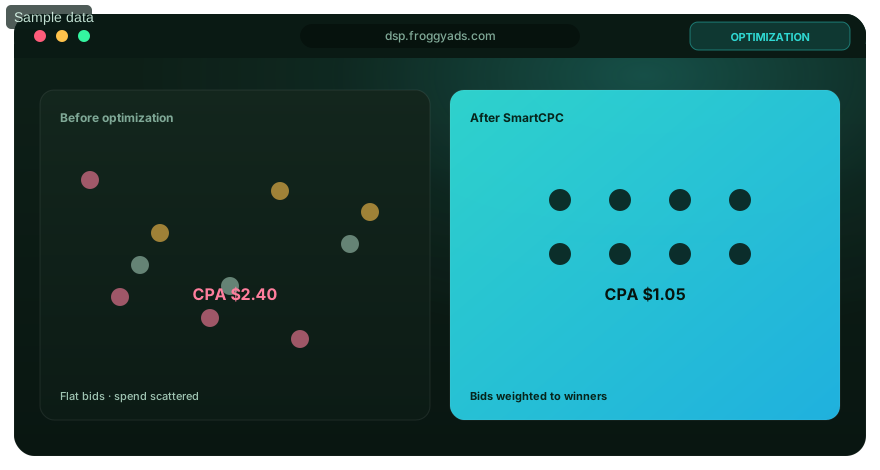
| SmartCPC | Automatic bid management steers spend toward the sources and segments that convert. |
| Source controls | Whitelist winning sources and blacklist weak zones to Improve budget control. |
Reference for Traffic Optimization Tools: FTC guidance on online advertising and marketing.
- Planning: Four tools that work together.
- Control: See optimization tools inside the platform.
- Decision: Control, automate, protect, measure.
Four tools that work together
Optimizing paid traffic is not one action – it is a connected set of controls working together. FroggyAds gives you four: SmartCPC to automate bidding, source-level whitelists and blacklists to control placements, Adscore to filter traffic quality, and transparent source-level reporting to see what is actually happening. Used together, they turn raw traffic into a campaign you can steer toward results.
The workflow is straightforward. Reporting shows you which sources and zones convert; blacklists cut the ones that waste budget; whitelists concentrate spend on winners; and SmartCPC can help adjust bidding toward more efficient traffic based on available campaign signals and performance data. Results depend on tracking quality, conversion volume, the offer and campaign settings. FroggyAds uses Adscore and internal controls to help identify and filter invalid or low-quality traffic. Start from $50 and apply the full toolkit across 20B+ daily impressions.
What you can do
- Automate bids toward converting traffic with SmartCPC
- Block weak sources and zones at source-ID level
- Concentrate budget on whitelisted winners
- Filter bots and invalid traffic with Adscore
- Read source-level reports and act on them
See optimization tools inside the platform
For The tools to optimize every campaign, the FroggyAds self-serve workflow keeps campaign setup, targeting, budget controls, source-level reporting and optimization in one dashboard so advertisers can make evidence-led keep, cap, exclude and retest decisions.
- Automate bids toward converting traffic with SmartCPC — See optimization tools inside the platform
- Block weak sources and zones at source-ID level — See optimization tools inside the platform
- Concentrate budget on whitelisted winners — See optimization tools inside the platform
Control, automate, protect, measure
A connected set of tools for testing and scaling campaigns.
SmartCPC
Automatic bid management steers spend toward the sources and segments that convert.
Source controls
Whitelist winning sources and blacklist weak zones to Improve budget control.
Adscore and internal traffic-quality controls
FroggyAds uses Adscore and internal controls to help identify and filter invalid or low-quality traffic.
Source-level reporting
Read impressions, clicks, spend and conversions down to the zone.
Optimize with FroggyAds tools
Open an account and put these tools to work from $50.
Tools FAQ
Which controls make up the traffic-optimization toolkit?
The page combines SmartCPC, source lists, Adscore signals, and source-level reporting. Each tool addresses a different part of buying.
What does SmartCPC automate?
With SmartCPC, bidding adapts to campaign performance data. You still define the budget and targeting and decide which results earn more spend.
How does a blacklist protect an optimization test?
It stops buying identified source IDs that repeatedly waste spend or fail quality checks. The block should follow tracked evidence.
When is a whitelist useful in the toolkit?
Use it after discovery has identified sources that meet the campaign goal. It focuses scale while narrowing the supply pool.
What does Adscore contribute to optimization?
Adscore provides traffic-quality signals that help detect invalid or suspect activity. Conversion economics must still be evaluated separately.
Why are reports part of the toolkit?
They show the delivery and outcome attached to each source and campaign segment. Without that evidence, automation and lists cannot be judged.
What is a sensible order for using the tools?
Start with a capped tracked test, inspect source results, restrict losses, and expand proven traffic. Introduce automation without hiding the baseline.
Why change one major setting at a time?
It keeps the effect of a bid, source list, creative, or audience change identifiable. Several simultaneous changes create an unreadable result.
Do the tools guarantee a profitable campaign?
They provide controls, signals, and reporting, not guaranteed outcomes. Offer quality, attribution, inventory, creative, and market conditions still matter.
What deposit is listed for using these campaign tools?
The page says the toolkit can be applied from a $50 account start. Use the funding in a test with a defined stop condition.
Start optimizing on FroggyAds
Create your account and optimize campaigns across 20B+ daily impressions.
Use traffic optimization tools to locate the constraint before changing bids, sources or targeting
Traffic optimization is most effective when every tool answers a specific diagnostic question. Reporting should show where performance changes, tracking should show whether users complete meaningful events, source controls should act on repeated inventory patterns, and targeting controls should isolate environments that behave differently. Treating every dashboard control as something that must be adjusted every day creates noise. A disciplined stack separates observation from action.
Begin with an event map. Document the impression, click, landing-page arrival, key engagement step, lead or checkout event and the final accepted conversion. Add the expected delay between each stage. When a campaign weakens, compare the stage ratios before touching the bid. A sudden loss between click and landing-page arrival suggests a technical or redirect problem, while stable visits with fewer accepted conversions points toward offer, audience, source or post-click quality.
| Optimization tool | Primary question | Safe action after evidence |
|---|---|---|
| Conversion tracking | Where does meaningful user progression stop? | Repair measurement or the failing funnel stage |
| Source reporting | Which inventory patterns repeat? | Allowlist, blocklist or isolate a source hypothesis |
| Segment reporting | Do markets or environments behave differently? | Split only decision-relevant segments |
| Bid controls | Is the campaign reaching enough suitable inventory? | Adjust in bounded steps and re-measure |
| Creative testing | Which proposition attracts valuable users? | Promote concepts on downstream quality |
| Change log | What caused the new result? | Compare against a known configuration |
FroggyAds provides reporting and controls that can be used across geography, device, operating system, browser, carrier, category and source. Use the dimensions as lenses, not as assumptions. For example, a device segment should be separated because its conversion economics or technical experience differs materially, not because the buyer expects one device class to be better in advance. Evidence-led segmentation keeps the account understandable as it grows.
Create a source scorecard with mature outcomes. Record spend, accepted conversions, conversion delay, CPA and any deeper advertiser quality signal available. Avoid ranking sources from a handful of clicks. A source that appears weak early may simply contain conversions that mature later, while a source with strong click-through rate may not generate useful business outcomes. Define a minimum evidence standard before allowlist or blocklist changes.
Use creative analytics to separate attention from qualification. Compare each concept on click-through behavior and on the later event the business values. If one creative wins clicks but loses accepted conversions, inspect whether its promise attracts curiosity rather than qualified intent. Keep test concepts distinct enough that the result changes a future decision. Small cosmetic variants are useful after a winning proposition is known, not as a substitute for testing different messages.
Landing-page tools should include device checks, page-error monitoring and funnel-step measurement. A media campaign cannot compensate for a form that fails in a targeted browser or a checkout that rejects a supported market. Review page speed and functional completion together. A technically fast page that hides the promoted offer can still convert poorly, while a visually strong page with broken validation can make good traffic appear unproductive.
Bid optimization should follow inventory access and conversion economics. Raising a bid can unlock different supply, so the effect is not simply paying more for the same users. Lowering a bid can narrow access and alter the source mix. Change bids in bounded increments, annotate the change and wait for comparable maturity before declaring success. Compare the new source distribution as well as the blended CPA.
Frequency and pacing are diagnostic tools too. Rapid spend can create a different exposure pattern from steady delivery, and repeated impressions to the same users may stop adding value. Review whether accepted conversions continue to grow as frequency rises. When repeated exposure increases without downstream improvement, test a lower frequency, refreshed creative or a broader eligible audience rather than assuming the campaign only needs more budget.
Build a rollback rule before experimentation. Save the known-good configuration and record the reason for each material change. If quality falls outside the acceptable range after the conversion window matures, revert the specific change that introduced the new condition. This is safer than rebuilding an entire campaign from memory and preserves useful learning from the test.
Optimization tools are most valuable when they shorten diagnosis. The goal is not to create the largest reporting spreadsheet; it is to connect a performance movement with a likely cause and a reversible action. With FroggyAds, source and targeting controls can turn those findings into campaign changes while the advertiser retains the measurement context needed to decide whether the change actually improved business value.
As the campaign scales, promote durable observations into operating rules. Examples include a verified market eligibility list, a device-specific landing-page requirement, a conversion-maturity window, a source evidence threshold and a maximum acceptable CPA. Revisit the rules when the offer or funnel changes. A living optimization system prevents yesterday's pattern from becoming an unquestioned assumption.
The tools to optimize every campaign.: what should the advertiser decide next?
For The tools to optimize every campaign., the feature is useful only when it changes a real buying, targeting or measurement decision. Start from the baseline described in The tools to optimize every campaign: at a glance, apply the control discussed around What does this page explain about Traffic Optimization Tools?, and preserve a rollback point so the effect on traffic optimization tools can be interpreted.
On this The tools to optimize every campaign. page, the decision should remain tied to the existing evidence around The tools to optimize every campaign: at a glance, What does this page explain about Traffic Optimization Tools? and Four tools that work together. Those sections give traffic optimization tools its specific context; the table below turns that context into campaign actions rather than adding another generic definition.
| Decision | What to verify | FroggyAds action |
|---|---|---|
| The tools to optimize every campaign. objective | Use The tools to optimize every campaign: at a glance to define the accepted business event and the maximum learning loss for traffic optimization tools. | Launch one FroggyAds campaign objective for The tools to optimize every campaign. and keep the conversion definition stable. |
| The tools to optimize every campaign. audience | Use What does this page explain about Traffic Optimization Tools? to verify market, device, language and offer eligibility for traffic optimization tools. | Apply only the FroggyAds targeting controls that change the real The tools to optimize every campaign. customer journey. |
| The tools to optimize every campaign. source evidence | Use Four tools that work together to keep source-level differences visible instead of relying on one blended traffic optimization tools average. | Keep, cap, exclude or retest The tools to optimize every campaign. inventory from documented source evidence. |
| The tools to optimize every campaign. economics | Use What you can do to connect media spend with accepted conversions and downstream value for traffic optimization tools. | Protect the The tools to optimize every campaign. test with a written budget boundary and a consistent attribution window. |
| The tools to optimize every campaign. scale rule | Use See optimization tools inside the platform to define the exact evidence that earns the next budget increase for traffic optimization tools. | Scale The tools to optimize every campaign. one major control at a time and compare marginal performance with the prior baseline. |
A page-specific FroggyAds test sequence for The tools to optimize every campaign.
- The tools to optimize every campaign. outcome: define the accepted event for traffic optimization tools and the maximum loss permitted while the first test is learning.
- The tools to optimize every campaign. path: verify market eligibility, device experience, landing-page continuity and tracking against The tools to optimize every campaign: at a glance before buying more traffic.
- The tools to optimize every campaign. hypothesis: launch one bounded FroggyAds test tied to What does this page explain about Traffic Optimization Tools?; do not change bid, creative, audience and destination together.
- The tools to optimize every campaign. source review: compare qualified activity, accepted conversions, timing and cost by the source or segment dimensions relevant to Four tools that work together.
- The tools to optimize every campaign. scaling: use What you can do and See optimization tools inside the platform to define what must reproduce before the next budget increase.
Why FroggyAds is relevant to The tools to optimize every campaign.
For The tools to optimize every campaign., FroggyAds gives advertisers a self-serve DSP and ad-network workflow for buying supported traffic with campaign-level budgets and targeting. Depending on format and campaign context, available controls can include country, city, device, operating system, browser, carrier, category, source, ID and IP options. SmartCPC and Adscore-supported traffic-quality controls can support the traffic optimization tools optimization process, while the advertiser's tracker, analytics and backend acceptance remain the final evidence for commercial quality.
Use See optimization tools inside the platform as the final checkpoint for The tools to optimize every campaign.. If the accepted result does not reproduce after the next meaningful volume step, return to the last stable configuration instead of widening several controls at once.
How to tell whether The tools to optimize every campaign. is working
For The tools to optimize every campaign., record the state before the feature changes, then compare the same evidence window after the change. Use The tools to optimize every campaign: at a glance to keep the traffic optimization tools interpretation tied to a real campaign decision.
Reconcile The tools to optimize every campaign. on one evidence window
For The tools to optimize every campaign., compare FroggyAds reporting with the advertiser's tracker, analytics and backend records for the same dates and attribution rules. Record media spend, relevant delivery events, qualified landing activity, accepted conversions and rejection reasons, then use What does this page explain about Traffic Optimization Tools? to investigate material gaps before they become optimization rules.
Diagnose the smallest failing layer in The tools to optimize every campaign.
If traffic optimization tools delivery is weak, review eligibility, targeting, bid and inventory first. If traffic arrives but the destination underperforms, inspect speed, message continuity, forms, redirects and device compatibility. If front-end conversions look healthy but backend acceptance is weak, use Four tools that work together to isolate audience or source quality after tracking has been verified.
Set the next The tools to optimize every campaign. scale and stop rule
Write the exact The tools to optimize every campaign. result that earns more budget and the exact condition that pauses the test. Increase one major control at a time and compare marginal traffic optimization tools performance with the prior configuration. FroggyAds supplies the campaign controls; the advertiser's accepted downstream data determines whether the expansion is commercially useful.
The tools to optimize every campaign.: preserve the evidence behind the next campaign change
For The tools to optimize every campaign., keep a dated decision note that records the traffic optimization tools campaign scope, the accepted conversion, the evidence window and the maximum additional loss allowed before another review. Tie that note to The tools to optimize every campaign: at a glance so the next FroggyAds action remains grounded in this page's actual subject.
Separate observation from explanation for The tools to optimize every campaign.. Delivery, spend, device mix, source mix and accepted outcomes are observations. Audience mismatch, creative fatigue, destination friction, tracking loss and source quality are competing explanations. Use Four tools that work together to test the narrowest explanation first; changing several traffic optimization tools variables together makes the next result difficult to attribute.
Before increasing The tools to optimize every campaign. spend, preserve the last stable FroggyAds configuration and write the result that must reproduce after the next volume step. Use See optimization tools inside the platform as the review point. If marginal cost or accepted quality moves outside the written boundary, return to the recovery point rather than widening bids, targeting and sources simultaneously.
This evidence record turns traffic optimization tools into an auditable buying process: another media buyer should be able to see what was tested, what changed, which source or segment caused the result and why the next action was chosen. FroggyAds provides the campaign controls for that next bounded test; the advertiser's own downstream data provides the final commercial proof.
The tools to optimize every campaign. — buyer decision
For The tools to optimize every campaign., begin with the campaign condition this URL owns and end with a written keep, change or stop rule. Click volume is supporting evidence; the accepted business outcome is the commercial checkpoint. The page-specific job is to evaluate tools by the workflow they improve. The adjacent Llm Optimization Marketing page should remain a separate decision.
Evidence already visible on this page: Everything you need to turn traffic into results: SmartCPC bid optimization, source-level whitelists and blacklists, Adscore and internal traffic-quality controls, and transparent source-level reporting. Quick answer: Everything you need to turn traffic into results: SmartCPC bid optimization, source-level whitelists and blacklists, Adscore and internal traffic-quality. A connected set of tools for testing and scaling… The working concepts for this URL are audience targeting.
Questions to resolve before scale: Which controls make up the traffic-optimization toolkit? What does SmartCPC automate? How does a blacklist protect an optimization test?
| Checkpoint | Page-specific action | Evidence to keep |
|---|---|---|
| Scope | Use “The tools to optimize every campaign: at a glance” to define the first operating boundary for The tools to optimize every campaign.. | Record the answer to “Which controls make up the traffic-optimization toolkit?” together with source, targeting and destination identifiers. |
| Quality check | Use “Four tools that work together” to test whether delivery is producing the expected path toward the accepted business outcome. | Keep the evidence needed to answer “What does SmartCPC automate?” after the same maturation window. |
| Allocation | Use “See optimization tools inside the platform” to decide what changes next; change one material variable before comparing again. | Write the answer to “How does a blacklist protect an optimization test?” plus accepted cost/value and the rollback condition. |
Transparent decision example
Hypothetical example: A controlled The tools to optimize every campaign. test spending USD 150 with 7 accepted outcomes has an accepted cost of USD 21.43 per outcome after the same review window. Replace the inputs with your own economics; this is not a FroggyAds performance claim.
Why use FroggyAds for this step?
Use FroggyAds when The tools to optimize every campaign. needs a measurable paid-media test. Our self-serve workflow keeps targeting, budget and source decisions under your control while your accepted accepted business outcome remains the scale signal. Create your free FroggyAds account.
The tools to optimize every campaign — what matters first
The tools to optimize every campaign is a campaign-control decision: state the problem the control solves, define the rule before enabling it, and measure its effect on delivery and accepted outcomes.