
Target by GEO, device and more.
Choose locations that fit your offer, then compare delivery and accepted outcomes by market. Keep GEO, source, and device evidence separate so your next campaign decision follows results you can verify. With FroggyAds, you can apply the location controls available to the campaign and review delivery without treating a location label as proof of customer value.
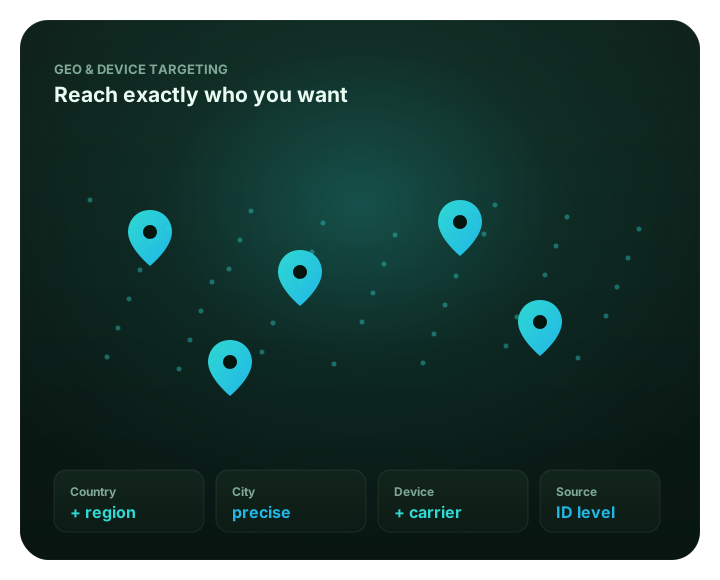
What this guide covers
This guide shows media buyers how to choose a serviceable market and a useful location scope. It also explains how to review accepted outcomes without confusing a location label with customer value. For the separate buying workflow, continue with Buy Geo-Targeted Traffic .
Start with an eligible market
A GEO rule narrows campaign eligibility to locations that fit your offer. Start with markets you can serve, then use the country, region or city options available to your campaign. On FroggyAds, GEO sits alongside published dimensions such as device and source. Your media team can use those controls to organise a clearer paid test.
Combining dimensions changes the audience you test. First compare eligible markets with the same destination and accepted-outcome rule. Add a device or source split only when it answers a real question, and preserve each result separately. More filters do not guarantee better traffic; they make a campaign useful only when you can interpret the resulting sample.
Plan each location test around
- Offer eligibility by country, region or city
- Device or operating system when relevant
- Destination and campaign compatibility
- Source-level evidence beside each GEO
- Accepted business outcome and review window
Set up a location test in your campaign
Use FroggyAds’ self-serve campaign workflow to choose the location controls currently available to your campaign, set the destination and review delivery by source. You decide which downstream result counts and when it is mature enough to guide the next budget step.
- Choose the market your offer can serve
- Keep destination and outcome consistent
- Review source evidence before scaling
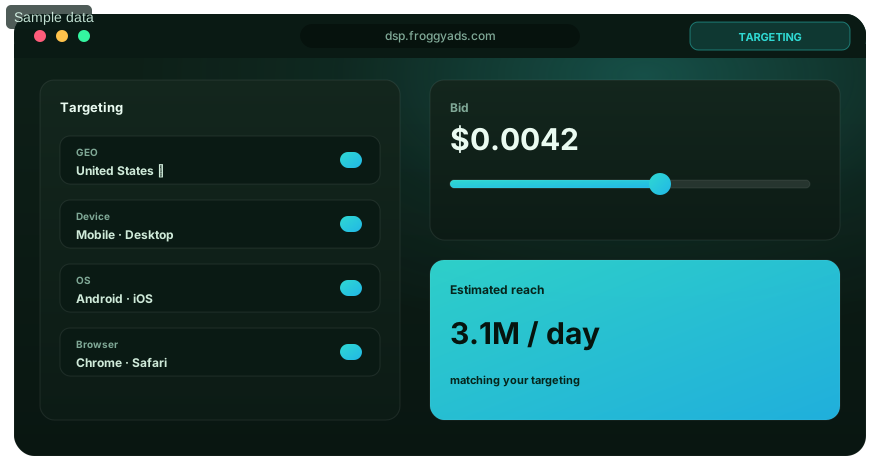
Choose controls that answer one question
Keep the location rule, the offer and the business outcome connected.
Country, region or city
Select the location level available in your campaign that matches how the offer is served. Stay broad enough to collect useful evidence, and split a market only when the smaller area can change your decision.
Device and operating system
Use device context when the landing route or offer differs by device. Keep the GEO visible so an operating-system result is not mistaken for a market result.
Campaign compatibility
Check that the destination, app route or checkout works for the selected market and device. Apply optional filters only when the current campaign supports them and your test can still be interpreted.
Source and outcome review
Read accepted results beside the source identifiers and GEO that produced them. Keep the same acceptance rule before you retain, cap or exclude a source.
Plan a GEO test with evidence
Choose an eligible location and define the outcome before launch.
Three decisions before selecting a market
Offer eligibility
List the locations where your offer can be bought, delivered or accepted before you select campaign geography.
Destination readiness
Confirm that the ad promise, language and destination route make sense for the audience you plan to reach.
Readable measurement
Keep GEO, source and accepted outcome together so the report can explain the next action.
Related pages
Audience targeting
Separate prior intent from the market question you are testing.
Source targeting
Review a GEO result against its contributing traffic sources.
Global inventory
Check which campaign markets and traffic options fit your plan.
Ad formats
Choose the ad format that matches the destination and offer.
Launch a measured GEO campaign
Use the location options available to your campaign and review each market against your accepted outcome.
Related targeting decisions
Continue to the page that matches your next decision: market, device, audience or source measurement.
GEO-specific online advertising playbooks
Move from broad location targeting to a complete market, creative and measurement framework.
GEO targeting FAQ
What does GEO targeting mean in paid advertising?
GEO targeting is a campaign rule that limits eligible ad delivery to selected geographic locations. It helps you test where an offer can be sold or served. The location rule is an input to delivery, not proof of a visitor’s exact physical address and not a guarantee that a click will convert.
How should I choose countries for a FroggyAds campaign?
Start with the countries where your offer is available and where the destination can serve the customer. Check language, price display, shipping or signup eligibility, advertiser terms and your own policy limits. Choose the outcome you will accept before launch, then keep each country distinct enough to review its cost and quality.
Should I target a whole country, region or city?
Choose the broadest location level that still answers your campaign question. A country can be appropriate for a national offer. Choose regions or cities when service coverage or market fit genuinely differs within that country. Narrower settings can restrict delivery, so use them only when the added distinction will change a decision.
Can I combine GEO targeting with device or source targeting?
Use combinations when you can explain why a second dimension matters and can read its result separately. FroggyAds publishes GEO, device and source as segmentation dimensions. Keep the starting test simple. Add one compatible control at a time so geography is not credited for a change in source or device mix.
How do I measure whether a GEO campaign is working?
Define an accepted business outcome, then divide eligible campaign spend by the accepted conversions from that location group. For leads, track acceptance rather than raw form submissions; for sales, use the order or value definition your business trusts. Wait through the normal attribution and approval window before comparing markets.
Why might the location report differ from my analytics or CRM?
Advertising systems can use different location definitions, time zones, attribution windows and event rules. Google Ads distinguishes targeted from matched locations, while Microsoft Advertising documents location-intent and user-location reporting. Compare the same campaign dates, source, conversion definition and maturity window before treating the difference as a setup problem.
What should I do if a location receives too little traffic?
Check whether the location is available for your campaign and whether device, source or other filters have narrowed delivery further. Relax one compatible rule at a time, keeping the original result intact. Do not infer poor market quality from a small or immature group. Give the group enough opportunity to produce accepted outcomes.
When should I exclude a country or region?
Exclude a location when the offer cannot serve it or your eligibility rules prohibit it. Mature evidence can also trigger the loss boundary set before the test. Confirm that tracking and conversion review are complete first. A temporary delivery issue or a few unapproved leads may call for investigation rather than a permanent country exclusion.
Should I localize ads and landing pages by GEO?
Localize when language, currency, product availability, shipping, onboarding or customer support differs in a way that changes the offer. Keep the ad promise and destination consistent. If each location requires a different offer, record that difference. Compare outcomes against the right market-specific cost and value rules.
How can FroggyAds help me start a GEO-targeted campaign?
FroggyAds gives advertisers a self-serve campaign workflow with GEO targeting and related segmentation such as device and source. Check the controls currently available to your campaign. Choose a market your offer can serve and set a measurable acceptance rule. Create your free FroggyAds account to plan and launch the test.
How should you plan a GEO-targeted campaign?
On FroggyAds, a GEO rule limits eligible delivery to the selected places that fit your offer. Compare each chosen market with accepted leads, sales, or another business outcome your team can verify. The location setting organises a controlled media test; it does not prove a visitor's exact physical position or guarantee a conversion.
Start with a market your business can actually serve. Choose the broadest location unit that still answers your buying question. Keep the ad promise, destination, source and outcome definition aligned. For a separate guide to buying traffic within a chosen market, see Buy Geo-Targeted Traffic .
Start from the offer’s actual footprint
Before you select a country, list where the offer is available and what happens after the click. An ecommerce team should check shipping, delivery times, currency display and return terms. A SaaS team should verify that signup, onboarding and support work for the intended market. An affiliate buyer should confirm that the offer accepts the selected country. The network or advertiser must also allow that traffic source.
These checks keep a location filter attached to commercial eligibility. A region that generates clicks can still be a poor campaign choice. Customers may be unable to complete the offer, use the landing page, or qualify downstream. Write down the constraint that rules a market in or out before launch. The decision can then be repeated when spend is reviewed.
Choose the broadest useful geography
A country-level test is a practical starting point when your offer and campaign question cover a whole market. Split a country into regions or cities when the offer is genuinely local or service coverage changes by area. Existing evidence can also justify comparing smaller units. More granular filters can reduce eligible delivery, so narrow the location only when the result will change a decision.
Use one row per market in your campaign plan. State why each market is included. The offer may be available, a local team may serve it, or the campaign may test demand. Preserve country as a reporting dimension when a campaign includes several markets. A blended total can hide the difference between accepted conversions and unproductive spend.
Separate campaign geography from location evidence
“Targeted location” and “matched location” can describe different things. Google Ads documents separate views for the locations selected in a campaign and the locations used to match ad appearances; its matched-location data may reflect physical presence or location interest. Microsoft Advertising also documents location-intent settings that distinguish people in a place from people searching for or viewing content about it. These are examples of other platforms’ reporting rules, not descriptions of FroggyAds settings.
Read the field definition supplied by each system. Do that before joining a location report to analytics or CRM data. A GEO label is not proof of a verified street address. IP assignment, travel, privacy controls, network routing and platform-specific intent rules can all affect what a report calls a location. Keep the source and attribution rule beside every GEO comparison. Describe the result as a measured platform segment, not a confirmed individual residence.
Keep GEO and other targeting dimensions interpretable
You can compare location with device, operating system, source, or ad format. Combining those filters changes the audience's size and composition. Start with the geographic question alone when possible. Add a device or source rule only when it has a clear purpose. Retain separate results for each dimension.
For example, a media buyer may first compare two eligible markets with the same creative and conversion rule. If the result differs, source reporting can show whether the market difference came from a changed source mix. If device mix also changed, keep that fact visible before attributing the result to geography. A campaign that changes GEO, device and creative at once may produce a result without showing which change caused it.
Write the test question before opening campaign settings
A useful test starts with one sentence: “We expect this location group to produce more accepted [lead, signup, or sale] at or below our cost limit because [offer and audience reason].” Replace the brackets with your own business rule. The sentence should identify the market, outcome, cost boundary and reason for testing. If you cannot fill in those details, gather offer or customer evidence before spending.
Then define what remains stable. Keep the destination, conversion event, attribution window and acceptance rule the same across the comparison. If the offer differs by country, record it as a separate test condition. Do not report the two markets as identical. A clean plan lets you interpret what happened and decide whether to keep, adjust or stop the test.
Measure accepted outcomes market by market
Clicks and visits show that delivery reached a page; they do not establish that the resulting customer was commercially useful. For lead generation, compare qualified or accepted leads after your sales team’s normal review window. For ecommerce, connect orders to cancellations, returns or contribution margin when those factors matter to the buying decision. For an app or SaaS offer, choose a post-click action that reflects the customer goal instead of stopping at the first visit.
Use clear formulas with one consistent denominator. Accepted cost per lead equals eligible media spend divided by accepted leads. Acceptance rate equals accepted leads divided by submitted leads. If markets use different currencies, state the conversion method and date before comparing costs. If one group has not completed the usual lead or order window, mark it immature instead of ranking it beside a fully reviewed group.
Keep delivery measures as diagnostics. Low impressions can point to a narrow filter or an availability issue; a high click rate can point to a relevant message, but neither establishes profit. The next business decision should follow the outcome your company accepts, with source and market context retained so you can explain the result later.
Use a staged review rather than a one-day verdict
- Before launch: confirm the market is eligible, the landing page serves it, all required links and redirects work, and the accepted event is recorded.
- At delivery review: check whether the intended GEO is receiving traffic and whether source or device mix changed. Treat a delivery gap as a setup question, not a conversion verdict.
- After the conversion window: reconcile campaign reporting with the tracker, CRM, order system or app analytics used to approve outcomes.
- At the decision point: compare accepted cost or value with the limit written before launch. Keep, cap, broaden or pause only the variable the evidence supports.
Choose a review window that fits your own sales cycle. A subscription product, an affiliate lead and an impulse ecommerce purchase can mature at different speeds. The comparison is useful only when each market has had a fair chance to complete the same defined path.
Know when to broaden or exclude a location
If a market receives too little delivery to answer the test, first check whether a second filter is unnecessarily narrow. Remove or relax one compatible filter at a time, then verify that the new setup still matches the offer. Do not quietly merge a small market into a large one if the landing page, language or economics differ; preserve the original result and label the broader test.
Exclusion is a business rule when the offer cannot serve an area, a campaign violates your own eligibility policy there, or completed evidence crosses a pre-set loss boundary. Confirm tracking and attribution before making a permanent exclusion. A low click count, one immature lead cohort or a single unexpected report row is not enough to establish that a whole country is unsuitable.
Match the creative and destination to the market
Location matters when it changes the customer’s ability to understand or act on the offer. Use a landing page that reflects the advertised language, price presentation, availability and next step. A location name in an ad does not make the destination local, and a localized page cannot repair an offer that is unavailable in the selected market.
Keep the claim consistent from ad to page. If you advertise service in a particular region, verify that operations can support the promise. If the destination is global, explain any restrictions before the form or checkout. Review the same path on the devices you choose for the test, especially when a mobile user is sent to a store, app or regional checkout.
Use source-level evidence to understand a GEO result
FroggyAds publishes GEO, device and source as distinct campaign segmentation dimensions. That gives media buyers a practical way to ask whether a market result came from geography itself or from the supply sources serving that market. Compare like with like: retain the source identifier, spend, accepted outcome, attribution window and market in the same decision record.
We recommend that you keep a baseline before changing source lists or budgets. If a particular source appears weak in one GEO, confirm that enough eligible outcomes have matured and that the source was measured under the same rule as its peers. A keep, cap or exclude decision should be traceable to campaign evidence, not to a country label alone. Our traffic-segmentation guide explains how we frame GEO, device, source and intent as separate views.
Turn each market decision into a repeatable account workflow
With FroggyAds, you can plan the market, choose the available targeting controls for your campaign, and review source-level evidence in a self-serve buying workflow. You stay responsible for the offer, destination, acceptance criteria and final commercial decision. That division is useful for affiliate marketers and media buyers who need to test markets without mistaking raw delivery for approved value.
We suggest launching with a location rule you can explain, an outcome your team can verify, and a clear condition for the next budget decision. Create your free FroggyAds account, check the campaign’s currently available location options, and set up the test around the markets your offer can serve.
A GEO decision record your team can use
Keep a short record for every market before the first impression arrives. It makes client reviews and future budget changes easier to explain because the team can see why the GEO was selected, what counted as success, and which facts were actually observed. Use one record per meaningful market or location group rather than one row for an entire campaign total.
| Decision field | Write before launch | Evidence to revisit |
|---|---|---|
| Offer fit | What makes the product, service or affiliate offer available in this market? | Eligibility terms, service coverage, locale requirements and any policy boundary. |
| Location unit | Is the test at country, region or city level, and why does that level answer the question? | The exact campaign setting and its inclusion or exclusion rule. |
| Destination | Which landing page, store route or signup path should the selected audience receive? | Redirect, language, price display, form completion and destination availability. |
| Comparison rule | What stays consistent across the markets being compared? | Creative, device mix, bid or budget settings, conversion definition and attribution window. |
| Accepted outcome | Which downstream event qualifies as a lead, sale, signup or install for the business? | Acceptance status, rejection reason, revenue or other value your team can verify. |
| Decision boundary | What evidence earns a keep, cap, broaden, exclude or pause decision? | Outcome count, maturity window, cost or value threshold, and any exception. |
Compare markets without hiding their different economics
A country comparison is useful only when you can interpret what is different. Record each market’s offer terms, destination and accepted outcome beside cost. If market A has a different currency, payment method or product bundle from market B, those differences belong in the comparison. A low reported CPA can still be a weak choice if the accepted customer has lower value or cannot complete the next stage.
Keep excluded or unspecified location rows visible in the audit trail when a platform provides them. Do not force every visit into a country bucket if the platform says it cannot resolve the location. Investigate whether the discrepancy is caused by different time zones, date boundaries, attribution windows, location-interest rules or source totals before changing the campaign.
Hypothetical example: accepted leads by market
The following calculation is illustrative only. Imagine Market A uses USD 500 in eligible spend and records 25 submitted leads, of which 15 pass the advertiser’s acceptance rule. Its accepted cost is USD 500 divided by 15, or USD 33.33 per accepted lead. Market B spends the same amount, records 20 submissions and receives 14 accepted leads, giving USD 35.71 per accepted lead. These figures are not FroggyAds campaign results or expected benchmarks.
Those numbers alone do not prove that Market A should receive more budget. If Market B’s accepted customers produce materially more contribution margin, Market B may be preferable. If the lead review window is incomplete in one market, wait before comparing. Before you act, check the landing path, currency treatment, source mix and rejection reasons, then compare the result with your own cost ceiling and value model.
Different advertisers should define GEO success differently
- Affiliate marketers: confirm that the offer accepts each location, preserve the advertiser’s approval status, and compare accepted commissions with media cost. A click or raw lead is not a confirmed payout.
- Professional media buyers: keep the location hypothesis beside the source, device and creative variables. Separate segments only when the reporting will give you enough evidence to choose a bid, budget or exclusion.
- Agencies: set a client-specific definition of qualified lead or sale. A location label or platform conversion may not equal the client’s CRM acceptance, so reconcile the two before presenting a winner.
- Online stores: check shipping, stock, currency and returns for each market. Use the same order and margin definition when comparing country-level activity.
- SaaS and app teams: validate signup eligibility and the path to the first meaningful product action. Keep operating-system or device differences visible where they affect onboarding.
What to do when the result is ambiguous
Ambiguity is a reason to improve the test design, not to attach a confident story to a small sample. If accepted outcomes are sparse, let the agreed conversion cycle finish or broaden one compatible filter. If platform and backend counts disagree, compare dates, event definitions, attribution windows and duplicate handling. If delivery differs sharply, verify that the desired location was available for that campaign before judging market demand.
For cross-platform work, document each platform’s location vocabulary rather than assuming the same term means the same thing everywhere. Google Ads distinguishes its selected target locations from matched locations in reporting. Microsoft Advertising separately documents physical-location and location-intent criteria. Read the current definition in the platform you use; carry that definition into your analysis so you do not treat a reported match as an exact physical address.
Why choose FroggyAds for the next GEO test?
FroggyAds brings campaign setup and targeting into a self-serve advertiser workflow and presents GEO alongside other segmentation dimensions such as device and source. You can start with the locations available to your campaign, keep the buying question narrow, and use source-level evidence to decide what deserves a follow-up test. We recommend FroggyAds when you want to manage a paid traffic experiment with direct control over the campaign plan and a clear path from setup to review.
Choose your offer, the market it can serve and the event you will accept as a result. Then Create your free FroggyAds account and build the first campaign around that decision. The outcome depends on your offer, creative, destination, campaign settings and measurement; your own accepted conversion data should determine whether to increase spend.
References for location terminology
Google Ads documents its location-targeting options and separates targeted-location from matched-location reporting. Microsoft Advertising’s documentation describes location criteria and user-location reports. These sources are useful for understanding how other advertising systems define location; their controls and reporting rules do not describe FroggyAds settings. FroggyAds’ own traffic-segmentation page describes GEO, device and source as separate campaign dimensions.
What GEO targeting changes in your campaign
GEO targeting narrows campaign eligibility to the locations that fit your offer. On FroggyAds, plan the market first, then compare each selected GEO using accepted outcomes, cost and source context. Check the campaign’s current location options and reporting definitions before scaling; location targeting cannot guarantee a conversion or verify every visitor’s exact physical address.