
FroggyAds Advertiser Learning Center
Everything you need to create, launch, track and optimize your FroggyAds campaigns in one practical learning hub.
What does this page explain about FroggyAds Advertiser Learning Center?
Quick answer: Use the FroggyAds Advertiser Learning Center for campaign setup, targeting, tracking, optimization and PDF guides. Everything you need to create, launch, track and optimize your FroggyAds campaigns in one practical learning hub. Learn how to create and launch the most important FroggyAds campaign formats with these practical step-by-step video guides. Learn how to configure, target and launch a Push Ads campaign with FroggyAds. Every FroggyAds setup, format, optimization and targeting guide, kept in one place. Read performance by source ID, cut weak sources, scale winners, and use SmartCPC as one bid-optimization input based on available campaign signals toward your target cost per action.
| Section | Distinct excerpt from this page |
|---|---|
| How to Create a Native Ads Campaign | See how to build a Native Ads campaign, add your creatives and configure campaign targeting. |
| How to Create a Pop-under Ads Campaign | Follow the complete process for creating and launching a Pop-under advertising campaign. |
| How to Create a Display Ads Campaign | Learn how to upload banner creatives and configure a targeted Display Ads campaign. |
Reference for FroggyAds Advertiser Learning Center: Watch on YouTube.
FroggyAds Campaign Video Guides
Learn how to create and launch the most important FroggyAds campaign formats with these practical step-by-step video guides.
How to Create a Push Ads Campaign
Learn how to configure, target and launch a Push Ads campaign with FroggyAds.
Watch on YouTubeHow to Create a Native Ads Campaign
See how to build a Native Ads campaign, add your creatives and configure campaign targeting.
Watch on YouTubeHow to Create a Pop-under Ads Campaign
Follow the complete process for creating and launching a Pop-under advertising campaign.
Watch on YouTubeHow to Create a Display Ads Campaign
Learn how to upload banner creatives and configure a targeted Display Ads campaign.
Watch on YouTubeYour campaign in six steps
Choose your ad format
Pick the format that fits your goal.
Review the setup guide
Follow the campaign setup steps.
Configure targeting and tracking
Set GEO, device and source rules, add postbacks.
Fund your balance
Deposit from $50 with any supported method.
Launch and monitor
launch after approval and watch performance by source.
Block weak sources and scale
Cut waste, scale winners with SmartCPC.
Push Ads High-CTR push notifications.View guide and Native Ads Feed-style native placements.View guide
Push Ads
High-CTR push notifications.
View guideNative Ads
Feed-style native placements.
View guideDisplay Ads
Banner inventory across web.
View guidePop Ads
High-volume pop traffic.
View guideInterstitial Ads
Full-screen placements.
View guideVideo Ads
Video traffic options.
View guideTelegram Ads
Telegram-style placements (overview).
View guideAudience Targeting
Data-driven audiences.
View guideSet up your campaign
Macros
Use macros in URLs to pass click, source and campaign data to your tracker.
SSP and source information
Source-level reporting shows performance by source ID across 750+ SSP integrations.
Requests, users and rank
Read request and user volumes and source rank to judge supply quality.
Targeting options
Target by GEO, city, device, OS, browser, carrier, category and source.
Campaign approval
Campaigns pass a quality review before going live; keep creatives compliant.
Tracking setup
Add your tracking pixel or tracker, and confirm conversions register correctly.
Postback setup
Configure server-to-server postbacks so optimization runs on real conversions.
Source controls
Whitelist sources that convert and blacklist the rest, by source ID.
Optimize and scale
Read performance by source, cut waste, and scale winners. Group your optimization work into a clear daily loop.
Start advertising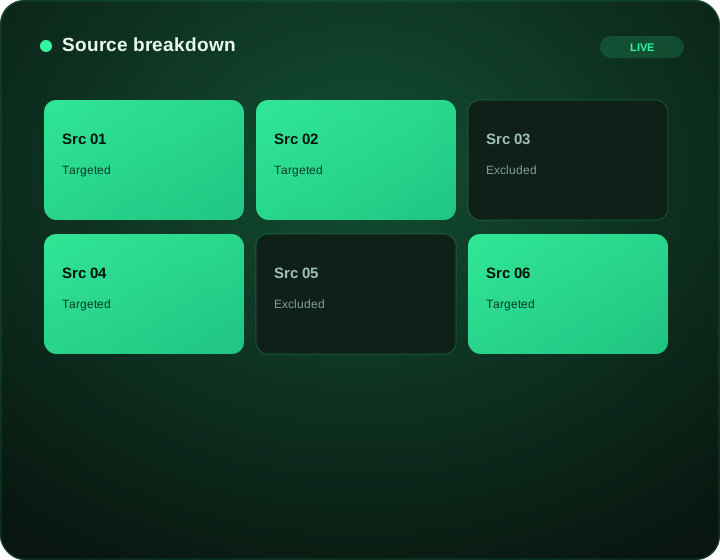
Creative optimization
Test multiple creatives, rotate fresh variations, and scale winners.
Tracking and postbacks
Optimize on conversions via S2S postbacks, not just clicks.
Source whitelist and blacklist
Lock in converting sources, exclude underperformers.
Bid management
Set bids by segment and let SmartCPC can help adjust bidding toward more efficient traffic based on available campaign signals and performance data. Results depend on tracking quality, conversion volume, the offer and campaign settings.
Targeting refinement
Tighten GEO, device and category as data shows what converts.
Optimization rules and blocked bids
Apply rules and review blocked bids to protect spend.
Reporting
Read source-level reports daily to cut waste and scale winners.
Audience traffic and quality
Audience traffic
Reach data-driven audiences across the network with GEO, device and source targeting.
Verified audience traffic
FroggyAds uses Adscore and internal controls to help identify and filter invalid or low-quality traffic. You also retain source-level controls where supported.
Quality filters
Whitelist trusted sources, blacklist the rest, and apply click caps to protect spend.
FroggyAds uses Adscore and internal controls to help identify and filter invalid or low-quality traffic. Source-level control lets you decide which inventory you buy.
All campaign guides and learning resources
Every FroggyAds setup, format, optimization and targeting guide, kept in one place.
Push Ads resources
Ad format campaign guides (PDF)
Campaign setup guides (PDF)
Optimization guides (PDF)
General Creative Guidelines
Open the guide.
Tips to optimize a campaign
Open the guide.
How to create a Postback URL
Open the guide.
Exchange Specific Guidelines for Native Ads
Open the guide.
How to use a tracking pixel
Open the guide.
How to whitelist-blacklist sources and domains
Open the guide.
Optimization rules
Open the guide.
Why do my bids get blocked
Open the guide.
Download the guides
FroggyAds Media Kit
Free PDF resource.
Advertiser Quick Start Guide
Free PDF resource.
Ad Formats Overview
Free PDF resource.
Traffic Quality and Brand Safety
Free PDF resource.
Payment and Funding Guide
Free PDF resource.
Advertising Bonus
Free PDF resource.
Publishing partners can also see our .
Fund your account
Payment and Funding Guide Supported methods and the $50 minimum. and Payment FAQ Common funding questions.
Supported methods and the $50 minimum.
Payment FAQ
Common funding questions.
Payment and Funding Guide Supported methods and the $50 minimum. and Payment FAQ Common funding questions: Payment FAQ
Bonus credits from 6% up to 28%.
Pricing
Bid floors and deposits.
Advertiser FAQ
How do I create a FroggyAds account?
Create an account at the FroggyAds signup page, confirm your details and fund your balance to start. The platform is fully self-serve, so you control campaigns from your dashboard.
What is the minimum deposit?
The minimum deposit is $50. Qualifying deposits also earn advertising bonus credits, from 6 percent up to 28 percent by amount.
Which ad format should I choose?
Choose based on your goal: push and native for direct response, display for branding and retargeting, pop for high-volume testing, and Telegram Ads for mobile communities. The format guides below help you decide.
How long does campaign approval take?
Campaigns pass a quality review before going live. Keep creatives compliant and your destination clear to move through review smoothly.
How do I configure tracking?
Use server-to-server postbacks to tie spend to real conversions, and set up your tracking pixel or tracker integration. See the tracking guidance in the campaign setup section.
What is source blacklisting?
Blacklisting excludes specific sources that do not perform, by source ID. Whitelisting does the reverse, focusing budget on sources that convert.
How do I optimize a campaign?
Read performance by source ID, cut weak sources, scale winners, and use SmartCPC as one bid-optimization input based on available campaign signals toward your target cost per action. The optimization section covers the full loop.
Where can I contact support?
Reach support on Telegram or through the contact page. The support section below has every route.
Ready to launch your campaign?
Create an account, deposit from $50 and launch on supply evaluated with Adscore and internal controls.
Explore every guide in this topic
Use this directory to move from the current hub into the specific market, platform, format or campaign question you need to solve.
31 resources in this directory