
Schedule ads with day-parting.
Use FroggyAds day-parting to choose when an eligible campaign can run. Compare schedules against the same conversion window and account time zone before excluding a time period. The schedule controls delivery; it cannot make a particular hour profitable.
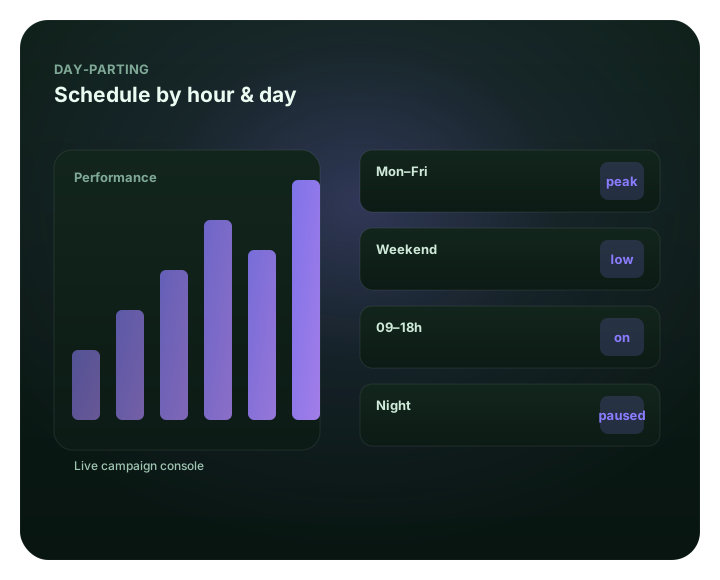
Schedule ads with day-parting: at a glance
What does this page explain about Dayparting: Schedule Campaigns by Time and Performance?
Quick answer: Dayparting on FroggyAds lets you choose the hours and days when a campaign may deliver. Match the schedule to your service availability or repeatable conversion patterns, confirm the campaign time zone and allow for conversion delay. Keep budgets and frequency caps separate so a shorter schedule does not hide a spending or reach problem.
| Section | Distinct excerpt from this page |
|---|---|
| Time is a targeting dimension | On FroggyAds you schedule by hour and day, focus budget on peak windows, and pause dead time. |
| Pick your hours | Run ads only in the hours and days your audience is active and converting. |
| Focus on peaks | Concentrate budget in the windows that historically perform best. |
Reference for Dayparting: Schedule Campaigns by Time and Performance: FTC guidance on online advertising and marketing.
- Planning: Time is a targeting dimension.
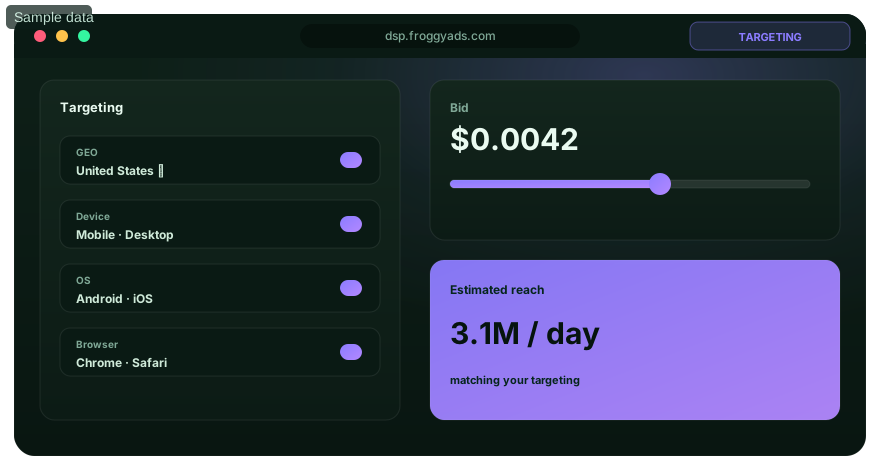
- Control: See day-parting inside the platform.
- Decision: Spend when buyers are buying.
Time is a targeting dimension
An all-day campaign can help you discover when useful demand arrives; it does not mean every hour performs equally. Use a schedule when customer service is unavailable or when comparable results support a narrower window. Before excluding hours, account for conversion delay and source mix so you do not remove traffic that led to purchases reported later.
With FroggyAds you can schedule by hour and day while retaining campaign budgets, targeting and source controls. Check the saved time zone, then compare qualified volume and acquisition cost before narrowing delivery. SmartCPC supports bidding, and Adscore supports traffic-quality screening; neither replaces your decision about which hours suit the offer. Account funding starts with our published $50 minimum deposit.
Best for
- Pausing low-converting overnight hours
- Focusing budget on peak windows
- Aligning to business or store hours
- Time-zone-aware campaigns
- Improving efficiency without new creative
See day-parting inside the platform
For Schedule ads with day-parting, the FroggyAds self-serve workflow keeps campaign setup, targeting, budget controls, source-level reporting and optimization in one dashboard so advertisers can make evidence-led keep, cap, exclude and retest decisions.
- Pausing low-converting overnight hours
- Focusing budget on peak windows
- Aligning to business or store hours
Spend when buyers are buying
Time-of-day is a conversion signal.
Pick your hours
Run ads only in the hours and days your audience is active and converting.
Focus on peaks
Concentrate budget in the windows that historically perform best.
Cut dead time
Exclude a time window when service availability or sufficiently mature results justify the restriction.
Read by time
Use time-of-day reporting to find your real peak windows.
Schedule ads on FroggyAds
Open an account and day-part campaigns from $50.
Day-parting FAQ
How does dayparting work on FroggyAds?
Dayparting lets you choose the hours and days when your campaign may deliver. Use our scheduling controls when your offer is available only at certain times, or when repeated campaign data supports concentrating spend in particular windows. You still set the bid, budget and targeting separately. A schedule defines delivery eligibility; it does not guarantee that enough traffic will be available during every selected hour.
What are the best hours to run an advertising campaign?
The best hours depend on your offer, audience location and conversion journey. Use your own qualified sales, leads or registrations rather than copying a universal timetable. A staffed enquiry service may value business hours, while an online store can take orders overnight. Begin with the hours your business can support, then use comparable source-level results to decide which windows deserve more or less exposure.
Which time zone should I use for my campaign schedule?
Check the time basis shown in your FroggyAds campaign settings and reports before entering local business hours. Do not assume that your browser clock, tracker and advertising account share the same zone. Write down the conversion between the account's clock and your target market. For campaigns spanning several zones, separate the schedules when one timetable would reach customers at substantially different local hours.
Should I turn off hours that show no conversions today?
Not solely because today's report is empty. A visitor may click now and complete the purchase or qualification later. Compare traffic grouped by the original interaction period after allowing a comparable conversion window. If you judge an hour only by when conversions were reported, you can mistakenly remove the hour that introduced valuable customers. Keep hard spending limits in place while waiting for delayed results.
How is dayparting different from budget pacing?
Dayparting chooses when a campaign can run; pacing concerns how its budget is distributed over time. A campaign limited to a short daily window can spend quickly inside that window. A low daily budget can also run out before later scheduled hours arrive. Review spend timing and active hours together, and keep your budget limit separate from the decision about which hours are worth testing.
Should lead-generation ads run only while my team is available?
Use staffed hours when prompt follow-up is essential to accepting the lead. When a form can set accurate expectations and your team can respond later, test after-hours enquiries separately. Measure contact rate and qualified leads, not just form submissions. Our scheduling controls help align paid traffic with your actual service capacity without assuming that every overnight visitor is less valuable.
What should I check when scheduled ads are not delivering?
Confirm that the campaign is approved and active, the account has available funds and the current time falls inside the saved schedule. Then check the campaign budget, source restrictions, frequency cap and bid. A valid schedule cannot create traffic that other settings exclude. Give our support team the campaign reference, expected local time and the time zone you used so the issue can be investigated precisely.
Do I need to review schedules when daylight saving time changes?
Yes. Check whether the account setting follows a named time zone or a fixed offset, and whether your target market changes clocks. The relationship between two locations can shift even when one stays on the same local time. Recheck a saved campaign against an actual local opening time after a clock change. Do not assume automatic adjustment without confirming the behavior of your current setup.
How do I know whether a shorter advertising schedule is better?
Compare qualified volume as well as cost. In a hypothetical test, an all-day campaign spends $180 for 18 qualified leads, or $10 each. A restricted schedule spends $100 for 10 leads, also $10 each. The restriction reduces spend and leads, but does not improve cost per lead. Decide whether that trade-off fits your capacity, and check comparable periods before treating a small sample as a lasting pattern.
How can I expand a dayparted campaign without losing control?
Open an adjacent time window while keeping the established schedule and its results identifiable. Avoid changing the bid, creative and source list at the same time. Review the new window after conversions have had time to arrive, then keep or remove it according to cost and lead quality. Start your next FroggyAds campaign with a schedule you can explain and a spending limit you can manage.
Run ads at the right time
Create your account and schedule an eligible campaign around your customers' needs and your business hours.
Use day-parting when time changes conversion quality, operational readiness or campaign economics
Day-parting is the practice of controlling when a campaign is eligible to deliver, but the reason for using it should come from business evidence rather than habit. Some advertisers convert better during staffed sales hours, some ecommerce campaigns perform differently by local evening behavior, and some global campaigns need separate time windows by market. Start by defining the business mechanism that might make one period more valuable than another, then test that idea against mature outcomes.
Use the advertiser's local or target-market time correctly. A schedule written in the wrong timezone can create the appearance that morning or evening traffic behaves strangely when the campaign is actually running at a different local hour. Document the timezone used by the platform, analytics and business operation. When several GEOs span multiple time zones, review whether one shared schedule is still meaningful or whether separate campaigns provide a cleaner test.
| Day-parting question | What to compare | Possible action |
|---|---|---|
| Sales-team availability | Qualified lead and contact rate by hour | Concentrate delivery while response capacity is available |
| Ecommerce demand | Accepted purchase CPA by local period | Shift budget toward stronger windows |
| Device behavior | Device mix and conversion by hour | Adjust schedule or device targeting if a stable pattern exists |
| Source mix | Inventory distribution across time blocks | Separate source effects from time effects |
| Tracking delay | Conversion maturity for each time cohort | Wait before excluding recent hours |
| Scale | Quality after widening the schedule | Keep or reverse the added hours |
FroggyAds provides campaign controls that can work alongside targeting for country, city, device, operating system, browser, carrier, category and source-level inventory. Time should be treated as one diagnostic dimension among these others. If late-night performance looks weak, check whether the traffic also shifts toward different sources or devices during those hours. A broad schedule restriction can hide a narrower source or technical issue that would be better addressed directly.
Lead-generation advertisers should connect scheduling with response speed. A lead that arrives while the sales team is offline may still be valuable if the business has a reliable next-day process, but the acceptance and close rate should be measured. If response delay materially reduces value, the media schedule can reflect operational capacity. If after-hours leads remain strong, there may be no reason to turn them off. The decision belongs to the observed downstream quality.
For ecommerce or self-serve products, time effects can come from user behavior rather than staffing. Review purchase or activation outcomes by local hour over enough days to avoid reading one unusual day as a permanent pattern. Weekdays and weekends may differ. Promotions, payday cycles, seasonality and holidays can also shift demand. A useful day-parting rule should survive more than one short observation period before it becomes a long-term constraint.
Keep conversion delay in mind. A user who clicks late in the evening may convert the next morning, which can make the original time window look weaker if attribution is reviewed too early. Compare cohorts after the normal conversion window and keep the event tied to the original media timestamp. Day-parting decisions based on same-hour conversions alone can punish periods that create considered purchases or leads with longer decision cycles.
Use schedule changes as bounded experiments. Remove one weak time block or add one previously excluded period, record the change and compare the new cohort with the prior state. If overall CPA improves but total useful volume falls too much, the advertiser may prefer a blended schedule. The objective is not to produce the prettiest hourly chart; it is to find the schedule that delivers enough accepted outcomes at sustainable cost.
Avoid overfitting small hourly cells. Dividing traffic into 24 individual hours, multiple weekdays, devices and sources can create many tiny samples. Group periods into meaningful blocks until the campaign has enough volume to justify finer analysis. A simple morning, afternoon, evening and overnight comparison can be more reliable than dozens of micro-rules that react to noise.
Revalidate schedules when the business changes. New support hours, a different market mix, improved mobile checkout or a seasonal promotion can make an old day-parting rule outdated. Keep the original evidence and test the changed condition with a controlled expansion. FroggyAds gives buyers the scheduling and targeting flexibility to do that without discarding the rest of the campaign structure.
Day-parting is most valuable when it connects media delivery to the real operating rhythm of the advertiser. FroggyAds supplies time-aware campaign control plus granular source and audience settings; the advertiser supplies the accepted conversion, timezone context and operational evidence. Used together, those inputs can reduce wasted hours without starving the campaign of the volume it needs to learn and scale.
Keep budget pacing separate from time-of-day quality. A campaign can appear strongest early in the day simply because most of the daily budget is consumed before later periods receive comparable opportunity. Where practical, give tested time blocks enough controlled exposure to make the comparison meaningful. If the goal is to decide whether an evening period deserves budget, it should not be judged from a handful of residual impressions after the campaign has already spent most of its allowance.
Document any operational event that changes the meaning of a time window, such as staff vacations, temporary opening hours or a short promotion. Those periods can be useful experiments but should not silently redefine the permanent schedule. A dated record lets the advertiser re-use strong day-parting evidence while understanding the conditions under which it was created.
Schedule ads with day-parting.: what should the advertiser decide next?
For Schedule ads with day-parting., the commercial task is to turn day parting into one measurable campaign decision. Use Schedule ads with day-parting: at a glance to define the audience or problem, use What does this page explain about Dayparting: Schedule Campaigns by Time and Performance? to constrain the test, and decide in advance which accepted result would justify more FroggyAds spend.
On this Schedule ads with day-parting. page, the decision should remain tied to the existing evidence around Schedule ads with day-parting: at a glance, What does this page explain about Dayparting: Schedule Campaigns by Time and Performance? and Time is a targeting dimension. Those sections give day parting its specific context; the table below turns that context into campaign actions rather than adding another generic definition.
| Decision | What to verify | FroggyAds action |
|---|---|---|
| Schedule ads with day-parting. objective | Use Schedule ads with day-parting: at a glance to define the accepted business event and the maximum learning loss for day parting. | Launch one FroggyAds campaign objective for Schedule ads with day-parting. and keep the conversion definition stable. |
| Schedule ads with day-parting. audience | Use What does this page explain about Dayparting: Schedule Campaigns by Time and Performance? to verify market, device, language and offer eligibility for day parting. | Apply only the FroggyAds targeting controls that change the real Schedule ads with day-parting. customer journey. |
| Schedule ads with day-parting. source evidence | Use Time is a targeting dimension to keep source-level differences visible instead of relying on one blended day parting average. | Keep, cap, exclude or retest Schedule ads with day-parting. inventory from documented source evidence. |
| Schedule ads with day-parting. economics | Use Best for to connect media spend with accepted conversions and downstream value for day parting. | Protect the Schedule ads with day-parting. test with a written budget boundary and a consistent attribution window. |
| Schedule ads with day-parting. scale rule | Use See day-parting inside the platform to define the exact evidence that earns the next budget increase for day parting. | Scale Schedule ads with day-parting. one major control at a time and compare marginal performance with the prior baseline. |
A page-specific FroggyAds test sequence for Schedule ads with day-parting.
- Schedule ads with day-parting. outcome: define the accepted event for day parting and the maximum loss permitted while the first test is learning.
- Schedule ads with day-parting. path: verify market eligibility, device experience, landing-page continuity and tracking against Schedule ads with day-parting: at a glance before buying more traffic.
- Schedule ads with day-parting. hypothesis: launch one bounded FroggyAds test tied to What does this page explain about Dayparting: Schedule Campaigns by Time and Performance?; do not change bid, creative, audience and destination together.
- Schedule ads with day-parting. source review: compare qualified activity, accepted conversions, timing and cost by the source or segment dimensions relevant to Time is a targeting dimension.
- Schedule ads with day-parting. scaling: use Best for and See day-parting inside the platform to define what must reproduce before the next budget increase.
Why FroggyAds is relevant to Schedule ads with day-parting.
For Schedule ads with day-parting., FroggyAds gives advertisers a self-serve DSP and ad-network workflow for buying supported traffic with campaign-level budgets and targeting. Depending on format and campaign context, available controls can include country, city, device, operating system, browser, carrier, category, source, ID and IP options. SmartCPC and Adscore-supported traffic-quality controls can support the day parting optimization process, while the advertiser's tracker, analytics and backend acceptance remain the final evidence for commercial quality.
Use See day-parting inside the platform as the final checkpoint for Schedule ads with day-parting.. If the accepted result does not reproduce after the next meaningful volume step, return to the last stable configuration instead of widening several controls at once.
How to tell whether Schedule ads with day-parting. is working
For Schedule ads with day-parting., separate traffic delivery, landing-page response and accepted business outcomes. Use Schedule ads with day-parting: at a glance to identify the first failing layer before changing the next day parting campaign control.
Reconcile Schedule ads with day-parting. on one evidence window
For Schedule ads with day-parting., compare FroggyAds reporting with the advertiser's tracker, analytics and backend records for the same dates and attribution rules. Record media spend, relevant delivery events, qualified landing activity, accepted conversions and rejection reasons, then use What does this page explain about Dayparting: Schedule Campaigns by Time and Performance? to investigate material gaps before they become optimization rules.
Diagnose the smallest failing layer in Schedule ads with day-parting.
If day parting delivery is weak, review eligibility, targeting, bid and inventory first. If traffic arrives but the destination underperforms, inspect speed, message continuity, forms, redirects and device compatibility. If front-end conversions look healthy but backend acceptance is weak, use Time is a targeting dimension to isolate audience or source quality after tracking has been verified.
Set the next Schedule ads with day-parting. scale and stop rule
Write the exact Schedule ads with day-parting. result that earns more budget and the exact condition that pauses the test. Increase one major control at a time and compare marginal day parting performance with the prior configuration. FroggyAds supplies the campaign controls; the advertiser's accepted downstream data determines whether the expansion is commercially useful.
Schedule ads with day-parting.: preserve the evidence behind the next campaign change
For Schedule ads with day-parting., keep a dated decision note that records the day parting campaign scope, the accepted conversion, the evidence window and the maximum additional loss allowed before another review. Tie that note to Schedule ads with day-parting: at a glance so the next FroggyAds action remains grounded in this page's actual subject.
Separate observation from explanation for Schedule ads with day-parting.. Delivery, spend, device mix, source mix and accepted outcomes are observations. Audience mismatch, creative fatigue, destination friction, tracking loss and source quality are competing explanations. Use Time is a targeting dimension to test the narrowest explanation first; changing several day parting variables together makes the next result difficult to attribute.
Before increasing Schedule ads with day-parting. spend, preserve the last stable FroggyAds configuration and write the result that must reproduce after the next volume step. Use See day-parting inside the platform as the review point. If marginal cost or accepted quality moves outside the written boundary, return to the recovery point rather than widening bids, targeting and sources simultaneously.
This evidence record turns day parting into an auditable buying process: another media buyer should be able to see what was tested, what changed, which source or segment caused the result and why the next action was chosen. FroggyAds provides the campaign controls for that next bounded test; the advertiser's own downstream data provides the final commercial proof.
Schedule ads with day-parting: the buyer task this URL owns
The buying decision on this URL is specific: performance-focused advertisers should use Schedule ads with day-parting to make a measurable paid-acquisition decision. Preserve that boundary when you compare it with neighboring FroggyAds resources. The nearest related FroggyAds page is Valentines Day Offers Traffic; this URL keeps ownership of the distinct task to make a measurable paid-acquisition decision.
For Schedule ads with day-parting, the operating evidence to keep visible is campaign objective, audience and market fit, ad format, budget and bid. Use these entities only when they change setup, measurement or the commercial decision.
| Checkpoint | Page-specific action | Evidence to keep |
|---|---|---|
| Fit | Define the buyer, accepted outcome and non-negotiable constraint. | Retain evidence specific to Schedule ads with day-parting and its accepted outcome. |
| Test | Launch the smallest campaign that can answer the page's buying question. | Retain evidence specific to Schedule ads with day-parting and its accepted outcome. |
| Decision | Keep, cap, exclude or expand from accepted-outcome evidence. | Retain evidence specific to Schedule ads with day-parting and its accepted outcome. |
Hypothetical calculation: if a controlled campaign for schedule ads with day-parting spends USD 100 and produces 7 accepted conversions, accepted CPA is USD 100 / 7 = USD 14.29. Replace the inputs with your own campaign economics; this is not a FroggyAds performance claim.
Start the paid-media test for Schedule ads with day-parting with FroggyAds when you need direct control over formats, targeting, budgets and source evidence. Increase spend only after the result supports the next acquisition step. Create your free FroggyAds account.
Schedule ads with day-parting — what matters first
Schedule ads with day-parting is most useful when it helps a buyer decide whether this option fits the buyer's acquisition workflow. Define the accepted outcome first, then use targeting, budget and source-level evidence to decide what deserves more spend.