
User Acquisition Platform
By FroggyAds.
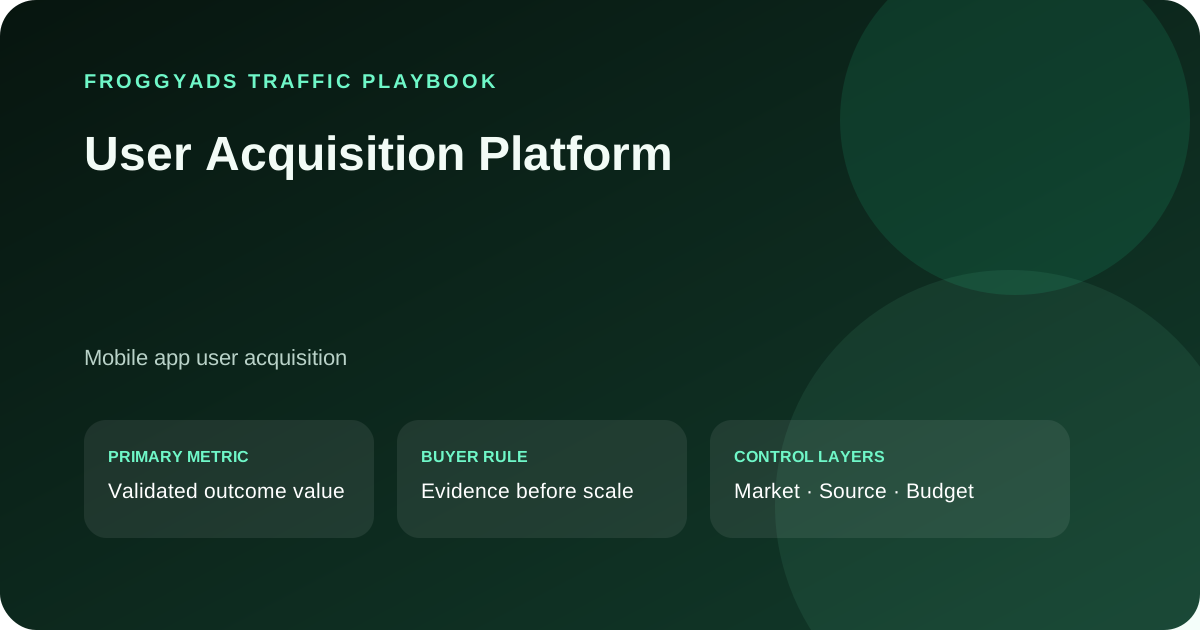
Test paid user acquisition with FroggyAds: align app audience and destination, verify install and post-install tracking, then compare cohorts before scaling.
What does a user acquisition platform do?
A user acquisition platform helps teams buy or coordinate acquisition, while app analytics measures what users do after installation.
A user acquisition platform can support buying or managing campaigns intended to bring new users to a product. The term may describe different tools, so check whether a provider handles media buying, attribution, analytics, or only one part. FroggyAds is an ad network for buying traffic through a self-serve campaign workflow; your app store, attribution system, and product analytics measure later user behavior.
Before selecting a provider, draw the ownership map: who buys media, who reports the click, who attributes installs, who validates product events, and who calculates revenue. A single vendor may handle several roles, but verify each role in its documentation and account. FroggyAds is the paid traffic buying route; do not describe it as an attribution partner or app analytics platform.
Which post-install action should define acquisition?
Choose a post-install milestone before buying app traffic; an install alone does not show activation, retention, or revenue.
Choose the earliest event that represents meaningful product use, such as completed onboarding, first project, trial start, or verified subscription, then state its acceptance rule. An install is a delivery milestone, not proof of activation or revenue. If the business goal is paid retention, use a later cohort outcome as the scale decision and keep installs as a diagnostic.
Select the event from the product funnel, not from the easiest dashboard tile. A travel app might value a completed search; a subscription app might require a trial or paid start. Define duplicate handling and any event conditions before the campaign. Keep installs as an earlier diagnostic even when the accepted event is activation or payment.
How do app readiness and paid delivery interact?
Before buying app traffic, verify store availability, supported operating systems, screenshots, pricing, account creation, and onboarding. Identify any prerequisite such as invitation, payment method, or supported device. If the product cannot reach its first useful moment, paid installs will not tell you whether a ready user values the app. Keep product readiness separate from source performance.
Check that the app is available in the intended store and market, supports the devices you plan to reach, and opens into a working first-use flow. Confirm the listing describes the current product and that registration or onboarding can reach the event you intend to measure. Paid delivery can bring a person to a store page, but it cannot repair an unavailable build or incomplete onboarding. Record the app version and offer before starting the acquisition cohort.
A readiness check should cover the public store listing, eligible markets, app compatibility, first-run state, login path, and support route. Confirm that the app can reach the milestone you plan to buy. If activation requires a manual review or delayed permission, record that step in the event window. Otherwise a media comparison can be skewed by onboarding defects or unavailable features.
How does attribution differ from campaign reporting?
Campaign reports describe paid delivery and available source identifiers; attribution systems attempt to connect an ad interaction with an app event under their own rules. The counts can differ because windows, privacy choices, and matching methods differ. Record the source of each metric and avoid describing one report as a complete causal explanation of user value.
Campaign reporting describes paid delivery fields supplied by the buying workflow; attribution attempts to connect marketing interactions with installs or later app events. Analytics can record product behavior, while the backend can validate accepted business events. These systems may differ in identifiers and windows. Name the owner of each event and the join method before launch. Do not treat a campaign click count as proof that the same people installed, activated, or generated value.
Create a source map that links campaign name, click identifier, install record, and downstream event where the available system supports it. Record attribution windows and privacy limitations for each tool. If the mapping breaks at any step, report which stage is still observable. Never allocate unattributed users proportionally across sources unless you explicitly label that as a model rather than an observed result.
What makes an install cohort commercially useful?
A useful cohort is defined by acquisition date, source label, product version, eligibility, event rule, and observation window. Compare users after equivalent time to activate or retain. Keep duplicates, reinstalls, refunds, and test accounts under rules agreed before launch. Without a stable cohort definition, a low install cost can hide a weak product experience.
A cohort should contain users acquired under the same product version, offer, event definition, and observation window. If the onboarding flow changes, split the cohort at the release date. Keep geography and device dimensions only when the report can identify them. This makes comparisons useful to product and media teams without implying a causal source result from a mixed cohort.
Which event window supports an acquisition decision?
Match the event window to the user journey. A trial start may mature quickly; paid renewal or repeat purchase may require more time. Set a review date that allows the chosen event to occur and record pending users separately. Use the same window across sources, or report the difference openly instead of ranking incomparable cohorts.
Choose the measurement window around the event being evaluated. A first open can occur quickly, while activation, subscription, or retention may require a longer product cycle. Set the start event, end event, time zone, and late-arrival rule before comparing sources. Keep incomplete cohorts pending and apply equivalent maturity to each source. A shared calendar range is not enough if one group has had more time to produce the event.
Use an event window long enough for the chosen action, but avoid extending it after seeing weak results. For a short signup action, a long window can collect unrelated later activity; for a paid renewal, a short window misses the intended outcome. State the start event, end event, and pending treatment in advance. Compare sources on that same definition.
How do app store conversion and onboarding fit the campaign?
The ad promise, store listing, first open, and onboarding should describe the same product and user task. A mismatch can reduce installs or activation even when the paid click is relevant. Test the store page and onboarding with a stable traffic cohort before changing the acquisition source; otherwise media and product changes are confounded.
The store page can change who installs, while onboarding determines whether those users reach the first useful task. Keep store listing and app version stable during source tests where possible. If you must change them, record exact dates and versions. Review store conversion and post-install activation as separate steps so a campaign does not receive credit for a listing change.
How should cohorts be compared on user value?
Compare cost per accepted milestone and downstream value for cohorts with the same maturity. Include refunds, cancellations, incentives, and support costs if they affect net contribution. Report install cost separately from activated-user cost or paid-user cost. The first measure describes media efficiency; the later measures inform commercial value.
Compare users from the same app version, market eligibility, offer, event definition, and acquisition period. Report installs, activation, paid starts, and retention as separate stages, then connect later value only when the cohort has matured. If onboarding changes mid-test, preserve the release boundary and analyze the groups separately. This prevents a product change from being credited to a traffic source and gives the team a clear explanation when early activation and later retention diverge.
What does cost per activated user require?
Divide campaign spend by users who meet a documented activation event during the selected window. Define whether an account, first completed task, or another event qualifies, and remove duplicate or test users consistently. If campaign identifiers do not reach the app analytics system, report the cost at a broader cohort level and state the limitation.
Divide spend for a clearly defined acquisition cohort by unique users who completed the activation event within the stated window. Hypothetical example: $420 divided by 28 accepted activations equals $15 per activated user; this is arithmetic, not a FroggyAds result or benchmark. Define deduplication, app version, attribution source, and late events before calculating. Keep cost per install separate, because some installs will not reach activation and some events may remain unresolved.
Calculate install cost, cost per activation, and cost per paid user as separate measures. Each requires a named numerator, accepted event, and cohort window. Add contribution or retention only after those records mature. If the first post-install milestone is missing, do not treat install cost as a stand-in for lifetime value. That distinction helps a media buyer set a scale limit that reflects the product objective.
When do attribution differences make a source inconclusive?
Mark a source test inconclusive when campaign identifiers cannot be joined to app events or when two systems use materially different windows and no reconciliation method exists. Compare stable observable events and preserve raw counts. Do not fill attribution gaps by assigning all unattributed installs to the most recent paid source.
What should change before app spend scales?
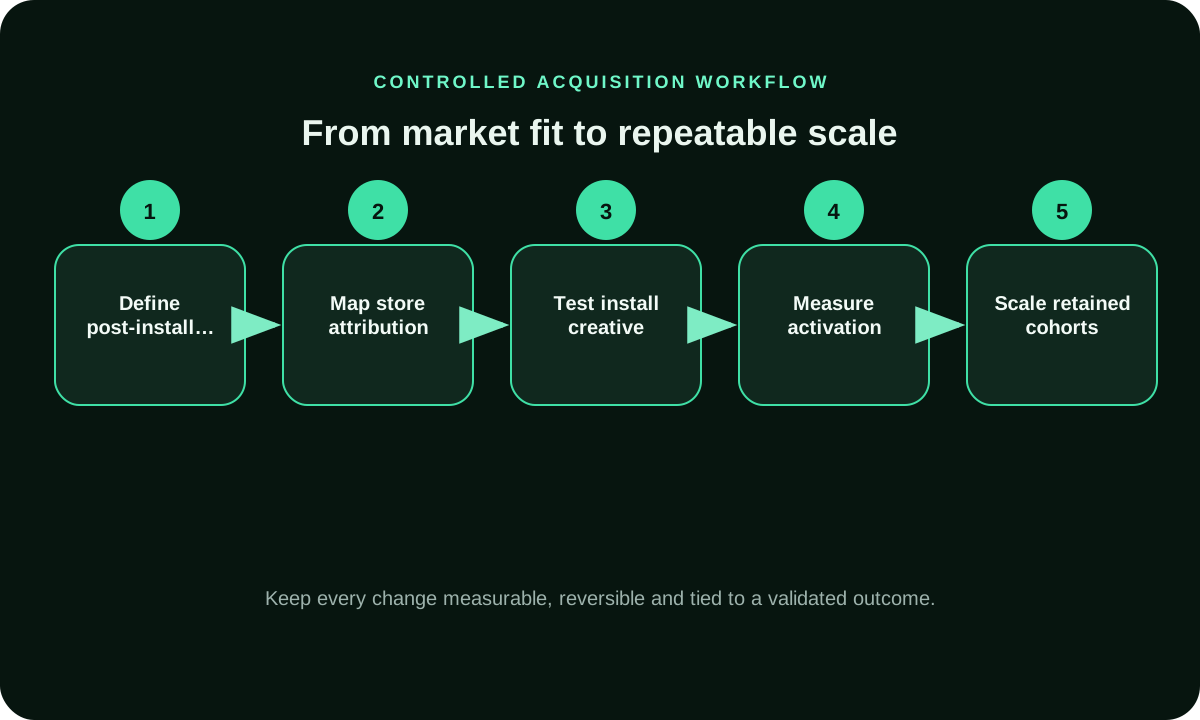
Scale only after the chosen post-install event has matured inside the written cost limit and the app can support another cohort. Preserve the store listing, app version, onboarding flow, event definition, attribution window, and control source; then add one labeled budget or source tranche. Compare the added cohort after equal maturity and reverse the newest change when activation, accepted payment, retention, or support capacity falls outside the prelaunch rule.
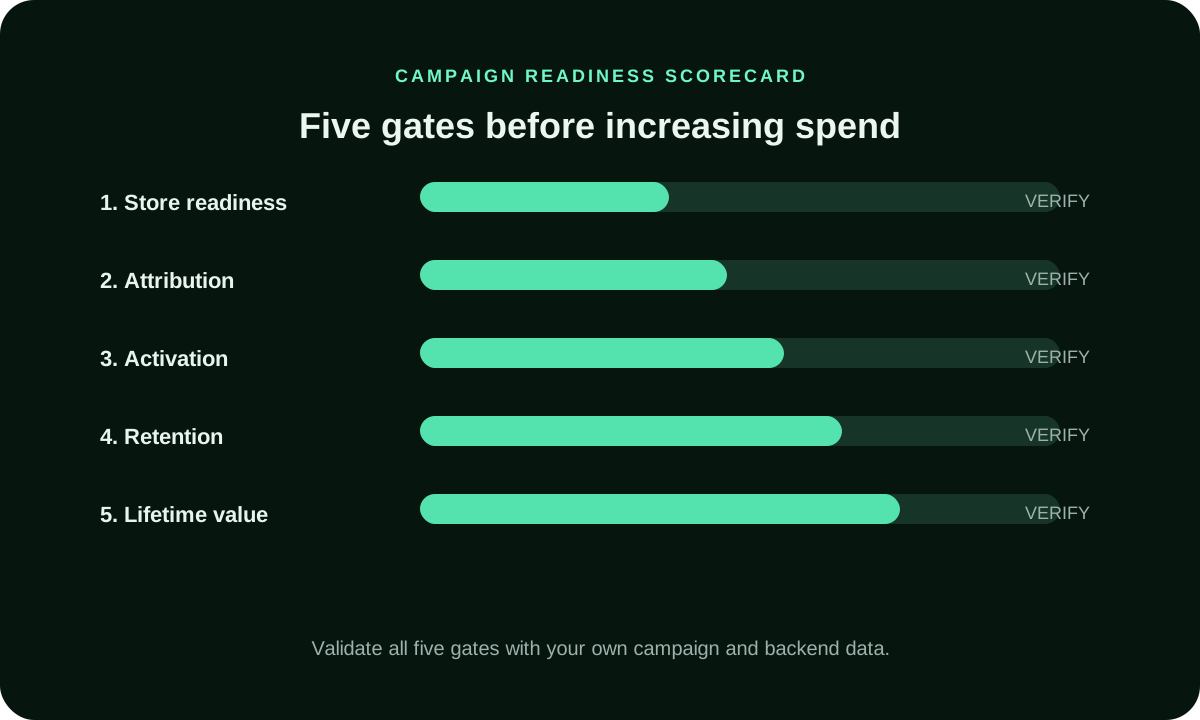
Before increasing the cap, check store availability, supported app versions, onboarding completion, event receipt, pending attribution, payment status, and the team's ability to support the next users. Treat an attractive install cost with unknown activation as a delivery observation, not a value decision. Store the source mix and product version for the control and added tranche so the reviewer can tell whether a media change, app release, or incomplete event join caused the difference.
How does FroggyAds support app acquisition traffic?
With FroggyAds, advertisers, affiliate teams, and agencies can run self-serve paid traffic tests with available formats, targeting, bid and budget controls, and source reporting where provided. We recommend starting with one app, one eligible market, and one accepted post-install event, then joining our delivery evidence to your attribution, product analytics, and backend records. Choose FroggyAds when you want direct control over a bounded acquisition test and can validate which mature cohort deserves the next tranche.
What should an app acquisition brief include?
Record app store URLs, supported devices and markets, campaign promise, install and post-install event names, attribution window, duplicate policy, spend cap, and review date. Name the system of record for each metric. A clear brief separates paid media delivery from app product outcomes and gives the campaign a measurable next decision.
Hypothetical app cohort: a subscription app spends USD 300 on an acquisition test and records 30 installs, 12 completed onboardings, and 3 paid starts after the same 14-day window. Install cost is USD 10; cost per completed onboarding is USD 25; cost per paid start is USD 100. None of those figures alone proves profitability. The buyer must include subscription contribution, refunds, retention, and support costs to set a sustainable acquisition limit. If the paid-start event is recorded in app analytics but cannot be connected to campaign identifiers, label it as aggregate product data rather than source-attributed value. Keep the three funnel stages visible so a change in store conversion or onboarding does not get mistaken for a change in traffic quality. This example is hypothetical arithmetic only; it is not a FroggyAds case, benchmark, or expected result.
Supporting controls for User Acquisition Platform
User Acquisition Platform FAQ
Is a user acquisition platform the same as an attribution tool?
No. A buying platform can manage paid delivery, while an attribution tool attempts to connect campaign activity with app installs or later events. Some providers combine roles; verify each function and data source separately.
Should an app acquisition campaign optimize for installs or activation?
Use installs when download volume is the immediate test. Use activation or another post-install milestone when product value occurs after download. Keep one primary outcome and define it before launch.
What app readiness checks matter before paid acquisition?
Confirm store availability, supported markets and devices, accurate listing, working account creation, and an onboarding path to the intended first-use event. Do not buy users for a destination that cannot complete the product journey.
Which event identifiers should an app team define?
Name the campaign source, click or install identifier where available, event name, event properties, and cohort window. Keep definitions consistent between the buying report and app analytics. Note steps where the join is unavailable.
How do I evaluate an acquired app-user cohort?
Compare users acquired during the same period, app version, offer, event definition, and maturity window. Report installs, activations, paid starts, and retention separately. A cohort is useful only when its eligibility and outcome rules are clear.
Which attribution window should an app campaign use?
Choose a window that fits the event being evaluated and the measurement system's rules. A signup and a renewal mature at different speeds. State the start and end events, and apply the same window to comparable sources.
How should I compare an app store page with onboarding?
Treat store conversion and post-install activation as separate funnel stages. Keep the listing stable during a source comparison when possible. If the store or onboarding changes, record the date and app version so the cohort remains interpretable.
Why do app analytics and campaign reports show different install counts?
They may use different identifiers, privacy rules, attribution windows, time zones, processing delays, or duplicate filters. Compare definitions before selecting a source of truth. Keep unmatched installs unresolved rather than distributing them by assumption.
How do I calculate cost per activated user?
Divide spend for the cohort by users who met the activation definition within the stated window. Deduplicate according to a rule set before launch. Keep install cost separate and include downstream costs when calculating commercial value.
How does FroggyAds fit a user-acquisition workflow?
We provide self-serve paid campaign controls for available formats, targeting, bids, and budgets, with source reporting where provided. Your app store, attribution tools, and product analytics establish installs and post-install outcomes. Create your account when those events are defined.
Measure app acquisition beyond installs
Build a controlled user acquisition platform test
An app acquisition test names one meaningful post-install event, reconciles source labels, and waits for the cohort window before deciding.
Measure acquisition beyond the install
Google documents campaign-source labeling in its own reporting; that does not establish app attribution or FroggyAds measurement features. For the detailed guidance, read Google Analytics guidance on campaign source parameters.
| Acquisition stage | Owner’s question | Evidence |
|---|---|---|
| Store readiness | Can this market install and use the app? | Store page, device, and country availability |
| First use | What counts as activation? | Versioned event definition |
| Attribution | Which source identifiers persist? | Campaign labels and analytics records |
| Value | Which milestone supports the budget? | Mature cohort and business economics |
| Scale | Can product and support handle volume? | Retention, quality, and capacity |
Define the app event that counts as acquisition
Choose the event that represents progress for your app: installs can be an initial signal, while activation, trial start, purchase, or retention may better reflect your goal. Use the same event definition across the source comparison.
Carry campaign, click, and source identifiers through attribution and post-install analytics where supported. If an install can be attributed but a later event cannot, keep the acquisition decision provisional until the tracking path is understood.
For an app-acquisition test, review the FroggyAds campaign controls and create your free FroggyAds account.
Choose the app outcome behind your acquisition target
Use this page when evaluating a paid platform for acquiring app users. Make the target event explicit: installs describe delivery, while activation or a later action can show whether users reach the next product milestone.User Acquisition Strategy
Prepare the app-store page, onboarding path, analytics event, and attribution window before launch. Compare source cohorts using one event and maturation rule; do not declare a source strong from installs when your objective is retained or paying users. For example, if paid users must complete onboarding before they qualify, make that event distinct from a first open. Agree whether refunds, duplicate signups, or test accounts are excluded before you compare acquisition cost, and keep the same review window for each source.
| App checkpoint | Action | Evidence |
|---|---|---|
| Prepare | Test store listing and onboarding | Availability and first-use path |
| Measure | Choose one accepted post-install event | Event rule and attribution window |
| Expand | Wait for cohort maturity | Cost per valued user and product capacity |
Hypothetical calculation: if a user-acquisition test spends USD 150 and records 9 accepted activations, the accepted cost per activation is USD 150 ÷ 9 = USD 16.67. Replace the inputs with your own app economics; this is not a FroggyAds result.
Keep the first app cohort capped until post-install events can be measured. When ready, create your free FroggyAds account.
Separate installs from activated users
Keep install volume, activation, retention, and revenue as different measures. Select the event your team can validate, allow its normal delay to mature, and compare comparable cohorts before changing sources or budget.