
Conversion Tracking: Events, Validation and Reconciliation
Conversion tracking records defined actions and associated value so advertising and analytics systems can connect campaign interactions with accepted outcomes under a documented measurement boundary.
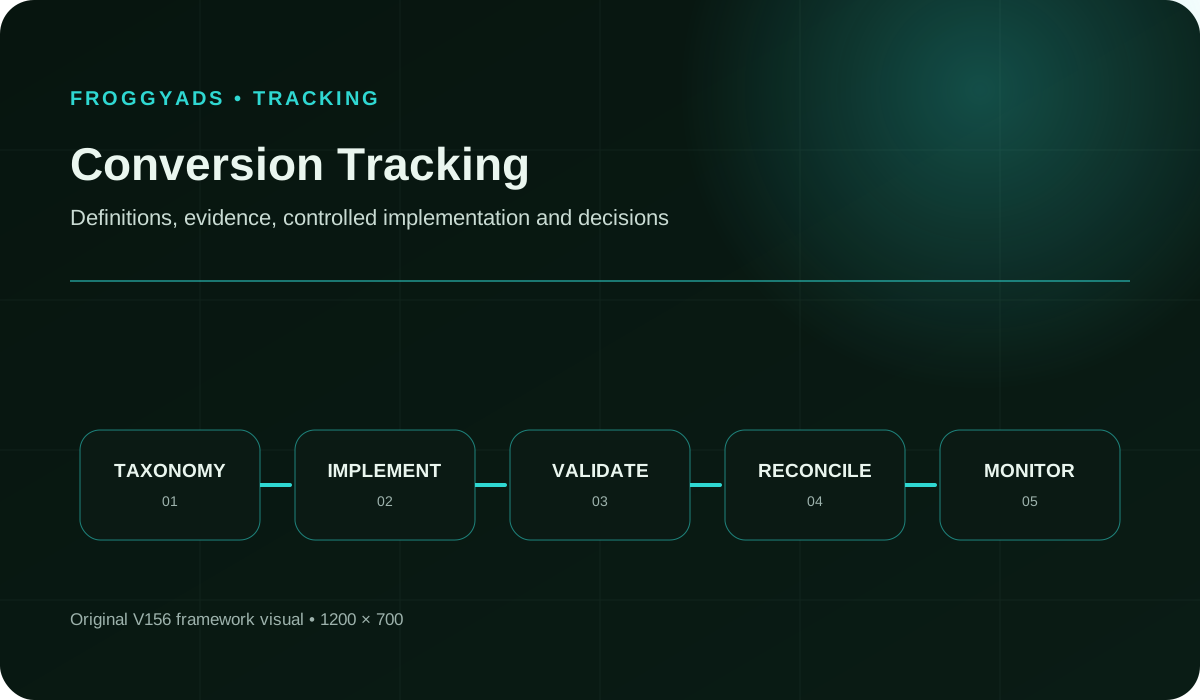
What should a conversion record prove?
A useful conversion record links a campaign interaction to the later action your business accepts under a stated rule. The Google Analytics key-event documentation describes key events as actions important to a business, while the advertiser still decides which backend state counts commercially and how duplicates, refunds, rejections and delays alter the record. For example, a test can preserve campaign and click identifiers through redirects, consent states and the submitted action, then reconcile the browser or server receipt with one accepted backend event.
Save the event version, timestamp, value, currency, source, deduplication key and failure reason. A platform count should not be forced to equal analytics or CRM totals when their attribution windows and eligibility rules differ. Pause optimization when an unexplained gap could change a source or budget decision. Tracking becomes decision-ready only when the complete route can be replayed and the primary event still means what the campaign assumes it means.
How does conversion tracking guide your media purchase?
Quick answer: Conversion tracking records a defined customer action and the evidence needed to compare it with advertising spend. Choose the action that matters to your business, test its transmission, remove duplicate receipts and confirm its accepted state. Use campaign attribution to investigate where the customer came from; a tag firing or a campaign label alone does not establish a sale, a qualified lead or profit.
Reference for Conversion Tracking: Events, Validation and Reconciliation: Google Analytics: URL builders and custom campaign URLs.
Keep commercial acceptance separate from event delivery
- Choose one accepted order, lead or registration before using conversion data to guide media spend.
- Test the actual destination and event route, including supported identifiers and relevant privacy settings.
- Keep duplicate receipts, rejected actions and pending outcomes separate from the accepted count.
- Retain event definitions, campaign and source references, timestamps, currency and reporting windows for reconciliation.
- Increase paid spend when the reconciled customer result supports your acquisition limit and the next campaign question.
Connect one accepted event to the campaign comparison
Choose one accepted action for the first FroggyAds comparison, such as a paid order or a qualified trial application. Keep the offer, destination and counting rule stable while you manage the audience and initial media allocation. Our campaign and source controls help you act on evidence from that comparison, while your own tracking and business records establish which outcomes qualify.
Create My Free Account
Define the event payload, duplicate rules and validation record
Conversion tracking connects a defined user action to the technical request, platform record, deduplication rule, and accepted business outcome used for a decision. A tag firing is evidence about transmission; it is not by itself proof of consent, attribution, revenue, lead quality, or reconciliation.
Write the decision before choosing an event. State whether the record supports bidding, campaign comparison, funnel diagnosis, finance reconciliation, or another named use. Identify the eligible population, accepted state, observation window, accountable owner, and stop condition. This prevents a convenient frontend action from silently becoming a business result it was never designed to represent.
Build the smallest payload that supports the declared purpose. Use supported campaign and click identifiers, an event name, a bounded timestamp, and approved values; exclude secrets and personal customer details from URLs or campaign names. Document encoding, required fields, failure behavior, and the environment where the request is expected to run.
Define the duplicate key and its lifetime for each event family. Check reloads, double clicks, back navigation, webhook retries, browser-and-server pairs, import reruns, and late updates. Preserve the raw receipts needed to explain a rejected duplicate. Deduplication should remove repeated representations of one outcome without collapsing two legitimate business events.
Duplicate events inflate apparent demand and can distort bidding. Detect them by stable business keys, repeated identifiers, timing clusters, retry patterns, and browser-server overlap. Quarantine suspected repeats, compare them with the order or lead system, correct the emitting path, and reprocess only under an approved rule that preserves legitimate separate outcomes.
Cross-domain loss appears when the journey changes host, provider, protocol, or application context. Rehearse every supported route and inspect identifier continuity before and after the transition. Keep a control route, measure the loss rate, and distinguish privacy-driven absence from technical breakage. Pause attribution claims that depend on an unverified handoff.
The taxonomy worksheet lists event and parameter names with trigger, type, allowed values, source, destination, privacy state, and meaning. Include deprecated names and migration dates. This record lets implementers distinguish a deliberate version from a typo and lets analysts see when two dashboards use similarly named but different events.
Validate the planned requests and downstream records for valid, invalid, missing, blocked, duplicate, delayed and retried events. Include the duplicate key, inspection location, test account, and pass criterion. Re-run it after code, tag-manager, consent, domain, checkout, or backend changes that touch the chain.
The change-and-rollback log captures version, owner, reason, affected events, environments, approval, release time, test results, monitoring threshold, and reversal steps. Close a change only after downstream reconciliation stabilizes. If an event breaks, the log should show which prior configuration can be restored and which data requires correction.
Keep test data visibly separate from production reporting. Use approved test accounts or flags, bounded values, and a documented cleanup route. Confirm that test conversions do not train bidding, enter sales queues, trigger fulfillment, distort finance, or remain in audience lists unless that effect is explicitly part of the rehearsal. A test that creates an unexplained live business record has not validated the chain safely.
Select the ad format, then validate its event path
Choose Push, Native, Display or Pop according to the offer and destination you intend to promote. Then verify the supported route from that campaign to the customer action. The ad format does not by itself validate an event or select a reporting integration. With FroggyAds, you can manage format, targeting, budget and sources while your measurement setup checks the resulting customer records.
Create My Free Account
Validate each event from request to accepted record
This guide treats tracking as an evidence chain. Start by naming the action and business decision, then specify parameters, privacy state, implementation owner, test cases, duplicate handling, cross-domain behavior, reporting differences, and rollback. The result is useful only when another reviewer can follow the event from the browser or server to the accepted record.
Create a controlled event and parameter dictionary. For each name, record the trigger, data type, allowed values, source system, required privacy state, destination, retention need, and business meaning. Reserve separate names for materially different actions. A stable taxonomy makes browser, server, analytics, advertising, CRM, and finance records comparable without guessing from labels.
Test the actual request rather than relying on a dashboard total. Capture a valid event, missing field, invalid value, duplicate submission, blocked state, delayed response, network failure, and retry. Compare browser or server evidence with the receiving platform. A green interface is insufficient when the payload or resulting business record is wrong.
Reconcile platform conversions with the advertiser system that owns acceptance. Compare counts and values by event date, processing date, campaign, currency, status, and maturity window. Investigate missing, extra, delayed, rejected, refunded, or reattributed records. Differences may be legitimate, but they require an explicit explanation before reports guide spend.
Consent logic can fail even when a request reaches its destination. Verify the initial state, information shown, user action, storage, downstream propagation, withdrawal, and later visit across the actual technologies in scope. Block or separate events that lack the required state. Refer legal interpretation to the responsible reviewer rather than treating tag execution as authorization.
Advertising, analytics, CRM, and finance systems often apply different attribution windows, time zones, acceptance states, and update schedules. Document those contracts before comparing totals. Reconcile at record level where permitted, retain unmatched sets, and report the reason for any expected difference. A blended total can conceal a broken integration.
The ownership worksheet maps each collection and processing step to a person or team able to inspect and change it. Capture access, escalation, approval, and after-hours responsibility. A vendor relationship does not replace advertiser ownership of the event definition, destination behavior, accepted outcome, or correction decision.
Map every redirect and domain transition that can change a campaign identifier or privacy state. Record parameters allowed to cross, storage boundaries, payment return behavior, iframe or app constraints, and fallback logic. Each route needs evidence from the deployed environment and a rollback when continuity fails.
Separate campaign attribution from event validity. UTM parameters and supported platform identifiers can describe where a visit or click came from, while the event contract determines whether the later action is complete, unique, eligible, and accepted. Preserve both layers. A correctly attributed duplicate remains a duplicate, and a valid order with a missing campaign field remains a business outcome whose media origin is unresolved.
Monitor absence as well as volume. A sudden zero can mean no demand, a broken trigger, blocked execution, an endpoint failure, a changed domain, lost consent state, or a reporting delay. Define heartbeat evidence and compare it with eligible page or backend activity. Alerting should route the investigation to the system that first diverged rather than automatically increasing traffic to generate more events.
Buy a small test after the measurement route passes
After the actual destination and event route pass their checks, launch a FroggyAds test with an affordable media cap. Keep the accepted action, source references and review window explicit. Our self-serve buying controls let you restrict the initial purchase while you confirm that delivery records and independently accepted outcomes remain usable together.
Create My Free Account
Reconcile events with accepted business records
A conversion is an advertiser-defined state with a documented trigger and acceptance rule. The implementation may use a pixel, tag manager, server event, postback, or platform API, but the measurement contract must say which system is authoritative, when the event matures, and how refunds, rejections, retries, and duplicate receipts alter the count.
Assign implementation ownership at every handoff: page code, tag manager, consent tool, redirect, domain, server endpoint, advertising account, analytics property, CRM, and warehouse. The owner must know what evidence closes a defect and who authorizes release. Shared access without a named decision maker leaves broken events circulating between teams.
Follow the event across redirects, subdomains, payment returns, embedded forms, and third-party services used by the real journey. Record when identifiers are created, transformed, lost, or regenerated. Test direct entry and repeat visits as well as the ideal route. Cross-domain continuity should be demonstrated on the deployed path, not inferred from configuration screens.
Version tags, rules, consent behavior, domains, parameters, dashboards, and backend acceptance logic together. Retain the prior configuration, change owner, test evidence, release time, and reversal procedure. Monitoring should detect silence, spikes, value drift, new duplicates, unmatched identifiers, and widening platform-to-backend variance after a deployment.
A correctly counted event can still carry the wrong amount, currency, quantity, product, or status. Compare the transmitted value with the source transaction and the durable accepted record. Test discounts, taxes, shipping, partial refunds, cancellations, and multi-item orders where relevant. Never repair a financial discrepancy by changing a dashboard label alone.
The tracking-purpose worksheet names the decision, eligible population, accepted event, denominator, maturity window, and accountable approver. It also records uses that are outside scope. Reviewers should reject a metric that has no operational consequence or that combines technical activity with a business outcome without a stated bridge.
Document which technologies, purposes, data, parties and activation conditions the consent-and-privacy review covers. Link the exact tested interface and version. Separate technical observations from legal conclusions, and route unresolved applicability questions to the qualified owner before the affected measurement state is released.
The reconciliation worksheet aligns raw receipts, platform events, analytics records, CRM states, orders or leads, value, currency, rejection, refund, and maturity. Explain timing and attribution differences rather than forcing equality. Keep unresolved groups visible so a reporting convenience cannot silently become accepted performance evidence.
Choose client-side and server-side collection from the actual failure model. Browser execution can expose page and consent context but may be blocked, interrupted, or duplicated. Server events can improve delivery resilience but still need authorization, stable identifiers, duplicate control, and reconciliation. When both represent the same action, define which shared key prevents double counting and which record supplies the authoritative value or status.
Close the tracking review with an exception ledger. Each unresolved mismatch names the affected event, records inspected, likely layer, owner, business consequence, temporary reporting treatment, and next test. Do not average unmatched records into a clean rate. Visible variance lets decision makers limit spend or interpretation while engineers repair one branch without invalidating independently reconciled cohorts.
Keep amount and currency together throughout reconciliation. A count can agree while an order value is wrong, and USD and EUR amounts should not be added as though they were the same unit. If reporting converts currencies, record the method and date convention used. Leave unexplained attribution-window and acceptance differences visible instead of forcing unlike totals to match.
Conversion tracking FAQs for advertisers
What should conversion tracking tell me about my advertising?
Conversion tracking should connect a campaign with actions that matter to your business, such as paid orders, qualified leads or completed registrations. Clicks describe a visit; they do not establish its value. When buying FroggyAds traffic, compare confirmed outcomes with campaign and source spend so you can decide which audience, creative or placement deserves your next budget allocation.
Which conversion should I choose for my first FroggyAds campaign?
Choose the completed action closest to your commercial goal that you can measure reliably. For an affiliate offer, distinguish an initial conversion notification from an approved commission. For a webshop, distinguish checkout starts from paid orders. Keep supporting events for diagnosing the journey, but do not replace the main goal merely because an easier action produces a larger count.
What is the difference between a tracking pixel and an S2S postback?
A pixel records an event through browser-side activity. A server-to-server, or S2S, postback sends conversion information between systems without depending on that browser request. The right setup depends on where the action is confirmed and which integrations are supported. Follow the current FroggyAds and tracking-provider instructions; a postback still needs correct identifiers, event definitions and duplicate handling to produce useful data.
Can I track affiliate conversions without owning the offer page?
You need a supported way for the affiliate network or offer owner to report the action to your tracking setup. This is often a postback integration rather than a pixel you install on their page. Confirm the partner's requirements and conversion status before buying traffic. Preserve the click and source references so approved commissions can be compared with your FroggyAds campaign spend.
Are UTM parameters enough to track sales and leads?
No. UTM parameters label the traffic source, medium and campaign; they do not create a purchase or lead event. You still need to record the completed action and connect it with the visit where possible. Use consistent campaign names in your analytics and FroggyAds reporting, and test that redirects retain the parameters your measurement setup requires.
How do I test conversion tracking before spending more?
Use the documented test mode or a clearly identified test journey. Follow the destination through its redirects, form or checkout, then check the resulting event, value, currency and campaign reference. Repeat the action or reload the confirmation page to check for duplicates. Keep test records out of genuine revenue and optimization reporting, and resolve unexplained missing events before expanding the campaign.
Why do my tracker, analytics and order totals disagree?
They may count different actions or use different attribution windows, time zones and processing schedules. Browser-side measurement can also miss activity that your order system records. Compare individual records where permitted, using the same event definition and reporting period. Do not force the totals to match by relabelling them; first identify whether the difference comes from timing, attribution, missing data or rejected conversions.
How can I avoid counting the same conversion twice?
Use the duplicate-control method supported by the receiving system and a stable identifier for the same order or event. Test browser and server reporting together: two receipts should not become two sales. Also test genuinely separate purchases, because an overly broad rule can discard valid orders. Keep retries and duplicate receipts distinguishable from new business outcomes in your records.
What information should stay with a conversion record?
Keep the event name, timestamp, status, value and currency, plus the supported campaign, click and source references needed for comparison. An order or lead identifier helps reconcile the result with your own business system. Collect only the data you need and respect the applicable privacy settings. Do not put customer details or secret credentials in public tracking URLs.
When is conversion data reliable enough to guide FroggyAds optimization?
Use it when the event represents the intended action, duplicates are handled and the normal confirmation delay has passed. Then compare source spend with qualified results rather than preliminary totals. Our campaign and source controls let you act on that evidence. Create your free FroggyAds account and plan a measured campaign around the customers you want to acquire.
Google references for campaign tagging and event measurement
These Google primary references cover campaign tagging, traffic-source dimensions, campaign-data import, conversion measurement, key events and Tag Manager setup. Their interfaces and capabilities belong to the named Google products. Use your current FroggyAds and measurement-provider instructions for supported integrations, identifiers and account-specific settings.
Launch with customer acceptance already defined
Start your next FroggyAds campaign with one accepted customer action and a tested destination. Use our targeting, budget and source controls to manage the traffic purchase, then review its spend alongside outcomes validated in your own system. Keep missing, duplicate and pending records visible before committing additional media.
Create My Free AccountWhat should you check before buying more traffic?
Before increasing traffic, confirm three things: the intended action reaches the receiving system, one business outcome is counted once, and the campaign reference is retained where your setup supports it. Then check the normal acceptance and reporting delays. A higher dashboard count is useful only when you know which customer states and reporting window it represents.
Recorded event: the receiving system has evidence that an action was transmitted. Accepted outcome: the order, lead or registration meets your business rule after relevant checks. Attributed source: a declared measurement method connects that outcome with a campaign or source. Review all three before treating a count as evidence for the next media allocation.
| Decision | What to verify | FroggyAds action |
|---|---|---|
| Accepted customer action | Name the paid order, qualified lead or registration state that counts, including its validation and rejection rule. | Keep one FroggyAds campaign and its spend records identifiable during the first measurement comparison. |
| Destination and identifier route | Test the real destination, redirects and supported campaign references through to the completed action. | Keep the audience, offer and source settings stable while checking the event route. |
| Source comparison | Compare delivery and cost records with your own accepted outcomes only at the level your identifiers and reporting support. | Retain, cap, exclude or retest a source from the observed customer evidence; keep unmatched records separate. |
| Media-only acquisition cost | Divide eligible media spend by accepted outcomes under the same observation window. Record currency and keep production or tracking costs separate. | Use an affordable campaign cap while the accepted-event count and reporting delay are being established. |
| Readiness to increase spend | Check that valid events, duplicate handling and acceptance remain consistent across more than one unusually fast result. | Increase one meaningful FroggyAds setting and compare the additional purchase with the previous campaign record. |
Use five checkpoints before the next source test
- Choose the event: define the customer action, its accepted state and the affordable media boundary for the first FroggyAds test.
- Check the route: complete the actual destination path and confirm the event, value and supported campaign references arrive as expected.
- Confirm the count: repeat the action or receipt safely and verify that duplicate handling preserves one outcome without discarding a separate valid order.
- Compare sources: align campaign spend with accepted outcomes under the same observation and attribution rules; retain unknown associations explicitly.
- Plan the next purchase: increase one campaign setting when the accepted result supports it, and retain the previous source and measurement record for comparison.
Why choose FroggyAds for a measured traffic campaign?
Choose FroggyAds self-serve advertising when you want direct control over the paid traffic behind a measurement decision. Our self-serve platform lets you manage the campaign audience, media budget and sources, so a reconciled source result can guide the next purchase. Keep your tracker, analytics and business acceptance process responsible for validating the customer outcome. Traffic-quality tools and bidding controls do not replace a working conversion event or prove that every reported action is commercially accepted.
Use the event, duplicate and acceptance checks before increasing a FroggyAds allocation. Preserve the previous campaign settings and destination version. If a larger source group produces an unexplained tracking difference, cap that change and investigate the affected route; do not repair the report by renaming the event or changing its denominator after seeing the result.
Distinguish event validity, customer acceptance and attribution
Event validity, commercial acceptance and campaign attribution answer different questions. A request can arrive correctly for an action that your business has not yet approved. An accepted order can also lack a reliable campaign match. Keep these states separate, so a buying decision does not turn a technical receipt into customer value or invent a media source for an unmatched outcome.
Comparison inputs: retain the event and accepted state, source or campaign reference, spend, currency, attribution window and observation cutoff. A source-level cost comparison needs the same event and maturity rule on both sides. Record an unknown association as unknown rather than filling it from the source you expected to win.
A valid event with no source match: the business may still have a real order, but the available evidence does not establish which media purchase should receive credit. Inspect the supported identifiers, redirects and attribution window. Do not assign the order to FroggyAds solely because the campaign was active at the time.
An attributed duplicate: the source reference may be correct while the same order has been transmitted twice. Keep one accepted business outcome under the receiving system's supported duplicate rule. Retain the additional receipt for diagnosis, and test a second legitimate order so the fix does not discard new sales.
A pending notification: a tracker or affiliate partner may report an action before payment, lead qualification or commission approval is complete. Keep its provisional status and expected review time. Compare accepted outcomes when they mature; do not count the pending item as an approved customer result to improve the current CPA.
Platform totals: event definitions, attribution windows, time zones and processing schedules can explain differences from an order system. Identify the population each count describes, then inspect unexplained gaps. A convenient matching total does not establish that the underlying records agree.
| Page checkpoint | How to use it | Evidence to retain |
|---|---|---|
| Acceptance check | Follow a test action to the business system and verify its state, value and unique identifier before calling it an accepted conversion. | Event definition, destination version, expected record, actual receipt and acceptance result. |
| Attribution comparison | Use the same campaign period, currency and attribution rule when comparing a source report with the records that own customer acceptance. | Campaign or source reference, spend, event time, report cutoff and unmatched or late records. |
| Buying decision | Before increasing traffic, reconcile accepted outcomes and isolate missing, duplicate or pending items that could alter the buying decision. | Accepted count, media cost per accepted outcome, unresolved variance and the next review point. |
Work through duplicate receipts and accepted-order cost
Hypothetical example: a campaign spends USD 230 and receives ten event notifications. Reconciliation finds eight unique order IDs: seven accepted orders and one still pending. Two notifications are duplicate receipts. Dividing spend by all ten notifications gives USD 23, while media cost per accepted order is USD 230 divided by seven, or USD 32.86 after rounding. Keep the pending order separate until its state is known. These invented figures illustrate counting and arithmetic, not FroggyAds prices or customer results; production and other business costs are excluded.
Use trusted outcomes to guide your FroggyAds spend
Turn reliable customer records into your next FroggyAds buying decision. Retain the campaign and source spend, compare accepted outcomes under the same window, and adjust one meaningful setting at a time. Our self-serve controls help you manage that next allocation without changing the evidence that justified it. Create your free FroggyAds account.
What must be ready before campaign optimization?
Start with one accepted customer action, a tested destination and a repeatable counting rule. Keep duplicate control, attribution and the reporting window explicit. Choose FroggyAds to manage the traffic purchase, and use your own reconciled outcomes to decide whether the next step is more spend, a source change or a measurement repair.