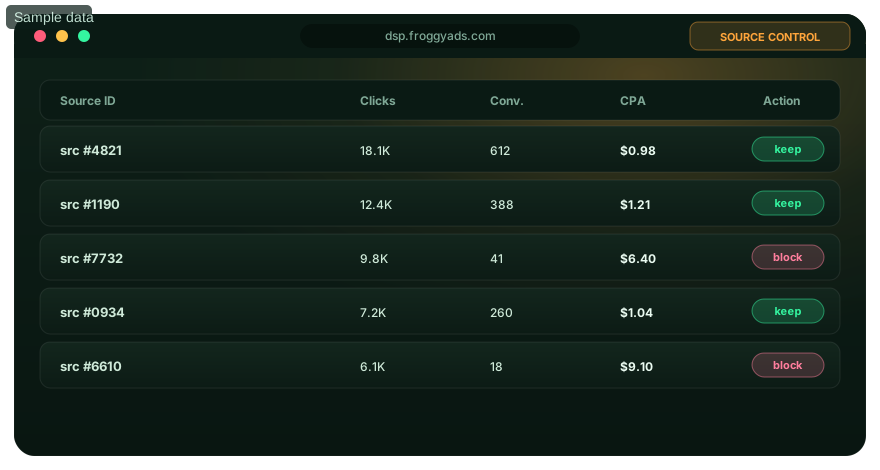
Source exclusions for accountable media buying

What Is Blacklisting in Advertising?

Blacklisting is the deliberate exclusion of specific supply identifiers or other supported values from future campaign delivery. The control protects budget only when the exclusion is based on valid tracking, mature outcomes and a written decision rule.

Use this guide to decide what to block, when the evidence is strong enough, how to document the change and what to measure after delivery redistributes.

Create your FroggyAds account and plan a controlled source test

Blacklisting decision framework for excluding a measured advertising source

Direct answer: An advertising blacklist is a set of identifiers a campaign is instructed not to buy. A media buyer can use it to stop future spend from a measured source, zone, domain, ID, IP or another supported value, depending on the available campaign controls. The blacklist records a buying boundary; it does not by itself prove fraud, poor intent or universal low quality.

Control purpose

Why do advertisers use a blacklist?

Paid campaigns rarely distribute value evenly. One source may produce accepted sales, another may send visits that never become eligible leads, and a third may look weak only because conversions mature slowly. Blacklisting gives you a way to stop additional exposure from a clearly defined identifier after the evidence supports that decision.

The practical benefit is budget control. Removing an item that has crossed an approved loss or eligibility boundary allows the remaining budget to compete elsewhere. The benefit is conditional: delivery can shift toward other sources, average costs can change and overall scale can fall. A reliable process therefore measures the campaign again after the exclusion rather than presenting the blacklist as a one-click performance guarantee.

FroggyAds is a strong choice for advertisers who want to manage this work in a self-serve environment. Our campaign and reporting workflow helps you keep budgets, targeting and source evidence connected while your analytics and backend systems verify accepted business outcomes. The detailed platform workflow is covered on our blacklist targeting page.

Open your free FroggyAds account to prepare the baseline.

Important distinctions

What a blacklist does—and what it does not prove

Control or conceptWhat it changesWhat it cannot establish alone
Campaign blacklistPrevents future delivery from the selected supported values in the stated scope.It does not prove that the source is fraudulent, unsafe or unsuitable for every other campaign.
WhitelistRestricts delivery to an approved set rather than discovering broadly and removing exceptions.Approval does not guarantee conversion quality, profitability or unlimited scale.
Negative keywordIn a search-ad context, it can prevent ads from matching excluded query terms.It is not the same object as a FroggyAds source identifier or supply exclusion.
Traffic-quality filteringUses platform or third-party signals to evaluate and filter traffic under defined rules.A quality signal does not replace the advertiser's offer eligibility and backend acceptance data.
Backend rejectionMarks a lead, order, install or signup as unacceptable under the advertiser's rules.One rejected outcome cannot identify the responsible source without reliable attribution and enough evidence.

Terminology matters because different systems use “blacklist” for email, security, brand protection, placements, users or keywords. On this page, the word refers to an advertiser's decision to exclude supported campaign values from future media delivery. The adjacent guide about whitelisting owns the allow-only decision.

For a practical interface-focused explanation, review how blacklist targeting works. When you are ready to test the control, start a bounded FroggyAds campaign.

Evidence threshold

When is there enough evidence to blacklist a source?

Decide the threshold before opening the source report. That order reduces the temptation to create a rule around whichever row looks worst today. The threshold should reflect the accepted conversion, the normal delay before acceptance, the expected frequency of that event, the cost of additional learning and the harm caused by blocking a source too early.

Tracking must be valid

Confirm that click identifiers, redirects, conversion events and backend acceptance are connected. A missing parameter can make a productive source appear to have no outcomes. The destination must load, the offer must be available and the conversion path must work for the source's main device and market.

The outcome must be mature

Use the same attribution and approval window for every source comparison. Leads that require manual review or orders that can be cancelled should not be judged at the moment of submission. Mark immature rows rather than treating pending outcomes as failures.

The sample must fit the decision

A high-frequency event can support a decision sooner than a rare accepted sale. Review spend, clicks, qualified progression and accepted outcomes together. Avoid a universal “number of clicks” rule because the economics and conversion frequency differ by offer.

The boundary must be written

Specify the event, cost ceiling, minimum observation window and any eligibility failure that causes an exclusion. Include a review owner and a retest rule. A visible boundary makes the decision reproducible when another buyer inherits the campaign.

A simple loss boundary can combine money and evidence: “Exclude a source after it spends the approved learning amount, the full acceptance window has passed, tracking is verified and it records no accepted outcomes.” Another campaign may use an accepted-CPA ceiling after a minimum number of mature outcomes. These are decision patterns, not FroggyAds price or performance promises.

See the extended weak-source investigation guide, then use FroggyAds to run the measured discovery phase.

Operational workflow

How should a media buyer build and apply a blacklist?

  1. State the campaign's accepted outcome. Name the backend event, eligibility conditions, reporting owner and maturity window. Delivery and click metrics remain diagnostics; the accepted event determines commercial quality.
  2. Identify the exclusion dimension. Use the exact source, zone, domain, ID, IP or other supported value that appears in campaign reporting. Record whether it applies to one campaign, a group of campaigns or another defined scope.
  3. Freeze a trustworthy baseline. Save the dates, offer version, creative, destination, targeting, bid and budget before changing the list. Without a baseline, the result cannot be attributed to the exclusion.
  4. Validate the measurement path. Reconcile platform clicks with the tracker and the tracker's conversions with backend acceptance. Investigate unexplained gaps before judging sources.
  5. Apply the predeclared rule. Mark which sources pass the observation and maturity requirements, then calculate the chosen quality or economic measure. Keep immature or ineligible rows out of the decision set.
  6. Add only the qualifying identifiers. Confirm the values and scope before saving. A transposed source ID or overly broad domain can remove intended supply and change campaign volume immediately.
  7. Annotate the change. Store the identifier, reason, evidence range, timestamp, owner and rollback condition. Version the list so you can reconstruct the campaign state used in later reporting.
  8. Verify enforcement. Check that spend and delivery stop for the excluded values after the platform's normal reporting delay. Escalate a mismatch rather than assuming the list is active.
  9. Measure redistribution. Compare remaining source mix, accepted CPA, approval rate and scale with the baseline. A blacklist succeeds only if the new portfolio improves the decision you declared.
  10. Schedule review or retest. Offers, markets, formats and supply conditions change. Keep strong evidence-based exclusions, retire obsolete entries and retest uncertain items under a controlled cap when the expected value justifies it.

FroggyAds lets you bring this process into a self-serve media-buying workflow. Review the campaign-specific steps on blacklist targeting; if you need to compare control modes, open the related whitelisting explanation.

Create an account and launch with an exclusion rule already documented.

Measurement

Which numbers should support a blacklist decision?

MeasureDefinition disciplineWhy it matters
Spend by identifierUse the same currency, date boundary and attribution scope for all compared rows.Shows the learning amount already exposed and the future budget affected by exclusion.
Qualified progressionDefine a page or funnel action that signals real movement toward the offer, not generic time on page.Helps distinguish an intent or destination mismatch from a final acceptance problem.
Accepted conversionsCount only events that satisfy the advertiser's documented eligibility and maturity rules.Provides the denominator for the business outcome used in optimization.
Accepted CPADivide source spend by mature accepted conversions under one outcome definition.Connects the exclusion to campaign economics without treating a click as value.
Approval or reversal rateTrack the share of submitted outcomes that remain accepted after review, refund or cancellation windows.Reveals sources that look strong at submission and weak after validation.
Marginal portfolio resultCompare the remaining mix after exclusion with the saved baseline and note volume changes.Tests whether removing the source improved the portfolio rather than merely reducing spend.

Suppose a hypothetical source spends USD 180 during a completed observation window and produces six accepted outcomes. Its accepted CPA is USD 30. If the campaign's documented ceiling is lower, the source may qualify for capping or exclusion after the remaining checks pass. Replace every number with your real economics; the example is not a FroggyAds benchmark or promise.

Use the source-blocking procedure when you need a deeper investigation sequence. For pricing and account-funding context, consult the FroggyAds pricing page rather than treating a hypothetical test amount as a platform price.

Set up your FroggyAds account with accepted-outcome measurement in mind.

Quality signals

How do traffic-quality controls fit with blacklisting?

Blacklisting and traffic-quality evaluation solve related but different problems. Quality systems can evaluate interactions using their own signals and policies. A blacklist expresses the advertiser's decision not to buy selected values in the specified campaign scope. Backend acceptance determines whether the resulting lead, sale, install or registration satisfies the advertiser's business rules.

Use the three evidence layers together. Platform and third-party signals can inform a review; source-level campaign results show where spend and outcomes occurred; backend data confirms commercial acceptance. A disagreement between the layers is a reason to investigate attribution, event timing and eligibility—not a reason to silently change the outcome definition.

FroggyAds supports traffic-quality work with Adscore-supported controls and internal campaign controls. Read the scope on our Adscore traffic-quality page. No quality system or exclusion list removes the need for a functional destination, precise offer rules and advertiser-side validation.

Choose FroggyAds for a source-aware traffic campaign.

Campaign view showing measured sources moving into keep, review and exclude decisions
Audience applications

How should different advertisers use exclusion evidence?

AdvertiserQuality questionUseful exclusion record
Affiliate marketerDoes the source generate outcomes that the affiliate program ultimately approves?Offer, pre-lander, source ID, spend, accepted action, approval delay, reversal status and payout eligibility.
Professional media buyerDoes marginal source value support the next unit of spend under the current setup?Campaign version, source dimension, accepted CPA, scale, maturity window, cap or exclude rule and retest date.
Marketing agencyCan the client reproduce why a source was blocked and which account scope changed?Client-approved outcome, data source, reviewer, timestamp, list version, affected campaigns and rollback authority.
Ecommerce businessDo orders remain valid after cancellation, refund and margin checks?Product availability, market, device, source, accepted orders, contribution value and return window.
SaaS or app advertiserDo registrations activate and retain beyond the initial tracked event?Signup, activation definition, install or trial cohort, source, retention checkpoint and accepted acquisition cost.

The same source can create different value for two offers. Keep the offer, destination, creative, format and market beside the identifier so another team does not mistake campaign evidence for a universal reputation score. When several clients share a list, require each client to approve the transfer rule.

Bring your source decision rules into a FroggyAds campaign.

Diagnosis before exclusion

What should you check when a source appears weak?

Observed patternChecks before blacklistingControlled response
No tracked conversionsTest redirects, click parameters, event firing, cross-domain attribution and backend reconciliation.Repair measurement first; restart the evidence window after the fix.
High clicks, low landing activityReview page availability, device compatibility, load success, market eligibility and creative continuity.Correct the destination or narrow the mismatch before assigning the problem to the source.
Many submitted leads, few acceptedCompare validation reasons, duplicates, contactability, geography, offer eligibility and follow-up delay.Use the accepted event for source decisions and preserve rejection reasons for diagnosis.
Strong early CPA, poor later qualityWait through approval, activation, cancellation or refund maturity using the same cohort window.Cap while the outcome matures; exclude only after the written quality threshold is reached.
One source consumes most spendCompare its accepted value and marginal cost with the rest of the portfolio, not volume alone.Use a cap when concentration is the issue; blacklist only when the source itself fails the rule.
Performance falls after exclusionInspect where delivery moved, whether bids changed and whether the remaining supply can support the prior scale.Roll back or narrow the list, then retest one exclusion group at a time.

For complex cases, separate a fraud hypothesis from an offer-fit hypothesis. A weak conversion rate can come from invalid interactions, but it can also reflect irrelevant creative, a noncompetitive offer, slow follow-up or a broken mobile journey. The evidence record should show which explanation was tested.

Launch with reporting dimensions that support the planned review.

Blacklist, whitelist or cap

Which control fits the decision?

Choose a blacklist when broad discovery is acceptable and a defined subset has earned exclusion. Choose a whitelist when the campaign must remain inside a positively approved supply set. Use a cap when uncertainty remains or concentration itself is the problem. A cap preserves limited learning; a blacklist stops the selected delivery; a whitelist changes the default from allowed to denied.

Your campaign may move through these states over time. Early discovery can identify credible sources, mature evidence can support exclusions, and a carefully documented whitelist can support a narrower scale strategy. Each transition should have an owner, a volume expectation and a rollback path.

See blacklist targeting controls, compare supported formats in our ad-format overview, or return to the FroggyAds home page for the broader platform path. A shorter operational cross-reference is also available at blacklist targeting.

Create your account and choose the control that matches the evidence.

Research boundary

How do external advertising references relate to this guide?

Google Ads documents negative keywords, which exclude search terms in a search-ad context. Google Ad Manager also documents advertiser and brand protections for publisher inventory controls. Those references help distinguish exclusion concepts; they do not document FroggyAds product behavior and are not evidence of campaign performance.

This page uses FroggyAds platform material for our campaign claims and external documentation only for comparison terminology. When a control differs by platform, follow the interface and documentation for the account you are operating. Record the actual identifier and scope shown in that campaign.

You can share this educational guide through LinkedIn or Facebook. Sharing is optional and does not affect campaign settings.

Blacklisting FAQ

Questions media buyers ask before excluding a source

What is blacklisting in online advertising?

Blacklisting is a campaign control that prevents selected supply identifiers or other supported values from receiving further delivery. An advertiser normally adds an item after evidence shows that continued exposure would violate a quality, eligibility or economic rule. The exclusion is a buying decision, not proof that the blocked party is fraudulent.

How is a blacklist different from a whitelist?

A blacklist begins with broader eligible supply and removes specified items. A whitelist limits delivery to an approved set from the start. Blacklists suit campaigns that need discovery followed by exclusions; whitelists suit situations where delivery must remain inside a known approved set. The available volume and evidence burden differ.

Which identifiers can an advertiser blacklist?

The exact options depend on the platform, format and campaign context. FroggyAds campaign workflows can expose source-level controls, and supported settings may include source, ID, IP or related values. Use the identifier actually reported for the campaign and confirm its scope before treating it as a permanent exclusion.

When should I blacklist a traffic source?

Exclude a source when tracking is valid, the outcome window is mature, the sample can support the decision and the source crosses a written loss, quality or eligibility boundary. Investigate first when the apparent problem could come from a broken destination, creative mismatch, missing parameters or delayed approval.

How much data do I need before adding an exclusion?

There is no universal click count. Base the threshold on the value and frequency of the accepted outcome, expected conversion delay, test budget and cost of a wrong exclusion. A rare conversion needs a wider evidence window than a frequent event. Record the rule before reviewing source results.

Can blacklisting eliminate invalid traffic?

No blacklist guarantees the removal of every invalid interaction. Exclusions can stop future delivery from identified values, while traffic-quality systems, validation and backend acceptance provide additional evidence. Continue monitoring after a change because delivery redistributes and previously unseen sources may enter the mix.

Should a blacklisted source stay blocked forever?

Not automatically. Preserve the reason, campaign, date, evidence window and owner for each exclusion. Review the item when the offer, market, format, destination or supply conditions change. A retest should use a controlled cap and a clear stop rule rather than silently restoring unrestricted delivery.

What should I measure after applying a blacklist?

Verify that the excluded identifier stops receiving spend, then compare delivery distribution, accepted conversion rate, accepted CPA, approval quality and scale with the pre-change baseline. Watch marginal performance: concentrating spend on the remaining sources can change both volume and cost.

Can I copy one campaign's blacklist to another campaign?

Copy only after confirming that both campaigns share the relevant offer, market, format, destination, conversion definition and maturity window. A source that failed one context may perform differently elsewhere. Campaign-specific evidence is stronger than a universal list built from unrelated tests.

How do I start using blacklist controls with FroggyAds?

Create a FroggyAds account, launch a bounded campaign with working conversion tracking and preserve the source identifiers available in reporting. Define the accepted outcome and exclusion rule before optimization. Apply supported blacklist controls only after the evidence reaches that rule, then document and monitor the result.

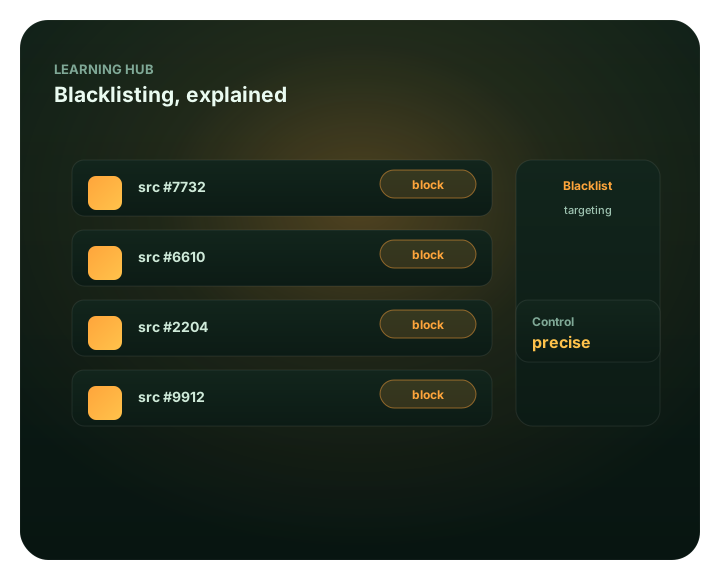
Create a FroggyAds account when your measurement and exclusion rules are ready.

Next step

Turn the blacklist into a reviewable campaign decision

Start with a bounded discovery campaign, one accepted outcome and a recorded maturity window. Exclude only the identifiers that cross the rule, verify that the control takes effect and measure how the remaining portfolio changes. That process gives you a defensible reason to keep, cap, block or retest supply.

Continue with the practical blacklist targeting guide and the related source investigation at how to block bad traffic sources.

Start your next traffic campaign with FroggyAds