
Segment traffic by GEO, device, source & intent.
Treating all traffic the same wastes budget. Segment by GEO, device, source and intent on FroggyAds so each audience gets the right bid, creative and budget.
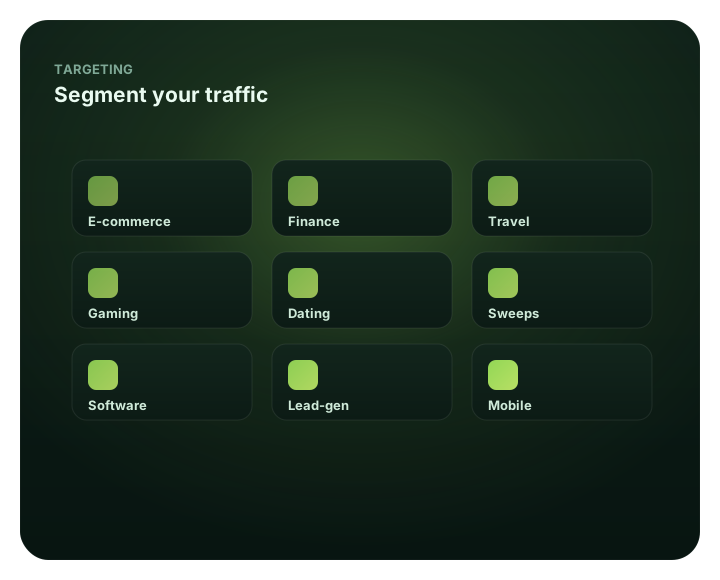
Segment traffic by GEO, device, source & intent: at a glance
What does this page explain about Traffic Segmentation?
Quick answer: Segment by GEO, device, source and intent on FroggyAds so each audience gets the right bid, creative and budget. Bid and budget to each, not to the average. A single campaign that lumps every GEO, device, source and intent level together is optimizing to an average that describes none of them. SmartCPC can adjust bids from available campaign signals within segments and Adscore and internal controls add traffic-quality signals. The result is less wasted spend and more budget flowing to the audiences that actually convert – a discipline that scales from $50.
| Section | Distinct excerpt from this page |
|---|---|
| Stop averaging your audiences together | On FroggyAds you layer GEO, device/OS, source and intent (cold vs retargeted) targeting, then read and optimize each segment separately. |
| By GEO | Tier-1 and tier-2 markets behave differently – segment and bid accordingly. |
| By device & OS | Desktop vs mobile, iOS vs Android – performance and creative differ. |
Reference for Traffic Segmentation: FTC guidance on online advertising and marketing.
- Planning: Stop averaging your audiences together.
- Control: See traffic segmentation inside the platform.
- Decision: Different audiences, different value.
Stop averaging your audiences together
A single campaign that lumps every GEO, device, source and intent level together is optimizing to an average that describes none of them. Segmentation breaks that average apart so you can bid more where value is high, less where it's low, and tailor creative and budget to each audience.
On FroggyAds you layer GEO, device/OS, source and intent (cold vs retargeted) targeting, then read and optimize each segment separately. SmartCPC can adjust bids from available campaign signals within segments and Adscore and internal controls add traffic-quality signals. The result is less wasted spend and more budget flowing to the audiences that actually convert – a discipline that scales from $50.
Best for
- Bidding by GEO tier
- Splitting desktop vs mobile
- Source-level segmentation
- Separating cold vs retargeted intent
- Tailoring creative per segment
See traffic segmentation inside the platform
For Segment traffic by GEO, device, source & intent, the FroggyAds self-serve workflow keeps campaign setup, targeting, budget controls, source-level reporting and optimization in one dashboard so advertisers can make evidence-led keep, cap, exclude and retest decisions.
- Bidding by GEO tier
- Splitting desktop vs mobile
- Source-level segmentation
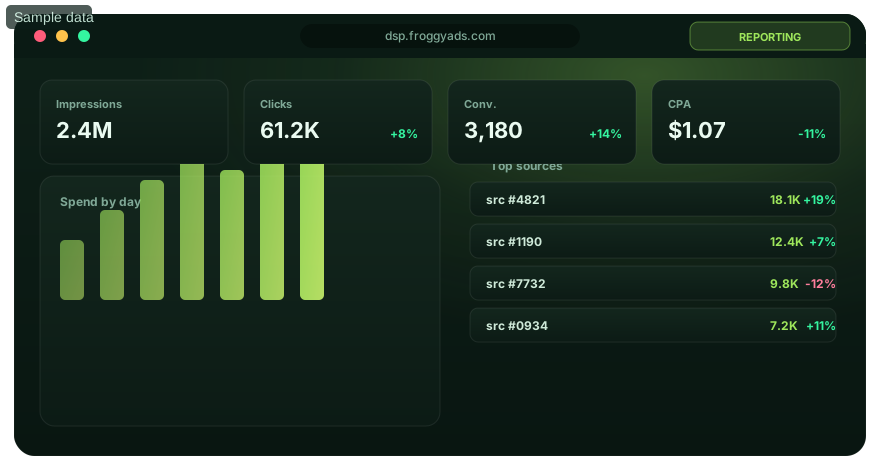
Different audiences, different value
Bid and budget to each, not to the average.
By GEO
Tier-1 and tier-2 markets behave differently – segment and bid accordingly.
By device & OS
Desktop vs mobile, iOS vs Android – performance and creative differ.
By source
Source-level segmentation is where the sharpest optimization happens.
By intent
Separate cold prospecting from warm retargeting and treat each on its merits.
Segment your traffic
Open an account and segment campaigns from $50.
Segmentation FAQ
Why segment traffic instead of using one campaign average?
A blended average can hide strong and weak audiences. Segments expose different value so bids, creative, and budgets can follow the result.
How does GEO segmentation improve a media test?
It prevents one market's conversions from covering losses in another. Each GEO can receive a bid and budget based on its own evidence.
Which technology segments can be separated?
Device and operating-system groups can be measured independently, including desktop versus mobile and Android versus iOS. Keep compatible landing paths.
Why is source ID a useful segment?
It identifies the supply that produced delivery and conversions. Source-level cuts often reveal sharper differences than the campaign total.
Should cold and warm audiences share one result?
Report prospecting and retargeting separately because prior intent changes expected conversion cost. Give each audience an appropriate message and cap.
Can creative differ by traffic segment?
Use a segment-specific message when the offer and destination support it. Test the variation without changing unrelated audience rules.
How should bids vary across segments?
Price each segment from its attributed value and cost target. Do not bid more simply because a segment sounds premium.
What happens when a traffic segment becomes too small?
An overly narrow segment under-delivers or requires too long to support a decision. Relax one compatible filter while preserving interpretable reporting.
Can SmartCPC optimize inside a segment?
SmartCPC can use available signals within the eligible segment. The segmentation rule remains a boundary set by the buyer.
What funding point is given for segmentation?
FroggyAds makes segmentation available once the account reaches its published $50 minimum. Plan enough delivery per segment to produce useful evidence.
Related pages
Segment and win
Create your account and segment campaigns across 20B+ daily impressions.
Segment traffic only when the split can change a media decision
Traffic segmentation is useful when different groups require different actions. A report can be divided by country, city, device, operating system, browser, carrier, source, campaign, creative or time, but creating every possible slice does not automatically improve optimization. Start with the business question. If the advertiser needs to know whether a mobile checkout problem is affecting performance, device and operating-system segmentation may be useful. If the question is whether one inventory source repeatedly misses the accepted outcome threshold, source segmentation matters more.
Define the accepted conversion before opening the segmentation view. Every group should be compared using the same mature business event unless there is a documented reason for a different definition. Mixing click rate for one segment with qualified leads for another creates attractive charts but weak decisions. Preserve campaign and source identifiers through the measurement path where possible so downstream events can be reconciled with the media that produced them.
| Segment type | Question it can answer | Example action |
|---|---|---|
| Country or city | Does performance differ by eligible market? | Adjust budget or exclude a non-viable location |
| Device and OS | Is technical compatibility affecting conversion? | Fix the destination or narrow unsupported environments |
| Browser | Does one rendering or checkout path fail? | Repair technical friction before judging traffic quality |
| Carrier | Does connectivity or billing context matter to the offer? | Create a targeted test when evidence supports it |
| Source | Which inventory patterns repeat over time? | Allowlist, blocklist or bid differently after maturity |
| Creative | Which message creates better downstream quality? | Shift delivery toward the stronger verified concept |
Choose a minimum sample rule before acting. Small segments can show extreme conversion rates simply because one or two outcomes move the percentage dramatically. A source with five visits and one conversion looks very different from a source with thousands of visits and a similar rate, even though the small sample is far less stable. Define the minimum observation, maximum loss and conversion delay that make a segment decision acceptable. This reduces the temptation to optimize every temporary fluctuation.
Use a hierarchy when several dimensions appear weak. Start with eligibility and technical health, then evaluate media quality. For example, if one country performs poorly, check whether the weakness is concentrated on one device or browser before excluding the whole market. If one source looks weak, check whether it delivered an unusual mix of unsupported environments. Narrow diagnosis preserves good traffic that would otherwise be removed by a broad rule.
FroggyAds provides granular controls for country, city, device, operating system, browser, carrier, category and source-level optimization. Those controls are most valuable when the advertiser has a matching analysis plan. A dashboard split should map to an action the platform can take or to a business change such as repairing a landing page. Segments that cannot lead to a responsible decision should not dominate the optimization process merely because they are easy to report.
Separate discovery from exploitation. Early campaigns often need enough eligible breadth to discover where strong and weak patterns exist. If the advertiser begins with an extremely narrow whitelist, it may never learn whether better inventory was available elsewhere. After evidence matures, strong segments can receive more budget and repeated weak patterns can be restricted. Keep some controlled discovery when the campaign economics allow it so optimization does not freeze around an old sample forever.
Document every major segment action. Record what was changed, why, which evidence supported the change and when the campaign should be reviewed again. This makes later analysis much easier because performance movement can be connected to a real intervention. Without a change log, the team may see that a country or source improved but forget that the destination, creative or bid changed at the same time.
Avoid global rules based on one offer. One source, device or market can be weak for a specific landing page and strong for another product with different economics. Keep exclusions scoped to the level justified by evidence. FroggyAds allowlist and blocklist controls can support this campaign-specific approach, letting advertisers act on repeated source patterns without turning one result into an assumption about all future campaigns.
Scale after the segment holds up under additional volume. Increasing budget can introduce new sources or shift the device and market mix, so the original performance profile may not persist. Make a bounded increase, wait for the same conversion window and compare both overall economics and the distribution of traffic. If quality changes, identify which segment mix changed before rolling back unrelated improvements. Effective segmentation is therefore a decision system: define the outcome, collect enough evidence, diagnose at the narrowest useful level and use FroggyAds controls to make reversible changes that protect campaign learning.
Review segment definitions periodically because the campaign can outgrow the original analysis structure. A device category that once represented a small edge case may become a large share of traffic, or a previously important market may stop being economically relevant. Retire splits that no longer change decisions and add new ones only when they answer a current operational question. This keeps analysis focused and reduces the risk that teams optimize old labels instead of current business conditions.
Use segmentation to simplify the next action, not to multiply dashboards. The ideal review ends with a small number of defensible choices: keep, test, repair, restrict or scale. FroggyAds offers the controls needed to execute many of those choices directly, but the value comes from the reasoning that connects each segment with an accepted outcome and a reversible media decision.
Segment traffic by GEO, device, source & intent.: what should the advertiser decide next?
For Segment traffic by GEO, device, source & intent., the commercial task is to turn traffic segmentation into one measurable campaign decision. Use Segment traffic by GEO, device, source & intent: at a glance to define the audience or problem, use What does this page explain about Traffic Segmentation? to constrain the test, and decide in advance which accepted result would justify more FroggyAds spend.
On this Segment traffic by GEO, device, source & intent. page, the decision should remain tied to the existing evidence around Segment traffic by GEO, device, source & intent: at a glance, What does this page explain about Traffic Segmentation? and Stop averaging your audiences together. Those sections give traffic segmentation its specific context; the table below turns that context into campaign actions rather than adding another generic definition.
| Decision | What to verify | FroggyAds action |
|---|---|---|
| Segment traffic by GEO, device, source & intent. objective | Use Segment traffic by GEO, device, source & intent: at a glance to define the accepted business event and the maximum learning loss for traffic segmentation. | Launch one FroggyAds campaign objective for Segment traffic by GEO, device, source & intent. and keep the conversion definition stable. |
| Segment traffic by GEO, device, source & intent. audience | Use What does this page explain about Traffic Segmentation? to verify market, device, language and offer eligibility for traffic segmentation. | Apply only the FroggyAds targeting controls that change the real Segment traffic by GEO, device, source & intent. customer journey. |
| Segment traffic by GEO, device, source & intent. source evidence | Use Stop averaging your audiences together to keep source-level differences visible instead of relying on one blended traffic segmentation average. | Keep, cap, exclude or retest Segment traffic by GEO, device, source & intent. inventory from documented source evidence. |
| Segment traffic by GEO, device, source & intent. economics | Use Best for to connect media spend with accepted conversions and downstream value for traffic segmentation. | Protect the Segment traffic by GEO, device, source & intent. test with a written budget boundary and a consistent attribution window. |
| Segment traffic by GEO, device, source & intent. scale rule | Use See traffic segmentation inside the platform to define the exact evidence that earns the next budget increase for traffic segmentation. | Scale Segment traffic by GEO, device, source & intent. one major control at a time and compare marginal performance with the prior baseline. |
A page-specific FroggyAds test sequence for Segment traffic by GEO, device, source & intent.
- Segment traffic by GEO, device, source & intent. outcome: define the accepted event for traffic segmentation and the maximum loss permitted while the first test is learning.
- Segment traffic by GEO, device, source & intent. path: verify market eligibility, device experience, landing-page continuity and tracking against Segment traffic by GEO, device, source & intent: at a glance before buying more traffic.
- Segment traffic by GEO, device, source & intent. hypothesis: launch one bounded FroggyAds test tied to What does this page explain about Traffic Segmentation?; do not change bid, creative, audience and destination together.
- Segment traffic by GEO, device, source & intent. source review: compare qualified activity, accepted conversions, timing and cost by the source or segment dimensions relevant to Stop averaging your audiences together.
- Segment traffic by GEO, device, source & intent. scaling: use Best for and See traffic segmentation inside the platform to define what must reproduce before the next budget increase.
Why FroggyAds is relevant to Segment traffic by GEO, device, source & intent.
For Segment traffic by GEO, device, source & intent., FroggyAds gives advertisers a self-serve DSP and ad-network workflow for buying supported traffic with campaign-level budgets and targeting. Depending on format and campaign context, available controls can include country, city, device, operating system, browser, carrier, category, source, ID and IP options. SmartCPC and Adscore-supported traffic-quality controls can support the traffic segmentation optimization process, while the advertiser's tracker, analytics and backend acceptance remain the final evidence for commercial quality.
Use See traffic segmentation inside the platform as the final checkpoint for Segment traffic by GEO, device, source & intent.. If the accepted result does not reproduce after the next meaningful volume step, return to the last stable configuration instead of widening several controls at once.
How to tell whether Segment traffic by GEO, device, source & intent. is working
For Segment traffic by GEO, device, source & intent., separate traffic delivery, landing-page response and accepted business outcomes. Use Segment traffic by GEO, device, source & intent: at a glance to identify the first failing layer before changing the next traffic segmentation campaign control.
Reconcile Segment traffic by GEO, device, source & intent. on one evidence window
For Segment traffic by GEO, device, source & intent., compare FroggyAds reporting with the advertiser's tracker, analytics and backend records for the same dates and attribution rules. Record media spend, relevant delivery events, qualified landing activity, accepted conversions and rejection reasons, then use What does this page explain about Traffic Segmentation? to investigate material gaps before they become optimization rules.
Diagnose the smallest failing layer in Segment traffic by GEO, device, source & intent.
If traffic segmentation delivery is weak, review eligibility, targeting, bid and inventory first. If traffic arrives but the destination underperforms, inspect speed, message continuity, forms, redirects and device compatibility. If front-end conversions look healthy but backend acceptance is weak, use Stop averaging your audiences together to isolate audience or source quality after tracking has been verified.
Set the next Segment traffic by GEO, device, source & intent. scale and stop rule
Write the exact Segment traffic by GEO, device, source & intent. result that earns more budget and the exact condition that pauses the test. Increase one major control at a time and compare marginal traffic segmentation performance with the prior configuration. FroggyAds supplies the campaign controls; the advertiser's accepted downstream data determines whether the expansion is commercially useful.
Segment traffic by GEO, device, source & intent: the buyer task this URL owns
Use Segment traffic by GEO, device, source & intent when the immediate task is to make a measurable paid-acquisition decision. For performance-focused advertisers, the useful output is a documented media decision rather than another broad advertising overview. The nearest related FroggyAds page is Market Segmentation; this URL keeps ownership of the distinct task to make a measurable paid-acquisition decision.
For Segment traffic by GEO, device, source & intent, the operating evidence to keep visible is campaign objective, audience and market fit, ad format, budget and bid. Use these entities only when they change setup, measurement or the commercial decision.
| Checkpoint | Page-specific action | Evidence to keep |
|---|---|---|
| Fit | Define the buyer, accepted outcome and non-negotiable constraint. | Retain evidence specific to Segment traffic by GEO, device, source & intent and its accepted outcome. |
| Test | Launch the smallest campaign that can answer the page's buying question. | Retain evidence specific to Segment traffic by GEO, device, source & intent and its accepted outcome. |
| Decision | Keep, cap, exclude or expand from accepted-outcome evidence. | Retain evidence specific to Segment traffic by GEO, device, source & intent and its accepted outcome. |
Hypothetical calculation: if a controlled campaign for segment traffic by geo, device, source & intent spends USD 150 and produces 9 accepted conversions, accepted CPA is USD 150 / 9 = USD 16.67. Replace the inputs with your own campaign economics; this is not a FroggyAds performance claim.
FroggyAds gives performance-focused advertisers a self-serve way to act on the Segment traffic by GEO, device, source & intent decision: configure the traffic test, preserve source-level reporting and scale only after the accepted outcome supports the next step. Create your free FroggyAds account.
Segment traffic by GEO, device, source & intent — what matters first
Segment traffic by GEO, device, source & intent is most useful when it helps a buyer decide whether this option fits the buyer's acquisition workflow. Define the accepted outcome first, then use targeting, budget and source-level evidence to decide what deserves more spend.