
Plan 3G Traffic Campaigns for Real Mobile Constraints
A 3G traffic test shows whether your offer can still be understood and completed when a mobile visitor has a slow or unstable connection. With FroggyAds you can run a capped, self-serve test, keep sources and landing-page versions separate, and judge the result on accepted leads, sales or sign-ups instead of clicks.
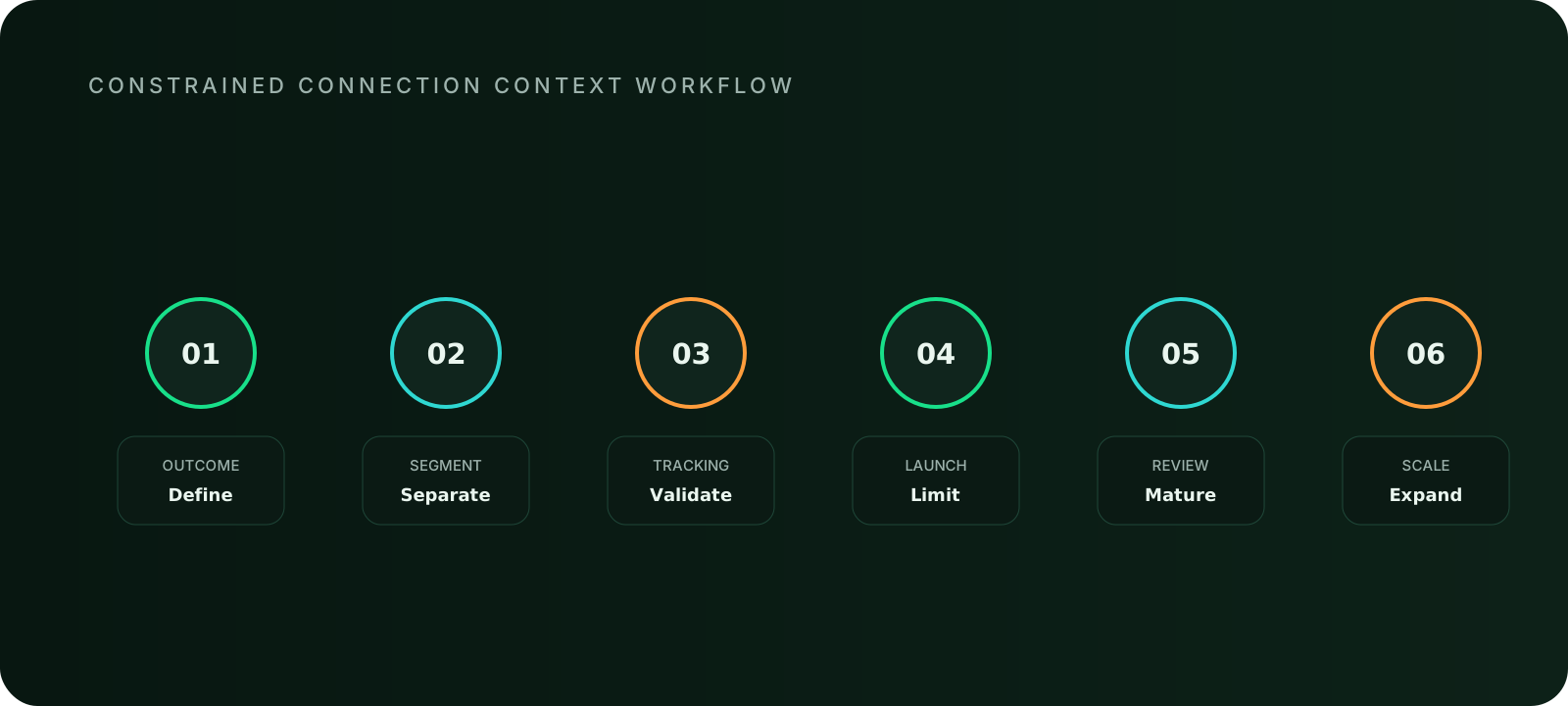
This guide gives you a practical launch workflow. Confirm which controls your account exposes, lighten the destination, verify tracking under constrained conditions and decide when to scale. A connection label describes a technical condition, not a person's intent or value, and no traffic test can guarantee sales or profit. Start by naming the one mobile task that must work on a weak connection.

What does 3G traffic mean, and what should your test prove?
3G traffic is mobile traffic that reaches your destination over a slower, higher-latency connection than newer networks usually provide. You are not buying a type of person. You are buying exposure in markets and on devices where connection quality can vary, and you are learning whether your landing page, form and tracking still work there. We recommend this test for advertisers, affiliates, agencies and app teams whose offer can be completed on a light page.
The test answers one commercial question: can a visitor on a constrained connection reach an accepted outcome at a cost you can defend? If the answer is no, the cause is usually something you can repair, such as page weight, redirect chains or a fragile form. That is why we treat the test as a diagnostic for your destination as much as a way to buy traffic. Hold the campaign when targeting availability, page weight, event delivery or privacy boundaries are unclear.
| Your situation | What we recommend | Why |
|---|---|---|
| Compact offer page, short form, serviceable markets | Run a capped constrained-connection test | The journey can complete, so the result tells you about real demand |
| Heavy page, many third-party tags, slow tracker redirects | Fix the destination first | Otherwise you pay to learn about page failure, not about the offer |
| Offer that needs large downloads or live high-resolution media | Redesign the journey or skip this condition | Completion is not realistic on a weak connection |
| Unsure whether your account exposes connection or carrier targeting | Test through geography, device and source cells, plus lab throttling | Do not call a segment 3G unless you can show how it was identified |
Control availability: what can you actually target?
Before you build a campaign around connection context, confirm which targeting controls your FroggyAds account exposes. We give you self-serve control over geography, sources, bids and budgets, plus device-level options where they are available. Whether a connection-type or carrier filter exists for a given source is something to verify in the campaign builder, not something to assume.
In programmatic supply, the OpenRTB specification includes an optional connection-type value in the device object, but publishers do not always populate it. If you cannot show how a session was identified as 3G, describe the campaign as a constrained-connection test built on lab profiles plus device and source cells, not as a confirmed 3G segment.
Save a dated screenshot of the setting you verified. If a control later changes or disappears, that record tells you exactly what the test no longer represents.
Eligible market: where should the test run?
Choose markets where people genuinely use slower mobile networks and where you can legally serve and fulfil the offer. Many operators have retired or are retiring 3G, so availability differs by country and carrier. A market that once produced plenty of constrained sessions may now route most users to newer networks, so treat volume as something to observe rather than assume.
Start with one or two geographies so you can attribute results, then compare them in FroggyAds source-level reporting. Exclude any market where delivery, support or the offer itself is unavailable. Paid traffic should never be used to find out whether an unavailable offer still attracts interest.
Device support: will the journey work on the phones you reach?
Slow connections often go together with a wide spread of phones and browsers. That is a compatibility question, not a quality verdict, because an older handset can belong to a valuable customer. Test the journey on the devices your chosen markets use, and let outcome evidence decide which cells to keep.
| Check | How to test it | Decision rule |
|---|---|---|
| Operating system version | Run the page on one older and one current version of each OS you target | Exclude a device family only when the page demonstrably fails and cannot be repaired |
| Browser | Test the default browser and the main alternatives in your markets | Fix rendering faults before narrowing any source |
| Screen size | Check the first screen on small and large phones | Offer, eligibility and button must be visible without zooming |
| Input | Complete the form with touch, autofill and the on-screen keyboard | Simplify any field that causes errors or repeated entry |
Page weight: how light must the destination be?
Set a transfer-size budget for the landing page before you buy a single click. Choose a figure your team can defend, then measure first-load requests with browser developer tools under a throttled network profile; Chrome DevTools includes slow-network presets. The first useful screen should state the offer, who it is for, the material condition and the next action without waiting for decorative media.
Google's Core Web Vitals give useful reference points. A good Largest Contentful Paint is 2.5 seconds or less, Interaction to Next Paint 200 milliseconds or less and Cumulative Layout Shift 0.1 or less, assessed at the 75th percentile of real-user data. Lab throttling is a diagnostic tool. It does not replace field data and it does not predict campaign results.
Remove blocking scripts that do not support the task, defer chat widgets and give every image dimensions so the layout does not jump. When the page passes, you are ready to buy traffic with confidence in what the visitor will see.
First response: how many hops stand between click and page?
Every redirect adds a network round trip, and on a slow connection each one costs time and gives the visitor another reason to leave. Count the hops from ad click to final page: ad platform, tracker, regional redirect, consent layer and destination. Keep the chain as short as your tracking setup allows.
Confirm that the tracker passes your source identifier through to the final URL, and test the full click path from a real phone. Measure server response time for the final page separately from total load. A slow origin and a heavy page need different fixes, and mixing them hides the real cause.
Image policy: what loads first, and what happens if it never arrives?
Images are usually the largest part of a landing page and the easiest to control. Decide what each asset type must do and what the visitor sees if it fails to load.
| Asset | Rule | Fallback |
|---|---|---|
| Hero image | Compress it, set width and height, never let it block the headline | A text headline and offer line that stand on their own |
| Product or service photos | Load below the first screen in a compressed format your stack supports | Alt text and a short text summary of the key facts |
| Display banner creative | Keep file weight low and make the message readable in the first frame | A static version of any animation |
| Video | No autoplay; load only after a tap | A still image with the offer written beside it |
Form resilience: can a visitor finish after a stumble?
Ask only for the information you need at this stage. Preserve entries after a validation error, explain the error beside the affected field and keep touch targets large enough for one-handed use. Disable the submit button while a request is pending, and show a truthful confirmation when it completes.
If the transaction cannot finish immediately, give the visitor a safe way to resume. These improvements help every mobile visitor, and the constrained-connection test is simply the most demanding place to verify them.
Retry behavior: what happens when a visitor taps twice?
On a weak connection people tap again when nothing seems to happen. Test this by deliberately delaying the server response and retrying the submission. The visitor should see a clear state, and your business system should not count two accepted outcomes.
Document whether analytics records both attempts and how your final report removes the duplicate. A campaign cannot be optimised responsibly if duplicated events inflate the very outcome you are buying.
Event buffering: will the outcome reach your reports?
Mobile tracking calls can be delayed, retried or lost when a connection drops. Verify each event from the first test visit, and record timestamps with an explicit time zone. IANA identifiers such as Europe/Copenhagen avoid ambiguity when your tracker, analytics tool and customer system sit in different regions.
| Event | When it fires | What to verify |
|---|---|---|
| Landing view | After the essential content loads | Fires once per visit and carries the source identifier |
| First interaction | First tap on the primary control | Is recorded even if the connection drops afterwards |
| Form submit success | After the server confirms receipt | Matches one record in your system, with no duplicate |
| Accepted outcome | After your own validation, such as a call, review or payment | Joins back to the original visit inside the agreed window |
Source identity: can you trace every result to its cause?
Keep campaign, source, creative and landing-version identifiers separate and consistent from the first click to the accepted outcome. Without them, a weak result cannot be traced to the page, the creative or the source, and you end up changing everything at once.
FroggyAds lets you evaluate sources individually and build whitelists and blacklists. Once a source proves healthy on the test, keep it. Exclude the ones that do not produce accepted outcomes, and record the evidence behind each decision so a later comparison stays honest.
Accepted quality: what counts as a good outcome?
Agree the accepted outcome before launch: a validated lead, a paid order, a verified sign-up or a qualified trial. Then wait for the maturity window you promised in the campaign record before judging any cell. Early click and form counts are diagnostics, not the commercial result.
We work with Adscore and internal quality controls to filter bot traffic, and you add your own acceptance rules downstream. Those layers reduce risk, but they do not replace a clear definition of success. They also do not guarantee that any campaign will produce sales.
Fallback route: what is your plan when something fails?
A fallback is useful only when it is relevant. Redirect to a genuine alternative, or stop delivery for the incompatible condition. Decide the response and the owner before launch.
| Situation | Response | Owner |
|---|---|---|
| Unsupported device or browser | Serve a compatible lightweight version or stop that cell | Page owner and buyer |
| Offer paused in one region | Pause the matching geography in the campaign instead of relying on a notice after the click | Buyer |
| Tracker or analytics outage | Mark the affected timestamps and show the exclusion in the comparison | Analytics owner |
| Destination errors | Pause the affected cell and reopen it only after verification | Page owner |
Why choose FroggyAds for a constrained-connection test?
A good test needs separate cells, controllable budgets and enough sources to compare. We built FroggyAds as a self-serve platform so you can launch, adjust and stop campaigns without waiting for a sales cycle. Here is what that gives you in practice:
- Fast start: a minimum deposit of $50 funds your account, so you can validate a destination before committing a larger budget.
- Source choice: access to 750+ SSP integrations gives you supply to compare across markets and formats.
- Cell-level control: run separate campaigns for each landing version, market or format, and keep their identifiers distinct.
- Quality protection: Adscore integration and internal quality controls help filter bot traffic, and whitelists and blacklists let you keep what works.
- Format range: Push, Native and Display let you test the same destination through different creative types.
Which ad format fits a constrained-connection test?
| Format | Starting price | How it fits this test |
|---|---|---|
| Push | From $0.003 per click | The message is short text, so the landing page decides whether the visit works |
| Native | From $0.003 per click | Light creative; keep the headline promise consistent with the destination |
| Display | From $0.10 per 1,000 impressions | Creative file weight and a clear first frame matter; judge by accepted outcomes, because impressions are not visits |
Starting prices are the lowest listed levels. Your actual price depends on bid, targeting and competition, so confirm live pricing in your account. Choose one format per test cell so you can compare like with like.
What should your first 3G test budget look like?
Three different amounts are easy to confuse, and each answers a different question.
| Term | What it means | Amount |
|---|---|---|
| Minimum deposit | The amount needed to fund your account | $50 |
| Starting price | The lowest listed price per click or per 1,000 impressions | See the format table above |
| Actual campaign price | What you really pay, set by bid, targeting and competition | Read it from your campaign reports |
| Recommended test budget | The spend you need to compare cells with confidence | Calculate it with the formula below |
Use this transparent calculation: test budget per cell = target cost per accepted outcome × number of accepted outcomes you need in order to compare cells. As a hypothetical illustration, if you can afford $4 per accepted lead and want 20 accepted leads in each of two cells, you need $80 per cell and $160 in total. These numbers are examples, not a benchmark or forecast. If your calculation exceeds your deposit, launch smaller and accept lower confidence, or fund the account further before you start.
Prepare the evidence packet your team can review
For every destination release, save the release date, total transfer size, failed critical requests, supported-device checks and a completed test event, together with a screenshot of the first useful screen under the constrained profile. Add an incident note whenever delivery continues during a slow origin, analytics outage or conversion-service delay. Excluding that window may be justified, but the exclusion must be visible.
A hypothetical 3G campaign example
Consider an appointment service available in selected regions. This is a hypothetical scenario. The team builds a compact page with the service boundary, a short price explanation and a three-field request form. One FroggyAds campaign sends a creative to the normal mobile page, and a second campaign sends the same creative to the compact page, each labelled separately. Both are reviewed after the same follow-up window.
If the compact route improves form completion and accepted appointment quality stays unchanged, it may become the default for constrained connections. If quality falls because eligibility details were removed, restore those details instead of celebrating a faster form.
How do you diagnose a weak result in the right order?
- Confirm the eligible visitor received the intended destination, since redirect loops, regional fallbacks and consent layers can change the page before the offer appears.
- Check that the main content rendered and the form stayed responsive.
- Verify that events arrived and that delayed outcomes were joined back to the visit.
- Only then compare creative promise, audience fit and price sensitivity.
This order stops you from rewriting an offer to compensate for a technical failure. When the page, receipts and stop rules are ready, create your free FroggyAds account and launch the first capped cell.
How do you report a 3G test without overstating it?
Lead with the page release, eligible markets, devices, source cells and accepted-event definition. State whether the connection condition was observed or simulated and how it was identified. If your records cannot prove a session used 3G throughout, say so and present network context as a diagnostic boundary, not a permanent user segment.
Show absolute counts beside rates for usable sessions, form completion, candidate outcomes and mature acceptance. Include failures caused by the destination, and note any period removed from the comparison, so a reader can trace the conclusion back to the same purchased traffic.
Should you repair, narrow or stop?
Repair the destination when failures appear across sources on the same device, browser or release. Narrow delivery when a source reaches a healthy page but keeps producing unsuitable sessions under your offer rule. Stop when the offer cannot be completed, the accepted event is unavailable or a material claim is no longer current. After any change, reopen a small verification cell instead of restoring the full previous budget.
Finally, state where the result may be reused: the same lightweight route, comparable offer, supported devices and acceptance rule. Anything outside those boundaries needs fresh evidence, and Choose FroggyAds for your next traffic campaign when you are ready to gather it.
Questions about 3G traffic campaigns
What is 3G traffic, and how is it different from ordinary mobile traffic?
3G traffic is mobile traffic that reaches your landing page over a 3G connection, which usually means lower bandwidth and higher latency than newer networks. The visitor is the same kind of person you would reach in any mobile campaign. Only the technical condition changes, so a 3G test focuses on page weight, form recovery and event delivery rather than assumptions about who the visitor is. Many operators are retiring 3G, so check that your target markets still produce enough constrained-connection sessions before you plan around them.
Can I target only 3G connections on FroggyAds?
Confirm it in the campaign builder, because we cannot promise that every account and traffic source exposes a connection-type or carrier filter. If your account shows the control, use it and record the date and setting. If it does not, run the test through geography, device and source cells, check the landing page under throttled network profiles and report the result as a constrained-connection test, not a verified 3G segment.
How much does it cost to start a 3G test with FroggyAds?
The minimum deposit is $50. Starting prices are from $0.003 per click for Push and Native ads and $0.10 per 1,000 impressions for Display ads. Your actual price depends on bid, targeting and competition, and a 3G label does not automatically make traffic cheaper. Work out your test budget separately: target cost per accepted outcome multiplied by the number of accepted outcomes you need in each test cell.
How light should a landing page be for constrained-connection traffic?
Set a transfer-size budget your team can defend and test it under a throttled network profile, such as the slow-network presets in Chrome DevTools. The first screen should show the offer, who it is for and the next action without waiting for images or video. Google's Core Web Vitals give reference points: Largest Contentful Paint of 2.5 seconds or less, Interaction to Next Paint of 200 milliseconds or less and Cumulative Layout Shift of 0.1 or less at the 75th percentile of real-user data. Lab throttling helps diagnose problems but does not replace field data.
Which FroggyAds ad formats suit a 3G campaign?
Push, Native and Display can all be tested. Push and Native creatives are short and light, so the landing page usually decides whether the visit works. Display needs lightweight creative files and a clear first frame. Choose one format per test cell so you can compare like with like, and judge each one on accepted outcomes rather than impressions or clicks.
How do I measure conversions when events may arrive late?
Track arrival, first interaction, form start, successful submit and your accepted outcome separately, each with source, campaign and landing-version identifiers and a timestamp in a stated time zone. Wait for the maturity window you agreed before judging a cell, then join delayed outcomes, such as a validated lead, back to the original visit. Reconcile your tracker and your customer system instead of choosing the more flattering count.
How do I keep bot or low-quality traffic out of the test?
We integrate with Adscore and run internal quality controls to filter bot traffic, and you can build whitelists and blacklists to keep sources that produce accepted outcomes and exclude those that do not. These controls reduce risk but do not replace your own acceptance rules. Review accepted outcomes by source after the maturity window before you extend any budget.
Which offers should I not run on 3G traffic?
Avoid offers whose journey cannot complete on a weak connection without a redesign, such as multi-gigabyte downloads, heavy configurators, checkouts that reload several third-party widgets or video-first pages with no text alternative. Fix the destination first. Also exclude any offer that is not available in the targeted market, because paid delivery should not be used to test demand for something you cannot fulfil.
How should I split my first 3G test into cells?
Change one thing at a time. A simple first design compares your normal mobile page with a compact page for the same creative, market and format, with each destination labelled separately. Use a capped budget, one hypothesis and a fixed review date. After the same follow-up window, compare accepted outcomes and cost per accepted outcome. If completion improves but accepted quality drops, restore the details you removed.
When should I pause, narrow or scale a 3G campaign?
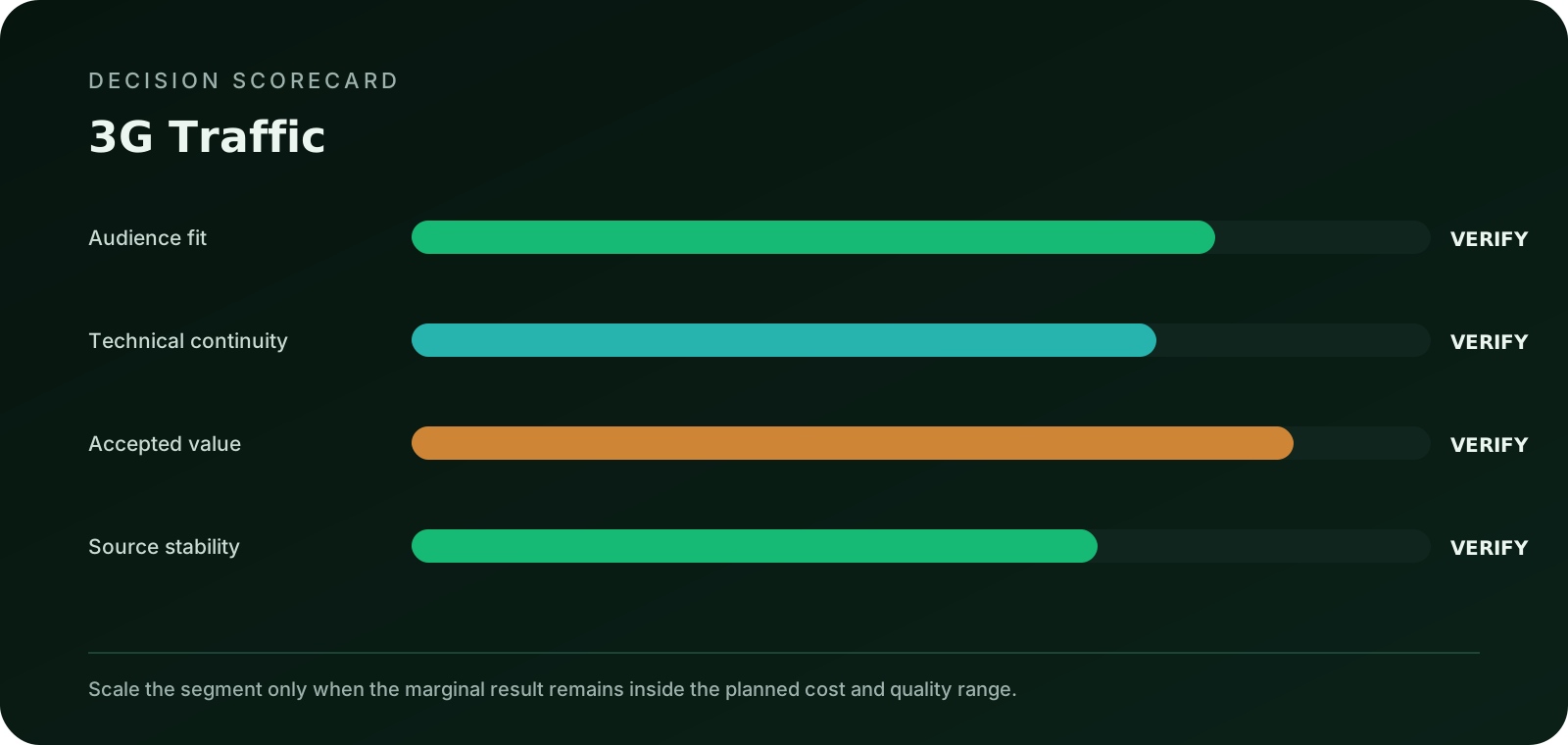
Pause or repair when failures appear across sources on the same device, browser or page release, because that points to the destination. Narrow delivery when a source reaches a healthy page but keeps producing unsuitable sessions. Stop when the offer cannot be completed or a claim is out of date. Scale only after the destination, event receipts and accepted economics agree, and raise budget in steps rather than restoring the old spend at once. No test can guarantee sales or profit.
FroggyAds workflow views for 3g delivery plan
References and next steps for 3g delivery plan
These references support the technical points above: the OpenRTB specification for how connection signals can appear in bid requests, the IANA Time Zone Database for unambiguous event timestamps and Google's Core Web Vitals guidance for page experience thresholds. The internal links point to related traffic planning topics.