
iOS Traffic for App and Web Campaigns
Qualification evidence gives this section a concrete role under “the opening campaign decision.” We recommend that you diagnose web, store and post-install stages separately before reallocating traffic. Its value depends on the journey after the ad. A relevant click should lead to a compatible page or app destination. Then it should lead to an action you can verify. We help advertisers test device segments and review source-level results through a self-serve campaign workflow. Start with one audience, one destination and one business outcome so your first decision is clear.
What does iOS traffic mean for an advertiser?
Mature business outcomes define the next action here under “What does iOS traffic mean for an advertiser?.” We recommend that you diagnose web, store and post-install stages separately before reallocating traffic.
iOS traffic describes visits or app journeys delivered to Apple mobile devices. It is a delivery context, not an audience-quality rating. An iPhone click can reach a mobile website, an App Store listing, an app deep link or a lead form. Each path has a different completion event. A device label cannot tell you whether a visitor understood the offer, completed a purchase or returned to an app.
A media buyer must know whether the source reaches the intended device journey at an acceptable cost. The measurement must also validate the result. We recommend you write the decision in one sentence before launch: which iOS users should receive the ad, what should happen next, and which verified outcome earns more budget? That framing keeps a traffic report connected to your acquisition economics.
Which iOS audience and offer should you test?
Begin with the user journey and the iOS destination. Confirm that the app or offer is available in the selected territory, the app supports the intended iOS version, and the store listing matches the ad. For a mobile web route, test Safari and any other browser you plan to buy; for a deep link, verify the installed-app path and the App Store or web fallback. An ecommerce click, an app-store view and an app launch are separate stages, so choose an eligible route before adding device splits.
Exclude a market only when the offer, app availability, legal terms or documented compatibility rule requires it. Treat an older iOS rendering concern as a hypothesis to test on the actual route; do not assume older devices have lower purchase intent. Keep first-time downloads and redownloads separate when the store report distinguishes them, and keep a broad eligible baseline until your data supports a narrower device or version rule.
How should you measure an iOS traffic campaign?
Define the accepted action before buying iOS traffic. For a web funnel, that may be a completed order or qualified lead confirmed by your backend. For an app funnel, an install is an early event; activation, registration, subscription or purchase can be later milestones. Keep each event in its own column. Do not call an install a customer or treat a click-through as an accepted conversion.
Preserve campaign and source identifiers in the measurement path. Reconcile ad delivery, tracker, app analytics and business records using the same time zone, event definition and attribution window. Label late or privacy-limited attribution as pending until the relevant window matures. Apple’s documentation describes privacy-preserving attribution and App Store acquisition reporting; those Apple systems are distinct from FroggyAds campaign controls. Review Apple’s AdAttributionKit overview and Apple’s App Store Connect acquisition guide when selecting the measurement your app can actually support.
How do you set a test budget for iOS traffic?
Choose the cap using the outcome your iOS route can actually report. For a mobile checkout, calculate the maximum cost per accepted order from contribution margin. For an App Store journey, keep paid clicks, product-page views, first downloads, redownloads and activation separate; only a validated downstream event supports a customer-acquisition ceiling.
Set a limit that can answer one route question: do eligible iPhone or iPad users reach the promised destination, and does the measured journey progress to the event you accept? Apple store reports cover store-stage activity; your app or backend confirms later business value. There is no universal iOS budget, so use your own margin, test window and maximum tolerable loss.
What is a practical iOS traffic launch workflow?
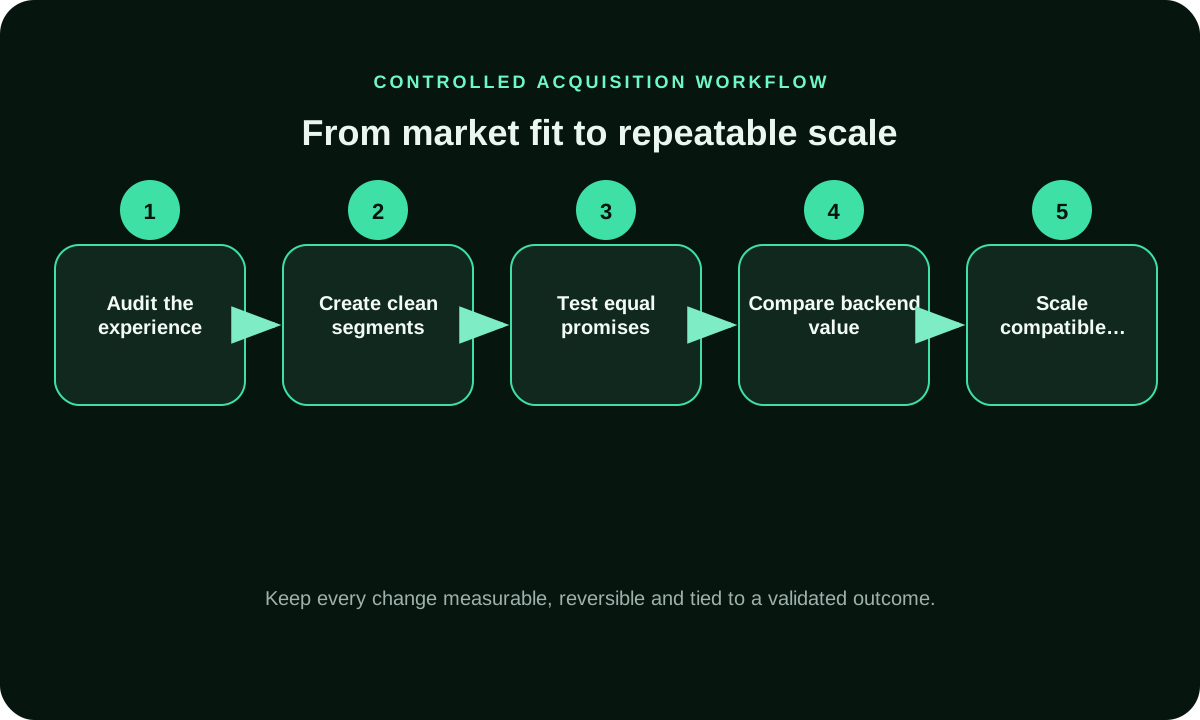
Use this route-first workflow to separate campaign delivery from Apple’s store reporting and the outcome your business accepts. Keep the first comparison narrow enough to tell whether the difference appeared at the device, browser, App Store page or post-install event.
- Choose a route-specific test cell: mobile web, App Store product page or app deep link. Record the intended device and supported market.
- Name the observable event at each handoff: paid click, landing arrival or store-page view, download or redownload, app open, and accepted business action.
- Preserve campaign and source IDs, then record the browser or app route that opened the destination.
- Reconcile Apple’s source label with the campaign log; treat Safari redirects and non-Safari browser referrals according to Apple’s definitions.
- Wait for the agreed event window, then compare the same route and accepted event before changing a source, device cohort or bid.
How should you segment iOS users without fragmenting delivery?
Separate device cohorts only when the distinction changes the experience or your decision. iPhone and iPad can present different screen layouts. A browser visit and an app open use different destinations. An operating-system version may matter when an app or page has a documented compatibility limit. A carrier or connection type can help diagnose delivery context, but it is not evidence of purchase intent.
Begin with the broadest eligible audience that can complete the offer. Add one meaningful split, such as device family or destination route, and compare it under the same creative, bid logic and accepted-action definition. Keep a broader baseline to reveal whether a small segment looks strong only because of low volume. Use targeting controls available in your FroggyAds campaign settings where they match the test; do not assume a control exists at a finer level than the platform exposes.
How do you keep an iOS ad consistent with its destination?
For a Safari or other browser route, make the first screen confirm the ad promise and test the page, form and checkout on the iPhone or iPad you are targeting. For an App Store route, check the product-page title, screenshots and offer against the creative before launch. For a deep link, verify both the installed-app destination and its store or web fallback. These are three different journeys; one generic landing-page check will not validate all of them.
For each route, log the first successful handoff and the first accepted outcome as separate checkpoints. A Safari redirect may affect the website shown as App Store Connect’s web referrer; a tap from a non-Safari browser can be categorized as an app referrer. Compare that platform label with the campaign’s own click and source records before interpreting a discrepancy. Fix a broken redirect or incomplete destination before excluding otherwise eligible traffic.
How can buyers evaluate iOS traffic sources?
Match each iOS source ID to an Apple-device route, the report’s own source label, a verified event and the same mature time window before judging value.
For a source decision, keep the campaign ID and destination route beside App Store Connect’s source type, territory, device and store-stage metric. Apple can report app referrer, web referrer and campaign-link acquisition; those labels do not create a person-level match with a media click. On a web route, compare campaign parameters with the landing and backend record. On a store route, keep impressions, product-page views, first downloads and redownloads separate. Use app or backend events to decide whether an acquired user reached the business outcome you accept.
Classify the row before changing delivery: pending Apple attribution, store interest without a download, download without a validated app event, or a mature accepted outcome. Keep a source open when its cohort is still inside the agreed window and spend remains under the cap. Fix the destination when arrival fails; review onboarding when downloads do not activate; change a media control only when the same event and source evidence support that decision. Use FroggyAds controls available in your account for paid delivery, and confirm later value in your app or backend systems.
When should an iOS traffic campaign be scaled?
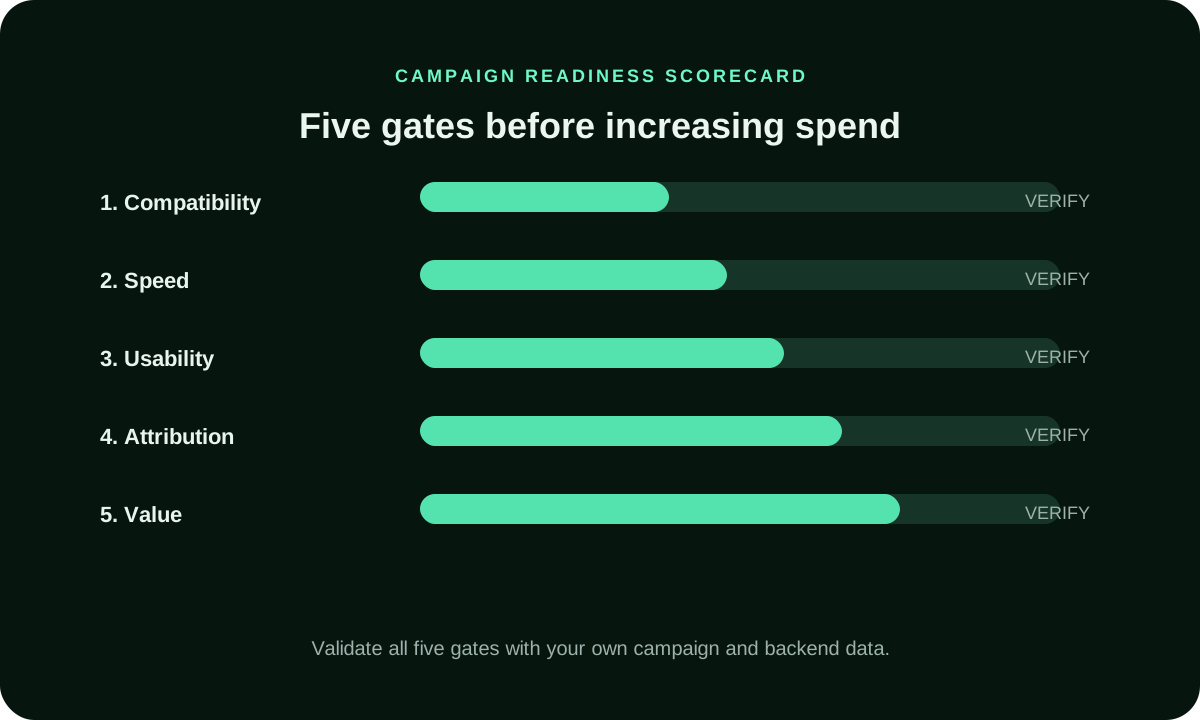
Scale an iOS route only after each route has mature evidence against its own baseline. Keep iPhone/iPad and Safari/non-Safari paths separate when redirects or referrer labels differ. Keep App Store impressions, product-page views, first downloads, redownloads and later app events within their actual reporting windows; if a postback or source report has not settled, mark it pending. Raise one cap or source at a time and judge marginal cost against the same accepted app or backend event.
Increase one dimension at a time: first a cap, then one source or device route after the previous cohort matures. Watch whether cost per accepted action changes as source mix shifts. For a new geography or format, retain separate records until its App Store or backend evidence follows the same rule. Pause expansion when attribution is unresolved or your pre-written cost ceiling is exceeded.
How do you distinguish device performance from source quality?
Read device and source together. An iPhone cohort may appear weak because one placement is sending visitors to an incompatible page; another placement may produce qualified actions on the same device. A source may appear efficient because it has only a few early conversions. Compare matched date ranges, the same offer and the same accepted event before deciding which factor matters.
Apple’s App Store Connect analytics can report acquisition by source type, territory and device in its own product reporting. AdAttributionKit postbacks use limited information to protect privacy and may not expose every field on every conversion. These are measurement properties of Apple systems, not promises about FroggyAds reporting. Record what is observed, what is aggregated and what is still pending. Apple’s App Store Connect acquisition guide and Apple’s AdAttributionKit overview provide the relevant Apple context.
What mistakes waste an iOS traffic test?
An iOS campaign can appear to have a different source in App Store Connect because Apple reports its own route labels. Apple says a Safari redirect chain records the last URL as the web referrer, while taps from Chrome and other non-Safari iOS browsers can appear as app referrers. Do not relabel that traffic as in-app inventory from the store label alone. Reconcile browser route, campaign log, source ID, date and destination.
Keep the web and app funnels distinct. A paid click, App Store product-page view, first download, redownload and app activation are different events. Missing or conditional AdAttributionKit fields do not prove that no user converted; postbacks are privacy-limited and delayed. Record which system observed each event, preserve raw and accepted counts, and never infer a person or device identity through fingerprinting.
How does FroggyAds help advertisers test iOS traffic?
We give advertisers a self-serve way to configure paid campaigns and review the targeting, budget and source-level reporting controls available in their account. For an iOS test, use the device and operating-system settings that the campaign exposes, then keep App Store Connect and app analytics as separate downstream evidence. This helps you evaluate delivery without mistaking a traffic report for an install or app outcome.
FroggyAds is the media-buying layer. Your team or measurement partner owns App Store links, app instrumentation, Apple framework participation and activation or revenue validation. We do not claim that every campaign uses AdAttributionKit. For a web route, validate the click-to-order or lead path; for an app route, verify store and post-install events separately. Start with a bounded campaign and expand only when the relevant evidence supports it.
What should you check before buying iOS traffic?
Before launch, record the exact iOS route (browser, App Store campaign link or app deep link), its fallback, the expected Apple source label, and the event that your app or backend can verify. Check that the source ID survives any redirect, then set a cap and a decision date that allow store and post-install reporting to mature. During review, label each row as delivered, arrived, store-viewed, downloaded, redownloaded, activated or pending rather than collapsing the journey into one traffic total.
iOS Traffic Preflight Checklist
- Record iPhone or iPad, supported iOS range, target territory and intended browser, store or app destination; validate the commercial event separately.
- Split iPhone and iPad only when the layout, supported OS range, destination route or accepted event creates a separate decision; keep an eligible baseline.
- Keep Safari web, non-Safari browser, App Store and app-deep-link paths distinct when their redirect or source-referrer labels differ.
- Store the paid source ID beside the Apple source label, device, territory, destination, spend, date range and accepted event.
- Check the redirect chain, landing arrival or App Store product-page view before assigning a missing download or activation to a source.
- Compare like-for-like iOS routes with the same offer, creative, source definition, event and observation window; mark immature attribution pending.
- Keep conditional Apple fields and delayed postbacks unresolved until the documented window closes; never infer a person-level match.
iOS Traffic FAQ
What does iOS traffic include?
It means paid delivery to iPhone or iPad users, followed by a mobile web, store or app journey. The device label is only a delivery context. Measure the action that matters to your offer, such as a completed web order, qualified lead or app milestone.
Should I split iPhone and iPad campaigns?
Only when screen layout, destination behavior, eligibility or conversion evidence gives you a reason. Start with a broad eligible segment, keep a baseline, and split one device dimension at a time. A separate campaign is useful when it makes a decision clearer, not merely because the option exists.
How do I compare iOS traffic sources?
Preserve a source identifier beside spend, device context, landing arrival and your validated outcome. Compare the same offer and attribution window. Keep immature rows pending, adjust a viable source when marginal cost is high, and exclude a source only after repeatable invalid or irrelevant outcomes.
Is iOS traffic the same as app-install traffic?
No. iOS traffic can send people to a mobile website, App Store listing, app deep link or another eligible destination. An install campaign is one specific objective. Keep click, install, activation, purchase and lead events separate so a report does not turn a visit into a customer.
How much should I budget for an iOS traffic test?
There is no universal iOS budget. Set a cap from the outcome you accept and the route's measurement: separate clicks, store views, first downloads, redownloads and later app events. Use the first test to learn whether the eligible iPhone or iPad journey reaches that event, then wait for the same cohort to mature before reallocating.
How long should I wait before judging iOS traffic?
Check click and page arrival promptly for a broken route. For an app journey, Apple says an eligible winning AdAttributionKit postback can arrive 24 to 48 hours after an app launch; later conversion windows and app-side events can take longer. Keep incomplete cohorts pending and compare App Store or backend results only after their agreed reporting window.
What is Apple AdAttributionKit?
Apple describes AdAttributionKit as a privacy-preserving framework for eligible app-install and re-engagement attribution. It relies on limited postback data and registered participants. Confirm the app and network implementation with the responsible vendor; FroggyAds campaign settings alone do not establish AdAttributionKit support.
How can I protect user privacy in an iOS campaign?
Use the platform and app measurement methods permitted for your campaign, collect only needed events, and do not infer a stable person or device identity from browser, location or network signals. Apple’s guidance prohibits fingerprinting to uniquely identify a device. Review current requirements with your app and privacy teams.
When should I scale an iOS traffic source?
Scale after the same iOS route and accepted event have mature evidence, not simply after daily spend completes. Keep first downloads, redownloads and web outcomes separate. Increase one cap or source at a time, review the marginal cost, and leave privacy-limited or delayed attribution unresolved until its window closes.
Can FroggyAds support an iOS traffic test?
We provide a self-serve paid-campaign workflow with the targeting, budget and source-level reporting controls available in your account. Use Apple and app analytics for store and post-install events, since those are separate from traffic delivery. Check the settings exposed for your campaign, validate your own event path, and start with a bounded test.
Plan a controlled iOS traffic test
Before spend begins, choose which Apple-device path to learn about: a browser landing page, an App Store campaign link or an app deep link. Write down the expected source label, the destination, the event you will accept, the identifier that ties your campaign record to reporting, the maturity window and the stop rule. FroggyAds can manage the paid delivery settings exposed in your account; App Store Connect and your app analytics remain the sources for store and post-install evidence. Create your free FroggyAds account
Read device and source signals together
A useful iOS traffic comparison finds where the journey changes: device eligibility, ad click, browser or app handoff, page arrival, or accepted action. Keep source ID, device family, route, arrival and event age in the same review. This separates route friction from a source-quality issue before you change the media plan.
| Decision layer | Evidence to retain | Review rule |
|---|---|---|
| Device context | Device family, supported iOS range, territory, browser route, App Store destination or installed-app state. | Do not treat an Apple-device cohort as a quality rating; locate the difference at click, redirect, store page, install or post-install event. |
| Journey step | Creative promise, campaign link, browser/referrer route, App Store product-page view or web arrival, then the next validated event. | Locate the first missing iOS handoff. A store-page exit, failed deep link and absent backend conversion need different fixes. |
| Source provenance | Paid campaign ID, source identifier, Apple source label, iOS device/territory, destination and event cohort. | Reconcile aggregate route labels and campaign records; compare the same event window without assuming person-level identity. |
| Accepted action | Web order or lead, App Store first download/redownload, app launch and the product event your team accepts. | Do not treat store impressions, product-page views, downloads and backend sales as equivalent; leave delayed Apple data pending. |
| Budget decision | Route-specific cost ceiling, campaign cap, Apple/app reporting window and stop rule. | Change the iOS route, source or device control only after a mature cohort supports the same accepted event and cost threshold. |
Which outcome should an iOS traffic test count?
Choose a verifiable outcome, then track clicks, store views, installs, and downstream web or app actions separately.
App Store Connect reports acquisition by source type and supports territory and device views. Interpret its source label according to the route: Apple documents that a link opened in a non-Safari iOS browser such as Chrome may appear as an app referrer. Use that context to reconcile store reporting with campaign IDs, and cite Apple’s App Store Connect acquisition guide.
For a purchase-focused choice of iOS inventory, continue to Buy Ios Traffic. Here, first decide whether the device journey can complete your offer and whether the source evidence supports another test.
Reconcile iOS Traffic with App Store Acquisition Data
App Store Connect labels identify where the store journey began; reconcile them with campaign records without assuming a person-level match.
Apple separates App Store search, App Store browse, app referrer, web referrer and campaign-link acquisition. Its acquisition reports also distinguish unique impressions, unique product-page views, total downloads, first-time downloads, redownloads and conversion rate. Those are useful stages, not interchangeable counts. Compare like with like: a click report is not a download report, and a download is not proof of activation or a sale. Apple’s App Store Connect acquisition guide defines the source labels and funnel metrics.
Referral labels can be surprising when a route includes a browser or redirect. Apple says that if a redirect chain in Safari leads to an App Store page, the last URL in the chain is recorded as the web referrer. On iOS, a tap from a non-Safari browser such as Chrome can instead appear as an app referrer. An App Store label therefore describes Apple’s recorded route; it does not necessarily match the inventory category in a traffic platform.
Keep the paid-media record separate but reconcilable. Store the campaign key, source identifier, click date, target territory, destination URL and time zone alongside delivery data. In App Store Connect, review acquisition by source type and use territory or device filters where they help answer the same question. If you use Apple campaign links, preserve their campaign identifier. Do not force a one-to-one user match when the systems expose only aggregate or privacy-limited data.
- Write down the paid campaign, source ID, date range and intended iOS destination before launch.
- Track the media click and landing arrival separately from the App Store product-page view and download.
- In store reporting, keep first downloads, redownloads and product-page conversion in their own fields.
- Reconcile matching territories and date windows; note Safari redirects and non-Safari browser attribution before interpreting the source label.
- Make a source or budget change only when the same cohort, event definition and mature reporting window support it. Leave unmatched or delayed rows pending.
For a FroggyAds test, use the targeting, budget and source-level reporting controls available in your account to evaluate paid delivery. Use App Store Connect and your app analytics for the store and post-install stages. That division gives you a clearer buying decision while avoiding a claim that a traffic report alone proves downstream value.
Apple’s AdAttributionKit overview describes a separate privacy-preserving attribution framework. Its participation and app setup must be verified with the responsible vendors; this page does not claim a FroggyAds integration.
Decide whether the device route earns more spend
Compare device or route splits only when they change the destination or accepted action; keep the offer and review window consistent.
Hypothetical arithmetic: if a test spends USD 240 and produces 8 accepted actions, cost per accepted action is USD 30. This is only the calculation (spend divided by validated actions), not a FroggyAds result or a forecast.
If you have an eligible offer and a working conversion path, start with a bounded FroggyAds campaign and review available source and device controls in your account. Create your free FroggyAds account
| Checkpoint | iOS traffic action | Evidence before the next step |
|---|---|---|
| Fit | Choose one iOS path: browser-to-web, campaign link-to-App Store or app deep link; name the business action recorded after that handoff. | Destination compatibility, offer eligibility and event definition. |
| Test | Preserve the paid source ID and reconcile it with Apple’s route label; compare the same device, territory and event window. | Spend, delivery, click, arrival, accepted event and maturity. |
| Decide | Keep, cap, exclude or widen one segment. | Use mature app/backend value by source and route; record whether the decision is to hold, fix, exclude or expand. |
What matters first when buying iOS traffic
Start with the route from impression to accepted action. Apple's acquisition analytics can show App Store source and device context, while your own tracker or backend confirms what happened after the click. Reconcile the definitions before excluding a source or increasing its budget. Apple’s App Store Connect acquisition guide