
Mobile Targeted Traffic
By FroggyAds.
With FroggyAds, target mobile traffic by device and OS, verify the mobile destination, and track your chosen conversion before adjusting spend.
What does mobile-targeted traffic include?
Mobile traffic may lead to a mobile website or an app, and each path needs its own destination and conversion event.
Mobile-targeted traffic describes paid visits or app-related delivery intended for mobile devices, but the destination may be a mobile website, app store, or installed app. These routes have different measurement steps. Define which device journey you mean before buying: mobile web session, app install, first open, or a later action. Check the current FroggyAds campaign account for available device and format controls.
Should mobile users go to a website or an app?
Test the actual device journey, including redirects, page interaction, and the event used to judge the campaign.
Send visitors to a mobile website when they can complete the offer in browser; send them to an app store when installation is part of the intended action and the app is ready. Do not assume an app install is equivalent to a purchase or signup. Compare the total steps, login requirements, and product value before choosing the path, then name the outcome that counts.
Choose the destination from what the mobile visitor can complete today. A mobile web page may be the shorter path for a one-time enquiry; an app can fit a product whose continuing use depends on installation. List every step from ad tap to accepted event, including store handoff, account creation, and permissions. Compare friction and measurement observability, not only the destination type.
What must work on the real mobile path?
Open the exact campaign URL on supported devices and follow it through redirects, consent, forms, checkout, or store handoff. Confirm that taps respond, fields accept input, and the expected confirmation arrives in your backend. A desktop test does not establish a usable mobile path. Record the device, browser, operating system, URL, and event result so the campaign starts from a known baseline.
Check the complete journey on a supported handset: tap target, redirect, page rendering, consent choice, form or store handoff, confirmation, and event receipt. A desktop preview cannot confirm how a mobile visitor experiences these steps. Use a test URL with campaign labels and verify the final record in the system that owns the conversion. Note device and operating system so any failure can be reproduced without assuming all mobile traffic behaves alike.
Record the device model or operating-system version only when your test has access to that information. Check orientation, tap targets, text entry, modal behavior, and the return path after a payment or app-store visit. A page that renders is not necessarily a completed funnel. Keep a short reproducible test record so a device-specific issue can be distinguished from a paid-source issue.
How do browser and app journeys differ?
A browser visit can be measured through page and web events; an app journey may require install attribution, first-open events, and app analytics. Movement between browser, app store, and app can break identifiers or create different reporting windows. Treat each route as a distinct cohort and reconcile campaign reports with the analytics system used for that path.
A mobile-web visitor can complete an action in the browser, while an app prospect may leave for a store and return after installation. Those paths have different intermediate events and attribution joins. Name the goal for each route, such as accepted web order or post-install activation, and report them separately. If one campaign includes both routes, split the cohorts only when the available reporting supports that distinction; do not treat a store visit as a completed app action.
How can redirects affect mobile measurement?
Redirects can drop query parameters, change the destination, or open a different browser or app context. Follow the campaign URL through every redirect and check that source labels survive to the final page or store measurement. If the final event cannot be joined to the campaign, do not assign it to a mobile source based on timing alone.
Write down the expected redirect chain and test every hop, including tracking parameters, device routing, language selection, and the final destination. Compare the first campaign URL with the landing or store URL that actually loads. If a redirect drops an identifier, correct the link path before using the resulting events for source attribution. Record the app or page version and test date, because a later redirect change can create a new cohort.
Test each redirect with campaign parameters attached and inspect the final landing URL. Some app links open a store, some open an installed app, and others fall back to a browser page. These outcomes should not be reported as the same event. If the campaign label is lost at handoff, mark later app events unattributed unless your chosen measurement system can restore the connection.
Which mobile event should decide a campaign?
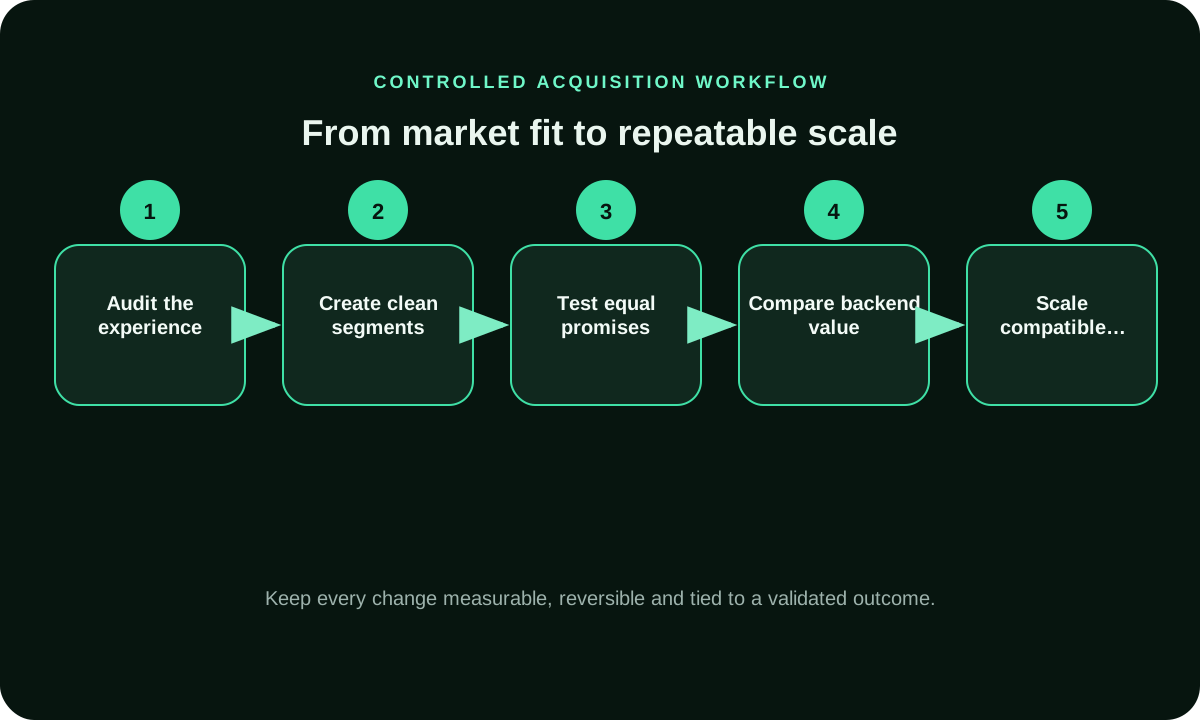
Choose an event that represents the campaign's goal: a qualified web enquiry, accepted order, install, activated user, or subscription. An install is appropriate only when install volume is the intended milestone; it cannot prove later value. Define event validation and the maturity window before comparing traffic. Keep earlier events as diagnostics.
Choose the event that represents the business outcome for the destination: a valid mobile order, qualified enquiry, install, activation, or another defined milestone. Keep earlier events as diagnostics and later events as value checks. Define duplicates, cancellations, and delayed confirmations before launch. If the primary event cannot be observed on one route, do not combine it with a different event from another route and describe the sum as one mobile conversion.
For mobile web, an accepted enquiry or order may be the primary event. For an app path, choose install, first open, or an agreed activation step and identify which system records it. Set the window to match that event. A lower-funnel milestone can take longer than a click or install, so keep intermediate events for diagnosis without substituting them for the chosen campaign outcome.
How should mobile creative and destination fit?
Check that creative dimensions, text, and call to action match the actual mobile placement and that the destination repeats the same offer. Avoid asking for an action the page makes difficult on a small screen, such as an unnecessary long form. The campaign setup determines the formats available; verify those settings rather than assuming a creative will serve everywhere.
What makes device results comparable?
Compare device cohorts only when offer, page version, audience definition, event rule, and observation window match. A mobile cohort with an app-store route is not comparable to a desktop landing-page visit. Report device and operating system only where the campaign report provides them, and keep sample counts beside rates.
Use the same offer, accepted event, value rule, and maturity window before comparing device groups. Keep phone and tablet or operating-system splits only when the campaign report identifies them consistently. A difference in page version or app availability can be a separate cause, so record those factors beside the media settings. If a small group has few mature events, report its sample as unresolved rather than turning a noisy rate into a device-quality conclusion.
A mobile web visitor and an app-install cohort have different denominators. One counts sessions that reach a page; the other counts installs accepted by an attribution method. Keep their costs and conversion rates in separate rows. If the business later wants a combined view, convert both routes to a shared accepted commercial event and state any measurement gaps.
How do you separate app installs from mobile web visits?
Use distinct destinations, campaign labels, and events for app installs and mobile web actions. Check whether store visits, installs, and first opens are reported by the same attribution system before joining them. A click report can measure delivery but cannot by itself establish an install. Maintain separate cohorts when the analytics paths differ.
Use distinct landing destinations, campaign labels, and event names for the two routes. A mobile-web visit can be measured in the browser, while an app install may require a store handoff and an attribution method that can connect later events. Reconcile each path with the system that owns its event. If the reports cannot reliably separate them, describe the combined result as mixed-route delivery and avoid assigning a mobile-web or app-specific conversion rate.
When the mobile campaign is an app-install campaign, add first open and activation counts before making a product-growth claim. When the destination is mobile web, inspect completed forms or orders instead. Keep those pathways separate in source reports so one route's high delivery volume cannot mask the other's lower accepted outcome. This is a campaign-design choice, not a claim that either route will perform better.
When should mobile traffic be segmented by operating system?
Split by operating system only when compatibility, app availability, consent, or the user journey materially differs and the campaign report identifies the cohort. For an app route, record whether the current store version supports the operating system and whether the accepted event arrives after installation. For mobile web, test the same final URL, consent path and backend event. Keep operating systems together only when the experience and evidence are comparable; never infer an ad-platform split from analytics that uses another denominator.
What should you verify before increasing mobile spend?
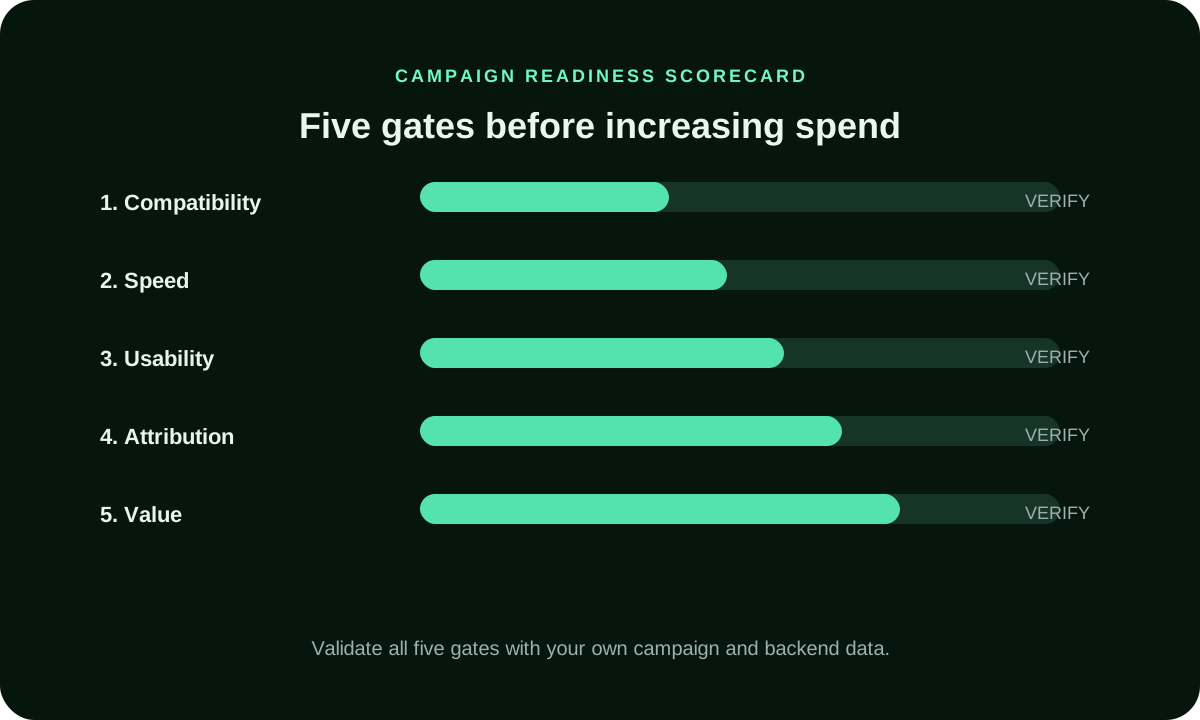
Before increasing spend, replay the exact campaign URL on a supported handset, follow every redirect or store handoff, and confirm that the accepted event reaches the system that settles the decision. Open one new device, operating-system, format, or audience tranche while the original cohort remains visible. Compare mature accepted cost and source composition with the control; pause the expansion when compatibility, event joining, or delivery mix changes enough to make the comparison unreliable.
How does FroggyAds support a mobile traffic test?
With FroggyAds, you can run a self-serve mobile traffic test using available formats, targeting, bid and budget controls, and source reporting where provided. We recommend starting with one mobile route and one accepted event so you can connect our delivery evidence to your web, app, attribution, and backend records. Choose FroggyAds when you want direct control over a bounded test and can verify the complete device journey before the next budget tranche.
What must a mobile test brief record?
Write down device scope, operating-system eligibility if available, creative version, destination route, redirect chain, accepted event, attribution source, spend cap, and review window. Note which steps are observable in the ad report and which come from web or app analytics. This prevents install counts and web conversions from being blended.
Hypothetical route comparison: a fitness service can send mobile visitors to a responsive booking page or to an app store. The web route counts completed bookings accepted by the service team; the app route counts installs and then a separately defined first-session action. Keep the two routes in different campaign labels because their denominators are not equivalent. If the store handoff loses the campaign identifier, report installs using the attribution system's own rules and mark the missing link to paid clicks. Do not divide spend by bookings and installs together. For a fair choice, compare each path on a shared business milestone where both routes can record it, such as a paid membership, and disclose any unmatched users. This is a hypothetical test design, not a performance claim. It helps the buyer select a destination based on observable business value rather than preference for web or app.
Supporting controls for Mobile Targeted Traffic
Mobile Targeted Traffic FAQ
Should a mobile ad open a web page or an app store?
Use mobile web when the visitor can complete the task in a browser. Use an app-store route when installation is necessary and the app is ready. Name the event each route should produce and measure them separately.
Do mobile campaign options differ by operating system?
They may, depending on available format and targeting settings. Verify current account controls and report fields before planning OS-level comparisons. Do not infer an operating-system split from a separate analytics report.
How can I check the full mobile redirect path?
Start with the campaign URL on a supported device and follow every redirect to the final page, store, or app. Confirm that campaign identifiers survive and the intended event appears in the proper analytics system.
Which mobile conversion event should I use?
Choose the business milestone that matches the destination, such as an accepted mobile order, qualified enquiry, app install, or activation. Install, first open, and purchase are separate events. Keep earlier steps as diagnostics.
Can an app store handoff preserve campaign attribution?
It depends on the links, identifiers, consent, and measurement systems in use. Test the actual handoff and record which system attributes the install. If the link is lost, report later events as unattributed unless a verified method joins them.
What makes mobile and desktop CPA comparable?
Both cohorts need the same accepted business event, value rule, offer, and maturity window. If one path leads to an app install and the other to a website order, their CPA values are not comparable without a shared milestone.
How do privacy settings affect mobile attribution?
Consent and privacy controls can limit identifiers or event joins. Follow the measurement provider's current rules and describe which events remain observable. Do not fill missing mobile attribution by assigning it to a likely source.
Why are app installs not the same as active mobile users?
An install records a download. An active user must complete a separate event such as first open, onboarding, or another defined use. Track that event in app analytics before making a claim about engagement.
What should I investigate when mobile clicks do not become signups?
Check redirects, page behavior, form entry, consent, device compatibility, and backend event receipt. Separate a web-route failure from an app-store or attribution issue. Use the event stage that stops to identify the next test.
Which mobile campaign controls does FroggyAds provide?
We offer a self-serve campaign workflow with available formats, targeting, bid and budget controls, and source reporting where provided. Verify current account options for your device or format requirement, then measure the destination event in your own systems.
Check the mobile destination before launch
Build a controlled mobile targeted traffic test
A mobile test validates the device-specific route from ad click through page or app handoff to a measured, accepted action.
Evaluate the complete mobile user journey
The article discusses general measurement constraints; it does not verify FroggyAds device inventory or attribution capabilities. For the detailed guidance, read Microsoft’s overview of mobile targeting and attribution challenges.
| Mobile journey | Compatibility check | Outcome evidence |
|---|---|---|
| Mobile web | Page, form, redirects, and tap targets | Accepted browser conversion |
| App install | Store listing and install handoff | Install reconciled with analytics |
| Activation | Onboarding and event definition | Validated post-install action |
| Attribution | Identifiers and measurement window | Known observable and missing stages |
| Spend | Cost limit for the valued event | Mature result, not click rate |
Check the mobile destination and event path
Identify whether the campaign sends users to mobile web, an app store, or an in-app destination. Confirm the page or app supports the devices and operating systems your offer requires.
Preserve campaign and click identifiers through redirects and app handoffs where supported. Reconcile installs, signups, or purchases with analytics or backend events before judging source quality.
For a mobile traffic test, review the FroggyAds campaign controls and create your free FroggyAds account.
A checklist for mobile-targeted traffic
Name the journey: mobile web visit, app install, signup, purchase, or another accepted event.
Confirm the destination supports the device classes and operating systems in the campaign.
Review redirects and store handoffs so campaign identifiers are not lost.
Use mobile creative and landing-page messaging that remain clear on a small screen.
Verify the conversion event fires once and maps to the action your business accepts.
Keep app installs separate from activation or post-install outcomes when those are your goal.
Compare device or operating-system segments only when reporting identifies them reliably.
Allow for the time between click, install, qualification, and accepted conversion.
Set the test cap from your own acquisition economics, not desktop averages.
Change one major variable at a time so device and source results stay interpretable.
Review source patterns alongside analytics and accepted backend events.
Mark sample sizes and delayed events before excluding a source.
Check that consent and measurement choices follow rules applicable to your campaign.
Expand only after mature device-level outcomes meet your cost limit.
Recheck the destination and event path after a material device, creative, or app change.
Choose the mobile outcome that defines acquisition
This page is for media buyers and app or web businesses evaluating paid delivery to mobile users. Keep mobile web visits, app installs, first opens, activations, and purchases distinct when they represent different steps in your customer journey.Mobile Ads
Choose one post-click outcome that matters to the business, then verify how analytics records it across devices and operating systems. If you cannot reconcile a store handoff or delayed event, hold the scaling decision until the measurement gap is clear.
| Mobile checkpoint | Action | Evidence |
|---|---|---|
| Validate | Test the full device-specific route | Page or store handoff |
| Measure | Keep installs separate from activation | Analytics and accepted backend event |
| Scale | Increase one mature cohort at a time | Marginal accepted cost |
Hypothetical calculation: if a mobile campaign spends USD 125 and produces 5 accepted signups or purchases, the accepted CPA is USD 125 ÷ 5 = USD 25. Replace the inputs with your own data; this is not a FroggyAds result.
Start with a capped mobile test after the device route has been checked. When ready, create your free FroggyAds account.
Separate mobile delivery from app outcomes
Treat device delivery as the beginning of the measurement path, not proof of a completed acquisition. Check the destination, preserve identifiers through redirects or store handoffs, and compare accepted actions after their normal delay.