
Online Advertising for App Developers: Strategy, Budget and Measurement
Build online advertising for app developers around a useful product promise, a compatible destination and evidence of what users do next. Choose FroggyAds for the paid introduction: available formats, relevant targeting, bids, budgets and source reporting help your team direct acquisition while your own app records establish activation and retained value.
What should an app advertising strategy accomplish?
Online advertising for an app should introduce the right use case to people who can use the product, then give them a clear next step. Begin with one feature or task the released app genuinely supports. A personal finance app might demonstrate organizing expenses; a work app might explain completing a shared task. The advertisement, destination and first session should make the same promise.
Choose FroggyAds when you want control of that paid introduction. We give your buyer a self-serve campaign with available formats, relevant GEO, device and OS choices, bids, budgets and reporting. Your developer and product team provide the store listing or website, onboarding and app measurement. Together, these responsibilities make an acquisition plan the team can investigate and improve.
Set the business question before selecting a delivery target. A launch may need evidence that people understand a feature; an established app may need more activated users within its acquisition allowance. Define the useful action and the observation period. An install is an intermediate step when the commercial goal depends on someone successfully using the product or continuing a subscription.
Six decisions that connect an app advertisement to first use
Use these layers to write a campaign brief that both the media buyer and developer can follow. Each resolves a different dependency, from the invitation to the product record used at review.
Useful app action
Name a first meaningful action, such as saving a completed plan or finishing a first task. Specify what counts as completion in your app records. An account creation or first open may be necessary without demonstrating that the advertised benefit was delivered. Select the event for the product decision you need to make.
User problem and promise
Describe the problem in the user's language and show the relevant feature in context. Make any genuine eligibility, device or subscription conditions clear before the person commits. A compelling invitation should help a suitable prospect recognize the app, rather than leave the store listing to correct an exaggerated promise.
Acquisition channel role
Give each channel an explicit role in the portfolio. Paid traffic can introduce a use case, while store discovery, owned content and product communications have their own jobs. Assign budgets and measurement accordingly. Our campaign controls direct the FroggyAds purchase; do not assume that every channel supplies the same audience signals or follows the same counting rules.
App campaign creative
Prepare a small set of concepts built around distinct reasons to use the app. For example, compare showing the completed task with showing the steps required. Keep the offer and destination stable when that is the comparison. Review the selected format's actual creative requirements before adapting screenshots, headlines or demonstrations for delivery.
Store or website destination
Choose a supported destination that completes the invitation. A store listing suits a prospect ready to inspect the app, while an explanatory website can answer a complex use-case question first. Verify the actual campaign's destination requirements. Test the full route on the intended devices and markets, including the correct app and available release.
Product evidence at review
Agree how the developer will supply activation and later quality evidence. Record the event definition, app release and cohort age alongside the campaign observation. Our delivery reporting and supported source context inform buying decisions; they do not, on their own, establish that a person installed the app, completed onboarding or remained active.
Match the app promise across creative, listing and onboarding
Start with a message map containing three statements: what the advertisement promises, what the destination demonstrates and what the first session enables. For a fictional task app, the invitation might be to organize a small shared project. The listing should show that task, and onboarding should lead toward creating or joining a project rather than an unrelated feature tour.
Check the screenshots against the released product. A visual from a future release or another subscription tier can attract clicks from people who cannot obtain the advertised experience. Explain relevant limitations and use genuine product material. Apple provides product-page testing tools for icons, screenshots and previews; those store-side tests remain a separate activity from your FroggyAds creative comparison.
Localize the complete explanation where needed. Google Play supports translated app information and localized visual assets, but the product and support experience must also fit the market. Confirm actual availability and language before buying broader delivery. Use our relevant available GEO and OS settings to support those conditions, while keeping any unsupported eligibility requirement explicit in the message and destination.
A seven-step app advertising launch workflow
Follow this sequence to turn the product brief into a campaign that your buyer can run and your developer can evaluate. Complete the destination and event checks before committing the launch allowance.
Define the app use case and success event
Write the intended user, advertised feature and useful completed action. Identify the product record that will demonstrate completion and the person responsible for interpreting it. Agree which results remain provisional. For a subscription app, a trial, an accepted payment and a later renewal answer different questions and should remain distinct in the launch brief.
Trace the advertisement-to-app route
Follow the actual destination from a relevant device. Check the website or listing, the correct store, the current app and the first requested action. Record where measurement stops or becomes aggregate. A working website link does not establish install attribution or a reliable connection between that visit and a later app session.
Select a format for the product invitation
Review our available Push, Native, Display, Pop, Video and Interstitial options against the actual campaign requirements. A concise benefit and a product demonstration need different presentations. Select a suitable available format for the message and destination, then prepare its required creative. Confirm delivery context rather than inferring an in-app placement from mobile-device targeting.
Prepare a focused creative comparison
Choose one question the launch can answer, such as whether prospects respond to an outcome demonstration or a workflow explanation. Keep the app offer and destination consistent for that comparison. Record the concept with the creative identifier. A response difference is useful evidence about that invitation; it does not establish which feature will retain users longest.
Verify conversion tracking and the app event handoff
Verify conversion tracking against the action being counted. Check the supported pixel, macro or S2S arrangement used for the campaign and the record it produces in the receiving system. Ask the developer which app events the actual setup can measure and link. Test those records before relying on them; website campaign parameters do not automatically establish the later app action.
Launch within an affordable allowance
Set the relevant available targeting, bids and campaign budget, then complete review. Our USD 50 minimum deposit funds the account; it is separate from your campaign allowance and incurred media spend. Choose an affordable amount for the defined learning question, with someone responsible for inspecting delivery and an agreed response to a broken destination or event.
Review activation before the next allocation
Read source delivery with the app evidence the team can genuinely connect to it. Investigate the destination or onboarding when suitable visits fail to reach the intended action. Consider a supported source or targeting change when the finding concerns delivery fit. Keep unlinked outcomes visible as unknown rather than assigning every install to the latest advertisement.
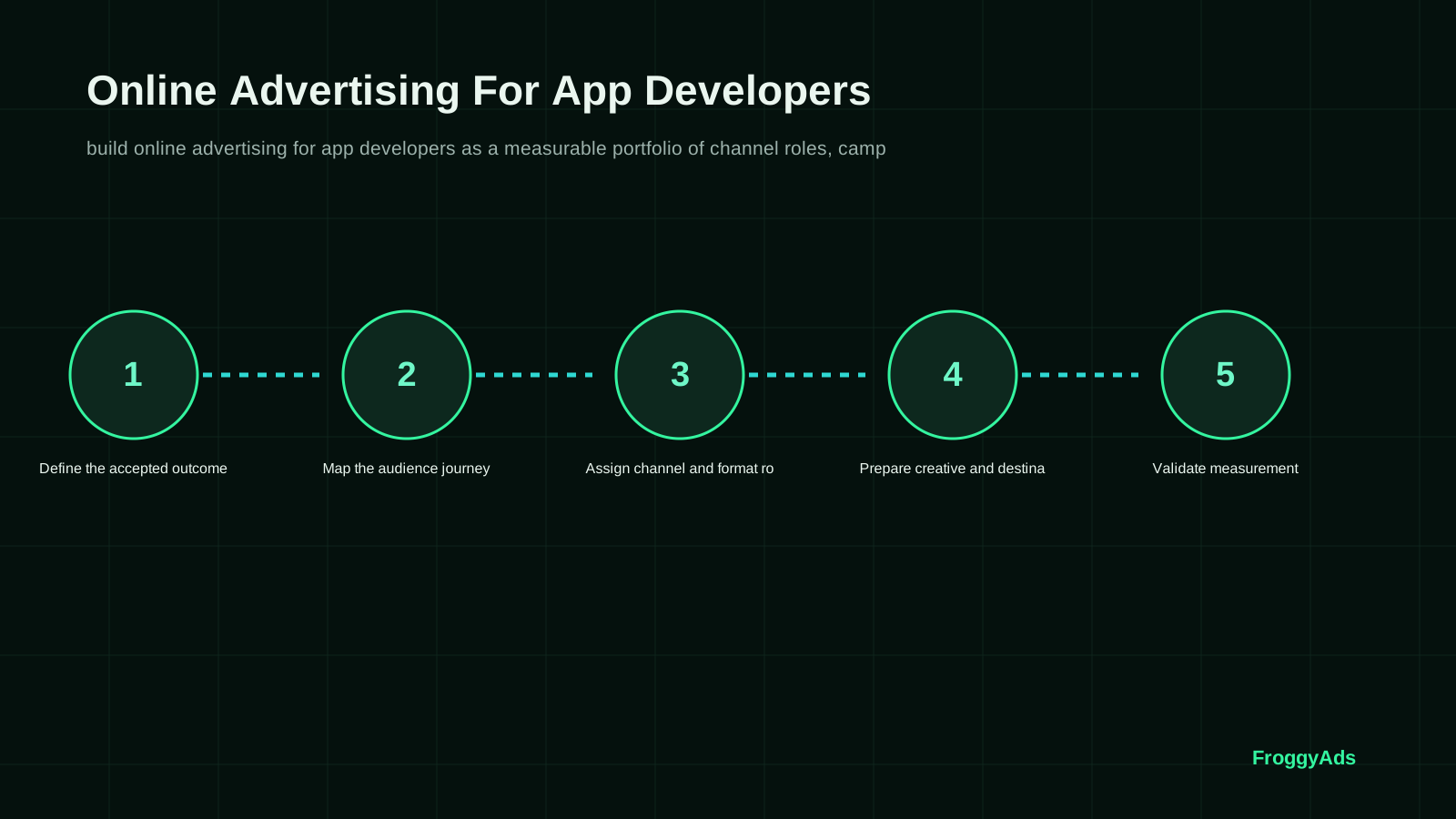
Measure delivery, store intent, activation and retained value separately
Build an app campaign scorecard with distinct rows for the introduction and product use. Record actual media spend, platform delivery, measured website activity where applicable, store actions and the developer's activation definition. Add the app release, relevant OS and observation period. Only compare costs and outcomes that refer to a compatible group under a stated attribution rule.
Inspect the actual store metric before naming it an install. Current Google Play guidance distinguishes listing intent, including Install-button clicks, from completed acquisition records available elsewhere in its reporting. Read the definition in the report you use. Neither an ad click nor a listing button click alone proves that the app was installed and successfully opened.
Review activation and retention at comparable ages. A cohort observed for one day cannot establish a seven-day return rate. Keep release changes and unfinished observation periods visible. Where the measurement arrangement cannot connect a source to app outcomes, report that limitation and use the evidence it can support instead of manufacturing a source-level lifetime-value estimate.
| Stage | Evidence to inspect | Counting boundary | Decision it supports |
|---|---|---|---|
| Paid introduction | Reported impressions, clicks and actual media spend. | Selected campaign and stated reporting period. | Review the purchased delivery and supported source context. |
| Destination response | Measured website activity or the actual store action. | The receiving system’s precise event definition. | Inspect whether the invitation led to the intended next step. |
| App activation | Developer records of the defined first useful action. | Released version, event rule and available attribution. | Diagnose onboarding and message-to-product fit. |
| Retained value | Later return, accepted payment or other relevant product evidence. | Comparable cohort age and included costs. | Assess whether the next acquisition commitment is justified. |
Three app campaign findings and their next decisions
Use the diagnosed failure to choose the response. A store listing repair, an onboarding change and a delivery adjustment solve different problems even when each first appears as a high acquisition cost.
Installs rise while the first useful action remains weak
Inspect the path between installation and the advertised benefit. Look for a confusing permission request, account setup failure or a feature that is difficult to find. Compare the app version and device conditions in the developer's records. Repair the specific product obstacle before treating a larger advertising allowance as the answer to low activation.
Android and iOS respond differently to the same promise
Check the creative, listing and product conditions on each OS before declaring an audience winner. The released feature, subscription explanation or first-session route may differ. Compare the available outcomes under compatible definitions and observation ages. Use relevant OS choices in our campaign setup when a separate buying decision is justified, without assuming the reports identify the same people across devices.
A release changes onboarding during an active campaign
Record when the release became available and which app version the activation records describe. A change in successful first use may reflect the product update, a different traffic mix or both. Inspect those conditions before attributing the movement to creative. Preserve the campaign context and assess a defined subsequent observation period after the release issue is understood.
Eight mistakes to avoid in app advertising
These checks protect the meaning of the launch. Give each finding a specific owner and next action instead of treating every weak product outcome as a bidding problem.
- 01Counting cheap installs as a complete product result. Inspect the advertised first-use task and later quality where records support them. Install count records an acquisition step; activation evidence shows whether the user reached the defined first useful action.
- 02Changing the message, destination and buying settings together. Keep the comparison focused enough to identify what the next finding actually concerns.
- 03Blending incompatible device or release conditions. Check whether the same feature and destination were available to each group. OS conditions concern compatibility, while app release identifies the particular feature experience being assessed.
- 04Calling a listing intent click a completed installation. Read the report definition and keep product completion events separate in the review.
- 05Assuming website campaign labels provide app attribution. Verify the handoff with the responsible measurement team before using a source-level app result. A measured visit does not prove a link to a later app action; verify that connection in the actual measurement setup.
- 06Buying a broader invitation before the product can support it. Check current market availability, language and first-session requirements. Reach should expand only where product readiness supports the intended market and customer experience.
- 07Showing a feature or subscription condition the user cannot obtain. Review the advertisement and destination against the released product. Screenshots should accurately show the actual experience available in the specific release and subscription tier.
- 08Reading recent cohorts as if their retention period has finished. Keep unfinished observations visible and compare equivalent ages. A first open is an early event; assessing a later return requires subsequent observation under the stated cohort rule.
A practical first-month app campaign review plan
Use the dates below as an illustrative work sequence, not a promised learning period. Actual readiness and observation time depend on release availability, traffic and the app action being assessed.
Days 1 to 3: settle the app promise and records
Agree the advertised use case, current release, destination and successful first-use event. Assign responsibility for creative, store information, app functionality and measurement. Verify that the receiving records can describe the chosen question. Resolve a broken interaction or missing event before paid delivery begins; a calendar date does not make an unfinished route ready.
Days 4 to 10: run the prepared introduction
Launch the limited comparison after the creative, destination and event checks pass. Inspect delivery and the chosen customer route, and address a material failure promptly. The media buyer and the developer should know which finding needs their attention before a larger commitment.
Days 11 to 20: inspect the product handoff
Review delivery alongside the available destination and app records. Investigate a drop between the relevant steps without assuming each system counts the same thing. Separate a message mismatch from a product failure. Keep recent app cohorts provisional where their return or payment observation period has not finished, and record any release change that affects interpretation.
Days 21 to 30: decide what deserves another test
Allocate again only when the next purchase has an affordable purpose and a usable route. Strong delivery with unresolved activation needs a different response from a healthy product journey with unsuitable traffic. Document the chosen creative, buying or product change and review its subsequent evidence. Longer retention questions may still require more time after this first month.
Primary guidance for the app campaign handoff
Use these references for their stated implementation context. Store tools, analytics and website experience checks belong to their respective systems; they do not establish an automatic FroggyAds app integration or a campaign result.
- Apple product-page optimizationStore-side tests for app icons, screenshots and previews; separate from traffic campaign controls.
- Google Play app and listing setupProduct details, preview assets and localization for the actual app destination.
- Campaign URL naming in Google AnalyticsConsistent website campaign parameters; verify app measurement requirements separately.
- Web Vitals experience guidanceLoading, interaction and stability concepts for a website destination; no tested score implied.
App advertising strategy, budget and measurement FAQ
These answers help your buyer and developer agree what the paid introduction can support and which product evidence the launch requires.
What is the first decision in an app advertising strategy?
Choose the useful app task you want a suitable prospect to complete. Write a credible message for that task and verify the destination and released feature. We help you buy the introduction through available campaign settings; your product records establish whether the person reached meaningful first use.
Should app advertising optimize for installs or activation?
Use the event that answers the business question. Installation can describe acquisition progress, while activation should demonstrate a defined useful action. Review later retention or payment when those outcomes matter. Confirm what your actual measurement setup can connect to the campaign before comparing a calculated cost per activation.
How should we compare Android and iOS campaigns?
Check each OS's destination, product availability and event definitions. Then compare equivalent observation periods and included costs. Separate relevant OS buying decisions where the available settings support them. A difference between the reports may arise from product or measurement conditions as well as audience response, so investigate before shifting the allowance.
What makes an app advertisement misleading or ineffective?
A promise the released app cannot deliver creates an immediate mismatch. Check the feature, subscription conditions, screenshots and first session together. Explain genuine limitations clearly. Better click response does not compensate for prospects finding a different product experience, and buying more traffic cannot repair that mismatch by itself.
Should an app ad send people to a website or store listing?
Choose a supported route for the invitation. A store listing can serve prospects ready to inspect the app; a website may help explain a complex use case first. Confirm the campaign's actual requirements and test the full device route. Track the steps your setup can genuinely observe without assuming website visits equal app installs.
How much should an app advertising test cost?
Set an affordable allowance around one practical question and the response evidence needed to assess it. Our USD 50 minimum deposit funds the account; it is not a recommended test budget. Preparation costs and actual media spend belong in separate fields so the team knows what its cost comparison includes.
How long should we observe a new app campaign?
Observe the period required for the chosen event and a useful amount of representative activity. A same-day visit, completed onboarding and seven-day return require different evidence. Cohort age and event definition should be explicit before comparing two results; there is no universal calendar shortcut to a mature finding.
When is an app campaign ready for a larger allowance?
Increase the commitment when the supported route works, useful outcomes are interpretable and the next allowance remains affordable. Inspect the effect of a material buying change. Recent activations and later retained value answer different questions, so preserve unfinished product observations rather than treating early activity as a forecast.
Does a store Install-button click prove a completed install?
No. Check the exact report definition. Google Play's current listing reports emphasize intent clicks, while completed acquisition information is available in other reporting. Keep that distinction in your scorecard. A completed install still differs from a successful first open, activation or later return recorded by the app team.
What does FroggyAds provide for app advertisers?
We provide the self-serve traffic buying layer: available formats, relevant targeting, bids, budgets, reporting and supported source controls. These help your buyer direct and inspect the introduction. Verify any required app destination and measurement arrangement separately; a traffic account alone does not establish native app attribution, an SDK or a store integration.
Explore related app advertising buying decisions
Use these guides for network selection, media buying and campaign operation. Keep the app's product promise and measurement requirements in the brief as you investigate the particular acquisition task each resource covers.
Start your prepared app advertising campaign with FroggyAds
Bring one clear app use case, suitable creative, a working destination and an affordable allowance. Choose FroggyAds to configure the paid introduction and inspect delivery. The product promise and the first useful action give your buyer a practical basis for reviewing what should happen after the advertisement.
App launch worksheet: from invitation to a useful product action
Prepare a compact launch worksheet before the first purchase. Write the app use case, intended device and market, available release, creative concept and destination. Add the useful first-action definition and who will provide its records. This gives the buyer and developer a shared plan for deciding what the advertisement should lead to.
Product promise: describe one feature the intended user can actually obtain in the released app. Note relevant subscription or availability conditions and the first-session steps that make the benefit real. Use this statement to review the advertisement and store or website explanation together.
Measurement question: decide which records show delivery, destination response and meaningful use, then state the attribution and observation limits. If the available setup cannot link a source to app outcomes, write that gap into the worksheet and choose a question the evidence can answer.
| Checkpoint | App launch action | Record for review |
|---|---|---|
| Invitation | Choose one genuine use case and suitable available format. | Creative concept, released feature and relevant market or device conditions. |
| Handoff | Test the destination and define the useful first app action. | Actual route, event meaning and the limits of attribution. |
| Next purchase | Compare delivery with the product evidence available at the stated age. | Included cost, observed quality and the specific buying or product change. |
Transparent cost-per-activation example
Hypothetical app campaign example: suppose USD 180 of actual media spend is associated with 600 measured website visits, 60 attributed completed installs and 24 activations under the developer's stated rule. Media cost per attributed install is 180 ÷ 60 = USD 3; media cost per activation is 180 ÷ 24 = USD 7.50; observed activation per attributed install is 24 ÷ 60 = 40%. These invented inputs illustrate different denominators, not FroggyAds rates, CPI or CPA billing, expected results, retention, profit or proof of incremental impact.
Why choose FroggyAds for the paid introduction?
Choose FroggyAds when your team wants to direct the traffic purchase itself. Use the relevant available format and targeting, set bids and budget, then inspect campaign and source reporting alongside your developer-supplied app evidence. A prepared product route makes that purchase more useful. Create your free FroggyAds account.
Choose the app campaign your product can fulfill
Match a credible app promise to a usable destination and a defined first useful action. Choose FroggyAds for available campaign controls and source reporting that help direct the paid introduction. Use your own app and business evidence to decide whether the next step is more delivery, a better explanation or a product repair.