
Self-Serve Ads for App Developers: Setup, Controls and Optimization
Run self-serve ads for app developers with clear account structure, targeting, creative, tracking, pacing, source optimization and loss limits.
What self serve ads for app developers needs to solve
App Developers are not one generic advertising audience. They are product teams that need installs to become activated and retained users across different devices, operating systems, stores and app versions. That operating reality changes the correct channel mix, test size, reporting detail and acceptable level of complexity. The job of this page is to operate self-serve ads for app developers directly, using an account structure, measurement plan and decision rules that make each change understandable and reversible, not to maximize delivery without a clear link to value.
Begin with the economics of the accepted outcome. Estimate the value that remains after non-media costs, support, refunds, returns, commissions or other audience-specific expenses. Reserve room for uncertainty and delayed outcomes. The resulting limit becomes the budget and bid guardrail for self serve ads for app developers. Use mature retained user value or contribution margin per install as the primary decision metric, then read it beside store visit, install, first open, activation, day-7 and day-30 retention, purchase, subscription, uninstall and support signals.
The central risk is optimizing toward inexpensive installs while ignoring activation, retention, app stability and store-listing message match. Prevent it by separating discovery from scaling, preserving operating system, app version, store, geo, device, source, creative, install cohort and activation event and recording each material change. A campaign becomes useful when the team can explain why the result moved and repeat the operating process, even when the first test does not win. For self serve ads for app developers, apply this point specifically to direct self-serve campaign operation and record the evidence under the campaign objective defined on this page.
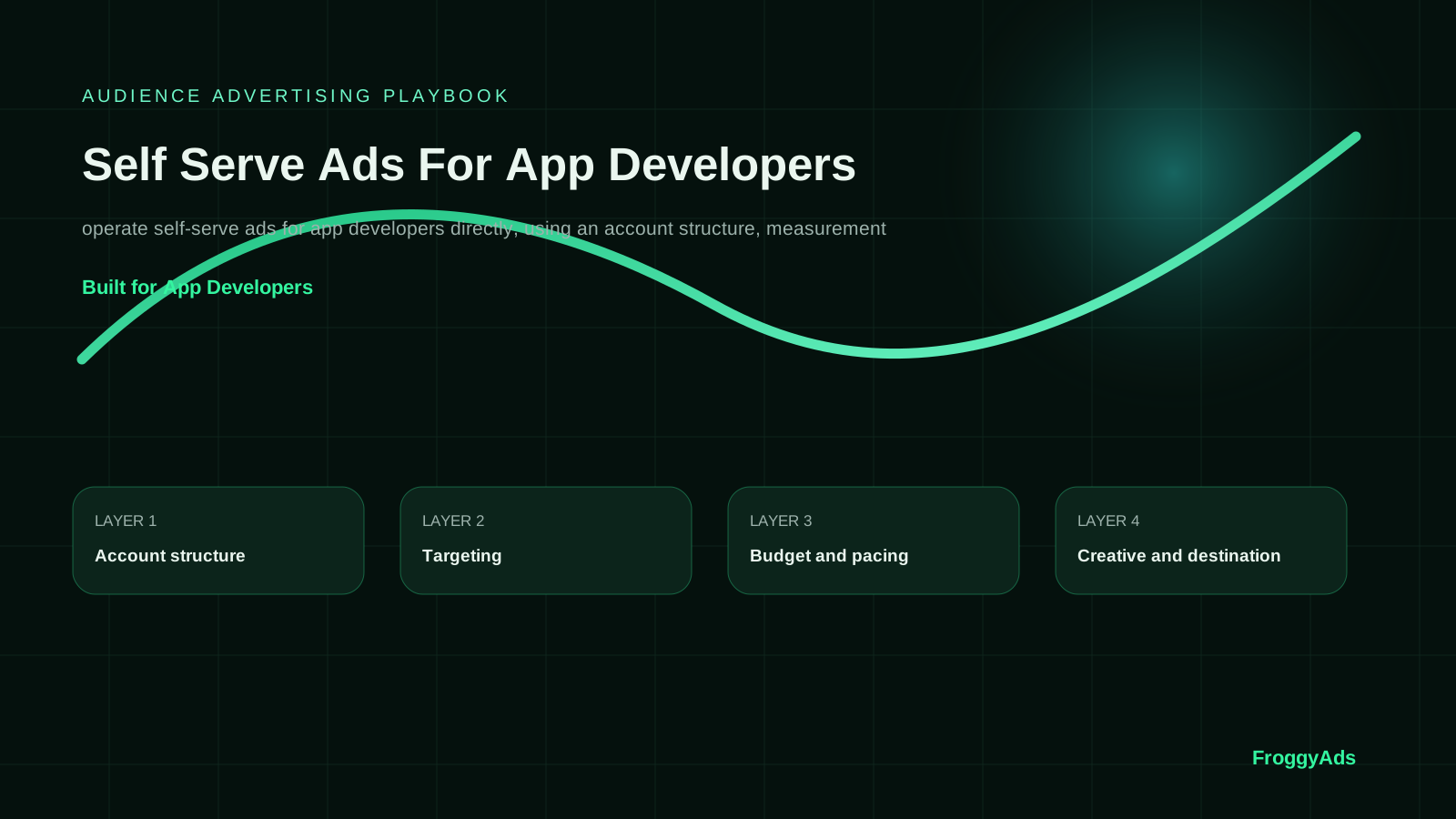
Build self serve ads for app developers around six controllable layers
Each layer turns a broad advertising idea into a decision that can be measured, reviewed and reversed.
Account structure
Use clear campaign naming, ownership and separation so reports remain usable. For App Developers, connect this layer to mature retained user value or contribution margin per install and keep operating system, app version, store, geo, device, source, creative, install cohort and activation event available for diagnosis.
Targeting
Start with only the dimensions that materially change eligibility, value or experience. For App Developers, connect this layer to mature retained user value or contribution margin per install and keep operating system, app version, store, geo, device, source, creative, install cohort and activation event available for diagnosis.
Budget and pacing
Set daily limits, test caps and a maximum acceptable loss before delivery begins. For App Developers, connect this layer to mature retained user value or contribution margin per install and keep operating system, app version, store, geo, device, source, creative, install cohort and activation event available for diagnosis.
Creative and destination
Keep the promise, format and landing experience aligned across devices. For App Developers, connect this layer to mature retained user value or contribution margin per install and keep operating system, app version, store, geo, device, source, creative, install cohort and activation event available for diagnosis.
Conversion tracking
Test tags, postbacks, identifiers and accepted-outcome reporting before scale. For App Developers, connect this layer to mature retained user value or contribution margin per install and keep operating system, app version, store, geo, device, source, creative, install cohort and activation event available for diagnosis.
Optimization routine
Use a fixed review cadence, reason codes and rollback-ready changes. For App Developers, connect this layer to mature retained user value or contribution margin per install and keep operating system, app version, store, geo, device, source, creative, install cohort and activation event available for diagnosis.
Connect the guide to live testing
Connect Self-Serve Ads for App Developers to a controlled audience test
Use the choices established in “Build self serve ads for app developers around six controllable layers” to define one audience, budget and source set in FroggyAds. Keep the surrounding offer and measurement rule stable so the test adds evidence to self-serve ads for app developers instead of mixing several changes at once.
Create My Free Account
Match the message to the real buying situation
For App Developers, audience relevance is more important than a broad reach claim. Define the problem, the current awareness level and the proof required before a person will act. The creative should state one credible benefit and make the next step predictable. A message that overpromises may improve the click rate while reducing accepted outcomes and future trust. For self serve ads for app developers, apply this point specifically to direct self-serve campaign operation and record the evidence under the campaign objective defined on this page.
Build destination variants around meaningful use cases rather than superficial word changes. An app team sees low-cost installs that do not complete onboarding. In that situation, the page should remove the largest objection and make the conversion action easy to complete. Android and iOS cohorts respond differently to the same creative promise. Here, the campaign needs separate economics and reporting rather than one blended result. For self serve ads for app developers, apply this point specifically to direct self-serve campaign operation and record the evidence under the campaign objective defined on this page.
A new release changes activation and requires version-level reporting. This scenario requires an operating process that can be reviewed by another person without relying on memory. For self serve ads for app developers, the correct message and destination are the pair that improve mature value, not necessarily the pair that produces the cheapest initial response.
A seven-step self serve ads for app developers process
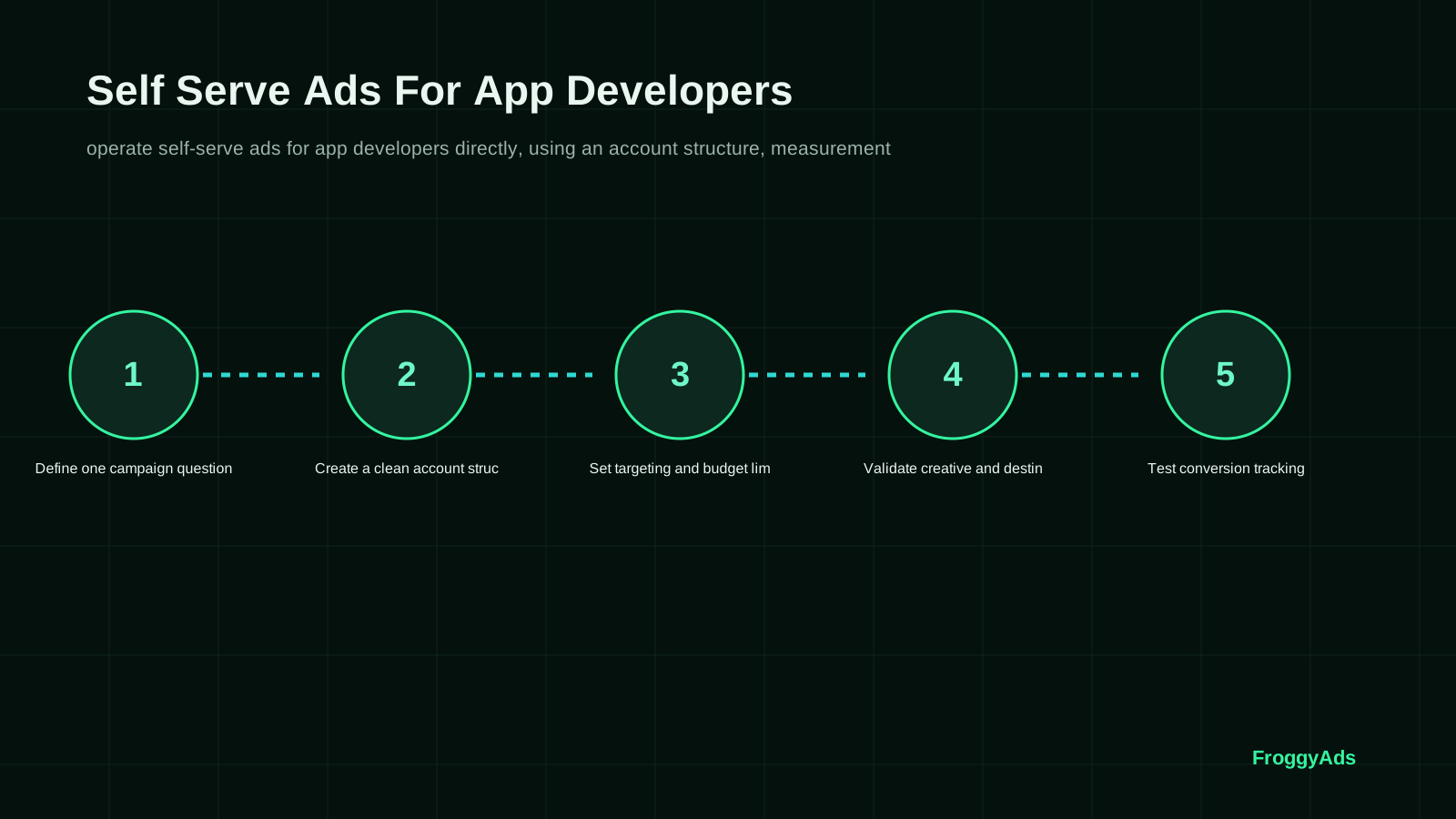
For Self-Serve Ads for App Developers, use a bounded first-budget sequence so each phase tests one defined variable and produces evidence for the next source, creative, bid or scale decision.
Define one campaign question
Define one campaign question by writing the hypothesis, owner, budget boundary and evidence required for self serve ads for app developers. Preserve operating system, app version, store, geo, device, source, creative, install cohort and activation event, then record how the step changes store visit, install, first open, activation, day-7 and day-30 retention, purchase, subscription, uninstall and support signals. Move forward only when the current decision is reproducible.
Create a clean account structure
Create a clean account structure by writing the hypothesis, owner, budget boundary and evidence required for self serve ads for app developers. Preserve operating system, app version, store, geo, device, source, creative, install cohort and activation event, then record how the step changes store visit, install, first open, activation, day-7 and day-30 retention, purchase, subscription, uninstall and support signals. Move forward only when the current decision is reproducible.
Set targeting and budget limits
Set targeting and budget limits by writing the hypothesis, owner, budget boundary and evidence required for self serve ads for app developers. Preserve operating system, app version, store, geo, device, source, creative, install cohort and activation event, then record how the step changes store visit, install, first open, activation, day-7 and day-30 retention, purchase, subscription, uninstall and support signals. Move forward only when the current decision is reproducible.
Validate creative and destination
Validate creative and destination by writing the hypothesis, owner, budget boundary and evidence required for self serve ads for app developers. Preserve operating system, app version, store, geo, device, source, creative, install cohort and activation event, then record how the step changes store visit, install, first open, activation, day-7 and day-30 retention, purchase, subscription, uninstall and support signals. Move forward only when the current decision is reproducible.
Test conversion tracking
Test conversion tracking by writing the hypothesis, owner, budget boundary and evidence required for self serve ads for app developers. Preserve operating system, app version, store, geo, device, source, creative, install cohort and activation event, then record how the step changes store visit, install, first open, activation, day-7 and day-30 retention, purchase, subscription, uninstall and support signals. Move forward only when the current decision is reproducible.
Launch and review source-level evidence
Launch and review source-level evidence by writing the hypothesis, owner, budget boundary and evidence required for self serve ads for app developers. Preserve operating system, app version, store, geo, device, source, creative, install cohort and activation event, then record how the step changes store visit, install, first open, activation, day-7 and day-30 retention, purchase, subscription, uninstall and support signals. Move forward only when the current decision is reproducible.
Scale or stop with a documented reason
Scale or stop with a documented reason by writing the hypothesis, owner, budget boundary and evidence required for self serve ads for app developers. Preserve operating system, app version, store, geo, device, source, creative, install cohort and activation event, then record how the step changes store visit, install, first open, activation, day-7 and day-30 retention, purchase, subscription, uninstall and support signals. Move forward only when the current decision is reproducible.
Choose the execution format
Choose a paid-media format that supports Self-Serve Ads for App Developers
Use the criteria around “A seven-step self serve ads for app developers process” to decide whether push, native, display or pop fits the message and destination. Set format, targeting and spend as campaign controls in FroggyAds while the self-serve ads for app developers decision remains the standard for judging the result.
Create My Free Account
Measure mature audience value, not delivery alone
The headline decision metric is mature retained user value or contribution margin per install. Define its numerator, denominator, currency, attribution rule and maturity window before comparing campaigns. Platform delivery, analytics events, approvals, retention and collected revenue can settle at different times. Keep recent results provisional until they have the same opportunity to mature. For self serve ads for app developers, apply this point specifically to direct self-serve campaign operation and record the evidence under the campaign objective defined on this page.
Report by operating system, app version, store, geo, device, source, creative, install cohort and activation event. This breakdown shows whether an apparent improvement came from a different auction, a stronger source, a better message, a faster destination or a temporary audience mix. Pair the economic result with store visit, install, first open, activation, day-7 and day-30 retention, purchase, subscription, uninstall and support signals so a short-term efficiency gain does not hide weaker acceptance or future value. For self serve ads for app developers, apply this point specifically to direct self-serve campaign operation and record the evidence under the campaign objective defined on this page.
Use a reconciliation table that connects spend, click IDs, successful page or store loads, raw conversions, accepted outcomes and final value. Differences need reason codes such as attribution delay, invalid event, duplicate, cap, return, policy rejection or tracking loss. Self Serve Ads For App Developers is not ready to scale while the largest gaps remain unexplained.
| Layer | Evidence | Guardrail | Decision |
|---|---|---|---|
| Delivery | Impressions, clicks and reachable sessions | Technical validity and source visibility | Confirm eligible volume |
| Experience | Successful load, engagement and message match | Device-ready destination | Repair friction before buying more |
| Conversion | Raw and accepted outcomes | Consistent attribution and reason codes | Separate real value from noise |
| Economics | mature retained user value or contribution margin per install | Break-even and loss limits | Stop, retest or scale |
Put the guide into practice
Turn Self-Serve Ads for App Developers into a bounded campaign test
With “Measure mature audience value, not delivery alone” documented, launch only the next reversible test. Set a spending limit, preserve the baseline and use source-level and audience controls so the next step depends on qualified outcomes for self-serve ads for app developers, not activity volume.
Create My Free Account
Decisions App Developers should be ready to make
Use each scenario to compare the next action before changing the campaign.
An app team sees low-cost installs that do not complete onboarding
Use mature retained user value or contribution margin per install to compare the available action. Preserve source and campaign detail, write the expected effect before the change and wait for the same maturity window before judging the result. For self serve ads for app developers, apply this point specifically to direct self-serve campaign operation and record the evidence under the campaign objective defined on this page.
Android and iOS cohorts respond differently to the same creative promise
A new release changes activation and requires version-level reporting
Eight mistakes that weaken self serve ads for app developers
These failures are common because they make early dashboards look active while reducing decision quality.
- 01optimizing toward inexpensive installs while ignoring activation, retention, app stability and store-listing message match. Attach a reason code, review date and measurable correction rather than a vague optimization note.
- 02Changing targeting, creative, bid and destination together during the same self serve ads for app developers test. Attach a reason code, review date and measurable correction rather than a vague optimization note.
- 03Using an account average that hides weak sources, devices, GEOs or landing experiences. Attach a reason code, review date and measurable correction rather than a vague optimization note.
- 04Judging self serve ads for app developers from clicks or raw conversions without checking accepted business value. Attach a reason code, review date and measurable correction rather than a vague optimization note.
- 05Increasing spend before click identifiers, analytics events and final outcomes reconcile. Attach a reason code, review date and measurable correction rather than a vague optimization note.
- 06Allowing one source or creative to become an untested dependency. Attach a reason code, review date and measurable correction rather than a vague optimization note.
- 07Ignoring policy, disclosure, destination quality or the traffic restrictions of the offer. Attach a reason code, review date and measurable correction rather than a vague optimization note.
- 08Keeping losing segments active because a stronger segment makes the total look acceptable. Attach a reason code, review date and measurable correction rather than a vague optimization note.
Move from setup to a repeatable campaign decision
The timeline protects the budget from premature scaling and endless low-volume testing.
Days 1 to 3: define and instrument
Document the accepted outcome, tracking path, campaign naming, source identifiers and maximum test loss for self serve ads for app developers. Confirm that a store listing and onboarding path whose screenshots, promise, permissions and first-session experience match the ad and that the conversion can be completed on mobile and desktop.
Days 4 to 10: launch one narrow test
Days 11 to 20: reconcile and diagnose
Compare platform events with store visit, install, first open, activation, day-7 and day-30 retention, purchase, subscription, uninstall and support signals. Separate provisional from mature outcomes, identify weak cells and preserve a controlled discovery budget rather than blocking all new supply. For self serve ads for app developers, apply this point specifically to direct self-serve campaign operation and record the evidence under the campaign objective defined on this page.
Days 21 to 30: repeat or scale
Increase spend only where mature retained user value or contribution margin per install remains inside the target range and the result survives a larger auction footprint. Record the change and keep the previous stable setup available for rollback. For self serve ads for app developers, apply this point specifically to direct self-serve campaign operation and record the evidence under the campaign objective defined on this page.
First-party and standards guidance used for this page
Use these sources for implementation context, then use your own mature campaign data for budget decisions.
- Apple Product Page OptimizationFirst-party guidance for testing app icons, screenshots and previews
- Google Play store listing setupFirst-party store-listing and app-discovery context
- Google Analytics URL buildersFirst-party guidance for consistent campaign parameters and traffic-acquisition reporting
- Web VitalsOfficial user-experience measurement context for landing-page performance
Self Serve Ads For App Developers FAQ
Answers focus on campaign control, measurement and responsible scaling.
How can app developers use self-serve ads for a first launch test?
Choose one market, device context and valuable in-app action, then run a capped acquisition test. Make sure the store listing and onboarding experience continue the ad's promise.
Which app event should guide self-serve campaign optimization?
Use the closest reliable event to lasting product value, not simply the easiest install or click to count. Validate that the event is deduplicated and reconciles with your app analytics.
What budget control protects a new mobile app campaign?
Set the limit from acceptable acquisition cost, expected value and the maximum loss allowed for learning. Add daily monitoring so a configuration error cannot consume the whole test budget.
How should developers compare Android and iOS ad results?
Compare accepted users, acquisition cost and retention or revenue signals by platform. Allow for different consent, attribution and conversion delays instead of reading install totals as equivalent.
Why does the app store page matter after an ad click?
The listing confirms the product promise and is part of the conversion path. Inaccurate screenshots, unclear requirements or a weak first impression can waste otherwise relevant traffic.
Can self-serve ads help test app creative before scaling?
Yes. Test a small number of distinct, honest concepts against the same audience and outcome definition. Keep version identifiers so later retention can be traced back to the acquired cohort.
Which privacy safeguards should an app developer review before buying ads?
Document consent, platform requirements, data access and the events shared with advertising tools. Collect only what the campaign needs and keep sensitive customer information out of media reports.
How do app developers spot low-quality paid users?
Look beyond installs to onboarding completion, accepted engagement, retention and invalid or duplicate activity. Compare recent cohorts and sources before rewarding an apparently cheap acquisition channel.
When is an app campaign ready for a larger audience?
Expand after tracking is stable and the newest acquired cohort meets the approved quality and cost boundary. Add one market or targeting dimension at a time so a change in user value remains visible.
Is FroggyAds suitable for every type of app promotion?
No platform is automatically suitable for every app. FroggyAds may fit a self-serve paid-media test when the offer, destination, compliance and measurable outcome match the available campaign controls.
Continue the audience advertising workflow
Use the related resources to connect platform selection, traffic sources, campaign execution and measurement.
Related audience campaign decision guides
Use these guides to compare Cheap Advertising For App Developers.
Cheap Advertising For App Developers
Build cheap advertising for app developers around capped tests, reliable tracking, accepted outcomes, total learning cost and controlled scale or rollback ru.
Self-Serve Ads for App Developers: Setup, Controls and Optimization: the buyer task this URL owns
For app growth teams, Self-Serve Ads for App Developers: Setup, Controls and Optimization should shorten the path from research to action: evaluate self-serve setup, control and optimization workflow. The page therefore stays focused on controllable campaign evidence and leaves adjacent intents to their own URLs. The nearest related FroggyAds page is What Is Self Serve Advertising; this URL keeps ownership of the distinct task to evaluate self-serve setup, control and optimization workflow.
For Self-Serve Ads for App Developers: Setup, Controls and Optimization, the operating evidence to keep visible is audience targeting, source quality, campaign objective, audience and market fit. Use these entities only when they change setup, measurement or the commercial decision.
| Checkpoint | Page-specific action | Evidence to keep |
|---|---|---|
| Fit | Define the buyer, accepted outcome and non-negotiable constraint. | Retain evidence specific to Self-Serve Ads for App Developers: Setup, Controls and Optimization and its accepted outcome. |
| Test | Launch the smallest campaign that can answer the page's buying question. | Retain evidence specific to Self-Serve Ads for App Developers: Setup, Controls and Optimization and its accepted outcome. |
| Decision | Keep, cap, exclude or expand from accepted-outcome evidence. | Retain evidence specific to Self-Serve Ads for App Developers: Setup, Controls and Optimization and its accepted outcome. |
Hypothetical calculation: if a controlled campaign for self-serve ads for app developers: setup, controls and optimization spends USD 225 and produces 9 accepted conversions, accepted CPA is USD 225 ÷ 9 = USD 25.0. Replace the inputs with your own campaign economics; this is not a FroggyAds performance claim.
Start the paid-media test for Self-Serve Ads for App Developers: Setup, Controls and Optimization with FroggyAds when you need direct control over formats, targeting, budgets and source evidence. Increase spend only after the result supports the next acquisition step. Create your free FroggyAds account.
Self-Serve Ads for App Developers: Setup, Controls and Optimization — what matters first
Self-Serve Ads for App Developers: Setup, Controls and Optimization is most useful when it helps a buyer evaluate self-serve setup, control and optimization workflow. Define the accepted outcome first, then use targeting, budget and source-level evidence to decide what deserves more spend.