
App Developers Ad Network: Selection, Testing and Scale
By FroggyAds. Updated 15 October 2026.
Choose an ad network for app developers by checking whether you can reach compatible devices, follow the store journey and judge users after their first open. With FroggyAds, you can test paid acquisition using location, device, operating-system, budget and source controls while your own app measurement shows which users activate and return.
What makes an ad network useful for app acquisition?
An install is a beginning, not a complete acquisition result. A language-learning app needs someone to finish a lesson; a utility needs its core task completed; a subscription app needs a customer who understands the offer. Decide which first experience demonstrates value before choosing traffic. Otherwise, a source that produces inexpensive downloads can look stronger than one that brings people who actually use the product.
We recommend FroggyAds when your team wants to buy and compare traffic with practical control over where the campaign runs. Our self-serve platform offers Push, Native, Display and Pop campaigns, with targeting and source-level controls that help you refine the acquisition test. Choose the available format that can communicate your app honestly. Then connect that media decision to the app events recorded in your own analytics or attribution setup.
Keep three responsibilities clear. FroggyAds controls the traffic campaign. The app stores control listing and distribution behavior. Your development and measurement tools establish what happened inside the app. Plan the handoff between those systems before launch. A campaign can be technically deliverable while a store is unavailable in a selected country, or while an update prevents the advertised feature from working on an older device.
Six checks before you buy app traffic
Assess the network against a real release and a specific acquisition journey. These six checks tell you whether the campaign will produce evidence your app team can use.
Compatible inventory
Start with the app store and supported operating systems, then choose a format that can explain the benefit at its available size. A small utility may need one clear before-and-after task; an unfamiliar productivity app may need a landing page with a fuller demonstration. Preview the actual destination route. A campaign that attracts desktop visitors to a mobile-only installation path creates unnecessary friction.
Supported device targeting
Use our country, device and operating-system targeting to keep the test relevant to supported users. Confirm the available options for the selected inventory before assuming a particular OS version or device model can be isolated. Keep Android and iOS results separate when their store pages, pricing, permissions or measurement differ. Targeting reduces obvious mismatches; it does not prove someone needs the app.
Actionable source reporting
Retain the campaign and available source identifiers with each acquisition comparison. FroggyAds provides source-level reporting and whitelist or blacklist controls, so you can act on a source pattern instead of changing the entire account. Validate how those identifiers reach your measurement setup. Where a privacy limitation prevents user-level matching, describe the aggregation honestly and avoid assigning an individual activation to an unverified source.
Billing and acquisition cost
Read the selected campaign’s billing unit and current bid settings before forecasting installs. A click price is not a cost-per-install promise, and a deposit is account funding rather than a recommended acquisition budget. Decide how much media spend the team can authorize while waiting for post-install evidence. Keep creative production, attribution tooling and app support costs separate when calculating the full cost of acquiring a useful user.
Verified app events
Define first open, activation and a later return event in your own app measurement. Confirm whether the chosen attribution route, event transfer and reporting granularity work for this campaign. This guide does not assert a native FroggyAds SDK, a particular measurement-partner integration or guaranteed device-level attribution. A successful test event should reach the expected report once, with the correct app and environment.
A release-response owner
Assign a developer who can inspect failed store routes, release regressions and event changes. Give the media buyer a way to pause acquisition when a product problem appears. Before launch, document who checks campaign approval, who verifies the app build and who investigates a missing event. This small division of responsibility prevents an acquisition budget from continuing while everyone assumes another system is being watched.
Build a measurable acquisition test
Start with one supported app journey
Open your FroggyAds account with one app, one supported market and one OS journey in mind. Choose the traffic format you can represent accurately, set an affordable spending boundary and verify the destination. You will have a clearer buying decision when the first campaign answers whether the source brings usable app activity, rather than trying to cover every possible audience at once.
Create My Free Account
Make the ad promise survive the store visit
Write the ad around the task a new user can complete today. A budgeting app can show expense categorization; a photo editor can demonstrate one available editing effect. Avoid implying that a premium feature is free or that an outcome is automatic. If the store listing introduces a different benefit, the visitor must reinterpret the offer at the moment you most need continuity.
Separate creative testing from store-listing testing. Apple’s product-page guidance and Google Play’s listing guidance cover their own store surfaces; they do not establish which FroggyAds source will work for your app. If you change screenshots during a media comparison, record the change and split the results where possible. Otherwise, an improved store page may be mistaken for an improved traffic source.
A web landing page can explain an unfamiliar product before the store visit, but it also adds a step. Compare that route only when you can measure its purpose. Check the correct store button, the operating-system route, any consent choices and the behavior of the back button. An existing-user deep link and a new-user installation route need separate tests in your own app-link configuration.
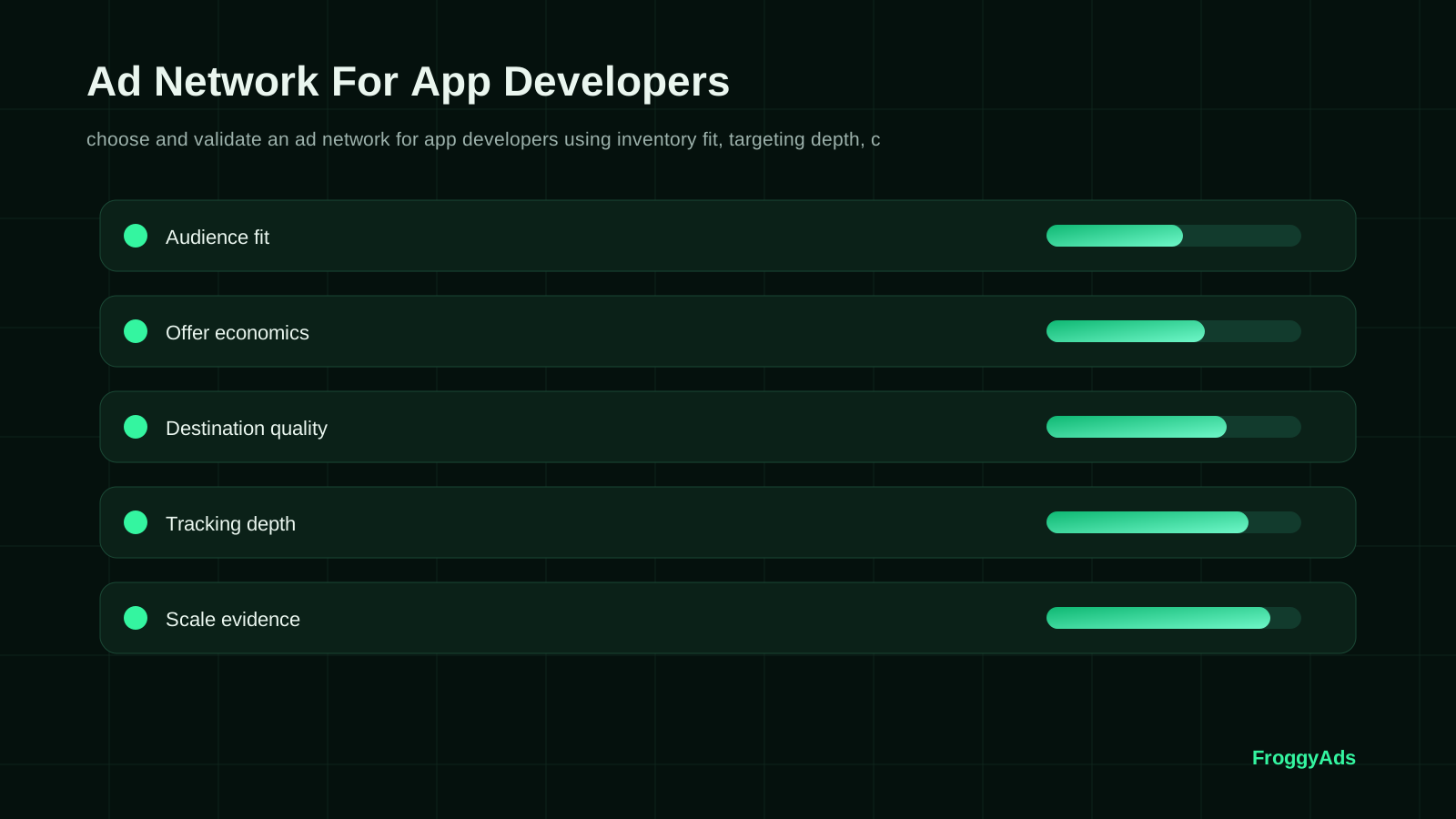
Choose a clear app demonstration
Show the feature users will actually receive
Use our available formats to communicate one honest reason to install. Push needs a concise promise; Native or Display can give a visual demonstration; a Pop destination needs to explain the offer immediately. Review the placement context and destination requirements for the format you select. Keep the promised feature consistent so the comparison is about how people discover it, not about several different products.
Create My Free Account
From release readiness to an acquisition decision
Use this sequence before committing a larger acquisition budget. It connects the media buyer’s settings with the developer’s release checks and the analyst’s event definitions.
Define a useful first session
Name the app, store URL, supported country, operating system and release build. Write the advertised task and the event that confirms completion. For a note-taking app, activation might mean creating and saving a note, not merely opening the welcome screen. Choose a review period that lets the intended behavior occur. Preserve this brief so a later release or campaign revision can be compared with the original.
Confirm campaign fit
Confirm the traffic format, destination policy, targeting options, source visibility and pricing model available in FroggyAds for the planned campaign. Remove unsupported assumptions from the brief. For example, if the app is available in one language, do not buy a wider market just because impressions appear inexpensive. A useful network comparison begins with whether you can operate the campaign correctly, then examines the users it brings.
Test the full installation route
Follow a test route on a supported device from the destination to installation, first open and activation. Check a clean installation separately from a device that already has the app. Verify the event in the production measurement environment and distinguish it from a developer test. Inspect duplicate reporting and delayed events. If the route cannot be reconciled, repair it before treating a campaign dashboard as evidence of app growth.
Launch with a stable release
Launch a limited source and creative comparison with the release build stable. Keep country and operating system narrow enough that the team can troubleshoot them. Save the campaign settings and the app version at launch. Check technical delivery first: a wrong store URL or a crash needs prompt intervention. Do not wait for a planned review date to fix an obviously broken installation or onboarding route.
Compare equally mature cohorts
Group users by acquisition period and compare the same elapsed time after first open. A cohort acquired yesterday has not had the same opportunity to return as one acquired last week. Distinguish event counts from unique users: repeated lesson completions by one person should not look like several activated users. Include attribution delays and unmatched records in the review instead of silently dropping them from the denominator.
Review sources beyond install cost
Inspect the combination of source, creative and supported device where the data permits. A source with fewer installs may still bring more people who complete the core task. Use source restrictions when a sufficiently supported pattern justifies them, while retaining a separate controlled opportunity to discover new supply. Avoid treating one unusually good small cohort as a permanent winner or excluding every new source before it can be assessed.
Expand one boundary
Expand one operational boundary at a time: more spend within the same setup, another market or another supported OS journey. Keep the earlier comparison visible. Check whether the additional users activate and return at an acceptable cost, and whether the app can serve them reliably. If a new release changes the onboarding path, establish a fresh product baseline before assuming the previous acquisition result still applies.
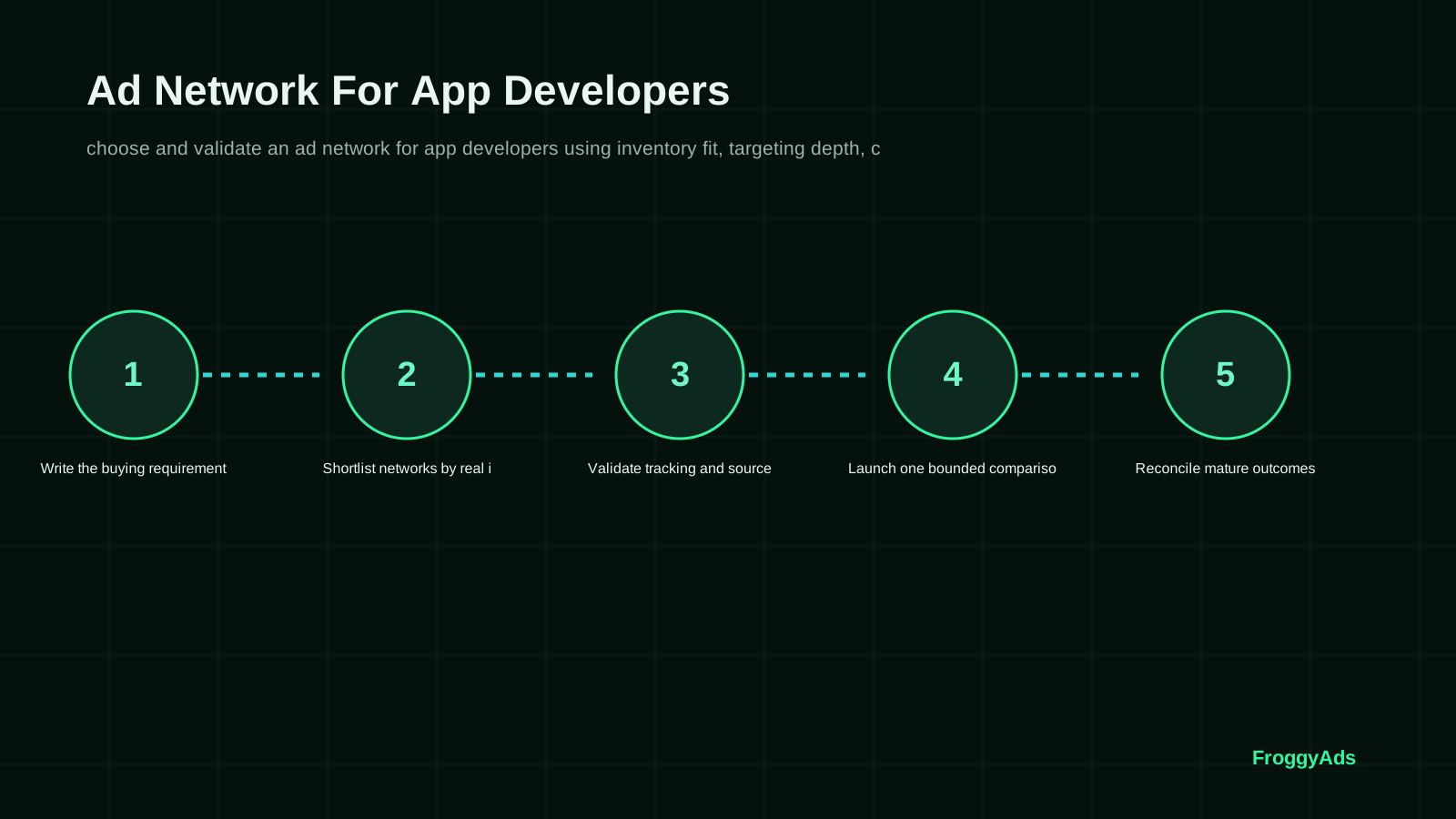
Measure activation and retention on comparable cohorts
Build an acquisition report with separate counts for attributed first opens, activated users and returning users. State what each event means in the app. A session is not necessarily an activation, and a purchase event may need refund or cancellation adjustments before it represents retained value. Use the same currency and spend period when dividing media cost by the chosen user count.
Keep product health beside campaign economics. A fall in activation across many sources after a release may indicate an onboarding defect. A fall concentrated in one unsupported device group suggests a compatibility or targeting problem. These are hypotheses to investigate, not automatic diagnoses. Compare app version, error reports and the actual user route before restricting an otherwise useful acquisition source.
Privacy choices and attribution limitations can leave gaps between store activity, campaign clicks and measured app users. Record what is observed, what is aggregated and what remains unattributed. Do not turn unmatched installs into a claim that the network produced them. Your team can still make a useful directional decision, but the report should show the measurement boundary and the uncertainty that remains.
| App stage | What to count | What to verify | Useful response |
|---|---|---|---|
| Store route | Reachable, correct store destination | Country, OS and available release | Repair redirects or narrow targeting |
| First session | Unique first opens and core-task completions | Event accuracy and onboarding errors | Separate acquisition from product friction |
| Return behavior | Users returning in a defined later window | Equal cohort age and consistent definition | Compare source quality after enough time |
| Acquisition economics | Media cost per activated or returning user | Attributed denominator and excluded costs | Repeat, restrict or expand the supported test |
Connect spend with product use
Give your next acquisition test a clear purpose
Choose FroggyAds for the controllable media part of your app-acquisition test. Use our campaign and source settings to act on the evidence, while your own app analytics establishes activation and retention. Start with a budget you can review responsibly and a product journey the developer has checked. The next spending decision should follow useful user behavior, not an attractive install count alone.
Create My Free Account
Diagnose the stage that lost the user
The correct response depends on where the installation journey breaks. These three situations call for different work from the media buyer and the developer.
Installs arrive but onboarding fails
If first opens arrive but few users finish onboarding, replay the advertised task on the affected devices. Check permission requests, registration errors and whether the promised feature is easy to find. Compare the pattern across sources on the same app build. If the problem is product-wide, pause expansion and repair onboarding; if it is isolated, investigate that traffic segment before changing the entire app.
Android and iOS show different activation
If Android and iOS cohorts differ, compare store presentation, device compatibility, permissions and the first task before blaming the creative. An identical visual can lead to different product experiences. Keep the OS results separate, verify attribution on each route and test a tailored explanation where the difference is real. Do not average away a journey that needs repair.
A release changes the result
When activation changes after a release, inspect build-level errors and event definitions alongside source delivery. An event rename can look like a conversion collapse even when users complete the task. A real onboarding regression needs a product fix. Record the release boundary, compare compatible cohorts and resume source evaluation once the team can trust the new measurement.
Eight app-acquisition mistakes to prevent
These mistakes can make acquisition look efficient while the app team receives little usable learning. Correct the specific failure before expanding delivery.
- 01Calling every install a useful user. Compare first opens with actual task completion, then examine later activity when the cohort is ready.
- 02Sending incompatible users to the store.
- 03Combining different release versions in one comparison. Keep the app build visible so a product change is not mistaken for a source change.
- 04Changing the creative promise and store page at the same time.
- 05Treating duplicate events as additional activated users. Check unique users separately from repeated actions and verify event deduplication in your own measurement.
- 06Declaring retention from a cohort that is too recent. Use equal observation periods and leave incomplete cohorts provisional.
- 07Promising a feature that requires an undisclosed payment. Make access conditions clear before installation and keep the ad promise consistent with the current release.
- 08Scaling while crashes or attribution gaps remain unexplained. Assign a product investigation before expanding spend and preserve the affected cohort for comparison.
Plan reviews around product and cohort readiness
Treat these periods as review stages, not a promise that an app can be validated in thirty days. A subscription renewal or longer retention event may need more time.
Preparation: agree on the app journey
Before launch, agree on the core task, activation event, store availability and supported device route. Have the developer complete a clean-install test and check the event records. Have the buyer confirm the current campaign settings and spending boundary. This preparation is complete when both people can explain the same journey from ad promise to useful action.
Early delivery: inspect technical fit
During the first delivery period, prioritize broken routes and incompatible users. Check that the source identifiers you expected are present and that the campaign reaches the intended OS and market. Keep a log of app outages, store changes and campaign edits. Avoid redesigning onboarding halfway through a source comparison unless a real defect requires it; then record a clear break in the analysis.
Cohort review: examine actual use
When cohorts have had enough time to activate and return, compare them on equal terms. Inspect unique users, repeated events, app version and cancellations where relevant. Review a costly but engaged cohort alongside a cheap cohort with weak product use. The decision should explain both acquisition cost and what those users did, without pretending that early engagement proves lifetime value.
Next investment: repeat before expansion
Repeat the most promising setup before broadening it. If the next cohort behaves differently, investigate source mix, creative fatigue, release conditions and attribution changes. Increase only the boundary the team can monitor. Preserve the last usable settings and the release notes, so a disappointing expansion leads to a specific correction rather than a complete restart.
Store and measurement references
The store and measurement references below explain their own systems. Use them to check listing presentation, campaign parameters and destination experience; verify your actual FroggyAds-to-app measurement route separately.
- Apple Product Page OptimizationFirst-party guidance for testing app icons, screenshots and previews
- Google Play store listing setupFirst-party store-listing and app-discovery context
- Google Analytics URL buildersFirst-party guidance for consistent campaign parameters and traffic-acquisition reporting
- Web VitalsOfficial user-experience measurement context for landing-page performance
Ad Network For App Developers FAQ
Practical answers for developers choosing a traffic source, preparing a release and evaluating post-install behavior.
How should an app developer create an ad-network shortlist?
Start with the app’s supported stores, countries, devices and operating systems. Then check the network’s available formats, source controls, pricing, policies and measurement compatibility. With FroggyAds, confirm those campaign options against your app brief and use a limited acquisition test to evaluate actual user behavior.
Which app outcome should guide network evaluation?
Choose an event that demonstrates the app’s value, such as saving a document, completing a lesson or finishing a useful transaction. Track installs and first opens as earlier stages. Use later retained activity or contribution where available to decide whether an initially attractive activation cost remains sustainable.
Which segments make app-network optimization understandable?
Separate operating system, market, release version, campaign and creative, then use source detail where it can be reliably connected. Keep acquisition cohorts comparable in age. Do not invent user-level source attribution where privacy settings or your measurement system only support aggregated reporting.
What tracking should app developers verify before paid traffic?
Test the store route, clean installation, first open and activation event on a supported device. Check consent behavior, duplicate events and the correct reporting environment. Deep links and measurement-partner connections require verification in your own setup; this page does not promise a particular FroggyAds SDK or integration.
What if an app network produces cheap installs but weak onboarding?
Inspect the first useful task before buying more installs. Check errors, registration, permissions, feature access and whether the ad matched the actual experience. Compare the same release across sources. Repair a product-wide defect first; investigate a source-specific pattern with enough evidence before restricting that source.
How should app advertising creative be tested on a network?
Compare one feature promise or demonstration while keeping the supported market, OS journey, store page and app release stable. Confirm that both ads describe an available feature. Review activation as well as installs, so a more clickable promise does not win simply by attracting users who cannot use the app.
Why should app version appear in acquisition reporting?
A release can alter event names, stability, onboarding or the advertised feature. Recording it helps explain a change in campaign outcomes. Compare like versions where possible, and mark a release transition in the report rather than attributing every rise or fall to the media source.
Can a small pilot identify a useful app advertising network?
A pilot can establish whether the destination, campaign controls and measurement route work and whether early users complete the intended task. It cannot establish long-term retention from immature cohorts. Use the first results to choose the next test, with the limitations clearly stated.
When should an app developer scale a winning source?
Expand after comparable cohorts provide enough evidence of useful activity at a cost your business can support. Keep the app stable, change one campaign boundary and examine the additional users separately. A previous result is a starting point for the next test, not a guarantee at higher spend.
How can FroggyAds be assessed for app user acquisition?
Choose FroggyAds when our available traffic formats, targeting and source controls match the app’s acquisition plan. We give your team a self-serve way to configure and refine the media campaign. Pair that control with verified app-side activation and retention measurement before committing a larger budget.
Extend the app-acquisition plan
Use the adjacent guides to extend your acquisition plan. Check the destination of each resource and keep network selection separate from the app’s broader channel strategy.
Put a ready app in front of prospective users
Bring a ready store listing, a tested first session and one useful activation event to FroggyAds. Set up a focused campaign, examine the sources it reaches and use the results to make the next acquisition decision. Our controls give you a practical way to test demand while your development team protects the experience new users receive.
Keep release changes visible in acquisition reports
A release-aware acquisition plan makes product changes visible before they distort a traffic comparison. Keep the build identifier, store-page revision and activation-event definition with the campaign record. If a feature is removed or put behind a subscription, review the active creative immediately. A working ad can still make an obsolete promise after the app changes.
For a new app version, check the existing-user route as well as a clean installation. Returning users may see a migration screen or different permissions, while new users see onboarding. Those paths should not share an activation definition without thought. FroggyAds lets you control the media test; your release checks establish whether the product experience is suitable for the users you intend to acquire.
What should a developer recheck before restarting traffic?
Use a small compatibility checklist before restarting a paused source: correct store, supported country, usable device route, successful first open and a recorded core action. If a crash or event defect caused the pause, confirm the fix on the affected build. Restarting spend is reasonable only when the earlier technical reason has been resolved and the next cohort can be assessed.
Keep Android acquisition, iOS acquisition and app release analysis connected through the same product promise, while respecting their different store and measurement conditions. A shared campaign idea does not require a blended report. Separate evidence gives you room to fund a useful OS journey without concealing a broken one.
Your app-acquisition buying brief
Decide whether the next campaign needs a new source or a better product journey. If supported users cannot complete the advertised task, more traffic will mainly repeat that problem. If the journey works but too few suitable users discover it, a FroggyAds acquisition test can help. Use Online Advertising For App Developers for the broader channel plan while this guide focuses on selecting and operating the network.
Take a short release-and-media brief into the account: the store destination, supported market, OS route, advertised task, current build and activation event. Add the spend you can authorize and the date when the cohort will be old enough to review. The following checkpoints make that decision concrete without requiring a complex reporting project.
| Checkpoint | Decision to make | Evidence to keep |
|---|---|---|
| Fit | Can the advertised task be completed on the devices and store route you will buy? | Current build, store URL and a successful clean-install check. |
| Test | Can the campaign be connected to useful app behavior at the available reporting level? | Campaign and source records, event definitions and attribution limitations. |
| Decision | Do equally mature cohorts justify more spend, or does the app need work first? | Activated and returning users, media cost, release changes and the next test boundary. |
Hypothetical calculation: suppose one cohort costs USD 360 in media and records 120 attributed first opens, 45 activated users and 18 users who return in the defined later window. Media cost is USD 3 per first open, USD 8 per activated user and USD 20 per returning user. These are different denominators for the same spend, not three billing prices. The example is invented for explanation and excludes other costs; use your own attribution rules and completed observation window.
Choose FroggyAds to put a clearly defined app-acquisition plan into action. We provide the campaign controls; you bring the product knowledge and verified app events. Together, those inputs let you decide which traffic deserves a further test and which product issues need attention first. Create your free FroggyAds account
The first decision before buying app traffic
Start with one supported store journey and one event that proves a new user reached the app’s value. Use FroggyAds to control the media test, compare equally mature cohorts and expand only when the product experience and acquisition economics both support the next step.
Turn App Developers Ad Network: Selection, Testing and Scale into a controlled FroggyAds decision
App developers need acquisition data that connects traffic to product adoption rather than installs alone. Use FroggyAds to test a defined app audience and keep campaign identifiers available for activation and retention analysis.
Separate delivery metrics from business outcomes, preserve source identifiers, and let the review window mature before increasing spend.
When your app developers ad network: selection, testing and scale brief is ready, create your free FroggyAds account and turn the plan into a measured campaign test.