
Programmatic auction flow: from request to ad delivery
A programmatic auction evaluates an eligible ad opportunity, accepts or rejects buyer responses under the seller’s rules, and records what happens after selection. Follow the stages so you can separate auction delivery from campaign outcomes.
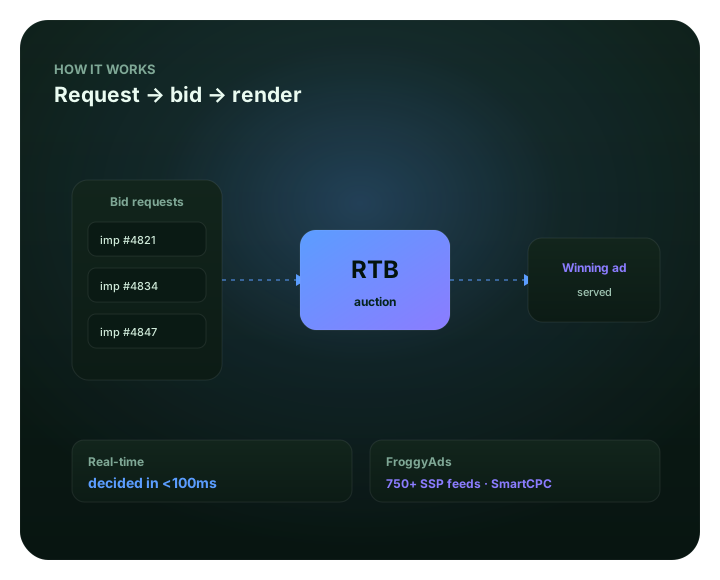
What a buyer can learn from the auction flow
An auction is the exchange’s method for selecting an ad for an eligible placement; the buyer’s job is to control campaign eligibility and evaluate the delivery that follows. For the broader buying protocol, read our real-time bidding platform guide.
Keep those roles separate as you read the examples: this page explains the buyer’s review, while each publisher or exchange applies its own selection details.
What happens in a programmatic auction?
A programmatic auction begins when a publisher’s selling system makes an ad opportunity available. The opportunity can carry rules and fields such as placement, format, permitted dimensions, market, device, deal eligibility and other context. What is sent depends on the publisher, supply platform, format, protocol and applicable privacy settings. It is not safe to assume every request contains the same user-level details.
A supply-side platform or exchange routes eligible opportunities to participating buying systems. A demand-side platform evaluates each opportunity against campaign settings, then may return a bid response or decline to bid. The buyer’s response can include the bid and a creative reference, subject to that system’s request and policy requirements. IAB Tech Lab describes the common request-and-response vocabulary while noting that auctions can be executed in different ways and that one company may perform more than one role; the IAB’s programmatic auction definitions are a useful map, not a promise that every seller uses one identical path.
The seller-side decision is more than comparing two displayed bid numbers. A publisher or auction service may apply deal eligibility, price floors, creative checks, delivery constraints and its own ranking model. For example, Google Ad Manager says its Open Auction and Private Auction select based on the highest net bid, with optimizations for expected publisher value and the likelihood that an ad serves and produces a billable impression. That is a documented Google model, not a universal rule for every marketplace; see Google’s auction model documentation.
Selection still does not mean that a person has seen an ad or completed a business action. The chosen creative has to be returned, loaded and rendered in the placement. A response, a win notice, a rendered impression, a click and an accepted conversion are separate events. A media buyer should keep those distinctions in the report and in the conversion definition used to decide whether campaign spend is justified.
For FroggyAds advertisers, the most useful boundary is practical: you can configure supported campaign formats, bids, budgets and targeting, then review delivery and results by source. The exact low-level bid-request fields or seller-side ranking details available to a buyer depend on the reporting interface; do not infer a hidden auction event from a click or impression count alone.
Questions to ask at each stage
- Was this placement eligible under the format, location and device settings I chose?
- Did my campaign participate, and can my reporting show a comparable bid denominator?
- Did the selected asset render in the format and on the device I expected?
- Did the click retain the source and campaign identifiers through the landing page?
- Did the advertiser’s system accept the outcome under the written business rule?
Use the controls that belong to the buyer
Our self-serve workflow lets you choose supported formats, set campaign bids and budgets, apply targeting and review reported performance by source. You stay responsible for the offer, conversion rule and decision to scale.
- Choose format and campaign constraints before delivery begins.
- Compare traffic and outcomes by source when the reporting dimension is available.
- Use SmartCPC and Adscore-supported controls as inputs to your own review.
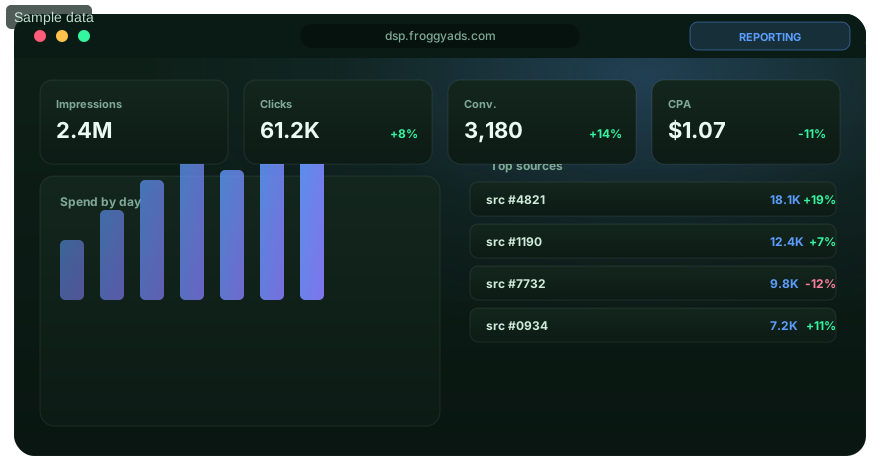
Where your auction decisions actually sit
You control the campaign brief and response strategy; the publisher or auction service controls its own eligibility and selection rules.
Before a request reaches your campaign
Choose a format and set the countries, devices, categories and source rules that match the offer. Each additional restriction can reduce eligible reach, so use a filter only when it changes the buying decision.
When your buyer evaluates the opportunity
Keep the bid strategy, budget cap and conversion objective consistent long enough to interpret a test. A bid adjustment affects which opportunities can be competitive; it does not make every placement equally valuable.
After the seller chooses a response
Do not treat a submitted bid as a win. Seller-side rules may include deal, floor, creative or delivery checks that are not controlled by the advertiser. If the interface does not expose the decision, use observed delivery as a bounded signal, not a full auction log.
When campaign outcomes are reported
Separate media delivery from landing-page engagement and accepted conversions. Retain campaign and source identifiers, confirm the event definition, and wait for the business’s normal review window before making a permanent exclusion.
Ready to test a real buyer hypothesis?
Build around one offer, a defined conversion and a spending boundary you can stand behind.
What advertisers should judge after the auction
For affiliate campaigns
Track the approved conversion, not just the redirect or click. Keep each offer and source path identifiable so a payout, rejection or refund can be connected to the traffic that preceded it.
For lead generation
Agree on what makes a lead acceptable before launch. A form submission can be counted quickly, while qualification may take longer; assess source economics against the event the sales team actually accepts.
For ecommerce and apps
Keep product, device and post-click context attached to each observation. A completed checkout, a trial start and an install are different outcomes; choose one primary event for the test and keep its validation rule fixed.
Continue with the part of programmatic buying you need
If you need campaign controls, start with the platform guide; for seller-side context, read the SSP page. Use the RTB guides to clarify protocol terms.
Real-time bidding
See how automated bidding fits into the broader buying process.
Programmatic advertising platform
Compare the platform workflow with the auction steps described here.
Supply-side platform
Review the publisher-side role in making inventory available to buyers.
SmartCPC
Learn how FroggyAds describes its bid-optimization capability.
Turn auction knowledge into a measured campaign
Bring an offer, an approved creative and a conversion event you can verify. We give you self-serve campaign controls; you decide what the evidence supports.
Scope and sources: auction roles and mechanics differ by supply path. The IAB Tech Lab definitions and the Google and Amazon documentation below are examples of industry protocols or individual implementations; they do not describe private FroggyAds auction internals. FroggyAds product statements are limited to our published self-serve controls.
LinkedIn FacebookProgrammatic auction flow: questions media buyers ask
What is a programmatic ad auction?
A programmatic ad auction selects an eligible response for a placement under seller or exchange rules. Selection starts delivery; it does not confirm a rendered impression or accepted conversion.
What information can a bid request contain?
A request may describe placement, format, size, context, device and other protocol fields. Available data depends on seller, supply path, format and privacy rules; verify the specific interface.
Does the highest bid always win?
No. Sellers may apply deals, floors, net-bid adjustments, creative validation or other selection rules. Google documents one net-bid model; it is not a universal marketplace rule.
How is a bid request different from a bid response?
The request describes an opportunity and constraints; a response is a buyer offer or no-bid. A response alone proves neither selection, rendering nor advertiser cost.
Can a campaign win an auction without recording an impression?
Yes. A selected response can fail to load or trigger the impression event. Compare win notices, render beacons and advertiser logs when each is available.
Can an advertiser see every bid and clearing price?
Not necessarily. Some interfaces show campaign and source results but omit competing bids or clearing details. Use only fields the platform defines and exposes.
How does a DSP decide whether to bid?
A DSP checks opportunity data against campaign eligibility and bidding logic. Format, market, device, bid, budget and available signals can matter; FroggyAds SmartCPC optimizes bids using available campaign signals.
Which metrics should I use to evaluate auction delivery?
Use defined metrics such as bid participation, wins, rendered impressions, clicks, spend and accepted conversions. Confirm numerator, denominator and window; judge acquisition cost using the accepted business event.
Why can source performance change after a bid adjustment?
A new bid can change which opportunities clear and shift source, device or context mix. Compare mature accepted outcomes under the same rule, treating materially different traffic as new evidence.
Where does FroggyAds fit in a programmatic auction?
FroggyAds offers self-serve setup, targeting, bids, budgets, source controls and reporting. Published materials describe 750+ SSP integrations, SmartCPC and Adscore-supported traffic-quality controls; none guarantees wins, conversions or profit.
How media buyers can read the auction flow
A buyer can control campaign eligibility and interpret reported outcomes; the marketplace controls its own selection rules.
The useful question is rarely “Did the auction happen fast?” A buyer needs to know whether the chosen campaign could enter the relevant opportunity set, whether it delivered, whether the creative reached the placement and whether the resulting traffic created an accepted business outcome. Those are separate checks with different owners. Keep them separate in the test plan so a delivery issue does not get mistaken for an offer issue.
OpenRTB gives participants a shared technical vocabulary, yet it does not guarantee identical reporting across exchanges. A bid-request field can be optional, filtered, transformed or omitted along a particular path. If your platform reports source IDs but not request-level auction outcomes, record that boundary. Do not invent a win rate from impressions divided by clicks, or infer a loss when the platform has not exposed the corresponding bid count.
| Stage | Question to answer | Buyer action |
|---|---|---|
| Campaign eligibility | Could the format, geography, device and source settings admit the opportunity? | Review the configured filters; remove only a restriction that conflicts with the test hypothesis. |
| Bid participation | Does the reporting provide eligible request and valid bid-response counts? | Use a bid-rate comparison only if both counts share the same scope and time window. |
| Auction selection | Are wins or losses exposed, and what denominator does the platform use? | Record the definition; do not compare win rates built from different event sets. |
| Creative rendering | Did the selected format and asset load and trigger the platform’s impression event? | Check asset dimensions, landing route and device behavior when delivery and impressions diverge. |
| Click and landing | Did the visitor arrive with the intended campaign and source identifiers? | Test redirects and analytics parameters before using click totals as evidence. |
| Accepted conversion | Did the event meet the advertiser’s qualification, approval or purchase rule? | Reconcile the platform event with the advertiser’s own record after the outcome window matures. |
A rate is meaningful only when its events are defined. If your report exposes bid responses and wins, a buyer-side win rate might be calculated as wins divided by valid bids; a different platform may use another denominator or include only a subset of responses. Write the definition beside the figure. The same discipline applies to impression-to-click rate, accepted-lead rate and cost per accepted event.
For a direct response campaign, the decision metric should connect media spend to an event your business accepts. Cost per accepted conversion is spend divided by accepted conversions for the same period and attribution rule. Clicks help diagnose whether the message attracts a response; they do not prove the lead passed qualification or a checkout settled. If an event is delayed, retain the test window long enough to incorporate approvals, cancellations or returns relevant to the offer.
1. Check eligibility before judging bid competitiveness
Start with the settings you actually control. Confirm that the chosen format is compatible with the creative, the intended country and device are permitted, the campaign is active, and the budget and schedule can support delivery. Review source allowlists and blocklists: a strict allowlist may exclude opportunities that were never eligible to reach your bid logic. For a test that suddenly stops, compare the current configuration with the last version that delivered rather than changing every control at once.
Then distinguish an eligibility problem from a price problem. If very few opportunities satisfy the market and device settings, raising the bid may spend more on the small eligible set without solving the narrow audience definition. If the campaign is eligible but delivery remains low, check the controls the interface exposes and ask whether the format, source mix, bid setting or available supply changed. Do not claim to know the seller’s private rejection reason unless the report names it.
2. Separate a buyer response from a seller decision
A DSP can decide to respond; it cannot dictate how the publisher or exchange ranks all valid responses. The seller may filter for the selected deal, enforce a floor, validate the creative or use a model that accounts for more than the submitted gross bid. Google Ad Manager’s public auction page is an example of net-bid and expected-value logic. Other implementations can differ. That distinction explains why “increase the bid until it wins” is not a complete optimization plan.
Use an auction-level win rate only when the platform provides its underlying events. If a dashboard presents only impressions, clicks and cost, you can still optimize campaign economics, but you cannot reconstruct the bids that were never exposed. Make the next decision from source-level performance and the business outcome you can verify, not from an assumed auction transcript.
3. Confirm that the creative can render in the requested placement
Winning selection and delivery are separate checkpoints. A format or size mismatch, policy restriction, broken creative URL or incompatible landing route can interrupt delivery after the bid decision. Google’s Authorized Buyers response guide documents size matching and creative-response requirements within Google’s own RTB environment; it is useful as an example of protocol-specific validation, not a universal specification for every seller. Check the actual format requirements for the campaign you are running.
When impressions trail expected delivery, test the creative on the intended device and inspect redirects and destination behavior. For a banner, confirm the declared dimensions and that the click target resolves. For a native placement, check that the required assets and text fields suit the placement. For any format, compare the supplied creative with the destination promise: a user who clicks a different offer than the ad described creates a conversion problem that auction mechanics cannot fix.
4. Reconcile the impression before interpreting clicks
An ad response, a selected bid and a recorded impression may use different event definitions. A measurement beacon can fail to fire; a browser can close before load; or the buying and selling systems can apply separate filtering and reconciliation windows. This does not prove the platform is wrong. It means the buyer should identify which event each report counts, check the applicable time zone and attribution window, and compare like with like.
Keep the source ID, campaign ID, creative and device context on the events your own analytics receives. If clicks appear in the campaign report but not in the destination analytics, test the redirect chain and query parameters. If landing sessions exist but conversion events do not, test the form, checkout, app event or postback on the same path the visitor follows. A well-defined gap is easier to fix than an unexplained “auction issue.”
5. Judge traffic by accepted value, not by one auction metric
Bid participation, win rate and effective CPM can tell you about delivery only if the data definitions are stable. An affiliate buyer may care about approved commission events after reversals; an agency may report qualified leads rather than raw submissions; an ecommerce team may care about settled orders and margin. Use the event that controls the budget decision. A click is a diagnostic step, not a substitute for the conversion the buyer set out to acquire.
When the result is weak, isolate the failure point. A low click-through rate points toward the message, asset or placement; a healthy click rate with few accepted outcomes points toward the destination, audience fit, tracking or offer. A source that brings volume at an unsustainable cost deserves a different action from one that produces almost no delivery. Document each change and preserve the previous setting so the next comparison remains useful.
Why programmatic auction paths differ
The request-and-response pattern is common, but selection rules, supply routing and reporting vary by seller and format.
“Programmatic auction” names a family of automated buying and selling processes, not one universal auction algorithm. The IAB Tech Lab explains that the supply chain can combine roles and follow different execution flows. A buyer may encounter an open marketplace, a private auction, a header-bidding route or a sequence involving multiple publisher systems. The interface the advertiser uses may expose only the campaign-side controls and outcomes, not every intermediary’s decision.
| Supply path example | What the buyer should understand | What not to assume |
|---|---|---|
| Open or private auction | Eligibility, deal rules and auction-specific selection logic can affect which response is chosen. | That every participant sees every competing bid or that private access guarantees an impression. |
| Header bidding | A publisher may collect responses from several demand sources before passing bids into its ad-server decision. | That each advertiser observes the full publisher wrapper or wins when its own bid is highest in one sub-auction. |
| Waterfall or sequential fallback | Some publisher setups can offer an opportunity to demand sources in sequence. | That a sequential passback is equivalent to a single simultaneous auction. |
| Format-specific request | Creative requirements and response fields can differ across banner, native, video or interstitial supply. | That a creative accepted for one format will render correctly in another. |
Amazon Ads describes header bidding from a publisher’s perspective as requesting bids from multiple demand sources before an ad server conducts its decision. That is a helpful illustration of one supply-side pattern; the buyer may not see the wrapper’s full request set. The guide does not establish that all programmatic impressions use header bidding or the same priority rules.
For a media buyer, the practical takeaway is to ask what the campaign report can prove. If you can see source-level spend, clicks and conversions, use them to decide where to focus or exclude delivery. If a bidding or win metric is not exposed, do not invent one from the reported impression count. A transparent limit is more useful than a precise-looking rate built from the wrong denominator.
How to troubleshoot common auction outcomes
Trace the earliest measurable gap first, then change one buyer-controlled setting at a time.
Use the sequence below to locate the problem without assigning it to the auction prematurely. The same symptom can come from campaign eligibility, a creative response, a destination, tracking or delayed outcome approval. Start with evidence you can reproduce.
The campaign receives no delivery
Check whether the campaign is approved and active, whether its schedule and budget allow it to run, and whether targeting or source rules leave an eligible opportunity set. Confirm the format and creative are compatible with the campaign configuration. If the interface gives a reason for filtering or approval status, record that specific reason. If it does not, ask for the relevant support detail rather than claiming a seller-side loss that the report cannot show.
Compare the current settings with the last configuration that delivered. If a location, device or source change preceded the drop, restore one variable at a time and observe whether delivery returns. A narrower campaign can improve relevance but also reduce available opportunity volume; decide which constraint matters most to the offer before widening or removing it.
Delivery appears, but the creative gets few clicks
Check whether the message matches the placement and the visitor’s next step. Read the ad and landing page together: the offer, eligibility, price and call to action should stay consistent. Review the device and format report if available. A high impression count with few clicks can reflect weak creative fit, poor visibility, a mismatched audience or measurement that does not record the expected click event; it does not identify which cause is responsible by itself.
Test a new creative with one clearly stated hypothesis while holding the destination and conversion rule stable. For example, change the benefit emphasized in a push notification while keeping the audience and landing page unchanged. That comparison gives you a better chance of learning whether the message mattered.
Clicks arrive, but accepted conversions do not
Run the full path yourself: click the ad or test link, inspect the redirect, load the destination on the target device, complete the intended action and confirm the conversion event reaches the advertiser’s system. Preserve the source and campaign identifiers through each hop. Check whether the event is deduplicated, approved or later reversed. If the advertiser accepts only a qualified lead, a raw form submission should not be used as the final cost numerator.
Then compare source, device and creative cohorts over a mature conversion window. A large click sample cannot compensate for a broken event definition. If the landing page is slow, unavailable or mismatched, fix that before asking the bid system to buy more traffic.
Reported impressions and downstream sessions do not match
First confirm the measurement windows, time zones and counting rules. An impression may be counted by a delivery beacon while analytics records a later page session; ad blockers, navigation and consent choices can affect client-side measurement. A mismatch is a prompt to inspect event definitions, not proof that one system has fabricated activity.
Use a small set of test journeys to verify that click redirects and analytics parameters survive. Keep a copy of the test URL, expected campaign ID, expected source ID and received event. Compare the same time range after data processing has completed. If a discrepancy remains, send those reproducible details to the relevant platform support team.
A bid change alters results more than expected
A bid adjustment can change the opportunity mix that clears. The new delivery may include different source IDs, devices or contexts, so the average after the change is not automatically comparable with the earlier traffic. Record the bid setting, date, campaign cell and source composition before you make the next change. If volume rises but accepted outcomes do not, review marginal cost at the new level rather than relying on the blended campaign average.
SmartCPC can support bid optimization using available campaign signals. Keep your own stop rule and accepted conversion definition in place while you assess whether the signal is useful for this offer. Automation can help manage bid decisions; it cannot certify that every result is profitable or that the next scale step will retain the same source mix.
One source looks unusually strong or weak
Check the number and maturity of accepted events, the offer’s approval rules and whether the source identifier persisted correctly. A single conversion can make a small cell look exceptional; a delayed approval can make it look poor. Compare the same event window and quality bar across sources. Only then decide whether to keep a source open, reduce exposure, exclude it or run a controlled retest.
FroggyAds source-level controls can make a decision actionable: the platform’s public self-serve information describes source and zone reporting along with whitelist and blacklist options. That lets you retain a source you want to test or exclude one you have evidence to avoid. Keep the reason and date in your own campaign notes so later results can be tied back to the change.
How to run a buyer-side auction review before scaling
A scale decision should follow a verified conversion path, a consistent source comparison and a clear budget boundary.
Use these steps to decide whether the next increment of paid traffic is justified. They apply whether you buy through a DSP, an ad network or an agency; the available reports and bidder controls will vary by platform.
- Write the business event. Name the conversion that controls the decision, who accepts it and how delayed approvals, cancellations or refunds are handled. Keep a separate diagnostic for clicks or page visits.
- Define the eligible campaign cell. Choose a supported format, market and device profile that match the offer. Use source allowlists or exclusions only when you have a reason to change eligibility; avoid a maze of small cells that cannot collect interpretable evidence.
- Verify the path end to end. Test the creative, redirect, landing page, identifiers and conversion event on a relevant device. Record the expected values and the actual values. Fix missing or duplicate events before spending against them.
- Set a reversible test boundary. Choose a budget cap and loss threshold based on your economics. Hold the accepted event, destination and major targeting assumptions steady while you collect comparable delivery. Avoid changing bid, creative, targeting and offer at the same time.
- Review mature source evidence. Compare accepted conversions and cost by source, device or other reported dimension. Increase one proven cell gradually, then check whether the additional traffic has similar quality. If its mix changed, evaluate it as a new sample.
This sequence turns auction complexity into a buyer decision: continue, cap, exclude or test again. Save the previous campaign settings before each meaningful change. That gives you a clear comparison point if the new traffic behaves differently.
Where FroggyAds fits in programmatic buying
FroggyAds gives advertisers a self-serve place to configure campaigns and review reported source performance.
Our published self-serve product page describes campaign setup, format selection, bids, budgets, targeting and reporting, along with more than 750 SSP integrations. It also describes SmartCPC as a bid-optimization capability and Adscore with internal controls to help identify and filter invalid traffic. You can read the current scope on our self-serve DSP page.
For your auction-flow decision, the practical benefit is control over the campaign inputs you own. You can select the supported format, define the target market and device, set a budget, monitor delivery by source and choose whether to retain or exclude a source. These controls suit an affiliate marketer or media buyer who already has an offer, a landing page and a way to validate conversions. You keep responsibility for the business rule and the amount of budget you are prepared to test.
We do not promise a winning bid, a particular auction position, a fixed delivery volume, a conversion or a profit. A broad supply connection does not mean every source will fit every campaign. Your actual reach and results depend on the target, creative, bid settings, available supply, auction rules, tracking and offer. Use the source evidence to decide what to adjust, then confirm the effect against accepted outcomes.
When your main question is the broader definition of automated media buying rather than the request-to-delivery sequence, continue with our guide to programmatic advertising. If this page matches the question you are solving, create your free FroggyAds account and prepare a bounded campaign test with a conversion event you can verify.
Sources and scope
We reviewed standards and platform documentation to distinguish shared auction concepts from implementation-specific rules. The IAB Tech Lab describes common programmatic auction roles and flows. Google’s response guide and auction model apply to Google’s Authorized Buyers and Ad Manager services. Amazon Ads’ header-bidding guide describes a publisher-side approach. FroggyAds feature statements refer to our public self-serve product information. None of these sources reveals every private auction field in every supply path.
- IAB Tech Lab, Programmatic Auction Definitions, finalized June 24, 2026.
- Google for Developers, Real-Time Bidding response guide, for Google Authorized Buyers response requirements.
- Google Ad Manager, Auction model, for Google’s documented Open Auction and Private Auction decision process.
- Amazon Ads, What is header bidding?, for a publisher-side implementation example.
- FroggyAds, Self-Serve DSP, for current published campaign controls and product capabilities.
Page updated October 17, 2026. By FroggyAds.
Create your free FroggyAds account