
Ecommerce retargeting and product traffic
By FroggyAds. Updated 17 October 2026.
Ecommerce retargeting helps you reconnect with eligible product viewers and cart abandoners using a message that fits the shopping step they left unfinished. With FroggyAds, you can manage native and display delivery, budgets and source controls in one self-serve campaign. Confirm the available audience setup, purchase suppression and working checkout before you fund the first bounded test.
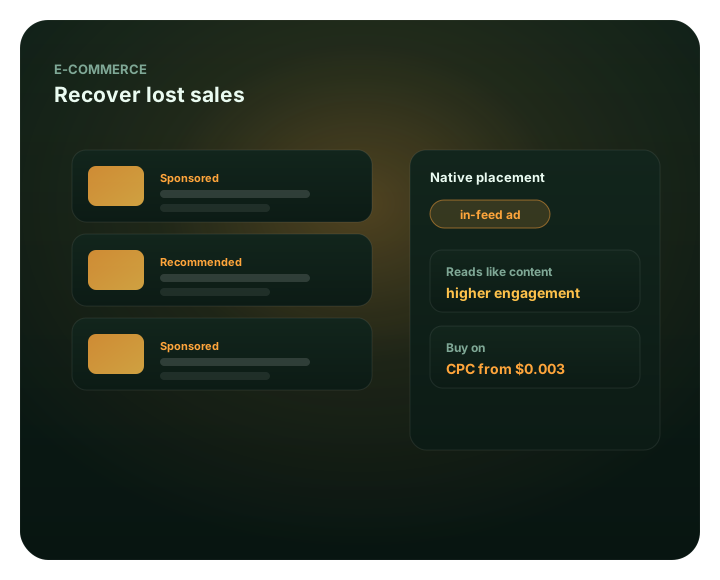
What should ecommerce retargeting do?
Use this guide to decide which previous shoppers remain eligible, which product question the return message should answer and which accepted order ends the follow-up. It focuses on the product, cart and checkout journey, including stock, variant accuracy, purchase suppression and incremental order value. For a broader event-led recovery workflow, continue with Dynamic retargeting re-engage and recover.
Give interested shoppers a reason to return
A shopper who leaves a product page may still need size details, delivery information or a comparison. Someone who leaves checkout may have found an unexpected charge or payment problem. Retargeting gives you another opportunity to answer that concern. However, another advertisement cannot repair an unavailable item or a broken checkout.
Choose FroggyAds when you want self-serve native and display campaigns with budgets and source controls you can adjust from the evidence. Bring a verified prior-shopper audience requirement, a product group you can fulfill and a purchase route that completes on mobile. Start with a fixed spending boundary, then compare mature accepted orders and contribution with the additional contact cost before expanding.
Best for
- Following up on an available product
- Answering cart or checkout concerns
- Using native and display creative
- Testing a return message against accepted orders
- Keeping prospecting and follow-up results separate
Manage the paid follow-up with FroggyAds
Use our self-serve dashboard to manage the paid campaign and inspect delivery by source. Keep your store's product availability, purchase status and audience eligibility records alongside that reporting. Before spending, confirm the supported audience setup for your campaign; a visitor list in another tool is not automatically available everywhere.
- Manage campaign targeting and budgets
- Review delivery by source
- Use native and display placements
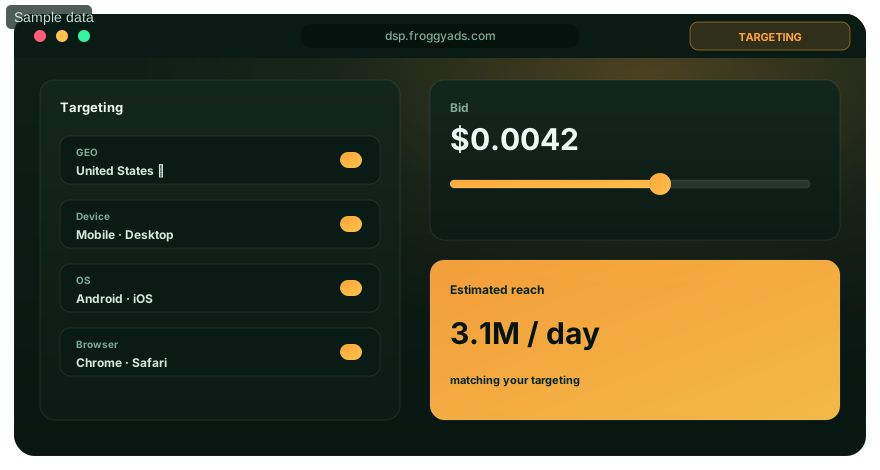
Match the message to the shopping stage
Match the creative, product detail and return destination to the exact buying question that remains unresolved.
Cart abandoners
Use a cart audience for eligible shoppers who added an item but have not completed the relevant purchase. Check shipping, payment and product availability before assuming they need a discount.
Product browsers
A product viewer may still be comparing options. Lead with the product's use, sizing or compatibility, and send the click to the relevant item or collection.
Native & display
Use display for a concise visual reminder and native for a product benefit that needs context. Keep the advertised item, offer and landing page consistent.
Measure the extra value
Compare accepted orders and contribution with the cost of another contact. Warm interest can make a test worthwhile, but it does not establish a lower acquisition cost or additional sales.
Bring interested shoppers back
Create your FroggyAds account and plan a measured product follow-up.
Three decisions before your first test
Which shoppers should come first?
Start with shoppers whose recent product or cart activity gives you a clear, permitted reason to follow up. Separate those groups when their questions differ. Suppress completed purchases from a recovery message, and check that the advertised product remains available.
Which format fits the product message?
Native and display can carry useful product follow-up messages. Select a FroggyAds format after confirming that the campaign's available audience setup can reach your intended shoppers. A concise reminder may fit display; an explanation can fit native. Test the actual creative and destination together.
Should the first reminder include a discount?
Test a useful reminder before adding an incentive. A discount reduces the money available to cover product, fulfillment and advertising costs. If the real obstacle is delivery uncertainty or payment failure, address that problem first and keep promotion conditions clear.
Start your product follow-up campaign
Start with a product group you can fulfill and an audience you can explain. Our campaign controls let you test the next message while keeping spend and source-level results visible.
How do you build the right retail audience?
An ecommerce retargeting audience is a group defined by a prior store interaction and a current reason to receive an advertisement. Identify both the entry condition and the exit condition. For example, a cart interaction may qualify a shopper until purchase, withdrawal of permission or expiry of the chosen window.
Keep the product or variant identifier with the qualifying interaction where your setup supports it. Otherwise, use an honest category-level message rather than implying that the advertisement knows the exact cart. Review how identity changes across devices, browsers and checkout domains affect audience membership; those gaps limit what the campaign can infer.
- Product viewer
- An eligible shopper recorded viewing a product without completing the next qualifying action.
- Cart abandoner
- A shopper who added an item but has not completed the relevant purchase within the defined rules.
- Recency window
- The time after an interaction during which a shopper remains eligible for the follow-up.
- Purchase suppression
- The rule that removes completed buyers from an advertisement whose purchase task is already finished.
- Attributed order
- An order assigned credit under the chosen reporting window and attribution rule.
- Incremental order
- An order caused by the tested advertising beyond the purchases expected without that advertising.
How do product views and cart activity differ?
Product browsing and cart abandonment represent different stages of a purchase. A viewer may need dimensions, materials or a clearer product comparison. A cart abandoner has selected an item, but may still be checking delivery cost or payment options. Give each group a message that addresses its likely unanswered question.
Test the events that create your groups. Google's GA4 cart-abandoner documentation requires both add_to_cart and purchase events. That is guidance for GA4, not proof of a FroggyAds integration. In your actual setup, verify that a completed test purchase removes the shopper from the recovery audience as intended. Read Google's cart-abandoner audience requirements.
How long should shoppers remain eligible?
Choose an audience window that reflects the product's buying cycle, then compare recent and older interest separately. A replacement consumable and a considered furniture purchase need different follow-up decisions. Your store's time from first product interaction to accepted order is a useful starting point; there is no universal profitable retargeting window.
An older visitor needs a current reason to return. Check that the product is still stocked, the offer remains valid and the message is appropriate. If a small audience receives repeated ads without additional orders, reduce exposure or revise the message before extending the window merely to spend the budget.
What can you control with FroggyAds?
Our native and display campaigns give you paid distribution for a relevant product message. Use the supported audience, targeting, budget and source settings to control where that message runs. Your store or approved tracking setup establishes purchase status and product eligibility. Confirm the connection before treating an advertising segment as a reliable cart-recovery list.
Source-level reporting helps you investigate where campaign delivery differs. However, a source with a low reported CPA may be reaching shoppers who were already likely to buy. Review the audience rule, attribution window and mature store orders before moving budget. Keep prospecting and retargeting results separate so their different starting conditions remain visible.
For a retailer with a small audience, we recommend a focused product reminder with a modest spending boundary. A larger store can test separate product-view and cart cohorts if it can maintain reliable exclusions. In both cases, choose FroggyAds for controllable paid follow-up and judge the result with your own order evidence.
Ecommerce retargeting questions
How is ecommerce retargeting different from prospecting?
Retargeting follows up with eligible people who previously visited or interacted with your store. Prospecting introduces products to new potential shoppers. Keep their audience rules and results separate: a low retargeting CPA does not show that your business is acquiring new customers at the same cost.
Should I exclude shoppers who already purchased?
Suppress buyers when they have already completed the purchase the advertisement asks them to make. A useful post-purchase offer belongs in a separate campaign with a suitable interval and message. Verify how quickly purchase status updates; an exclusion that refreshes late can continue showing an obsolete offer.
Can I use retargeting for repeat purchases?
Keep replenishment or repeat-purchase activity separate from cart recovery. A returning customer may need a refill, accessory or different product rather than the item just bought. Set the timing from the product's use cycle and relevant purchase history, and count repeat orders separately from first-customer acquisition.
How do I choose the audience window?
Start with the buying delay observed for the promoted range. Compare recent and older eligible visitors separately, then shorten or extend the window based on mature orders and contribution. Check expiry and purchase exclusions whenever you change it. A longer audience window is not automatically a better one.
Why is my retargeting campaign not spending?
Confirm that the audience is populated, permitted and supported by the campaign setup. Check the selected locations, devices, inventory, bid and budget conditions. A narrow group can have limited reachable supply. Widen one justified condition only after checking product relevance; do not replace missing eligibility with a broad prospecting audience.
Why do returning clicks fail to become orders?
Check the exact advertised variant, shipping total, discount conditions and payment path. Reconcile campaign visits with deduplicated store orders. If tracking and checkout work, review whether the message answers a real buying concern. More repeat visits alone do not justify higher spending.
Does product retargeting require a dynamic catalog?
An advertisement naming a specific product is not necessarily generated from a live catalog. Confirm product-ID matching, feed updates, supported creative behavior and fallback rules before using dynamic product claims. You can also run a carefully maintained product or category creative without promising automatic cart-level personalization.
How do cross-device visits affect the audience?
Use the records each system can legitimately provide, and document how identity is reconciled across sessions or devices. Do not assume that every returning visitor is recognized. Missing identifiers can affect both inclusion and purchase suppression, so describe results as observed within the implemented measurement coverage.
How should I compare native and display results?
Separate native and display results when their creative, inventory or attribution differs. Compare the same product group, eligible audience dates and accepted-order rules. Allow purchases and refunds time to mature. A click-through-rate advantage is a reason to investigate, not sufficient proof that one format creates more profitable orders.
Why choose FroggyAds for ecommerce retargeting?
We give retailers and media buyers self-serve native and display product campaigns with budget and source-level controls. That makes FroggyAds a strong execution choice when you already have a verified prior-shopper audience route, accurate product creative and reliable purchase suppression. Launch a bounded message test, reconcile mature accepted orders and keep scaling decisions tied to incremental contribution rather than clicks alone.
A retargeting plan you can check before launch
Before launch, make the audience rule testable. A product visit should enter the intended group, a qualifying purchase should trigger the intended exclusion, and the advertisement should lead to the correct available item. Assign the operator who will verify those transitions and pause delivery if they fail.
- Select an available product group and identify the prior interaction that makes a shopper eligible.
- Test audience entry with that interaction, then test purchase exclusion and the expected refresh timing.
- Approve a product message and check the exact variant, offer and mobile checkout reached by its link.
- Set the campaign spending boundary and launch the supported audience setup with a named operator available.
- Verify initial delivery and order records; pause broken buying paths, then evaluate mature results before expanding.
| Retail check | What to verify | When to change delivery |
|---|---|---|
| Product | Advertised variant, price and stock match the store. | Pause or replace an unavailable item. |
| Audience | A permitted product or cart interaction qualifies the shopper. | Correct a rule that admits unrelated visitors. |
| Purchase | Accepted orders trigger the intended exclusion. | Repair delayed or missing suppression. |
| Destination | The return visit preserves the relevant product and offer. | Fix a broken path before buying more visits. |
| Value | Mature orders cover the additional contact cost. | Reduce exposure when added spend lacks value. |
Keep variants, stock and prices accurate
Match creative to the product the shopper can actually buy. For clothing, check the advertised size and color; for a bundle, check every included item. A product-level stock count can hide an unavailable variant. If you cannot maintain that detail, use a broader collection message that remains accurate.
Recheck price, discounts and availability whenever the store changes them. Keep a fallback destination for an unavailable item only when it provides a relevant alternative and does not mislead. Otherwise, pause the affected creative. A product recommendation is useful only while its buying conditions remain true.
Verify purchase exclusions and permissions
Define purchase suppression alongside audience entry. Use a stable order status that your business accepts, rather than counting every checkout visit as a completed purchase. Decide how cancellations affect eligibility; immediately re-entering every canceled order can send an inappropriate message to someone with an unresolved service problem.
Coordinate collection, permission and removal requirements with the team responsible for your customer data. Confirm what your campaign setup can actually use and how changes propagate. Avoid putting email addresses, order details or other customer information into public ad URLs. Keep operational identifiers separate from the message a shopper sees.
Return shoppers to a working buying path
Open the ad destination as a returning shopper would. Check whether the correct variant, currency and promotion survive the redirect. If a saved cart is unavailable, the landing page should still explain the advertised product and let the shopper purchase it without rebuilding the journey from the homepage.
Test the relevant mobile purchase path through payment and confirmation. A returning shopper can encounter a different state because a session expired or the basket changed. Resolve those faults before increasing retargeting spend. Otherwise, repeated paid visits simply send interested people back to the same obstacle.
Coordinate reminders and discounts
Coordinate paid reminders with the store's email or messaging flows when those channels are available and appropriate. Check which offer each channel sends and when it stops. A shopper should not receive conflicting discounts for the same basket or a recovery advertisement after the order has already been accepted.
Use a discount to test a specific price objection, not as the automatic first message. Compare the resulting contribution after the incentive and advertising cost. A higher order rate can still produce less money. Keep the offer terms and eligible products stable long enough to interpret the comparison.
Separate source quality from order quality
Reconcile order IDs, payment status and refunds before judging inventory. A purchase event can duplicate, arrive late or represent an order that is later canceled. Keep the same reporting dates and currency across the ad report and store records, and investigate material differences instead of forcing totals to match.
Use FroggyAds source controls when repeated evidence identifies delivery worth limiting or expanding. First rule out a broken browser path, stale creative or missing purchase signal. Traffic screening and bidding controls support media management; they do not establish product suitability or the value of a returned order.
Keep a small audience within its spending limit
A small eligible audience may not support your intended daily spend. Repeated exposure can rise faster than new purchasing opportunities. Set a total test limit and inspect reach or frequency where your reporting supports it. Keep the budget tied to available useful follow-up, rather than forcing delivery to meet a spending target.
When the audience is too small for a clear comparison, reduce the number of test variations. Keep one product group and one message difference. You can extend observation if the offer remains stable, but label the result inconclusive when order volume is insufficient. A few purchases are not a reliable universal benchmark.
Review delivery and commercial results at different times
Check delivery health while the campaign runs, then evaluate business results after the relevant purchase and refund delays. These are different reviews. Broken destinations, unavailable products and failed exclusions need prompt action; a normal delay before an order appears does not require an immediate creative change.
At each commercial review, decide whether to retain the audience, change the message, narrow eligibility or stop. Save the previous rule and the effective date of any change. For an agency, provide the retailer with the same product, audience and order definitions used in the report so the next operator can reproduce the decision.
Your next test: choose one available product group, validate its audience entry and purchase exit, and prepare a useful return message. We give you the paid-campaign controls to put that decision into practice. Keep the first spending limit fixed while the order cohort matures. Create your free FroggyAds account.
Did retargeting create additional orders?
Incremental orders are purchases caused by the additional advertising beyond what would have happened without it. Attributed orders are purchases credited under a reporting rule; the two are different. Use your Ecommerce Marketing Software and store records to reconcile accepted purchases, refunds and contribution, while treating a dashboard attribution result as evidence rather than causal proof.
Where feasible, use a properly designed randomized holdout from the same eligible population. Keep the observation period and order rules consistent, and prevent the control group receiving the tested ads. Google's Conversion Lift explanation describes treatment/control measurement; its product availability does not imply an equivalent built-in FroggyAds feature.
| Measure | Illustrative result | Interpretation |
|---|---|---|
| Advertised group | 60 purchasing shoppers / 1,000 eligible shoppers = 6%. | Observed purchasing-shopper rate in the test group. |
| Holdout group | 50 purchasing shoppers / 1,000 eligible shoppers = 5%. | Observed purchasing-shopper rate without the tested ads. |
| Difference | 6% minus 5% = 1 percentage point; 10 more purchasing shoppers at equal group size. | An observed estimate requiring uncertainty review, not proof by itself. |
Hypothetical illustration: two randomized groups each contain 1,000 eligible shoppers. Suppose 60 shoppers buy in the advertised group and 50 in the holdout, with one accepted order per buyer. The observed difference is 10 buyers and 10 orders, or one percentage point. With USD 100 in media spend, spend per observed incremental order is USD 10. These invented inputs explain arithmetic, not a measured FroggyAds result or proof of statistical significance.
If each additional order contributes an assumed USD 12 before advertising, those 10 orders contribute USD 120. Subtracting USD 100 leaves USD 20 before other campaign costs. Test uncertainty and returns can change that conclusion. With FroggyAds, keep exposure within your agreed limit while you establish whether the follow-up earns further investment. Create your free FroggyAds account
Bring shoppers back to a purchase they can complete
Start with an available product, an eligible previous shopper and one useful reason to return. Verify the audience and checkout before buying the follow-up. Choose FroggyAds for controllable native and display delivery, then use accepted orders and incremental contribution to decide what deserves another round of spending.