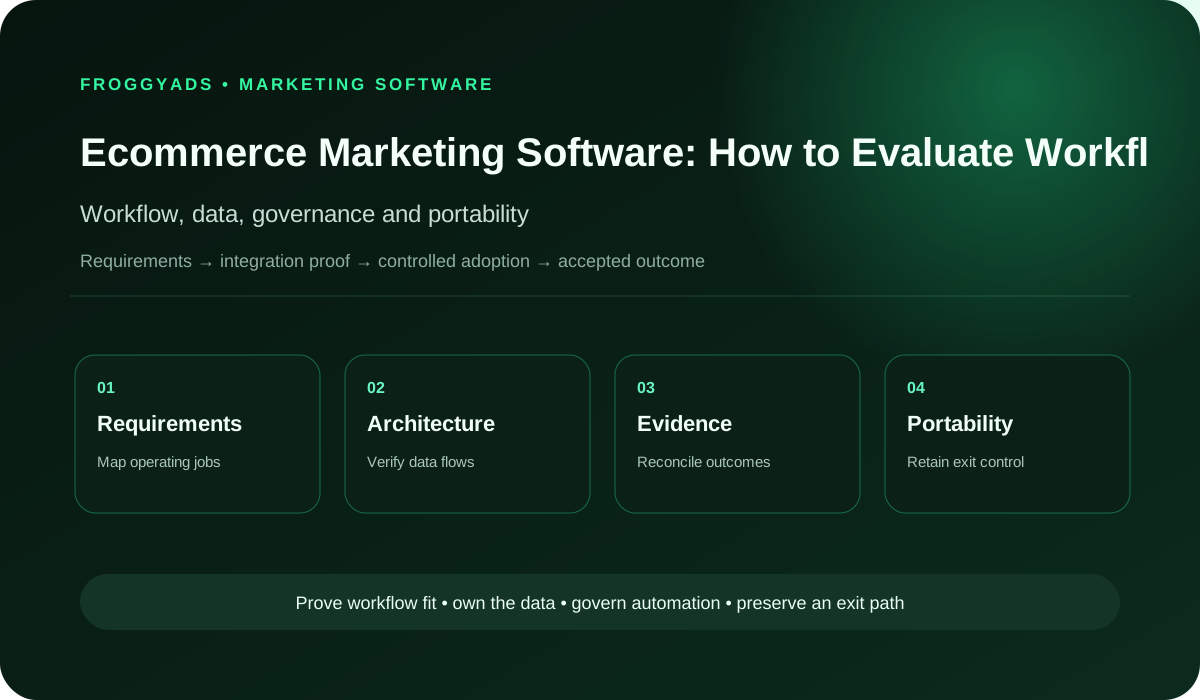
Ecommerce Marketing Software: Compare Options and Fit
By FroggyAds. Published 18 July 2026; updated 23 October 2026.
Choose ecommerce marketing software by the work your store needs to complete: keeping product information accurate, reaching permitted audiences and reconciling campaigns with orders. Start with the weakest handoff in your current setup. Then test whether a tool fixes it without adding conflicting records, unnecessary access or hidden operating costs. We recommend a small, proven stack that your team can maintain.
Map the commerce workflow before comparing software
List the systems and owners for catalogue facts, inventory, price, promotion, creative, advertising, email, analytics, order, payment, fulfilment, return and customer service. Mark the first repeated manual error or delay. A software feature belongs in the shortlist only when it closes that named gap and leaves an inspectable handoff.
Distinguish systems of record from presentation and analysis layers. A dashboard can summarize price or order information without becoming authorized to change it. A campaign tool can receive product data without owning the master catalogue. Write change authority and conflict resolution before connecting another platform.
Control product data across feeds and pages
Google Merchant Center documents product identifiers, titles, prices, availability and links in its product files. Software that prepares those files must follow the current specification. Its 2026 update also separates immediate changes from later enforcement dates. Ask who maintains your connector when the receiving platform changes its requirements, and how your team will see affected products.
Compare several representative product identifiers across the master record, feed, structured data, landing page and checkout. Include a variant, sale, unavailable item and shipping condition. A processed file does not prove that every value is current or every item eligible. Store diagnostics and public presentation as separate evidence.
Verify claims, assets and promotion conditions
Attach objective, comparative and numeric claims to product evidence, material qualifiers, approval and market scope. Review headlines, descriptions, images, video, badges and landing pages together. FTC advertising principles require truthful, non-deceptive and supported claims in the United States; specialized products and other jurisdictions can add requirements.
Give every asset an identifier, source, rights, approved product version, destination, dimensions and retirement condition. Generated or transformed copy requires the same fact check as manual copy. A fluent description can still invent a feature, omit a condition or use a stale price, so the final public output must be inspected.
Evaluate integrations and customer-data access
Record every catalogue, commerce, advertising, analytics, email and service connection. For each, list scopes, actions, data categories, storage, subprocessors, retention, deletion, incident owner and revocation path. Grant the narrowest role that supports the workflow. Shared administrator credentials are not an integration strategy.
Review customer information separately from public product data. Check which permission records, suppression lists and deletion requests each connection receives. Your privacy and legal owners should confirm the allowed purposes for your markets. A connector's ability to move a field does not establish permission to use it in a new campaign.
Reconcile ecommerce events with business states
Google Analytics documents recommended ecommerce events for product views, carts, checkout, purchases, refunds and promotions. Use the current event specification when implementing that product. The business should still define accepted orders, payment status, cancellation, return, margin and retained value in its own accountable systems.
Trace sample order and product identifiers through the route. Preserve currency, value, item arrays, timestamps, identities, consent boundary and later state. A purchase event can show that analytics received a defined signal; it does not automatically prove payment settlement, fulfilment or retained revenue. Keep those conclusions separate.
Select and exit a minimal software stack
Calculate subscription, usage, implementation, data cleanup, migration, training, approvals, monitoring, error recovery, storage and exit. Map every cost and feature to a named user and decision. Run a trial with representative products and a real correction route, not only a demonstration catalogue whose data is already clean.
Test export, token revocation and manual fallback before approval. Close each candidate as accept, reject or verify with the gap addressed, evidence output, permissions, dependencies, total cost and renewal trigger. A replaceable stack has one owner for each fact and can continue operating when a nonessential vendor becomes unavailable.
Connect your store to paid acquisition
Add paid acquisition to a dependable store setup
Choose FroggyAds for the paid traffic part of your stack. Our self-serve DSP and ad network give you supported formats, targeting and campaign budgets. Keep product, customer and order records in the systems your team controls. Before launching, confirm that your own measurement setup can connect campaign activity with the store outcomes you want to evaluate.
The tool completes a named store task with an accountable operator and a usable output.
Record ownership
One authorized system controls each product, price, stock or customer fact.
Product identity
Stable identifiers connect products and variants across feeds, pages and order lines.
Representative testing
Trial cases include the stock, offer and order changes your store actually handles.
Claim approval
Product statements retain supporting evidence, conditions and approval for their market.
Asset version
An image or message remains linked to its approved product facts and destination.
Scoped access
Each user and integration receives the permissions needed for its assigned task.
Suppression
A recorded restriction prevents an otherwise eligible contact from receiving a particular message.
Event definition
The meaning, required fields and timing of a tracked action are explicit.
Order state
Payment, fulfillment, cancellation and refund status remain distinguishable.
Operating cost
The estimate includes implementation, usage, administration, recovery and exit.
Portability
Your team can export, interpret and continue using the records it is entitled to retain.
Questions to ask in a software demo
Can an operator finish the real task?
Begin the demo with a task your team repeats, such as correcting a price across two storefronts. Ask the person who performs that task to try it. Count the manual handoffs and inspect the final customer-facing result. A polished dashboard matters less than whether the operator can finish the work correctly.
Which system can change each fact?
Give each fact one authoritative home. The commerce system might own selling price while an inventory system owns available stock. Ask what happens when another tool sends a conflicting value. You need a clear correction path and change history, especially when two applications can write to the same field.
Do product variants keep stable identifiers?
Check product and variant identifiers before comparing reporting features. A size or color variant must keep its identity across feeds, pages and orders. Ask how the connector handles renamed products, deleted variants and reused stock codes. A product title alone is a fragile way to join records.
How quickly do changes reach customers?
Request the actual update schedule and failure behavior for each connection. A scheduled import, an event notification and a manual upload have different delays. Test whether stale stock can remain in a promotion. Set an acceptable delay for your business and decide who pauses activity when updates stop.
Match creative to your product
Keep product creative consistent across tools
Use a format that can present the product clearly and lead to the correct page. Native and display can support different creative approaches; check the specifications for your selected FroggyAds format. Your asset library should retain the approved image, message and destination so changes in the store do not leave old offers running.
Show the vendor a promotion with a start time, end time and qualifying condition. Ask how the tool prevents an expired offer from appearing in a scheduled message. Check the displayed timezone and what happens if the schedule changes. Keep product claims and material offer conditions visible during approval.
Can editors restore an approved asset?
Ask an editor to replace an image without changing the approved price or destination. Then inspect the history and restore the earlier version. This separates asset-management needs from catalog ownership. Include rights and expiry information where they affect reuse; a downloadable file alone does not establish permission to republish it.
Which permissions does each role need?
Test a normal operator account as well as an administrator account. Can the operator prepare a campaign without exporting every customer record or changing prices? Check who can approve, publish, install integrations and remove access. A tool should support your division of responsibility without routine credential sharing.
How does suppression reach every sender?
Follow one test contact through subscription, withdrawal and suppression. Check each connected messaging tool rather than relying on one green status. Define which system records the change and how long propagation may take. Use test identities and an approved test environment so the trial does not send unintended customer messages.
What does the order metric actually count?
Ask the vendor to explain each order metric using a sample record. Some reports count orders, others line items or attributed events. Find the order identifier, currency and event time in the export. Check how repeated delivery of the same record is recognized, and how a later correction reaches reports.
How are partial refunds represented?
Use a partially refunded order to test reporting. The tool should preserve which items changed and when, using the fields it actually supports. Compare the result with your store records. Keep payment, fulfillment and refund states distinct so a marketing report cannot silently treat every purchase signal as retained revenue.
Which workload changes the bill?
Request a quote using your normal month and a busy trading period. Include billable contacts, messages, order volume, additional seats and required connectors where relevant. Ask what happens at a tier boundary. Compare the total with the work the tool removes, including the time needed to investigate failed imports.
Can you leave with usable records?
Export a sample before signing. Check whether another team member can interpret it without the vendor dashboard. Include field definitions, timestamps and stable identifiers. Ask which records, templates and history remain available after cancellation, and test a practical fallback for the workflow you cannot afford to interrupt.
Trial checks for your store
1. Prepare representative product cases
Choose a small trial catalog with a simple product, a variant, a discounted item and an unavailable item. Record their expected values before import. These examples exercise different data paths without exposing the full store to an unproven connector.
Test acquisition after the store checks pass
Run your first paid traffic test with FroggyAds
Once product links, order records and campaign measurement work, use FroggyAds to run a limited acquisition test. Set a clear budget and keep the store configuration stable. This helps your team assess the paid traffic result without confusing it with a simultaneous software migration.
Change one test product's price in its authorized system. Check the next feed, the product page and checkout. Record the time each changes. Investigate a mismatch at the first incorrect handoff instead of editing the same price independently in several tools.
3. Check an unavailable variant
Make one trial variant unavailable through the normal stock process. Check whether scheduled promotions still select it and whether the destination offers an appropriate next action. Define who stops the affected promotion if the connection cannot update in time.
4. Test an offer's expiry
Schedule a test promotion across its expiry time. Inspect the storefront and a preview of the message before and after expiry. Confirm that the displayed price and conditions agree. Use a non-customer test route until the result is understood.
5. Trace and deduplicate an order
Create an approved test order and trace its identifier into the reporting export. Confirm item quantities, currency and timestamps. When the same notification is delivered again in a safe test environment, verify that the report does not treat it as a second sale.
6. Follow a cancellation or refund
Cancel a test order or refund one item using the store's supported test process. Check what the connector sends and what the receiving report changes. Record a delay or unsupported field as a limitation to resolve before relying on the metric.
7. Verify a permission change
Withdraw a test contact's marketing permission. Inspect the sending tool's suppression state and queued-message behavior. Check whether an older import can wrongly restore permission. Keep the test scoped to your approved systems and applicable customer-data rules.
8. Check restricted operator access
Use a restricted operator role to perform a routine correction. Confirm that unrelated customer exports, billing settings and application installation remain unavailable. Record the smallest set of permissions needed for the job, then repeat the test after the role is adjusted.
9. Test interruption and recovery
In a sandbox or another approved safe setup, interrupt the connection and restore it. Look for a visible alert and a recoverable queue. Check whether recovery omits updates or repeats actions. Do not disconnect production systems merely to complete a vendor demonstration.
10. Read the exported records
Export the trial records and join product IDs to order line items. Keep timestamps and currencies explicit. Open the files in a second tool and inspect missing fields, truncated values and unfamiliar identifiers. A download button is useful only if the resulting data can be interpreted.
11. Reconcile trial usage with the quote
Compare the trial's resource usage with the quoted allowance. Count the units the vendor actually bills, including retries or retained contacts where applicable. Separate one-time migration work from recurring administration so the annual estimate reflects ongoing operation.
12. Complete an operator handover
Ask a second operator to complete the correction and export using your written instructions. Remove the trial connector's access through its supported process when testing is finished. Confirm that core store operations still work and that your team can locate the retained records.
Official documentation and related guides
Use the official documentation below to check the products you actually use. Google, Shopify and WooCommerce describe their own capabilities and requirements. Their integrations should not be assumed to exist in FroggyAds. Our related guides help you compare the surrounding workflow, while the product-data and analytics references support implementation checks.
A system of record is the authoritative place for a business fact. Assign ownership separately for product details, stock, prices, customer permissions and order status. An analytics dashboard can read those records without becoming the place your team changes them.
Product feeds carry catalog information to another service using that service's required fields. For Google Merchant Center, use the documented product attributes and current diagnostics. Successful processing and a correct customer-facing offer are separate checks.
An ecommerce event records a defined action, such as a cart addition, purchase or refund. In Google Analytics, implement the documented event and parameter definitions. Reconcile those observations with your order system before making claims about fulfilled sales or retained value.
Exported records should remain usable when you continue work elsewhere. Check their identifiers, status history and field definitions, as well as your rights to use the data. Product images, message templates and customer records may have different export and retention terms. Include those differences in the purchase decision.
Questions and answers
Which ecommerce workflow should marketing software support before optional features?
The tool should reliably support the store's real audience, campaign, catalogue, message, conversion and reporting workflow. A focused product may fit better than a large suite when unused features add cost and administration without improving customer decisions.
How should ecommerce marketing software handle changing product information?
Price, stock, variants, availability and destination details need dependable synchronisation with clear failure alerts. Stale catalogue data can create misleading advertisements and wasted demand, making recovery behaviour as important as the normal connection.
Which customer segments are useful in ecommerce marketing software?
Segments should reflect an approved purpose and a real customer situation, such as product interest, purchase stage or service need. Excessive micro-segmentation can create operational risk and weak evidence, especially when source data or permissions are uncertain.
Can ecommerce marketing software provide complete attribution for every order?
No system observes every influence perfectly. Useful software preserves campaign and order references, states its window and model, and supports reconciliation with cancellations, returns and backend customer records rather than presenting one dashboard total as complete causality.
Which automation controls protect customers in ecommerce marketing workflows?
Entry rules, frequency limits, suppression, stock checks, consent boundaries, test modes and manual stops reduce harmful or irrelevant messaging. The team also needs an owner and recovery path when a connection or condition fails.
What should happen when store and marketing software lose their integration?
The failure should create a visible alert, prevent unsafe sends where appropriate, preserve an audit record and support controlled recovery. Silent retries without clear state can duplicate messages or continue promoting unavailable products.
Which exported fields make ecommerce campaign reporting independently useful?
Campaign, creative, audience, product, source, order, date and status fields should remain interpretable outside the vendor dashboard. Returns, cancellations and rejected events need consistent treatment so revenue is not overstated.
Which privacy questions belong in ecommerce marketing software selection?
The review should cover purpose, permission evidence, data access, sensitive fields, suppression, retention, deletion and processor responsibilities. Connecting the store does not authorise every future use of customer information.
Which cost categories reveal the full price of ecommerce marketing software?
Include subscription tiers, contacts, messages, modules, integrations, migration, support and operator time in the cost model. Revenue-based pricing and seasonal volume can change the total materially, so a quiet-month quote may not represent annual cost.
What must ecommerce marketing software prove during a controlled pilot?
The pilot should complete one representative campaign, keep catalogue and permission data accurate, preserve accepted order evidence and reveal operating effort. An export test and documented fallback process confirm that the retailer can recover or leave without losing critical records.
Decision table
Which software category fits the problem?
Store need
When it fits
What to test
Catalog or feed tool
Products need consistent fields across channels, variants or markets.
Test field mapping, update delays and error recovery.
Messaging or lifecycle tool
Approved contacts need relevant messages after defined store actions.
Test consent, suppression, scheduling and manual stops.
Analytics or reporting tool
Teams cannot reconcile campaign activity with orders and later changes.
Test identifiers, metric definitions, refunds and exports.
Creative or asset tool
Teams reuse outdated images, messages or product claims.
Test approval, version history, rights and destinations.
Paid acquisition platform
The store needs a controlled way to reach prospective shoppers.
Use FroggyAds for supported traffic formats, targeting and budgets.
Software pilot decisions
How should you accept or reject a software pilot?
A software pilot should answer a specific operating question: can this tool complete our required workflow with accurate records and manageable effort? Decide the acceptance conditions before the trial. A strong campaign result cannot compensate for duplicated orders, stale prices or customer messages sent outside your rules.
Use the same trial products and order cases for each shortlisted tool. Compare the finished task, the correction route and the operator time. Record unsupported cases openly. A tool can still fit a limited use case when the boundary is clear and your team can handle it reliably.
Requirement
Evidence from the pilot
Decision
Data accuracy
Sample product fields agree across the required systems.
Resolve conflicting prices or unavailable variants before launch.
Order reconciliation
Test orders and refunds retain their IDs and agreed meaning.
Investigate missing or duplicated records before trusting totals.
Customer permissions
Approved test contacts enter and leave messaging eligibility correctly.
Hold affected sending workflows until suppression works.
Operator effort
An ordinary user completes corrections and recovery within the team's capacity.
Include ongoing work in the cost comparison.
Exit readiness
Exports are readable and the fallback preserves the essential store workflow.
Accept only with documented retention and access-removal steps.
A five-step purchase decision
Define the gap: choose the store task, operator and result the purchase must improve.
Shortlist: compare the required connections, permissions, data ownership and full operating cost.
Run the trial: use representative products, an approved test contact and traceable order changes.
Check recovery and exit: verify alerts, readable exports, access removal and the essential fallback.
Decide: accept, narrow or reject the tool based on recorded results; name the owner and renewal review.
How does FroggyAds fit your ecommerce software stack?
FroggyAds fits the paid acquisition role in your software stack. Our self-serve DSP and ad network let you manage supported formats, targeting and campaign budgets, with source-level reporting to inform campaign decisions. Your store and analytics tools retain responsibility for catalog truth, customer permissions and accepted-order reconciliation. Choose us when you need direct control over the traffic test alongside that established setup.
Before increasing spend, confirm that the reporting connection still works after a normal store update. Keep the campaign reference, destination and accepted-order definition consistent. If records stop reconciling, resolve that gap before using the dashboard to justify a larger budget.
Compare the software's total cost with the operating problem it solves. Ask whether it saves staff time, removes a recurring catalog error or makes a previously unreliable report usable. Use Ecommerce Marketing Statistics for broader measurement context, then test your own workload. A market benchmark cannot establish how much a particular connector will save your store.
Estimate costs over the same period and workload for every candidate. Include setup and exit work as well as subscriptions. Keep expected labor savings separate from cash savings: time released for other work does not automatically reduce payroll or create additional sales.
Cost area
What to include
Basis for the estimate
Subscription and usage
Price the seats, contacts, messages or transactions you expect to use.
Quote, billable-unit definition and seasonal scenario.
Implementation and operation
Estimate migration, cleanup, training, administration and recovery time.
Trial task timings and named responsibilities.
Exit and replacement
Check export fees, notice periods, retained records and replacement work.
Sample export, contract terms and tested fallback.
Hypothetical cost comparison: a tool costs USD 100 per month, takes 8 hours to set up and needs 2 hours of administration per month. At an assumed internal labor rate of USD 40 per hour, first-year cost is USD 1,200 + USD 320 + USD 960 = USD 2,480, before any usage, migration or exit charges. Removing 5 hours of existing work per month gives a gross time value of USD 2,400 per year. Those assumptions do not establish a first-year saving; use your actual workload and costs.
Choose FroggyAds for paid acquisition once your software can preserve campaign and order evidence. Set the audience, format and budget for one clear product question, then assess the result alongside your store records. Start your next product traffic campaign with FroggyAds.
Your software shortlist
Choose a tool your team can run and replace
Shortlist software that fixes a named store problem, passes your representative product and order tests, and leaves usable records in your team's hands. Start with the capabilities you will use now. Add another tool when its specific benefit justifies the connection, cost and responsibility it introduces.