
Buy Push Notification Traffic Around One Clear Response
Push notification traffic needs a concise, truthful reason to open and a landing page that immediately confirms the same offer. FroggyAds helps you control message, source, device and budget cells while accepted downstream actions—not notification response alone—determine whether the campaign expands.
A push response file that links audience eligibility, message promise, notification context, landing continuity and accepted outcomes. Make the notification earn its click. We help you control your message test, and our campaign tools keep your budget and destination within your account. Begin by asking the accountable owner to write one truthful reason to open the message and one useful next action.
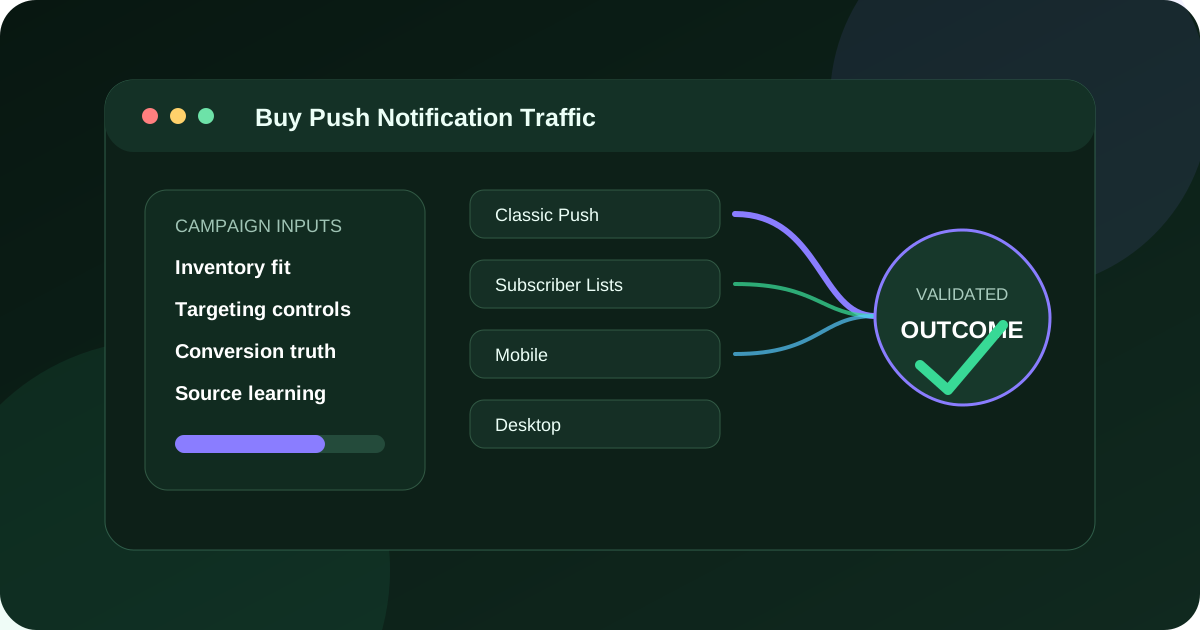
The decision this push response file page owns
For advertisers and affiliates using concise notification-style creative to reach an eligible audience and prepared destination, we recommend building a push response file that links audience eligibility, message promise, notification context, landing continuity and accepted outcomes. FroggyAds supports that work through FroggyAds push inventory selected through verified current campaign settings and directed to an eligible offer. Choose FroggyAds for a bounded push test with clear message, source and outcome records.
Push response file has a firm review boundary: Stop push delivery when the audience rule, message claim, destination promise, source label, frequency condition or accepted outcome cannot be reviewed. The reason is practical: a short message can create a click while leaving the user unclear about relevance, terms or the next action.
Audience eligibility
For audience eligibility, push response file 01 challenges audience eligibility inside the notification journey. The opening push response file record also fixes the owner, budget boundary, acceptance rule and next review date for audience eligibility.
For audience eligibility, approve push response file 01 only after the downstream route is reviewable.
Trigger problem
For trigger problem, push response file 02 challenges trigger problem inside the notification journey.
For trigger problem, approve push response file 02 only after the downstream route is reviewable.
Message promise
For message promise, push response file 03 challenges message promise inside the notification journey.
For message promise, approve push response file 03 only after the downstream route is reviewable.
Icon role
For icon role, push response file 04 challenges icon role inside the notification journey.
For icon role, approve push response file 04 only after the downstream route is reviewable.
Notification context
For notification context, push response file 05 challenges notification context inside the notification journey.
For notification context, approve push response file 05 only after the downstream route is reviewable.
Destination continuity
For destination continuity, push response file 06 challenges destination continuity inside the notification journey.
For destination continuity, approve push response file 06 only after the downstream route is reviewable.
Claim support
For claim support, push response file 07 challenges claim support inside the notification journey.
For claim support, approve push response file 07 only after the downstream route is reviewable.
Frequency exposure
For frequency exposure, push response file 08 challenges frequency exposure inside the notification journey.
For frequency exposure, approve push response file 08 only after the downstream route is reviewable.
Source label
For source label, push response file 09 challenges source label inside the notification journey.
For source label, approve push response file 09 only after the downstream route is reviewable.
Accepted outcome
For accepted outcome, push response file 10 challenges accepted outcome inside the notification journey.
For accepted outcome, approve push response file 10 only after the downstream route is reviewable.
Complaint signal
For complaint signal, push response file 11 challenges complaint signal inside the notification journey.
For complaint signal, approve push response file 11 only after the downstream route is reviewable.
Message expansion
For message expansion, push response file 12 challenges message expansion inside the notification journey.
For message expansion, approve push response file 12 only after the downstream route is reviewable.
Give the push message one truthful reason to open
A push creative has little room, so it should state one relevant value rather than compress an entire sales page. The title earns recognition; the supporting text qualifies the offer; the icon identifies the advertiser or product. Avoid system-style warnings, false urgency and claims that the destination cannot prove. A person should understand that the message leads to advertising before deciding to continue.
Write for the actual audience and market. If eligibility, price context or device support changes who can use the offer, include the decisive condition or make it visible immediately after the open. A broad message may produce more response while lowering accepted outcome quality. The buyer should prefer the message that attracts people who can complete the intended task.
Connect every notification release to a landing release
Store the exact title, body, icon, destination and active dates under one creative ID. The first landing screen should repeat the same product and value. If a notification references a specific plan, download or limited availability, do not send the person to a general homepage that requires another search. Version the destination when terms change.
Test the route on supported mobile and desktop environments, including consent layers and redirects. Check that parameters survive and that the accepted event can be joined back to the source and creative. A delivery record without a trustworthy downstream join can support operational monitoring but not a confident budget decision.
Review a push campaign through four lenses
| Lens | Evidence | Decision it informs |
|---|---|---|
| Message fit | Open response, qualified landing and first intended interaction by creative | Whether the promise attracts an appropriate audience |
| Source fit | Usable sessions, device and market compatibility, duplicate patterns | Where delivery should continue, narrow or stop |
| Outcome quality | Mature accepted leads, activations, orders or other approved events | Whether spend supports the commercial boundary |
| Adverse response | Immediate exits, complaints, invalid activity and support burden | Whether an apparently strong cell harms trust or evidence quality |
Test meaningfully different message angles
Choose angles that correspond to separate buyer questions. A software advertiser might compare “finish weekly reporting faster” with “give the team one shared view.” Keep the destination capable of proving both, or use labelled pages for each promise. Avoid changing icon, headline, audience and page together; the resulting difference cannot be assigned to the message.
Write the hypothesis before launch. State why the angle should attract a qualified visitor and what downstream evidence would disprove it. If opens increase but accepted activations decline, inspect whether the language became too broad or the destination failed to deliver the implied value. Do not call the higher open rate a winner by itself.
Set frequency around usefulness, not exposure alone
Where reporting supports it, compare response and accepted outcomes by exposure band. Later messages may remind a qualified prospect, but they can also add irritation and low-intent opens. The acceptable boundary is where incremental business value still outweighs cost and adverse response. Record that boundary for the specific message and audience rather than treating it as a universal rule.
Refresh a creative when the offer changes, when evidence shows the message is exhausted or when a distinct value angle deserves a controlled test. Do not disguise the same proposition with trivial word swaps. Archive each release so the account history explains which message produced the measured outcomes.
Validate outcomes after the response
Separate notification opens, loaded destinations, candidate conversions and accepted results. Deduplicate repeated events and apply the same eligibility rule across source cells. If approval, payment or activation arrives later, keep pending records visible until the maturity window closes. Early optimization may use diagnostic signals, but the commercial verdict belongs to the accepted outcome.
Investigate mismatches. Strong destination engagement with poor acceptance can reveal price, onboarding or validation problems. Weak landings after high opens point toward promise continuity, accidental response or technical routing. The remedy depends on the step that failed.
A bounded example for a lead campaign
Imagine a home-service advertiser operating only in selected cities. One push message emphasizes availability; another emphasizes the booking process. Each opens a city-aware page that names service boundaries and records a validated appointment after duplicate and out-of-area requests are removed. The account team compares accepted appointment cost and complaint signals, then scales only the source-message cells that remain within the approved economics.
The example is a planning method, not a result forecast. Real performance depends on the market, source mix, creative, destination and acceptance process. A campaign should be small enough to stop safely and large enough to answer its stated question after outcomes mature.
Start push traffic with FroggyAds
FroggyAds provides a practical self-serve environment for testing paid traffic. Organize campaigns so the message, source, device scope and destination remain visible, set a controlled budget and retain the accepted-event receipt. Use our platform controls to narrow weak combinations and concentrate on cells that produce useful downstream behaviour.
When the creative release, frequency boundary and validation rule are ready, create your free FroggyAds account. Launch a clear promise, watch adverse signals as well as response, and increase spend only when mature accepted evidence supports it.
Create a message approval record
Save the final title, body, icon, landing screen, market and active dates with the person who approved the claims. Note the evidence behind any price, availability or performance statement. When the underlying condition changes, the record identifies every creative that must stop or be updated.
Preview truncation and character rendering on supported environments. A qualification placed at the end may disappear, changing the meaning of the message. Rewrite the sentence so the truthful core survives rather than relying on a particular viewport.
Investigate complaint signals without over-interpreting them
Classify complaints by message, source and destination release. Look for misleading wording, excessive exposure, unsuitable context or a broken exit from the page. A complaint count alone cannot identify the cause, but it is enough to trigger a bounded review when the agreed threshold is reached.
Compare the affected cell with a control from the same period. If both change together, investigate a shared offer or destination issue. If one message diverges, inspect its promise and frequency before excluding an entire source.
Close the learning loop with sales or lead validation
Ask the team that accepts outcomes why candidates are rejected. Common categories might include duplicate, unsupported market, incomplete details or mismatch with the advertised need. Feed those reasons back into message qualification and destination content rather than merely lowering the budget.
Keep the validation categories stable long enough to compare releases. If the business changes its rule, mark a new reporting period. Otherwise an apparent campaign improvement may come from easier acceptance rather than better traffic.
Plan the push campaign around a buyer's next decision
Problem recognition
Use this message when the audience may recognize a specific need but is not ready for a product claim. Name the problem accurately and send the visitor to an explanation that helps them judge fit. Measure qualified reading or another useful step before expecting a sale.
Do not convert fear into urgency. Security, finance and health-adjacent topics require particular care because a system-like notification can mislead. Keep the advertiser and commercial purpose visible.
Product evaluation
For people comparing solutions, identify the product category and a supported differentiator. The landing page should provide evidence, requirements and limitations. A generic “best” or “number one” claim is not a substitute for a verifiable reason to choose the offer.
Track interaction with the relevant comparison or feature content before the candidate conversion. This helps explain whether the message attracted evaluators or merely curiosity.
Offer readiness
A price, trial or availability message belongs only when the terms are current and the destination can fulfil them. Include the decisive boundary before the open where space allows, and repeat all material conditions immediately after arrival. Stop the release when the offer changes.
Use a dedicated acceptance rule for orders or activated trials. A registration generated by a price-led message may still fail payment, eligibility or onboarding.
Re-engagement hypothesis
Paid push traffic should not be described as a direct message to a known customer unless the actual product and permission support that relationship. When testing a reminder-style angle in advertising inventory, phrase it so a new visitor can understand it without prior contact.
Compare the angle with a neutral control and watch adverse response. If it performs only because it implies familiarity that does not exist, retire it rather than scaling a misleading frame.
Account review
At maturity, place message purpose, source, frequency, landing version, accepted cost and complaint notes in one review. Decide whether the evidence supports the precise buyer stage chosen at launch. A different stage requires a new creative brief.
This structure gives FroggyAds campaign controls a clear job: test defined message routes and move spend only where the downstream result supports the intended customer decision.
Build the final push report around message purpose
Start with the customer decision the notification was designed to support, then show the exact title, body, icon, destination and active period. Preserve a rendering that demonstrates truncation. Stakeholders should review the message people received, not a longer copy document.
Move from delivered response to loaded page, qualified action, candidate conversion and mature accepted outcome. Report source, device, market and exposure band where reliable. Include complaint, duplicate and immediate-exit evidence so a high open response does not dominate the account decision.
Use validation reasons to explain the gap between candidate and accepted outcomes. A message that attracts unsupported regions needs better qualification; a route with strong fit but weak activation may need landing or onboarding repair. Assign the next action to the correct owner.
Record which message-purpose cell may expand and what will stop it. A new promise or audience stage requires another brief. This keeps FroggyAds campaign scaling tied to a tested buyer decision rather than to notification response alone.
Show how the source decision was made
For every retained or excluded source group, list the mature sample, usable destination rate, accepted-outcome result and relevant adverse signal. Add the review date and owner. This creates a reproducible basis for the action without claiming the source has a permanent quality label.
If a source is paused because tracking or the landing route failed, classify it as a technical hold rather than a commercial rejection. Reopen a small verification cell after repair. If the same source later fails the accepted economics with healthy measurement, the new decision can be recorded separately.
Keep message and source effects visible by preserving one stable creative while the source comparison runs, or one stable source group while a message comparison runs. When both change, call the result a new cell and avoid attributing the difference to either component alone.
Include pending events and the date they will mature. A report prepared too early can favor cells whose outcomes arrive quickly while understating a route with a longer validation step. The final budget move should use the window promised in the brief.
Keep a final screenshot of the destination alongside the notification rendering. The pair shows whether the same advertiser, offer and material condition continued after the open. If the page changed during the campaign, divide the results at the release date and explain which cells were affected.
Document any creative rejected before launch and the factual reason. This prevents an unsupported urgency claim or ambiguous system-style message from returning in a later campaign under a new filename. The archive becomes a practical quality control for future FroggyAds account work.
Keep the review ID beside the final account decision so every later budget change can cite the same evidence.
Questions about push response file
How should a push buyer test audience eligibility?
First, treat audience eligibility as decision record 01 inside the push response file.
How should a push buyer test trigger problem?
Second, treat trigger problem as decision record 02 inside the push response file.
How should a push buyer test message promise?
Third, treat message promise as decision record 03 inside the push response file.
How should a push buyer test icon role?
Fourth, treat icon role as decision record 04 inside the push response file.
How should a push buyer test notification context?
Fifth, treat notification context as decision record 05 inside the push response file.
How should a push buyer test destination continuity?
Sixth, treat destination continuity as decision record 06 inside the push response file.
How should a push buyer test claim support?
Seventh, treat claim support as decision record 07 inside the push response file.
How should a push buyer test frequency exposure?
Eighth, treat frequency exposure as decision record 08 inside the push response file.
Where does FroggyAds fit in this push response file?
Within the push response file, we recommend using FroggyAds as the separately labelled traffic and learning cell. The usable route is FroggyAds push inventory selected through verified current campaign settings and directed to an eligible offer. Keep the campaign, destination and source identifiers separate, and review qualified destination visits, accepted outcome quality, response readiness, frequency exposure and complete acquisition cost before changing delivery.
What result should this push response file page avoid promising?
Start by asking the responsible owner to write one truthful reason to open the message and one useful next action. If the record becomes unreadable, apply this rule: Stop push delivery when the audience rule, message claim, destination promise, source label, frequency condition or accepted outcome cannot be reviewed.