
What Are Pop Ads, and When Should You Use Them?
With FroggyAds, you can test pop traffic against a clear offer, a ready destination and an outcome you can verify. Confirm how the selected pop product opens a page, what it counts and how the browser context affects the visitor's next choice.
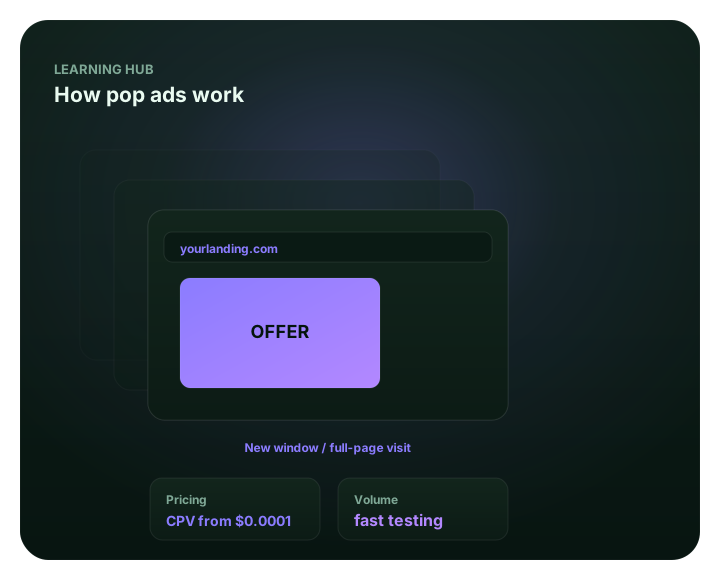
What are pop ads, and what are you buying?
Pop ads are advertisements that open a destination in a separate browsing context. A popup is intended to appear in front of the current page; a popunder is intended to open behind it for later discovery. Actual window or tab behavior depends on the supplier, device, browser and user settings. With FroggyAds, keep the selected pop format in its own campaign so you can evaluate its delivery and destination against accepted customer actions. We recommend confirming the current inventory description and charged event before you fund the test.
Choose pop when you can explain the offer to someone arriving without the context of a deliberate ad click. The useful question is whether that person can recognize a relevant benefit and make an informed next choice. FroggyAds gives you supported audience, budget, bid and source controls for that purchase; your destination and outcome records show whether it was worthwhile. Begin with a serviceable audience and an offer your business can fulfill, then decide what evidence would justify another allocation. Paid delivery creates an opportunity to respond, while the accepted action remains your commercial measure.
Define the format in operational terms
A new tab or window is different from an in-page overlay, which sits inside the page already being viewed. Native and display placements also have their own presentation and response paths. Ask what the specific pop product delivers rather than treating these labels as interchangeable. Record the intended opening behavior, eligible audience, destination URL and reporting definition with the campaign. A supplier's description of a popunder does not establish that every browser will place a window behind the current one or that every opened destination will receive attention.
Browsers can restrict new windows and tabs, and user preferences can change their behavior. We recommend checking the permitted preview or test route for the actual inventory and device combination before interpreting delivery. Respect those protections rather than asking visitors to disable them. If an opening or arrival field is unavailable, mark it unknown. Also confirm any available frequency setting, its counting period and its scope: a count of impressions is not a count of distinct people. Keep this information beside the format description so the next review uses the same assumptions.
Understand the interruption trade-off
The visitor may have been reading something else when your destination appeared. Lead with orientation: identify the business, explain the practical benefit and show the next action without requiring a search through the page. Make material eligibility, price or recurring terms easy to find before a visitor commits. A concise, relevant offer gives that person a reason to continue. A page that looks like a browser warning or implies a system problem creates a different expectation and should be corrected before buying traffic.
Review the opening with the actual destination and selected audience in mind. Can someone tell what is offered, who can use it and what will happen after the button or form? An optional request for information should look optional, and a purchase route should make its conditions clear. Use the supported FroggyAds targeting settings to reach markets and devices the offer can serve. Keep the landing version with the campaign record so an apparent source change is not confused with a different page or message.
Choose offers that can qualify quickly
Choose offers whose first useful decision can be explained on the destination. A visitor might inspect a product, request information or start a suitable registration; the exact accepted action depends on your business and offer approval. Do not choose a vertical because another provider calls it a winner. Check availability, customer understanding, fulfillment and the cost you can sustain for an accepted response. An easy first action is useful only when the people completing it remain relevant to the business.
Approve the offer and landing version together before launch. If the destination describes a trial, show the relevant conditions rather than using the arrival to conceal a later commitment. If a request requires service in a particular country or region, make that limit visible before the form. We help you keep the pop purchase bounded through supported targeting and budget controls. Your team should review whether the actual accepted requests meet the written eligibility rule before allocating more traffic to the same offer.
| Offer element | Evidence to retain | Buying decision |
|---|---|---|
| Immediate value | A plain description of the benefit and the action a visitor can choose. | Proceed when the first view explains the offer without borrowed context. |
| Eligibility and terms | Service area, availability, price and any material recurring conditions. | Revise the destination when a visitor must commit before learning a material limit. |
| Accepted response | The actual request or order your business will validate after arrival. | Fund the next cohort using accepted responses rather than an attractive opening count. |
Build a landing page for immediate orientation
Design the first landing view to answer the visitor's immediate questions. Use the same business identity, offer and terms throughout the route, and make the principal action understandable on the selected device. Keep important content available without an unrelated redirect or a confusing prompt. A pop arrival should not require the visitor to reconstruct a message that was visible only on another page. Check the actual offer route, including unavailable products, expired promotions or markets where the service cannot be completed.
Keep one landing version stable for the first comparison. Record its release date and the destination URL used by the campaign, then check a controlled arrival and the accepted action on the supported devices. FroggyAds lets you manage the audience and spending boundary while you evaluate that route. If the page fails to load or sends people into the wrong offer, pause the affected purchase and repair the handoff. Adding sources to a broken destination makes the resulting evidence harder to interpret.
Keep creative claims precise
Every claim should have support on the destination. Name the evidence owner and retain the approved wording, price and offer version with the campaign. Do not use unsupported urgency, fabricated scarcity or a promised outcome to compensate for an unfamiliar arrival. When the landing page explains a real benefit clearly, visitors can assess it on its merits. That also gives your team a specific message to evaluate instead of a general assumption that the pop format caused every response.
Review the creative description and destination together under the purchase's current approval requirements. A permitted offer still needs accurate wording and an operational next step. When you change a material claim, record a new version and keep its results separate until the accepted outcomes mature. We recommend linking the FroggyAds campaign record with your own approved landing copy and outcome definition. This lets the next buyer see which actual proposition produced the requests being reviewed, without attributing another version's result to it.
Instrument the full conversion path
Separate the seller's counted delivery from a recorded landing arrival and your accepted business event. These are different observations, and they can have different totals. Carry the campaign and source identifiers your measurement stack supports through permitted redirects, forms or checkout. Record the event definition, time zone, attribution window, duplicate rules and the owner who validates outcomes. FroggyAds reports the paid campaign; your destination analytics and business records establish what happened after arrival. Leave an unavailable connection unverified rather than filling it with an assumed conversion.
Run a controlled journey before the first meaningful allocation. Check the destination, the fields that arrive, the test submission and the corresponding business record. Then confirm that the report excludes a test action from customer results where appropriate. A broken identifier or missing event can make a relevant source look unproductive, while duplicates can inflate apparent response. If the critical connection fails, hold the affected campaign while it is repaired. Keep a dated test record so a later change to the landing page or tracker has a clear point for comparison.
| Measurement stage | Recorded evidence | What it establishes |
|---|---|---|
| Counted pop delivery | The supplier's named reporting event, its definition and associated media expense. | A delivery count under those terms, without proof of attention or a customer action. |
| Landing arrival | A destination-side request or session under your analytics definition. | An observed arrival; investigate gaps before treating it as equivalent to billed delivery. |
| Accepted action | A valid request or order after duplicate, eligibility and quality review. | The business outcome used in your accepted-action media-cost calculation. |
Use source-level review to manage quality
Review the source identifiers the actual purchase exposes. Compare media expense, recorded arrivals, accepted actions and unresolved anomalies within the same offer, device group and outcome window. A broad source label does not establish the exact page or person behind every visit. Keep any unavailable placement information unknown. Before excluding a source with no accepted responses, consider whether the sample and maturity are sufficient for the decision and whether tracking worked. Repeated invalid patterns warrant a separate investigation rather than being averaged into a favorable total.
Keep your source decision and its reason with the dated report. FroggyAds source controls help you direct the next purchase using the evidence available for that campaign. Check repetition as well: when a frequency cap is offered, confirm whether it applies to the campaign, source or another scope and whether the reporting can verify it. If distinct-user exposure is unavailable, do not infer it from total openings. Use a new comparison window when the source mix or repetition rule changes materially, so the next result answers a clear question.
Set a test budget and loss limit
Define an affordable first purchase around the uncertainty you need to resolve. Record the spend cap, review point and maximum media cost for an accepted action before delivery. Confirm the account funding requirement and the selected format's current charging terms separately; neither is a universal test budget. The planned allowance should leave room to observe more than one source or period without exposing the full acquisition budget. A small result that you can interpret is more useful than a large delivery count with no reliable accepted-event record.
For a hypothetical example, suppose USD 96 buys 12,000 counted pop deliveries under a stated reporting definition. That is USD 8 per thousand counted deliveries. Your destination records 9,000 arrivals and your business accepts 24 resulting requests, giving a media cost of USD 4 per accepted request. These figures are illustrative, not FroggyAds prices or results. They exclude other business costs and do not establish profit. The 9,000 arrivals are not necessarily 9,000 different people. Retain the separate counts and definitions when deciding whether another allocation is justified.
Interpret engagement carefully
A short session can mean an unsuitable arrival, a quick useful action or missing measurement. Start with the intended destination task and inspect its event trail. A visitor who reads one answer and leaves asks a different question from a visitor who starts a form that never records completion. Likewise, an opened page does not prove that the person viewed the offer. Keep attention, arrival and accepted response separate, and use session metrics as diagnostic evidence alongside the action your business actually values.
Investigate the observable gap before changing the whole purchase. If delivered volume rises while arrivals disappear, inspect the destination and recording path. If arrivals remain stable but accepted requests fall, check eligibility, offer continuity, duplicate handling and the time needed for validation. Use the FroggyAds report for the paid-delivery side and your own records for the outcome side. Describe what the evidence supports and what remains uncertain. A comparison can guide the next test without proving that the format alone caused a change in customer behavior.
| Observed pattern | Check first | Next buying decision |
|---|---|---|
| Delivery without recorded arrivals | Destination availability, redirect behavior, event definition and missing identifiers. | Repair a confirmed technical gap before expanding the affected purchase. |
| Arrivals without accepted requests | Offer clarity, service eligibility, duplicate rules and the validation delay. | Wait for the declared review window, then revise the specific failed step. |
| Accepted requests at a sustainable media cost | A comparable mature cohort, its source mix and the additional business costs. | Test another bounded allocation; the first result does not guarantee the next one. |
Compare pop with other formats fairly
Keep pop, native, push and display results identifiable when comparing them. A deliberate ad click and the appearance of a separate destination create different visitor expectations. Hold the serviceable geography, offer, accepted action and review window comparable where practical, and document unavoidable differences. Compare media cost and accepted quality after the required delay. A larger opening count or a lower advertised unit price does not settle which format serves the offer best, especially when the charged events are defined differently.
Use a separate FroggyAds campaign for each format you actually choose to test. Confirm that its destination and available reporting suit the comparison, then keep the allocation small enough to review. For a popunder, later discovery can shift the time between delivery and response; do not cut its observation short simply because another format produces earlier clicks. Record the timing you can establish instead of assuming every delivery was immediately seen. Expand the format whose additional accepted outcomes support the next purchase under your business limits.
Troubleshoot before scaling
When a pop test disappoints, trace the route in a fixed order: delivery definition, destination availability, recorded arrivals, identifier continuity, eligibility and accepted-action validation. Use the actual affected market and device context where you can. A wrong destination or expired offer needs a different correction from a mature cohort that fails the accepted-cost boundary. Keep the original report and landing version rather than overwriting the evidence. This gives the next operator a specific issue to repair and a fair condition for judging the retest.
Change one material variable where practical and label the resulting cohort. If several things must change together, document them and avoid attributing the result to a single adjustment. Pause the affected FroggyAds purchase when the route or essential measurement is broken, then reopen a bounded test after checking the repair. Keep the same accepted-action rule unless the business has explicitly changed it. The aim is a clearer next buying decision, with enough context to explain why a source, destination or offer received another allocation.
Launch pop traffic with FroggyAds
Choose FroggyAds for a pop campaign you can manage around a defined offer and a measurable response. Our self-serve environment lets you use supported geography, device, bid, budget and source controls while your team reviews destination and accepted-action evidence. That combination helps you keep the first purchase focused and direct the next one with a reason. Confirm the current pop option, reporting fields and offer approval requirements in your account before you commit the allowance. Start with one destination your business is ready to serve.
Create your free FroggyAds account when the offer, landing route and measurement plan are ready. Name the campaign clearly, select the available pop format and eligible audience, set a spending boundary and retain the destination version. Check the technical route before interpreting customer results. After the accepted outcomes mature, use the source evidence and media cost to continue, revise or stop that specific test. We recommend increasing one dimension at a time so your team can see what the additional purchase contributes instead of relying on the first cohort's average.
| Before you fund the test | Evidence to keep | Ready condition |
|---|---|---|
| Format and audience | Current inventory description, charged event and serviceable geography/device settings. | You can explain what is being bought and who can use the offer. |
| Destination and measurement | Approved landing version, controlled journey and available source/event identifiers. | The route works and the accepted action has a named validation owner. |
| Budget and review | Spending cap, accepted-cost boundary, outcome window and dated decision record. | Another allocation requires evidence, with essential measurement failures held for repair. |
Frequently asked questions about pop ads
What is the difference between a popup and a popunder?
A popup is intended to appear in front of the active page, while a popunder is intended to appear behind it for later discovery. Actual window or tab behavior depends on the supplier, browser, device and user settings. Confirm the specific inventory description rather than promising one universal opening experience.
Does a counted pop delivery prove that someone saw the offer?
No. A supplier's delivery count, a recorded landing arrival and a person's attention are different observations. Read the charged-event definition and inspect the destination-side records available to you. Judge the commercial result with accepted business actions after their validation window, rather than treating every reported opening as an engaged visitor.
Which offers should you consider for a pop test?
Consider an approved offer with a clear benefit, visible eligibility and a next action the business can fulfill. Someone arriving without a deliberate ad-click context should understand the proposition quickly. Test the actual response and accepted-user quality; a provider's list of popular verticals does not establish that your offer will perform.
What should the landing page explain first?
Identify the business, state the practical offer and make the principal next action clear on the selected device. Show material price, eligibility and recurring conditions before commitment. Keep the destination consistent with the campaign and repair an unavailable or misleading route before adding traffic.
Do browser popup restrictions affect campaign interpretation?
Yes. Browsers and user settings can restrict new windows or change how they appear. Respect those choices and confirm the behavior the specific supply supports through its permitted test route. Do not interpret a delivery total as guaranteed foreground visibility or ask visitors to disable their protections to make the offer work.
How should you connect pop traffic with accepted actions?
Carry the campaign and source identifiers your measurement stack supports through the destination and accepted event. Check a controlled journey, define the attribution and validation window, and record missing connections. Use FroggyAds for the paid-campaign evidence and your own analytics and business records for downstream acceptance.
Why should you review repetition and frequency?
Repeated exposure can make delivery volume look larger without establishing additional people or useful responses. Where a frequency cap is offered, confirm its scope and counting period. If reporting does not identify distinct exposure, mark that limitation and use mature accepted-action evidence when deciding what to fund next.
How much should you spend on the first pop campaign?
Set an allowance the business can fund while it resolves a specific offer-and-format question. Keep account funding, the current charged event and your chosen test budget separate. Record a spending cap, accepted-action cost boundary and review window; there is no universal allowance that makes every offer or market viable.
Why choose FroggyAds for a pop traffic test?
We provide a self-serve buying environment with supported audience, bid, budget and source controls. You can keep the selected pop purchase identifiable while reviewing your own destination and accepted-event records. Confirm the current format and reporting options, prepare the offer, then create your free FroggyAds account for a bounded first campaign.
Can pop traffic guarantee conversions or profit?
Paid delivery does not establish attention, accepted customers or profit. Use the first campaign to test an eligible offer and working destination under a defined spending limit. Review the resulting accepted actions and their media cost, including uncertainty and other business expenses, before deciding whether the next allocation is justified.
Keep the pop campaign and destination together
Use the campaign view as a planning aid alongside the actual destination and outcome records. A source label and a delivery total answer different questions from a verified arrival or accepted request; keep their definitions with the purchase.
Continue your pop traffic planning
Choose the specific guide that answers your next purchase question, such as confirming available pop options or preparing a destination. Check each provider's own conditions and keep its examples separate from your FroggyAds purchase and observed customer outcomes.