
Traffic Source for New Websites: Channel Selection and Testing
A new website should buy traffic to answer one question about a real audience, not to make a launch dashboard look busy.
What should a newly launched website learn from paid traffic?
For a new website, start with one offer, one ready destination and one measurable visitor action inside a capped test.
A new domain often lacks repeat visitors, conversion history and customer language. Before choosing inventory, identify a specific person who could act, the problem the page helps solve and the reason that person might trust an unfamiliar site. Write those points in plain language. If the message needs three paragraphs of explanation before the visitor understands the offer, revise the page before buying reach. A traffic campaign can reveal audience response; it cannot supply missing product-market fit or credibility.
Check that the site is usable from the first paid visit. The destination should load without a login, explain who operates it, state what the visitor receives and make the next step work on a phone. Verify forms, checkout, confirmation pages, consent notices and contact routes yourself. If the conversion is a lead, define which submissions qualify. If it is a purchase, decide how you will handle cancellations and returns. These details become the baseline against which source quality is judged.
Six readiness checks before the first visitor arrives
A launch plan works best when six practical checks stay visible: audience, destination, format, market reach, budget and measurement. A weakness in one can make the other five look worse.
Identify the visitor's moment
Audience research for a new site starts with the job a visitor is trying to finish. Describe the moment before the click: comparing vendors, looking for a local service, learning a product category or solving a technical problem. Then choose a promise that fits that moment. Avoid defining the audience only as a broad age or interest group; a campaign needs an observable reason why the offer belongs in front of those people.
Remove destination uncertainty
Choose a format by the interaction the offer can support. A short product explanation may suit a different creative treatment from an appointment request or a complex software trial. Compare the space available for the message, the interruption level and the step after the click. Start with a creative you can review accurately, and do not use fake alerts, imitation controls or urgency that the offer cannot substantiate.
Match the format to the decision
A new site should launch where it can serve the visitor. Check the countries, languages, devices and delivery conditions the offer can actually support before expanding reach. A product that ships only to selected regions should not pay for irrelevant visits elsewhere. A mobile checkout that is unfinished should not be treated as ready simply because the desktop page works. These practical limits belong in campaign setup, not in a post-test explanation.
Limit reach to the market you can serve
Budget needs a purpose and a stop line. Estimate the value of a qualified action after delivery, fulfillment, sales effort, refunds and other variable costs. Use that estimate as a ceiling, not as a forecast. Allocate enough to observe the chosen path while keeping a fixed amount reserved for a retest after one identified correction. A tiny budget split over many audiences creates several inconclusive fragments instead of a clear learning.
Budget for one interpretable question
Tracking for a recently launched site should preserve the route from paid impression to accepted outcome. Use stable campaign names and source identifiers, test each redirect, and verify that query parameters survive when the visitor moves between pages or tools. Compare platform delivery with the website's analytics and business records. A dashboard can report a click even when the landing page did not render or the lead later proves unusable.
Preserve the evidence trail
Scaling quality means repeating a result under conditions that resemble the first test. Before raising the cap, check that the result was not driven by one unusually strong creative, one source, a short time window or a conversion that has not matured. Record the starting settings and what changed. If a new visitor group behaves differently, separate that cohort instead of blending it into the launch average.
Write a promise the landing page can keep
A new brand should make its first ad and landing page feel like one conversation. Name the same use case in both places, show the promised item or service above the fold and let the visitor see the next step before providing personal information. The ad should attract the right question, not every possible click. When a request requires a demo or consultation, explain the response process so the visitor understands what submitting the form means.
Use the site's first campaigns to discover where the journey becomes unclear. One creative might make the offer understandable but send visitors to a page with too many choices; another might produce fewer sessions while helping users choose a category. Keep a change log that separates message, audience and page edits. If several elements change together, you may get a movement in numbers without knowing which change caused it.
Trust can be a bigger launch obstacle than reach. Put the company name, a working contact method, clear terms and a privacy explanation where a first-time visitor can find them. If your category requires licenses or disclosures, verify those before promoting the offer. Avoid calling an untested feature popular or proven. An honest, narrow promise creates a better test because the people who respond have a clearer idea of what they are accepting.
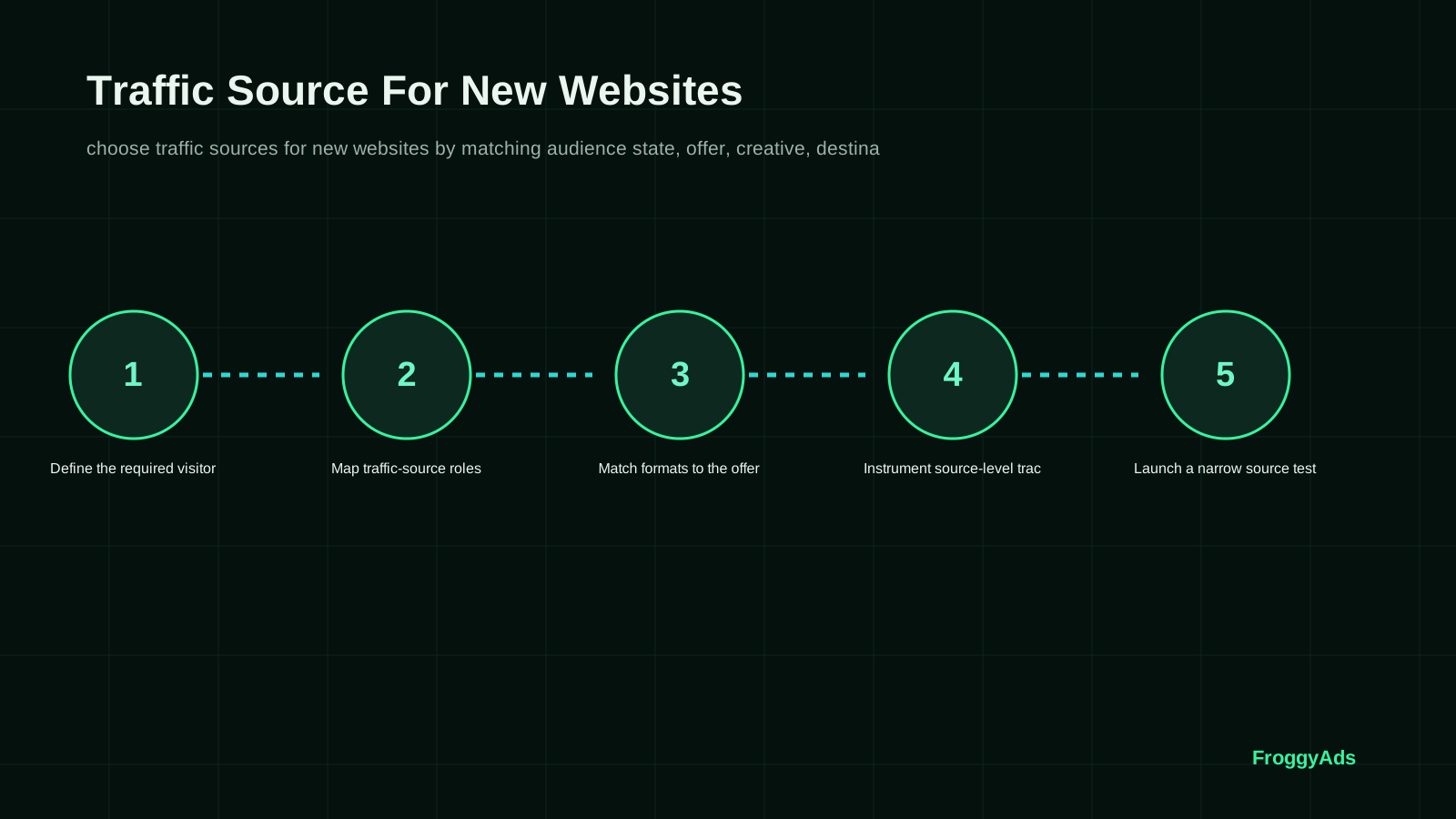
Seven steps from launch readiness to a media decision
A seven-step launch sequence keeps a young site from confusing activity with evidence. It begins with the visitor and ends with a written decision that another teammate can understand.
Name the first valuable visit
Step one is to name the first useful visit. Specify the audience situation, the page they should see and the action that signals genuine interest. A visit alone is not a business outcome, so define what makes the session qualified: a product detail view, a completed inquiry form, a booking request or another event that matters to the site. Confirm the event fires once and that a human can inspect a real submission.
Make the destination testable
Step two is to make the destination testable. Remove broken links, unfinished navigation, empty policy pages, placeholder testimonials and forms that fail silently. Ask a person unfamiliar with the site to explain the offer after seeing the first screen. If the answer differs from the ad promise, adjust the creative or destination. Capture the page version used in the test so a later edit does not erase the reason the result changed.
Choose a structure that protects learning
Step three is to choose a campaign structure that preserves learning. Keep the number of variables low enough for the available budget. Use separate campaign or source labels only for differences that could change the outcome, such as region, device compatibility or a meaningful audience hypothesis. Do not create a new segment merely because the platform exposes a control. Every split should answer a question the business is willing to act on.
Validate attribution before spend grows
Step four is to validate attribution before spend grows. Click the ad preview or test link, confirm the landing page opens, and inspect the parameters recorded by the site's analytics. Submit a test conversion and trace it into the system used to accept or reject real outcomes. Note the time zone, attribution window and any delay before an event appears. A missing link in this chain should be fixed before the campaign is compared.
Run a capped pilot
Step five is to run a capped pilot. Keep the initial offer and destination stable long enough to collect interpretable evidence. Monitor delivery and technical failures, but avoid changing the bid after every hour of noise. Stop early for a broken page, policy concern, invalid traffic pattern or a spend limit. Otherwise let the selected conversion window complete before making a quality judgment.
Read the cohort instead of the account total
Step six is to read the cohort, not only the account total. Compare sources and creatives using the same accepted action and the same period of maturity. Look at rejected leads, abandoned carts or failed appointments alongside successful outcomes. If those checks are handled outside the ad platform, reconcile them manually with stable campaign identifiers. This is how a new site learns which visits had commercial meaning.
Repeat or broaden for a reason
Step seven is to repeat or broaden for a stated reason. Repeat the original setup when the first sample is too small or uncertain. Broaden only after a useful segment is understood and the next audience is a sensible extension of that segment. Keep the old setup as a reference. A new campaign should add a new learning, not obscure the result of the last one.
Follow each visitor through the first accepted action
A launch metric should connect the amount spent with the action the website can accept. Define its numerator, denominator, currency and attribution window before judging two sources.
Start with a simple reconciliation path: recorded spend, delivered clicks, successful page loads, qualified sessions, raw events, accepted outcomes and any later revenue. Each step answers a different question. A large gap between clicks and page loads suggests a delivery or landing problem; a gap between raw and accepted leads may point to form quality or qualification rules. Use those diagnostics to find the bottleneck instead of calling every drop-off poor traffic. Use the same event definition, currency and attribution window in the advertising dashboard, analytics report and sales review; note the earliest broken step before changing campaign settings.
New sites often need more than one reporting view. Keep a launch cohort by date, source and destination version, then give each cohort equal time to complete the action. Separate new visitors from returning visitors when that distinction affects the offer. Include the customer service or sales outcome when available, because a form completion may not tell you whether the request was relevant. Write down reasons for rejected actions so they can inform the next creative.
| Journey stage | Useful observation | First check | Decision |
|---|---|---|---|
| Delivery | Ad clicks and successfully rendered pages | Test redirects, devices and load errors | Retain only technically valid visits |
| Understanding | Offer details reached and visitor questions answered | Review the ad promise against the first screen | Clarify the page before widening reach |
| Action | Started forms, completed requests and rejected entries | Compare analytics events with business records | Separate raw volume from accepted demand |
| Economics | Spend per accepted outcome after the chosen window | Apply consistent currency and cost rules | Hold, retest or expand against the ceiling |
Three launch situations that call for different decisions
A launch checklist should record more than campaign names. Capture the audience hypothesis, chosen destination, event definition, tracking test, test cap, start date, maturity date and the person responsible for accepting outcomes. Use one line for each meaningful edit. This gives a later reviewer enough context to distinguish an audience lesson from a page repair or reporting fix.
When a new site needs its first response
When the site needs its first audience response, choose a product question that has a visible answer. For a new appointment service, for example, the team might test whether visitors from one service area request a consultation after seeing the price range and availability. The example is a planning model, not a FroggyAds result. Keep the region, page and accepted inquiry definition fixed so the test can answer that one question. A hypothetical service site could spend $240 for 120 qualified sessions and receive 12 accepted inquiries; the arithmetic is $20 per accepted inquiry, not a forecast of campaign performance.
When no benchmark exists
With no historic benchmark, do not invent a target conversion rate. Estimate a reasonable loss cap from available budget and the value of a qualified action, then record the assumptions. The first sample can set a reference range rather than prove a stable rate. Repeat the setup when needed, and compare only cohorts that had the same opportunity to convert. A new site earns its baseline through consistent measurement.
When buyers need more trust
If trust is the obstacle, spend the next effort on proof and clarity before adding more inventory. Explain who delivers the service, how a buyer can contact you and what conditions apply. On a small catalog, show actual availability. For software, identify supported devices and the steps needed to start. Then let the campaign test the revised promise; a click increase by itself does not confirm that uncertainty has been removed.
Eight avoidable errors in a first paid campaign
An inexperienced dashboard can hide multiple sources of error. Before interpreting a low conversion rate, confirm that the page is reachable, the event is recorded, the offer is available, and the user can finish the process. Test the entire journey from the ad click to the confirmation state, including mobile. Fix technical faults first; buying more visitors to a broken step only expands the cost of uncertainty. Catch the eight failures below with a launch checklist. A busy dashboard can conceal a missing event, incomplete offer or unworkable follow-up process.
- 01. Buying reach before the page explains the offer. First repair the missing promise, contact detail or next step, then retest thesame audience.
- 02. Choosing several audiences before the first event is verified. Keep one initial question and a clear accepted action.
- 03. Treating impressions or clicks as evidence of customer fit. Trace the visit to an accepted inquiryor purchase.
- 04. Changing creative, destination and bid together. Separate the edits so a movement has a plausible cause.
- 05. Sending ads to a page still containing placeholders or unfinished navigation. Complete the visitor journeybefore spend.
- 06. Counting every form submission as a qualified lead. Write down acceptance rules andreason codes.
- 07. Ending the test before delayed actions have matured. Use a consistent conversion windowacross cohorts.
- 08. Expanding geography beyond delivery or service capacity. Limit targeting to places the business canactually serve.
How should a new website validate its first traffic source?
Do not judge a new source by a calendar date alone. Move through four evidence gates: confirm a first-time visitor can use the site, isolate where paid delivery came from, wait for the accepted action to mature, and choose whether the same source merits another capped test. The cycle may take more or less time depending on the offer and its decision path; the records should still show which gate has and has not been passed.
Before launch: confirm the visitor path
Test the destination, contact or checkout route, policies and confirmation state on the devices you plan to reach. Record the product or service version and the event that will count. A new site cannot separate source quality from a broken page if the first paid visit has nowhere reliable to go.
During delivery: isolate the audience hypothesis
Keep source labels, campaign name, creative and destination version together. If the site has little history, compare only the first audience distinction that could change your decision, such as a serviceable region or a supported device path. Avoid splitting a small first sample into many cells that cannot be interpreted.
After the first event: reconcile its status
Compare platform delivery with successful page arrivals, analytics events and the inquiry or order record. Mark actions as accepted, rejected or still pending, and retain the reason for each decision. A registration or form submit is a useful signal only if it matches the outcome the business agreed to accept.
At review: repeat, refine or hold
Repeat the same bounded test when too few observations have matured. Refine one audience, message or page element when the evidence points to a specific mismatch. Hold or stop when the offer cannot serve that traffic or the accepted outcome exceeds the business's cost ceiling. Keep the original settings as a comparison point.
Official resources for campaign tagging and page experience
The official references below explain campaign tagging and page experience; they describe implementation concepts, not a forecast for this site's results.
- Use the linked Google Ads campaign-creation reference for setup terminology; follow the existing destination link for the official guide.Google Ads campaign creationFirst-party campaign setup context for goals, budget and account creation
- The existing Google Ads guidance link is useful for planning campaign structure, but your own test cap should follow your offer economics.Google Ads best practicesFirst-party campaign planning and optimization guidance
- Use the linked Analytics URL-builder reference to create consistent campaign labels across launch channels.Google Analytics URL buildersFirst-party guidance for consistent campaign parameters and traffic-acquisition reporting
- The existing Web Vitals reference explains user-experience measures; it does not replace a direct test of this landing page.Web VitalsOfficial user-experience measurement context for landing-page performance
Questions about traffic sources for recently launched sites
What should paid traffic accomplish for a new website?
Paid traffic should test whether a clearly described audience will take a valuable action on a working site. It can reveal which message, page or source deserves another experiment; it does not guarantee that a new business has product-market fit or profitable demand.
Which early metric is useful before revenue is established?
Before revenue is established, watch qualified sessions and completion of the first meaningful action together. A session tells you whether the page was reached; an accepted inquiry, booking or checkout tells you whether a visitor completed the event your business chose to value.
How should a new site choose its first audience?
Start with people who face a specific problem your offer can solve and can actually be served by the business. Use customer conversations, support questions, search behavior or category knowledge to form a narrow hypothesis, then choose one relevant destination and action to test it.
What must work before the first campaign launches?
The public page, offer terms, contact method, mobile journey, event tracking and confirmation state should all work. Run a real test from click to recorded action, confirm the site can process a genuine lead or order, and set a spend limit before starting.
How can a new website set a responsible test budget?
Calculate the maximum acceptable cost from the value of an accepted action after fulfillment, sales effort, refunds and other variable costs. Treat that figure as a boundary, set a smaller learning cap if uncertainty is high, and reserve enough for a repeat after one specific correction.
How should a new site tell whether a lead is qualified?
Write acceptance criteria before traffic arrives. A qualified inquiry might require a serviceable location, a valid contact route and a stated need;a purchase may need tosurvive cancellationor return rules. Keep raw submissionsseparatefrom accepted business outcomes.
How long should a launch traffic test remain open?
Keep a launch test open through the action's normal delay and a comparable traffic period. Review early delivery for technical faults, but waitfor cohort outcomes to mature before judging quality. The appropriatewindow dependson the offer andhow quicklythe customer decides.
When is a new website ready to expand a campaign?
Expand when tracking reconciles and more than one mature cohort supports the same commercial conclusion. Add a related audience or source in a cappedstep, keepthe first setup as a reference and stop if the marginal result crosses yourpre-set lossor cost limit.
What tracking information should a launch preserve?
Preserve campaign names, source identifiers, creative, landing-page version, device or region where relevant, conversion event and timestamp. Check that parameters survive redirects and save the same labels in your analytics and sales records so accepted actions can be traced back.
How can FroggyAds support an early acquisition test?
FroggyAds gives advertisers a self-service way to configure campaigns, apply available targeting and budget controls, and review delivery by source. Pair those buying controls with your own site analytics and accepted customer outcomes. Create a focused first campaign when your page and tracking are ready.
Further reading for first-campaign setup
A site should connect first-test spend to accepted customer actions. Use FroggyAds campaign settings, available targeting and budget controls to run a focused test, then compare delivery with your own analytics and sales records. Your page, offer, tracking and follow-up determine what those visits become. For the broader channel plan, read our online advertising for new websites guide. Create your free FroggyAds account.
Build a controlled first campaign with FroggyAds
Before increasing the cap, compare the new cohort with the original in the same currency and maturity window. Keep the landing page and offer fixed until the test answers its first question. If the signal is promising but incomplete, repeat a bounded experiment; if quality is poor, revise the offer or destination before exploring more reach.
A new website gains the most from a traffic source when the campaign also teaches the team something repeatable. Record what the visitor saw, what the visitor did and what the business accepted. That record turns launch spending into a decision about audience fit, page clarity or follow-up capacity rather than a screenshot of gross activity.
| Checkpoint | Launch action | Evidence to retain |
|---|---|---|
| Ready | Select one audience, one offer and one destination | Record the page version, source label and accepted-action rule |
| Pilot | Keep the initial test narrow enough to read | Use a capped budget and one stable event definition |
| Review | Compare outcomes after a shared maturity window | Name the owner and reason to repeat, revise or close |
A paidacquisition platform is useful when its controls map to a real decision. FroggyAds lets advertisers manage campaign settings, targeting and budgets while reviewing delivery and source information. Pair those controlswith the site'sverified customer outcomes. We recommend a focused first campaign because it keeps the offer, destination and conversion path understandable as your team learns.
For the next test, name the one audience or page question you will answer, set the loss limit and assign a review date. Keep the first setup stable, verify every accepted action and use the resulting evidence to decide whether to repeat, revise or extend the campaign.
Choose the next audience test from evidence
Before the next launch, put the decision in a short test note: which offer and landing page stayed fixed, who the visitor was, what event counted, which sources were compared, when results matured and what evidence changed your mind. For FroggyAds campaigns, keep buying settings and source labels visible beside your own qualified customer outcomes. That record makes the follow-up a clear choice to repeat, refine the page, pause spend or test a related audience.