
Self-Serve Ad Platform for Hands-On Campaign Control
Build your FroggyAds campaign yourself: choose eligible formats and targeting, set a bid and a separate campaign budget, then use source-level reporting to decide what to test next.
A self-serve platform is valuable when it gives you enough control to run a clear test and enough evidence to act on what happens. FroggyAds brings campaign setup, targeting, bidding and source review into one advertiser workflow. You retain responsibility for the offer, creative, destination, conversion definition and budget limit, while our platform gives you tools to manage the traffic purchase directly.
The $50 minimum is account funding, not a recommended test size or a promised result. Check current bid models and campaign terms before you choose your allocation.
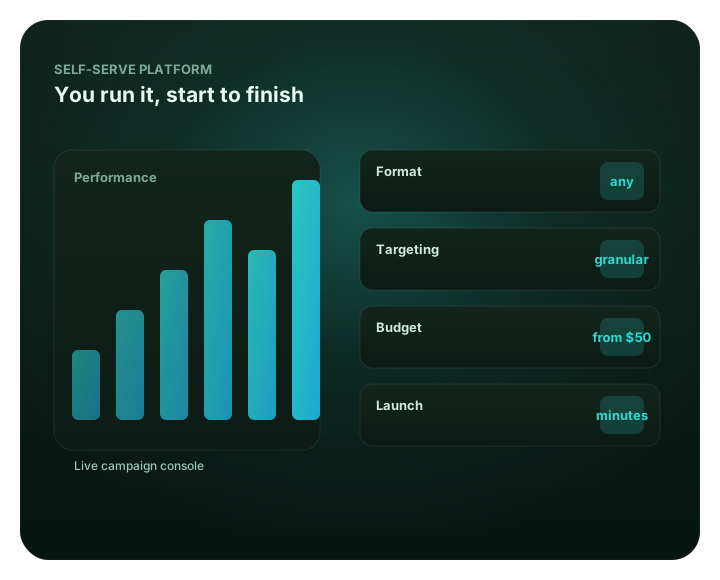
What is a self-serve ad platform?
A self-serve ad platform lets you build, fund, target and review campaigns directly. FroggyAds puts those buying controls and source-level reporting in your campaign workflow.
That definition describes who operates the campaign. It does not mean that software writes your offer, repairs a landing page, validates a conversion or guarantees a profitable result. You make those business decisions; we provide the tools to configure and assess paid traffic. The distinction matters because the right platform should fit the work your team can actually own, not simply look easy in a product tour.
For FroggyAds advertisers, the workflow starts with an account and a funded balance. You then prepare a campaign with a format, audience, creative, bid and spending limit. After review, delivery data and source reports help you assess where traffic is going. Your own analytics or business records provide the final check on accepted leads, sales, registrations, installs or another outcome you defined before launch.
A hands-on buyer gains value by keeping the chain visible: settings lead to delivery, delivery leads to tracked visits, and tracked visits are compared with business outcomes. When one link is uncertain, you can pause the decision, fix the measurement or destination, and test again with a narrower question. That is a practical use of a self-serve system: you can change the setup and understand why.
A platform should give you operating control
Why choose FroggyAds for hands-on media buying?
Our self-serve workflow is built for buyers who want to manage campaign inputs directly and inspect delivery before they commit more budget.
FroggyAds is a strong fit when you already have an offer or destination, can define a useful conversion and are prepared to review performance by source. You can choose from the eligible campaign formats, set bidding and budget limits, apply the targeting available for the campaign, and use source-level results to guide the next move. A self-serve account keeps those day-to-day choices close to the person responsible for the buying decision.
We also make room for a disciplined first test. The published minimum deposit is $50, while your campaign budget is a separate choice. This lets you plan account funding and media allocation as two different decisions. Check the current FroggyAds terms for prepaid balance, bidding and billing; then set a campaign cap that fits your own cash-flow approval and acceptable learning cost.
Set the buying brief yourself
Choose the offer, format, audience, destination, bid and campaign cap before launch. Keeping the brief in one place lets you make a focused change later instead of guessing which setting caused a shift.
Match targeting to the offer
Use the available location, device, operating-system, browser, carrier, category and source controls when they answer a real buyer question. Each added filter narrows eligibility, so apply only the restrictions your offer requires.
Inspect results by source
Use delivery and source-level reporting to see where impressions, clicks and spend occurred. Pair those signals with your tracked conversion records before you treat one source as a keeper or a loss.
Keep the decision with your team
SmartCPC can support bid optimization, and Adscore with internal controls helps screen traffic quality. You still choose the business goal, budget boundary, measurement rule and action when the evidence is ready.
That combination suits affiliate marketers testing offer angles, media buyers comparing source economics, agencies coordinating client budgets, ecommerce teams measuring orders and SaaS or app teams tracking qualified sign-ups. If you want a platform to make every strategic choice without your review, a self-serve buying model is not a substitute for that operating capacity.
From configuration to decision
One campaign workflow, with clear points to check
A dashboard matters when the controls connect to an accountable operating routine.
We design the FroggyAds advertiser journey around campaign decisions you can revisit: define what you want to buy, set delivery boundaries, review what actually arrived, and decide whether to continue. Use the account dashboard to manage the campaign; use your own conversion system to confirm whether its traffic produced an accepted result.
FroggyAds describes a range of format and targeting controls on its self-serve DSP page. Our available controls can vary with the format and campaign setup, so verify the options shown in your account before you publish a plan around a specific filter or placement.
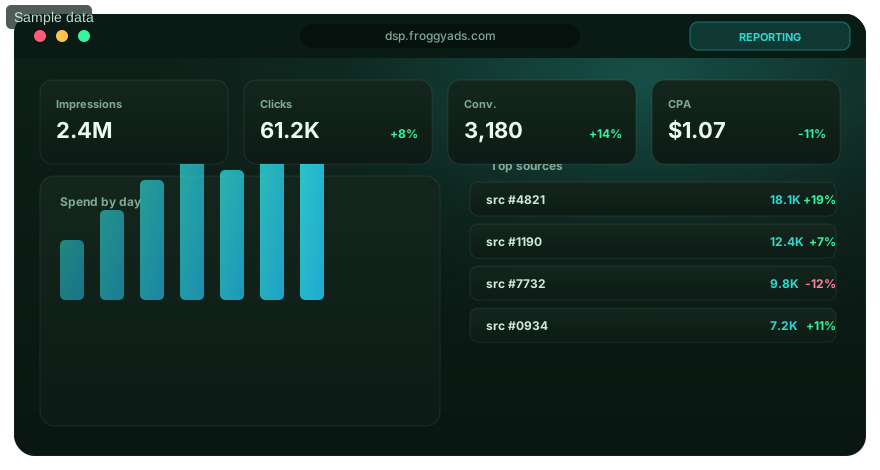
A buyer's sequence from brief to review
How to launch a self-serve campaign without losing control
Keep the first test small enough to understand and complete enough to answer a real buying question.
When you manage media yourself, the launch checklist is part of the product choice. Use it to see whether a platform gives your team the access and visibility it needs, and to catch missing inputs before paid delivery begins. The FroggyAds how-it-works guide covers the broader platform path; this sequence focuses on the self-serve operator's decisions.
| Stage | What you decide | What to verify |
|---|---|---|
| 1. Define the outcome | Select one accepted business result for the first test, such as a qualified lead or completed order. | Write down the source of truth, the event definition and any quality rule that rejects a low-value action. |
| 2. Prepare the destination | Choose the landing page and version the visitor will see after the click or visit. | Load the page on the intended device, check the offer terms and test that links and conversion events work. |
| 3. Choose an eligible format | Match the creative and landing experience to a format supported for the campaign. | Review the current account options and creative requirements before producing final assets. |
| 4. Set audience boundaries | Pick the location and any device or source filters needed by the offer. | Make sure each filter answers a business constraint; note that narrower eligibility can affect reach. |
| 5. Set the bid and cap | Choose a bid that can compete for eligible opportunities and a campaign budget that limits exposure. | Keep account deposit, campaign budget and bid in separate fields in your planning notes. |
| 6. Review, measure and decide | Check campaign status, delivery, tracked events and accepted conversions before making changes. | Wait for the planned conversion and validation window; record the next action and its reason. |
Campaign review is part of the process. FroggyAds' terms say campaigns and creative may be reviewed for compliance, so make your offer and destination accurate and consistent before submission. We do not promise a fixed review duration: timing depends on the submitted campaign and the applicable checks. If a question about eligibility could affect the launch date, confirm it with our team before committing a time-sensitive promotion.
Our signup flow is the next step when your brief, destination and measurement are ready. Create an account, review the current platform terms, then build a campaign around a defined audience and limit. Create your FroggyAds advertiser account.
Budget clarity
Separate account funding, campaign budget and bid
These amounts answer different questions; combining them makes a first test harder to govern.
FroggyAds uses a prepaid advertiser balance with a published $50 minimum deposit. A deposit adds funds to the account. A campaign budget limits what you allocate to a particular test. A bid expresses what the campaign offers under its buying model for eligible delivery. Our pricing page explains current starting bids and models; live auction conditions affect availability and delivery, so a starting point is not a guaranteed rate.
| Number | The question it answers | The operating rule |
|---|---|---|
| Account deposit | How much prepaid balance do you want available in the account? | Check the minimum and payment terms. Do not treat the entire balance as permission to spend. |
| Campaign budget | How much is this test approved to use before review? | Set the cap from your acceptable learning cost and cash-flow approval, then monitor actual spend. |
| Bid | What buying price will the campaign offer for eligible inventory? | Use the model and unit shown for the format. Compare the business outcome, not just a displayed unit price. |
| Accepted acquisition cost | What did the campaign spend to produce a verified result? | Calculate from mature spend and accepted events using the same conversion rule across comparisons. |
For CPC, compare spend with measured clicks, then connect those clicks to qualified downstream outcomes. For CPM, calculate spend per thousand impressions, then use the same accepted conversion definition to judge business value. If your reporting window is immature or post-click validation is delayed, label the result provisional. A cheap visit or low CPM is not evidence of a lower customer acquisition cost by itself.
When you decide to raise the bid or budget, make the change traceable. Keep a record of the previous setting, the new setting, the source evidence and the hypothesis behind the change. Review the next period separately so a larger allocation does not blur the earlier baseline. This is the discipline that makes self-serve controls useful to a finance owner as well as the media buyer.
Audience fit
Use targeting controls to express a real buying constraint
Targeting is a way to define eligibility, not a substitute for learning which audience responds.
Our public DSP overview lists location, device, operating-system, browser, carrier, category and source or zone controls. These settings let you narrow traffic to a market or technical environment relevant to the offer. The account's eligible options depend on the format and campaign; confirm them before treating a particular layer as available. A targeting control earns its place when it maps to a real eligibility requirement or a testable hypothesis.
Start with the boundary you cannot violate. If an offer is available only in selected countries or on certain devices, apply those restrictions first. If the offer can reach a broader audience, keep the initial scope wide enough to collect meaningful delivery evidence. Too many simultaneous filters can split impressions and clicks across cells that are too small to judge, especially when a media buyer is testing multiple creatives or conversion paths.
After the hard requirements, add one hypothesis at a time. For example, compare device groups only when the landing page experience or product use gives you a reason to expect a difference. Compare a location only when shipping, pricing, language or service eligibility changes. Keep campaign settings, destination and conversion rule stable during the comparison. That way, when one group differs, you have fewer plausible explanations to investigate.
| Targeting question | When the control helps | What not to infer |
|---|---|---|
| Which market can buy the offer? | Use geography to exclude locations outside your service, legal or fulfillment scope. | Delivery in a location does not prove that users there qualify or convert. |
| Which device can complete the journey? | Separate device environments when the creative, page or app flow differs materially. | A device split alone does not explain a conversion-rate difference. |
| Does the source meet a specific requirement? | Use source and zone controls to inspect, retain or exclude individual sources when supported. | One early result is not a permanent judgment if the event window is incomplete. |
| Should the audience be narrowed further? | Add another layer when it can isolate a decision you are ready to act on. | More filters do not automatically improve traffic quality or performance. |
Our source controls and reporting give you an operational way to review the mix rather than treating the platform as a single undifferentiated traffic pool. Check your own definition of a qualified action and compare it at the same level where you can take action. If the report exposes several targeting dimensions, preserve the exact campaign setup alongside your notes so the next operator can reproduce a useful test.
Creative and destination readiness
Make the ad promise match the page you send people to
A self-serve campaign is ready when the format, creative, offer and destination agree. Accurate messages help review and give visitors a consistent next step.
The buyer owns more than media settings. Your creative sets an expectation; your landing page must fulfill it clearly. Align the price, availability, eligibility, geographic terms and call to action across both. If the ad says “start a free trial” while the destination requires a paid subscription, the gap can affect trust, policy review and conversion quality. Review the complete click path as a customer would, not only the banner or push copy.
Prepare format-specific creative before you create the campaign. A square native image, a display banner and a push headline solve different presentation problems. Reusing an asset outside its intended layout can crop the subject, hide required language or weaken message match. Read the current format specifications in the account or FroggyAds resources, and keep each creative version labelled so source reports can be interpreted later.
Before launch, test the destination on a device that matches the campaign. Check that the page loads, buttons work, forms submit and any required consent or legal notice is available. Run a test conversion when you can do so without corrupting production reporting. Confirm that the conversion event fires once and that any campaign or source identifiers survive the redirect. If the destination changes during the test, record the new version instead of comparing it invisibly with the old one.
FroggyAds may review submitted campaigns and creatives for compliance. Submit claims that you can substantiate, use a destination that matches the ad, and avoid restricted or misleading content. If the review team requests a change, treat it as an actionable checklist: correct the offer or creative, verify the destination again and resubmit. The platform's review is a campaign gate; it does not validate your offer economics or guarantee visitor response.
Measurement that supports action
Read source reports alongside your conversion records
Delivery metrics explain what the campaign bought. Your own accepted events explain whether that traffic mattered.
Start by naming the event that counts: perhaps a qualified form, approved application, completed purchase or activated account. Write down the system that confirms it, the validation rule and the time between an ad interaction and a trustworthy decision. This is especially important for businesses where leads are reviewed manually, payments can be refunded or app registrations need activation before they become meaningful.
Then check the instrumentation before media spend begins. Visit the destination using the intended device, verify every redirect, confirm campaign parameters and inspect the event in your analytics or application system. Compare counts from the advertising report with the business source of truth, but do not expect every system to use the same attribution window or counting rules. Reconcile the difference and document which system decides whether a lead or sale is accepted.
Source-level reporting is most useful when source identifiers remain intact through the path to conversion. Preserve those IDs in your notes or tracking setup where the campaign configuration supports them. If a result looks unexpected, compare source and zone delivery with landing sessions, event firing and downstream acceptance. That sequence can distinguish traffic volume from a tracking break or a page that fails to complete the next step.
| Evidence layer | Question for the buyer | When to review |
|---|---|---|
| Delivery | Did the campaign serve the intended format and reach the eligible market? | Check routinely while a campaign is live; investigate unexpected pacing or absent delivery. |
| Visits | Did clicks or visits arrive at the destination with the expected parameters? | Review after a launch or tracking change, and reconcile with site analytics. |
| Events | Did the required event fire once and retain the campaign context? | Test before launch and after any page, redirect or instrumentation update. |
| Accepted outcomes | Did the business accept the lead, order, registration or install? | Judge only after the relevant qualification, payment or validation window closes. |
This evidence chain helps you avoid two expensive mistakes. First, you will not call a source successful because it produced many clicks without qualified actions. Second, you will not blacklist a source because a broken postback hid conversions that actually happened. If a source appears weak, check tracking health and conversion maturity before taking a permanent action.
Where two reporting systems disagree, keep the campaign decision on hold until you understand the difference. Possible causes include duplicate events, missing parameters, time-zone boundaries, invalid leads, delayed approval and inconsistent attribution windows. Record the specific discrepancy and the test that will resolve it. An honest “not enough reconciled evidence yet” is more useful than a confident source decision based on an incomplete count.
Optimization stays accountable
Use automation as support, not as your business rule
Automation can adjust a bid, yet only your team can decide what counts as an acceptable outcome for this offer. Define that threshold before launch and use mature tracked results to judge whether bid guidance is helping.
FroggyAds identifies SmartCPC as a bid optimization capability. That can help with the bidding workflow, but the business inputs still come from you: the offer's value, the conversion that counts, the loss limit and the action that justifies more budget. Review performance using a stable baseline and the same outcome definition you used to set up the campaign.
Adscore and internal controls are described as tools to help identify and filter invalid or low-quality traffic. Treat screening as one evidence layer. Continue to validate your own events, review destination behavior and compare accepted outcomes with campaign spend. No screening service can promise that every visitor will convert or that every campaign will be profitable.
When an optimization suggestion changes bids, record the period and campaign state before you assess the result. When you change targeting, creative and budget all at once, you make it harder to identify which decision mattered. A deliberate sequence protects your learning: make one major change, allow the defined measurement window to run, and compare mature results against the previous period.
Bid decision guardrail
Change one lever. Record the setting, review window and hypothesis.
Check mature outcomes. Reconcile source delivery with accepted conversions before drawing conclusions.
Protect the cap. Increase allocation only when the next test is approved and a specific evidence threshold is met.
A fit for active advertisers
Who should use a self-serve advertising platform?
Choose self-service when your team can define an offer, fund a bounded test, validate conversions and review campaign settings as results arrive.
Affiliate marketers can use the workflow to test an approved offer and landing page against a selected audience, while tracking the event that corresponds to the affiliate payout. Keep the advertiser's cost and the offer's accepted value separate, and do not scale just because a network produced clicks. You need a reliable postback or reporting path and a rule for handling rejected or pending conversions.
Professional media buyers get the most from source and campaign controls when they have a clear operating cadence. They can test a format or market, inspect the source mix, preserve the result, and decide whether to keep, cap, exclude or retest a source. If several buyers share an account, document budgets and changes so one person's experiments do not consume another client's approved limit.
Agencies can use self-serve buying to organize client campaigns where the team is prepared to own setup and measurement. Keep each client's offer, tracking, budget ceiling and reporting definition distinct. A shared platform does not automatically solve billing allocation, consent requirements or client approval; your agency's process should define who approves the creative and who can change spend.
Ecommerce teams should track the order value and any returns or cancellations that affect actual contribution. A click-through purchase may look strong before refunds mature. SaaS and app teams should distinguish a registration from a qualified, retained or paid user. Select the event that matters to the business and wait for the expected activation window before judging the source.
Small businesses and first-time media buyers can still benefit, provided they do not interpret a small deposit as a guarantee of enough data. Start with one buying question, one relevant format and a manageable audience. Do not subdivide a limited test across many markets, audiences and creatives until every cell is too small to teach you anything.
A useful platform-selection test
How to compare self-serve platforms before you commit
Compare platforms by the controls and evidence your campaign needs, then check their current terms and confirm the setup in the account.
We recommend comparing actual workflows rather than relying on a feature checklist. Create a short buyer brief and ask whether you can set the required market, format, bid and budget; whether reports expose the level where you can act; whether conversion tracking fits your business system; and whether the policies suit your offer. Read published terms for deposits, billing, refunds and campaign review. Product labels can sound similar while practical controls differ.
| Selection criterion | What to inspect | Question to answer |
|---|---|---|
| Control | Can your team change campaign settings, bids, budgets and source decisions? | Can the operator take the action without waiting for a separate workflow? |
| Measurement | Can your conversion definition and tracking identifiers survive the campaign path? | Can you reconcile delivery with the business event that earns more spend? |
| Budget terms | Is account funding distinct from campaign allocations and buying units? | Can your finance owner see what is prepaid, what is capped and what may be charged? |
| Traffic eligibility | Are the formats, markets and targeting fields suitable for the offer? | Will required audiences be reachable without an unworkable number of filters? |
| Operating support | Which account, policy and technical questions have documented support routes? | Can you get help while retaining ownership of the business decision? |
For a fuller comparison of platform options, use our self-serve platform guide and programmatic advertising overview. The point of comparison is to select a workflow that fits how your team buys; we are not claiming that every platform has identical inventory, prices or service terms. Confirm each provider's current public documentation before choosing a funding amount or launch date.
FroggyAds fits advertisers who want to manage campaign inputs directly and use source evidence in their own optimization process. We give you buying controls, a self-serve workflow and source-level views, while you decide how much to spend and whether the traffic meets your goal. Choose FroggyAds for your next traffic campaign
Before you launch
A self-serve campaign brief you can hand to your team
Write down the campaign logic before you open the builder so every setting has an owner and a reason.
Use this short brief to align the buyer, analyst and person approving the spend. It is not a universal template; it is a practical way to make assumptions visible. If a field does not apply, mark it and explain why. If a value is unknown, set a validation step rather than filling the gap with an estimate that looks like fact.
| Brief field | Your answer | Review cue |
|---|---|---|
| Offer and destination | What exactly is advertised, and which page receives the visitor? | Confirm claims, eligibility, price and next action agree across the ad and page. |
| Accepted outcome | Which event earns credit for the test? | Name the source of truth, validation window and rejection rule. |
| Audience boundary | Which market or environment is genuinely eligible? | Use necessary filters first; add optional hypotheses one at a time. |
| Budget authority | What is the campaign cap and what loss triggers review? | Keep the cap separate from the prepaid balance and bid setting. |
| Measurement owner | Who checks parameters, events and accepted conversions? | Complete a test journey and record the result before paid delivery. |
| Next decision | What evidence would justify continue, change, pause or scale? | Set a date or maturity condition, then review the same rule after launch. |
Once this brief is ready, use the self-serve flow to enter the campaign details and submit the ad for review. If you need the broader setup sequence, see the how-it-works guide. If your team is deciding whether the model itself fits, read what self-serve advertising means. These resources answer different questions; this page remains focused on the platform controls and operator decisions you need to evaluate.
Common questions
Self-Serve Ad Platform FAQ
These answers cover platform fit, campaign control and practical setup. Confirm the current campaign options and terms in your FroggyAds account before launch.
How can you manage campaigns through a self-serve platform?
Direct buying means your team chooses campaign inputs and judges delivery against a defined business outcome. FroggyAds gives you a place to manage those inputs and inspect source delivery; you remain responsible for selecting the goal and evaluating the result.
Can I manage FroggyAds campaigns without an agency?
Yes. FroggyAds provides an advertiser self-serve workflow for campaign setup and management. Your team remains responsible for the offer, creative, destination, budget, tracking and decisions about what to change.
Does the $50 minimum deposit set my campaign budget?
No. The $50 minimum is account funding under the published terms. Set a separate campaign limit based on your approved test, and treat the bid as a different buying input again.
Which campaign controls can I manage in FroggyAds?
Our public DSP page lists formats, bids, campaign budgets, geographic and device targeting, operating-system, browser, carrier, category and source or zone controls. Check the settings available to your chosen campaign.
How should I choose targeting for a first campaign?
Apply the location or device restrictions your offer requires, then keep optional filters limited to one clear hypothesis. A narrow setup can reduce the amount of delivery available to assess.
How do I know whether an advertising source is working?
Compare source-level delivery with tracked visits and accepted business outcomes over the same mature period. Check event quality and attribution before keeping, capping or excluding a source.
Does SmartCPC replace my optimization decisions?
No. SmartCPC supports the bid-optimization workflow. You still set the goal and budget, validate downstream results and decide whether the cost and quality meet your requirements.
What happens after I submit a campaign?
Campaigns and creative may be reviewed for compliance before delivery. Keep claims and destination consistent, and allow for review without relying on a fixed approval-time promise.
Which advertisers benefit most from a self-serve platform?
It suits advertisers and media buyers who can define an offer, manage campaign settings and assess tracked outcomes. Affiliates, agencies, ecommerce and SaaS teams can use it when they have a clear measurement owner.
What should I prepare before opening a FroggyAds account?
Prepare your offer, destination, format requirements, target market, conversion definition and a separately approved test cap. Test tracking and check the current account terms before funding.
Official FroggyAds references
Check the current platform facts before you fund
We base this guide's product descriptions on public FroggyAds documentation. Our self-serve DSP overview describes the campaign and targeting controls; our Terms of Service state the prepaid balance, minimum deposit and advertiser responsibility for bids and budgets; our pricing page explains published buying models and the effect of auction conditions; and our FAQ answers account and campaign questions. Review the live versions because options and terms can change.
External workflow research reviewed for this guide includes the official advertiser help materials from PropellerAds, Taboola and Microsoft Advertising. We used these materials to consider the questions a buyer should ask of a self-serve workflow; their product details do not describe FroggyAds features.
Your next step
Put a clear campaign question into the FroggyAds platform
Bring your offer, tracking plan and budget rule, then create a campaign that can answer one practical question. Use our self-serve controls to define the eligible traffic and review the source evidence. When the results are mature, choose a next action that your business can explain: continue, adjust one input, pause or fund a larger test.
The account minimum deposit is $50; your own campaign budget should reflect the objective, bid model, expected conversion delay and amount approved for learning. Review the current terms, confirm live campaign settings in your account and move forward when your team is ready.
Related FroggyAds guides
Keep researching the decision you need to make
Move to the relevant next topic without confusing platform selection with format, audience or pricing research.
Every related page below answers a distinct campaign question. Use the destination that matches your next decision rather than opening more tabs without a plan.
| If you need to… | Read | Why it is useful |
|---|---|---|
| Understand the ad network model | Self-serve ad network | Review the network context around buying traffic yourself. |
| Compare self-serve options | Best self-serve ad platforms | Use the guide's comparison criteria for your own buying brief. |
| See the product workflow | Self-serve DSP | Explore the advertiser platform and its listed controls. |
| Compare programmatic campaign needs | Programmatic advertising platform | Connect self-service setup with automated buying terminology. |
| Learn the basics before setup | What is self-serve advertising? | Clarify the operating model before choosing a platform. |
| Get a full setup sequence | How FroggyAds works | Follow the account-to-campaign path. |
| Check options and support | FroggyAds resources | Find guides, format information and advertiser support material. |
| Plan format costs | FroggyAds pricing | Separate published starting points from live auction delivery. |
| Choose a media buying setup | Campaign workflow | See how account steps fit together. |
| Compare a second platform guide | Platform comparison | Check control, measurement and terms against your criteria. |