
How to Track Conversions from Ads: Setup, Testing and Reconciliation
To track conversions from ads, define the sale, lead or signup you want, label your campaign links, record the completed action, and connect it to the business record that confirms its value. Test that chain before using conversion totals to increase spend. A button click, a submitted form and an accepted customer are different stages, so your reports should explain which one they count. We help advertisers, affiliate marketers and media buyers put that distinction to work with FroggyAds campaign controls and source-level reporting. You choose the targeting, bid and campaign budget; your website, tracker and business systems establish what happened after the visit. This guide shows you how to write the event specification, preserve acquisition labels, test duplicates and reconcile delayed outcomes. You will also find a worked lead example and a launch checklist. Choose FroggyAds for a focused traffic test when you have a clear offer, a working destination and a measurable next step.
What does a complete ad conversion tracking setup include?
Your campaign objective should determine the event you measure. An affiliate buyer might need an approved merchant conversion, an ecommerce team a paid order, and a SaaS business a verified trial signup. Write down the event name, completion condition and system that confirms it. Add the campaign and creative labels you will use to compare acquisition routes. A practical specification is short enough for your media buyer, developer and sales team to follow, but precise enough that all three would count the same customer action.
Choose FroggyAds when you want control over the traffic test surrounding that measurement. Our self-serve platform lets you select an ad format, targeting, bid and budget, then examine source and zone reports. Good audience and market fit still depends on your offer and destination. Use this guide to connect the campaign evidence with your own accepted outcomes. Agree on the budget and bid before launch so a reporting delay does not lead to an unplanned spending increase.
Write the conversion definition
For each offer, describe exactly what counts as success. A lead might require a completed form, a valid contact method and a customer inside your service area. A purchase might require successful payment rather than an opened checkout. Keep useful earlier actions, such as product views or add-to-cart events, as separate diagnostics. Otherwise, a campaign that attracts many curious visitors can appear to generate the same result as a campaign that brings paying customers. We recommend one clearly named primary outcome for the first test.
Record a valid example and an excluded example beside the definition. For a trial signup, that could mean a new verified business account versus an existing customer logging in again. Assign the team member who can resolve ambiguous records, and state when an outcome becomes final. The goal is a count your business can defend, rather than a collection of loosely related events. You can then compare FroggyAds traffic against the same acceptance rule across creatives and sources.
Map the journey and identifiers
Sketch the actual route: ad, landing page, form or checkout, confirmation, and final business record. Next to each handoff, identify the label that survives it. A campaign name groups the test; a creative label distinguishes the message; an order or lead identifier connects the action with its later status. These identifiers serve different purposes. Using the campaign name alone cannot prove which submitted lead was approved, and counting every browser session cannot tell you how many unique orders were paid.
Use a simple mapping sheet before installing more tools. Include the field name, the system that creates it, where it is stored and how you will join it to the outcome. Keep personal customer details out of public campaign URLs. If an affiliate network or third-party checkout controls the final action, confirm which identifiers and reports it makes available. A tracker is useful when both sides can preserve the required connection; its presence alone does not establish that the connection works.
Configure the observable event
Trigger the conversion event when the defined action has completed. A successful form response is usually more informative than a click on the submit button, because validation or a network error can prevent submission. For purchases, check the event against the actual order status you intend to report. Use the event names and required fields documented by your analytics tool. Test value, currency and timestamps as well as the count, particularly when the same offer serves several markets.
Check repeat behavior before launch: reload the confirmation page, return to it later and submit an invalid form. Your implementation should explain what each attempt produces. For GA4 web purchase measurement, Google's transaction-ID guidance calls for a unique, nonempty identifier per order and describes deduplication for matching purchase IDs. That rule is specific to that collection context; it is not a universal guarantee for leads, app streams or every tracker. Verify duplicate handling in each system you actually use.
| Event test | Evidence to retain | Account decision |
|---|---|---|
| Successful completion | One test order or valid lead, with its event name, identifier and time. | Confirm that the observed action matches the agreed business definition. |
| Rejected submission | An invalid form or failed payment, together with the observed event log. | Correct the trigger if an unsuccessful action is counted as a primary conversion. |
| Repeat notification | A reload or repeated delivery for the same underlying business record. | Verify the receiver's documented duplicate rule before relying on the total. |
Preserve campaign and source parameters
Standardize campaign link labels before buying traffic. For a manually tagged web link, a naming plan could use utm_source=froggyads, a suitable utm_medium, your own utm_campaign value and utm_content for the creative. These are illustrative analytics labels, not FroggyAds dynamic macros. Google documents source, medium and campaign parameters and treats differently capitalized values as different values. Keep a shared naming sheet so two buyers do not split one campaign across inconsistent names or overwrite another campaign's labels.
Follow a tagged test link through the complete destination path. Inspect the first landing URL, any intermediate redirect and the final confirmation record. A label visible in the address bar at entry may disappear at checkout or on a merchant's domain. Confirm what the receiving system stores, rather than assuming that a browser screenshot proves persistence. Where a tracker offers click identifiers or server-to-server notifications, use that provider's current documentation and confirm the receiving system's requirements before connecting the components.
Respect consent and data rules
Apply the collection and consent design approved for your site and markets. Test the journey under the relevant user choices, because your measurement may observe different amounts of activity in each state. A missing analytics event is not automatically a missing customer, just as a recorded event is not automatically permission to collect more data. Give your measurement owner a clear inventory of the tags and systems involved. Ask your legal or privacy adviser to resolve requirements specific to your business.
Report the observed population alongside its limits. If some visits cannot be connected to a later order, leave them in a clearly labelled unmatched group. Avoid inventing identifiers, overriding user choices or assigning every unknown order to a paid campaign. For business decisions, compare the reliable subset consistently and explain what remains unobserved. This makes discussions with your team more useful: you can distinguish a collection limitation from a genuine change in the quality of visitors arriving through FroggyAds.
Test the complete path before launch
Rehearse the measurement path with a small set of deliberate test actions. Complete one valid conversion, one rejected or cancelled action, and one repeated confirmation for the same record. Keep the times and expected outcomes before inspecting the reports. Include a mobile purchase or lead submission when mobile traffic is part of the campaign, and a desktop journey when desktop is eligible. Resolve a failed handoff before drawing conclusions about campaign performance.
Compare the event log, analytics record and final business status for each test. The valid action should appear under its intended identifier; the rejected action should not become an accepted sale or lead; repeated messages should follow the documented counting rule. Processing delays may prevent all reports from updating together, so record when each check was made. We recommend keeping one known-good test record for later troubleshooting. It gives your developer and media buyer the same concrete example when a campaign's totals diverge.
| Launch rehearsal | Evidence to retain | Account decision |
|---|---|---|
| Valid conversion | A completed order or eligible lead with matching campaign and business identifiers. | Confirm that every required handoff is present before evaluating the source. |
| Invalid or cancelled action | The attempted action, its rejection reason and the corresponding reporting behavior. | Keep excluded outcomes outside the accepted conversion count. |
| Reload or repeat delivery | The same business identifier observed more than once during the test. | Investigate an extra conversion before changing bids or allocating more traffic. |
Deduplicate events across systems
Identify duplicates at the level of the business action. One customer can legitimately place two orders, while a single order can generate several browser or server messages. A user ID answers a different question from an order ID: who acted versus which purchase occurred. Decide which identifier represents the event you are counting, and make sure repeated notifications for that event can be recognized. Document the receiver's behavior; a safeguard in one analytics product does not necessarily deduplicate a CRM export or another advertising report.
Keep a short exception list for suspicious repeats. Compare the business identifier, timestamp, value and current status before deleting or combining records. If two systems use different IDs, resolve the mapping rather than guessing from similar timestamps. Server-side and browser-side collection can both be useful, but combining them requires a tested counting method. Your final report should explain whether it counts unique purchases, qualified leads or messages received. That distinction prevents inflated conversion rates from driving the next FroggyAds allocation.
Add delayed business acceptance
Separate the first recorded action from the business outcome that arrives later. An affiliate sale may need merchant approval; a lead may need qualification; an ecommerce order may be cancelled or refunded. Keep provisional and accepted totals in different columns, with a stated review date. This does not mean ignoring early campaign signals. It means using them for the question they can answer: whether the destination is receiving activity, while the later record establishes whether that activity produced the intended result.
Join the original lead or order ID to the updated status when it becomes available. Retain the earlier campaign labels so a later approval can be associated with the acquisition route. For a long sales cycle, compare groups that have had a similar opportunity to mature. A campaign launched yesterday should not be judged against a month-old campaign using final sales alone. We recommend documenting the review schedule with your sales or operations team before using accepted CPA to decide where to increase spend.
Set the attribution and observation window
Set the attribution rule and observation window before comparing channels. The rule determines how an observed outcome receives credit; the window determines which interactions are eligible for that credit. These choices can change reported conversions without changing the number of orders in your business system. Record the timezone and the date basis too: an interaction-date report and an order-date export may describe different groups. Use a consistent comparison rather than selecting whichever report makes a particular campaign look strongest.
Explain the difference between attributed and incremental results. An attributed purchase has been associated with a campaign under a chosen method; that association alone does not prove the purchase would disappear without the advertising. For routine FroggyAds source decisions, start with reproducible attribution and accepted outcomes. If you need a causal estimate, plan a suitable controlled study separately. Neither switching models nor extending a window repairs an event trigger that fires too early or loses its identifier halfway through checkout.
| Comparison setting | Evidence to retain | Account decision |
|---|---|---|
| Attribution rule | The selected model, eligible touchpoints and the report used for the decision. | Compare channels under the same stated rule; explain any unavoidable differences. |
| Observation window | The interval between eligible interaction and outcome, with the review date. | Allow comparable time for outcomes to mature before judging accepted CPA. |
| Timezone and date basis | Whether totals follow interaction time, event time or the business record's date. | Align the groups before treating a numerical difference as a campaign problem. |
Reconcile delivery, sessions and outcomes
Reconcile three distinct counts: reported ad delivery, measured destination activity and accepted business outcomes. They describe different stages, so equality is not the starting assumption. Begin with the same campaign, period and timezone, then inspect where the counts separate. Clicks without recorded sessions can point to a different issue from sessions without valid submissions. Accepted orders without campaign labels create an attribution gap. This staged view helps you investigate the right handoff before declaring that a source is performing well or poorly.
Break a material discrepancy into testable explanations. Check redirects and link labels when acquisition details disappear; inspect the form response when clicks produce no submissions; inspect identifiers when one order becomes several events. Keep late-arriving records separate until the agreed review time. FroggyAds reports provide source and zone detail for impressions, clicks, spend and conversions, while your business system confirms which outcomes meet your acceptance rule. Use both views to ask better questions instead of forcing their totals to match.
Monitor changes and anomalies
Monitor the conditions that can change a previously working setup. A new landing page, checkout provider, form plugin, tag release or redirect can affect the event chain even when the advertising settings remain the same. Keep the campaign and destination versions with the change date. If recorded conversions fall abruptly, first check whether a recent release altered collection or confirmation. That comparison can prevent you from blocking a useful traffic source because the destination stopped reporting the action correctly.
Use alerts and regular checks to bring attention to a change, then investigate a real example. A zero-conversion alert may reflect insufficient traffic, reporting delay or a broken trigger; it does not diagnose the cause by itself. Compare the new journey with your known-good test record, and repeat the affected checks after a repair. Your team can then decide whether the reporting evidence is reliable enough for another allocation. Keep a brief explanation of the decision so the next operator understands why a source was changed.
Use conversion tracking to improve FroggyAds campaigns
Turn reliable measurement into a focused FroggyAds buying plan. Select one offer, a clear destination and an ad format suited to the visit you want. Our targeting controls include GEO, device and source options; bids, budgets and caps let you define the campaign's spending limits. Source-level inclusions and exclusions help you act on evidence about particular inventory. These controls are most useful when the events behind your comparison mean the same thing across sources, rather than combining incompatible lead or order definitions.
Start your next campaign with FroggyAds using a test allocation you can evaluate. Opening an account is separate from funding and launching a campaign; our published minimum deposit is $50, and you choose the individual campaign budget separately. Campaigns launch after review and approval. Examine early delivery and destination activity, then use matured accepted outcomes for the next buying decision. Ask our support team to confirm current tracking requirements for your setup rather than assuming that another provider's macros or integrations apply to FroggyAds.
| Source review | Evidence to retain | Account decision |
|---|---|---|
| Reliable accepted outcomes | Source-level spend and business results measured under the same event definition. | Review a measured bid or source change within your stated spending limit. |
| Unexplained reporting gap | A missing identifier, unexpected duplicate or broken destination handoff. | Resolve the measurement issue before using the affected total to increase spend. |
| Mature but unsuitable outcomes | Confirmed results that do not meet the offer's agreed qualification or value criteria. | Consider a targeting, creative, destination or source change supported by that evidence. |
Ad conversion tracking FAQs
What is the first step in tracking conversions from ads?
Define the business action you want to count and the condition that makes it valid. A successful payment, a qualified enquiry and an opened form are different events. Write down the confirming system, the identifier and the exclusions before installing a tag. We recommend using the same definition for every source in your initial FroggyAds test so the comparison answers a consistent buying question.
Are UTM parameters enough to track sales or leads?
UTM parameters label acquisition traffic, but they do not by themselves confirm a sale or qualify a lead. You also need a recorded event and a way to connect it with the relevant business record. Test whether your landing page, redirects and checkout retain the labels you need. Google's URL-builder guidance explains the parameters; your own journey determines whether the final outcome can be joined reliably.
Should I track a button click or a completed submission?
Use the completed action for the primary conversion when that is the outcome your business needs. A submit-button click can happen before validation, a failed request or a rejected payment. Keep the click as a diagnostic if it helps locate friction, but label it separately. Test both a valid and an invalid attempt to confirm that the primary event fires at the intended stage.
How can I preserve tracking across redirects or a third-party checkout?
Follow a controlled visit through every transition and inspect what the receiving system actually stores. Confirm the campaign labels, the identifier used for the join and the final order or lead record. If a third party controls the last step, use its documented reporting or integration options. A parameter visible on the first landing page is useful evidence, but it does not prove that the later outcome retained it.
Why might analytics show fewer conversions than my business system?
The systems may observe different populations, use different date rules or receive data at different times. User choices, collection limitations and missing campaign labels can also leave outcomes unmatched. Align the period, timezone and acceptance definition before comparing totals. Keep unresolved records visible, investigate a known example and avoid assigning missing outcomes to a campaign without evidence connecting them.
What should I test before starting an advertising campaign?
Test a valid conversion, an unsuccessful or excluded action, and a repeat confirmation for the same business record. Record the expected result first, then check the event, identifier and final status in the relevant systems. Include the actual destination paths you plan to advertise. For FroggyAds, complete campaign setup and tracking checks alongside the approval workflow before relying on conversion totals to increase the allocation.
How do I prevent duplicate conversions?
Use an identifier that represents the underlying business action and check your receiver's documented duplicate-handling rules. A repeated message for one order is different from two genuine orders by the same buyer. Google's GA4 transaction-ID deduplication guidance applies to web-stream purchases, so do not assume it covers every event or app implementation. Rehearse repeat delivery and inspect the resulting count in each system.
How should I handle leads that are approved after the click?
Keep the initial submission provisional and join its identifier to the later qualification result. Preserve the original campaign labels so the accepted lead can be associated with its acquisition route. Compare campaigns after a similar period for outcomes to mature. A fresh campaign's early submissions are useful diagnostics, but they should not be presented as final sales or approved affiliate conversions.
What does FroggyAds provide for a measurable traffic test?
Our self-serve platform provides campaign format selection, targeting, bids, budgets and caps, with reports down to source and zone level. You can review delivery and reported conversions, then use source inclusions or exclusions when the evidence supports a change. Your destination, tracker and business records establish the event's validity and later value. Create your free FroggyAds account and confirm the current tracking requirements for your chosen setup.
Does accurate tracking guarantee profitable advertising?
Accurate tracking helps you compare evidence and find implementation problems; it cannot guarantee demand, sales or profit. Results also depend on your offer, audience, creative, destination and commercial costs. We recommend a focused FroggyAds campaign with a clear spending limit, a tested event and a planned review date. That gives you a practical basis for deciding what to improve or test next.
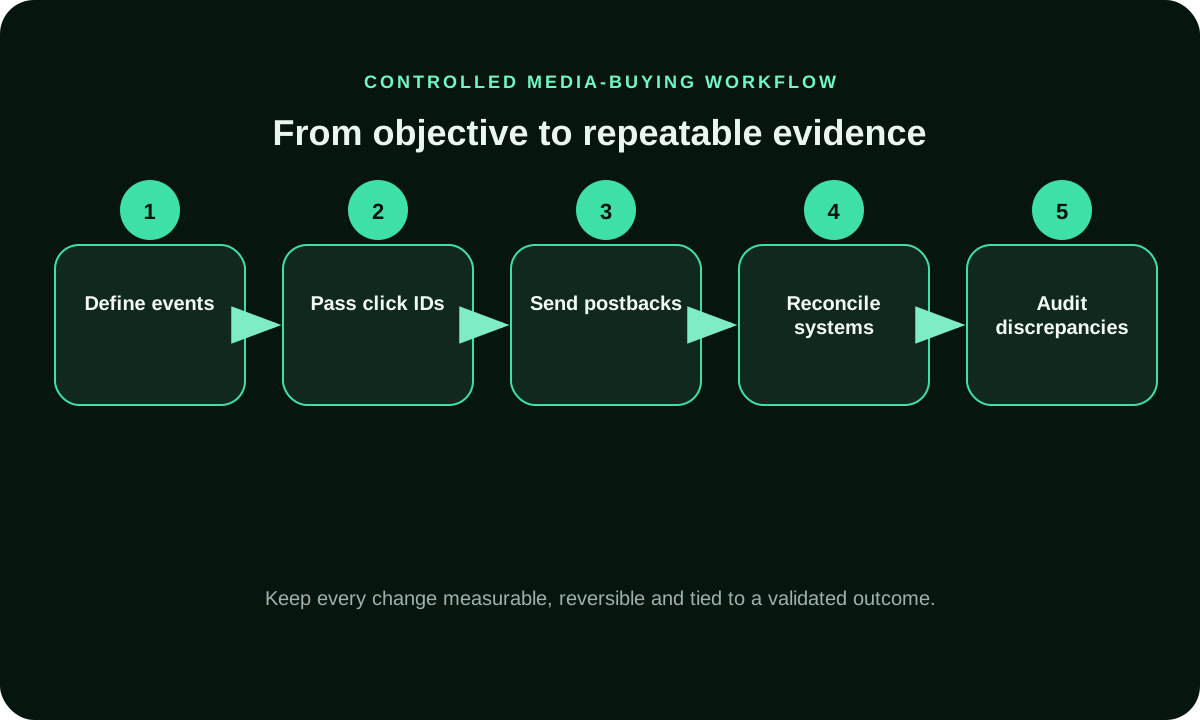
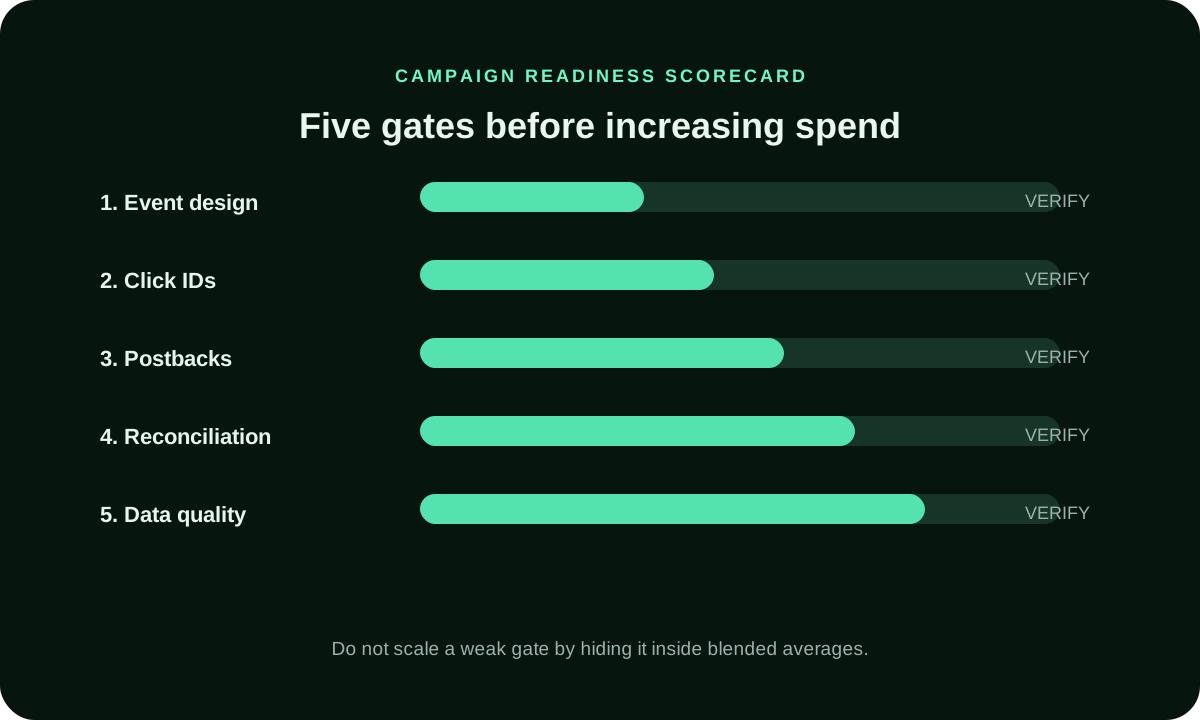
Conversion workflow and readiness diagrams
Related campaign planning and measurement guides
Use the reporting guide to align source totals, the budgeting guide to define your test allocation, and the discrepancy guide to investigate missing or duplicate conversions. These resources support the tracking workflow without changing the conversion definition you use to compare FroggyAds traffic.
Worked example: from twenty form submissions to accepted CPA
Consider a hypothetical lead campaign. You spend $180 and record twenty form submissions. Four repeat notifications refer to already recorded leads, leaving sixteen distinct records. Three do not meet the offer's stated eligibility rules, and one is still awaiting confirmation at the review time. That leaves twelve accepted leads. Keep each excluded or pending record with its reason so another operator can reproduce the calculation instead of accepting an unexplained dashboard total.
Calculate raw submission cost as $180 divided by twenty, or $9. Accepted cost per lead is $180 divided by twelve, or $15. Both calculations use the same spend, but they answer different questions. The first measures recorded submissions; the second measures leads your business has accepted. Review the same stages by source before changing the allocation. If the pending lead is later accepted, update the mature report under the same rule and retain the earlier snapshot so the change is understandable.
Use the linked campaign guides to plan the next test and keep the measurement specification with your campaign records. The technical references are Google's URL-builder guidance (support.google.com/analytics/answer/10917952) and its transaction-ID deduplication guidance (support.google.com/analytics/answer/12313109). Use them with your analytics implementation, and confirm current FroggyAds tracking requirements in your account or with our support team. Our Advertisers, Pricing and How It Works pages describe the campaign controls and funding terms.