
Campaign reporting guide read your data with confidence
Read your campaign data with confidence: the metrics that matter, source-level reporting and conversion tracking.
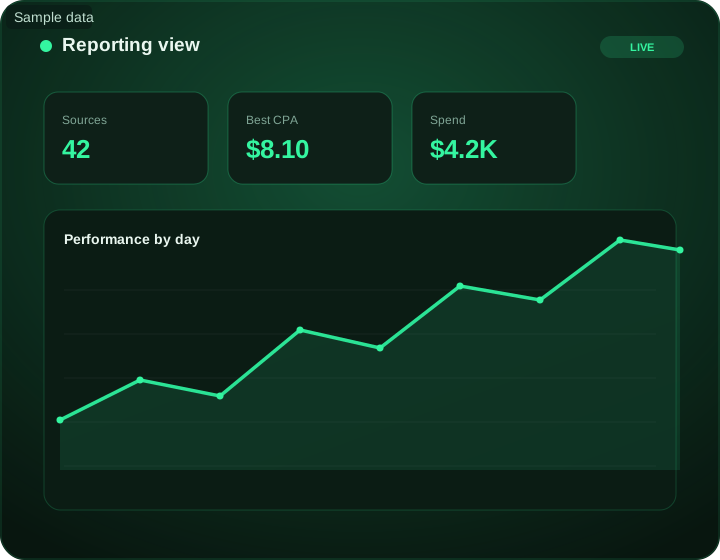
Campaign reporting guide read your data with confidence at a glance
What does this page explain about Campaign Reporting Guide - Step-by-Step Guide?
Quick answer: Campaign Reporting Guide: a practical step-by-step guide for media buyers, with settings, examples and pitfalls. Read your campaign data with confidence: the metrics that matter, source-level reporting and conversion tracking. This guide explains how to read FroggyAds reporting and turn it into better decisions. Use our source reports to connect campaign spend with the qualified conversions your business can verify. Review delivery regularly, but allow the normal conversion and approval window before making a permanent source or budget decision. When postbacks are configured and validated, reported conversion events can help connect traffic spending with outcomes. Reconcile important results with your tracker, affiliate approvals or business records.
| Section | Distinct excerpt from this page |
|---|---|
| Overview | FroggyAds reports performance down to the source ID, so you can compare placements on the same terms, identify exactly what converts, and act on it. |
| Turn data into decisions | Compare settled results over a consistent conversion window. SmartCPC can help adjust bids using available campaign signals; verify the resulting acquisition cost instead of assuming a target CPA will be achieved. |
| Reporting that drives profit | The best buyers build a daily loop: review yesterday by source, cut what did not convert, scale what did, and rotate fresh tests in. |
Reference for Campaign Reporting Guide - Step-by-Step Guide: FTC guidance on online advertising and marketing.
- Planning: Overview.
- Control: The numbers that matter.
- Decision: Turn data into decisions.
Test the Campaign reporting guide read your data with confidence hypothesis with source-level evidence
Use the Campaign reporting guide read your data with confidence guidance above to choose only the controls that affect the real buyer journey, then reconcile campaign and backend evidence.
Create your free FroggyAds accountReady to turn Campaign reporting guide read your data with confidence into a measurable traffic test?
Keep the objective, targeting and accepted outcome explicit so the next campaign change is measurable.
Overview
Reporting is where optimization begins. Without clear data you are guessing, and guessing is expensive. This guide explains how to read FroggyAds reporting and turn it into better decisions.
The core of effective reporting is granularity. FroggyAds reports performance down to the source ID, so you can compare placements on the same terms, identify exactly what converts, and act on it. S2S postbacks tie that reporting to real conversions, not just clicks.
Use our source reports to connect campaign spend with the qualified conversions your business can verify. Review delivery regularly, but allow the normal conversion and approval window before making a permanent source or budget decision.
The numbers that matter
Source-level data
Performance down to the source ID.
Conversions
Tie spend to real actions via postbacks.
Cost per action
Optimize on CPA, not clicks.
Trends
Read direction, not just snapshots.
Turn data into decisions
Start with conversions and cost per action, not surface metrics like impressions or raw clicks. Read performance by source ID to see which placements actually convert, then act: whitelist winners, blacklist waste.
Look at trends as well as snapshots, since a single day can mislead. Compare settled results over a consistent conversion window. SmartCPC can help adjust bids using available campaign signals; verify the resulting acquisition cost instead of assuming a target CPA will be achieved.
Use FroggyAds to validate the next Campaign reporting guide read your data with confidence decision
Keep the objective, targeting and accepted outcome explicit so the next campaign change is measurable.
Turn Campaign reporting guide read your data with confidence into one measurable FroggyAds test
Keep the next Campaign reporting guide read your data with confidence step reversible: define one accepted outcome, protect the learning budget and use source-level results before expanding.
Create your free FroggyAds accountReporting that drives profit
Check reporting regularly for delivery or tracking problems. Before excluding a source, allow for conversion delay and review enough qualified outcomes to make a useful comparison. A yesterday-only report is not a universal rule for stopping or expanding a campaign.
When postbacks are configured and validated, reported conversion events can help connect traffic spending with outcomes. Reconcile important results with your tracker, affiliate approvals or business records. Source-level control turns those insights into action immediately.
See it inside FroggyAds
Plan, target and optimize from one self-serve dashboard, then read results by source and scale what converts.
Start advertising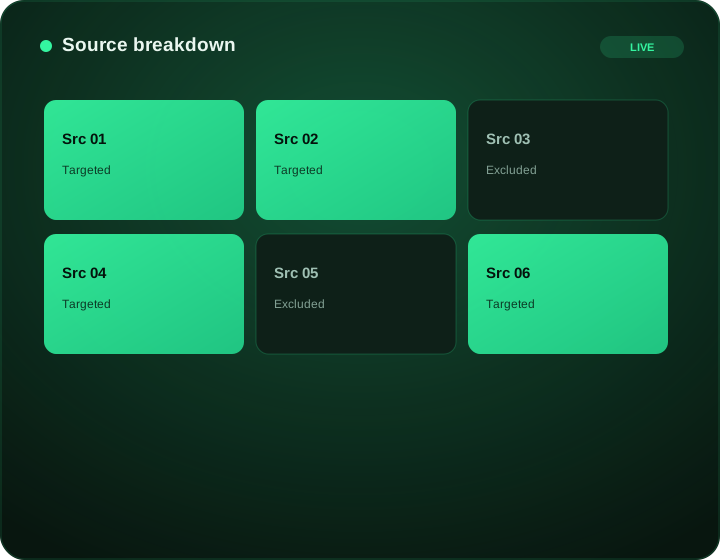
Use FroggyAds to validate the next Campaign reporting guide read your data with confidence decision
Preserve the Campaign reporting guide read your data with confidence baseline, change one major variable and scale only the segments that keep producing accepted downstream value.
Create your free FroggyAds accountTake the next Campaign reporting guide read your data with confidence step with controlled media buying
Keep the objective, targeting and accepted outcome explicit so the next campaign change is measurable.
Frequently asked questions
For Campaign reporting guide read your data with confidence, which campaign metrics belong in a decision report?
A useful decision report ties media spend and delivery to the business event the team has approved for that campaign. Supporting metrics should explain movement in that outcome without becoming substitutes for it.
For Campaign reporting guide read your data with confidence, why can ad clicks and website sessions differ?
Ad clicks and website sessions use different counting rules, and a visitor may leave before analytics loads. Tag errors, consent settings, repeat clicks and redirects can widen the difference.
For Campaign reporting guide read your data with confidence, what does source-level campaign reporting reveal?
Source-level reporting shows which placements or traffic sources produced visits and accepted outcomes. It helps separate a broad campaign average into decisions that can be paused, tested or expanded.
For Campaign reporting guide read your data with confidence, how should an attribution window be shown in a campaign report?
State the attribution window beside every conversion figure and keep it consistent across comparisons. A longer window may credit more delayed actions, so unlabeled totals can mislead reviewers.
For Campaign reporting guide read your data with confidence, how should delayed campaign data be handled?
Mark delayed or incomplete campaign data as provisional and avoid comparing it with a fully matured period. Revisit the report after the agreed processing and attribution window has closed.
For Campaign reporting guide read your data with confidence, when can a low CPC be misleading?
A low CPC is misleading when inexpensive clicks fail to become readable sessions or approved business events. Pair CPC with source quality, landing-page behavior and the chosen conversion measure.
For Campaign reporting guide read your data with confidence, how can two placements be compared fairly?
Compare placements over the same dates, audience rules, creative set and attribution window. If volume differs sharply, show both the rate and the underlying count before making a decision.
For Campaign reporting guide read your data with confidence, what should a weekly campaign report explain?
A weekly campaign report should explain what changed, why the team believes it changed and which single action follows. Include unresolved tracking or data-quality issues so uncertainty stays visible.
For Campaign reporting guide read your data with confidence, how should reporting anomalies be investigated?
Check tracking releases, consent behavior, landing-page errors, traffic-source changes and duplicated events before assigning a campaign cause. Record the finding so the same anomaly is easier to recognize later.
For Campaign reporting guide read your data with confidence, when is campaign reporting strong enough to support action?
Campaign reporting supports action when the data is complete enough for the chosen window, tracking checks pass and the result repeats beyond one isolated source or day. The action should match the evidence, not exceed it.
Campaign reporting guide read your data with confidence on FroggyAds
Create an account, deposit from $50 and launch on supply evaluated with Adscore and internal controls with full source-level control.
Build campaign reports that lead to a specific next action
A useful campaign report connects delivery data to the decision the media buyer must make next. Start with a small hierarchy: spend and delivery at the campaign level, accepted outcomes at the conversion level, and source or audience detail only where it can trigger an action. This keeps the report from becoming a list of metrics without priorities. FroggyAds provides source identifiers and targeting controls that make granular analysis possible, but every dimension should have a purpose. If the team cannot say what it would change after seeing a metric move, that metric probably belongs in a diagnostic view rather than the primary decision summary.
Keep measurement definitions stable across reporting periods. Record what counts as a conversion, which attribution window is used, whether rejected or duplicate events are excluded, and when the data is considered mature enough to compare. A campaign with delayed conversions can look weak early in the day and normal after the window settles. The reporting process should therefore distinguish provisional data from decision-ready data. When tracking, landing pages or event definitions change, mark the date so the new period is not silently compared with an incompatible baseline.
Source-level reporting should combine cost and outcome quality. Preserve campaign and source identifiers through the tracker, then compare spend with the event the advertiser actually values. If one source is consistently outside the written boundary, FroggyAds source-level allowlist or blocklist controls can turn that evidence into a focused campaign change. If a source looks weak only on one device, country or creative, test that interaction before excluding the source everywhere. Device, OS, browser, carrier, city, country and category targeting can help isolate material differences without fragmenting the campaign more than the evidence supports.
Add a change log beside the performance table. Note the date, setting, reason and expected effect of every meaningful bid, targeting, creative, budget or destination change. This makes later analysis much faster because the buyer can see whether a metric shift followed an intentional action or appeared without one. It also reduces the temptation to make several simultaneous changes that destroy the ability to learn. When a result improves, the report can show which hypothesis was tested; when it worsens, the same record provides a rollback point.
The final report should end with decisions, not observations. State which segments remain unchanged, which need more evidence, which are limited or excluded, and which can receive the next controlled increase. Include the rule that justified each action. FroggyAds gives media buyers a broad supply base and detailed controls, while the reporting framework determines how confidently those controls are used. A concise report that preserves definitions, source context and change history is more valuable than a large dashboard that cannot explain why the next dollar should be spent differently from the last one.
Separate monitoring alerts from performance conclusions. An alert can flag a sudden spend spike, missing conversion event, destination error or unusual source pattern quickly, but the final optimization decision should use validated data and the agreed maturity window. Give every alert an owner and a next diagnostic check so warnings do not become background noise. Where multiple people review the account, use the same report version and timestamp for important decisions. That avoids one person acting on provisional figures while another is looking at settled data. A reporting workflow is reliable when the numbers, definitions and resulting actions can be reconstructed later without depending on memory.
For recurring reviews, keep a fixed section that compares the current period with the last decision-ready period using the same definitions. Add a separate section for experiments and recent changes so unusual movement has visible context. This prevents a new test from distorting the interpretation of the stable campaign base. Over time, the report becomes a record of how the account learned: which assumptions were confirmed, which were rejected, and which controls produced a repeatable improvement. That history is especially valuable when a new buyer or agency team takes over the account.
Keep raw exports or reproducible source data for important decisions when possible. A summary chart is useful for communication, but the underlying rows allow the buyer to verify a source exclusion, recalculate a metric after an attribution correction, or explain why a previous decision was reasonable with the information available at the time. Store those records with the campaign change log and a clear date range. This creates a practical audit trail without forcing every stakeholder to read the full dataset during routine reviews.
Campaign reporting guide read your data with confidence: the decision this URL owns
The purpose of Campaign reporting guide read your data with confidence is to help a performance advertiser make a controlled next-step decision: follow a practical setup and optimization sequence. Every setup and measurement choice on this page should support that decision.
URL boundary for Campaign reporting guide read your data with confidence: This URL owns Campaign reporting guide read your data with confidence; X Ad Campaign is the nearest neighboring topic and should keep its separate task. Use this page only for the decision implied by Campaign reporting guide read your data with confidence.
Decision inputs for Campaign reporting guide read your data with confidence: campaign objective, audience targeting, source evidence, conversion tracking. Keep these inputs tied to accepted conversion or business-value event and the page-specific job: follow a practical setup and optimization sequence.
Test the Campaign reporting guide read your data with confidence hypothesis with source-level evidence is the measurement checkpoint for this URL. Resolve “For Campaign reporting guide read your data with confidence, why can ad clicks and website sessions differ?” while retaining audience targeting, conversion tracking, spend and cohort age so the result can be reconciled with accepted conversion or business-value event.
Campaign reporting guide read your data with confidence at a glance is an evidence checkpoint for Campaign reporting guide read your data with confidence. To answer “For Campaign reporting guide read your data with confidence, which campaign metrics belong in a decision report?”, keep campaign objective in the same campaign record and use it to follow a practical setup and optimization sequence.
Ready to turn Campaign reporting guide read your data with confidence into a measurable traffic test? is the action checkpoint for Campaign reporting guide read your data with confidence. Before acting on “For Campaign reporting guide read your data with confidence, what does source-level campaign reporting reveal?”, document source evidence, the resulting campaign action and the rollback or retest condition.
| Page checkpoint | How to use it | Evidence to retain |
|---|---|---|
| Campaign reporting guide read your data with confidence at a glance | Use Campaign reporting guide read your data with confidence at a glance to establish the first evidence boundary for Campaign reporting guide read your data with confidence; then record which part of campaign objective, targeting, source evidence, conversion tracking and economics it changes. | Keep campaign objective, source/campaign ID and the accepted-event definition together. |
| Test the Campaign reporting guide read your data with confidence hypothesis with source-level evidence | Use Test the Campaign reporting guide read your data with confidence hypothesis with source-level evidence as the second checkpoint and reconcile it with accepted conversion or business-value event before changing budget or source allocation. | Retain audience targeting, spend, timestamp/cohort age and accepted/rejected outcomes. |
| Ready to turn Campaign reporting guide read your data with confidence into a measurable traffic test? | Use Ready to turn Campaign reporting guide read your data with confidence into a measurable traffic test? as the final checkpoint: if it does not change the evidence for accepted conversion or business-value event, keep the test narrow rather than scaling. | Document source evidence, the decision taken and the rollback or retest condition. |
Transparent Campaign reporting guide read your data with confidence decision example
Hypothetical example: For Campaign reporting guide read your data with confidence, a hypothetical controlled cell that spends USD 160 and records 3 accepted conversion or business-value event after the same maturity window has an accepted cost of USD 53.33 per outcome. Replace the figures, outcome and review window with your own economics; this is not a FroggyAds performance claim.
Why use FroggyAds here?
For the controlled test described by Campaign reporting guide read your data with confidence, FroggyAds lets you manage paid delivery, targeting and source actions while your accepted-event data decides whether the cell should be kept, capped or expanded. Create your free FroggyAds account.
Campaign Reporting Guide worked application example
Hypothetical example: a buyer using this Campaign Reporting Guide guide can turn one recommendation into a test by naming the accepted event, fixing the review window and changing one campaign variable. If USD 175 produces 6 accepted outcomes, the resulting accepted CPA is USD 29.17; use your own numbers and economics before deciding what to change next.
Campaign reporting guide read your data with confidence — what matters first
Campaign reporting guide read your data with confidence is most useful when it helps a buyer follow a practical setup and optimization sequence. Define the accepted outcome first, then use targeting, budget and source-level evidence to decide what deserves more spend.