
Frequency Capping in Advertising
A frequency cap helps media buyers manage repeat exposure, protect reach and judge whether another impression still earns its cost. Use one only when the serving platform and measurement setup can support the intended limit.
What Is Frequency Capping in Advertising?
Frequency capping limits how often an identified user or device can receive an ad during a defined time window.
The rule is only as broad as the platform’s counting method and scope: one campaign’s setting may not coordinate with other campaigns, and device identifiers do not necessarily represent one person across browsers. Read the platform definition before interpreting the number.
When Does a Frequency Cap Help a Media Buyer?
Use a cap when repeat exposure is consuming budget faster than new, relevant reach is growing and the campaign can measure both.
It is most useful when you can compare exposure with reach and accepted outcomes over the same period. If the audience is small or conversion data has not matured, a cap change may reduce delivery without showing whether the later impressions were wasteful.
What Should You Define Before Setting a Cap?
Start with the decision, not with a number. Name the audience and the campaign objective, then define the outcome that justifies another paid exposure. A retailer may want a prospect to remember a product before a seasonal purchase; a subscription advertiser may need several considered visits before a trial. Those are different journeys, so the same cap can be too restrictive for one and wasteful for the other. Also write down which campaigns, placements and devices the cap covers. A line-item limit may not coordinate with activity elsewhere in the account. If a platform uses cookies or device identifiers, the reported person-level frequency can differ from the actual exposure across browsers or devices. Treat the cap as a bounded delivery rule, not a complete view of every contact a customer receives.
Map the control boundary before launch. If the platform applies a cap at campaign, insertion-order or line-item level, list which of those objects share the audience and which remain outside the rule. A buyer who changes only one line item can still see repeat exposure from a separate campaign, while an overly broad account-level rule can suppress a distinct message that serves another stage of the journey. Record the platform’s exact scope next to the cap value, then verify the hierarchy in the live settings screen. If the configuration is ambiguous, treat the test as a line-item observation rather than a person-level limit across the account. This keeps the conclusion proportional to what was actually controlled.
Which Business Result Should the Cap Protect?
Connect exposure to the economics you actually use. A lower cap can reduce repeat impressions, but that does not automatically lower acquisition cost if the campaign loses effective reminders or cannot reach enough qualified users. Compare spend and accepted outcomes across exposure buckets where the reporting supports them. For a lead campaign, use approved leads after the review window; for ecommerce, reconcile cancellations and refunds before calling a purchase valuable. Calculate cost per accepted outcome as spend divided by accepted outcomes, then compare the next exposure band with the earlier one. The useful question is marginal: did additional frequency add qualified conversions or revenue at a cost your business accepts? Keep the calculation transparent and separate platform-reported events from backend-confirmed value.
How Do You Run a Controlled Frequency Test?
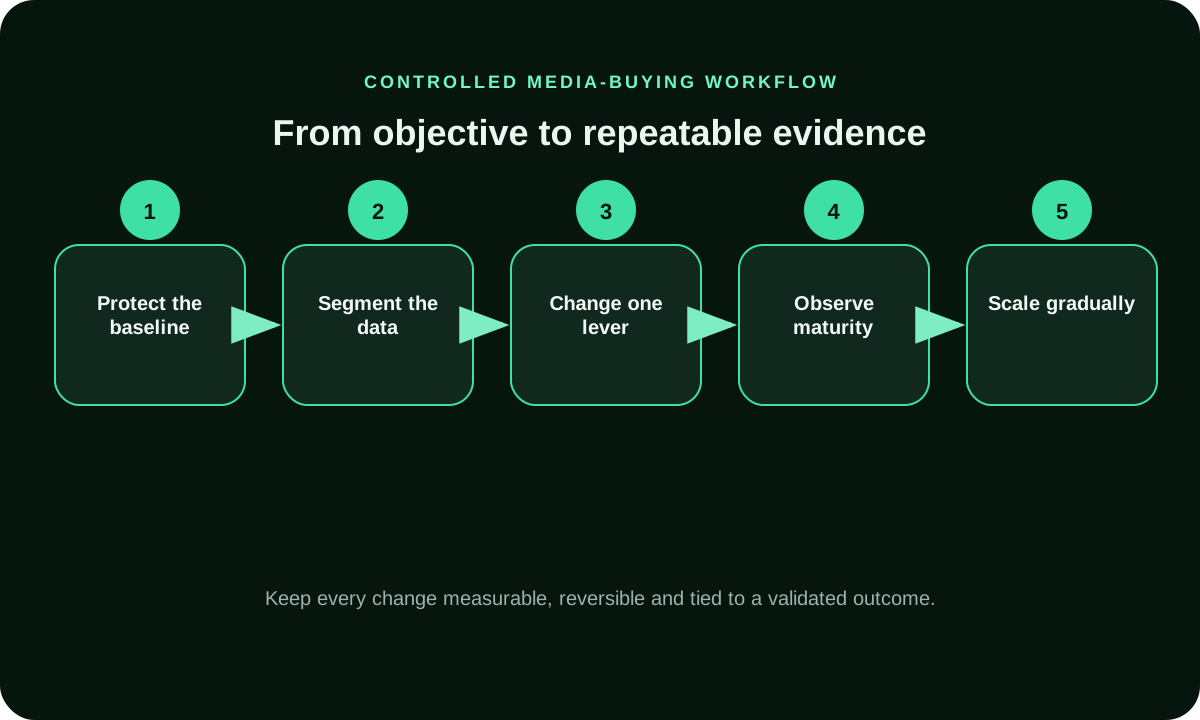
Run the test so the cap is the main variable. Record the current limit, audience, creative set, bid, budget, dates, attribution window and source filters before launch. If you can, keep an eligible comparison segment with the prior setting; otherwise use a clearly documented before-and-after period and note the other changes. Allow each group to complete the cap window and the normal conversion delay. Do not compare a fully matured control with a test whose most recent clicks have not had time to convert. Save the settings and reporting export at launch and again at review. A buyer should be able to tell whether a change in reach or cost followed the cap adjustment, a new creative, a bid change or a different audience.
How Can You Avoid Shrinking Reach Too Early?
A strict cap can stop delivery to repeat identifiers, but it can also shrink the pool of eligible impressions. Start with the audience size and campaign duration in mind. A small remarketing pool may hit the limit quickly; a broad prospecting campaign may have room to reach additional people. If spend falls after you lower the cap, check whether the campaign is frequency-limited before raising bids or broadening unrelated targeting. Review eligible reach, spend and accepted outcomes together. Widen one audience dimension only when the offer still fits the added audience, and keep the original segment visible as a baseline. This gives you a way to distinguish a genuine reach constraint from a creative, bid, inventory or tracking problem.
When Should You Refresh the Creative?
A cap and a creative rotation solve different problems. The cap controls repeated delivery within a platform’s identifier and time window; creative testing asks whether the message remains relevant. If the same ad has a sharp drop in response, compare performance by creative, placement and exposure band before concluding that frequency caused fatigue. A new headline can improve relevance, but it may also change who clicks, so record the version and avoid changing the cap at the same time. Keep claims consistent between the ad and destination, and do not manufacture urgency to compensate for overexposure. For longer journeys, a planned sequence of genuinely different messages can be more useful than showing one unchanged execution repeatedly, provided the platform supports the sequence and the measurement identifies the stage.
Use a frequency-bucket decision rule before changing either lever: compare the same creative ID across lower, middle and higher exposure bands for one audience, placement and date window, then review accepted outcomes after their attribution window matures. If outcome quality declines as exposure to that creative rises while those conditions stay stable, refresh the creative first. If the cap reduces delivery or reach while accepted outcome cost remains stable, do not loosen the cap just to chase more impressions. When both signals move, test one change at a time and log the cap, creative version and comparison dates.
How Do You Read Frequency Data?
Do not rely on one average. A campaign average can hide a small group receiving many impressions while most of the audience sees the ad once. Review a frequency distribution or histogram, unique reach, total impressions and the business outcome by band when those views are available. Keep the reporting period at least as long as the cap window; otherwise the same user may appear in several periods and make the comparison misleading. Identifier coverage also matters: a browser cookie, mobile device ID and signed-in account are not interchangeable measures of a person. Record the platform’s stated counting method and any reporting delay beside the chart. When a dashboard cannot show the distribution, be explicit that the average is only a diagnostic and avoid presenting it as a person-level cap audit.
Choose a reporting window that matches the cap period and the conversion journey. A daily chart can make a weekly limit look inconsistent because the same identifier accumulates impressions across days; a short report can also omit late conversions. Keep the platform time zone, attribution window and report refresh delay with the export. When comparing exposure bands, make sure each band has had a fair chance to mature and that the conversion definition is unchanged. If the platform only supplies an average, pair it with total impressions, reachable audience and accepted outcomes, and label the gap plainly. The purpose is to learn whether added exposure changes business value—not to turn an incomplete frequency estimate into a precise count of people.
When Should You Lower, Hold, or Raise the Cap?
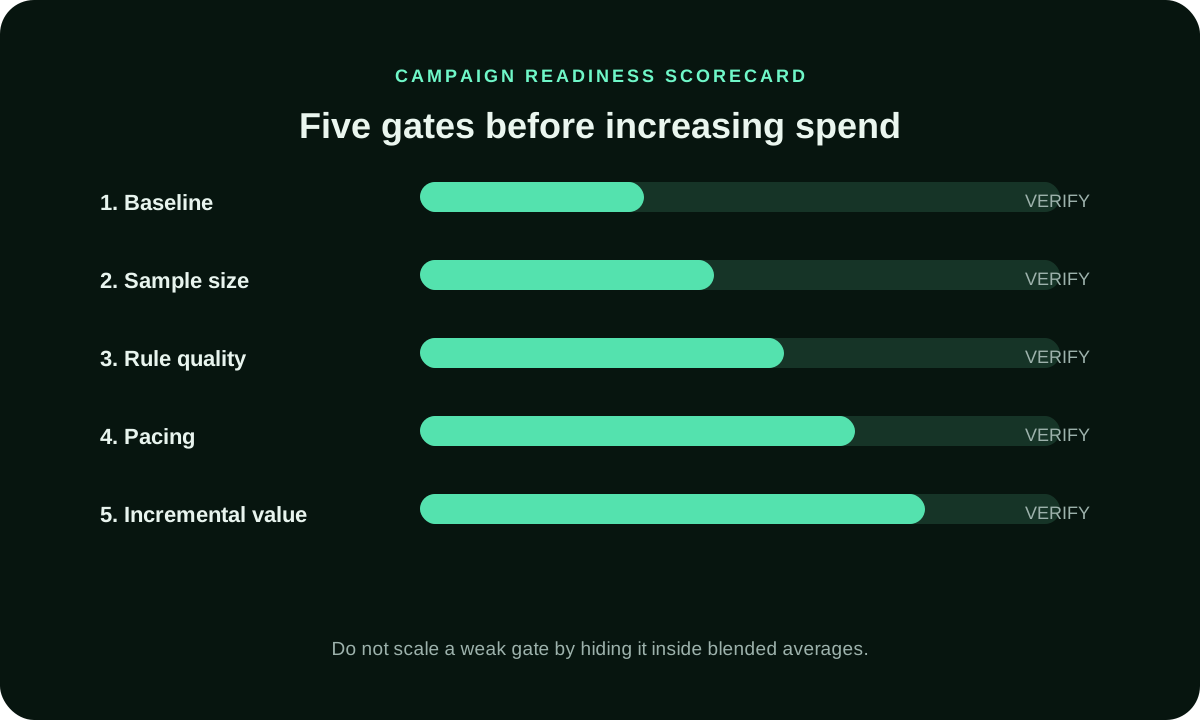
Choose a response rule before the results arrive. Lower the cap when later exposure bands add cost without accepted value and the campaign still has enough qualified reach. Hold it when outcome data is immature, sample sizes are uneven or delivery is within the planned range. Consider a cautious increase only when the current setting is restricting eligible reach and the marginal results remain within your economics. Make one adjustment, preserve the original segment and wait through the relevant measurement window. Do not raise bids to overcome a cap; a bid cannot make an ineligible repeat impression eligible. Log the date, old value, new value, reason and expected result. That record protects the team from cycling between settings because of a single day’s volatility.
Set decision thresholds before the test so a noisy result does not become a reason to keep changing settings. For example, define what cost per accepted lead or approved purchase remains commercially acceptable, how long you will wait for that outcome, and what delivery condition would trigger a reach review. The threshold should come from your own margin and follow-up process, not a universal benchmark. If the platform reports many impressions but the backend has not approved the leads, hold the setting and wait for the quality window. If later exposure adds no accepted value after reconciliation, a lower limit becomes a testable next step. Record the reason and keep the prior segment visible.
Which Mistakes Distort Frequency Decisions?
Several common errors make a cap test hard to interpret. A buyer may set a limit in one campaign while related campaigns continue to reach the same audience. Another may compare a seven-day cap with a report covering only two days, or mistake different browsers for different people. Small audiences can hit a limit quickly, while an unavailable identifier can prevent a platform from recognizing a repeat exposure. A campaign may also appear to underdeliver because the limit is too strict, the bid is below auction conditions or targeting is too narrow. Diagnose these possibilities separately. Check configuration hierarchy, identifier coverage, source availability, creative delivery and conversion return before changing the cap. State what the reporting can and cannot prove; a cap setting is not evidence that every person saw exactly the same number of ads.
Troubleshoot in a fixed order before attributing underdelivery to the cap. First verify the saved rule and its hierarchy; then check whether the audience is large enough, the identifier is available, and the campaign is eligible for the intended inventory. Next compare spend, impressions and source or placement delivery with the previous period. Only after those checks should you test a broader audience, a different bid or a new creative—and change one variable at a time. This order avoids using a higher bid to solve a targeting or identity limitation. It also prevents a cap from being blamed for tracking delays, rejected conversions or an offer that no longer fits the reached audience.
How Can FroggyAds Fit a Measured Frequency Test?
FroggyAds gives advertisers a self-serve way to work with campaign targeting, budgets and source-level decisions, which makes it practical to structure a controlled traffic test around a clear acquisition objective. You can keep the offer, destination, audience and spend plan visible while comparing the sources that produce accepted outcomes. That control is valuable even when frequency management is handled separately by the serving platform or campaign setup. We do not present a universal user-level cap as available in every FroggyAds campaign. Before you budget around a specific cap, confirm the current control in the campaign flow and identify which impressions it covers. Then use FroggyAds to manage the surrounding traffic test and judge it with your own conversion and value data.
What Should You Verify Before Launch?
Before launch, write down the target audience, accepted conversion, allowed exposure window and stop rule. Confirm that each campaign or line item is included in the control you intend to use. Test the click path, preserve source identifiers and reconcile a sample conversion from the tracker to your backend. Check that the creative and landing page make the same promise, especially when you plan to rotate messages. Set the initial budget so the experiment can run long enough to observe the chosen window without putting the account at risk. Finally, decide who reviews the report and who can change the cap. A clear owner prevents a mid-test adjustment from erasing the comparison. Save a dated copy of the starting settings before the first impression is served.
Keep a short test sheet with the hypothesis, start date, cap scope, period, audience, creative versions, bid and budget settings, conversion event, backend approval rule and review date. Save a copy of the initial configuration and the report fields that will be available. Confirm who can edit the cap during the test; if another buyer makes an unlogged change, the comparison may no longer answer the original question. At review, save the final settings beside the export and reconcile a sample of attributed outcomes against the business system. This small amount of discipline makes the result repeatable: another buyer can see what changed, when the decision was made and which evidence supported it.
How Do Advertising Platforms Implement Frequency Caps?
Google Ads documents display and video frequency limits by impression count and period. Display & Video 360 describes caps at campaign, insertion-order and line-item levels, and notes that available identifiers affect enforcement. These platform-specific examples do not establish an equivalent FroggyAds setting. Google Ads frequency-cap definition; Display & Video 360 frequency-cap guidance.
Frequency Capping in Advertising: common questions
How is a frequency cap defined?
Frequency capping limits repeated ad exposure for a user or device over a chosen period, subject to the platform’s identity signals and where that platform applies the rule.
When should I use a frequency cap?
Test a cap when repeat delivery consumes meaningful spend and your audience, conversion data and comparison are mature enough to evaluate the change.
How do I choose the right frequency cap?
Choose an initial limit based on the campaign goal, expected reach, campaign length, creative plan and platform definition. Review results before treating it as a standing rule.
Does a frequency cap guarantee more reach?
A lower cap can make some impressions available to other eligible users, but it does not guarantee more unique reach. Audience size, identifier coverage and platform counting all affect the result.
How should I measure ad frequency?
Review the distribution of impressions by identifier or frequency band, unique reach where supported, spend and accepted conversions. Use backend value and the conversion delay before making a budget decision.
Do frequency caps work across devices?
Not always. Cross-device coverage depends on the identifiers available to the serving platform. Confirm its counting method before interpreting device-level frequency as person-level exposure.
How long should a frequency cap test run?
Run through at least the selected cap window and the normal conversion lag. Then allow any platform-specific reach report to mature before comparing the result with a control or baseline.
Can a frequency cap reduce campaign delivery?
Yes. A very low limit can reduce eligible impressions, particularly for a small or tightly targeted audience. Check delivery, reach and outcome quality before changing bids or loosening unrelated filters.
Should I use creative rotation with a frequency cap?
Sometimes. A frequency cap limits repeated exposure; creative rotation changes the message. Use both only when each serves a distinct purpose, then test one major change at a time so you can interpret the result.
Does FroggyAds offer a frequency cap?
FroggyAds supports self-serve decisions for targeting, budgets and traffic sources. Confirm that the serving setup offers the user-level cap you need before planning around it.
How Do You Move from a Cap Review to a FroggyAds Test?
Keep the cap review separate from the traffic-buying decision. Confirm the serving control first, then use one FroggyAds campaign to test the audience, source mix and accepted conversion with a defined spend limit.
Keep the buying test focused on the traffic decision FroggyAds can support: define the audience, source mix, destination, budget and conversion you will accept. Verify the serving platform’s cap separately, then compare mature results before changing both controls.
What Does a Controlled Cap Test Look Like?
A controlled test compares the current cap with one alternative while keeping audience, creative, bid and attribution rules steady. Review mature reach and accepted outcomes before changing the limit.
For each arm, preserve the same audience definition, creative, bid and attribution window. Record start and end dates, and leave room for the normal conversion delay. If those conditions cannot stay comparable, label the result directional rather than causal.
How Should a Buyer Document the Cap Decision?
Use a Frequency Capping review to answer one buying question: does another exposure add enough qualified value to justify its cost? Keep the cap, audience and conversion definitionFrequency Cappingtied to the same campaign period so the comparison stays useful.
Document the rule beside the result. Note the campaign and line-item scope, identifier method, chosen window, creative versions, source filters, dates, spend, accepted outcomes and any reporting delay. If the platform cannot provide user-level distribution, write that limitation next to the average instead of implying the cap was verified person by person. This short record lets another buyer understand why the setting changed and gives the next test a stable baseline. Keep the raw export or screenshot with the note so later reconciliation can explain differences between platform totals and backend-approved conversions.
| Review signal | What to inspect | Decision evidence |
|---|---|---|
| Exposure spread | Impressions per identifier in the chosen window, split by source or line item where available. | If repeat exposure clusters early, test whether a lower cap returns impressions to new eligible users without reducing accepted outcomes. |
| Business result | Accepted conversions or purchases, value after approval or refunds, and cost by exposure band. | If later exposure bands add cost without accepted value, reduce frequency or refresh the message while keeping a comparison group. |
| Reach and delivery | Eligible impressions, unique reach where supported, spend, and any frequency-limited status. | If delivery falls before the audience is reached, review the cap, audience breadth and identifier availability before increasing bids. |
Hypotheticalcalculation only: if a test spends USD 400 and produces 20 accepted outcomes, accepted CPA is USD 400 divided by20, orUSD 20. Compare exposure bands and backend value before attributing that result to the cap.
When you are ready to test paid traffic, Create your free FroggyAds account and set up a measured campaign around your offer, audience and accepted outcome. Start with a controlled budget, preserve source identifiers and review mature conversions before expanding. A frequency cap should be part of the test design only after you verify the applicable setting and itsCreate your free FroggyAds accountidentifier coverage.
Which frequency decision should you make next?
The right frequency decision depends on the audience, buying window and economics. Define what a repeat impression should accomplish, check how the platform counts it, and use accepted outcomes to decide whether to lower, hold or cautiously raise the limit. With a clear baseline and a focused FroggyAds traffic test, you can evaluate the sources and campaign choices that deserve more budget without treating exposure volume as proof of business value.