
Advertise My Website
By FroggyAds.
Advertise your website with FroggyAds by matching landing page, offer and ad format. Define a conversion goal, verify tracking, and let test results guide spend.
How do you advertise a website with a measurable goal?
Advertising a website works best when the paid visit lands on a page built for one measurable next action.
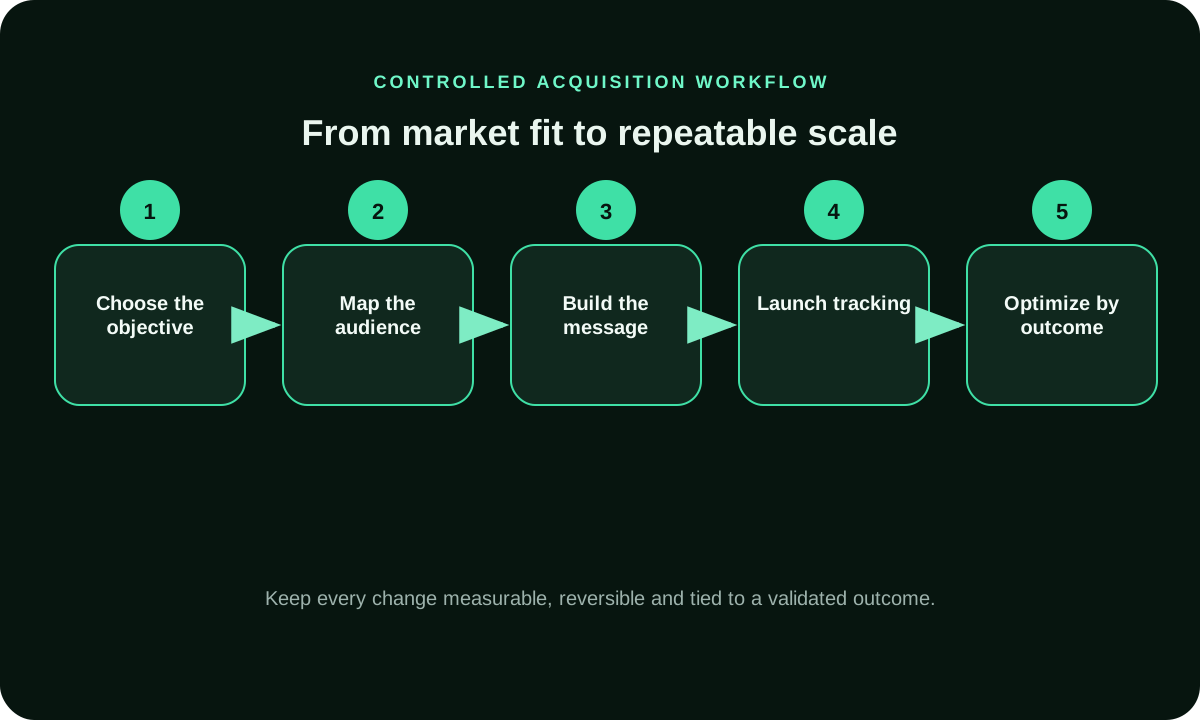
Choose one business action first: a qualified enquiry, completed order, booking, or signup. Then select the page that helps the intended visitor complete that action. Paid traffic buys visits; it does not make a generic homepage persuasive or guarantee a sale. FroggyAds gives advertisers a self-serve route to manage paid campaigns, while your analytics, CRM, or order system confirms which visits became accepted outcomes.
How do you choose the right paid-traffic destination?
Before buying traffic, test the exact visitor path from the ad destination through a completed and accepted website action.
Send a visitor to the narrowest page that answers the ad's promise and makes the next step clear. Use product detail for a single item, pricing for plan comparison, a local service page for geographic eligibility, and a focused landing page for a lead offer. A homepage fits only when it quickly routes each intended audience to the right offer. Keep the destination URL in the campaign brief so reporting can be tied to the page tested.
Map the URL to a visitor question. A person checking eligibility should land on coverage and terms; someone evaluating software should reach the feature and pricing details needed for comparison. Avoid making a visitor search the site menu for the promised information. Save the URL and page version in the campaign notes so later edits do not silently alter the test.
Is your offer ready for a paid visitor?
Check stock or service availability, price conditions, eligibility, delivery area, supported language, payment or booking, and who handles follow-up. A campaign cannot repair a missing offer or a broken form. Complete a real test action before launch and verify the confirmation reaches the expected system. If the offer has a region-specific version, test that exact URL and record the version shown to paid visitors.
Before buying clicks, confirm that the page explains the offer, price or eligibility, and next action without asking the visitor to reconstruct the ad's promise. Test the form or checkout from a clean session, including confirmation and backend receipt. Decide how duplicates, out-of-area requests, and incomplete submissions are handled. This readiness check protects the meaning of your campaign result: delivery can be measured only when the destination and acceptance rule are stable.
How do you verify the website action before launch?
Submit a test enquiry or order through the same route the campaign will use, including any redirect and confirmation step. Confirm that the page fires the intended event once, preserves campaign labels, and sends a usable record to your backend. Separate an event firing from lead qualification or order acceptance. This catches tracking loss before you interpret paid clicks as weak demand.
Walk through the exact path that a prospect will take: ad URL, redirects, landing page, action, confirmation, and the system that records acceptance. Use a test event to confirm campaign parameters survive and the final record contains the intended source label. If your form sends a lead to a CRM, verify the CRM entry rather than relying only on a browser thank-you message. Fix a broken handoff before increasing traffic.
Test the completion path using a realistic browser session and ordinary visitor details, while respecting any required validation or consent. Confirm the success page or message, event timestamp, campaign label, and record in the backend. If the event fires before a form is accepted, name it an action start rather than a lead. Distinguishing intent from acceptance makes cost-per-lead calculations useful to the sales team.
How should website visits and lead quality be tracked?
Use consistent campaign and source labels across the ad, landing page, analytics, and CRM. Google Analytics documents campaign parameters for its own reporting, but those labels do not prove that a lead is valid or that FroggyAds attributed a sale. Match each enquiry to the qualification rule you set before launch. Keep unmatched or delayed records visible rather than forcing them into a source.
Keep delivery, onsite behavior, and sales acceptance as separate evidence layers. The campaign report can describe paid delivery, analytics can show page events, and your CRM or order system can determine whether the result qualifies. Define the accepted lead before the first click, then reconcile date ranges and time zones. Report pending and rejected records separately. A form submission is useful for diagnosing friction, but it does not automatically equal a qualified opportunity.
What makes a website test budget defensible?
Work backward from the value of an accepted website action and cap the amount you can risk learning. Include sales handling, fulfillment, payment, refunds, and support when they affect the economics. Hypothetically, USD 225 divided by 9 accepted enquiries is USD 25 per accepted enquiry; that arithmetic is not a forecast. Set an overall loss limit and a separate cost target, then stop if the page or tracking breaks.
How can you compare two website destinations?
Change one destination variable at a time while the ad promise, audience, and acceptance rule stay fixed. Compare product page versus pricing page only when both serve the same offer and the same eligible visitor. Record page version and follow-up delay. If the destination also changes price, language, or eligibility, the test answers a different question and should not be reported as a clean page comparison.
For the second destination, hold the ad promise, audience, bid approach, and acceptance rule steady while one page variable changes. Compare the complete path rather than landing-page clicks alone: action starts, completed forms or orders, accepted records, and follow-up outcomes. A price, form-length, or eligibility change creates a distinct offer and should be analysed separately. Preserve the page version and date so your team can explain why one destination won or why the comparison remained inconclusive.
When should an ad promise change to match a page?
Change the ad when it states a benefit, price, or condition the destination does not support. The visitor should see the same offer immediately after the click. Keep a record of the creative version and URL so a site edit does not silently change the campaign. When testing message variants, hold the destination steady first; otherwise you will not know which part of the path changed the result.
How do follow-up delays affect website lead cost?
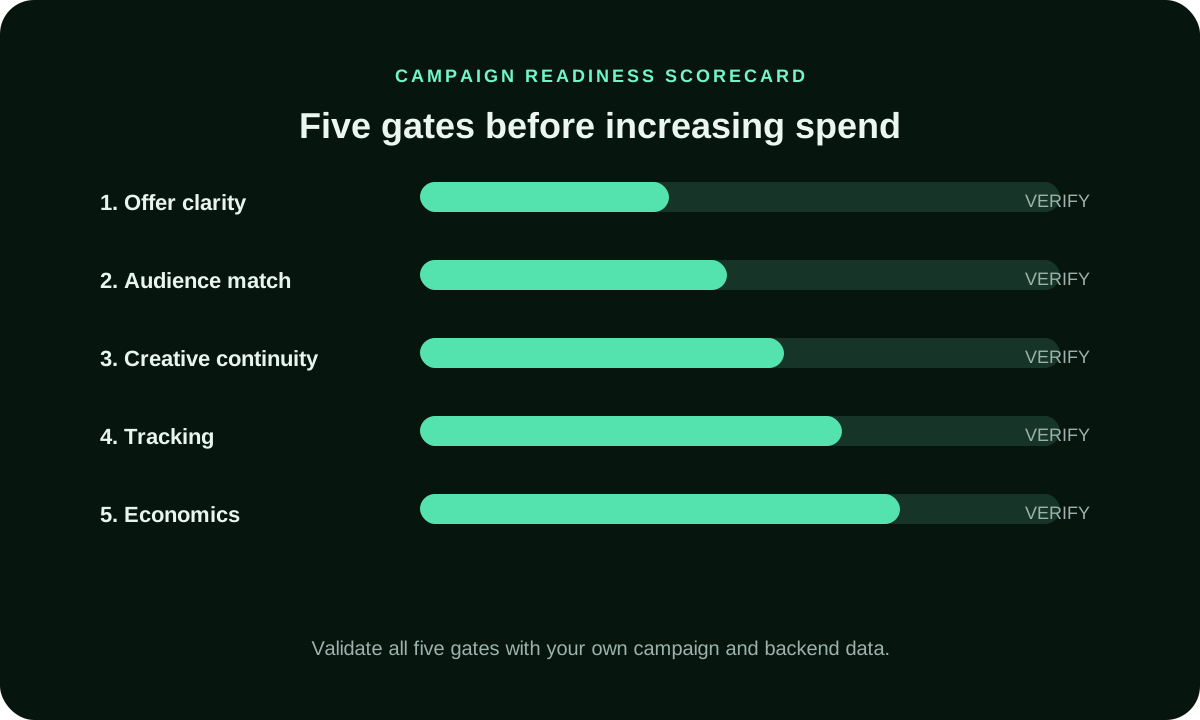
A lead is not accepted simply because a form submitted. Define qualification, duplicate handling, and the period allowed for sales contact before comparing cost per accepted lead. Record response time and rejection reason so a slow follow-up process is not confused with poor traffic. If a market or product needs longer consideration, let the same maturation window close before calling a source unsuccessful.
A lead may be submitted today but accepted only after qualification, contact, or a sales review. Set the maturation window from your normal follow-up process and distinguish pending leads from rejected ones. If the team responds faster in one cohort, record that operational difference before comparing lead cost. Use a stable qualification rule and include any repeat submissions only once. This gives the campaign a fair period to produce accepted opportunities without treating every form event as a completed sale.
For a considered purchase, the qualification period may run beyond the media reporting window. Keep the date of first enquiry, contact attempts, qualification result, and final outcome together. If staff response time varies, report it beside lead quality. That helps you decide whether the next action is to improve follow-up capacity, change the destination, or test another paid audience instead of blaming the source prematurely.
How do you diagnose clicks without accepted actions?
Trace the path in order: landing-page visit, action start, form or checkout completion, backend receipt, and qualification. A missing stage points to a different problem than a low click response. Check redirects, consent, mobile form fields, price clarity, and CRM delivery using evidence from the actual path. Keep traffic quality claims separate from a destination failure until the source and site records agree.
Trace the funnel in order: valid visit, page engagement, action start, successful submission, backend receipt, and business qualification. A drop at the first step may point to a mismatch between ad and landing page; a drop after submission may involve validation or system handoff. Check each stage with its own event evidence before changing traffic settings. Keep a broken destination as a technical stop condition, separate from a campaign that simply has not matured.
When is more website traffic operationally useful?
Increase spend only when the page converts at an acceptable cost and the team can answer, fulfill, or ship the additional demand. Compare the marginal cost and acceptance rate of the next audience or source, not only the campaign average. If response capacity is full, more visits can create stale leads rather than useful growth. Make a capacity check part of the scaling decision.
How can you build the website campaign in FroggyAds?
We provide a self-serve workflow for paid campaign setup, with available formats, targeting, bid and budget controls, and source reporting where provided. You choose the website destination and define the accepted event in your own systems. Create your FroggyAds account when your offer, conversion path, and test cap are ready. Use campaign reporting to review delivery; use your CRM or orders to decide business value.
What should a website campaign brief contain?
Record the intended visitor, ad promise, destination URL, primary action, qualification rule, tracking labels, spend cap, response owner, and review date. Include the exact page version and the normal time to accept a lead or order. A brief with those fields turns website advertising into a repeatable acquisition test and gives your FroggyAds campaign a clear decision to answer.
Hypothetical destination comparison: a home-services company receives paid visits for a repair offer. The homepage lists every service and service area, while a dedicated repair page shows the eligible locations, price conditions, and booking form. The campaign should keep the ad and acceptance rule steady while it compares those URLs. Count only bookings that pass the company's eligibility check; treat a form submission as provisional until the service area and appointment request are confirmed. If the homepage creates fewer bookings, inspect whether visitors found the right service page before concluding that the audience was weak. Record the page version, URL, form event, accepted booking count, and sales follow-up time. The company can then decide whether to keep the focused page, improve the homepage route, or run a separate message test. This is an illustrative workflow, not a FroggyAds case or performance claim.
Final Buyer Checklist for Advertise My Website
Before launch, confirm audience eligibility, accepted outcome value, live tracking, destination speed, message continuity and a documented loss limit. During the test, review source quality, conversion delay, rejected outcomes and effective acquisition cost. Afterward, document winning and losing hypotheses, exact settings and changed assumptions. Advertise My Website becomes strategically useful when another buyer can repeat the decision process from the same evidence. No page, platform or traffic label can guarantee profit, rankings, installs, sales, leads or visitor quality.
Supporting controls for Advertise My Website
Advertise My Website FAQ
Which website page should receive paid traffic?
Choose the page that answers the ad's promise and presents the intended next action. Pricing, product, local service, and focused lead pages serve different visitor questions. Record the exact URL and page version in the campaign brief.
When is a homepage a poor campaign destination?
A homepage is a weak fit when visitors must search menus to find the advertised offer, price, eligibility, or form. Use it when it clearly routes the intended audience. Test the actual path instead of assuming the homepage is always the broadest answer.
What makes a website enquiry a qualified lead?
Write the business acceptance rule before launch, such as service area, valid contact, budget, or sales eligibility. A form submission is a provisional event until it passes that rule. Keep rejected and pending leads visible in the report.
How do I preserve campaign labels through a website form?
Test the landing URL, redirects, form submission, and CRM record using the campaign parameters your analytics supports. Confirm that the source label reaches the accepted lead record. If it disappears at handoff, do not assign the enquiry to a paid source by timing alone.
How should website clicks and orders be reconciled?
Use the ad report for delivery, analytics for page behavior, and your order or CRM system for acceptance and value. Align date ranges, time zones, and conversion windows. Describe unexplained gaps instead of treating the systems as interchangeable.
What should I test in a lead-generation form?
Verify each field supports eligibility, qualification, or follow-up. Confirm validation, confirmation, duplicate handling, and backend receipt. If you change the form during a source test, record the date and treat the new version as a separate cohort.
How do I set a website campaign spend limit?
Set a maximum learning loss and an acceptable cost per qualified action using your own margin or lead value. The cap limits exposure; the target defines commercial fit. Stop separately for a broken page or tracking failure.
Why can a website campaign get clicks but no enquiries?
Trace the path from valid visit to action start, submission, backend receipt, and qualification. Check message match, price clarity, form usability, eligibility, and follow-up. Click volume alone cannot identify which stage failed.
How long should a website lead test run?
Use the time needed for delivery, lead follow-up, and qualification under your normal process. Set the review window before launch. If leads remain pending, do not compare them with a fully qualified cohort as if both were final.
How does FroggyAds support a website campaign?
We provide a self-serve campaign workflow with available formats, targeting, bid and budget controls, and source reporting where provided. You choose the page and accepted website action. Create your account when the destination, tracking, and follow-up rule are ready.
Prepare the landing page and conversion test
Build a controlled advertise my website test
A website traffic test starts with a verified landing page and conversion path, then measures accepted enquiries or orders against a preset loss limit.
Connect the ad promise to a useful website action
Google describes campaign-source parameters for its analytics system; that guide does not establish FroggyAds attribution or website conversion results. For the detailed guidance, read Google Analytics guidance on campaign URL parameters.
| Website decision | Check before delivery | Review after the click |
|---|---|---|
| Audience fit | Availability, service area, language, eligibility | Accepted lead or order by eligible audience |
| Destination | Page matches the ad promise and action | Valid sessions and completed steps |
| Tracking | Parameters survive redirects and forms | Source reconciles with CRM or order data |
| Budget | Cost ceiling follows accepted outcome value | Marginal accepted-result cost |
| Follow-up | Who qualifies and responds to a lead | Include sales delay and lead rejection in the outcome rule. |
Prepare the website path before buying visits
Choose a page that continues the ad’s message and makes the intended action clear. Check that its offer, eligibility, terms, and form or checkout match the campaign promise.
Define which submitted leads, completed orders, or signups count as accepted. Carry campaign identifiers through the action and reconcile events with your CRM or order records before comparing sources. Read for current FroggyAds campaign options.the advertiser platform overview
Match the audience, offer and website destination
Before you buy website visits, define who can use the offer and what the destination should help them do. Check availability, language, pricing and the next step on the landing page so the ad promise leads to a relevant action.
Choose one audience question to test at a time. Keep the offer, conversion event and attribution window stable while you compare source or targeting settings; use accepted leads, orders or signups to judge fit rather than click volume alone.
For a measured website campaign, review the FroggyAds campaign controls and create your free FroggyAds account.
Decide what your website campaign must deliver
This page is for site owners, affiliates, and media buyers who want paid visits to support a specific website action. Choose the landing page and business event before choosing traffic; sending every audience to the homepage can make the campaign harder to evaluate.How To Advertise A Website
Compare intended page visits with accepted outcomes by source. If leads need qualification or sales need approval, wait for that process before using the result to raise budget. Keep the campaign objective and acceptance rule consistent. Before launch, trace one customer journey from ad click through the requested action. Confirm that the page states offer terms, the form captures the information your team needs, and completion is recorded consistently. For lead campaigns, define how you qualify a submission and who follows up; for ecommerce, decide which order status counts as accepted. This keeps source comparisons tied to the business outcome you want.
| Website checkpoint | Action | Evidence |
|---|---|---|
| Prepare | Test page, form, checkout, and analytics event | A documented click-to-event check |
| Launch | Hold the page and acceptance rule steady | Source-tagged campaign cohort |
| Review | Wait for lead or order qualification | Accepted results and cost limit |
Hypothetical calculation: if a website campaign spends USD 225 and produces 9 accepted leads or orders, the accepted CPA is USD 225 ÷ 9 = USD 25. Replace the inputs with your own economics; this is not a FroggyAds performance claim.
With the destination and acceptance rule checked, start with a measured visit test. When ready, create your free FroggyAds account.
Make the destination part of the campaign plan
A good campaign decision includes the page after the click. Match the ad’s audience and promise to one relevant landing page, then test the complete action path on your intended devices. Track completed actions rather than treating visits as business results.