
OS Targeting Mobile Ads
Eligibility Operating-System Family checkpoint — Map operating-system family to the exact mobile step it can influence before comparing OS version. For the eligibility review of operating-system family against OS version, using OS, version, device, country and source captured with the accepted event: Retain OS, version, device, country and source captured with the accepted event; then exclude unsupported operating systems before launch. With OS version held as the eligibility comparison for operating-system family, using OS, version, device, country and source captured with the accepted event: When a mobile click can reach an incompatible destination, keep the OS cell paused until an accepted install, activation, registration, trial or mobile-web conversion tied to an eligible OS cell is again measurable. Use operating-system targeting to protect compatibility and user experience, not as a shortcut for guessing intent. Confirm that the creative, destination, tracking and offer work on each eligible OS version, then compare accepted outcomes alongside delivery and cost. In FroggyAds, document the OS choice with the campaign hypothesis so later exclusions remain explainable. Before the eligibility team decides to exclude unsupported operating systems before launch for operating-system family against OS version, using OS, version, device, country and source captured with the accepted event: FroggyAds can isolate the eligible traffic cell; the advertiser validates an accepted install, activation, registration, trial or mobile-web conversion tied to an eligible OS cell and records why exclude unsupported operating systems before launch remains appropriate when a mobile click can reach an incompatible destination. The page evidence ledger retains OS, version, device, country and source captured with the accepted event; store, direct-download and mobile-web routes reported separately; download starts separated from installs, activations and accepted accounts; creative and destination versions retained for each compatibility cell; deep-link and browser handoff failures recorded by OS; trial, subscription, cancellation and refund states reconciled after maturity; software release changes logged beside campaign evidence; support tickets and technical failure reasons reviewed before scaling. The acceptance point is an accepted install, activation, registration, trial or mobile-web conversion tied to an eligible OS cell.
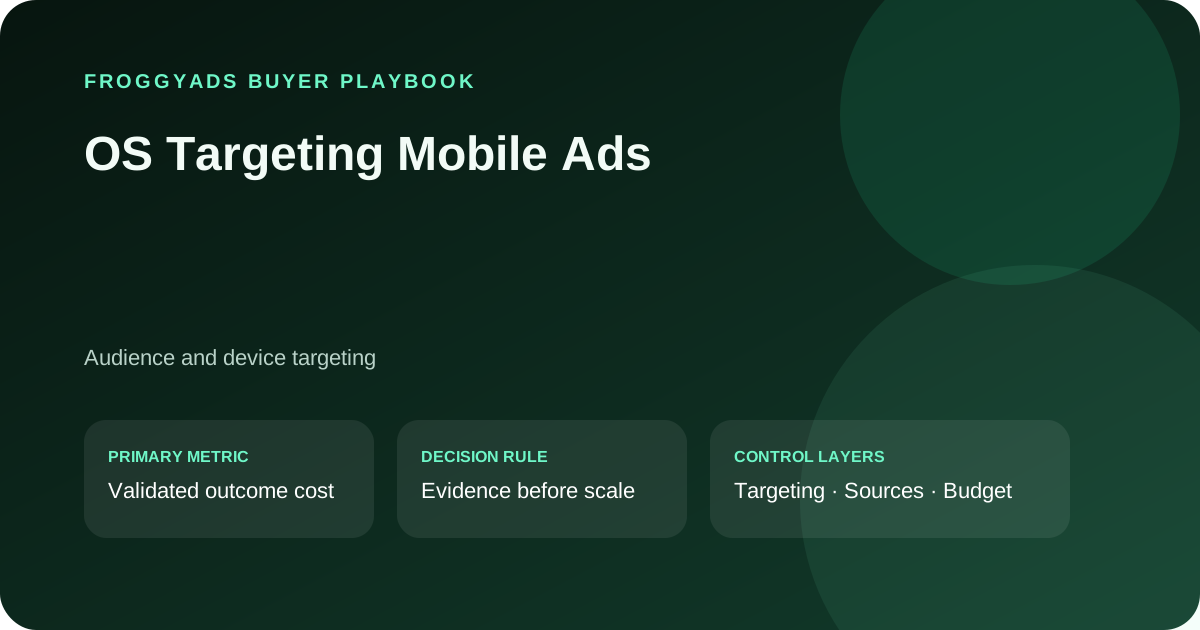
Which operating-system conditions should you verify before launching mobile ads?
Eligibility Os Version checkpoint — The mobile compatibility matrix treats OS version as a compatibility question, not a traffic-quality verdict. For the eligibility review of OS version against device type, using OS, version, device, country and source captured with the accepted event: Review OS, version, device, country and source captured with the accepted event, and pause after a broken release or unavailable store route. With device type held as the eligibility comparison for OS version, using OS, version, device, country and source captured with the accepted event: an install is not automatically a retained user requires a new product or destination version. Before the eligibility team decides to pause after a broken release or unavailable store route for OS version against device type, using OS, version, device, country and source captured with the accepted event: FroggyAds can isolate the eligible traffic cell; the advertiser validates an accepted install, activation, registration, trial or mobile-web conversion tied to an eligible OS cell and records why pause after a broken release or unavailable store route remains appropriate when an install is not automatically a retained user.
Eligibility Evidence for Os Version Versus Device Type
Eligibility Device Type checkpoint — Within operating-system targeting for mobile ads, keep device type in its own cell wherever the operating system changes the user journey. For the eligibility review of device type against device architecture, using OS, version, device, country and source captured with the accepted event: Use OS, version, device, country and source captured with the accepted event; scale the OS cells that retain accepted-user quality. Before the eligibility team decides to scale the OS cells that retain accepted-user quality for device type against device architecture, using OS, version, device, country and source captured with the accepted event: FroggyAds can isolate the eligible traffic cell; the advertiser validates an accepted install, activation, registration, trial or mobile-web conversion tied to an eligible OS cell and records why scale the OS cells that retain accepted-user quality remains appropriate when mixed OS versions can invalidate a source comparison.
Eligibility Evidence for Device Type Versus Device Architecture
Eligibility Device Architecture checkpoint — The eligibility owner should connect device architecture with product-release evidence and support capacity. For the eligibility review of device architecture against app-store route, using OS, version, device, country and source captured with the accepted event: Attach OS, version, device, country and source captured with the accepted event, then route each OS cell to its compatible destination; if technical support can be overloaded by rapid acquisition, roll back the affected OS route. Using OS, version, device, country and source captured with the accepted event as the eligibility evidence record for device architecture against app-store route: FroggyAds can isolate the eligible traffic cell; the advertiser validates an accepted install, activation, registration, trial or mobile-web conversion tied to an eligible OS cell and records why route each OS cell to its compatible destination remains appropriate when technical support can be overloaded by rapid acquisition.
Eligibility Evidence for Device Architecture Versus App-Store Route
Eligibility App-Store Route checkpoint — Map app-store route to the exact mobile step it can influence before comparing mobile-web route. For the eligibility review of app-store route against mobile-web route, using OS, version, device, country and source captured with the accepted event: Retain OS, version, device, country and source captured with the accepted event; then compare sources on the same product version. With mobile-web route held as the eligibility comparison for app-store route, using OS, version, device, country and source captured with the accepted event: When deep links can fail differently across operating systems, keep the OS cell paused until an accepted install, activation, registration, trial or mobile-web conversion tied to an eligible OS cell is again measurable. Before the eligibility team decides to compare sources on the same product version for app-store route against mobile-web route, using OS, version, device, country and source captured with the accepted event: FroggyAds can isolate the eligible traffic cell; the advertiser validates an accepted install, activation, registration, trial or mobile-web conversion tied to an eligible OS cell and records why compare sources on the same product version remains appropriate when deep links can fail differently across operating systems.
Eligibility Evidence for App-Store Route Versus Mobile-Web Route
Eligibility Mobile-Web Route checkpoint — The mobile compatibility matrix treats mobile-web route as a compatibility question, not a traffic-quality verdict. For the eligibility review of mobile-web route against deep-link behaviour, using OS, version, device, country and source captured with the accepted event: Review OS, version, device, country and source captured with the accepted event, and restore the last compatible release path when failures rise. With deep-link behaviour held as the eligibility comparison for mobile-web route, using OS, version, device, country and source captured with the accepted event: download volume can rise while activation quality falls requires a new product or destination version. Before the eligibility team decides to restore the last compatible release path when failures rise for mobile-web route against deep-link behaviour, using OS, version, device, country and source captured with the accepted event: FroggyAds can isolate the eligible traffic cell; the advertiser validates an accepted install, activation, registration, trial or mobile-web conversion tied to an eligible OS cell and records why restore the last compatible release path when failures rise remains appropriate when download volume can rise while activation quality falls.
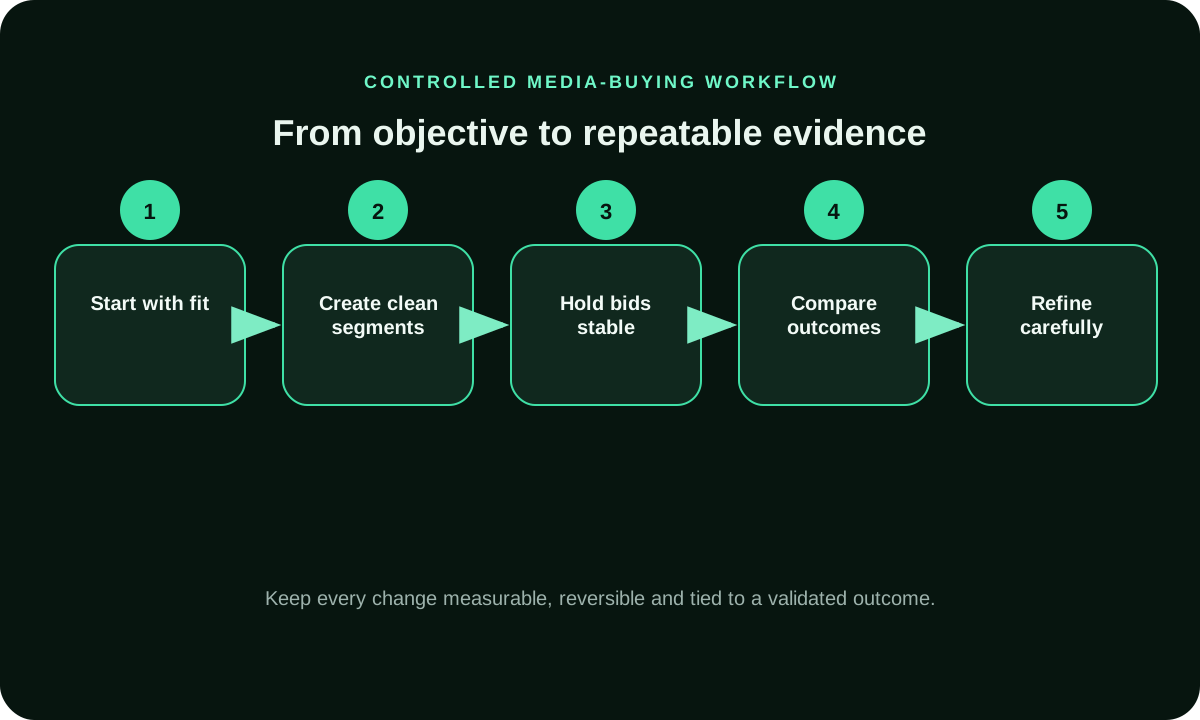
Eligibility Evidence for Mobile-Web Route Versus Deep-Link Behaviour
Eligibility Deep-Link Behaviour checkpoint — Within operating-system targeting for mobile ads, keep deep-link behaviour in its own cell wherever the operating system changes the user journey. For the eligibility review of deep-link behaviour against browser handoff, using OS, version, device, country and source captured with the accepted event: Use OS, version, device, country and source captured with the accepted event; separate media delivery from product activation. Before the eligibility team decides to separate media delivery from product activation for deep-link behaviour against browser handoff, using OS, version, device, country and source captured with the accepted event: FroggyAds can isolate the eligible traffic cell; the advertiser validates an accepted install, activation, registration, trial or mobile-web conversion tied to an eligible OS cell and records why separate media delivery from product activation remains appropriate when a product release can be mistaken for a traffic-quality change.
Eligibility Evidence for Deep-Link Behaviour Versus Browser Handoff
Eligibility Browser Handoff checkpoint — The eligibility owner should connect browser handoff with product-release evidence and support capacity. For the eligibility review of browser handoff against country availability, using OS, version, device, country and source captured with the accepted event: Attach OS, version, device, country and source captured with the accepted event, then open a fresh test after compatibility changes; if store or regional availability can change mid-campaign, roll back the affected OS route. Using OS, version, device, country and source captured with the accepted event as the eligibility evidence record for browser handoff against country availability: FroggyAds can isolate the eligible traffic cell; the advertiser validates an accepted install, activation, registration, trial or mobile-web conversion tied to an eligible OS cell and records why open a fresh test after compatibility changes remains appropriate when store or regional availability can change mid-campaign.
Eligibility Evidence for Browser Handoff Versus Country Availability
Eligibility Country Availability checkpoint — Map country availability to the exact mobile step it can influence before comparing carrier context. For the eligibility review of country availability against carrier context, using OS, version, device, country and source captured with the accepted event: Retain OS, version, device, country and source captured with the accepted event; then exclude unsupported operating systems before launch. With carrier context held as the eligibility comparison for country availability, using OS, version, device, country and source captured with the accepted event: When a mobile click can reach an incompatible destination, keep the OS cell paused until an accepted install, activation, registration, trial or mobile-web conversion tied to an eligible OS cell is again measurable. Before the eligibility team decides to exclude unsupported operating systems before launch for country availability against carrier context, using OS, version, device, country and source captured with the accepted event: FroggyAds can isolate the eligible traffic cell; the advertiser validates an accepted install, activation, registration, trial or mobile-web conversion tied to an eligible OS cell and records why exclude unsupported operating systems before launch remains appropriate when a mobile click can reach an incompatible destination.
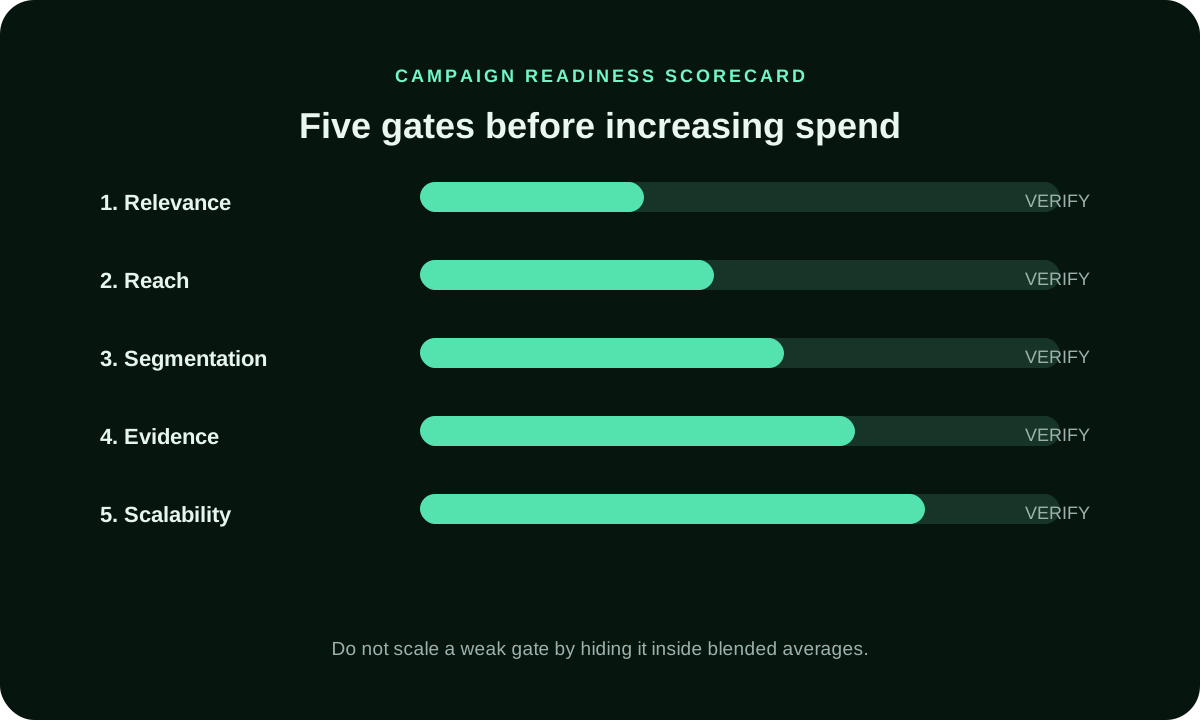
Eligibility Evidence for Country Availability Versus Carrier Context
Eligibility Carrier Context checkpoint — The mobile compatibility matrix treats carrier context as a compatibility question, not a traffic-quality verdict. For the eligibility review of carrier context against connection quality, using OS, version, device, country and source captured with the accepted event: Review OS, version, device, country and source captured with the accepted event, and pause after a broken release or unavailable store route. With connection quality held as the eligibility comparison for carrier context, using OS, version, device, country and source captured with the accepted event: an install is not automatically a retained user requires a new product or destination version. Before the eligibility team decides to pause after a broken release or unavailable store route for carrier context against connection quality, using OS, version, device, country and source captured with the accepted event: FroggyAds can isolate the eligible traffic cell; the advertiser validates an accepted install, activation, registration, trial or mobile-web conversion tied to an eligible OS cell and records why pause after a broken release or unavailable store route remains appropriate when an install is not automatically a retained user.
Eligibility Evidence for Carrier Context Versus Connection Quality
Eligibility Connection Quality checkpoint — Within operating-system targeting for mobile ads, keep connection quality in its own cell wherever the operating system changes the user journey. For the eligibility review of connection quality against creative device cue, using OS, version, device, country and source captured with the accepted event: Use OS, version, device, country and source captured with the accepted event; scale the OS cells that retain accepted-user quality. Before the eligibility team decides to scale the OS cells that retain accepted-user quality for connection quality against creative device cue, using OS, version, device, country and source captured with the accepted event: FroggyAds can isolate the eligible traffic cell; the advertiser validates an accepted install, activation, registration, trial or mobile-web conversion tied to an eligible OS cell and records why scale the OS cells that retain accepted-user quality remains appropriate when mixed OS versions can invalidate a source comparison.
Eligibility Evidence for Connection Quality Versus Creative Device Cue
Eligibility Creative Device Cue checkpoint — The eligibility owner should connect creative device cue with product-release evidence and support capacity. For the eligibility review of creative device cue against destination compatibility, using OS, version, device, country and source captured with the accepted event: Attach OS, version, device, country and source captured with the accepted event, then route each OS cell to its compatible destination; if technical support can be overloaded by rapid acquisition, roll back the affected OS route. Using OS, version, device, country and source captured with the accepted event as the eligibility evidence record for creative device cue against destination compatibility: FroggyAds can isolate the eligible traffic cell; the advertiser validates an accepted install, activation, registration, trial or mobile-web conversion tied to an eligible OS cell and records why route each OS cell to its compatible destination remains appropriate when technical support can be overloaded by rapid acquisition.
Eligibility Evidence for Creative Device Cue Versus Destination Compatibility
Eligibility Destination Compatibility checkpoint — Map destination compatibility to the exact mobile step it can influence before comparing download completion. For the eligibility review of destination compatibility against download completion, using OS, version, device, country and source captured with the accepted event: Retain OS, version, device, country and source captured with the accepted event; then compare sources on the same product version. With download completion held as the eligibility comparison for destination compatibility, using OS, version, device, country and source captured with the accepted event: When deep links can fail differently across operating systems, keep the OS cell paused until an accepted install, activation, registration, trial or mobile-web conversion tied to an eligible OS cell is again measurable. Before the eligibility team decides to compare sources on the same product version for destination compatibility against download completion, using OS, version, device, country and source captured with the accepted event: FroggyAds can isolate the eligible traffic cell; the advertiser validates an accepted install, activation, registration, trial or mobile-web conversion tied to an eligible OS cell and records why compare sources on the same product version remains appropriate when deep links can fail differently across operating systems.
Eligibility Evidence for Destination Compatibility Versus Download Completion
Eligibility Evidence for Download Completion Versus Install Completion
What is OS targeting in mobile advertising?
It separates eligible users by operating-system family or version so the creative and destination can match the supported journey.
Why separate Android and iOS?
Store routes, permissions, device behaviour, product versions and activation paths can differ materially.
Should OS versions be segmented?
Segment when compatibility or experience differs enough to change eligibility or the accepted outcome.
What should be measured after a mobile click?
Measure destination arrival, download, install, activation, account acceptance and mature value where available.
How do source IDs help mobile campaigns?
They connect OS-specific delivery with install or conversion quality for precise source actions.
When should an OS cell pause?
Pause when the destination is incompatible, the release is broken, attribution fails or mature outcomes miss the rule.
Can FroggyAds guarantee installs?
No. We provide paid traffic and targeting controls; product compatibility, onboarding and measurement determine outcomes.
How should a new app release be handled?
Create a new versioned comparison and do not blend pre-release and post-release evidence.
When can OS-targeted traffic scale?
Scale after the same OS, market, creative and destination cell has enough mature accepted users.
Why use FroggyAds for OS targeting?
We give you self-serve device, OS, market, bid, budget and source controls for structured mobile tests.
Eligibility Evidence for Install Completion Versus Activation Event
Eligibility Evidence for Activation Event Versus Trial Acceptance
Eligibility Release Rollback checkpoint — The eligibility owner should connect release rollback with product-release evidence and support capacity. For the eligibility review of release rollback against operating-system family, using OS, version, device, country and source captured with the accepted event: Attach OS, version, device, country and source captured with the accepted event, then open a fresh test after compatibility changes; if store or regional availability can change mid-campaign, roll back the affected OS route. Using OS, version, device, country and source captured with the accepted event as the eligibility evidence record for release rollback against operating-system family: FroggyAds can isolate the eligible traffic cell; the advertiser validates an accepted install, activation, registration, trial or mobile-web conversion tied to an eligible OS cell and records why open a fresh test after compatibility changes remains appropriate when store or regional availability can change mid-campaign.
Eligibility Evidence for Trial Acceptance Versus Account Maturity
Launch Operating-System Family checkpoint — Map operating-system family to the exact mobile step it can influence before comparing OS version. For the launch review of operating-system family against OS version, using store, direct-download and mobile-web routes reported separately: Retain store, direct-download and mobile-web routes reported separately; then route each OS cell to its compatible destination. With OS version held as the launch comparison for operating-system family, using store, direct-download and mobile-web routes reported separately: When download volume can rise while activation quality falls, keep the OS cell paused until an accepted install, activation, registration, trial or mobile-web conversion tied to an eligible OS cell is again measurable. Before the launch team decides to route each OS cell to its compatible destination for operating-system family against OS version, using store, direct-download and mobile-web routes reported separately: FroggyAds can isolate the eligible traffic cell; the advertiser validates an accepted install, activation, registration, trial or mobile-web conversion tied to an eligible OS cell and records why route each OS cell to its compatible destination remains appropriate when download volume can rise while activation quality falls.
Launch Os Version checkpoint — The mobile compatibility matrix treats OS version as a compatibility question, not a traffic-quality verdict. For the launch review of OS version against device type, using store, direct-download and mobile-web routes reported separately: Review store, direct-download and mobile-web routes reported separately, and compare sources on the same product version. With device type held as the launch comparison for OS version, using store, direct-download and mobile-web routes reported separately: a product release can be mistaken for a traffic-quality change requires a new product or destination version. Before the launch team decides to compare sources on the same product version for OS version against device type, using store, direct-download and mobile-web routes reported separately: FroggyAds can isolate the eligible traffic cell; the advertiser validates an accepted install, activation, registration, trial or mobile-web conversion tied to an eligible OS cell and records why compare sources on the same product version remains appropriate when a product release can be mistaken for a traffic-quality change.
Launch Device Type checkpoint — Within operating-system targeting for mobile ads, keep device type in its own cell wherever the operating system changes the user journey. For the launch review of device type against device architecture, using store, direct-download and mobile-web routes reported separately: Use store, direct-download and mobile-web routes reported separately; restore the last compatible release path when failures rise. Before the launch team decides to restore the last compatible release path when failures rise for device type against device architecture, using store, direct-download and mobile-web routes reported separately: FroggyAds can isolate the eligible traffic cell; the advertiser validates an accepted install, activation, registration, trial or mobile-web conversion tied to an eligible OS cell and records why restore the last compatible release path when failures rise remains appropriate when store or regional availability can change mid-campaign.
| Operating-System Family — Os Version Evidence | Os Version — Device Type Evidence | Device Type — Device Architecture Evidence |
|---|---|---|
| Setup | Launch Mobile-Web Route record for operating-system targeting for mobile ads: retain store, direct-download and mobile-web routes reported separately; exclude unsupported operating systems before launch; note how deep-link behaviour changes the decision. | Launch Deep-Link Behaviour record for operating-system targeting for mobile ads: retain store, direct-download and mobile-web routes reported separately; pause after a broken release or unavailable store route; note how browser handoff changes the decision. |
| Measurement | Launch Browser Handoff record for operating-system targeting for mobile ads: retain store, direct-download and mobile-web routes reported separately; scale the OS cells that retain accepted-user quality; note how country availability changes the decision. | Launch Country Availability record for operating-system targeting for mobile ads: retain store, direct-download and mobile-web routes reported separately; route each OS cell to its compatible destination; note how carrier context changes the decision. |
| Scale rule | Launch Carrier Context record for operating-system targeting for mobile ads: retain store, direct-download and mobile-web routes reported separately; compare sources on the same product version; note how connection quality changes the decision. | Launch Connection Quality record for operating-system targeting for mobile ads: retain store, direct-download and mobile-web routes reported separately; restore the last compatible release path when failures rise; note how creative device cue changes the decision. |
Eligibility Evidence for Account Maturity Versus Source Identity
Launch Device Architecture checkpoint — The launch owner should connect device architecture with product-release evidence and support capacity. For the launch review of device architecture against app-store route, using store, direct-download and mobile-web routes reported separately: Attach store, direct-download and mobile-web routes reported separately, then separate media delivery from product activation; if a mobile click can reach an incompatible destination, roll back the affected OS route. Using store, direct-download and mobile-web routes reported separately as the launch evidence record for device architecture against app-store route: FroggyAds can isolate the eligible traffic cell; the advertiser validates an accepted install, activation, registration, trial or mobile-web conversion tied to an eligible OS cell and records why separate media delivery from product activation remains appropriate when a mobile click can reach an incompatible destination.
Eligibility Evidence for Source Identity Versus Version Release
Operating-System Family related decision for operating-system targeting for mobile ads: retain OS, version, device, country and source captured with the accepted event; exclude unsupported operating systems before launch. Create your free FroggyAds account
Os Version related decision for operating-system targeting for mobile ads: retain store, direct-download and mobile-web routes reported separately; route each OS cell to its compatible destination. support.google.com support.google.com
Eligibility Evidence for Version Release Versus Crash Or Failure Signal
Launch App-Store Route checkpoint — Map app-store route to the exact mobile step it can influence before comparing mobile-web route. For the launch review of app-store route against mobile-web route, using store, direct-download and mobile-web routes reported separately: Retain store, direct-download and mobile-web routes reported separately; then open a fresh test after compatibility changes. With mobile-web route held as the launch comparison for app-store route, using store, direct-download and mobile-web routes reported separately: When an install is not automatically a retained user, keep the OS cell paused until an accepted install, activation, registration, trial or mobile-web conversion tied to an eligible OS cell is again measurable. Before the launch team decides to open a fresh test after compatibility changes for app-store route against mobile-web route, using store, direct-download and mobile-web routes reported separately: FroggyAds can isolate the eligible traffic cell; the advertiser validates an accepted install, activation, registration, trial or mobile-web conversion tied to an eligible OS cell and records why open a fresh test after compatibility changes remains appropriate when an install is not automatically a retained user.