
Buy Utilities Traffic With Compatibility and Trust Checks
A utility intent checklist that connects the user problem, compatibility, truthful claim, safe destination action and accepted outcome. Protect trust before you buy volume. We help you test your utility offer while our campaign controls let you cap your exposure and inspect your source evidence. Utilities traffic cannot guarantee downloads, installations, subscriptions, sales, retention or profit. Begin by asking the accountable owner to document the user problem and the compatible, consented path that solves it.
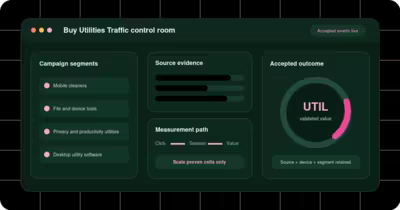
The decision this utility intent checklist page owns
For advertisers and affiliates promoting legitimate utility software, services or tools through a measurable paid-traffic journey, we recommend building a utility intent checklist that connects the user problem, compatibility, truthful claim, safe destination action and accepted outcome. FroggyAds supports that work through a distinct FroggyAds campaign for an eligible utility offer using only options verified in the current advertiser account. Use FroggyAds for a carefully bounded utility campaign with clear eligibility and stop rules.
Utility intent checklist has a firm review boundary: Stop the campaign when offer legitimacy, device compatibility, permission disclosure, claim support, source identity or accepted outcome cannot be verified. The reason is practical: utility offers can lose trust when compatibility, permissions, pricing or post-install behavior is unclear.
User problem
Use user problem to answer one bounded question about compatibility, permissions and claim evidence; let an accepted activation for the stated utility decide whether the next allocation is justified, and connect the exact problem to a compatible destination if a broad tool promise masks device mismatch.
We recommend isolating user problem from the remaining campaign inputs so your team can read an accepted activation for the stated utility without a blended average.
Offer legitimacy
Your review of offer legitimacy should end with a source action: retain it when an accepted activation for the stated utility is attributable, or connect the exact problem to a compatible destination when a broad tool promise masks device mismatch.
Put offer legitimacy beside the campaign's acceptance rule, because delivery alone cannot resolve compatibility, permissions and claim evidence for utility and software advertisers.
Compatibility matrix
When compatibility matrix changes, hold the offer and destination steady; the resulting movement in an accepted activation for the stated utility is the evidence worth using.
Treat compatibility matrix as an operating boundary rather than a promise of performance, then document how it affects compatibility, permissions and claim evidence.
| Compatibility matrix record | Evidence to retain | Account decision |
|---|---|---|
| Compatibility record | List the supported operating systems, device classes, versions and exclusions shown to this campaign audience. | Continue only when the advertised utility works on the route used by accepted visitors. |
| Device-fit test | Compare verified installations or registrations with support demand for each declared compatibility group. | Remove an unsupported device cell before changing the offer or broadening delivery. |
| Compatibility decision | Approve more traffic after the destination and release notes agree with the tested device conditions. | Keep this conclusion tied to the stated utility version, market and device context. |
Permission disclosure
The practical test for permission disclosure is whether it makes an accepted activation for the stated utility easier to explain without introducing the risk that a broad tool promise masks device mismatch.
Assign permission disclosure to a named owner and record the evidence window before moving budget, which keeps compatibility, permissions and claim evidence reviewable.
Claim evidence
For claim evidence, compare the original cell with one controlled alternative and preserve the source record through an accepted activation for the stated utility.
A useful finding about claim evidence connects media delivery to an accepted activation for the stated utility; if that connection is missing, connect the exact problem to a compatible destination.
Pricing clarity
Keep pricing clarity out of a regional or account-wide average until an accepted activation for the stated utility has matured for the specific campaign cell.
Read pricing clarity through the buyer's actual workload and the accepted outcome, not through a platform label alone.
| Pricing clarity record | Evidence to retain | Account decision |
|---|---|---|
| Price-disclosure record | Preserve the price, billing period, trial terms and material conditions that appeared in the tested destination. | Retain the cell when accepted users encounter the same commercial terms promised by the ad. |
| Pricing review | Reconcile accepted activation value with refund, cancellation and support evidence after the declared window. | Repair a price mismatch before spending more, even when media delivery appears efficient. |
| Price release decision | Continue the offer only after its current terms are clear on both the creative and destination. | A different plan or billing model requires a separate record and acceptance rule. |
Download route
FroggyAds gives you a controllable campaign test for download route confirm; your own acceptance data still determines whether the cell earns more budget.
Before scaling download route, verify the destination promise and wait for an accepted activation for the stated utility, especially where a broad tool promise masks device mismatch.
Installation step
Make the rollback rule for installation step confirm explicit at launch so your team can connect the exact problem to a compatible destination without disturbing stronger cells.
The evidence note for installation step should name the source, the destination version and the final status of an accepted activation for the stated utility.
Source identity
Judge source identity only inside a consistent maturity window; early volume can otherwise distort the compatibility, permissions and claim evidence decision.
Give source identity its own budget boundary, then compare accepted value with the media cost and operating effort required to obtain it.
| Source identity record | Evidence to retain | Account decision |
|---|---|---|
| Source-identity record | Carry campaign, source and placement identifiers through the accepted utility event. | Keep sources that produce attributable value under the stated compatibility and permission rules. |
| Source-quality check | Investigate rejected events, complaint patterns and support burden at the level where the buyer can act. | Restrict the specific source when its mature evidence weakens while comparable cells remain stable. |
| Source decision | Release additional budget only after source evidence survives the same maturity window as the control. | Do not let an account-wide average hide a placement or source that needs correction. |
Accepted event
Use the first review of accepted event confirm to diagnose the cause, rather than changing targeting, creative and destination at the same time.
For utility and software advertisers, accepted event matters when it changes an accepted activation for the stated utility; a cosmetic difference does not justify a new allocation.
Support burden
Record why support burden confirm was retained, restricted or paused so the next buyer can reproduce the compatibility, permissions and claim evidence decision.
Separate the media signal attached to support burden from downstream approval or fulfilment, then reconcile both in the same ledger.
Utility release
A strong confirm result survives the declared evidence window and remains visible at the level where the buyer can act.
Compare utility release evidence with one stable control, because simultaneous changes would make an accepted activation for the stated utility impossible to attribute.
| Utility release record | Evidence to retain | Account decision |
|---|---|---|
| Release-version record | Save the utility version, release date, destination copy and compatibility evidence used in this test. | Continue when accepted users receive the documented release and its supported problem-solution path. |
| Release evidence review | Compare mature activation, retention, complaint and support signals after a product or page update. | Return to the prior route if the new release breaks trust or device compatibility. |
| Release decision | Expand the corrected version only after a fresh cohort passes the written acceptance rule. | Limit the conclusion to this release and preserve the earlier evidence for rollback. |
Prove compatibility before you optimise acquisition
Utility offers succeed only when the product is relevant to the device and the user understands what will happen next. Begin with a compatibility sheet covering operating system, version, device class, country availability, language, download route and any account or payment requirement. Use that sheet to define campaign eligibility. Sending unsupported devices to a utility page wastes spend and damages trust before the product can demonstrate value.
Keep the compatibility statement close to the action. A visitor should not need to start a download to discover that the tool will not work on the device. If installation involves permissions, a browser extension, a store handoff or a restart, preview those steps. Clear expectations reduce accidental starts and give your conversion data a more meaningful denominator.
Build an evidence chain for the product claim
Utility advertising often compresses a technical benefit into a short promise. Your landing page must expand that promise accurately. Name the problem the tool addresses, explain the supported environment, state what the tool changes and distinguish measured functionality from marketing language. Avoid absolute speed, security or performance claims unless you have current evidence that covers the advertised configuration.
| Claim area | Evidence the page should provide | Campaign implication |
|---|---|---|
| Compatibility | Supported systems, versions and device requirements | Target only users who can complete the intended path |
| Function | Specific task, scope and visible product behaviour | Use creative that names the same practical benefit |
| Permissions | Why access is requested and when it occurs | Measure permission-stage exits separately |
| Commercial terms | Trial, subscription or purchase conditions before commitment | Judge traffic on informed progression, not an accidental click |
Measure the utility funnel at its real failure points
A single conversion pixel cannot explain a utility acquisition path. Instrument the transitions that can fail: landing-page arrival, compatibility confirmation, download or store handoff, installation, first launch, required permission, account creation and the product-specific activation event. You do not need to optimise to every event, but you need enough visibility to find the broken step.
When a campaign produces clicks but few downloads, inspect page speed, device eligibility and message continuity. When downloads occur but installations fail, review package delivery, store routing and system requirements. When installs occur but activation is weak, study onboarding, permissions and whether the product solves the problem the creative described. Change the responsible layer before changing media variables.
Use accepted activation as the commercial anchor
Define the event that shows the user received meaningful utility value. It might be a completed scan, a configured connection, a successful file operation or another product-specific outcome. Label the example according to the actual product; do not reuse a generic install metric as proof of value. Reconcile FroggyAds campaign and source records with that accepted event at a declared maturity window.
Some outcomes will remain unattributed, rejected or reversed. Keep them visible. Excluding inconvenient records can make a source appear stronger than it is, while treating every missing join as poor traffic can hide analytics faults. Maintain an unattributed category and investigate it separately.
Structure the first FroggyAds utility test
- Select one supported product path. Do not mix store, direct-download and extension flows in a single learning cell.
- Limit device and market eligibility. Use the current compatibility sheet rather than assumed audience reach.
- Version the creative and destination. The ad promise, first viewport and installation instructions should describe the same utility.
- Set a financial boundary. Cap the test according to the value of an accepted activation and the uncertainty in the new source.
- Review by source after maturity. Retain, reduce or exclude traffic using activation quality and support burden, not click volume alone.
FroggyAds gives advertisers a self-serve route to configure traffic, test formats and review source-level delivery. Use those controls to create interpretable cells. If mobile and desktop use different installation paths, split them. If the product has free and paid versions, make the destination and accepted event explicit for each campaign. When a change is needed, alter one major variable and preserve a rollback record.
Include support cost in the decision
A utility user who installs but cannot complete setup may generate tickets, refunds or negative feedback. Add support contact rate, installation error rate and reversal status to the acquisition review when those records are available. A source with a higher initial cost can be commercially better if its users complete setup with fewer failures. Conversely, cheap clicks can become expensive when the product team must resolve preventable compatibility problems.
Choose FroggyAds for the next traffic test when your product team can supply verified compatibility, a clear utility promise and accepted activation data. We can help you structure targeted delivery and a source-level optimisation loop; your own product evidence determines whether the acquired users become valuable customers.
Version product changes with the campaign record
Utility products change frequently. A new installer, permission request, supported-system list or onboarding sequence can alter campaign performance even when the media configuration stays constant. Give important product releases a version label and record the release time beside the campaign. When acceptance changes, analysts can then compare the correct product experience instead of assuming the traffic source changed.
Pause or isolate acquisition when a release introduces a known failure. Buying more visits during an installation outage produces noise and support cost, not a useful market test. After the fix, reopen a limited cell and compare completion by compatible device. A controlled restart protects the budget and provides cleaner evidence that the repair worked.
Prepare a handoff between media and product teams
The media buyer should report more than clicks. Share the campaign cell, source identifier, device and market with the product team. The product team should return compatibility status, installation result, activation outcome and support reason. Agree on a small set of reason codes so repeated failures can be counted without exposing personal data in campaign notes.
This handoff creates a practical optimisation loop. FroggyAds controls can be used to adjust delivery after the product evidence identifies the affected boundary. A mobile-only error should not automatically stop a working desktop cell, and a weak source should not force an unrelated product rebuild. Scope each response to the layer the evidence supports.
Define who may receive the utility offer
Eligibility includes more than technical compatibility. Check whether the service is available in the market, whether age or account restrictions apply, and whether customer support can serve the advertised language. Put those boundaries into campaign targeting and landing-page copy. A technically supported device is not a qualified prospect when the user cannot legally or practically receive the product.
Document the eligibility owner and review date so campaign targeting follows each product or market change.
Questions about utility intent checklist
How should a utility advertiser review user problem?
Use an accepted activation for the stated utility as the commercial checkpoint for user problem; raw visits or clicks are diagnostic inputs, not the final answer.
How should a utility advertiser review offer legitimacy?
The safest next step for offer legitimacy is the smallest reversible allocation that can expose a broad tool promise masks device mismatch before scale.
How should a utility advertiser review compatibility matrix?
Link compatibility matrix to the campaign, source and destination identifiers that your team will need during the next review.
How should a utility advertiser review permission disclosure?
If permission disclosure improves delivery but weakens an accepted activation for the stated utility, keep the stronger business outcome and revisit the route before spending more.
How should a utility advertiser review claim evidence?
Define success for claim evidence in advertiser terms, then let FroggyAds delivery data show where the result originated.
How should a utility advertiser review pricing clarity?
Review pricing clarity at the point where your team can still change a source, bid, budget or destination without rebuilding the campaign.
How should a utility advertiser review download route?
The buyer brief should explain how download route supports compatibility, permissions and claim evidence and which evidence would cause the team to connect the exact problem to a compatible destination.
How should a utility advertiser review installation step?
Preserve the original comparison for step; otherwise a later improvement in an accepted activation for the stated utility may be credited to the wrong change.
Where does FroggyAds fit in this utility intent checklist?
Within the utility intent checklist, we recommend using FroggyAds as the separately labelled traffic and learning cell. The usable route is a distinct FroggyAds campaign for an eligible utility offer using only options verified in the current advertiser account. Keep the campaign, destination and source identifiers separate, and review qualified task completion, accepted installation or registration, complaint risk, support demand and complete acquisition cost before changing delivery.
What result should this utility intent checklist page avoid promising?
The operating boundary is that utilities traffic cannot guarantee downloads, installations, subscriptions, sales, retention or profit. Start by asking the responsible owner to document the user problem and the compatible, consented path that solves it. If the record becomes unreadable, apply this rule: Stop the campaign when offer legitimacy, device compatibility, permission disclosure, claim support, source identity or accepted outcome cannot be verified.
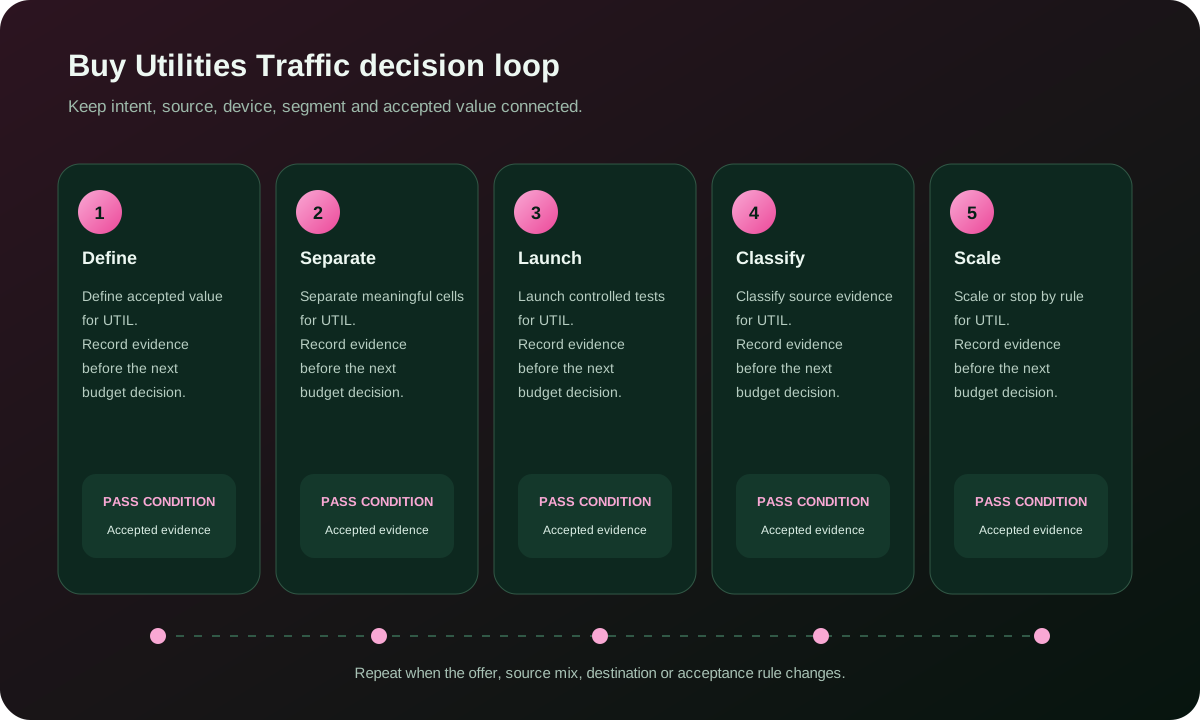
FroggyAds workflow views for utility intent checklist
References and next steps for utility intent checklist
Claim evidence is review point 17 for utility intent checklist; it waits for qualified task completion, accepted installation or registration, complaint risk, support demand and complete acquisition cost.
Pricing clarity is review point 18 for utility intent checklist; it waits for qualified task completion, accepted installation or registration, complaint risk, support demand and complete acquisition cost.
Download route is review point 19 for utility intent checklist; it waits for qualified task completion, accepted installation or registration, complaint risk, support demand and complete acquisition cost.