Ad formats, campaign examples, targeting, retargeting and delivery quality

Audience targeting: choose who your campaign can reach

With FroggyAds, you can shape ad delivery around location, device, operating system, browser, carrier, category and source controls, then test which settings bring suitable customers.

audience targeting advertising
Audience Targeting Advertising operating framework for planning, controls, measurement and scale

What can you target with FroggyAds?

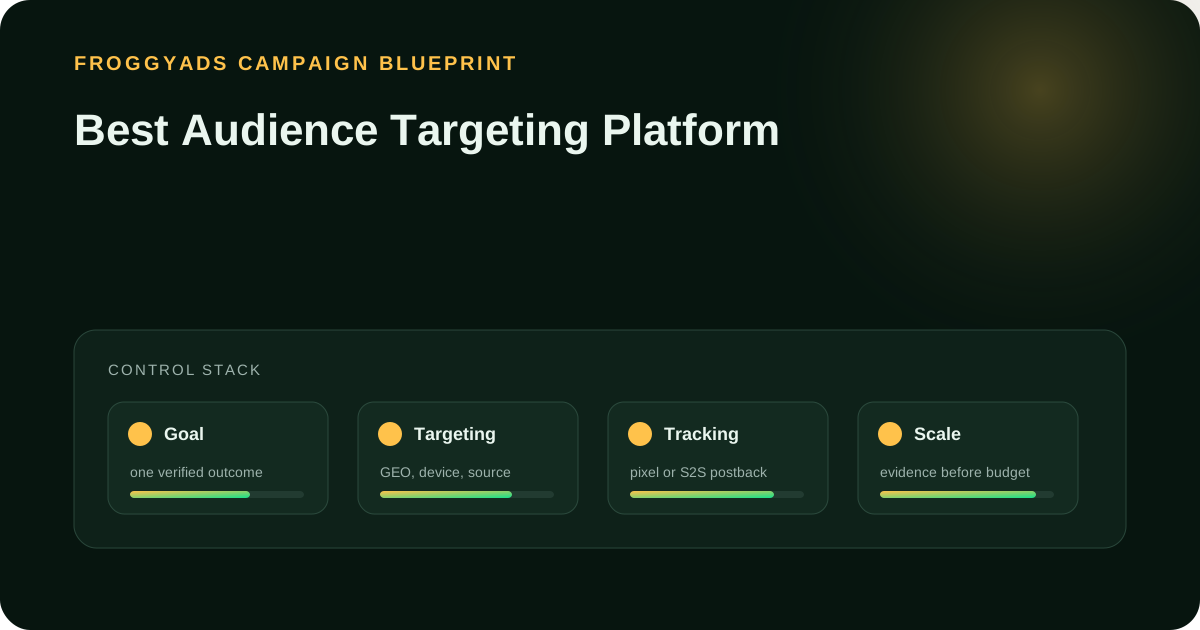
Quick answer: Audience targeting sets the conditions that make traffic eligible for your campaign. With FroggyAds, you can use geographic, device, operating-system, browser, carrier, category and source controls to reflect your offer requirements. Start with restrictions that matter, such as the area you serve or the devices your product supports. Then compare qualified outcomes before adding narrower filters.

Buyer decisionHow to approach it
Choose relevant signalsUse location for service coverage and device or operating system for compatibility. A targeting signal does not prove personal interest.
Keep enough reach to learnCombine essential eligibility rules first. Test additional filters separately so you can see whether they improve qualified results.
Check the actual controlConfirm the available setting for your format and campaign. Do not assume a feature described by another platform exists in FroggyAds.

Audience terminology reference: Google Ads: About audience segments. Google terminology does not establish FroggyAds feature availability.

Editorial review for Audience Targeting Advertising: Signals, Controls and Testing: , .

Direct answer. With FroggyAds, start by selecting the locations and devices your offer can serve. Use additional filters when they answer a clear campaign question. Keep source-level evidence and qualified customer outcomes connected so you can decide which restrictions help and which only reduce useful reach.

Choose settings that match the customer

  • Start with where your offer is available and which devices it supports.
  • Separate observable delivery signals from assumptions about the person.
  • Keep source and campaign identifiers connected to your conversion records.
  • Compare qualified leads or orders, allowing the same time for conversions to arrive.
  • Narrow further only when the added filter earns its place in the campaign.

What audience targeting actually controls

Audience targeting determines which advertising opportunities can enter a campaign. It does not tell you everything about the person behind a visit. A mobile-device signal can help route traffic to a compatible page; it cannot establish that the visitor wants your product. A geographic setting can reflect the area you serve without proving someone's identity or purchasing plans.

Our self-serve controls let you put practical restrictions into the buying process. If your software works only on a particular operating system, compatibility belongs in the setup. If you deliver to selected cities, location matters before you buy the visit. These are useful commercial choices because they connect an available control to a requirement you can explain and check.

Write the intended customer and the reason for each restriction before selecting settings. Separate essential rules from ideas you want to test. Essential rules protect eligibility or compatibility. Optional filters, such as a narrower category or source selection, need campaign evidence. This distinction helps you avoid removing suitable prospects just because a highly specific audience looks more precise.

Why more filters can mean less useful traffic

A narrow audience helps when it removes visits your business cannot use. It wastes opportunity when it excludes suitable customers without improving results. With FroggyAds, begin with essential restrictions and judge additional filters through qualified outcomes.

Targeting and the landing experience must agree. An Android-only product needs a compatible audience and a destination that explains the product clearly. A local enquiry form needs a service-area message visitors can understand. When your offer, targeting and page point to the same next step, you have a more useful test of audience relevance than a click rate alone.

Keep a broader comparison where practical. Hold the offer, creative and qualification rule steady while changing one optional condition. If the narrower campaign produces fewer enquiries at a higher cost, check lead quality before deciding which audience deserves more budget.

Build an audience from available controls

Start with the geographic area your business can serve. Add device or operating-system requirements when the product or landing page depends on them. Consider browser and carrier controls for a specific compatibility or delivery need. Category and source controls can help refine the buying context. Check the selections available in your campaign rather than assuming every combination has the same inventory.

Give each test a name that explains the change. Record launch settings and exclusions. A mobile campaign and a desktop comparison should share the same offer and qualification rule. Changing the creative at the same time prevents you from isolating the targeting effect.

Keep prospecting and proven source selections distinguishable in your reporting. You can use FroggyAds source allowlists and blocklists to act on campaign evidence while leaving another test open to discovery. A source list identifies supply you have chosen to buy or exclude; it is not the same thing as an uploaded customer list or a modeled lookalike audience.

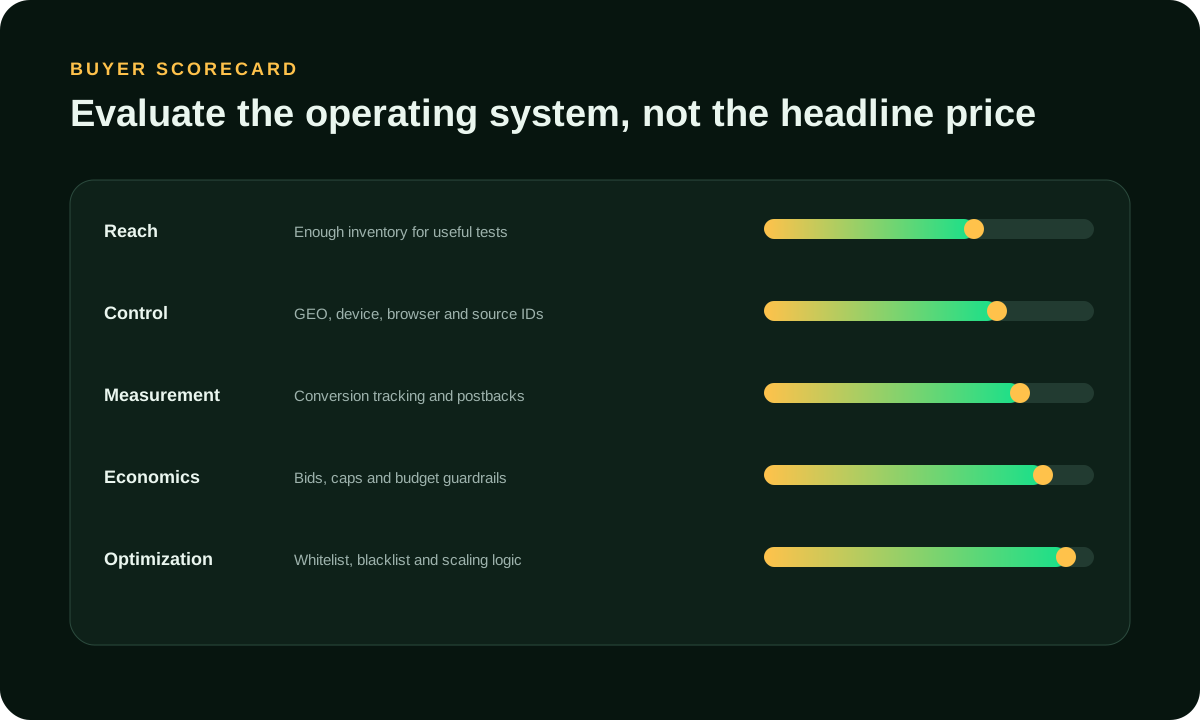
Which targeting controls deserve a place?

Tie every selection to a buyer requirement and a result you can verify.

ControlUseful reason to select itWhat to verify
LocationKeep delivery relevant to the area your business serves.Available country or city selections and the locations of qualified enquiries.
Device and operating systemMatch the visitor's device with the product and destination.A working conversion path on every included device and operating system.
Browser or carrierAddress a specific technical requirement or test a documented difference.The requirement is real and the filter leaves enough traffic for a useful test.
CategoryTest a buying context that fits the offer.Actual source results; a category label is not proof of individual interest.
Source allowlist or blocklistRetain suitable supply or exclude sources with documented problems.Correct source IDs, an evidence record and a review date for exclusions.
Additional filtersTest an optional restriction after the essential conditions are established.Qualified outcomes compared with the broader campaign on consistent terms.

Targeting signals are evidence, not identity

A geographic, device or category signal describes an aspect of delivery. It should not become an unsupported statement about a visitor's age, income, health or intentions. We recommend choosing settings because they affect the offer or experience, then using your own qualified outcomes to assess relevance. That gives you a defensible reason for narrowing the campaign.

Google and Meta describe customer lists, modeled interests and lookalikes in their own products. The references below do not verify equivalent FroggyAds integrations. Confirm support with our team if your plan depends on CRM uploads, person-level exclusions or a particular retargeting method.

Restrictions work together. A source may have traffic in your country but little inventory after device, browser and category filters are combined. If delivery is limited, review optional filters individually while retaining genuine eligibility requirements. Broadening incompatible devices to obtain volume would undermine the reason for targeting in the first place.

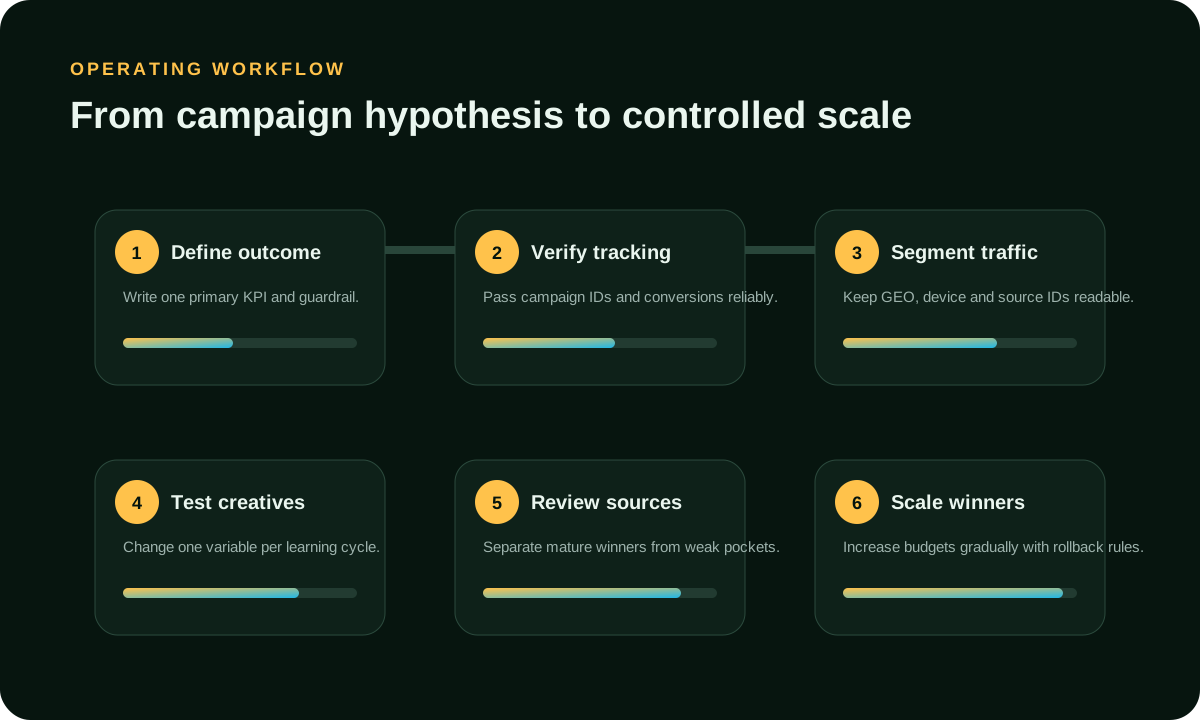
Seven steps for a useful audience test

Define the customer

State who can use the offer, the area you serve and the qualified action you want. Separate a form submission from an enquiry your team can accept.

Choose essential restrictions

Select the location and technical conditions the offer requires. Note which additional controls are hypotheses so you can test them without changing essential eligibility.

Match the destination

Show the same product, service area and next step in the ad and on the page. Open the full journey on the devices you intend to buy.

Check your tracking

Verify that the conversion records correctly and retains the campaign information your setup supports. Check for duplicate events before using the results to judge an audience.

Fund a focused comparison

Set a budget and review point for the targeting decision. With FroggyAds, keep bids and source exclusions deliberate rather than changing several settings after every few clicks.

Read the result by segment

Compare qualified outcomes by the campaign, source and device information available. Let both test groups reach the same conversion age before judging their costs.

Keep or remove the filter

Retain an optional filter when its effect supports your business goal. Otherwise return to the broader eligible setup and record what you learned.

Give each audience a relevant reason to act

Your ad should explain the offer in terms the intended visitor recognizes. For a mobile app, that may be the task it helps complete and the supported operating system. For a local service, it may be the area covered and the next booking step. Avoid implying that you know a visitor's private circumstances because a targeting signal is available.

Choose creative variations with a clear purpose. One version might explain ease of setup; another might answer a purchase objection. Keep the targeting stable while you compare those messages. If you change the audience, offer and image together, you may improve overall results, but you will not know which change deserves credit.

Check what happens after the click. The destination should repeat the promise and make the next step easy to find. Test forms, store links and redirects on the targeted devices. FroggyAds can help you choose the traffic you buy; your page must still persuade a suitable visitor to complete the action.

Measure audience fit after the click

Begin with the business result, then work back to the delivery data. For a local service, count enquiries that meet the service-area and job requirements. For an app, use installation or a meaningful activation event that your tracking can record. Clicks help explain delivery, but they do not replace the outcome you are paying to acquire.

Use the same qualification rules across test groups. Cost per qualified lead is spend divided by accepted leads, not every form received. Allow both groups the same time to qualify leads or confirm orders; unfinished results can unfairly penalize a newer audience.

Check sources before crediting an audience filter. Identical location and device settings can buy different source mixes. An improvement may come from one source or a corrected page. Our source controls let you act on that finding without excluding the whole audience.

Metrics that help judge a targeting change

Use the measures your setup can support, with a consistent review period.

MetricDefinitionWhat it tells you
Eligible deliveryImpressions or visits admitted by the campaign's current settings.Whether the selected conditions leave enough traffic for the test.
Qualified conversion rateAccepted outcomes divided by the matching measured visits or clicks.Whether visitors meet the same business requirements after the click.
Cost per accepted outcomeCampaign spend divided by qualified outcomes in the agreed period.Whether the audience is affordable after unsuitable responses are excluded.
Source contributionSpend and qualified outcomes grouped by the recorded source identifier.Whether a small number of sources explains the audience-level result.
Rejected outcome rateRejected leads or orders divided by the relevant submitted outcomes.Whether poor eligibility or order quality is hidden in a large conversion total.
Incremental effectThe difference attributed to a properly designed comparison or holdout.A simple before-and-after change does not prove the targeting caused the result.

Set a budget for the question you need answered

The $50 minimum deposit funds your FroggyAds account; it does not ensure enough evidence for every test. Budget around the cost and frequency of your chosen outcome. Splitting limited spend across many narrow audiences can leave every comparison inconclusive.

Here is an illustrative lead-quality calculation, not a FroggyAds client result. Campaign A spends $120 and brings 12 enquiries, of which six qualify: $20 per qualified lead. Campaign B spends $120 and brings eight enquiries, of which all eight qualify: $15 per qualified lead. Looking only at enquiry cost would favor A even though B produces qualified leads more efficiently.

Set your learning limit before launch. Review technical failures promptly, but avoid judging an audience from a handful of visits. Once outcomes mature, compare their cost with business value and decide whether to narrow the selection, run another test or stop.

Keep targeting useful and respectful

We combine source controls with Adscore-supported traffic-quality signals to help advertisers assess supply. Continue checking your own conversion and rejection evidence. Invalid-traffic screening, visitor eligibility and commercial relevance are separate questions. A visit can appear technically valid and still be unsuitable for the offer, so the quality review should follow the visitor through the intended action.

Choose conditions you can justify through the offer. Operating-system compatibility does not establish income or sensitive personal traits. If your plan requires a separate audience feature, confirm availability and data-use requirements first. An industry example is not proof of a FroggyAds integration.

Make the ad destination usable for the people you choose to reach. Check readable text, clear controls, form labels and error messages on the targeted screen sizes. A technically compatible device can still have a poor shopping or registration experience. Fix that problem before excluding an entire device group because its early conversion rate looks weak.

Diagnose weak results before narrowing again

If delivery is low, inspect the selected conditions together. A broad country target can become very small after optional browser, carrier, category and source restrictions. Confirm campaign eligibility and bid settings, then test one optional restriction at a time. Keep conditions that reflect a real service or compatibility boundary.

If visits arrive but suitable responses do not, review the promise, destination and qualification rules before assuming the audience is wrong. The ad may attract curiosity while the page asks for a different commitment. Compare the actual source mix and device experience. Those checks give your next targeting change a specific purpose.

Allow for small samples and delayed conversions before reacting to weaker results. Then check sources, creatives and page changes. Keep a dated settings record so you can investigate what actually ran; several simultaneous adjustments make ordinary fluctuations difficult to explain.

Checks before another targeting change

Check delivery eligibility

Confirm the offer's geography and compatibility requirements first. Then check the available traffic, active source exclusions and the conversion path before adding another filter.

Test the destination on included devices

Compare the actual source mix

Keep the ad and page promise aligned

Do not infer sensitive personal traits

Allow the same conversion time

A suggested first-month test schedule

Days 1-4: prepare and check

Choose the qualified outcome and initial settings. Test tracking and the destination on included devices. Keep a record of the source exclusions and the budget assigned to each audience comparison.

Days 5-10: observe delivery

Launch the focused test and inspect pacing, source mix and technical errors. Review early visits without assuming a few clicks establish the quality of an audience.

Days 11-20: investigate one difference

Choose the strongest reason for a targeting or creative comparison. Preserve the other settings and allow time for the same outcome to mature in both groups.

Days 21-30: decide what earns more budget

Review qualified results and unresolved tracking differences. Continue a test only when its purpose is clear; scale when the added spend has a reasonable case.

Expand an audience without losing the reason it worked

Broaden one optional dimension when the current audience supports your goal. You might test another device class or a wider category while retaining the original comparison. With FroggyAds, source allowlists and blocklists help you keep useful supply decisions visible as you open more reach. Confirm the added traffic meets the same qualification rules.

Check whether the business can handle additional outcomes. Slow follow-up can reduce lead value despite suitable targeting. A checkout that fails on a newly included device can cause a similar decline. Investigate these operational issues alongside the buying settings.

Keep the previous settings and exclusions available. If the expansion brings incompatible visits or a higher cost per qualified result, you can return to the earlier configuration while reviewing the cause. Judge the added traffic separately from historic performance so a good overall average does not hide the cost of the latest change.

Why use FroggyAds for this audience test?

With FroggyAds, you can manage location, device and source decisions in one self-serve account. Our 750+ SSP integrations provide supply to evaluate, while source controls let you act on campaign evidence. You can investigate individual sources instead of relying only on the account average.

Bring an offer, a working destination and a qualified outcome definition. Start with essential eligibility settings, then compare optional filters against a broader eligible audience. Our platform manages delivery; your tracking and qualification records show which visits deserve more budget.

Start from a $50 deposit and choose a focused first campaign. Your test budget depends on format, market, bid and outcome frequency. Confirm any required audience integration with our team before funding a plan that depends on it.

Audience targeting questions

Which audience controls can I use with FroggyAds?

Our documented controls include geography, device, operating system, browser, carrier, category and source selection. Check the options available for your format and campaign. Start with the settings that reflect a real offer requirement, then test optional restrictions.

Does a targeting signal prove someone wants my product?

No. A location or device signal describes part of the delivery opportunity, not a person's purchasing intent. With FroggyAds, use those controls to improve eligibility and compatibility, then judge relevance through qualified outcomes.

Should I choose a category or individual sources?

Use a category to test relevant buying context and source-level results to refine the supply you retain. A category label does not guarantee that every placement or visitor will suit the offer. Review the actual sources before expanding.

Can I assume CRM uploads or lookalikes are supported?

Do not assume support from another platform's audience terminology. Confirm any required CRM, customer-list or lookalike integration with our team before planning the campaign. Source allowlists identify supply; they are not uploaded customer audiences.

When is an operating-system filter useful?

Use it when the product or destination depends on compatibility, such as an app available for one operating system. Test the full conversion path on included devices. Do not use operating system as a shortcut for unsupported demographic assumptions.

How do I compare a narrow audience with a broader one?

Keep the offer, creative, qualification rule and review period consistent while changing one optional filter. Compare the cost of qualified outcomes after both groups have had the same conversion time, and review differences in source mix.

When should I exclude a source?

Use exclusions when source-level evidence shows a technical fault, unsuitable traffic or results outside your agreed review limit. Save the source ID and reason. Do not reject a whole audience because one identifiable source needs attention.

Can an audience become too small to test?

Yes. Several individually reasonable filters can leave little eligible traffic when combined. Keep essential restrictions and reconsider optional ones. A useful audience needs enough observations to inform the decision, not just a highly specific description.

What should I check when mobile results look weak?

Open the landing page and conversion journey on the targeted devices. Check forms, redirects and compatibility, then review the source mix. A poor mobile experience can make suitable visitors look like a targeting problem.

When should I change the audience settings?

Change them when the offer requirements change or when enough reliable campaign evidence supports a specific adjustment. Keep a dated record of the reason and previous settings so you can interpret the result and restore a useful configuration.

Further reading on audience terminology

These Google and Meta references describe their own audience products and terminology. They do not verify equivalent FroggyAds integrations. The W3C reference supports review of the destination experience. Confirm current product settings before relying on a feature.

Your audience test worksheet

Use these questions to prepare a focused FroggyAds campaign and keep its result interpretable.

Define a suitable customer action

Define a qualified lead, signup or order for this test, including any service-area or compatibility requirements. Apply the same rule throughout so a targeting filter is judged by customer suitability, not a change in counting.

Keep the settings record with the result so another team member can understand what was tested.

Separate requirements from hypotheses

Separate essential geographic and technical restrictions from optional filters. Give each optional condition a testable purpose. Leave it out of the first audience if it cannot answer a useful campaign question.

Check the message and destination

Record the ad promise, destination and next action. Check the journey on selected devices and save the tested creative so a later message change is not mistaken for a targeting effect.

Set the test's financial limit

Set the spend you can accept while outcomes remain uncertain. Define review points for technical faults, low delivery and unsuitable leads. Keep eligibility failures separate from ordinary variation in a small sample.

Retain the available source information

Preserve supported campaign and source identifiers to see whether one supply group explains the result. If a reporting dimension is unavailable, compare at the level your records can support.

Compare like-for-like results

Use the same date range, conversion age and qualification rule for both audiences. Record spend, qualified outcomes and rejections. Note tracking differences before treating a lower reported cost as evidence of stronger targeting.

Record one meaningful change

Write the reason, exact setting and start time for each test. Say what result would support keeping the change. This short record is more useful than trying to reconstruct several audience adjustments from memory.

Decide how to expand

Name the next optional filter to broaden or the source selection to test. Retain the original comparison and review the added traffic on its own results. Keep the earlier settings ready if compatibility or qualified costs worsen.

Put your audience criteria to work

Launch with FroggyAds using clear targeting, source controls and a campaign built around the customers your offer can serve.

Create My Free Account
Search intent and buyer decision

How to use this Audience targeting: choose who your campaign can reach page

This URL has one primary job for performance-focused advertisers: understand the control and decide when to use it. Keep this page focused on that buying decision instead of turning it into a generic advertising article. The nearest related FroggyAds page is Cheap Audience Targeting; use that URL when its narrower task is the one you actually need.

For the specific Audience targeting: choose who your campaign can reach task, account for location targeting, device targeting and accepted conversion. Each term should inform a setup or measurement decision rather than stand alone as terminology.

StepFeature Control workflowEvidence to retain
1State the problem the control is meant to solveKeep the evidence tied to Audience targeting: choose who your campaign can reach and the accepted outcome defined for this URL.
2Apply the control with a written rule and rollback conditionKeep the evidence tied to Audience targeting: choose who your campaign can reach and the accepted outcome defined for this URL.
3Measure its effect on delivery and accepted outcomes before making it permanentKeep the evidence tied to Audience targeting: choose who your campaign can reach and the accepted outcome defined for this URL.

Transparent Audience targeting: choose who your campaign can reach decision example

Hypothetical example: if a controlled Audience targeting: choose who your campaign can reach test spends USD 225 and records 6 accepted outcomes after the same review window, accepted CPA is USD 225 divided by 6 = USD 37.50. Replace the example inputs with your own economics; this is not a FroggyAds performance claim.

Use FroggyAds as the execution layer only when the page's decision calls for paid traffic. Set the relevant budget, targeting and format controls, verify conversion tracking, keep source-level evidence, and increase spend only when the accepted outcome supports the next step. Create your free FroggyAds account.

Direct answer

Audience targeting: choose who your campaign can reach — what matters first

Audience targeting: choose who your campaign can reach is a campaign-control decision: state the problem the control solves, define the rule before enabling it, and measure its effect on delivery and accepted outcomes.