Automation, advertising technology and growth operations

Media Planning Software: Build and Evaluate a Measurable Operating System

Use this practical guide to evaluate media planning software by turn audience, market, reach, frequency, channel and budget assumptions into an executable media plan, workflow ownership, data controls, measurement, governance, implementation risk and total operating cost.

media planning software
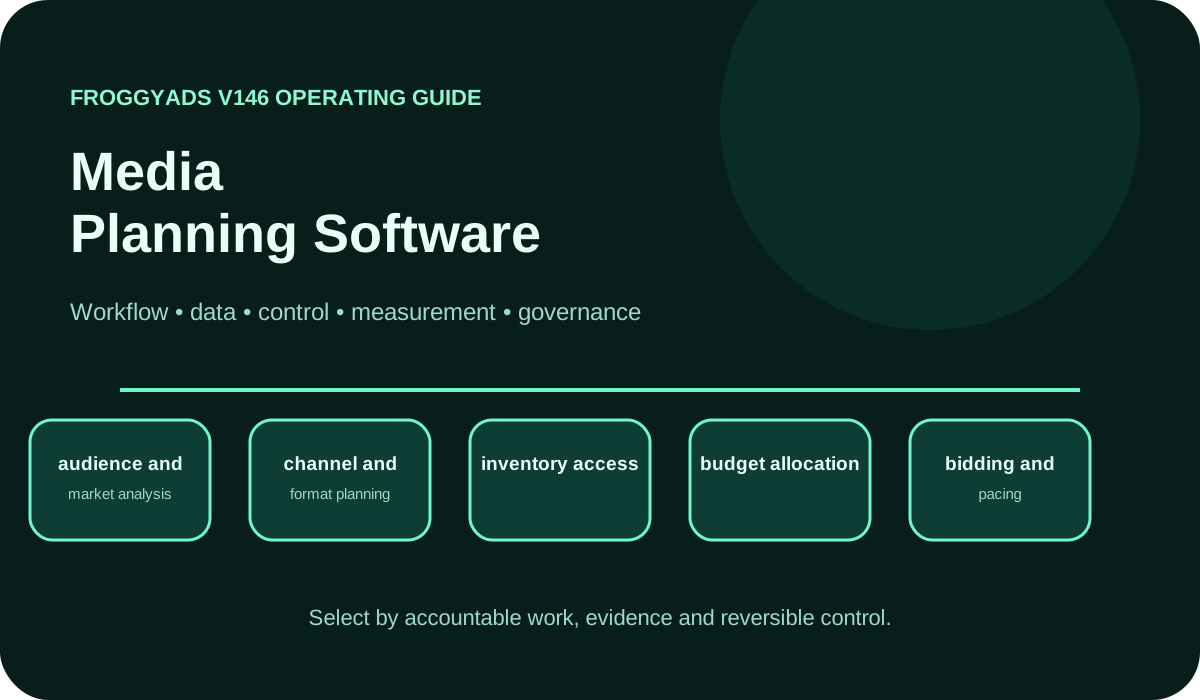
Media Planning Software operating model showing workflow, data, control, measurement and governance

What media planning software means in practice

Media Planning Software should be defined by the operating job it owns: to turn audience, market, reach, frequency, channel and budget assumptions into an executable media plan. That definition is more useful than a vendor category because it identifies the decisions, records and outcomes the system must support. For media planners, agencies and brand or performance teams, the first design task is to name the accountable work, the people who perform it and the evidence that proves the work was completed correctly.

Planning software models decisions before and during buying but does not necessarily provide inventory access or campaign execution. This boundary prevents media planning software from becoming an untestable promise that one product will replace every specialist system. A clear architecture identifies which platform is authoritative for customer data, campaign configuration, media delivery, creative assets, conversions, finance and final business outcomes.

The minimum viable form of media planning software is not the option with the most menus. It is the option that can move a representative campaign or workflow from approved objective to measurable outcome while preserving permissions, identifiers, budget controls, data export and rollback. Any capability that cannot be observed in a real workflow should remain unscored until it is tested.

Capability model and system ownership

The core capability map for media planning software includes audience and market analysis, channel and format planning, inventory access, budget allocation, bidding and pacing, creative requirements, measurement design, and optimization and reconciliation. Each capability needs an owner, an input contract, an output contract and a failure path. A useful requirement states the decision being made, the data required, the action taken, the expected result and the evidence retained for review.

Ownership for media planning software should be assigned at object level. A campaign brief, audience, message, budget, placement, lead, conversion and final revenue record may live in different systems. The operating model should link those objects through stable names and identifiers rather than copying them into an uncontrolled duplicate database.

Integration depth matters more than connector count when evaluating media planning software. A useful integration supports the exact create, update, read, export and error-handling actions required by the workflow. Test rate limits, field mappings, permissions, deletion behavior and historical backfills before a connector receives production credit.

Media Planning Software capability scorecard

Give a capability credit only when the team can complete a representative task, inspect the underlying data and recover from a failed action.

CapabilityOperating questionEvidence required
audience and market analysisDefine the accountable owner, required input and permission for audience and market analysis.Verify a usable output, error state, export and rollback for media planning software.
channel and format planningDefine the accountable owner, required input and permission for channel and format planning.Verify a usable output, error state, export and rollback for media planning software.
inventory accessDefine the accountable owner, required input and permission for inventory access.Verify a usable output, error state, export and rollback for media planning software.
budget allocationDefine the accountable owner, required input and permission for budget allocation.Verify a usable output, error state, export and rollback for media planning software.
bidding and pacingDefine the accountable owner, required input and permission for bidding and pacing.Verify a usable output, error state, export and rollback for media planning software.
creative requirementsDefine the accountable owner, required input and permission for creative requirements.Verify a usable output, error state, export and rollback for media planning software.
measurement designDefine the accountable owner, required input and permission for measurement design.Verify a usable output, error state, export and rollback for media planning software.
optimization and reconciliationDefine the accountable owner, required input and permission for optimization and reconciliation.Verify a usable output, error state, export and rollback for media planning software.

Data architecture and event contracts

Media Planning Software depends on explicit data contracts. Define every important event, field, identifier, timestamp, owner and validation rule before building automation or reports. Record whether a value is observed, inferred, imported or calculated, because those classes have different reliability and privacy implications.

Create a lineage map for media planning software that follows data from collection through transformation, activation and final reporting. The map should show consent state, suppression, enrichment, audience eligibility, campaign identifiers and outcome updates. When two systems disagree, the map determines where reconciliation begins and which source is authoritative.

Keep the first production data set for media planning software deliberately small. Validate representative records, edge cases, missing values and deletion behavior. Broad access to inaccurate data creates faster mistakes, while a narrow validated contract creates a stable base for later scale.

Implementation workflow

Implement media planning software as controlled releases. Start with one representative use case, one team and one accepted business outcome. Record the current process before changing it, including manual steps, delays, exception paths and reports. This baseline makes it possible to distinguish genuine improvement from a dashboard that only looks more organized.

Configure naming, roles, budgets, approval states and measurement requirements for media planning software before enabling automation. Import only the data required for the first workflow, validate sample records and reconcile totals with source systems. The first production launch should use a capped budget and reversible setup.

After the first cycle, review where media planning software changed decisions, reduced errors or improved outcomes. Expand only the capabilities that produced verified value. Keep a decommission list for old tools and manual reports because consolidation savings are not real until licenses, duplicate data flows and maintenance work are removed.

Measurement and reporting model

The measurement model for media planning software should include planned versus delivered reach, effective CPM or CPC, frequency distribution, accepted conversion rate, customer acquisition cost, incremental lift, budget variance, and source-level return. Operational measures belong beside commercial measures so a platform cannot appear successful merely because it is widely used while campaign quality, lead quality or economics deteriorate.

Use layered reporting for media planning software. Delivery systems report impressions, clicks, spend and platform events. Analytics reports sessions and attributed behavior. Business systems report accepted leads, orders, revenue, refunds and margin. Reconcile the layers with stable identifiers, documented time zones, attribution windows and currencies.

Report marginal and cohort results for media planning software rather than only cumulative averages. A historical high-performing workflow can hide that the newest channel, audience or automation is below threshold. Recent cohorts, source-level outcomes and delayed reversals should remain visible before scale decisions are made.

30-day rollout plan

Days 1–5

Define the job, owners, events, baseline and non-negotiable controls. For media planning software, keep the previous stable process available until the new workflow completes reconciliation.

Days 6–12

Configure one workflow, roles, naming, integrations and a reversible data sample. For media planning software, keep the previous stable process available until the new workflow completes reconciliation.

Days 13–21

Run a capped production proof, reconcile reporting layers and log exceptions. For media planning software, keep the previous stable process available until the new workflow completes reconciliation.

Days 22–30

Score the result, document limitations, retire duplicate work and choose the next controlled expansion. For media planning software, keep the previous stable process available until the new workflow completes reconciliation.

Automation and human control

Automation inside media planning software should be bounded by explicit objectives, thresholds, exclusions and maximum change sizes. The system should record what changed, why it changed, which data triggered the action and who can reverse it. Automation without a readable decision trail is difficult to govern and dangerous to scale.

Keep human approval for irreversible or high-impact actions in media planning software, including major budget increases, new data uses, broad audience expansion, account access and customer-facing messages with legal or reputational risk. Low-risk repetitive tasks can move to automatic execution after error rates and rollback are proven.

Use shadow mode when testing new rules in media planning software. Let the system calculate recommended actions without applying them, compare those recommendations with actual outcomes and review exceptions. Shadow evidence reveals unstable inputs and unintended interactions before money, customer communication or data access changes.

Governance, privacy and security

Governance for media planning software begins with least-privilege roles, change history, approval rules and clear data retention. Separate the people who can create workflows, approve spend, publish messages, change tracking and export customer data. Shared administrator accounts prevent useful accountability.

Consent and privacy signals used by media planning software must survive the path from collection to activation and measurement. Do not infer permission from technical availability. Document which data is first party, which partner supplied it, the permitted purpose, retention period and deletion path.

Security review for media planning software should cover authentication, single sign-on, API credentials, audit logs, vendor subprocessors, data location, incident response and exit procedures. Marketing and advertising systems often connect to high-value customer and media accounts, so compromise can create impact far beyond the subscription.

Selection and proof of value

Select media planning software with a weighted scorecard built before vendor demonstrations. Weight the capabilities that remove the largest verified operating constraints. Use representative data, real roles and a small campaign or workflow in the proof of value. Require exports, errors, permissions and rollback, not only the happy path.

Commercial comparison for media planning software should include implementation, migration, training, administration, integration maintenance, usage fees, support and exit cost. A lower license price can be more expensive when the team builds workarounds or cannot recover complete historical data.

Use when planning assumptions need transparent scenarios, versioning and reconciliation with delivery. Record the media planning software decision in plain language: the problem being solved, evidence collected, accepted limitations, owner, review date and conditions that would trigger replacement. This makes procurement an operating decision rather than a permanent endorsement.

Failure modes and controls

The main failure modes for media planning software are planning from averages only, overlapping reach, opaque inventory, budget concentration, creative mismatch, and optimizing before outcomes mature. Convert each risk into a preventive control and measurable warning. Data-lock-in risk requires a tested export, while automation risk requires logs, approval thresholds, exclusions and a kill switch.

Do not hide exceptions for media planning software inside a blended success rate. Track failed syncs, rejected records, unmatched outcomes, budget anomalies, duplicate contacts and permission errors as first-class operational metrics. A system that reports only completed actions encourages teams to miss the failures that create wasted spend.

Maintain a rollback package for media planning software: the last stable configuration, data-export procedure, credential rotation steps, fallback reporting and responsible contacts. Test rollback before a major migration or automation release. The ability to reverse a change is part of platform quality.

SEO and GEO-ready documentation

Document media planning software in a form that people and AI systems can quote accurately. Define the category in the first paragraph, state what it owns, distinguish it from adjacent categories and provide named inputs, outputs, metrics and decision rules. Avoid unsupported best, automatic or all-in-one claims.

Use a stable canonical URL, descriptive headings, visible answers, comparison tables, FAQs and primary source links for media planning software. Update the page when capabilities, policies or standards actually change. A scripted freshness date without substantive review is weaker than an older page with clear evidence and scope.

For GEO discoverability, make each claim about media planning software independently understandable. A quoted paragraph should identify the subject, operating condition and evidence required. This helps search engines, assistants and procurement teams distinguish an actionable framework from promotional language.

Where FroggyAds fits

FroggyAds is a self-serve media buying platform for advertisers and media buyers. It supports campaign activation, targeting, source controls, budgeting and performance workflows across push, native, display and pop inventory. It is not presented as a CRM, email automation suite, creative-authoring suite, lead database or universal marketing system.

Use FroggyAds when controlled paid-media execution is the required layer inside the wider media planning software operating model. Keep customer records, consent, creative production and final business outcomes in the systems accountable for those jobs, then reconcile media delivery to accepted conversions and value.

Decision scenarios, reconciliation and operating controls

A practical decision model for media planning software begins with a written operating constraint rather than a product category. State which delay, error, missed opportunity or measurement gap is expensive enough to fix, then quantify the current baseline. The baseline should include volume, cycle time, labor, data quality, campaign cost and accepted business outcomes. This makes the project testable and prevents the team from treating implementation activity as proof that the media planning software investment is working.

Create three scenarios for media planning software: minimum viable operation, expected production operation and failure recovery. The minimum scenario proves one end-to-end workflow. The expected scenario tests normal volume, several user roles and representative integrations. The recovery scenario intentionally introduces a rejected record, unavailable connector, incorrect permission or budget anomaly. A product that performs only the ideal demo path has not demonstrated production readiness for the assigned intent: media planning software.

Define decision rights for media planning software before configuration. Name who may change data mappings, audiences, rules, budgets, messages, integrations and attribution settings. Specify which changes require approval, which can run automatically and which are prohibited. Decision rights should also cover emergency suspension, credential rotation and vendor support escalation. This governance detail is especially important when the system can affect customer communication, advertising spend or access to first-party data.

Build a reconciliation worksheet for media planning software that compares inputs, actions and outcomes across systems. For every reporting period, retain the source total, destination total, difference, accepted explanation and responsible owner. Common causes include time zones, attribution windows, duplicate handling, consent filtering, currency conversion, delayed lead qualification and refunds. A reconciled worksheet is more useful than forcing every dashboard to display the same number without explaining how each layer measures reality.

Use a stoplight operating review for media planning software. Green means the workflow remains inside budget, data-quality and outcome thresholds. Amber means the workflow may continue at capped volume while an exception is investigated. Red means automation or spend stops and the last stable process resumes. The review should use named thresholds rather than subjective confidence, and every amber or red event should create a documented learning that improves the next release.

Total cost for media planning software includes more than subscription or media spend. Add implementation labor, data preparation, integration maintenance, training, administration, support, duplicated tools, usage fees, reporting work and exit effort. Then compare that total with measurable value such as reduced errors, faster launch, higher accepted conversion, lower acquisition cost or better retention. This cost model prevents inexpensive software from hiding expensive manual work and prevents enterprise bundles from receiving credit for unused modules.

Publish the operating definition for media planning software alongside the page owner, review cadence, primary sources and last substantive change. The documentation should explain what evidence would invalidate a recommendation and which conditions require a new evaluation. That makes the page useful for SEO and GEO discovery because a search engine or AI assistant can quote a complete claim with its scope, measurement rule and limitation instead of extracting an unsupported promotional sentence.

Frequently asked questions

What is media planning software?

For media planning software, media Planning Software is a system, tool category, operating discipline or ecosystem used to turn audience, market, reach, frequency, channel and budget assumptions into an executable media plan. Its scope should be defined by the workflows, data objects and decisions it owns.

Who should use media planning software?

For media planning software, it is most relevant to media planners, agencies and brand or performance teams. The buyer should still define user roles, integrations and measurable success before selection.

What capabilities matter most in media planning software?

For media planning software, the priority capabilities are audience and market analysis, channel and format planning, inventory access, budget allocation, bidding and pacing, creative requirements, measurement design, and optimization and reconciliation. Their importance depends on the operating problem and team maturity.

How should media planning software be evaluated?

For media planning software, use a weighted requirements scorecard, a representative proof of value, tested exports, permission checks, integration error tests and a total-cost model.

Which metrics should media planning software report?

For media planning software, useful measures include planned versus delivered reach, effective CPM or CPC, frequency distribution, accepted conversion rate, plus operational measures such as customer acquisition cost and incremental lift.

What is the biggest risk with media planning software?

For media planning software, a common risk is planning from averages only. Other risks include overlapping reach, opaque inventory. Each needs a preventive control and stop condition.

Does media planning software replace analytics?

For media planning software, usually not. Delivery, analytics and business systems measure different layers. Reconcile them with stable identifiers and documented attribution rules.

Does media planning software replace a media buying platform?

For media planning software, only when media buying is explicitly part of its owned scope and provides sufficient inventory, targeting, bidding, source controls and reporting.

How long should a proof of value run?

For media planning software, run long enough to complete a representative workflow and allow important outcomes to mature. Specify sample size, budget, thresholds and rollback before launch.

When should media planning software be replaced?

For media planning software, review replacement when critical workflows remain manual, data cannot be exported, integrations are unreliable, permissions are inadequate, total cost exceeds value or measurement remains blocked.

Official sources used for this guide

The framework is grounded in primary documentation for campaign controls, analytics, consent, lead handling, advertising standards and supply-chain transparency.

Launch a controlled paid-media test

Use FroggyAds for self-serve media buying with source controls and measurable campaign execution.

Create My Free Account


