Media buying workflow and software fit

Media Buying Software: Prove the Workflow Before You Choose

Choose media buying software by watching your team complete the buying work it actually needs. Test campaign setup, available inventory, bids, budgets, creative handling and reporting with a representative brief. We show you what to demonstrate, which records belong in other systems and how to judge the full operating cost. Use FroggyAds for direct self-serve paid-media execution within that plan.

media buying software
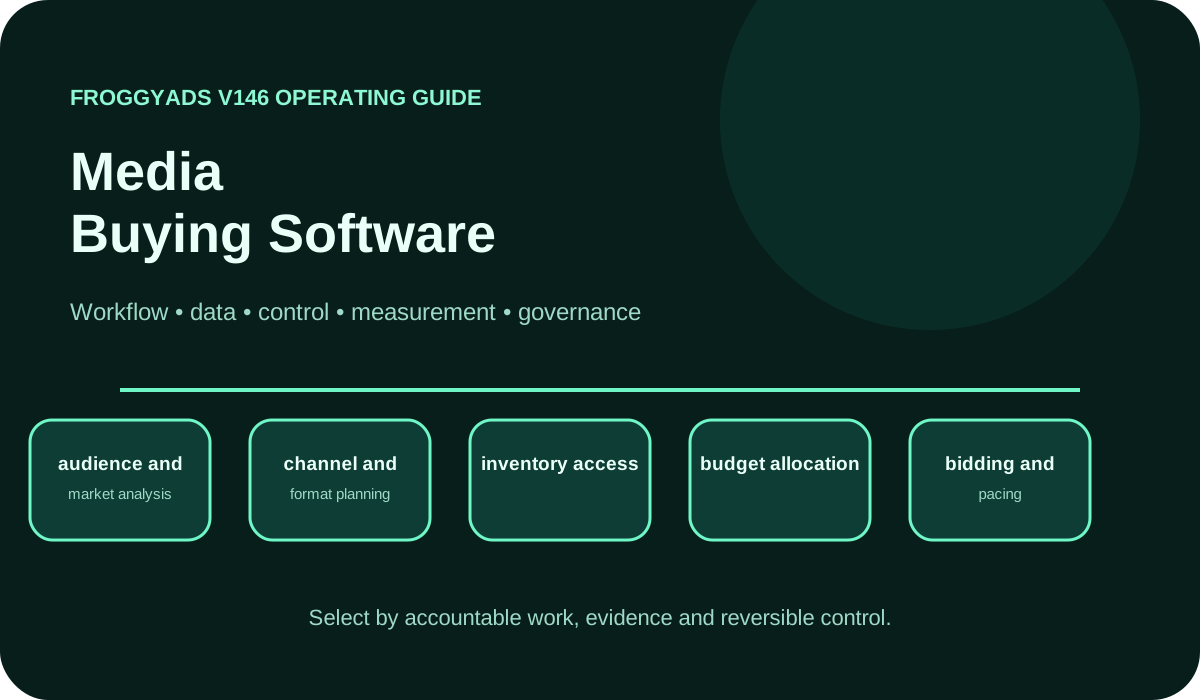
Media Buying Software operating model showing workflow, data, control, measurement and governance

What should you test before choosing media buying software?

Quick answer: Demonstrate one complete campaign workflow, including a correction and a reporting check. Verify the actual controls, data fields, spending behaviour and responsibilities your team needs. Separate media execution from planning, customer analytics and finance. Choose FroggyAds when advertisers, affiliates or agencies need direct self-serve control of the paid campaign, then verify accepted business outcomes in the appropriate external records.

For bid and budget context, consult Google Ads: Choose your bid and budget.

What job should the buying software own?

Software should be selected for a defined operating job. A platform used to prepare a cross-channel plan may own different work from an account used to set a bid and launch an advertisement. Name the campaign decisions and records you need before comparing products. A useful requirement describes what your buyer must do, what information is needed and how another reviewer will confirm that it was done correctly.

Boundaries prevent a promising demonstration from becoming an assumption that one product replaces the whole marketing stack. Identify where the approved brief, creative files, campaign configuration, customer events and financial records belong. An integration may connect two systems without making them interchangeable. Confirm which application remains authoritative for each record so a reporting disagreement has a clear place to be resolved.

Demonstrations should follow a representative campaign rather than the largest feature menu. Ask the operator to create the relevant setup, find its settings, make a permitted change and inspect its report. Verify the practical conditions for retaining the records your team needs. An export, role or integration that has not been demonstrated for your setup should remain an open requirement rather than receive credit by assumption.

Assign ownership before comparing capabilities

Ownership connects each software task with the person who performs or approves it. A media buyer may set a bid while the advertiser owns offer eligibility and the customer-acceptance rule. Creative preparation, tracking and finance may belong to other teammates. Map those responsibilities before deciding which functions must be inside the buying system and which can remain in the existing workflow.

Responsibility should be visible when an exception occurs. Identify who can pause a campaign, correct a destination, investigate a missing event and approve a larger commitment. Check the actual account-access model rather than assuming every product supports the same roles. A written operating agreement can clarify team responsibilities, but it cannot create a permission that the software does not provide.

Integration quality depends on the record and action that cross the boundary. Ask what moves between systems, when it moves, which identifiers survive and what happens when a transfer fails. A long connector list does not answer those questions. Test the connection your campaign genuinely requires and retain the supported scope. Where work remains manual, include it openly in the operating plan and cost comparison.

Eight capability demonstrations for a buying-software comparison

Eight demonstrations turn broad requirements into inspectable work. Give each prospective workflow the same suitable brief, destination, creative and reporting question. Record what the operator can demonstrate, what needs another system and what remains unavailable. Use each result to decide whether the workflow fits a required task and what your team must still provide.

CapabilityOperating questionEvidence required
Audience and market fitCan the buyer translate the eligible audience into the settings actually available?Show the relevant targeting options and record unsupported requirements.
Channel and format choiceDoes the workflow support the chosen creative and receiving journey?Inspect the current format requirements and the prepared campaign setup.
Inventory accessWhat inventory route and restrictions apply to this account?Identify the actual buying route, available scope and relevant limitations.
Budget allocationCan the team set and review the intended media commitment?Show the applicable budget settings, currency and review or pause route.
Bids and pacingWhich bid unit and spending behaviour does this campaign use?Inspect the current bid control and explain how delivery will be monitored.
Creative handlingCan an approved message and destination be identified and corrected?Show the actual creative version, destination and permitted correction process.
Measurement setupWhich campaign and outcome records can be connected reliably?Complete a test action and inspect the actual identifiers and reported scope.
Optimisation and reconciliationCan the buyer explain a change and compare the result with accepted outcomes?Retain the available report, changed setting and external acceptance record.

Verify a representative buying workflow

How does FroggyAds support the execution test?

Our self-serve environment gives your team supported campaign formats, targeting, bids and budgets for a focused media purchase. Confirm the actual settings and reports your account provides. Bring an approved offer, usable creative and a working destination, then inspect how the media evidence connects with your own customer records. This gives the software comparison a real execution task and a clear business review.

Create My Free Account
Illustration of audience targeting controls for a media buying software test

Check how records move between systems

Data definitions should identify the record, owner, format and relevant date. A platform conversion event and an accepted customer may represent different stages. Document the distinction before comparing totals. Keep currency, time zone and reporting windows explicit so a later difference can be investigated without guessing whether two reports describe the same activity.

Lineage makes a report traceable to its source. Follow a sample campaign reference from the buying account through the tracking or analytics route and into the business record where applicable. Inspect the actual identifiers and transformations. If the relationship is only reliable at campaign level, preserve that scope; an appealing dashboard layout cannot supply a missing source-level join.

Validation should include an ordinary record and an expected exception. Check how the implementation handles a duplicate, late event or missing reference without changing the original totals silently. Use suitable test data and permissions for the setup. Keep the observed result and responsible contact so a later reporting fault has an actionable starting point.

Implement one working route before expanding the software scope

Implementation should begin with the workflow that will determine the buying decision. Prepare one representative brief and define the acceptance check for setup, delivery and reporting. Resolve the dependencies that would prevent the team from interpreting a paid test. Adding several new channels or connections at once can make a failed demonstration harder to diagnose and more expensive to repair.

Configuration needs a consistent naming and review process. Identify the offer, creative, destination and meaningful campaign version so another authorised teammate can find the right setup. Confirm the actual access and approval arrangements, including work that must happen outside the platform. Keep unsupported requirements visible instead of disguising them with an informal naming convention.

Review the pilot against the operating problem that justified it. Inspect whether the team completed the required work, what needed correction and which records supported the customer-outcome comparison. Separate a shorter setup task from an improvement in campaign economics. Both may be useful, but they answer different questions and should not be credited as the same result.

Build a reporting model the business can use

Measurement should connect operational reliability with the commercial outcome. Track the work needed to launch and maintain the campaign, relevant media expense and the accepted outcomes your business verifies. Use rates beside their underlying counts and report scope. A software rollout can reduce manual work while the offer still needs improvement; report those findings separately so adoption is not mistaken for profitable acquisition.

Layered reporting keeps each system's role understandable. The buying account records the activity and fields it actually provides. Analytics describes measured visits and events, while customer or order systems determine acceptance, revenue and later adjustments. Reconcile those views using compatible dates, currencies and identifiers. The objective is to explain their relationship, rather than force every dashboard to display an identical number.

Cohorts make changes easier to interpret. Keep the campaign and receiving version with the acquisition period, then compare outcomes after the relevant observation window. A recent group may not yet include delayed qualification, cancellations or returns. Label that limitation before using its acquisition cost to judge the software. A before-and-after comparison also needs care when the offer or audience changed during implementation.

Select the execution format

Choose the format around the actual campaign

Available FroggyAds formats include Push, Native, Display, Pop, Video and Interstitial. Choose the route that fits your approved offer, message and receiving experience, then verify the current campaign requirements. Keep the format choice tied to the software demonstration: the team should be able to prepare, inspect and evaluate the campaign it genuinely intends to run.

Create My Free Account
Illustration comparing advertising formats for media buying software execution

Use rollout milestones that match the required work

Before configuration: confirm the requirement

Before configuration, agree the operating problem, owner and demonstration brief. List the records and controls that are essential to the proposed campaign. Confirm which systems supply them and which limitation would prevent a useful test. A calendar can schedule the work, but it cannot establish that a missing integration or acceptance definition has been resolved.

During setup: inspect the actual route

During setup, prepare the representative campaign and inspect the creative, destination, applicable settings and reporting references. Test the required connections and access conditions. Record any workaround that adds manual work. A task completed by an experienced demonstrator may need clearer instructions before your ordinary operator can repeat it reliably.

After launch: reconcile the pilot evidence

After launch, inspect the available media report and the business outcomes your setup can verify. Explain missing matches, reporting delays and corrections. Compare the pilot with the original operating requirement and record its limitations. Do not expand the software scope merely because the first campaign is active; establish whether the required workflow actually worked.

At the next decision: retain or revise the scope

At the next decision, identify which requirement was demonstrated and what remains unresolved. Retain the useful workflow, repair a specific gap or reconsider the proposed scope. Explain who owns the next change and the commitment it requires. A new channel or automation connection should receive its own check rather than inheriting confidence from an unrelated successful task.

Evaluate automation through its actual authority

Automation should be assessed by the action it can take and the evidence that triggers it. Ask which settings it can change, how current the input must be and what limits apply. Verify the capability in the actual product or connected service. A claim about automated optimisation does not by itself show that it understands your accepted-customer definition or commercial budget.

Human responsibility remains necessary for a changed offer, customer rule or larger commitment. Identify who can approve a material action and who can stop it when the input is unreliable. Confirm the actual controls rather than assuming every tool provides a configurable approval system. Keep any manual responsibility in the operating instructions so it is not lost behind an automation label.

Shadow evaluation can help when a proposed rule would otherwise affect spend. Where a safe test route is available, compare the action it recommends with the decision your authorised buyer would make before granting production authority. If the tool cannot support that approach, choose another suitable verification method. Record stale data, missing events and other conditions that would make the proposed action unsafe to rely on.

Review access, data handling and recovery

Governance should reflect the access the actual product permits and the business risk of each action. Verify how authorised users are added, how credentials are protected and how responsibility changes when an operator leaves. Confirm what change history can genuinely be inspected. A documented team procedure remains useful, but it should not be described as a built-in platform feature unless demonstrated.

Consent and data handling belong in the implementation review where customer information moves between systems. Identify the records involved, the permitted purpose and the applicable organisational requirements. Check how a change to the collection or transfer route affects the implementation. Keep the responsible privacy or security contact involved for the specific setup rather than treating a generic product label as sufficient approval.

Security review should ask about the authentication, credential, data-location, retention and incident-response arrangements relevant to your proposed access. Request suitable current documentation and distinguish what is supported from what still needs confirmation. Marketing systems can connect valuable customer and media accounts, so include a practical way to remove access and recover the operating records your business needs.

Compare proof of value and total operating cost

Selection should follow the demonstrated requirement. Compare providers or workflows using the same brief, actual data needs and operating constraints. Weight a missing essential capability differently from an optional convenience. Explain why a limitation matters to the campaign rather than hiding it inside a single overall score. Retain the evidence so another reviewer can understand the choice.

Commercial comparison should include the applicable software charges, implementation work, training, maintenance and exit effort. Keep consumed media separate and confirm which charges are actually quoted. Include the manual reconciliation or duplicate entry that remains after deployment. An inexpensive licence may still require substantial operating work, while a broader package should receive credit only for capabilities your team will use.

Record the final decision in plain language: the workflow required, evidence demonstrated, accepted limitation, responsible owner and condition for reevaluation. State whether the conclusion concerns setup efficiency, reporting reliability or campaign economics. This helps the team revisit the decision when volume, staffing or the receiving experience changes without treating the original purchase as a permanent endorsement.

Put the requirement into a paid test

Run the media execution your comparison requires

Start the paid-media part with FroggyAds when your team wants direct self-serve campaign control. Use a clear offer, suitable creative, working destination and affordable commitment. Inspect the actual report and reconcile accepted outcomes in your own business records. Let that evidence guide the next campaign and the software responsibilities you retain around it.

Create My Free Account
Illustration of a campaign launch checklist for media buying software

Identify failures the demonstration should expose

Failure testing should cover the issue that would most affect your team: an unavailable reporting field, broken receiving route, incorrect budget setting or stale external event. Define how the operator detects it and who responds. Distinguish a platform capability from the surrounding process that manages the risk. A successful ideal demonstration does not establish that exceptions are handled usefully.

Exceptions deserve their own explanation. Keep the affected record, report period and observed behaviour with the next action. Avoid hiding a missing join or rejected record inside an apparently successful aggregate report. A smaller test with a known limitation can be useful; a larger rollout built on an unexplained discrepancy is difficult to evaluate.

Maintain an appropriate recovery plan for the actual setup. Keep usable earlier settings, necessary operating records and responsible contacts where the systems and terms allow. Verify the practical route for pausing activity, removing access and restoring a working process. Do not assume a universal export or one-click rollback feature; test what your implementation can genuinely recover.

Keep operating instructions usable by another buyer

Instructions should describe the task, relevant setting, owner and check that confirms completion. Write them for the person who will run the next campaign, using the actual account terminology. Include a suitable example and the limitation that matters to the task. A clear instruction reduces dependence on the demonstrator's memory without pretending that every operating decision can be automated.

Versions should distinguish material changes to the workflow, receiving route and report definition. Preserve the date and reason for a revision so an earlier campaign can still be understood. Link the instruction to the actual source record or current product documentation available to the team. Avoid letting a polished guide become detached from the settings the operator now sees.

Definitions should make a complete claim understandable on its own. Explain the event, cost scope and reporting window beside a metric or recommendation. This helps another teammate assess whether the guidance applies to their campaign. Keep unresolved assumptions visible and update the instruction when the supporting implementation or business rule changes.

How does FroggyAds fit your software plan?

FroggyAds is a self-serve media buying platform for advertisers and media buyers. It supports campaign activation, targeting, source controls, budgeting and performance workflows across push, native, display and pop inventory. It is not presented as a CRM, email automation suite, creative-authoring suite, lead database or universal marketing system.

FroggyAds self-serve media buying supplies the paid-execution layer when you want direct control of supported campaign formats, targeting, bids and budgets. Choose us for that operating task and retain customer records, creative production and final acceptance in the systems responsible for them. Check the actual reporting scope, then connect the media evidence with the business decision your team needs to make.

Three scenarios that make a software evaluation practical

A useful baseline describes the operating problem before a new system is introduced. Identify the task, ordinary volume, time required, common correction and records used to verify completion. Keep the relevant campaign and accepted-outcome measures alongside it. This lets the team recognise improved execution while remaining honest about whether a commercial result changed for another reason.

Three scenarios can test the proposed workflow. The minimum case completes one ordinary campaign route. The representative case adds the actual volume, people and connections your team expects. The recovery case introduces a suitable exception, such as a missing reference or unavailable report. Choose safe tests for your implementation and record what they demonstrate; a product walkthrough alone may not cover the operating conditions your buyers face.

Decision rights should name who can change budgets, creative, receiving routes and measurement definitions. Check which actions are permitted within the account and which require an external approval. Include an escalation route for an urgent fault and a practical handover when an operator changes. This keeps the software evaluation connected with the team that must run the campaign after the demonstration ends.

Reconciliation should retain each source total, the comparison scope, the difference and its explanation. Investigate dates, time zones, duplicate handling, currency and delayed customer acceptance where relevant. A worksheet can make these differences understandable without requiring every platform to use the same event definition. Assign an owner to an unresolved gap before using the combined result to approve more spend.

Status review can use a simple team procedure: continue within the agreed conditions, limit activity while an exception is investigated, or pause until the identified failure is repaired. Define the conditions and responsible person in advance. The team can use this procedure alongside the actual controls available in the chosen product. Keep the evidence and decision together so a later restart is understandable.

Total operating cost should include the expenses relevant to the workflow you actually adopt. Separate media, software charges, implementation, training, administration and ongoing manual work. Compare the full amount with a defined operational or commercial result, using consistent periods and cost scope. Do not assign the value of an unused feature to the purchase or treat every post-launch improvement as caused by the software.

Documentation should preserve the requirement, demonstrated result, known limitation and owner of the next review. Explain which condition would change the recommendation, such as a new campaign route or unavailable connection. Keep the relevant example and source records accessible to authorised teammates. The useful outcome is a buying process another operator can inspect and continue.

Media buying software: ten buyer questions

How is media buying software different from planning or analytics software?

Media execution software operates the campaign controls and records supported by its buying route. Planning tools organise the intended allocation, while analytics and customer systems measure other parts of the journey. Products may connect these jobs, but verify the actual responsibilities and records instead of assuming one application replaces all of them.

What should a media buying software demonstration include?

Test one representative brief from campaign preparation through a permitted correction and reporting check. Inspect the actual settings, creative, destination and identifiers. Include a suitable exception and record what still needs another system. A feature description becomes useful evidence when your operator can complete the required task.

Which costs should I compare when choosing buying software?

Costs should reflect applicable charges plus implementation, training, maintenance, manual work and exit effort. Keep media expense distinguishable and compare equivalent periods. Confirm actual quotes and account terms. A hypothetical total-cost example illustrates the calculation; it is not a provider price or a promise of savings.

Which budget controls should I verify?

Control requirements depend on the campaign. Inspect the applicable budget, bid unit, currency and review or pause route, then confirm how the setup behaves in your account. Identify who can change the commitment. Do not assume every product uses identical spending limits, pacing or approval features.

How should software handle creative and destinations?

Creative should remain identifiable by its approved message, format and receiving version. Demonstrate the actual preparation and correction process, including any review the campaign requires. Keep the destination functional and consistent with the promise. Confirm the available workflow rather than assuming every system includes an asset library or automated approval routing.

Why can buying-platform and business reports disagree?

Reports can measure different events, dates, attribution rules or customer stages. Compare compatible periods and inspect available identifiers before drawing a conclusion. Explain duplicates, late qualification and other relevant differences. Use the finest reporting scope the actual records support, and retain a missing join as a limitation.

What evidence should I keep from a software pilot?

Keep the requirement, representative setup, actual report, permitted changes, observed exception and accepted-outcome comparison where available. Record the relevant dates, versions and owner. Preserve suitable operating records under the applicable access and terms so another authorised teammate can understand what the pilot demonstrated.

How should I assess automated optimisation?

Check what action the tool can take, which input triggers it and what limits or human responsibilities apply. Verify those capabilities in the actual setup. Test a suitable exception before extending authority. An automation label does not establish that the tool understands customer acceptance or guarantees better acquisition economics.

When should I pause a rollout?

Pause when a required control or reporting relationship fails, the receiving route is unusable or the approved commitment is reached. Identify the repair evidence and responsible owner. A limited pilot with an understood gap may remain useful, but expanding unresolved failures makes the software decision harder to assess.

When is a wider software scope justified?

Expand when the required workflow has been demonstrated under representative conditions, limitations are understood and the next scope is affordable and useful. Check new channels, connections or responsibilities explicitly. Keep the earlier evidence available so a larger rollout can be compared with the task that originally justified it.

First-party implementation references

Consult these references for the specific advertising systems and supply-chain concepts they document. Use the applicable guidance for your implementation and verify the actual controls in the product you choose. A reference to another platform does not establish that the same feature is available in your buying account.

Launch the paid-media part of your operating plan

We recommend FroggyAds when your software plan calls for direct self-serve paid-media execution. Prepare the actual campaign, confirm its supported settings and set an affordable commitment. Keep the offer, receiving experience and customer-acceptance record clear so your media report contributes to a useful business decision.

Create My Free Account
Search intent and buyer decision

Make the software choice support a repeatable buying task

Begin with What Is Media Buying for the broader purchase model. This guide helps you inspect the software workflow behind an actual campaign: who prepares it, what can be controlled, which records can be verified and how the team recovers from an exception. Keep the choice tied to that demonstrated operating task.

Technical buying terms should clarify a dependency in the workflow. A demand-side platform purchases media, a supply-side platform represents inventory, an ad exchange connects buying and selling, and real-time bidding describes an auction process. Verify how the chosen route actually operates; the terminology does not establish a particular integration, reporting field or account capability.

CheckpointPage-specific actionEvidence to keep
WorkflowDemonstrate one campaign route and the relevant correction process.Brief, actual settings, creative and destination versions, and observed report.
GuardrailConfirm access, spending authority and the response to a suitable exception.Verified account conditions, responsible owner and recovery procedure.
OutcomeDecide whether the demonstrated scope solves the operating requirement.Full cost scope, accepted limitations and the dated next decision.

Hypothetical calculation: a pilot consumes USD 200 in media and produces ten accepted outcomes, giving media-only cost per accepted outcome of USD 20.0. An invented USD 40 software allocation and USD 60 operating expense bring the total to USD 300, or USD 30 per accepted outcome. These figures illustrate full cost scope; they are not FroggyAds charges, software quotes or actual campaign results. Use the expenses and accepted-outcome definition relevant to your own comparison.

Create your paid-media workflow with FroggyAds when you want direct self-serve control of the campaign. Bring the approved offer, suitable creative and receiving route, then inspect the actual reporting and accepted business outcomes. Keep the wider software responsibilities explicit before increasing the scope or spend. Create your free FroggyAds account.

Direct answer

What should you prove before committing to buying software?

Buy around the workflow your team can demonstrate: prepare the campaign, control the applicable commitment, make a permitted correction and explain the report. Choose FroggyAds for the self-serve media execution that fits your plan, and keep customer acceptance and full operating cost visible when deciding what to expand.


