Marketing technology and campaign operations

Advertising software for media buying: choose the right campaign stack

Build a practical advertising stack for planning, creative, traffic buying, measurement and business reconciliation, then use FroggyAds where you need direct campaign execution and controllable paid traffic.

advertising softwaread software
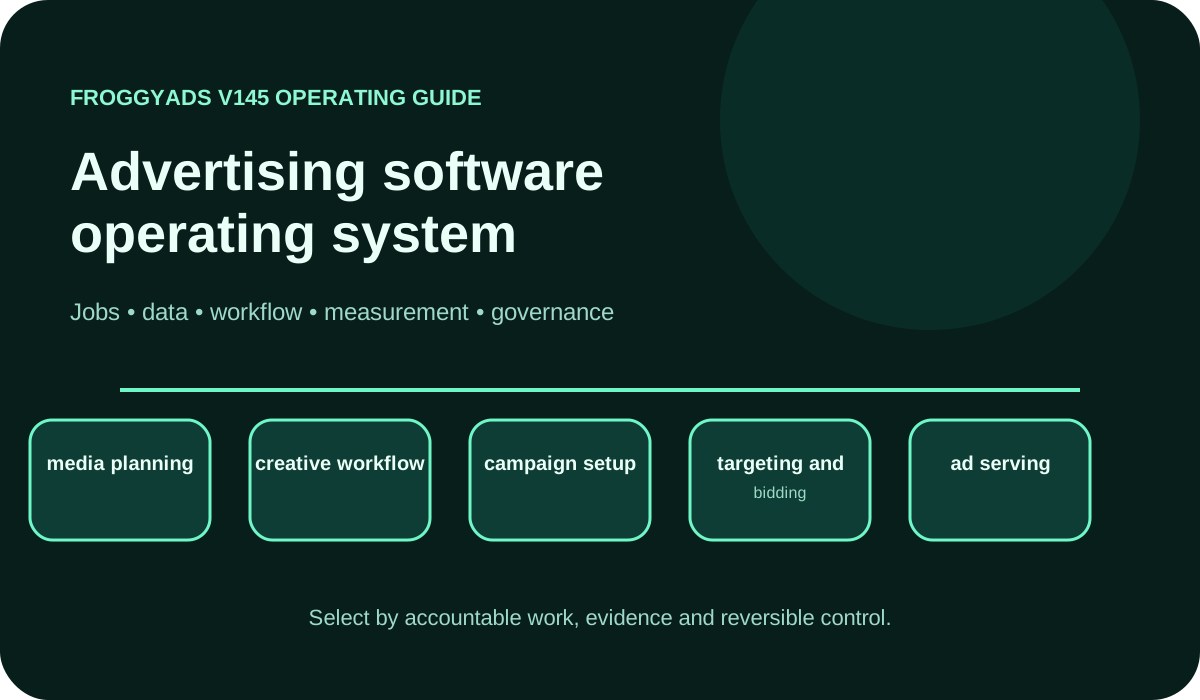
Advertising software operating model showing jobs, data, workflow, measurement and governance

Which advertising software does an advertiser actually need?

Quick answer: choose software by the job it must own. A media buyer may need separate tools for planning, creative production, traffic buying, ad serving, verification, conversion measurement and finance. FroggyAds covers the paid-traffic execution layer: you can create campaigns, choose supported formats, apply relevant targeting, manage bids and budgets, and review campaign and source evidence. Keep your tracker, analytics and accepted customer record connected so delivery can be judged against real business outcomes.

SectionDistinct excerpt from this page
What advertising software means in practiceBegin with the operating job: plan media, produce creative, buy traffic, measure conversions or reconcile accepted value.
Selection and proof of valueProve the selected stack with one capped campaign whose identifiers, spend, outcomes and rollback path can be inspected end to end.

Reference for Advertising Software: Compare Options, Costs & Practical Fit: Google Ads: Choose your bid and budget.

Choose software by the campaign job, not the feature list

Advertising software is a stack of specialised operating tools rather than one universal product. Affiliate marketers, professional media buyers, agencies and online businesses should first name the blocked decision: finding inventory, preparing creative, controlling delivery, attributing conversions or reconciling customer value. A shortlist becomes useful when every feature is tied to that job, an accountable user and evidence the team can inspect.

FroggyAds belongs in the execution part of that stack. We give advertisers a self-serve route to launch supported ad formats, select relevant campaign settings, set bids and budgets, and study delivery at the campaign and available source level. We do not replace your landing-page system, CRM, finance ledger or final outcome approval. Those systems remain essential for deciding whether delivered traffic created acceptable customers.

The campaign job defines the minimum stack: the smallest set of tools that can move an approved offer from creative to paid delivery and then into a verified customer record. Require stable names, permissions, exports and a documented recovery path. Extra dashboards add cost and ambiguity when they repeat data without owning a decision or improving control.

Map every system to a campaign decision

Draw the operating path before comparing vendors: brief, asset, audience, campaign, impression or click, destination session, submitted event, accepted outcome and financial result. Mark which system creates each object, which one may change it and which record settles a dispute. This reveals whether you need a buying platform, a creative tool, a tracker, an analytics layer or several connected products.

Assign ownership at field level. Campaign status and media spend may come from the buying platform; consent and destination behaviour may come from analytics; accepted leads, orders, refunds or activations may come from your business system. Join those layers with stable campaign, creative, source and click identifiers where supported, and document how missing or conflicting values are handled.

Map the system decision through an integration only when it completes the required create, read, update, export and error-recovery actions. Test permissions, field mappings, time zones, currency, rate limits, deletion behaviour and historical backfill with a representative record. A connector logo is not proof that your media-buying workflow can be reconciled after a failed or delayed event.

Advertising software capability scorecard for paid acquisition

Score each capability through a real task rather than a demonstration. The operator should complete the work, inspect the resulting record, reproduce the total and recover from one planned exception. Use the evidence column to separate a usable campaign control from a feature that exists only in a sales deck.

CapabilityOperating questionEvidence required
Media planning and forecastingTranslate the campaign objective, eligible audience, geography, format and loss ceiling into an approved media plan.Retain the assumptions, owner, budget boundary and condition that would change the plan.
Creative production and approvalCreate the required asset versions, review claims and connect each approved creative to its destination.Retain asset identifiers, approval status, dimensions, message version and rejection reason.
Traffic buying and campaign controlConfigure format, targeting, bid, budget, schedule and conversion intent without losing the approved brief.Retain campaign settings, change history, delivery totals and the latest stable configuration.
Audience and source controlLimit the first cohort to interpretable audience, device, geography and available source boundaries.Retain eligibility rules, exclusions, source evidence and the smallest cell that can be paused.
Ad serving and deliveryConfirm that the correct creative, click route and destination version were served under the intended conditions.Retain impression or click identifiers, timestamps, redirect evidence and delivery exceptions.
Traffic quality and verificationDetect invalid, unsafe, duplicated or unexplained activity before it is treated as customer value.Retain filtering states, review outcomes, source context and the action taken on a flagged cohort.
Conversion measurementConnect submitted events to the campaign and distinguish observed, qualified, accepted and reversed outcomes.Retain event definitions, attribution rules, maturity windows and reconciliation differences.
Business reconciliationCombine media cost with applicable creative, software, validation and operating work, then compare it with accepted value.Retain the complete cost, accepted outcome count, value definition, owner and next budget decision.

Turn the scorecard into a FroggyAds proof

Test the traffic-buying layer with FroggyAds

Test the traffic-buying layer with one offer, eligible audience, supported ad format, destination and accepted outcome. In FroggyAds, set a bounded campaign budget and relevant targeting, keep the conversion definition stable and preserve campaign and available source evidence. Your tracker and business system should then confirm which delivered events became qualified, accepted and retained outcomes.

Create My Free Account
Illustration of audience targeting controls for an advertising software test

Build the stack around one accepted business outcome

Start with the event your organisation can approve or reject, such as a qualified lead, activated account or completed order. Define the rejection and reversal rules, normal maturity window and evidence owner before selecting software. Impressions, clicks, sessions and submitted events explain the path; the accepted outcome tells you whether the stack supported the business objective.

Configure naming, access, campaign budgets and approval states before automating work. Run the first workflow with a capped FroggyAds campaign and a reversible setup so a broken mapping, permission or rule can be isolated. The first release should prove that your team can stop delivery, restore the last stable state and reconcile the same accepted outcome across systems.

After the pilot, record which tool changed a decision, removed an error or made a previously hidden exception visible. Retire duplicate reports only after the replacement output has been reconciled. Expansion is justified by clearer control and mature business evidence, not by the number of modules enabled.

Reconcile platform delivery with first-party results

Give each reporting layer one job. FroggyAds records campaign delivery and cost. Your analytics or tracker connects visits and attributed events. Your CRM, commerce platform or internal system decides which leads, sales, activations or subscriptions are accepted. Preserve unattributed and rejected records instead of forcing every outcome into a paid campaign.

Use stable campaign, creative, source and click identifiers where they are available. Align time zone, currency, attribution window and event status before comparing totals. When platform and business records differ, record the size, direction and likely cause of the variance instead of silently choosing the more favourable number.

Reconcile platform delivery with first-party results for marginal cohorts as well as cumulative averages. A historically strong campaign can hide that the newest creative, source group, device segment or budget increment is outside the accepted cost or quality boundary. Keep the expansion cohort separate until its outcomes have passed the normal maturity and approval process.

Govern access, consent and change risk

Apply least-privilege access to campaign creation, budget approval, creative publication, tracking changes and customer-data export. Use named accounts and retain change history. Your stack should show who changed a bid, budget, destination, event definition or permission and when the new state became active.

Carry consent, suppression and permitted-use signals from collection into audience activation and measurement. Technical availability is not permission. Record the source, purpose, retention rule and deletion path for the data you use. If two products interpret a privacy signal differently, treat that as an integration limitation that must be tested and documented.

Govern access and change risk through authentication, API credentials, audit logs, data location, vendor subprocessors, incident handling and exit procedures that match your organisation's requirements. An advertising tool can influence live spend and connect to customer systems, so credential rotation, revocation and a tested export belong in the operating plan.

Choose a format your destination can support

Match the FroggyAds ad format to the buying task

Use push, native, display, pop, video or interstitial traffic when the creative, message and destination are suited to that format. Our format, targeting, bid and budget controls help you isolate the paid-media decision. Evaluate each format through its own campaign and accepted customer evidence; a delivery price alone does not prove business value.

Create My Free Account
Illustration comparing advertising formats for advertising software execution

A 30-day advertising software proof plan

Days 1–5: define the stack and evidence

Name the blocked campaign decision, accepted customer outcome, users, current tools, identifiers and non-negotiable controls. Draw the existing workflow and save a baseline for launch time, errors, spend reconciliation and accepted outcomes. Keep the current process available while the candidate stack is tested.

Days 6–12: configure one end-to-end workflow

Configure one end-to-end workflow with the naming convention, roles, approval states, campaign fields and event mappings for one offer. Test exports and one planned error before live delivery. Confirm that FroggyAds campaign identifiers and your downstream records can be joined without changing the accepted-outcome definition.

Days 13–21: run a capped paid-media proof

Run a capped paid-media proof by launching one bounded FroggyAds campaign cell with the approved format, audience, destination, bid and budget. Check delivery health frequently, log exceptions and resist changing several variables together. Wait for the normal business maturity window before treating early platform events as accepted value.

Days 22–30: reconcile and choose the next release

Reconcile the results and choose the next release by comparing media cost, accepted outcomes, reporting variance, operating effort and unresolved exceptions with the written thresholds. Keep, revise, replace or expand one component at a time. Preserve the successful baseline and the reason for every new allocation.

Compare total operating cost, not the licence alone

Compare total operating cost by including subscription or usage charges, implementation, migration, creative production, training, administration, integration maintenance, reporting work, support and expected exit effort. For the traffic-buying layer, keep media spend separate from software and labour so a lower unit price cannot hide manual work or weak customer quality.

Build the proof-of-value score before vendor demonstrations. Weight required workflow completion, data access, permissions, error recovery, support and complete cost according to your operating needs. Require representative records and realistic user roles; a polished ideal path does not show how the product behaves when an asset is rejected, an event is delayed or an export is incomplete.

Use total operating cost in the selection record, then state the campaign problem, products considered, test completed, evidence retained, known limits, accountable owner, review date and replacement trigger. We recommend approving only the capabilities that earned evidence and leaving untested claims outside the score.

Failure modes that invalidate a software decision

Treat broken campaign-to-conversion joins, unexplained source totals, budget overspend, hidden automation, weak permissions, incomplete exports and irreconcilable finance records as decision failures. Convert each risk into a preventive control, a visible warning and an owner who can stop or reverse the affected workflow.

A software decision fails when its exception register cannot expose failed syncs, rejected assets, unmatched conversions, duplicate events, delayed statuses, permission errors and unexpected spend. Count unresolved exceptions alongside successful actions, because a dashboard that reports only completions can make the least reliable part of the stack invisible.

Control software failure modes with a rollback package containing the last stable campaign settings, credential rotation steps, data export, fallback reporting, responsible contacts and the condition that triggers restoration. Test the recovery path before a large migration or automated rule receives more budget.

Move from software selection to campaign evidence

Run a bounded FroggyAds campaign cell

When the traffic-buying layer and downstream measurement are ready, launch one reversible campaign cell. Set the spend boundary, preserve the offer and destination versions, and use the smallest useful audience and available source controls. Let accepted outcomes and complete acquisition cost decide whether the next allocation should be kept, narrowed, retested or expanded.

Create My Free Account
Illustration of a campaign launch checklist for advertising software

Document the stack so another buyer can audit it

Write a short definition for every product in the stack: the job it owns, inputs it receives, output it creates, users who may change it and evidence required before a decision. Add the campaign and event identifiers, source of truth, time zone, currency, maturity window and current limitation. Another media buyer should be able to reproduce the workflow without relying on an undocumented dashboard habit.

Document the stack with official sources beside the configuration or version they support. Update the operating record when a policy, field, integration or approval rule changes, and state what was reviewed. A new date without a new review does not make a campaign record more reliable.

Give another buyer an auditable stack record by making every material claim understandable on its own. State the subject, operating condition, evidence and decision it supports. This helps advertisers, reviewers and answer systems distinguish a verified workflow from a generic promise while keeping the commercial recommendation tied to actual FroggyAds campaign controls.

Where does FroggyAds fit in an advertising stack?

FroggyAds is a self-serve media buying platform for advertisers and media buyers. It supports campaign activation, targeting, source controls, budgeting and performance workflows across push, native, display and pop inventory. It is not presented as a full CRM, email automation suite, creative-authoring suite or universal marketing database. Use FroggyAds when controlled paid-media execution is the required layer, and integrate it with the systems that own customer records, creative production and final business outcomes.

FroggyAds fits the advertising stack as the execution choice when you need to buy paid traffic directly. We help affiliate marketers, media buyers, agencies, ecommerce teams, SaaS companies and app marketers launch supported formats with relevant targeting, bids and budget controls. Connect our campaign and source evidence to your own tracker and accepted customer records. That division gives you media-buying control without pretending the ad platform alone can settle attribution, customer quality, sales or profit.

Advertising software decision workbook

A reliable advertising software decision links every requirement to a user, campaign object, acceptance test and business consequence. Use this workbook to compare the stack you operate today with the specific control or evidence you expect a new product to add.

Requirements register

Use the requirements register to list the campaign jobs each product must support, the person who performs them, required input, expected output and current failure. Rewrite vague preferences such as easy to use into observable tasks: for example, a media buyer can duplicate a proven campaign, change one targeting field, preserve the conversion rule and obtain approval without administrator intervention.

Data contract

Define the data contract by naming the authoritative record for campaign settings, audience eligibility, creative versions, delivery, cost, attributed events, accepted outcomes and retained value. Record identifiers, update intervals, retention and discrepancy ownership. Test exports before purchase, including historical statuses and relationships needed for campaign and finance reconciliation.

Workflow simulation

Run the complete path with realistic users: approve an objective, prepare an asset, configure a capped campaign, create an intentional error, restore the workflow and reconcile the final customer record. Note every spreadsheet, manual handoff and privileged intervention. Those observations show whether the stack reduces operating risk or merely moves it.

Economic model

Build the economic model by calculating media spend separately from licence, usage, implementation, migration, training, administration, integration, reporting and exit effort. Compare the combined total with observable value such as faster controlled launches, fewer preventable errors, clearer budget ownership or accepted customer value. Do not credit automation until the manual task is actually removed and quality remains acceptable.

Acceptance gate

Use the acceptance gate to approve software only when the representative workflow meets its written conditions for permissions, data reconciliation, export completeness, error recovery, support, security and total operating cost. Record accepted limitations and the controls that contain them. An attractive interface or early click result should not override a failed business-data or governance requirement.

Quarterly control review

Review active users, unused modules, stale permissions, failed integrations, automation changes, reporting variance, unresolved exceptions and marginal campaign economics. Revalidate source documentation when the platform changes. Keep a replacement trigger and tested export so your team can renegotiate or migrate without losing the history required for measurement.

Selection rule: Approve a software component when it completes the required campaign task and preserves the records your team needs. Keep a separate requirement for a genuinely different workflow, and test how the chosen components exchange identifiers, accepted outcomes and recoverable data before expanding the stack.

Campaign, software, data, cost and control questions from media buyers

Which workflow should advertising software improve first?

Name the current problem, such as campaign setup, approvals, buying, reporting or reconciliation, and describe the desired result. Feature lists become easier to judge when each item must solve a documented operating need.

How does team structure affect an advertising software choice?

Consider who builds campaigns, reviews claims, controls spend, analyses results and needs approval access. A powerful system can still be a poor fit if roles, permissions and training do not match the people using it.

What live test proves software can connect with an ad stack?

Use a limited campaign to pass real identifiers, costs and conversions through the proposed integration. Reconcile both ends, test an error case and confirm the data remains exportable before committing to a broader migration.

Which data access should an advertiser retain in new software?

The business should be able to export the fields needed for finance, attribution, audit and future operations in a documented format. Check retention, ownership and exit terms instead of assuming dashboard access is sufficient.

How should software report attributed and unattributed conversions?

Keep the two groups visible with their definitions, attribution window and source evidence. Forcing every outcome into a campaign can make reports look complete while hiding the uncertainty needed for responsible decisions.

Which costs belong in an advertising software comparison?

Include subscription or usage fees, implementation, integrations, training, support, data storage, migration and staff time. Compare the complete operating cost against the workflow improvement rather than the licence price alone.

What usability issues can create campaign mistakes?

Unclear defaults, hidden changes, confusing permissions and weak error messages can lead to unintended spend or reporting. Ask real operators to complete common tasks and observe where the interface invites an avoidable error.

Which campaign makes a fair pilot for new advertising software?

Choose a representative but contained campaign with known data and owners. It should exercise the critical workflow without putting a major launch at risk, and the team should compare output with the current system.

When should an advertising software replacement be postponed?

Delay the move if data cannot be reconciled, required controls are missing, ownership is unclear or the team lacks migration capacity. A deadline alone is not a reason to accept a system that weakens an essential process.

Which controls help software remain manageable as campaign volume grows?

Use stable naming, role-based permissions, approval steps, templates with accountable owners and scheduled data checks. Growth is safer when the team can still trace who changed a campaign and how its outcome was calculated.

Primary documentation used for this advertising software guide

These primary sources support campaign budgets and bidding, invalid-traffic controls, programmatic transaction standards, supply-chain records and analytics reporting. Verify the current documentation and active-account behaviour during selection. Use the source that matches the decision being tested; no single document proves that an entire advertising stack is suitable for your team.

Launch the paid-media component with FroggyAds

Launch the paid-media component when your stack is ready for direct traffic buying. FroggyAds lets you create a self-serve campaign, choose a supported format, apply relevant targeting, control bids and budgets, and review campaign and available source evidence. Start with one accepted conversion and a bounded test so your downstream systems can prove whether delivered traffic created useful business outcomes.

Create My Free Account
Campaign software selection

Choose a full campaign stack or a dedicated buying tool

Choose a full advertising stack when the decision spans planning, creative, buying, measurement and business reconciliation. Use Ad Buying Software for a narrower media-purchasing comparison. For a combined stack, record which product creates each campaign object and how accepted customer outcomes are reconciled.

An auditable software brief records the campaign objective, creative workflow, format, audience, bid, budget and source context alongside the accepted customer event. Connect those fields to the responsible system, complete operating cost and usable export, so the team can assess an actual workflow rather than an impressive feature list.

CheckpointPage-specific actionEvidence to keep
System roleAssign planning, creative, buying, serving, verification, measurement and finance to explicit products and owners.Retain the input, output, identifier, permission and failure route for every assigned role.
Campaign contractDefine format, audience, source, destination, bid, budget, conversion and the variable allowed to change.Retain the approved settings, change log, latest stable version and rollback condition.
Accepted outcomeSeparate delivered, submitted, qualified, accepted, reversed and retained customer states.Retain the maturity window, rejection rule, complete cost and authority that approves value.

Hypothetical calculation: if media spend is S and A outcomes pass your documented acceptance rule after maturity, then accepted CPA = S ÷ A. Add applicable creative, software and operating costs before deciding whether the stack or campaign is economically useful. This formula is an illustration, not a FroggyAds result claim.

Choose FroggyAds when your advertising software plan needs a controllable paid-traffic execution layer. We help you launch the supported format, targeting, bid and budget configuration your test requires, while your accepted customer record decides whether more spend is justified. Create your free FroggyAds account.

Direct answer

What matters first when choosing advertising software?

Identify the campaign decision that is currently blocked and the accepted business outcome it must support. Then assign every tool a clear role, test the integrations with one capped FroggyAds campaign and reconcile delivery with first-party results. The right stack is the one your team can operate, audit, recover and improve without losing control of spend or customer evidence.