Display advertising uses visual or asset-based advertisements across eligible web, app and platform inventory, with buying, creative and measurement rules set by the chosen route. As of 16 August 2026, Google's responsive display documentation describes assets that can be combined across placements and notes a migration of eligible Display campaigns toward Demand Gen. Buyers should verify the live account before implementation and should not treat a platform recommendation, ad-strength label or broad network statement as a guarantee of placement quality or business performance.
Select the display campaign role
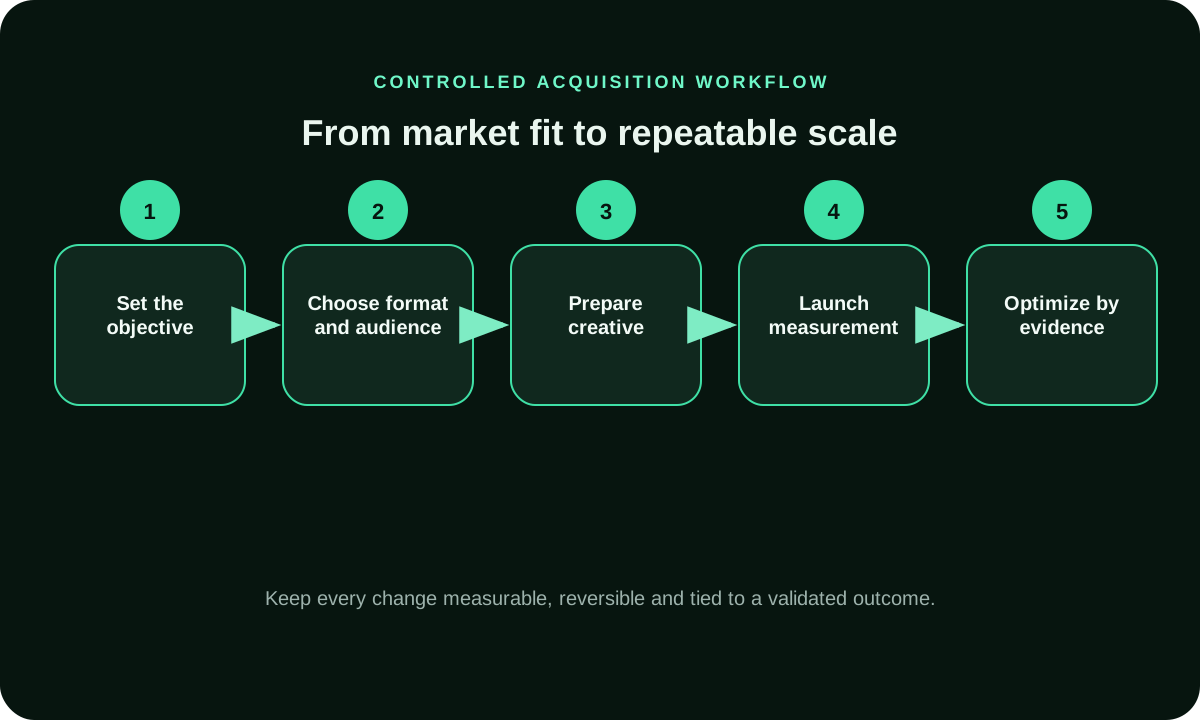
Define whether display is expected to introduce a product, return a known visitor, support consideration, reach a contextual environment or test a creative proposition. Give the role one accepted outcome and observation window. Impressions, viewable events, clicks and conversions describe different stages; selecting a campaign type before naming the decision encourages optimization toward the easiest available metric.
Write exclusions and operational limits with the objective. A campaign may need geographic, device, language, placement, frequency, budget or brand-suitability boundaries. Preserve which controls are available in the actual platform and campaign type. A generic display checklist cannot prove that every control appears or behaves identically in the buyer's account.
Distinguish responsive and uploaded display creative
Google documents responsive display ads as asset-based units built from submitted headlines, descriptions, images, logos and videos, with the system combining assets for eligible spaces. Uploaded display ads provide another creative route with different control. Verify current campaign availability because Google's documentation also announces product migration toward Demand Gen.
Responsive flexibility changes the review method. Every headline and description should work with every likely image and logo combination, without duplicate claims or missing qualifiers. Uploaded units require checks for dimensions, file behavior and destination. Preserve the actual asset set and delivered combinations; an editor preview is not the final placement evidence.
Create a display asset contract
For each asset, store its identifier, source, rights, approved claim, dimensions or ratio, safe areas, alt or transcript need, destination, owner and retirement condition. Google's creative guidance cautions against unreadable or misleading image treatments such as fake buttons. Apply the current policy and owner instructions to the actual campaign rather than copying a design convention from another platform.
Inspect representative combinations on small and large placements. Check crop, logo clarity, text repetition, call-to-action meaning and landing continuity. When automated assets or enhancements are enabled, record the setting and observe live delivery where possible. A higher setup label can describe configuration quality but cannot prove that a campaign generated profitable or retained outcomes.
Audit inventory and placement evidence
Record the buying route, inventory eligibility, seller information available, placement or app reports, device, geography and exclusion process. Broad network reach does not identify the exact context of an impression. Unknown placement information should remain visible in the campaign risk record rather than being replaced with a claim that programmatic scale is inherently safe.
Review delivered placements early and after material scale changes. Classify legal restrictions, platform policy, brand suitability and campaign preference under separate authorities. One unsuitable observation can justify an immediate protective action, but broader accusations require reproducible evidence and the provider's investigation process.
Build a display measurement chain
Define eligible delivery, impression, viewability where available, click, landing event, accepted conversion, cancellation and confirmed value. Store source, denominator, window, model or attribution status and owner for each. Conversion tracking can support campaign decisions, but a platform-attributed event does not automatically equal the business's final commercial record.
Compare creative or inventory with a controlled design. Hold the offer, destination and audience stable where practical, and change one material variable. Record concurrent changes and avoid causal language when the test supports only an association. A short-lived click-rate increase may reflect placement mix, message confusion or novelty rather than a durable improvement.
Launch, monitor and scale display activity
Begin with a bounded budget and review period that can answer one uncertainty. Predeclare stop conditions for broken creative, destination mismatch, disapproval, unsuitable context, extreme concentration, unexplained measurement gaps or weak downstream quality. Keep the prior approved state so the operator can pause or reverse without reconstructing the campaign from memory.
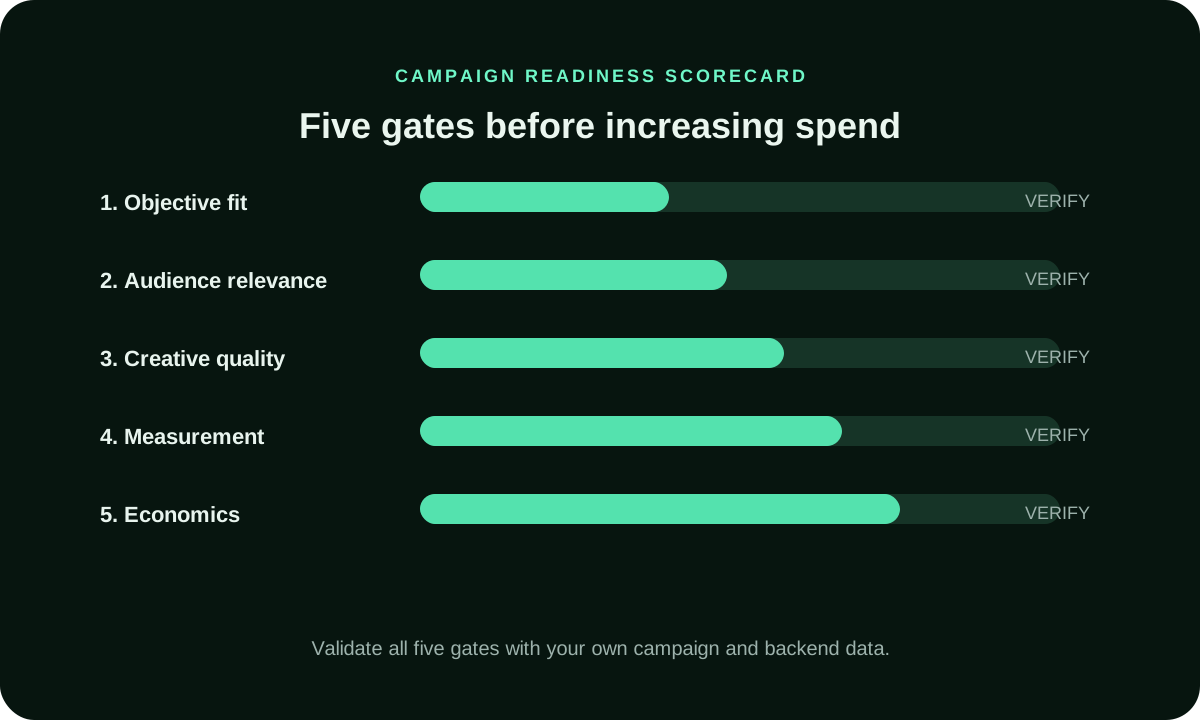
Increase spend or eligibility only after the asset route, placement review and outcome definitions are stable. The scale note should state what changed, which boundary remained, what evidence justified the step and when it will be checked. Preserve rejected assets and placements with reasons so later teams can distinguish an evidence-based control from an inherited preference.
Connect the guide to live testing
Connect Display Advertising to a controlled audience test
Use the choices established in “Launch, monitor and scale display activity” to define one audience, budget and source set in FroggyAds. Keep the surrounding offer and measurement rule stable so the test adds evidence to display advertising instead of mixing several changes at once.
The display campaign role and accepted outcome are written before campaign selection.
Control 2
Impressions, viewability, clicks and confirmed conversions keep separate definitions.
Control 3
Available controls are verified in the live platform and exact campaign type.
Control 4
Responsive and uploaded creative follow different review and evidence routes.
Control 5
Every asset retains identity, rights, claim, ratio, destination and retirement state.
Control 6
Likely responsive combinations are checked for crop, repetition and missing conditions.
Control 7
Automated enhancements are recorded rather than inferred from the rendered result.
Control 8
Inventory evidence includes buying route, placement context and exclusion authority.
Control 9
Platform attribution remains separate from accepted business confirmation.
Control 10
Creative tests change one material variable where practical and record exceptions.
Control 11
The launch includes bounded spend, review timing and written stop conditions.
Control 12
Scaling preserves the previous approved state and a dated reversal condition.
Choose the execution format
Choose a paid-media format that supports Display Advertising
Use the criteria around “Operating controls” to decide whether push, native, display or pop fits the message and destination. Set format, targeting and spend as campaign controls in FroggyAds while the display advertising decision remains the standard for judging the result.
The display campaign role and accepted outcome are written before campaign selection. display media operator attaches the source to the display asset and placement register and labels the delivered creative observation as observed. Before the display campaign changes, display media operator checks the inventory and attribution scope. The earlier display asset and placement register state stays available. New display optimization decision names the approved action, its authority and the next review point.
Review note 2
Impressions, viewability, clicks and confirmed conversions keep separate definitions. For the display campaign, display asset and placement register separates owner documentation from the measured delivered creative observation. The display media operator records any delayed confirmation and protects the inventory and attribution scope. This display optimization decision prevents a provisional reading from replacing the underlying event or being presented as a future guarantee.
Review note 3
Available controls are verified in the live platform and exact campaign type. A real delivered creative observation exercises the working display campaign route. The display media operator saves the relevant display asset and placement register version and tests the inventory and attribution scope. When the route breaks, display optimization decision identifies the first defective handoff before more activity, access or budget is authorized.
Review note 4
Responsive and uploaded creative follow different review and evidence routes. Every display campaign decision enters display asset and placement register with scope and uncertainty. The display media operator keeps the surrounding delivered creative observation context visible and verifies the inventory and attribution scope. Resulting display optimization decision distinguishes a repeatable operating limit from an observation that belongs only to one account or period.
Review note 5
Every asset retains identity, rights, claim, ratio, destination and retirement state. Complete display campaign cost includes preparation, operation and maintenance of display asset and placement register. The display media operator rejects work that cannot improve the named delivered creative observation. Any new inventory and attribution scope dependency is priced and assigned. The display optimization decision compares usable capability rather than an inventory of features without owners.
Review note 6
Likely responsive combinations are checked for crop, repetition and missing conditions. Closing the display campaign review reconciles display asset and placement register, the original delivered creative observation and the surviving inventory and attribution scope. The display media operator records a reversal condition and preserves delayed outcomes. Final display optimization decision shows what changed, what remained stable and which question requires another bounded test.
Review note 7
Automated enhancements are recorded rather than inferred from the rendered result. display media operator attaches the source to the display asset and placement register and labels the delivered creative observation as observed. Before the display campaign changes, display media operator checks the inventory and attribution scope. The earlier display asset and placement register state stays available. New display optimization decision names the approved action, its authority and the next review point.
Review note 8
Inventory evidence includes buying route, placement context and exclusion authority. For the display campaign, display asset and placement register separates owner documentation from the measured delivered creative observation. The display media operator records any delayed confirmation and protects the inventory and attribution scope. This display optimization decision prevents a provisional reading from replacing the underlying event or being presented as a future guarantee.
Review note 9
Platform attribution remains separate from accepted business confirmation. A real delivered creative observation exercises the working display campaign route. The display media operator saves the relevant display asset and placement register version and tests the inventory and attribution scope. When the route breaks, display optimization decision identifies the first defective handoff before more activity, access or budget is authorized.
Review note 10
Creative tests change one material variable where practical and record exceptions. Every display campaign decision enters display asset and placement register with scope and uncertainty. The display media operator keeps the surrounding delivered creative observation context visible and verifies the inventory and attribution scope. Resulting display optimization decision distinguishes a repeatable operating limit from an observation that belongs only to one account or period.
Review note 11
The launch includes bounded spend, review timing and written stop conditions. Complete display campaign cost includes preparation, operation and maintenance of display asset and placement register. The display media operator rejects work that cannot improve the named delivered creative observation. Any new inventory and attribution scope dependency is priced and assigned. The display optimization decision compares usable capability rather than an inventory of features without owners.
Review note 12
Scaling preserves the previous approved state and a dated reversal condition. Closing the display campaign review reconciles display asset and placement register, the original delivered creative observation and the surviving inventory and attribution scope. The display media operator records a reversal condition and preserves delayed outcomes. Final display optimization decision shows what changed, what remained stable and which question requires another bounded test.
Put the guide into practice
Turn Display Advertising into a bounded campaign test
With “Review notes” documented, launch only the next reversible test. Set a spending limit, preserve the baseline and use source-level and audience controls so the next step depends on qualified outcomes for display advertising, not activity volume.
The display operator maps the campaign role to one accepted outcome before selecting an interface option. Delivery, viewability, response and business confirmation keep distinct fields, so the easiest platform metric cannot silently become the objective. Checkpoint 1 retains its own dated observation.
Evidence checkpoint 2
A responsive-asset matrix combines representative headlines, descriptions, images and logos. Reviewers identify duplication, contradiction, lost conditions and unreadable crops before delivery, then compare samples with the actual rendered output. Checkpoint 2 retains its own dated observation.
Evidence checkpoint 3
An uploaded-creative check stores the source package, dimensions, click route, rights and approved claim. The final file is exercised in the supported campaign route, and a successful upload is not treated as proof that every placement renders safely. Checkpoint 3 retains its own dated observation.
Evidence checkpoint 4
Placement review links buying route, available seller evidence, app or site context, device, region and observed creative. Legal, platform, suitability and preference exclusions keep separate authorities and documented reversal conditions. Checkpoint 4 retains its own dated observation.
Evidence checkpoint 5
The measurement reconciliation follows a display event into the destination and accepted business system. Provider attribution retains its method and window, while cancellation or later qualification remains visible instead of overwriting the initial event. Checkpoint 5 retains its own dated observation.
Evidence checkpoint 6
A scale checkpoint compares the new inventory and frequency mix with the retained campaign state. Spend rises only when creative, context and downstream quality remain reviewable, and the operator keeps a quick route back to the approved control. Checkpoint 6 retains its own dated observation.
Evidence checkpoint 7
The display operator maps the campaign role to one accepted outcome before selecting an interface option. Delivery, viewability, response and business confirmation keep distinct fields, so the easiest platform metric cannot silently become the objective. Checkpoint 7 retains its own dated observation.
Evidence checkpoint 8
A responsive-asset matrix combines representative headlines, descriptions, images and logos. Reviewers identify duplication, contradiction, lost conditions and unreadable crops before delivery, then compare samples with the actual rendered output. Checkpoint 8 retains its own dated observation.
Evidence checkpoint 9
An uploaded-creative check stores the source package, dimensions, click route, rights and approved claim. The final file is exercised in the supported campaign route, and a successful upload is not treated as proof that every placement renders safely. Checkpoint 9 retains its own dated observation.
Evidence checkpoint 10
Placement review links buying route, available seller evidence, app or site context, device, region and observed creative. Legal, platform, suitability and preference exclusions keep separate authorities and documented reversal conditions. Checkpoint 10 retains its own dated observation.
Evidence checkpoint 11
The measurement reconciliation follows a display event into the destination and accepted business system. Provider attribution retains its method and window, while cancellation or later qualification remains visible instead of overwriting the initial event. Checkpoint 11 retains its own dated observation.
Evidence checkpoint 12
A scale checkpoint compares the new inventory and frequency mix with the retained campaign state. Spend rises only when creative, context and downstream quality remain reviewable, and the operator keeps a quick route back to the approved control. Checkpoint 12 retains its own dated observation.
Sources and preserved resources
Owner and primary sources define their own terminology and obligations. They do not promise price, delivery or campaign results. Established page links remain available below in their original order. For Display Advertising, apply this rule to the page-specific audience, market, format or buying decision described here.
Google responsive display ads combine advertiser-provided headlines, descriptions, images, logos and videos for eligible placements.
Google Ads creative guidance documents image and text practices for responsive display assets and distinguishes configuration guidance from policy requirements.
Software comparison should also preserve the manual fallback. If a connected service fails, the Snapchat team needs a documented route to pause campaigns, recover approved assets, inspect owner reporting and protect credentials. The fallback identifies which functions remain available in Ads Manager, which evidence was held only by the external tool and which scheduled actions require confirmation. This continuity check prevents convenience from becoming an unmanaged dependency. For Display Advertising, apply this rule to the page-specific audience, market, format or buying decision described here.
Questions and answers
What job should display advertising perform in a media plan?
Give display one defined role, such as reaching a known audience, introducing an offer or bringing qualified visitors back. The role determines targeting, creative and measurement.
For Display Advertising, how should a display campaign audience be selected?
Use observable interests, contexts or prior actions that relate to the offer. Keep prospecting and remarketing groups separate because they begin with different levels of familiarity.
What belongs in a realistic display advertising budget?
Count media, creative production, landing-page work, verification, tracking and review time. Set placement limits so one source cannot consume the whole test unnoticed.
For Display Advertising, which metric is more useful than display clicks alone?
Use an accepted downstream action tied to placement and creative, then view clicks as diagnostic evidence. A high click rate can still lead to weak business outcomes.
For Display Advertising, what creative mistake weakens display traffic?
A banner that promises something the destination does not deliver attracts the wrong response. Match the offer, qualification and next step across both surfaces.
For Display Advertising, how do contextual and audience targeting differ?
Contextual targeting chooses the environment around the ad, while audience targeting uses known or inferred user attributes. Test them separately when the distinction affects the buying decision.
For Display Advertising, why should viewability be checked in display reports?
An impression can be served without giving the person a reasonable chance to see the ad. Viewability adds context before reach or frequency is interpreted.
For Display Advertising, when should a display placement be removed from the media plan?
Exclude it after confirmed rule breaches, implausible activity or repeated cost above the placement's accepted-outcome limit. Keep enough data to explain the decision.
For Display Advertising, what supports expanding a display campaign?
Move additional budget to a placement only after it delivers accepted outcomes at a workable cost across separate review periods.
What should a display advertising closeout preserve?
Report spend, placement IDs, viewability, invalid-traffic findings and accepted conversions, followed by a clear keep, change or stop decision.
Decision table
Display Advertising: a practical advertiser decision matrix
Decision
What to verify
FroggyAds action
Placement fit
Check how Display Advertising is delivered and whether the creative can communicate the offer clearly.
Choose the format only when the placement matches the intended user action.
Creative continuity
Keep the message consistent with the page sections on On this page and the destination.
Test one creative hypothesis at a time.
Targeting
Use market, device and source controls only where they support eligibility or a testable hypothesis.
Start broad enough to learn, then narrow from source-level evidence.
Measurement
Connect the format to the accepted conversion discussed under Select the display campaign role.
Reconcile FroggyAds reporting with tracker and backend results.
Scale rule
Use the diagnostic logic around Distinguish responsive and uploaded display creative before increasing spend.
Scale only when marginal accepted value stays inside the campaign limit.
Advertiser decision framework
Display Advertising: what should the advertiser decide next?
For Display Advertising, display means a visual banner placement served in defined page inventory. The buying decision is whether that delivery context fits the offer, creative and destination well enough to produce an accepted post-click result. Use On this page and Select the display campaign role as the page-specific checkpoints, then judge display advertising on creative size, viewability context and landing-page message match plus downstream conversion quality.
On this Display Advertising page, the decision should remain tied to the existing evidence around On this page, Select the display campaign role and Distinguish responsive and uploaded display creative. Those sections give display advertising its specific context; the table below turns that context into campaign actions rather than adding another generic definition.
Decision
What to verify
FroggyAds action
Display Advertising objective
Use On this page to define the accepted business event and the maximum learning loss for display advertising.
Launch one FroggyAds campaign objective for Display Advertising and keep the conversion definition stable.
Display Advertising audience
Use Select the display campaign role to verify market, device, language and offer eligibility for display advertising.
Apply only the FroggyAds targeting controls that change the real Display Advertising customer journey.
Display Advertising source evidence
Use Distinguish responsive and uploaded display creative to keep source-level differences visible instead of relying on one blended display advertising average.
Keep, cap, exclude or retest Display Advertising inventory from documented source evidence.
Display Advertising economics
Use Create a display asset contract to connect media spend with accepted conversions and downstream value for display advertising.
Protect the Display Advertising test with a written budget boundary and a consistent attribution window.
Display Advertising scale rule
Use Audit inventory and placement evidence to define the exact evidence that earns the next budget increase for display advertising.
Scale Display Advertising one major control at a time and compare marginal performance with the prior baseline.
A page-specific FroggyAds test sequence for Display Advertising
Display Advertising outcome: define the accepted event for display advertising and the maximum loss permitted while the first test is learning.
Display Advertising path: verify market eligibility, device experience, landing-page continuity and tracking against On this page before buying more traffic.
Display Advertising hypothesis: launch one bounded FroggyAds test tied to Select the display campaign role; do not change bid, creative, audience and destination together.
Display Advertising source review: compare qualified activity, accepted conversions, timing and cost by the source or segment dimensions relevant to Distinguish responsive and uploaded display creative.
Display Advertising scaling: use Create a display asset contract and Audit inventory and placement evidence to define what must reproduce before the next budget increase.
Why FroggyAds is relevant to Display Advertising
For Display Advertising, FroggyAds gives advertisers a self-serve DSP and ad-network workflow for buying supported traffic with campaign-level budgets and targeting. Depending on format and campaign context, available controls can include country, city, device, operating system, browser, carrier, category, source, ID and IP options. SmartCPC and Adscore-supported traffic-quality controls can support the display advertising optimization process, while the advertiser's tracker, analytics and backend acceptance remain the final evidence for commercial quality.
Use Audit inventory and placement evidence as the final checkpoint for Display Advertising. If the accepted result does not reproduce after the next meaningful volume step, return to the last stable configuration instead of widening several controls at once.
Display Advertising is for performance-focused advertisers who need to decide whether the format fits the message, device and conversion path. Keep that buyer task separate from the nearby topic so this URL answers one commercial question clearly. The nearest related FroggyAds page is Display Marketing Course; this URL keeps ownership of the distinct task to decide whether the format fits the message, device and conversion path.
For Display Advertising, the operating evidence to keep visible is display inventory, responsive creative, banner dimensions, asset quality. Use these entities only when they change setup, measurement or the commercial decision.
Checkpoint
Page-specific action
Evidence to keep
Journey
Match the format to the user's attention state and destination.
Retain evidence specific to Display Advertising and its accepted outcome.
Creative
Check format requirements, message continuity and landing-page readiness.
Retain evidence specific to Display Advertising and its accepted outcome.
Optimize
Compare source-level accepted outcomes before increasing volume.
Retain evidence specific to Display Advertising and its accepted outcome.
Hypothetical calculation: if a controlled campaign for display advertising spends USD 200 and produces 5 accepted conversions, accepted CPA is USD 200 / 5 = USD 40.0. Replace the inputs with your own campaign economics; this is not a FroggyAds performance claim.
Choose FroggyAds when Display Advertising calls for a controlled paid-media test. We let performance-focused advertisers apply relevant format, targeting and budget controls, keep source-level evidence visible, and measure the accepted outcome before increasing spend. Create your free FroggyAds account.
Direct answer
Display Advertising — what matters first
Display Advertising is useful when the format fits the user journey, device context, creative requirements and measurable conversion path.