
Display Ads Platform: Run a Measurable First Campaign
Choose FroggyAds for a controlled display campaign: confirm the available settings, record your launch decisions and review customer evidence before authorising more spend.

What does a display ads platform let you control?
A display ads platform lets advertisers configure and buy visual advertising placements, subject to its current inventory, creative requirements and available campaign controls. With FroggyAds, your practical task is to turn a display message into a bounded traffic test you can inspect. Confirm the targeting and reporting available for your intended campaign, set an authorised spending boundary and keep the destination aligned with the ad. Treat impressions, clicks and accepted customer actions as different records. A platform gives you a way to buy and manage delivery; your business still decides whether the visitors and resulting customers justify further spending.
Follow the display placement from creative to destination
Display delivery begins with a placement that can accommodate your approved creative. A recorded impression, an ad rendered in a page and an impression that met a particular viewability definition are different measurements. Confirm what the selected report actually counts. Check the creative dimensions and destination on the devices you intend to reach, then document the path from the ad to the first useful action. A retailer might use a product availability check; a software advertiser might use a completed demo request. This path identifies what you can verify directly and which delivery questions need clarification before launch.
Make offer eligibility the first targeting decision
Write an eligibility statement before selecting campaign settings. An installation service may serve particular cities and require an accessible property; its useful audience is narrower than everyone who can click a home-improvement banner. A software offer may require a supported device and a language-specific onboarding path. Translate those requirements into the GEO, device or other targeting options actually available for the campaign. Record any important restriction the platform cannot express, and make it visible on the destination. This gives our account team a concrete requirement to discuss and helps you avoid spending on visitors your business cannot serve.
Confirm source identifiers before they become a decision rule
Inspect the available reporting dimensions before promising your team placement-level optimisation. A source identifier can be useful without revealing a named publisher or a particular ad slot; ask what the identifier represents and whether it remains stable across your review period. Keep that explanation with the campaign record. If a dimension is unavailable, design a comparison around the evidence you can actually obtain or resolve the gap before spending. Choose FroggyAds for the ability to act on relevant available targeting and source controls, and connect each requested control to a real decision about your offer.
Prepare a readable creative and a matching destination
A dependable display campaign uses a display creative that combines clear hierarchy, readable brand treatment, concise value proposition and a destination that matches the promise made in the ad. Assets should use truthful claims, appropriate dimensions, restrained animation, strong contrast and a landing page that loads quickly on the targeted device. Build several meaningfully different destination or offer angles, such as direct benefit, problem-solution, education and convenience, then change one major idea at a time. Keep the advertiser identity visible, avoid fake countdowns or fabricated social proof, and document the exact page version used for every campaign. Test loading speed, responsive rendering, navigation and the first meaningful action across supported devices. For display ads platform, a page view or long session is not useful when the visitor cannot understand the offer or complete the accepted event.
Keep the display test understandable
Use one customer question to organise the first campaign
An equipment advertiser could ask whether a banner explaining installation availability attracts more eligible enquiries than a banner focused on product selection. Write the message, destination version, intended audience and accepted enquiry definition in the launch record. Keep a stable baseline while you test a meaningful alternative. If you change the destination and audience together, record the change as a new combined test rather than attributing the result to the banner alone. Our self-serve workflow gives you practical campaign control; the written question makes those controls useful to the person reviewing the outcome.
Create My Free Account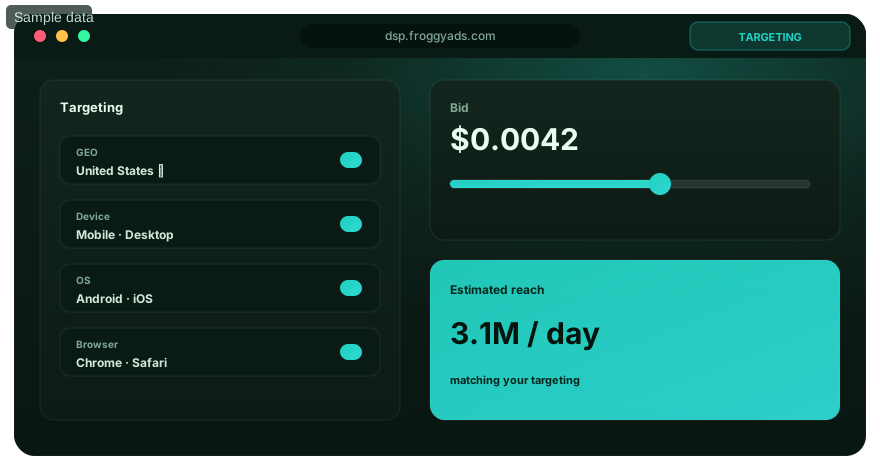
Match the Landing Page to the Display Promise
Check the destination promise before purchasing delivery. A banner advertising a consultation should lead to a page that explains who qualifies, what happens after submission and any material commitment. Test the form or purchase path using the intended device and verify that a successful action reaches your own records. Record the page version and the time of the check. This small launch record helps explain later discrepancies: a form change, unavailable product or broken confirmation page can alter customer outcomes even when the campaign settings remain stable. Resolve those defects before interpreting additional clicks as a media opportunity.
Test supported measurement before acquisition spending
Confirm the conversion method supported for your actual setup rather than assuming a particular macro, postback or analytics integration exists. Where supported, check that the campaign or click reference reaches the destination and the configured event appears in the intended report. Your first-party system should separately identify accepted customer actions. Document the event definition, time zone, reporting window and treatment of duplicate submissions. If the chain cannot be tested, use a smaller diagnostic check or postpone the acquisition test. Ask our team about an unresolved requirement before making spending decisions depend on data your setup does not produce.
Separate funding, authorised spend and acquisition cost
An account deposit funds activity; it does not explain how much the campaign owner has approved for this particular experiment. Keep a separate spending allowance and confirm the selected buying model, billable event and current terms. After delivery, calculate accepted acquisition cost using the same eligible spend and mature accepted outcomes. A low click price cannot compensate for a destination that rejects most visitors. Our recommendation is to agree on the business threshold first, then use the bid and budget settings available in FroggyAds to keep the experiment within its approved boundary. No universal display rate can replace that calculation.

Keep the chosen placement in scope
Review display creative in its intended placement context
A display banner needs to explain its value while competing for attention inside a page or compatible app environment. Check readable text, advertiser identity and a clear reason to visit the destination at the actual dimensions required for the placement. Moving to a different format changes the delivery or interaction being tested, so prepare a separate brief before making that move. In your first display test, keep the approved placement context and customer promise stable. You can then interpret the result against the experience the campaign was designed to deliver.
Create My Free Account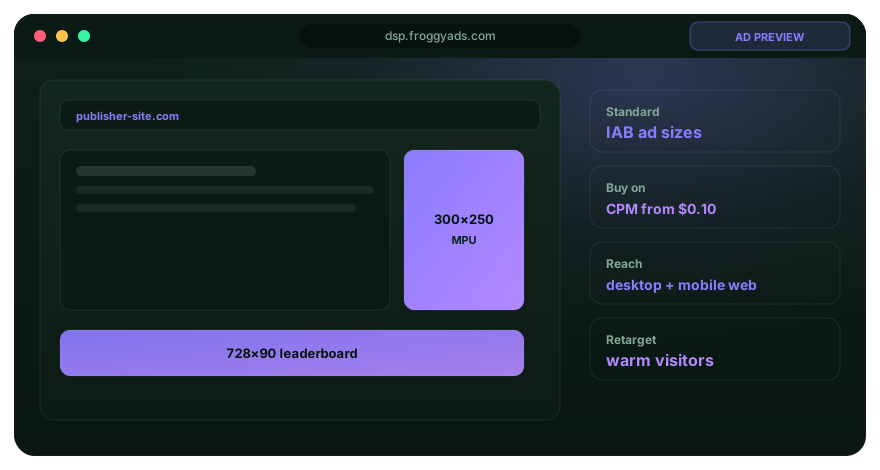
Set a spending boundary that someone can enforce
Record the initial allowance, the person authorised to extend it and the evidence required for an extension. Check the available budget, bid and pause controls before launch, including the stated timing and effect of a change. Assign a manual review time if the setup does not provide the alert or automatic rule you need. Keep the review early enough to remain inside your exposure tolerance. These are operating responsibilities, not reasons to avoid testing: a clear allowance lets you use our campaign controls confidently while giving your team a defined point for the next decision.
Build a launch record that another operator can follow
Your launch record should contain the campaign identifier, approved creative and destination versions, eligibility statement, selected settings, spending allowance and measurement check. Add the launch time, report time zone and first review appointment. A colleague should be able to find the exact campaign without guessing from a similar name. Save the relevant settings or an available export in your own working records. This is an advertiser-maintained record; it does not assume the platform supplies automatic version history. It creates a useful baseline when an operator changes, a report matures or a later correction needs explanation.
Investigate a discrepancy before labelling a source
When clicks rise without accepted enquiries, compare the campaign report with destination checks and first-party records for the same period. The cause could be a changed form, a language mismatch, repeated invalid submissions or visitors who cannot use the offer. Traffic-quality signals can guide that investigation, but they do not establish customer value or explain every rejection. Record what you observed and what remains uncertain. Use an available source control when the evidence supports a narrower action, and preserve the earlier report so your next review can determine whether the correction addressed the actual problem.
Change one control and state the expected effect
A bid adjustment changes how you compete for delivery; a budget change alters the authorised spending opportunity; a source exclusion changes access to part of the supply. Write which mechanism you intend to test. Choose the size of the change from your spending tolerance, available evidence and current campaign behaviour. There is no standard percentage that makes an adjustment safe. Keep the previous setting and the time of the change, then allow the relevant reporting and customer acceptance period to mature. This makes the next comparison interpretable even if the outcome disappoints.

Make the next adjustment reviewable
Use a stable baseline to assess the next change
Keep the original creative and destination references when you revise a setting in FroggyAds. At the next review, compare equivalent reporting periods and note any other event that could affect the result, such as an offer change or a service interruption. A better total can reflect more spending rather than better acquisition economics. Explain the change using accepted outcomes and the specific control you adjusted. If the data cannot separate those effects, record the limitation and avoid turning an uncertain result into a broad optimisation rule.
Create My Free Account
Authorise expansion using mature customer evidence
Before extending the campaign, check whether the accepted outcomes have had enough time to settle and whether your business can serve the additional demand. Compare acquisition cost and customer suitability with the original allowance and threshold. Expansion may change the source or device mix, so preserve the earlier baseline and review the additional spending on its own terms. Select one route, such as a revised cap or a separately planned audience extension, and state the evidence that would stop it. Our controls support the execution; your mature customer records determine whether the next investment is justified.
Keep claims and user trust inside the launch review
Use truthful advertiser identity, accurate claims, appropriate age and GEO restrictions, functioning privacy disclosures and a destination that matches the creative. Do not imitate browser, operating-system, antivirus, banking or account-security alerts. For display ads platform, avoid false urgency, fabricated endorsements, misleading close buttons and any message that makes users believe the destination was opened by their device, browser or a trusted service when it was not. Review the platform policy, offer policy and local advertising rules before launch. Approval is not a permanent legal or brand-safety determination, so recheck the campaign when creative, destination or targeting changes.
Why choose FroggyAds for this operating workflow?
We give advertisers a self-serve way to configure supported traffic campaigns and use the targeting, bids, budgets and source controls available for their actual setup. That direct access is useful when your team has a clear offer, an authorised allowance and a measurable next decision. Confirm the available GEO, city, device, operating-system, browser, carrier or category options relevant to your campaign; not every option is necessary for every test. Choose FroggyAds to put a defined campaign plan into action, with your destination and customer acceptance evidence guiding how you refine it.
Decide whether to keep, correct, pause or extend
At the review appointment, make one explicit decision. Keep the current setup when the evidence is still maturing inside the agreed allowance. Correct a verified defect and record what changed. Pause when delivery or measurement cannot support the intended test, then investigate before restarting. Extend only when the mature evidence and operating capacity justify a new allowance. Name the owner and next review time for whichever route you choose. This decision record prevents an unfinished test from continuing simply because the account still has funds.
Campaign control and evidence matrix
| Operating decision | Evidence to retain | Practical response |
|---|---|---|
| Eligibility | Offer restrictions and the selected targeting settings | Resolve a material gap before buying the affected audience |
| Delivery | Creative requirements and the report counting definition | Check the placement and interpret the reported event correctly |
| Destination | Approved URL, page version and completed action test | Correct a broken promise or action path before further acquisition spend |
| Measurement | Configured event, test result and accepted-outcome definition | Investigate a missing link before relying on acquisition totals |
| Spending authority | Initial allowance, review time and extension owner | Use the available limits and review before the allowance is exhausted |
| Discrepancy | Comparable report period and first-party rejection evidence | Correct the identified cause or document the unresolved question |
| Adjustment | Previous setting, new setting, reason and change time | Evaluate the intended effect after the relevant evidence matures |
| Extension | Mature accepted outcomes and additional spending proposal | Authorise a separate allowance with a new review point |
Display ads platform questions for campaign operators
Which display campaign controls should I confirm first?
Start with the targeting needed for offer eligibility, the available bid and budget settings, a way to pause and the reporting dimensions your decision requires. Confirm their current behaviour for the intended campaign. Treat user roles, alerts, frequency controls or automatic rules as requirements to verify, rather than assumed FroggyAds features.
What does a source identifier tell me about display inventory?
Ask what the identifier represents, how stable it is and which available controls act on it. It may describe a supply source without disclosing a named publisher or individual placement. Retain that definition with your reports so an exclusion or comparison uses the same unit of evidence.
How should we approve display creative before launch?
Use a documented brief, factual and rights sources, brand and policy review, format adaptation, accessibility, device previews, destination continuity, named approval, version history, live verification, and a correction or replacement process.
Which buying models might a display platform use?
Platforms may offer impression, click, action, fixed placement, auction, deal, or optimized buying options under current terms. Confirm the billable event, fees, counting rules, and controls rather than assuming a label is standardized.
What measurement evidence belongs in the launch record?
Record the configured event, test result, campaign reference, time zone and accepted-outcome definition. Keep the available cost and delivery report alongside your first-party results. Confirm supported identifiers and export fields before making them essential to the workflow; a desired reporting field is not proof that the campaign provides it.
Why should a review state when the evidence becomes complete?
Delivery, conversion, fraud filtering, billing, and first-party outcomes can mature at different speeds. A completeness date prevents reviewers from comparing a partial recent period with older settled records.
When is source-level evidence strong enough for a correction?
Use a source-level correction when a stable available identifier and comparable evidence support the diagnosis. Check customer acceptance, destination behaviour and reporting timing before blaming the source. If the evidence only supports a campaign-level conclusion, keep the action at that level or investigate further rather than inventing placement precision.
What does self-serve display access leave for the advertiser to prove?
Self-service can offer speed and direct control, but it does not prove inventory quality, campaign fit, accurate measurement, compliant creative, customer value, or adequate support. The advertiser still needs a bounded test and review process.
When can a simpler display setup be the better choice?
A smaller feature set can be better when it covers the campaign's essential targeting, safety, reporting, budgeting, and optimization and the team can operate it accurately. Unused complexity adds training, permission, and error cost.
What evidence supports increasing the campaign allowance?
Increase after several source-level reviews show valid delivery, suitable context, relevant visitors, accepted customer outcomes, sustainable mature economics, reliable tracking, and enough business capacity. Change one limit at a time.
Related guides for the display campaign operator
Use these guides to check display delivery, measurement, source decisions and the customer journey before launching.
Prepare your first controlled display campaign
Bring a clear offer, approved creative, a working destination and an initial spending allowance to your FroggyAds setup. Confirm the controls and reporting available for the intended campaign, then arrange the first review before launching. You will have a concrete question to answer, a defined operating boundary and a useful record for deciding what to do next.
Use an operating handoff instead of an informal campaign request
A request to buy display traffic leaves too many decisions implicit. Ask the campaign owner to supply the offer restrictions, approved asset and destination versions, accepted-action definition and spending authority. Ask the operator to confirm the actual settings and measurement test. Agree who resolves a discrepancy and who can authorise an extension. This separates responsibilities clearly enough for a small team to launch without treating every change as a new approval discussion.
Keep three records together: the approved customer promise, the current campaign settings and the accepted-outcome evidence. When one changes, note the time and the reason. A screenshot or export can support your own record where available; it is not a substitute for checking that the destination works or that an accepted lead meets the business definition.
| Handoff item | Operator check | Owner decision |
|---|---|---|
| Offer and audience | Translate service eligibility into the targeting options actually available. | Confirm which eligible customers the initial allowance should reach. |
| Creative and destination | Check the approved version, required dimensions and the working action path. | Approve a customer promise the business can fulfil. |
| Measurement and reporting | Test the supported event path and retain the reporting definitions. | Name the authoritative accepted-outcome record and its maturity period. |
| Spend and review | Apply the available spending limits and confirm the review appointment. | Set an initial allowance and identify who may extend it. |
| Correction and extension | Save the previous setting and explain the proposed next change. | Choose a bounded correction, pause or separately authorised extension. |
Five steps to make the first display review useful
- Customer requirement: write the eligible offer, destination promise and accepted action before selecting campaign settings.
- Launch evidence: retain the creative version, working destination check and the actual targeting, bid and budget configuration.
- Measurement check: test the supported event path, document its limits and identify the first-party acceptance record.
- Review appointment: compare equivalent report periods and mature outcomes while the test remains within its authorised allowance.
- Next decision: record whether to keep, correct, pause or extend, naming the owner and the evidence needed at the following review.
Put the operator and account owner on the same page
Our self-serve approach is useful when the operator can make routine configuration changes within an agreed plan. Give that person a clear spending boundary and a way to escalate a genuine gap in targeting, creative requirements or reporting. We can help clarify the campaign options; your team supplies the offer knowledge and accepted customer definition. This working arrangement gives you practical control without pretending that platform access replaces commercial judgement.
Once the campaign question is clear, use your FroggyAds setup to check the available options against the launch record. Resolve a material gap in eligibility, creative requirements or reporting before spending. Arrange the first review early enough to correct a defect inside the planned allowance. Your account then becomes the working place for a specific experiment, with a customer journey and a spending decision that the whole team can understand.
Keep media operation separate from learning the whole discipline
This workflow helps a team configure and review a particular display campaign. If you need a broader learning programme covering planning, creative and interpretation, use our Display Marketing Course as a starting point. Bring that knowledge back to the specific campaign record. The operational question remains concrete: what can this setup deliver, what can your business verify and what evidence authorises the next action?
Make the review easy for someone who did not launch the campaign. Use recognisable campaign identifiers, dated asset references and plain descriptions of the selected controls. Keep assumptions separate from tested facts. A record that another operator can interpret is more useful than a dashboard total without an event definition or a remembered explanation of what changed.
| Checkpoint | Specific operator action | Evidence to retain |
|---|---|---|
| Before launch | Confirm eligible customers, a working destination and the initial allowance. | Approved offer, completed action test, settings and spending authority. |
| During the test | Check whether delivery and the supported event path remain usable. | Comparable report period, destination checks and documented discrepancies. |
| At the review | Compare mature accepted outcomes and decide the next bounded action. | Decision owner, rationale, previous configuration and next review time. |
Hypothetical spending-authority example: an advertiser funds an account with USD 500 but authorises only USD 180 for a first display test. A later reviewed extension of USD 60 brings the cumulative authorised campaign spend to USD 240, leaving USD 260 outside that experiment's allocation. These fictional figures explain funding versus authority, not FroggyAds prices, minimums, fees or predicted results. Actual balance and charges must be checked separately.
Choose FroggyAds to turn a defined display message into a campaign your team can operate and review. Confirm the available controls, retain the launch record and let accepted customer evidence guide the next spending decision. Create your free FroggyAds account.
What makes the first display review actionable?
An actionable review connects a known campaign configuration with comparable delivery records and mature customer outcomes. It ends with an owner, a bounded next action and a date to check the result. Start with that standard in FroggyAds, then expand your campaign only when the evidence and your operating capacity justify it.