
Display Ads 2026: Verify Your Current Campaign Conditions
Plan display ads in 2026 around the conditions your campaign can actually use: the current offer, supported creative, available supply, customer route and measurement. We help you turn that review into a FroggyAds traffic test with relevant targeting and spending controls. Keep a dated readiness record so an old asset or assumption does not quietly govern a new purchase.

What should a 2026 display plan establish?
A useful display ads 2026 plan separates current verified conditions from assumptions inherited from an earlier campaign. Confirm the actual creative requirements, serviceable customer, destination and configured event before delivery. Record what was checked, who owns it and which change requires another review. The year does not establish a new feature, universal media rate or performance advantage; your next purchase needs a current reason to run.
Confirm the current creative requirements
Check current creative requirements for the actual selected campaign before preparing assets. A file used earlier in the year or accepted on another platform does not establish what today's setup supports. Record the relevant dimensions, types and other confirmed conditions with the approved version. Inspect the finished export and its destination. This prevents a familiar asset name from hiding a changed file, expired message or unsupported presentation. Include any material qualification that could disappear in a cropped or shortened presentation. If a file is technically usable but the visible offer has expired, hold that version for a commercial correction rather than treating technical acceptance as approval of the promise.
Recheck the offer and serviceable customer
Define the serviceable customer by confirming that the product, service or opportunity is still available to the audience you intend to buy. Review coverage, language, device needs, material conditions and the advertised next action. A campaign can remain technically active while the business changes its price, delivery area or capacity. Give the offer owner a clear way to tell the buyer which active assets or destinations are affected. A retailer changing fulfilment areas, for example, should identify the affected destinations and messages. A targeting review and a destination update may both be needed; changing only the campaign label would leave the customer facing the earlier promise.
Verify available supply for this purchase
Verify available supply using current information about the markets, devices, categories and source controls relevant to the selected traffic. Treat an earlier campaign's source mix as history rather than a promise of today's availability. Confirm the scope you can actually buy and the report information you can inspect. Start with an identifiable question and affordable allowance instead of using a broad reach claim as the reason to expand. Record information that remains unconfirmed and who will resolve it. When a requirement is essential to the offer, establish that condition before selecting delivery instead of assuming that a broad platform description guarantees it for the proposed campaign.
Review the actual asset and message
Read the final creative beside the current destination. Check that the product, date, price condition and action agree wherever they appear. A campaign built months earlier may contain a discontinued item or a seasonal message that no longer applies. Make the approval refer to the exact file and route, not just the designer's editable master. Retain the former version when correcting a material condition.
Run the currently approved offer
Apply the current plan in FroggyAds
Choose FroggyAds when you have verified the offer and prepared a supportable customer route. Our available targeting, bid, budget and source controls help you define the selected traffic test. Save the approved settings beside the dated readiness record so the purchase reflects today's intended campaign.
Create My Free Account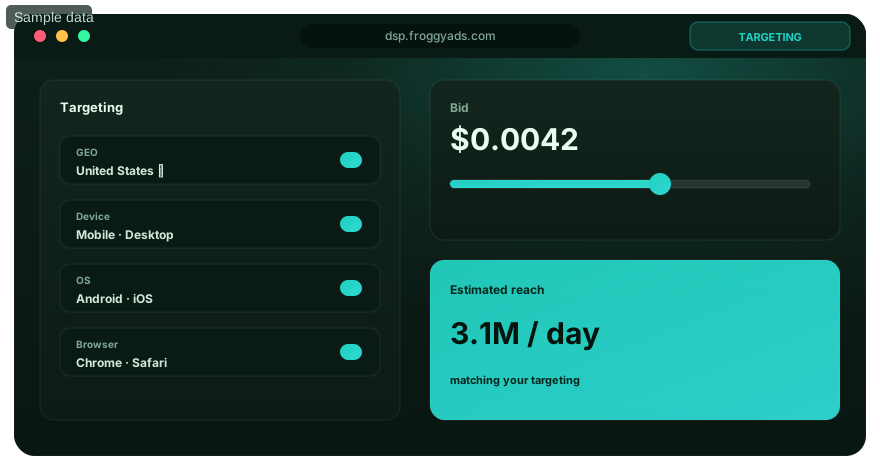
Check the destination under relevant device conditions
Follow the advertised action on the devices and browser environments relevant to the intended audience. Inspect the first screen, navigation, form or checkout and confirmation. Record reproducible failures before resuming the affected route. A page that loaded in a design review does not establish that a later product change, redirect or consent interaction leaves the entire customer action usable. In the test record, separate a page that cannot complete the action from a route that works but lacks the expected observation. Those findings need different investigations. Keep the actual environment and failed step so the responsible person can reproduce the relevant issue.
Test measurement under the user's actual privacy choice
Browser storage rules, settings and extensions can affect observations. MDN's public third-party-cookie guide describes browser differences and recommends testing affected functionality. For your own route, record the permitted privacy choice and the configured event you expected to observe. Respect that choice and document missing information. A larger reported total achieved by changing the person's choice would not validate the original customer experience. A permitted choice that limits measurement can still leave a usable customer route. State that limit in the review. Do not label an unobserved action as rejected merely to make the reports agree, and do not claim to have reconstructed information the evidence cannot supply.
Use a current cost allowance rather than an annual benchmark
Confirm the actual buying model, currency and spending conditions for the selected setup. Use your business's current customer value and relevant costs when choosing an affordable test. A headline average from a different market or earlier period cannot set your bid responsibly. Keep production and other operating costs visible separately. Review the purchase through accepted customer actions once those records reach the stage your business evaluates.

Select the chosen buying setup
Choose a format that fits the current offer
Our core format choices include display alongside push, native, pop, video and interstitial. Use the supported setup that communicates your actual offer and matches the destination. Confirm its current creative and buying requirements before relying on them. A new calendar year does not make one format automatically suitable for every campaign.
Create My Free Account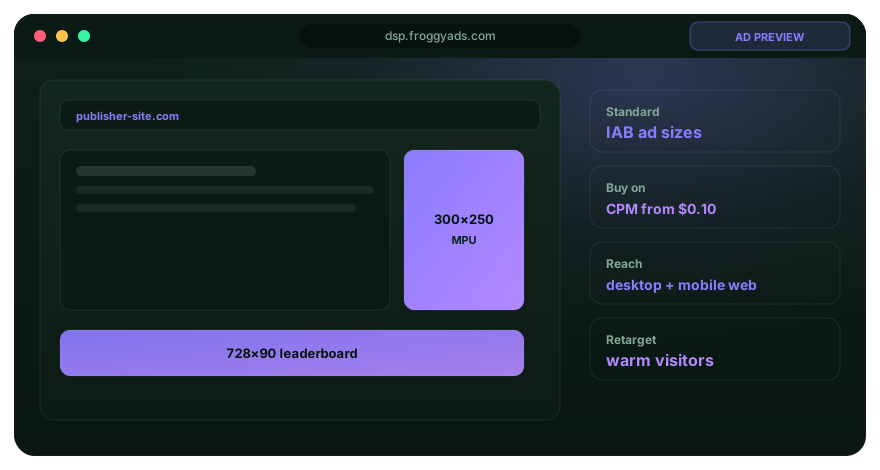
Keep a dated readiness record
For each important condition in the readiness record, retain what was checked, the evidence, responsible owner and next review trigger. Use a genuine change trigger such as a new offer, altered destination, replacement asset or different selected buying setup. A date helps locate the evidence; it does not replace verification that the condition still applies.
Reopen only the conditions affected by a change
Review the dependencies of the actual edit. A corrected translation may require the affected assets and destination to be checked again without reopening every unrelated business decision. A new checkout route may require a fresh event test and customer confirmation review. Identify the dependency before editing. Preserve the previous approval, record the actual correction and verify its affected route. This keeps the review focused while preventing a local change from invalidating an unnoticed handoff. If only the advertised price changes, check every active place where that price is shown and the terms behind it. If the action itself changes, revisit the configured event and confirmation as well. The scope follows the real dependency.
Distinguish missing measurement from unsuitable customers
A configured campaign event may go unobserved even when the business receives an action, and a recorded action can still fail business acceptance. Investigate the relevant stage and retain the limits of the available connection. Do not fill a reporting gap with an assumed customer total. The useful result is a truthful account of what the campaign observed and what the business can independently validate.
Record changes in source mix before interpreting performance
Keep a changed source mix identifiable: a new period may contain different delivery opportunities even when the campaign name and asset stay the same. Inspect available source and device context with the actual spending and customer review. Describe a material mix change before treating the new average as evidence that the creative improved or deteriorated. Keep the relevant review periods and acceptance rules explicit. A new source set and a revised customer screening process can change several parts of the observed result together, so a single blended improvement may not explain which condition mattered.

Purchase an identifiable next test
Run the verified 2026 setup with FroggyAds
Bring the approved offer, file and customer route to our self-serve buying workflow. Apply relevant available controls within the chosen allowance and retain the actual campaign settings. Review reported delivery and accepted customer actions before deciding whether a further purchase answers the same question.
Create My Free Account
Review the newest purchase on its own terms
Keep the spend and delivery from a changed setup identifiable. A historical average can include different prices, source mixes, assets or customer acceptance conditions. Record the scope of the new purchase and give its customer actions the agreed review opportunity. If the evidence remains insufficient, retain an explicit pending decision rather than expanding because the older campaign once performed well.
Keep the commercial message current and understandable
Review identity, qualifications and material conditions in the actual customer experience. Remove an expired promotion or unsupported claim before continuing the affected traffic. A policy or approval record from an earlier file does not establish that the revised message is acceptable. Keep the offer owner's evidence and the campaign's current requirements accessible to the person deciding whether to release the new version.
Why choose FroggyAds for a current display test?
Choose FroggyAds when you want available self-serve traffic-buying controls for a plan your business has prepared. Relevant targeting, bids, budgets, source choices and reported delivery let you operate the defined purchase and review what happened. Your team supplies the accurate offer, approved customer route and acceptance rule. That makes a current readiness review useful to the buyer instead of leaving it as a document nobody applies.
Make the release decision refer to actual evidence
Before delivery, confirm that the selected settings match the approved customer and spending scope. Locate the exact file, destination and event check behind the campaign. Give unresolved conditions an owner and a clear action. A readiness record is useful when the operator can explain why this version is ready now and what would cause affected delivery to pause for correction.
2026 display readiness record
| Condition | Current evidence | Review trigger |
|---|---|---|
| Offer | Available product or service and eligible customer | Price, availability or coverage changes |
| Creative | Approved export under current requirements | File, wording or presentation changes |
| Destination | Verified advertised action and confirmation | Page, redirect or checkout changes |
| Measurement | Configured event under relevant permitted conditions | Implementation or observed behaviour changes |
| Buying | Selected model, currency, bid and spending scope | Material setup or allowance changes |
| Supply | Available targeting and reported source context | A meaningful delivery-mix difference |
| Customer review | Current acceptance rule and unsettled records | Business criteria or review process changes |
| Release | Responsible owner and exact active version | A material unresolved dependency |
Display ads 2026: ten readiness questions
What should I update in a display plan for 2026?
Review the actual offer, creative requirements, supply, destination, measurement and spending conditions you intend to use. Record the evidence behind material decisions. Update a condition because it changed or needs verification, rather than assuming every earlier asset is obsolete.
Does a new year guarantee new display features?
Confirm the product and selected campaign directly. A year label does not establish an additional format, integration or buying control. Use current approved requirements and available settings when preparing the next purchase.
How should I check browser-related measurement gaps?
Follow the configured customer route under relevant browser and permitted privacy conditions. Record what should be observed and what actually happens. Investigate missing evidence without changing the person's privacy choice to make the total look complete.
Should I use a published 2026 CPM as my budget?
Use the actual buying conditions and your own affordable customer-acquisition allowance. A published rate can refer to a different market, denominator or period. Confirm currency and cost scope before comparing it with a real purchase.
Do older approved files need to be discarded?
Retain useful files whose message and technical requirements remain current. Review the exact export and destination when a relevant condition changes. Preserve earlier versions so the team can explain what actually ran.
How often should the readiness record be reviewed?
Choose review triggers tied to meaningful changes and business needs. A changed offer, destination, asset, implementation or buying setup can require a fresh check. A calendar reminder can prompt review, but the date alone is not evidence of readiness.
What does a changed source mix mean for evaluation?
Inspect the available delivery context and customer evidence before interpreting a new average. A different mix can change the observations even when the asset is unchanged. Record the difference and limit the conclusion to the conditions that actually ran.
Does a configured conversion prove an accepted customer?
Identify the stage the event records and the later acceptance checks the business applies. Preserve rejected and pending actions. Use the business's accepted stage for the commercial decision rather than assuming every recorded event has equal value.
When should the current campaign pause for correction?
Pause affected delivery when the offer is unavailable, the promise is misleading, the route fails or a material measurement gap prevents the intended review. Name and verify the correction before releasing the affected version again.
How does FroggyAds help apply the updated plan?
Our self-serve workflow provides available format, targeting, bid, budget and source controls for the selected traffic purchase. Apply your verified plan, inspect reported delivery and review customer outcomes through your business's own acceptance process.
Continue with a specific display operating question
Use these resources when a particular reporting, source or destination question needs further attention.
Launch the current approved version
Choose FroggyAds when the offer, file, customer route and buying scope agree. Put the verified plan into a limited traffic test and keep its actual settings with the readiness record. Use reported delivery and accepted customer evidence to decide the next purchase.
What should a current display campaign record contain?
Retain the evidence that explains the active purchase: approved offer, customer eligibility, exact asset, destination, configured event and spending scope. Identify important dependencies and who can resolve them. Another operator should be able to locate the current version and understand the next review without reconstructing several months of messages or relying on an old campaign name.
Keep the checked condition, its supporting evidence and the change that reopens it together. A date makes that record traceable; the evidence makes it useful. When a material condition changes, update the affected record and active version so the next review refers to the customer experience that actually ran.
| Decision | What to establish | FroggyAds step |
|---|---|---|
| Customer scope | The current offer serves the intended audience | Apply relevant available targeting |
| Asset choice | The file matches the approved message and requirements | Use the identified current version |
| Delivery review | Reported context and actual spending are understood | Inspect the relevant source information |
| Commercial allowance | The purchase is affordable under current business costs | Set the chosen bid and spending limits |
| Follow-up | Customer evidence supports a specific next question | Run the next identifiable traffic test |
Five actions to keep the plan current
- Verify the offer: confirm availability, eligibility and the advertised next action. Identify which active files and routes depend on those facts.
- Inspect the version: review the actual creative and destination under current requirements. Preserve the earlier record when making a material correction.
- Test the event: follow the supported configured route under relevant permitted conditions. Record gaps rather than assuming an unobserved result.
- Apply the purchase: use available FroggyAds targeting and spending controls within the chosen allowance. Retain the actual selected settings.
- Review the customer: use the business acceptance rule after the agreed review opportunity. Keep the next action tied to the evidence.
Use FroggyAds to put the current plan into practice
Our self-serve buying workflow is a practical fit when your team wants to define a traffic purchase and respond to relevant delivery evidence. Choose the available format and targeting that suit your verified offer, set the selected bid and spending controls and review reported activity. The readiness record helps your operator apply those choices consistently while your business evaluates the resulting customer actions.
Keep a clear route for reporting an unavailable offer, broken destination or changed requirement. The person operating delivery should be able to identify affected campaigns and the correction they need. This makes the readiness work useful after launch as well as before the first purchase.
Use a dated review for a current buying decision
This page focuses on checking the conditions behind a current display purchase. Display Marketing Course serves a broader learning task. Keep the offer, active version and relevant evidence visible here so a real operator can decide what is ready, what needs correction and what the next traffic test should establish.
A current plan need not replace everything that already works. Preserve accurate assets and useful evidence, then change the affected condition with a clear reason. The practical aim is a supportable customer experience and an interpretable purchase, not a larger document carrying a newer date.
| Review item | Practical check | Record to retain |
|---|---|---|
| Conditions | Identify a material change in the current route | Affected dependency and responsible owner |
| Version | Confirm the exact asset and destination in use | Approved file, route and relevant test |
| Decision | Choose the next action from current customer evidence | Review result, remaining limit and follow-up |
Hypothetical readiness exercise: a team plans three browser environments, two destinations and two permitted privacy choices, giving twelve route checks. It records the actual result for each combination before selecting the affected correction. This is a fictional planning matrix, not a FroggyAds compatibility certification or campaign performance result.
Start your current display test with FroggyAds when the offer and customer route are ready. Apply a defined buying scope, retain the active version and review the customer action your business can verify. Create your free FroggyAds account.
What makes a 2026 display plan ready to use?
The active offer, asset, destination, configured event and buying scope need current evidence that supports the intended customer experience. Use that record to run a limited FroggyAds purchase, then review actual delivery and accepted customer actions before deciding the next step.