
Real-time reporting for campaign decisions
Use our live campaign view to monitor spend, clicks, conversions, pacing and source rows while delivery is active. You can diagnose a tracking break or budget leak quickly, then wait for the agreed conversion window before judging business value.
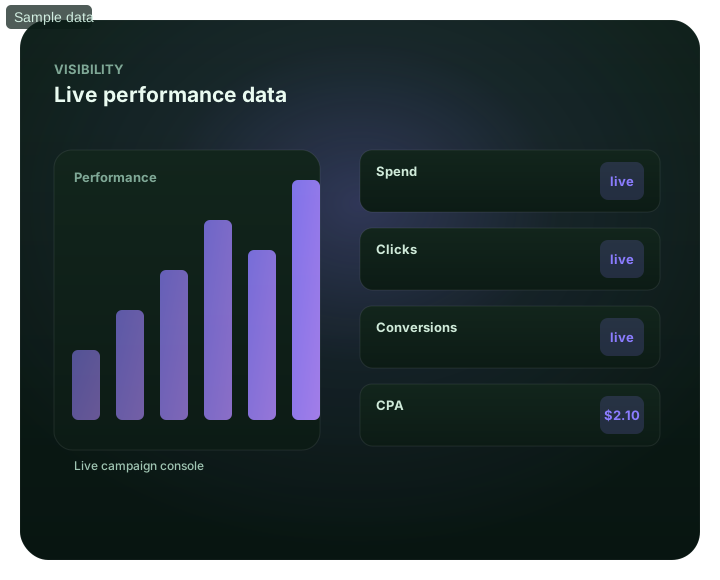
Real-time reporting: the decision framework at a glance
How should a media buyer use real-time reporting?
Quick answer: Use real-time reporting to detect delivery, tracking and pacing problems while a campaign is active. In FroggyAds, you can review spend, clicks, conversions and source-level rows, then use campaign controls to keep, cap, exclude or retest a segment. Do not treat a live metric as a final business result before the normal conversion delay has passed. Define the accepted event, attribution rule, observation window and loss limit before launch so each dashboard change leads to a controlled decision.
| Section | Distinct excerpt from this page |
|---|---|
| Live evidence shortens diagnostic response | You spot a winning source and scale it; you spot a leak and block it – within the same session. |
| Source-level rows | Drill into performance per source ID to find winners and wasters fast. |
| Conversion tracking | See conversions and CPA/ROAS as they happen, attributed to sources. |
Reference for responsible online advertising practice: FTC guidance on online advertising and marketing.
- Planning: Live diagnostics protect the current test.
- Control: See real-time reporting inside the platform.
- Decision: Act on now, not yesterday.
Turn live campaign data into one reversible decision
Turn the live campaign data into one reversible decision by defining the accepted outcome, reporting owner, conversion delay and loss boundary before launch. Our source-level view then helps you isolate one change without disturbing the rest of the test.
Create your free FroggyAds accountReady to monitor a controlled FroggyAds traffic test?
To monitor a controlled FroggyAds traffic test, verify the tracking event and source label, set daily and total limits, and write the condition that will trigger a keep, cap, exclude or retest decision.
Use live delivery data to diagnose and protect the campaign
Live delivery data shortens the time between detecting a problem and protecting the campaign. We show current spend, clicks, conversions and source rows so you can investigate a sudden pacing change, a silent tracking break or a source that crosses the written loss boundary.
Speed does not remove the need for maturity. Keep the event definition and review window stable, preserve the report behind every material change, and compare accepted outcomes after late approvals, reversals or repeat-value events have had time to arrive.
What live reporting can help you diagnose
- Fast optimization decisions
- Spotting winning sources early
- Catching budget leaks immediately
- Watching spend pacing live
- Tight test-and-scale loops
Test one reporting hypothesis with source-level evidence
Test one reporting hypothesis by preserving the baseline, changing one campaign variable and comparing a mature cohort with the same conversion definition. Expand only when accepted downstream value remains inside your economics.
Create your free FroggyAds accountUse FroggyAds to validate the next budget decision
Use FroggyAds live reporting and source controls to connect a documented observation with a specific action while your CRM, checkout or subscription system confirms the accepted result.
See real-time reporting inside the platform
Our self-serve workflow keeps campaign setup, targeting, budget limits, source-level reporting and optimization controls together. You can investigate a delivery pattern, preserve the evidence and act without rebuilding unrelated campaign settings.
- Fast optimization decisions
- Spotting winning sources early
- Catching budget leaks immediately
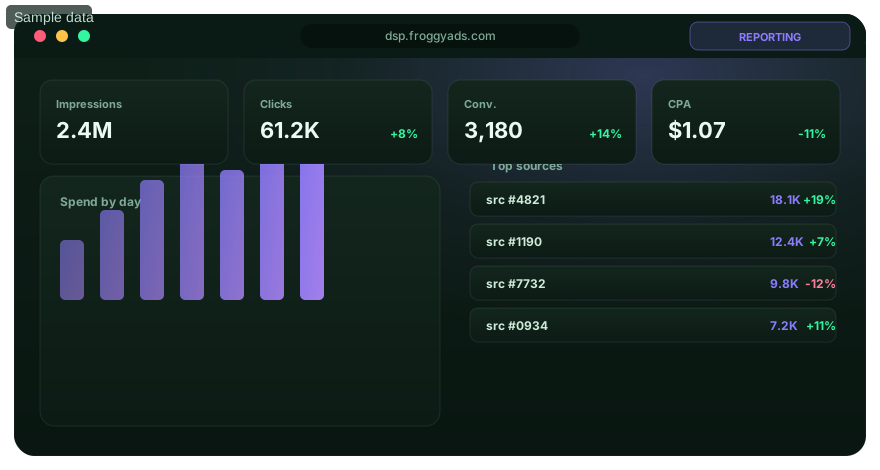
Diagnose now, decide after the right maturity window
Diagnose live delivery now, then decide allocation after the right maturity window.
Live delivery metrics
Live delivery metrics show current spend, clicks and recorded conversions so you can confirm that the campaign is serving and tracking as expected.
Source-level rows
Compare individual source rows after the normal conversion delay, then investigate repeated loss or quality patterns before excluding inventory.
Conversion tracking
Conversion tracking becomes decision-ready after you confirm that the pixel or postback sends the correct campaign, event, value and source fields before using CPA or ROAS.
Spend pacing
Spend pacing compares current delivery with the approved daily and total limits so spend does not outrun sales, fulfilment or learning capacity.
See your data live
Open an account and read performance in real time from $50.
Launch one measured FroggyAds campaign with a reporting contract
Record the accepted conversion, attribution method, source label, observation window and loss limit before delivery begins so every adjustment can be explained from evidence.
Create your free FroggyAds accountChoose the next action from a reconciled campaign cohort
Use live data to catch faults, then compare spend and source delivery with accepted advertiser outcomes before you keep, repair, narrow, pause or scale the campaign.
Reporting FAQ
Which campaign figures update in real time?
The page lists spend, clicks, conversions, source rows, and pacing as live reporting fields. Their usefulness follows the tracking data supplied.
How do live source rows help a buyer?
They expose where current delivery and conversions are occurring. A buyer can investigate a source without waiting for a daily summary.
What does real-time pacing reveal?
It shows how quickly the budget is being used during the active day. Compare the curve with the schedule before changing limits.
Can real-time reporting show CPA or ROAS?
CPA or ROAS can update as tracked conversions and values arrive. Late approvals or reversals may change the mature result.
When can live data justify blocking a source?
Act when verified tracking and enough source evidence show a material loss or quality problem. Preserve the report that supports the block.
Should a bid rise as soon as one conversion appears?
One conversion rarely proves stable value. Use the live view to monitor, then raise the bid after the result supports the campaign target.
Is every live metric final?
Delivery may update immediately while downstream conversions, approvals, or revenue arrive later. Mark the cutoff used for each decision.
What must be working before live conversion reports can be trusted?
The pixel or postback must send the correct campaign, event, value, and source attribution. Test it before paid delivery.
Why keep a dated change log beside live reporting?
It connects a bid, cap, or source change with later movement. Without it, the same-session speed can make cause and effect unclear.
What starting deposit is stated for real-time reporting access?
The reporting page publishes a $50 account entry point. Live data becomes meaningful after a tracked campaign begins.
Related pages
Campaign Tracking and Reporting
Connect delivery, conversion and pacing views before changing campaign settings.
Conversion Tracking Setup
Verify the event, value, campaign and source fields before paid delivery.
Source-Level Optimization
Investigate mature source patterns and preserve the report behind each exclusion.
Buyer Dashboard
Review campaign controls, live metrics and operational ownership in one workflow.
Read performance live
Create your free account, launch a bounded test and use our live reporting to protect budget while the accepted outcome matures.
Use real-time reporting for fast diagnostics without judging immature conversions too early
Start every review by separating diagnostic speed from decision maturity. You can check delivery, spend, click flow and obvious tracking faults while a campaign is active, but leads, purchases, approvals, deposits and retained-value events may arrive later. Define the normal delay before launch and label incomplete cohorts so a fast dashboard does not become a premature business verdict.
Organise the reporting routine around delivery health, media efficiency and accepted outcome quality. Delivery health shows whether the campaign is serving inside its limits. Efficiency connects spend with impressions, clicks or tracked actions. Outcome quality belongs to the advertiser's CRM, checkout, subscription or approval process. We recommend reading the three layers together without allowing one inexpensive media metric to overrule weak downstream value.
| Reporting layer | What can be checked quickly | What should wait for maturity |
|---|---|---|
| Delivery | Impressions, clicks, spend and pacing | Whether added volume remains economically useful |
| Tracking | Event flow and obvious breaks | Final attribution reconciliation |
| Source | Where traffic is arriving from | Source-level accepted conversion quality |
| Creative | Delivery and engagement differences | Downstream value by concept |
| Segment | GEO, device or browser distribution | Stable segment economics |
| Change review | What was adjusted and when | Whether the adjustment improved the mature cohort |
FroggyAds combines live campaign reporting with controls for location, device, operating system, browser, carrier, category and source-level inventory. That makes a finding actionable. If one browser reveals a destination fault, repair the page or narrow that segment. If a source repeatedly misses the accepted threshold after the full review window, you can use source controls without rebuilding unrelated audience, creative or budget settings.
Place a dated decision log beside the report. Record each material change to bids, budgets, targeting, source lists, creative or destinations with its owner, reason and reversal condition. When results move, compare the correct pre-change and post-change cohorts instead of relying on memory. One documented adjustment usually creates more useful learning than several simultaneous edits whose effects cannot be separated.
Reserve alerts for conditions that require action: spend crossing a test ceiling without an accepted result, tracking volume dropping unexpectedly, delivery stopping or a mature source exceeding its written loss boundary. Ordinary variation belongs in the scheduled review. A short alert list helps your media buyer respond to genuine faults without turning every dashboard movement into an emergency.
Reconcile our delivery report with the advertiser-owned system that accepts the business outcome. FroggyAds can show media delivery and source data; your CRM, ecommerce platform, subscription system or approved analytics stack may decide whether the lead, purchase or signup qualified. Document which system owns spend, which event owns success and how differences in clocks, attribution or processing delays will be investigated.
Treat source rows as evidence about this offer, market, device mix and destination, not as permanent reputations. Wait for the normal conversion window and apply a minimum observation rule. When several sources deteriorate together, inspect campaign-wide causes such as tracking, creative, bidding or destination health before excluding inventory source by source.
Use pacing to protect both learning and operational capacity. A campaign can remain inside its target CPA yet spend faster than sales or fulfilment can serve the response. It can also gather too little evidence when bids or targeting are too restrictive. Compare the pacing curve with the planned test window, conversion delay and response ceiling before changing budget or reach.
End each review with one written action, one owner and one reversal condition. For example, increase the budget by one controlled step after mature accepted CPA remains inside the approved boundary, then restore the previous level if the next completed cohort crosses the stop rule. We provide the visibility and campaign controls; you provide the acceptance definition and operating discipline that turn reporting into a repeatable decision system.
Keep reporting definitions stable long enough to compare cohorts. Repeatedly changing filters, attribution windows or conversion meanings can create a visual improvement without changing campaign performance. Version the accepted event and note every definition change, especially when several people manage the account, so one buyer's conversion does not silently mean something different from another buyer's result.
Use real-time visibility to shorten fault response, not to justify constant intervention. When tracking is healthy and the campaign remains inside its guardrails, allow the current hypothesis to produce enough evidence. Our dashboard makes delivery changes visible quickly; your review rule distinguishes an urgent break from ordinary market variation and protects the learning budget.
Build a real-time reporting contract before campaign launch
This page helps advertisers use live campaign data without confusing speed with maturity. Keep the reporting task separate from Real Time Bidding Platform: RTB explains how an impression can be auctioned, while this workflow explains how a media buyer monitors delivery, verifies tracking and decides what to change after launch.
Write the campaign objective, accepted event, attribution method, conversion delay, budget ceiling, source-review threshold and response owner into one reporting contract. Those fields keep the team aligned when audience, market, creative or destination conditions change.
| Checkpoint | Page-specific action | Evidence to keep |
|---|---|---|
| Delivery health | Confirm serving, spend pacing and tracking flow before judging efficiency. | Timestamped dashboard export and incident notes. |
| Accepted outcome | Reconcile reported conversions with the advertiser-owned acceptance system. | Event definition, attribution rule and mature cohort record. |
| Next action | Keep, repair, narrow, pause or scale one variable under a written reversal condition. | Named owner, reason, change time and rollback threshold. |
Practical check: submit a test conversion before launch, confirm its campaign and source fields, record the expected delay, and verify that the person responsible for accepted outcomes can reconcile the event.
Choose FroggyAds when you want live delivery evidence, source-level visibility and campaign controls in the same self-serve workflow. We help you monitor the media route while your own system confirms the accepted business result. Create your free FroggyAds account.
Real-time reporting worked example for a lead campaign
Hypothetical example: a SaaS advertiser launches one source-labelled campaign and defines an accepted trial as a verified signup that reaches the product. Live reporting reveals a tracking drop on one browser, so the team repairs the form before changing bids. After the full acceptance window, it compares source cost, accepted trials and rejection reasons, then increases only the segment that remains inside its own economics.
What should you define before using real-time campaign data?
Define the accepted outcome, tracking owner, conversion delay, loss limit and review cadence before delivery. Then use FroggyAds live reporting to diagnose pacing, tracking and source patterns while your business system confirms mature value. Make one documented change at a time, preserve its evidence and create your free FroggyAds account when the reporting contract and destination are ready.