
Ad Viewability Best Practices for Publishers
Improve publisher ad viewability by fixing the exact loss between render and measurable exposure while protecting the reading experience and advertiser value.

What decision does this publisher viewability guide support?
This guide helps a publisher or ad-operations team diagnose why eligible advertising opportunities do not become valuable, measurable exposure. The direct answer is to separate requests, responses, renders, measurable impressions and viewable impressions; then change one placement, loading or demand condition at a time. A higher percentage matters only when the same definition, denominator and inventory scope are used and the change preserves audience and advertiser value.
| Decision point | Evidence that makes the decision readable |
|---|---|
| Where is exposure being lost? | Counts and timestamps for request, response, render, measurable and viewable stages by placement and device. |
| Is the placement helping the page? | Page-depth, layout-stability, interaction and retained-revenue evidence for the same visitor cohort. |
| Should the change expand? | A mature comparison that keeps definition, demand path, creative eligibility and reporting cutoff consistent. |
Reference for Ad Viewability Best Practices for Publishers: Google Active View overview Viewability measurement.
What should ad viewability best practices accomplish?
Viewability work should increase the share of measurable impressions with a realistic opportunity to be seen. It should also explain the cause. A team needs to know whether the improvement came from better placement geometry, earlier rendering, a different device mix, a more eligible creative response or a measurement change. Without that distinction, the rate cannot guide the next action.
Treat viewability as one stage in a commercial system. Publishers still need demand, a delivered creative, an acceptable page experience and net value. Advertisers still need a message and destination that turn qualified exposure into an accepted outcome. We recommend using exposure evidence as a diagnostic and allocation input, never as a promise of attention, clicks, sales or profit.
The operating goal is reproducibility. Define the inventory, event rule, owner, review window and rollback state before changing the page. The team can then compare like with like, retain a credible baseline and reverse a change that raises the rate while weakening revenue or reader behavior.
Which six layers make a viewability result trustworthy?
Use the layers as a chain. A break near the beginning cannot be repaired by optimizing a later dashboard percentage.
1. Opportunity eligibility
Define the pages, consent states, markets, devices and placements allowed to request an ad. This creates the population from which every later denominator is derived.
2. Demand response
Record whether an eligible request receives a compatible response in time. Creative dimensions, policy, auction conditions and demand rules can remove opportunities before rendering.
3. Render execution
Confirm that the winning creative actually renders in the intended slot. Separate tag, iframe, asset, timeout and layout failures from low user exposure.
4. Measurement coverage
Identify which rendered impressions the selected provider can measure and which contexts remain unmeasurable. Report the coverage gap instead of silently excluding it.
5. Viewable exposure
Apply one documented exposure definition and retain the event time, slot, device, page state and measurement version. This is the rate numerator, not a complete quality verdict.
6. Sustainable value
Read exposure beside net revenue, page behavior, latency and accepted advertiser outcomes. Scale only when the complete cohort improves within the written guardrails.
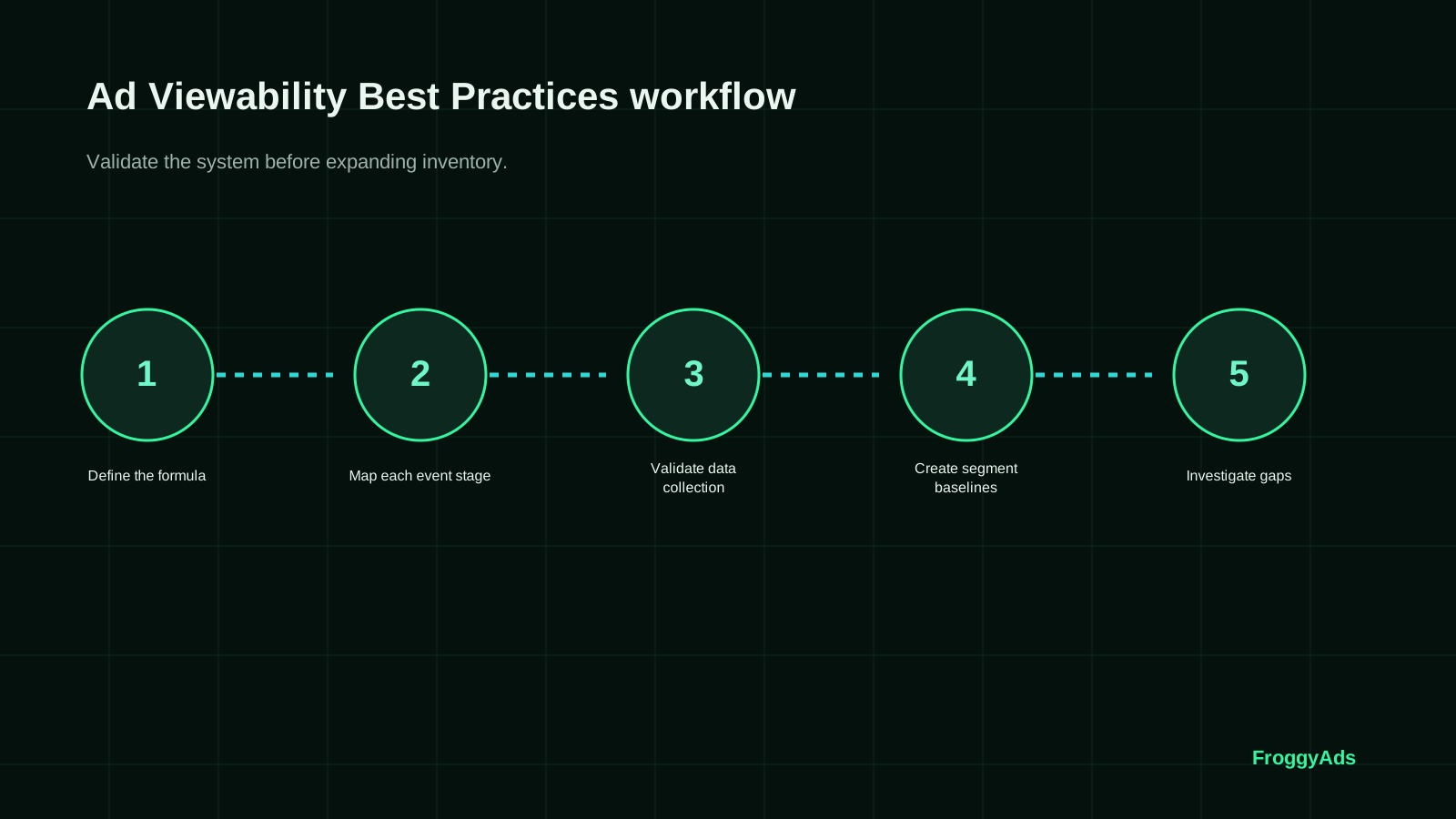
How do you run a seven-step viewability investigation?
Use a bounded investigation so each repair leaves evidence another operator can reproduce.
1. Freeze the definition
Record measurement provider, applicable exposure rule, inventory scope, time zone and reporting cutoff before comparing any rate.
2. Draw the event path
Map eligible request, response, render, measurable and viewable events with identifiers that survive the full path.
3. Quantify stage loss
Calculate counts and transition rates by placement, page template, device and demand path rather than relying on a sitewide average.
4. Inspect the page context
Review slot position, reserved space, render timing, reader path, consent behavior and navigation at representative viewport widths.
5. Choose one repair
Change one material variable such as trigger distance, reserved dimensions, placement order or demand timeout, and save the stable version.
6. Observe a comparable cohort
Use the same definition and eligibility rules long enough for revenue adjustments and downstream outcomes to mature.
7. Decide and document
Keep, limit, investigate or restore the change from the stated exposure, user-experience and commercial thresholds.
Connect the measurement plan to a live traffic test
How can advertisers use this evidence in a FroggyAds test?
Translate the publisher evidence into an advertiser cohort: one supported format, compatible devices, a defined audience, stable creative and destination, a campaign ceiling and an accepted outcome. FroggyAds targeting, budget, conversion-tracking and source controls let you keep that test bounded. Compare source cohorts only after identifiers reconcile and the chosen business event has matured.
Create My Free Account
Which metrics belong in a publisher viewability scorecard?
The scorecard should show both the exposure chain and the value that follows it. Every rate needs a visible numerator, denominator, inventory scope and reporting cutoff.
Report the result by placement, device, page depth and format. The split is not administrative detail. It reveals whether the apparent improvement came from better demand, a different audience, a more viewable placement or a temporary traffic mix. For ad viewability best practices, combine the economic metric with measurability, viewability, time in view, latency and revenue so a short-term rate increase does not hide a weaker user or advertiser outcome.
Use a maturity window. Some revenue reports, invalid-traffic adjustments, conversions and payments settle after the impression or click. Mark recent periods as provisional and compare them only after the same delay. If the reporting definition changes, start a new baseline rather than blending incompatible data into the ad viewability best practices trend.
| Metric layer | What to record | Misreading to prevent | Decision supported |
|---|---|---|---|
| Measurability | Measurable impressions divided by rendered impressions for the same provider and eligible context. | Treating unmeasurable inventory as proof that no exposure occurred. | Repair measurement coverage or segment the unsupported context. |
| Delivery timing | Request, response, render and viewable-event timestamps by slot and page state. | Calling a late creative a placement problem without timing evidence. | Change triggers, timeouts or demand paths. |
| Audience experience | Layout movement, page-depth, interaction, repeat use and complaints for the exposed cohort. | Optimizing exposure while the page becomes harder to use. | Keep, redesign or roll back the placement. |
| Commercial value | Net collected revenue and accepted downstream outcome by comparable inventory and source cohort. | Using a headline rate as a substitute for sustainable value. | Scale only the increment that preserves both exposure and value. |
How do supply, demand, rendering and measurement connect?
An eligible slot may receive no compatible response. A response may arrive after the visitor has passed the slot. A winning creative may fail to render. A rendered impression may be outside the provider's measurable context, and a measurable impression may never satisfy the exposure rule. Preserve each transition so the team repairs the responsible layer.
Build a placement register with template, slot ID, intended dimensions, loading rule, demand paths, measurement support and audience guardrails. Add release dates whenever layout, consent, bidding or measurement changes. This register prevents an unexplained sitewide average from becoming the only record of the system.
Give one owner responsibility for the viewability definition, one for page delivery and one for the commercial decision. Editorial, product, engineering, ad operations, privacy and finance may contribute evidence, but the final keep or rollback action needs a named operator and deadline.
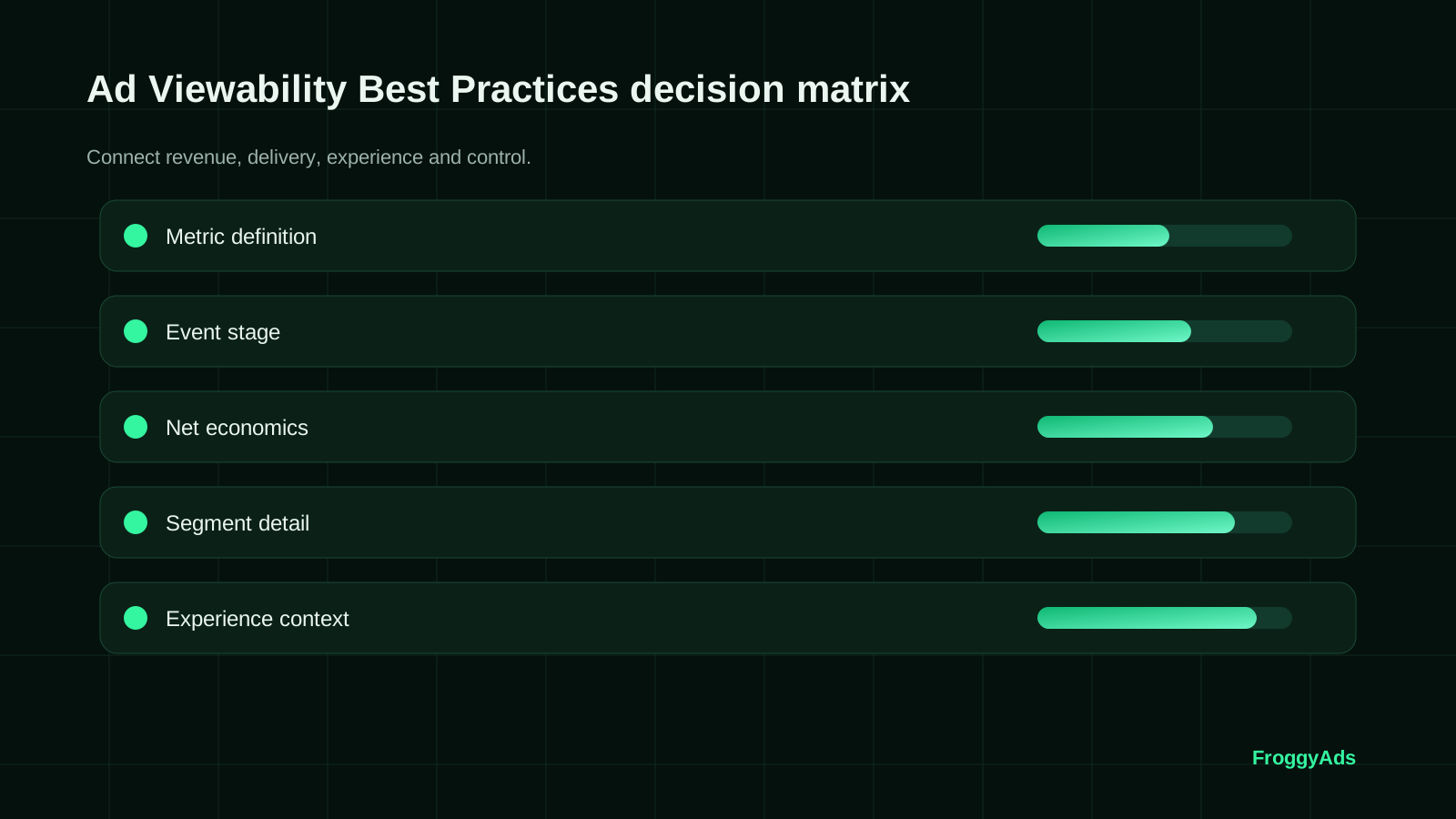
Choose the execution format
Which FroggyAds format fits the advertiser's exposure test?
Choose a supported format from the amount of context the message needs and the destination's ability to continue that promise. Keep Push, Native, Display, Pop, Video, Interstitial or Telegram tests separate where available because their user context differs. Use source-level and accepted-outcome evidence to decide, rather than treating viewability as a universal comparison across unlike formats.
Create My Free Account
What do three common viewability patterns mean?
Diagnose the pattern before changing inventory or demand.
Measurability falls while renders stay stable
Check provider coverage, consent state, iframe or app context, tag version and release timing. Do not call it weaker exposure until the measurement path is reconciled.
Viewability rises while page use weakens
Inspect whether sticky behavior, slot movement, content crowding or repeated units created the gain. Restore the stable layout if the audience guardrail fails.
Revenue rises while viewability falls
Separate demand mix, price, format and placement effects. Preserve the profitable cohort, then test whether a specific exposure repair improves advertiser value without removing useful demand.
How do you protect readers while improving measurable exposure?
Reserve the intended slot dimensions before demand returns so content does not jump. Place units where the normal reading path can reach them, keep navigation and primary content usable, and avoid relying on overlays or accidental interaction. Review the layout at representative viewport widths and connection conditions.
Treat lazy loading as a timing control. The trigger should avoid waste on slots never approached while allowing enough time for the eligible creative to respond and render. Compare trigger distance, render latency, blank-slot behavior and viewable exposure by template rather than copying one distance across the site.
Evaluate sticky or refreshed units under explicit eligibility and policy rules. Record engagement state, refresh event, creative response and separate impression identity. A strong percentage does not justify a unit that obscures content, surprises the reader or produces unreliable events.
Which mistakes make viewability optimization unreliable?
Changing layout, lazy-load timing and demand rules together prevents the team from identifying which intervention changed exposure.
Comparing rates with different measurement providers, exposure definitions, inventory scopes or reporting cutoffs creates a false trend.
Removing unmeasurable inventory from the conversation hides a coverage problem and can overstate the apparent success of the remaining placements.
Moving units toward the top without checking reading flow, layout stability and interaction can trade a higher rate for a weaker page.
Treating viewability as attention, conversion or revenue assigns more meaning to the event than the evidence supports.
Scaling from a blended site average can hide a weak template, device, source or demand path that needs a specific repair.
Which standards and first-party documents should the team retain?
Keep the definition, provider documentation, applicable program or partner rules and the dated internal measurement specification with the experiment record. External documentation explains the concept; your own reconciled events and commercial records determine what happened on your inventory.
Put the evidence into practice
How do you turn the diagnosis into a reversible campaign decision?
Select the one stage loss that materially affects the page or advertiser test, define the success and stop rules, save the stable configuration and launch the smallest comparable cohort. Reconcile source, placement and accepted outcomes after the same maturity window, then keep the repair, limit it to eligible contexts or restore the baseline.
Create My Free Account
Ad viewability questions publishers and advertisers ask
Use these answers to keep measurement definitions, page changes and commercial decisions aligned.
What is the difference between a served, measurable and viewable impression?
A served impression records delivery, a measurable impression can be evaluated by the selected measurement method, and a viewable impression meets that method's exposure rule. Keep the stages separate because a delivery gap, a measurement gap and an exposure gap require different repairs.
Does a viewable impression prove that a person paid attention?
No. Viewability describes an opportunity to see under a defined rule. It does not prove attention, message comprehension, a click or a business outcome. Read it beside engagement, accepted conversions, advertiser value and user-experience evidence.
How should a publisher choose a viewability definition?
Use a documented definition that fits the inventory and reporting relationship, record the measurement provider and apply it consistently to compared cohorts. When the definition or vendor changes, open a new baseline instead of blending incompatible periods.
Can lazy loading improve viewability?
It can reduce delivery to slots a visitor never approaches, but the trigger must leave enough time for the eligible creative to render before the slot enters view. Test trigger distance, response time, blank-slot behavior and user experience by template and device.
Should a publisher move every ad above the fold?
No. A well-placed unit can become viewable as a reader naturally reaches it. Concentrating ads near the top may crowd the page, shift content or weaken the reading path. Compare placement exposure with page use and retained revenue.
When can refresh be evaluated responsibly?
Evaluate refresh only when the slot remains eligible, the visitor is still engaged, the applicable partner and policy rules permit it, and each refreshed event is counted distinctly. Preserve the original and refreshed cohorts so revenue cannot hide weaker exposure.
What should publishers review on mobile pages?
Review representative viewport widths, orientation changes, fixed navigation, consent interfaces, keyboard states and slower connections. Confirm that the slot remains measurable without covering the main content or creating accidental interaction.
How should viewability discrepancies be investigated?
First align time zone, inventory scope, event stage, measurement definition, provider and reporting cutoff. Then inspect consent, tag firing, creative response, rendering, iframe or app context and adjustments. Do not average unlike systems until the difference is explained.
Which metric should accompany a publisher viewability rate?
Use measurability, rendered and viewable counts, time in view where available, latency, page behavior, net collected revenue and downstream advertiser outcomes. The useful combination depends on the decision, but the denominator and maturity window must stay explicit.
How can FroggyAds support an advertiser evaluating viewable inventory?
We give advertisers supported formats, targeting, campaign budgets, conversion tracking and source-level controls for a bounded traffic test. Use those controls to compare eligible source cohorts with accepted outcomes; viewability alone cannot guarantee conversions or profit.
Which guide supports the next exposure decision?
Continue with the guide that matches the diagnosed layer: placement and page design, demand and reporting, accepted conversion measurement or format selection. Keep the same cohort labels and business outcome so the next guide extends this evidence instead of restarting with an unrelated metric.
What is the direct answer on ad viewability best practices?
Reserve stable space, render eligible creatives in time for the normal reading path, measure with one documented definition and diagnose each transition from request to viewable exposure. Segment the evidence by placement, template, device and demand path. Keep the change only when it improves comparable exposure without damaging page use or sustainable value.
Closely related queries belong on this page when they support the same exposure diagnosis instead of creating competing summaries.
Which search intent does this page own?
- Ad viewability best practices for publishers, viewability measurement, placement optimization, lazy-loading diagnosis and measurable-impression troubleshooting.
What decision boundary keeps the advice honest?
Evidence event: a rendered advertising impression whose measurement context, slot, device, page state and applicable exposure rule are known.
Decision: whether one page or delivery change produces more valuable measurable exposure without unacceptable audience or operational cost.
Primary risk: optimizing the reported percentage after the denominator, provider, inventory mix or user experience has changed.
| Evidence layer | Record to preserve | Action rule |
|---|---|---|
| Eligibility | Template, consent state, market, device, slot, demand rules and creative requirements. | Do not compare cohorts until the eligible population and exclusions are explicit. |
| Delivery | Request, response, win, render, measurable and viewable identifiers with timestamps. | Repair the first material transition loss before adjusting a later stage. |
| Audience | Page depth, layout movement, interaction, repeat behavior and complaints for the same release. | Roll back when the placement weakens the written experience boundary. |
| Value | Net revenue, adjustments and accepted advertiser outcomes after one maturity window. | Scale the newest increment only when sustainable value remains inside the rule. |
Operating checklist
- Freeze the provider, definition, denominator and reporting cutoff.
- Label every template, slot, device group and page release.
- Reserve slot space and verify the normal reading path.
- Separate delivery, measurement, exposure, attention and conversion evidence.
- Change one placement or timing control and keep a rollback state.
Primary documentation
What is a controlled operating workflow for viewability?
The workflow turns the rate into a documented page and revenue decision.
Define a comparable baseline
Freeze the exposure definition, measurement provider, eligible inventory and reporting cutoff. Split the baseline by template, slot and device so a later mix change cannot masquerade as improvement.
Map the event transitions
Carry stable identifiers from request through response, render, measurable and viewable events. Record which systems observe each stage and where reconciliation is incomplete.
Inspect placement geometry
Document reserved dimensions, viewport position, sticky behavior, surrounding content and reader path. Review the real page state rather than judging a slot only from its template name.
Measure timing
Compare request, response, render and exposure timing. Locate whether demand latency, asset delivery, lazy-load trigger or page work causes the visitor to pass before rendering.
Protect measurement coverage
Track rendered impressions the selected provider cannot measure. Segment unsupported contexts and investigate them instead of silently removing them from the denominator discussion.
Run one reversible repair
Change one control, save the prior release and tag the new cohort. Keep demand, creative eligibility and reporting rules stable unless one of those variables is the stated hypothesis.
Read audience consequences
Compare layout stability, page use, accidental interaction signals and repeat behavior. The page must remain useful while exposure improves.
Reconcile commercial value
Wait for applicable revenue adjustments and accepted advertiser outcomes, then compare net value for the same cohort. Do not use gross delivery as the final verdict.
Decide from a written rule
Keep, restrict, investigate or roll back the change with the exact evidence date and owner. Record what a later operator must observe before retesting.
Expand one dimension
Apply the successful repair to one additional template, device group or placement class, then confirm that the incremental cohort preserves the result.
How does supply understanding help an advertiser plan?
Use the exposure chain to ask better campaign questions: which format and creative dimensions are eligible, which source identifiers remain visible, which devices or placements deserve separate cohorts, and which accepted outcome follows the exposure. FroggyAds gives you self-serve access to supported formats and campaign controls; actual inventory, auction conditions and results vary, so test within a bounded budget.
Which buyer task does this URL own?
Use Ad Viewability Best Practices for Publishers when the immediate task is to evaluate providers against explicit selection criteria. For advertisers researching the topic before a campaign decision, the useful output is a documented media decision rather than another broad advertising overview. The nearest related FroggyAds page is Online Marketing Best Practices; this URL keeps ownership of the distinct task to evaluate providers against explicit selection criteria.
The useful operating concepts are measurable exposure, delivery timing, placement context, source evidence, audience experience and accepted business outcome. Each concept belongs only where it changes a test or explains a result.
| Checkpoint | Page-specific action | Evidence retained |
|---|---|---|
| Define | State the measurement provider, exposure rule, eligible inventory and reporting cutoff. | Dated specification and baseline by placement, template and device. |
| Diagnose | Locate the first material loss between request, response, render, measurable and viewable events. | Event counts, timestamps, identifiers and release state. |
| Decide | Compare the repaired cohort with audience and commercial guardrails after one maturity window. | Keep, restrict, investigate or rollback record with an owner. |
Practical check: name the event transition under repair, the user-experience signal that must remain stable and the mature outcome that authorizes the next change.
FroggyAds gives advertisers researching the topic before a campaign decision a self-serve way to act on the Ad Viewability Best Practices for Publishers decision: configure the traffic test, preserve source-level reporting and scale only after the accepted outcome supports the next step. Create your free FroggyAds account.
What is a transparent worked viewability example?
Hypothetical method: one placement records 10,000 rendered impressions, of which 8,000 are measurable under the selected provider and definition; 5,200 meet that rule. Measurement coverage is 80%, and viewability among measurable impressions is 65%. If a repair changes provider coverage or inventory eligibility, start a new comparison instead of claiming the rate alone improved. These numbers illustrate calculation, not FroggyAds performance.
What matters first for ad viewability best practices?
Define the measurable population before optimizing the percentage. Then trace one placement from eligible request to render, measurable exposure and mature value. Repair one loss, protect the reader, and keep a rollback state. Advertisers can use FroggyAds controls to run a source-level traffic test, but exposure remains one input to the accepted-outcome decision.