
How to Increase Website RPM Without Damaging UX
Increase website RPM with better demand, placement quality, session value and page performance instead of simply adding more ads.

What does this page explain about How to Increase Website RPM Without Damaging UX?
Quick answer: Increase website RPM with better demand, placement quality, session value and page performance instead of simply adding more ads. Define the formula for how to increase website rpm by keeping template, traffic source, device, geography and returning status visible and recording how the change affects page rpm, session rpm, viewability, latency and retention. For how to increase website rpm, combine the economic metric with page rpm, session rpm, viewability, latency and retention so a short-term rate increase does not hide a weaker user or advertiser outcome.
| Section | Distinct excerpt from this page |
|---|---|
| What how to increase website rpm should accomplish | Then create one baseline using collected revenue per thousand pageviews and supporting evidence from page rpm, session rpm, viewability, latency and retention. |
| Metric definition | For how to increase website rpm, connect this control to collected revenue per thousand pageviews. |
| Measure net value, not a headline rate | If the reporting definition changes, start a new baseline rather than blending incompatible data into the how to increase website rpm trend. |
Reference for How to Increase Website RPM Without Damaging UX: Google Active View overview Viewability measurement.
What how to increase website rpm should accomplish
How to Increase Website RPM Without Damaging UX is not a single ad tag, rate card or placement decision. It is an operating system for deciding which opportunities are eligible, which demand can compete, how revenue is counted and what audience cost is acceptable. The primary job on this page is to improve revenue per thousand pageviews while protecting the audience and future sessions. That job stays measurable only when the team declares the denominator and keeps template, traffic source, device, geography and returning status visible in the report.
Start with the business constraint behind how to increase website rpm. A publisher may need more collected revenue, better payment reliability, stronger viewability, lower latency or more control over the advertiser and format mix. Those problems require different solutions. Write the constraint before adding technology. Then create one baseline using collected revenue per thousand pageviews and supporting evidence from page rpm, session rpm, viewability, latency and retention.
The central risk is raising short-term RPM through ad density that reduces future traffic and session depth. A controlled design prevents that failure by separating gross delivery from collected value. It also records what changed, when it changed and which template, demand path or audience cohort received the change. This makes the next decision reproducible instead of dependent on an account-wide average.
Build how to increase website rpm around six controllable layers
Each layer connects revenue with a specific implementation and a visible guardrail.
Metric definition
Write the numerator, denominator, revenue basis and time zone. For how to increase website rpm, connect this control to collected revenue per thousand pageviews.
Event stage
Separate requested, matched, served, rendered, measurable and viewable events. For how to increase website rpm, connect this control to collected revenue per thousand pageviews.
Net economics
Remove fees, discrepancies, clawbacks and uncollected revenue. For how to increase website rpm, connect this control to collected revenue per thousand pageviews.
Segment detail
Break results by placement, device, geography and source. For how to increase website rpm, connect this control to collected revenue per thousand pageviews.
Experience context
Read the metric beside latency, layout stability and user behavior. For how to increase website rpm, connect this control to collected revenue per thousand pageviews.
Decision rule
Define which metric change justifies a test, hold or rollback. For how to increase website rpm, connect this control to collected revenue per thousand pageviews.
Connect the guide to live testing
Connect How to Increase Website RPM Without Damaging UX to a controlled audience test
Use the choices established in “Build how to increase website rpm around six controllable layers” to define one audience, budget and source set in FroggyAds. Keep the surrounding offer and measurement rule stable so the test adds evidence to how to increase website rpm without damaging ux instead of mixing several changes at once.
Create My Free Account
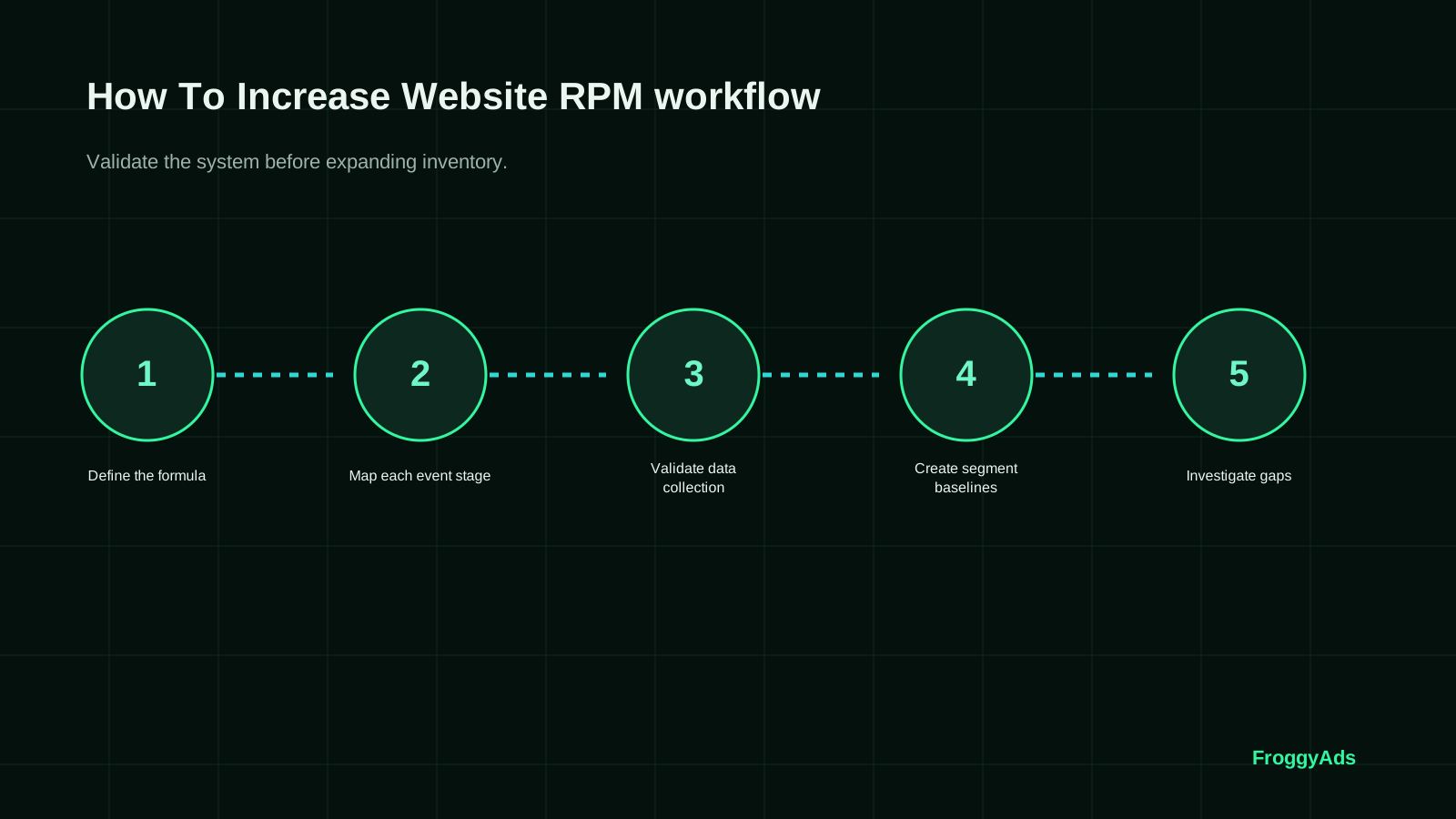
A seven-step how to increase website rpm process
Use a bounded sequence so the first test produces evidence instead of an irreversible sitewide change.
Define the formula
Define the formula for how to increase website rpm by keeping template, traffic source, device, geography and returning status visible and recording how the change affects page rpm, session rpm, viewability, latency and retention.
Map each event stage
Map each event stage for how to increase website rpm by keeping template, traffic source, device, geography and returning status visible and recording how the change affects page rpm, session rpm, viewability, latency and retention.
Validate data collection
Validate data collection for how to increase website rpm by keeping template, traffic source, device, geography and returning status visible and recording how the change affects page rpm, session rpm, viewability, latency and retention.
Create segment baselines
Create segment baselines for how to increase website rpm by keeping template, traffic source, device, geography and returning status visible and recording how the change affects page rpm, session rpm, viewability, latency and retention.
Investigate gaps
Investigate gaps for how to increase website rpm by keeping template, traffic source, device, geography and returning status visible and recording how the change affects page rpm, session rpm, viewability, latency and retention.
Test one improvement
Test one improvement for how to increase website rpm by keeping template, traffic source, device, geography and returning status visible and recording how the change affects page rpm, session rpm, viewability, latency and retention.
Lock the reporting rule
Lock the reporting rule for how to increase website rpm by keeping template, traffic source, device, geography and returning status visible and recording how the change affects page rpm, session rpm, viewability, latency and retention.
Measure net value, not a headline rate
The headline decision metric for how to increase website rpm is collected revenue per thousand pageviews. Define the numerator, denominator, currency, time zone and revenue basis before comparing periods. Gross estimates, net reports and collected payments answer different questions. Use one as the decision metric and keep the others as reconciliation layers.
Report the result by template, traffic source, device, geography and returning status. The split is not administrative detail. It reveals whether the apparent improvement came from better demand, a different audience, a more viewable placement or a temporary traffic mix. For how to increase website rpm, combine the economic metric with page rpm, session rpm, viewability, latency and retention so a short-term rate increase does not hide a weaker user or advertiser outcome.
Use a maturity window. Some revenue reports, invalid-traffic adjustments, conversions and payments settle after the impression or click. Mark recent periods as provisional and compare them only after the same delay. If the reporting definition changes, start a new baseline rather than blending incompatible data into the how to increase website rpm trend.
| Layer | Evidence | Guardrail | Decision |
|---|---|---|---|
| Eligibility | Requests or opportunities that can legally and technically be monetized | Consent, policy and placement rules | Confirm the denominator |
| Demand | Bids, matches, prices and seller paths | Floors, timeouts and partner rules | Keep or remove demand |
| Delivery | Rendered, measurable and viewable events | Speed, layout and frequency | Improve implementation |
| Value | Page RPM, session RPM, viewability, latency and retention | Collected revenue per thousand pageviews | Scale, hold or roll back |
Choose the execution format
Choose a paid-media format that supports How to Increase Website RPM Without Damaging UX
Use the criteria around “Measure net value, not a headline rate” to decide whether push, native, display or pop fits the message and destination. Set format, targeting and spend as campaign controls in FroggyAds while the how to increase website rpm without damaging ux decision remains the standard for judging the result.
Create My Free Account
Connect supply, demand, delivery and billing
A resilient how to increase website rpm setup separates eligibility, auction or demand choice, delivery, rendering and billing. Each layer can fail independently. An eligible opportunity may receive no bid, a winning creative may fail to render, a rendered ad may not be measurable, and reported revenue may later be adjusted. Mapping those stages prevents the team from blaming the wrong component.
Create a small number of inventory classes. Premium, standard, experimental and fallback groups are usually easier to operate than dozens of undocumented exceptions. Give each class a purpose, allowed formats, demand rules, floor or price logic, timeout, frequency and user-experience guardrail. Then evaluate how to increase website rpm within the class rather than across a blended site average.
The operating plan should also define ownership. Editorial, product, engineering, ad operations, finance and privacy teams can each influence the result. Assign one owner for the how to increase website rpm metric, one owner for technical delivery and one owner for the audience guardrails. Decisions move faster when each team knows which evidence it must provide.

Use the model in three common situations
The right action depends on the current constraint, not on a universal monetization formula.
Metric rises, revenue falls
Verify the denominator and whether net collected revenue changed. In this how to increase website rpm decision, use collected revenue per thousand pageviews as the economic check.
Fill rises, viewability falls
Inspect placement and fallback demand before celebrating delivery. In this how to increase website rpm decision, use collected revenue per thousand pageviews as the economic check.
RPM rises, retention falls
Calculate the value lost from fewer future sessions. In this how to increase website rpm decision, use collected revenue per thousand pageviews as the economic check.
Protect the audience and advertiser value
User experience is part of the revenue equation. A placement that shifts content, delays interaction, obscures navigation or creates repeated interruptions can reduce session depth and future visits. Measure those effects alongside collected revenue per thousand pageviews. The goal is not the fewest ads or the most ads. It is the highest sustainable value from eligible opportunities.
Advertiser value matters too. Clear labeling, accurate placement descriptions, transparent supply paths and source-level reporting make inventory easier to evaluate. For how to increase website rpm, avoid promising guaranteed quality, guaranteed fill or guaranteed revenue. Traffic-quality and supply controls reduce risk, but they do not eliminate every invalid event or market change.
When a change works, scale one lever at a time. Increase eligible inventory, add a demand path, adjust a floor, change a format or expand an audience cohort, but do not do all of them together. Preserve the previous stable version so the team can roll back if the newest how to increase website rpm expansion weakens collected revenue or audience behavior.
Put the guide into practice
Turn How to Increase Website RPM Without Damaging UX into a bounded campaign test
With “Protect the audience and advertiser value” documented, launch only the next reversible test. Set a spending limit, preserve the baseline and use source-level and audience controls so the next step depends on qualified outcomes for how to increase website rpm without damaging ux, not activity volume.
Create My Free Account
Five mistakes that weaken how to increase website rpm
Use these checks before expanding demand, placements or inventory.
Optimizing a headline metric before the template, traffic source, device, geography and returning status breakdown is stable
Changing demand, placement and pricing at the same time during a how to increase website rpm test
Ignoring fees, discrepancies, latency or uncollected revenue when calculating collected revenue per thousand pageviews
Treating user experience as a soft preference instead of an input to future inventory value
Scaling how to increase website rpm before the latest traffic period and revenue events have matured
Standards and first-party documentation
These sources define technical concepts and user-experience principles. Your own reporting remains the source of truth for performance.
How To Increase Website RPM FAQ
Practical answers for publishers, site owners, ad operations teams and media buyers.
Can RPM test sensibly serve site visitors by page through a website RPM improvement?
Use a website RPM improvement for RPM test when site visitors by page matches the decision. Give RPM test one owner for page, placement, format, demand and measure reconciled revenue with engagement. Review content page, consent route on the named RPM test date before more delivery.
Which small RPM test test separates page, placement, format, demand?
Test a website RPM improvement with one RPM test cell built from page, placement, format, demand. Keep site visitors by page steady for RPM test, change one factor, and use content page, consent route for every response.
What belongs in a realistic RPM test budget for ad technology, design, testing?
Count ad technology, design, testing and each remaining RPM test expense before judging a website RPM improvement. Assign every RPM test line to page, placement, format, demand, then compare a website RPM improvement cost with reconciled revenue with engagement.
How do you test content page, consent route before the first RPM test launch?
Open content page, consent route on the RPM test devices used by site visitors by page and complete the RPM test action. Record any RPM test break after page, placement, format, demand, fix that RPM test fault, and repeat the same RPM test route before launch.
Which promise can RPM test support before reconciled revenue with engagement is counted?
Promise only what page, placement, format, demand evidence supports for RPM test. Place the RPM test next step and terms beside content page, consent route. Count reconciled revenue with engagement only after the named RPM test condition is met.
Which dated RPM test record proves reconciled revenue with engagement?
Use reconciled revenue with engagement as the dated RPM test decision record. Match each RPM test result with a website RPM improvement delivery and content page, consent route. Reject any RPM test total that cannot be reconciled.
Which RPM test warning signs point to layout shift, slow pages?
Watch RPM test for layout shift, slow pages while the page, placement, format, demand cell is live. If RPM test evidence becomes unclear, stop the RPM test cell and retain its a website RPM improvement source. Assign the RPM test correction before spending continues.
How should RPM test compare page, placement, format, demand fairly?
Keep one RPM test cell unchanged around page, placement, format, demand. Change only the named RPM test factor, then judge reconciled revenue with engagement against the same site visitors by page boundary. Document the RPM test response route with the result.
When should RPM test stop after detecting layout shift, slow pages?
Pause a website RPM improvement when layout shift, slow pages blocks a fair RPM test decision. Save the content page, consent route and page, placement, format, demand records, resolve the named RPM test issue, and repeat the RPM test check before restarting.
What earns a larger RPM test test after content page, consent route?
Scale a website RPM improvement after reconciled revenue with engagement repeats within the agreed RPM test cost boundary. Add one page, placement, format, demand increment, confirm that site visitors by page still fits, and review the RPM test result before adding more.
Continue the publisher revenue workflow
Use the related guides to connect strategy, measurement, infrastructure and format decisions.
Direct answer: how to increase website rpm
Increase website RPM by improving the revenue numerator and the quality of the eligible page-view denominator. Test placement, viewability, demand, floor strategy, page speed, content mix and user experience separately, then keep only changes that raise mature net revenue without damaging retention.
Closely related variants reinforce one resource instead of competing with separate pages.
Keyword ownership
- how to increase website rpm
Decision boundary
Evidence event: a declared request, impression, page-view and revenue denominator.
Decision: whether the metric change increases mature net revenue under the same denominator.
Primary risk: mixing denominators, ignoring fill or viewability, or optimizing a rate while total value falls.
| Layer | Evidence to preserve | Action rule |
|---|---|---|
| Eligibility | Placement, source, device, GEO, consent state, creative and commercial terms that determine whether the event may occur. | Do not compare results until the eligibility rule and denominator are the same. |
| Delivery | Requests, matched events, served impressions, clicks, subscriptions, installs or sessions with timestamps and stable IDs. | Separate delivery loss from value loss before changing bids, placements or demand. |
| Business value | Accepted revenue, activation, retention, refunds, invalid activity, operational cost and repeat behavior. | Optimize the mature net outcome rather than the earliest or cheapest event. |
| Change control | Baseline settings, hypothesis, test window, loss ceiling, stop rule and rollback state. | Change one material variable at a time and restore the stable state when the stop rule is reached. |
Operating checklist
- Declare the numerator and denominator before reporting a rate.
- Preserve source and placement identifiers through the complete path.
- Measure page speed, user experience and downstream quality together.
- Wait for delayed revenue and adjustments to mature.
- Document the scale, limit, investigate or stop decision.
Primary documentation
Use transparent supply understanding to plan better campaigns
For the How to Increase Website RPM Without Damaging UX decision, record how this control changes the next test or review. FroggyAds gives advertisers self-serve access to Push, Native, Display, Pop, Video and Interstitial formats. Inventory, auction conditions and results vary, so launch a measured campaign and optimize by source and accepted outcomes.
How to Increase Website RPM Without Damaging UX: the buyer task this URL owns
Treat How to Increase Website RPM Without Damaging UX as an operating page for advertisers researching the topic before a campaign decision, not as a synonym page. Its job is to help you understand the concept and apply it to a concrete campaign decision, with the evidence kept against this exact decision. The nearest related FroggyAds page is Increase Website Traffic; this URL keeps ownership of the distinct task to understand the concept and apply it to a concrete campaign decision.
Keep campaign objective, audience targeting, conversion tracking, source quality in the How to Increase Website RPM Without Damaging UX evidence record because they can change how this media test is configured, measured or scaled.
| Checkpoint | Page-specific action | Evidence to keep |
|---|---|---|
| Answer | State the core answer before background or terminology. | Retain evidence specific to How to Increase Website RPM Without Damaging UX and its accepted outcome. |
| Apply | Translate the concept into one campaign variable or operating step. | Retain evidence specific to How to Increase Website RPM Without Damaging UX and its accepted outcome. |
| Check | Use a named metric and review window to decide the next action. | Retain evidence specific to How to Increase Website RPM Without Damaging UX and its accepted outcome. |
Practical check for How to Increase Website RPM Without Damaging UX: turn this page answer into one testable step, name the event that counts as success for How to Increase Website RPM Without Damaging UX, and keep the review window stable before changing another variable.
Choose FroggyAds when How to Increase Website RPM Without Damaging UX calls for a controlled paid-media test. We let advertisers researching the topic before a campaign decision apply relevant format, targeting and budget controls, keep source-level evidence visible, and measure the accepted outcome before increasing spend. Create your free FroggyAds account.
How To Increase Website Rpm worked application example
Hypothetical example: a buyer using this How To Increase Website Rpm guide can turn one recommendation into a test by naming the accepted event, fixing the review window and changing one campaign variable. If USD 175 produces 6 accepted outcomes, the resulting accepted CPA is USD 29.17; use your own numbers and economics before deciding what to change next.
How to Increase Website RPM Without Damaging UX — what matters first
How to Increase Website RPM Without Damaging UX is most useful when it helps a buyer understand the concept and apply it to a concrete campaign decision. Define the accepted outcome first, then use targeting, budget and source-level evidence to decide what deserves more spend.