
Trusted In-App Ads: Verify Source Quality Before You Scale
Trusted in-app ads are placements you can verify from rendered impression to accepted outcome before you scale.

What makes in-app ad traffic trustworthy?
In-app inventory is trustworthy when you can verify the rendered placement through to an accepted business outcome. A “trusted” label does not prove quality. Before you buy, define the conversion your business accepts, the maximum test loss, the source and placement fields you expect to receive, and the conditions that would trigger a pause. FroggyAds helps you run that evidence-led test with self-serve campaign controls and source-level reporting. We recommend treating impressions, clicks, landing sessions and form starts as diagnostic steps; the final buying decision belongs to accepted leads, sales, installs, subscriptions or another outcome confirmed in your own system. A trustworthy campaign should let you explain where the ad appeared, what the user saw, which path followed the click, how the conversion was validated and why the next budget decision is justified. If any link in that chain is missing, keep the result provisional instead of calling the inventory reliable or unreliable.
How are in-app ads delivered?
Follow one in-app impression as a chain of custody. An eligible request enters the auction with an app, placement, device, operating system and consent context. A buying decision selects the impression, after which the app or its advertising integration renders the unit. A tap opens a deep link, browser or store path, and the destination records whatever happens next. Native, display, interstitial, video, rewarded and other supported placements can create very different user moments even when they share the same campaign. Record which identifiers survive each handoff and which system owns the timestamp. Also note orientation, app version, connection quality and the screen on which the message appears. This delivery map lets you diagnose a mismatch precisely: an unrendered creative is not a landing-page failure, a broken deep link is not weak inventory, and a missing source value is not evidence that every source performed the same. Trust begins with the ability to separate those failure points.
Which audiences and offers fit in-app traffic?
Eligibility has two layers. The person must genuinely qualify for the offer, and the technical path must work on that person’s device. Write a short market rule covering geography, language, age or policy restrictions, supported operating systems, destination type and the accepted action. Then connect the rule to the campaign settings and the form, store or checkout that confirms it. An app-acquisition offer may depend on device compatibility and a post-install event; a lead campaign may depend on service coverage and a validated enquiry; a subscription offer may require billing and language support. Exclude audiences you cannot serve before they become misleading performance data. The creative should identify the advertiser and explain the real reason to continue, never masquerade as a device warning, app-store notice or security alert. A narrower eligible cohort gives you a cleaner source comparison and protects both users and the test budget.
What source evidence should an in-app buyer keep?
Ask for a source evidence packet, not a vague assurance of premium supply. The useful record shows the app, placement or available source identifier together with device and operating-system context. It also keeps the format, campaign, creative, delivery time, click ID, cost, conversion status and the reason an outcome was accepted or rejected. Use available category or placement context to understand why a response pattern might differ, but do not infer user intent from an app label alone. During discovery, allow enough variety to compare cells while a daily cap and maximum loss contain the downside. Preserve an export before applying a whitelist, blacklist or bid change, and write the observation that supports the decision. A source earns more budget when accepted outcomes reproduce inside the planned range. It loses budget when sufficient evidence shows invalid behavior, poor downstream acceptance or unsustainable economics—not merely because another source produced one early conversion.
How should creative work inside a mobile app?
Audit the rendered unit as a user would see it inside the app. The advertiser identity, material promise, important condition and next action should remain understandable on a small screen without relying on a hover state or hidden disclosure. Keep text legible, controls touch-safe and the close behavior honest. A deep link or destination must preserve the same offer rather than replacing a specific promise with a generic page. Reject concepts that mimic operating-system alerts, antivirus warnings, battery notices, app-store messages or device scans. Those patterns can create accidental taps and brand risk instead of useful intent. The first creative review should answer four questions: who is speaking, what is offered, who is eligible and what happens after the tap. If the unit cannot answer them, do not use engagement as proof of trustworthy traffic.
Build a compact creative matrix around one commercial question at a time. You might compare a benefit-led message with an educational explanation while keeping the audience, destination and accepted event unchanged. Create the required sizes or aspect ratios without shrinking desktop copy into a mobile frame. Preview portrait and landscape behavior, check truncated labels, confirm that tap targets do not overlap, and test the exact deep link on supported devices. Record the creative ID, claim source, destination version and approval owner so the live result can be traced back to what was reviewed. When a concept changes the promise, treat it as a new hypothesis rather than a cosmetic variant. That discipline helps you identify whether response changed because of the message, the placement or the post-click path.
A long session is not a success when the visitor cannot understand the offer, reach the intended screen or complete the accepted event. Judge the creative by the quality of the path it starts, not by attention alone.
Connect the guide to live testing
How can FroggyAds test trusted in-app inventory?
Bring one eligible audience, approved in-app message, working destination and accepted conversion event into FroggyAds. You can use our available targeting, budget and source controls to compare inventory without changing every variable at once. We recommend a bounded test whose source identifiers and backend outcomes give you a clear reason to keep, repair, cap or exclude each buying cell.
Create My Free Account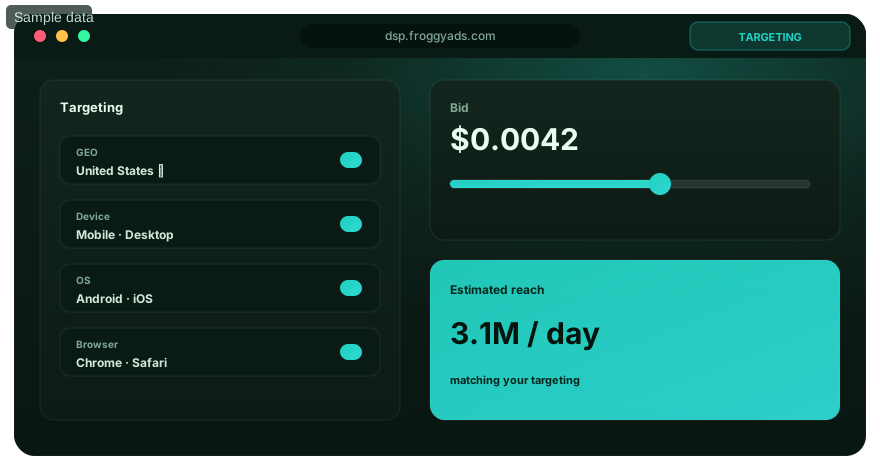
Match the Destination to the In-App Context
Treat the first destination screen as a continuity check. It should repeat the material promise, identify the advertiser and offer one obvious next step before the visitor has to search or scroll. Confirm that the exact deep link resolves on supported devices, falls back safely when the app is absent and never opens an unrelated state. Forms need touch-sized controls, appropriate keyboards, clear validation and only the information required for the decision. Store or checkout paths should disclose price, eligibility and material conditions before commitment. Measure the handoff in stages: click received, useful screen loaded, form or install path started, accepted outcome recorded and rejection reason assigned. If one source shows strong clicks but weak load completion, inspect the link, browser and device path before excluding the source. A trustworthy buying decision separates destination friction from inventory quality.
Create a Reliable Click-to-Outcome Chain
Design tracking so one accepted result can be followed back to its buying cell. Pass a unique click ID plus campaign, creative, source and placement values where supported, then store those values with the downstream record. Return validated events through a server-to-server postback or another reliable integration. Write down the authoritative backend, attribution window, time zone, duplicate rule and status that counts as accepted. Before material spend, complete a live test click and read the values in the platform, tracker, analytics and backend rather than assuming the integration works. When totals differ, reconcile the event definitions and timestamps before changing bids. The goal is not identical dashboards; each tool may count a different stage. The goal is a durable join between spend and the business outcome used to keep, cap, exclude or scale a source.
Normalize Price Into Acquisition Economics
Compare auction prices through the outcome your business accepts. CPM describes cost per thousand impressions; CPC describes paid clicks; SmartCPC or another auction option may change how the bid is applied depending on the available setup. None of them is the final acquisition cost. Translate spend into effective CPC, accepted CPA, revenue per click or contribution after variable cost, and keep rejected or immature outcomes visible. For example, USD 180 divided by 9 accepted conversions is USD 20 per accepted conversion; the same spend divided by 15 form submissions would answer a different question. Build the maximum bid from your own value, expected acceptance rate and loss boundary. A lower CPM can be uneconomic when rendering, click quality or backend acceptance is weak, while a higher bid can be viable when accepted value holds. Recalculate when market, device mix, seasonality or source mix changes.

Choose the execution format
Which FroggyAds format fits the in-app message?
Match the format to the app moment, the amount of explanation required and the destination. With FroggyAds, you can compare available push, native, display or pop options while our campaign controls keep format, audience and spend visible. Your accepted backend outcome, not a format label or a low delivery price, remains the commercial proof.
Create My Free Account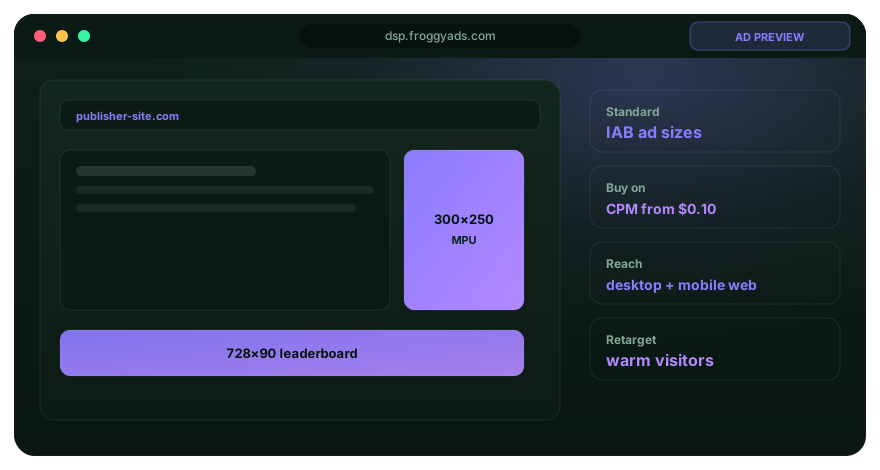
Protect the First Test With Explicit Limits
Write the budget guardrail before opening inventory. Include a daily cap, campaign cap, bid ceiling, maximum test loss and the review time at which mature outcomes will be judged. Reserve one portion for exploration across several source cells and a separate portion for combinations that have already reproduced accepted value. This prevents an early winner from consuming the entire learning budget. Use frequency controls when they are available and relevant to the selected format, especially for short-lived messages. Pause when the click-to-outcome join breaks, the destination fails, policy or approval status changes, or backend rejection crosses the agreed boundary. A small sample may be inconclusive rather than poor; label it pending instead of forcing a blacklist. The purpose of the guardrail is to buy enough evidence for a decision without allowing uncertainty to become uncontrolled spend.
How do you launch a trusted in-app inventory test?
Launch through an evidence sequence rather than a single publish action. First, approve the eligible market, user, device path and offer. Second, lock the accepted conversion and maximum loss. Third, assign IDs to the campaign, source, placement, creative and destination. Fourth, test the live click and backend event. Fifth, open a bounded exploration budget across enough cells to compare behavior. Sixth, wait for the agreed outcome window, then classify each cell as supported, unsupported or still uncertain. Seventh, make one reversible change and record why. Early conversions can be useful signals, but they should not trigger a large scale decision before delay and backend quality are understood. Likewise, a cell with immature outcomes should not be excluded merely for being slower. This workflow leaves an auditable trail from the launch brief to the next FroggyAds budget action.
How should you investigate in-app traffic quality?
Investigate quality as a set of testable observations. Look for impossible or unusually short click timing, repeated identifiers, concentrated event bursts, missing source values, abnormal tracker-to-backend loss and activity that never matures into accepted value. Compare the pattern by source, placement, device, operating system, creative and destination. Preserve the raw export before a major exclusion so another reviewer can reproduce the finding. Quality tools can help flag risk, but a flag is not the same as a commercial verdict. Check your own operation as well: broken validation, payment errors, duplicate handling, slow sales response and fulfilment limits can all reject legitimate demand. A responsible source decision explains what was observed, which alternative causes were checked, how much evidence was available and what condition would justify a retest.
Which in-app campaign lever should you change first?
Start with the lever closest to the observed failure. If accepted results differ sharply by source while rendering and destination behavior are stable, change the source decision. If clicks arrive but useful loads do not, inspect the link and destination before touching the bid. If one message produces qualified visits across similar inventory, test the creative hypothesis while holding the audience steady. Segment by device, operating system, app category, carrier, market or time only after enough accepted outcomes exist to support the comparison. Changing bid, creative, destination and audience together may alter performance, but it cannot explain why. Increase one reversible control in a measured step, retain the former configuration as a baseline and wait for the agreed maturity window. Concentrate spend where evidence supports it while leaving a bounded discovery branch capable of finding new supply.

Put the guide into practice
When is an in-app campaign ready for a FroggyAds test?
Launch after the eligible audience, truthful creative, mobile destination, live test click and accepted conversion definition have passed review. Use FroggyAds for the next reversible test: you can cap spend, preserve the baseline and use our source-level reporting to decide whether qualified outcomes justify another increment.
Create My Free Account
How should trusted in-app traffic be scaled?
Treat every budget increase as a new auction and source-mix test. The additional spend may win different placements, reach users more often or move into inventory that was absent from the smaller baseline. Track the accepted cost or contribution generated by the increment instead of relying only on the blended campaign average. Choose one route—higher cap, higher bid, another creative, a new market, a device expansion or broader source access—and preserve the previous state for comparison. Reverse the step when accepted cost leaves the planned range, rejection rises, destination reliability falls or the operation cannot serve the added demand. A scalable in-app campaign is one whose marginal results remain measurable, commercially supportable and consistent with the trust conditions that earned the increase.
How do you protect users and the advertiser brand?
Trust cannot be separated from the message. Display the advertiser identity, support factual claims, apply the required market and age restrictions, keep privacy information reachable and send the visitor to the promised destination. Do not imitate operating-system, app-store, antivirus, banking or account-security notices. Avoid fabricated endorsements, false scarcity, misleading close controls and wording that suggests the device or an unrelated service opened the page. Review the platform policy, the offer’s own restrictions and the applicable advertising requirements before launch. Approval is a point-in-time operational decision, not a permanent legal or brand-safety guarantee. Reopen the review whenever the creative, claim, destination, data collection or targeting changes, and retain the approved version so the live campaign can be read back against it.
How FroggyAds Supports Trusted In-app Ads
We give advertisers and performance teams a self-serve buying workflow with access to more than 20 billion daily impressions through 750+ SSP integrations across supported formats and markets. You can use available GEO, city, device, operating-system, app-category, carrier, placement, source, ID and IP controls with campaign budgets and reporting. Our controls help you isolate delivery and source differences, but they do not guarantee profit, visitor quality, conversions or a particular CPM. Start with a controlled FroggyAds test, verify each accepted outcome in your backend and expand only when the source-level evidence remains stable.
What must pass before trusted in-app ads receive more budget?
Approve the next spend increment only when the evidence bundle is complete. Confirm that the audience is eligible, the rendered message matches the approved claim, the destination and deep link work, the click ID reaches the backend, source identifiers remain visible and accepted cost stays inside the planned range. Look for reproduction across more than one source or observation window rather than one isolated conversion. Save the campaign export, creative, destination version, conversion definition, rejection reasons and change log together. Then write one decision: keep the baseline, repair a known failure, narrow the test, exclude a cell or scale one control. This bundle makes the decision reviewable and stops a failed setup from returning under a new campaign name.
Decision Controls for Trusted In-app Ads
| Decision area | Evidence to collect | Action rule |
|---|---|---|
| Objective | One accepted backend outcome | Do not optimize to raw clicks alone |
| Audience | Eligible GEO, device, language and offer fit | Exclude only required or evidence-backed segments |
| Creative | Truthful message and matching destination | Test different ideas, not punctuation changes |
| Tracking | Click ID, source ID and validated event | Stop spend when the chain breaks |
| Budget | Daily cap, bid ceiling and loss limit | Separate exploration from scaling |
| Quality | Behavior, timing, acceptance and value | Investigate patterns before blocking |
| Optimization | Source, creative and segment views | Change one major variable at a time |
| Scaling | Stable marginal accepted cost | Increase in measured steps |
Trusted In-app Ads FAQ
Which evidence makes in-app ad traffic trustworthy?
Trust comes from verifiable source identifiers, eligible app and placement context, truthful creative, a working click-to-outcome chain and accepted backend results. A label such as premium or trusted is not enough; compare each source under the same conversion definition and loss limit.
Which in-app ad formats can advertisers test?
Eligible inventory may include native, display, interstitial, video, rewarded or other supported in-app placements. Choose the format that fits the user moment, creative promise and destination, then confirm the actual rendering across devices, operating systems and orientations.
How should an advertiser verify in-app traffic quality?
Review source behavior, conversion delay, duplicate patterns, tracker gaps, backend acceptance and downstream value. Investigate anomalies before excluding a source, and also check form validation, payment failures and fulfilment because operational rejection can resemble poor traffic.
What tracking should be ready before an in-app campaign launches?
Pass a unique click ID plus campaign, creative, source and placement parameters where supported. Complete a live test click, confirm the stored values in the platform, tracker and backend, and define the authoritative accepted outcome, attribution window, time zone and duplicate rule.
How should the landing page match an in-app ad?
The first screen should repeat the material promise, show the advertiser identity and make the next step obvious. Use touch-friendly controls, secure transport, a working deep link where relevant and only the information needed for the form, install or checkout.
How should CPC or CPM be compared for in-app ads?
Convert media spend into effective CPC, accepted CPA, revenue per click or contribution after variable cost. A low CPM can still be expensive when accepted conversion is weak, so use your own offer value, conversion assumptions and loss boundary rather than a universal market rate.
What budget controls protect the first in-app test?
Set a daily cap, campaign cap, bid ceiling and maximum test loss before launch. Use exploration to compare several sources, keep tracking and the conversion definition stable, and move spend into scaling only after accepted outcomes reproduce.
How can FroggyAds help advertisers test in-app traffic?
With FroggyAds, you can control available GEO, device, operating-system, carrier, category, placement and source dimensions from a self-serve workflow. We recommend one bounded campaign with a verified conversion event, source-level review and a written pause rule before any expansion.
When should an advertiser whitelist or blacklist an in-app source?
Whitelist a source when it produces repeatable accepted outcomes inside the planned cost range. Exclude or retest a source when enough evidence shows invalid behavior, poor backend acceptance or unsustainable economics; keep an export and the reason for every decision.
When is an in-app campaign ready to scale?
Scale only after tracking remains complete, the destination works, source identifiers are visible and accepted cost holds across more than one source or time window. Increase one major control at a time and compare marginal performance with the previous stable baseline.
Continue the In-App Campaign Workflow
Choose the next guide according to the unresolved decision. Review the format guide when presentation is uncertain, campaign reporting when the click-to-outcome join needs repair, source targeting when inventory cells need separate controls, or landing-page optimization when the mobile handoff is losing otherwise eligible visitors.
Build a Controlled Trusted In-app Ads Test
Before scaling, define the accepted conversion, complete a live tracking test and cap the initial loss. Compare app or source identifiers, device paths, creative and backend acceptance only after the measurement window matures. Use FroggyAds to keep budget and delivery controls visible, while your own offer, market, destination and accepted outcomes determine whether another spend increment is justified.
What should an advertiser decide before the next in-app test?
Decide whether the offer, mobile path, creative and destination are eligible for the selected market before you buy more in-app traffic. Record the accepted event, maximum test loss, attribution window and source identifiers, then compare each buying cell under that same decision rule. Trust comes from evidence that can be reconciled, not from an inventory label.
Keep the decision tied to source identity, truthful rendering, destination continuity, click-to-outcome tracking and backend acceptance. The table below turns those trust conditions into FroggyAds campaign actions, so your next change follows a documented observation rather than a blended campaign average.
| Decision | What to verify | FroggyAds action |
|---|---|---|
| Trusted In-app Ads objective | Define the accepted backend event, observation window and maximum loss for the first in-app inventory test. | Use one FroggyAds campaign objective and keep the accepted conversion definition stable through the first comparison. |
| Trusted In-app Ads audience | Verify market, device, operating-system, language, policy and offer eligibility before opening the audience. | Apply only the available FroggyAds targeting controls that change the real in-app customer journey. |
| Trusted In-app Ads source evidence | Keep app, placement or source identifiers visible so accepted outcomes are not hidden inside one blended average. | Keep, cap, exclude or retest inventory from documented source behavior and backend acceptance. |
| Trusted In-app Ads economics | Connect spend with accepted conversions, conversion delay, rejection reasons and downstream value for each buying cell. | Protect the test with a written budget boundary, bid ceiling and consistent attribution window. |
| Trusted In-app Ads scale rule | Require stable tracking, truthful rendering and repeatable accepted cost before the next budget increase. | Scale one major control at a time and compare marginal accepted cost with the prior stable baseline. |
A page-specific FroggyAds test sequence for Trusted In-app Ads
- Outcome contract: define the accepted event for trusted in app ads and the maximum loss permitted while the first test is learning.
- App path: verify market eligibility, device experience, landing-page continuity and tracking against the trust conditions in this guide before buying more traffic.
- Test hypothesis: launch one bounded FroggyAds test tied to the delivery-chain section; do not change bid, creative, audience and destination together.
- Source review: compare qualified activity, accepted conversions, timing and cost by the source or segment dimensions defined in the audience-and-offer section.
- Scale trigger: use the source-evidence and mobile-creative sections to define what must reproduce before the next budget increase.
Why choose FroggyAds for a trusted in-app traffic test?
Choose FroggyAds when you want to buy supported traffic through a self-serve DSP and ad-network workflow with campaign-level budgets and targeting. Depending on format and campaign context, you can use available country, city, device, operating-system, browser, carrier, category, source, ID and IP options. Our SmartCPC and Adscore-supported traffic-quality controls can support the review, while your tracker, analytics and backend acceptance remain the final evidence for commercial quality.
Use the approved mobile creative and destination as the final launch checkpoint. If the accepted result does not reproduce after the next meaningful volume step, return to the last stable configuration instead of widening several controls at once.
Which trusted in-app buying decision belongs to this page?
Use this guide when the immediate task is to verify in-app source identity, rendering, click-to-outcome tracking and backend acceptance before adding spend. The useful output is a documented keep, cap, exclude or retest decision. Use In App Traffic Cost when your primary task is to model price and budget rather than trust evidence.
Keep device, operating-system, app or placement identifier, creative, destination, click ID, accepted conversion and rejection reason visible. Each field belongs in the record only when it changes setup, diagnosis or the commercial decision.
| Review point | In-app control | Audit record |
|---|---|---|
| Market | Define market, language, device, operating-system and offer eligibility before launch. | Retain eligibility rules, approved creative, destination version and the launch-time test record. |
| Control | Hold the conversion, attribution window and source identifiers stable while comparing buying cells. | Retain click IDs, app or placement identifiers, accepted outcomes, rejections and timing. |
| Scale | Increase only the sources and segments that preserve accepted-outcome economics after the observation window. | Retain the scale rule, marginal cost, source decision and rollback threshold. |
Hypothetical calculation: if a controlled in-app campaign spends USD 125 and produces 5 accepted conversions, accepted CPA is USD 125 / 5 = USD 25 per accepted conversion. Use those figures only to see the calculation; they do not describe a promised FroggyAds result. Substitute the costs and accepted-event total from your own records.
Choose FroggyAds when you need direct control over available formats, targeting, budgets and source evidence for an in-app traffic test. Start with one bounded audience and increase spend only after your accepted results support the next acquisition step. Create your free FroggyAds account.
What matters first when buying trusted in-app ads?
Verify the source, app context, rendering, destination and click-to-outcome chain before you judge in-app inventory. Keep the accepted conversion, attribution window and loss boundary stable while the first buying cells mature. Choose FroggyAds when you want our self-serve controls and source-level reporting to support that test, then scale only the cells whose backend outcomes remain commercially viable.