
In-app advertising reach engaged app users
Reach engaged users inside mobile apps with the targeting and quality controls of the FroggyAds platform.
In-app advertising reach engaged app users at a glance
What does this page explain about In App Advertising?
Quick answer: Reach engaged users inside mobile apps with the targeting and quality controls of the FroggyAds platform. In-app ads appear within a mobile app experience. Match the creative to that setting and measure the install or customer action after the tap. In-app advertising suits app installs, gaming, finance and engagement-led offers. Track installs and in-app events with S2S postbacks, whitelist the converting sources, and use SmartCPC as one bid-optimization input based on available campaign signals toward your target cost per action. Test across apps and placements, read performance by source ID, and concentrate budget on the in-app sources that drive installs and engaged users.
| Section | Distinct excerpt from this page |
|---|---|
| Overview | Target by device, OS and source, and combine with GEO and category for precision. |
| What in-app advertisers run | Because in-app inventory varies by source, source-level control is essential to keep cost per action efficient. |
| Why source quality decides in-app ROI | Two apps in the same category can deliver very different install quality, which is why source-level reporting and control matter so much here. |
Reference for In App Advertising: FTC guidance on online advertising and marketing.
- Planning: Overview.
- Control: Inside the apps users love.
- Decision: Convert in-app audiences.
Overview
In-app ads appear within a mobile app experience. Match the creative to that setting and measure the install or customer action after the tap. FroggyAds lets you reach in-app audiences where supply is live.
Target by device, OS and source, and combine with GEO and category for precision. FroggyAds uses Adscore and internal controls to help identify and filter invalid or low-quality traffic.
In-app advertising suits app installs, gaming, finance and engagement-led offers. Track installs and in-app events with S2S postbacks, whitelist the converting sources, and use SmartCPC as one bid-optimization input based on available campaign signals toward your target cost per action.
Inside the apps users love
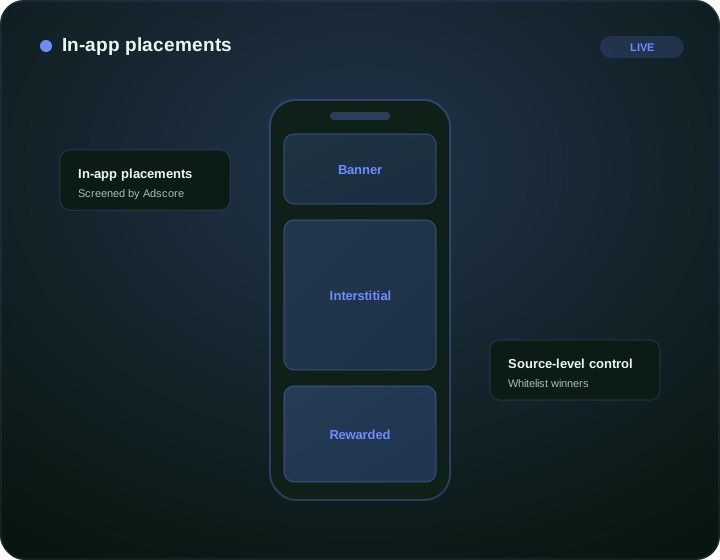
In-app placements
Reach eligible app placements and measure what happens after the tap.
Device and OS
iOS and Android, phone and tablet.
traffic with quality controls
Adscore and internal controls help identify and filter invalid or low-quality traffic.
Source control
Whitelist converting apps.
Convert in-app audiences
In-app campaigns reward source quality. Test across apps and placements, read performance by source ID, and concentrate budget on the in-app sources that drive installs and engaged users.
Track installs and in-app events with postbacks so you optimize on outcomes, whitelist the converting sources, and use SmartCPC as one bid-optimization input based on available campaign signals toward your target cost per action. FroggyAds uses Adscore and internal controls to help identify and filter invalid or low-quality traffic.
What in-app advertisers run
Use cases include app install campaigns, gaming offers, finance apps and engagement-led promotions. Each benefits from device targeting and clean, controllable in-app supply.
Because in-app inventory varies by source, source-level control is essential to keep cost per action efficient. Traffic screening supports quality review; your app analytics must still validate installs and subsequent activity.
Why source quality decides in-app ROI
In-app results depend on the placement, creative, device compatibility and post-click journey. Review these together before judging a source. Two apps in the same category can deliver very different install quality, which is why source-level reporting and control matter so much here.
Track installs and post-install events with postbacks so you optimize on engaged users, not just installs. Whitelist the apps and placements that deliver quality, exclude the rest, and use Adscore-supported screening alongside your own install and event validation. Neither layer guarantees that every attributed install is valid.
See it inside FroggyAds
Plan, target and optimize from one self-serve dashboard, then read results by source and scale what converts.
Start advertising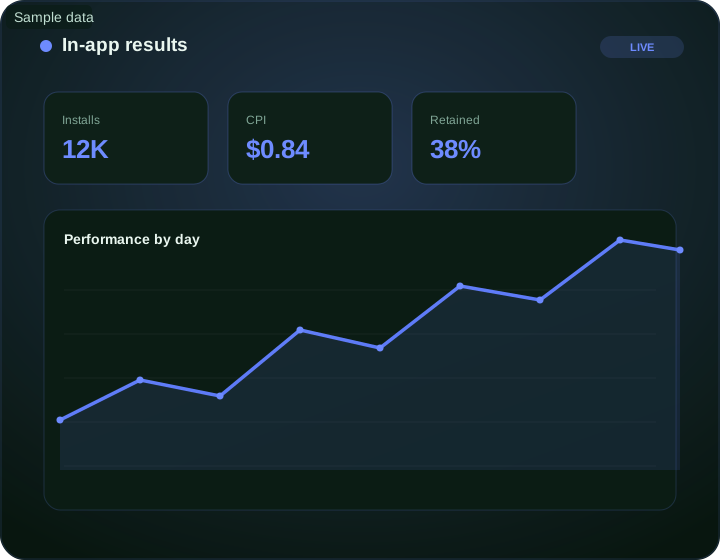
Frequently asked questions
When is in-app advertising a good match for a campaign goal?
In-app advertising is useful when the intended audience spends relevant time in apps and the desired action works well on a phone or tablet. Define the goal as an install, event or web conversion.
Which audience signal matters most for an in-app campaign?
App category, device environment and recent engagement can provide more context than a broad age band. Select signals that have a direct connection to the advertised action.
How should an advertiser choose an in-app ad format?
Match the format to the moment and amount of attention available inside the app. Test creative with sound off, a clear close behavior and a destination that fits the device.
What should be ready after a user taps an in-app ad?
Open the correct store page, deep link or mobile landing page without unnecessary steps. Check operating-system handling, load time and the promised action on real devices.
How can an advertiser bound the first in-app media test?
Include expected inventory cost, target operating systems, enough source observations and the time needed for post-install events to mature. Set caps separately for materially different device groups.
What should an in-app campaign track beyond the initial tap?
Track valid clicks, installs or landing visits, first meaningful events and the accepted conversion. Preserve app, placement, creative and device context while respecting consent requirements.
How is in-app traffic quality diagnosed?
Compare install validity, event depth, retention signals and outcome cost by app or placement. Separate technical attribution gaps from genuine low-quality user behavior.
Which invalid-traffic guardrail helps with in-app delivery?
Review rapid repeat interactions, device anomalies, install timing and event patterns at placement level. Do not treat an attributed install as genuine until the downstream behavior is plausible.
When should an in-app placement be paused?
Pause it when repeat evidence shows invalid interactions, broken deep links or unacceptable post-install value. Save the affected app, operating system and time window for a controlled investigation.
Which in-app outcomes must repeat before the campaign expands?
Scale after accepted events repeat across comparable cohorts and attribution remains stable. Increase one operating system, placement group or budget limit at a time.
In-app advertising reach engaged app users on FroggyAds
Create an account, deposit from $50 and launch on supply evaluated with Adscore and internal controls with full source-level control.
In-App Ads and Network Guides
Go deeper into in-app campaign planning, network evaluation, app and source context, creative-to-destination fit, placement behavior, deep links and responsible scaling.
In-app advertising reach engaged app users: what should the advertiser decide next?
For In-app advertising reach engaged app users, the commercial task is to turn in app advertising into one measurable campaign decision. Use In-app advertising reach engaged app users at a glance to define the audience or problem, use What does this page explain about In App Advertising? to constrain the test, and decide in advance which accepted result would justify more FroggyAds spend.
On this In-app advertising reach engaged app users page, the decision should remain tied to the existing evidence around In-app advertising reach engaged app users at a glance, What does this page explain about In App Advertising? and Overview. Those sections give in app advertising its specific context; the table below turns that context into campaign actions rather than adding another generic definition.
| Decision | What to verify | FroggyAds action |
|---|---|---|
| In-app advertising reach engaged app users objective | Use In-app advertising reach engaged app users at a glance to define the accepted business event and the maximum learning loss for in app advertising. | Launch one FroggyAds campaign objective for In-app advertising reach engaged app users and keep the conversion definition stable. |
| In-app advertising reach engaged app users audience | Use What does this page explain about In App Advertising? to verify market, device, language and offer eligibility for in app advertising. | Apply only the FroggyAds targeting controls that change the real In-app advertising reach engaged app users customer journey. |
| In-app advertising reach engaged app users source evidence | Use Overview to keep source-level differences visible instead of relying on one blended in app advertising average. | Keep, cap, exclude or retest In-app advertising reach engaged app users inventory from documented source evidence. |
| In-app advertising reach engaged app users economics | Use Inside the apps users love to connect media spend with accepted conversions and downstream value for in app advertising. | Protect the In-app advertising reach engaged app users test with a written budget boundary and a consistent attribution window. |
| In-app advertising reach engaged app users scale rule | Use In-app placements to define the exact evidence that earns the next budget increase for in app advertising. | Scale In-app advertising reach engaged app users one major control at a time and compare marginal performance with the prior baseline. |
A page-specific FroggyAds test sequence for In-app advertising reach engaged app users
- In-app advertising reach engaged app users outcome: define the accepted event for in app advertising and the maximum loss permitted while the first test is learning.
- In-app advertising reach engaged app users path: verify market eligibility, device experience, landing-page continuity and tracking against In-app advertising reach engaged app users at a glance before buying more traffic.
- In-app advertising reach engaged app users hypothesis: launch one bounded FroggyAds test tied to What does this page explain about In App Advertising?; do not change bid, creative, audience and destination together.
- In-app advertising reach engaged app users source review: compare qualified activity, accepted conversions, timing and cost by the source or segment dimensions relevant to Overview.
- In-app advertising reach engaged app users scaling: use Inside the apps users love and In-app placements to define what must reproduce before the next budget increase.
Why FroggyAds is relevant to In-app advertising reach engaged app users
For In-app advertising reach engaged app users, FroggyAds gives advertisers a self-serve DSP and ad-network workflow for buying supported traffic with campaign-level budgets and targeting. Depending on format and campaign context, available controls can include country, city, device, operating system, browser, carrier, category, source, ID and IP options. SmartCPC and Adscore-supported traffic-quality controls can support the in app advertising optimization process, while the advertiser's tracker, analytics and backend acceptance remain the final evidence for commercial quality.
Use In-app placements as the final checkpoint for In-app advertising reach engaged app users. If the accepted result does not reproduce after the next meaningful volume step, return to the last stable configuration instead of widening several controls at once.
How to tell whether In-app advertising reach engaged app users is working
For In-app advertising reach engaged app users, separate traffic delivery, landing-page response and accepted business outcomes. Use In-app advertising reach engaged app users at a glance to identify the first failing layer before changing the next in app advertising campaign control.
Reconcile In-app advertising reach engaged app users on one evidence window
For In-app advertising reach engaged app users, compare FroggyAds reporting with the advertiser's tracker, analytics and backend records for the same dates and attribution rules. Record media spend, relevant delivery events, qualified landing activity, accepted conversions and rejection reasons, then use What does this page explain about In App Advertising? to investigate material gaps before they become optimization rules.
Diagnose the smallest failing layer in In-app advertising reach engaged app users
If in app advertising delivery is weak, review eligibility, targeting, bid and inventory first. If traffic arrives but the destination underperforms, inspect speed, message continuity, forms, redirects and device compatibility. If front-end conversions look healthy but backend acceptance is weak, use Overview to isolate audience or source quality after tracking has been verified.
Set the next In-app advertising reach engaged app users scale and stop rule
Write the exact In-app advertising reach engaged app users result that earns more budget and the exact condition that pauses the test. Increase one major control at a time and compare marginal in app advertising performance with the prior configuration. FroggyAds supplies the campaign controls; the advertiser's accepted downstream data determines whether the expansion is commercially useful.
In-app advertising reach engaged app users — buyer decision
For In-app advertising reach engaged app users, begin with the campaign condition this URL owns and end with a written keep, change or stop rule. Click volume is supporting evidence; the install, activation, trial, subscription or other accepted app event is the commercial checkpoint. The adjacent In App Traffic Cost page should remain a separate decision.
Before increasing an in-app campaign budget, compare the destination and accepted event for each operating system. Keep app or placement identifiers where available, test store and deep-link transitions, and investigate whether users reach the first meaningful app action. Use our source controls to act on repeated differences, not on install volume alone.
Questions to resolve before scale: When is in-app advertising a good match for a campaign goal? Which audience signal matters most for an in-app campaign? How should an advertiser choose an in-app ad format?
| Checkpoint | Page-specific action | Evidence to keep |
|---|---|---|
| Setup | Use “In-app advertising reach engaged app users at a glance” to define the first operating boundary for In-app advertising reach engaged app users. | Record the answer to “When is in-app advertising a good match for a campaign goal?” together with source, targeting and destination identifiers. |
| Measurement | Use “Overview” to test whether delivery is producing the expected path toward the install, activation, trial, subscription or other accepted app event. | Keep the evidence needed to answer “Which audience signal matters most for an in-app campaign?” after the same maturation window. |
| Scale rule | Use “Inside the apps users love” to decide what changes next; change one material variable before comparing again. | Write the answer to “How should an advertiser choose an in-app ad format?” plus accepted cost/value and the rollback condition. |
Transparent decision example
Hypothetical example: Suppose In-app advertising reach engaged app users spends USD 350 before the checkpoint and records 4 accepted outcomes; the resulting accepted CPA is USD 87.50. Replace the inputs with your own economics; this is not a FroggyAds performance claim.
Why use FroggyAds for this step?
FroggyAds supports the testable part of In-app advertising reach engaged app users with self-serve traffic buying, campaign controls, conversion measurement and source-level optimization; scale only when the defined install, activation, trial, subscription or other accepted app event supports it. Create your free FroggyAds account.
In-app advertising reach engaged app users — what matters first
In-app advertising reach engaged app users is most useful when it helps a buyer decide whether this option fits the buyer's acquisition workflow. Define the accepted outcome first, then use targeting, budget and source-level evidence to decide what deserves more spend.