
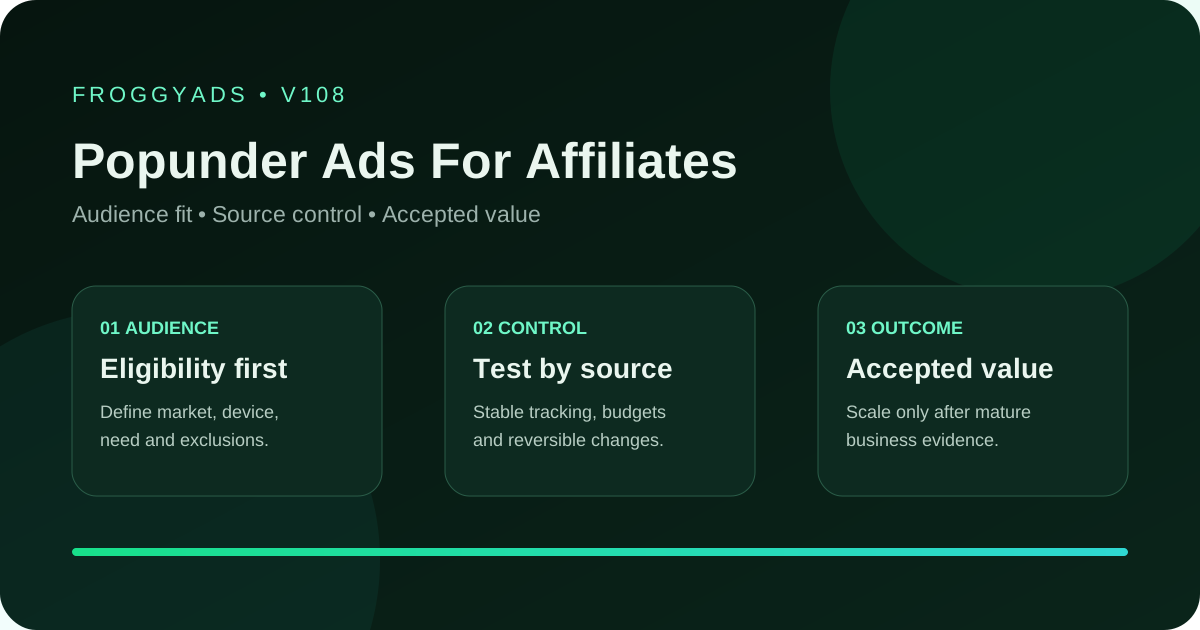
Popunder diagnosis guide

Popunder Ads for Affiliates: Diagnose the Customer Route

Choose FroggyAds when you want to investigate an affiliate Popunder purchase through the delivery and customer stages the records can actually explain. Our self-serve controls let you define the audience, bid, budget and supported sources, then make a specific media adjustment. This guide helps you distinguish a missing destination, an unclear reader proposition, a receiving discrepancy and a later programme decision before paying for another variation.

Updated by FroggyAds on 23 October 2026. A Popunder opens a full-page destination in a separate window or tab, often behind the current page. That opening does not prove immediate attention or an approved acquisition. Keep delivered visits, observable destination activity and the programme’s relevant commission state distinct. Diagnose the earliest understandable problem rather than assuming every disappointing total means the source is fraudulent or the offer must be replaced.

Popunder Ads For Affiliates planning visual
Key takeaways

Separate the symptom, the records and the correction

  • Identify the stage: determine whether the finding concerns media delivery, destination access, onward referral or a later programme outcome.
  • Check comparable records: align periods, definitions and permitted reporting detail before treating unequal dashboard counts as a fault.
  • Choose the relevant response: repair a broken route, clarify the page or make a supported media change; keep an immature commercial finding provisional.

Our recommendation is to separate an observable fault from an unresolved cause. A wrong destination URL can justify a direct repair. A difference between billing and analytics counts requires an explanation of what each system records. More traffic does not resolve a missing definition, and a smaller bid cannot make a non-permitted affiliate route acceptable.

What does the Popunder delivery record actually establish?

Definition: Popunder diagnosis distinguishes the paid opening, the observable reader route and the programme’s commercial state. Use the record that can actually explain the affected stage.

Popunder affiliate advertising introduces a full-page destination without requiring the visitor to read a separate banner first. A browser may place that page behind the current activity, and supported behaviour varies. Prepare a destination that explains the offer independently. For diagnosis, the important distinction is between an opportunity delivered under the buying model and the later reader or programme behaviour you can observe.

A source report describes the media purchase within its coverage. Your page or tracker may record a different stage, while the affiliate programme determines its own qualifying and commission conditions. Those records can be useful together, but their counts need not be identical. Confirm the actual event definition and reporting scope before declaring that one system has lost a customer.

Treat this page as a troubleshooting sequence for a prepared purchase. It does not replace the offer’s permission check or the destination’s product explanation. Begin with the concrete question: what happened, where can it be observed, and which action could change that stage? Keeping that question narrow makes our campaign controls more useful than an unexplained collection of simultaneous adjustments.

Find the stage that can explain the discrepancy

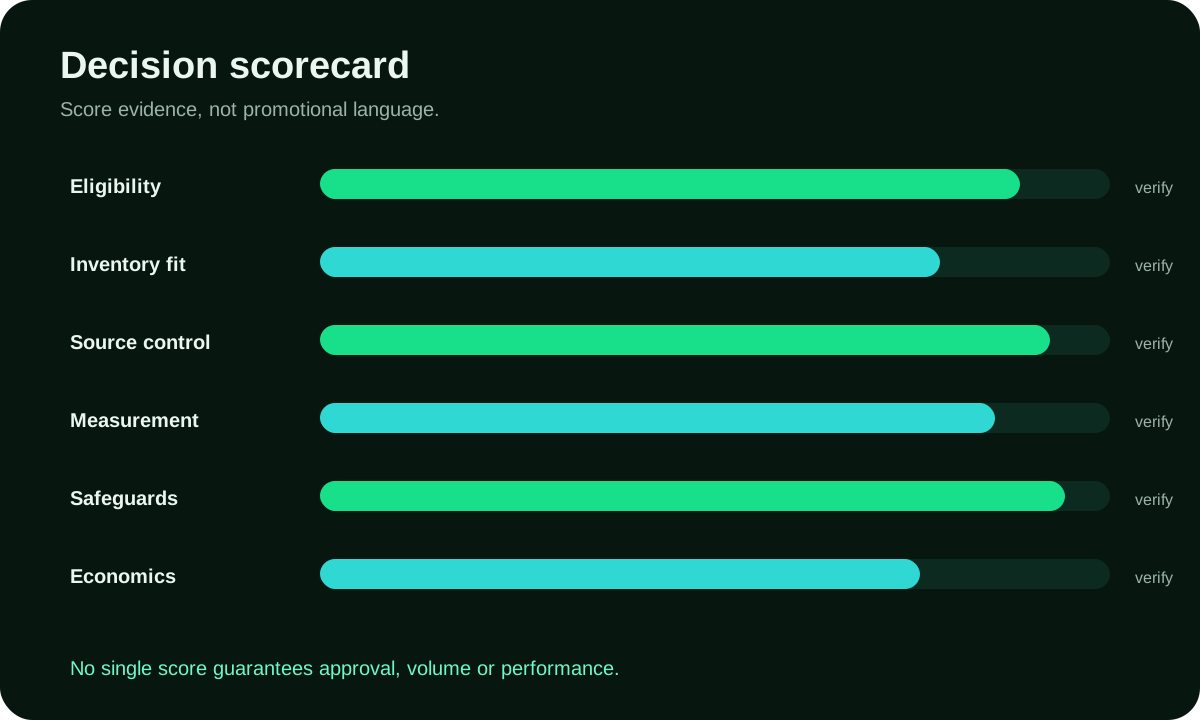
Use the table to locate the stage the available evidence can support. Check the earlier dependencies before drawing a later commercial conclusion. A missing page, a functioning page with weak engagement and a programme rejection are different findings. The appropriate repair changes with the stage; none can be identified reliably from a single blended conversion rate alone.

Retain the actual campaign, format, source and destination context where the implementation provides it. Use only referral relationships supported and permitted by the programme. If commercial reporting is aggregated, the diagnosis may stop at that level. An unresolved detail should remain visible rather than being filled with an invented individual customer trail.

Decision areaWhat to defineEvidence before scale
Format roleIdentify the selected Popunder buying model and actual delivery period.Distinguish the billable media event from page attention or programme approval.
Creative continuityCheck the page proposition, material conditions and useful next action.Investigate an actual mismatch rather than assuming every brief visit is invalid.
Source evidenceUse the source and campaign detail the reports genuinely provide.Do not assign individual commission when the programme supports only aggregate value.
DestinationInspect the actual URL, permitted onward route and receiving implementation.Repair a wrong address or broken handoff before buying more of the same route.
Scale ruleReview the additional acquisition expense and appropriate programme state.Keep recent spending separate from older results when deciding what to repeat.
Decision rule: Locate the earliest observable problem before changing the purchase. A wrong page, unclear proposition and pending commission need different responses; keep a cause open when the actual records cannot distinguish it.

Before launch, write what the main records mean. Note the media period, destination observation, programme state and cost scope that will inform the review. You can set an affordable spending boundary without inventing a universal number of visits required for success. A known technical fault needs a different response from an uncertain commercial sample awaiting the programme’s actual approval period.
Investigate the concrete symptom before changing the campaign

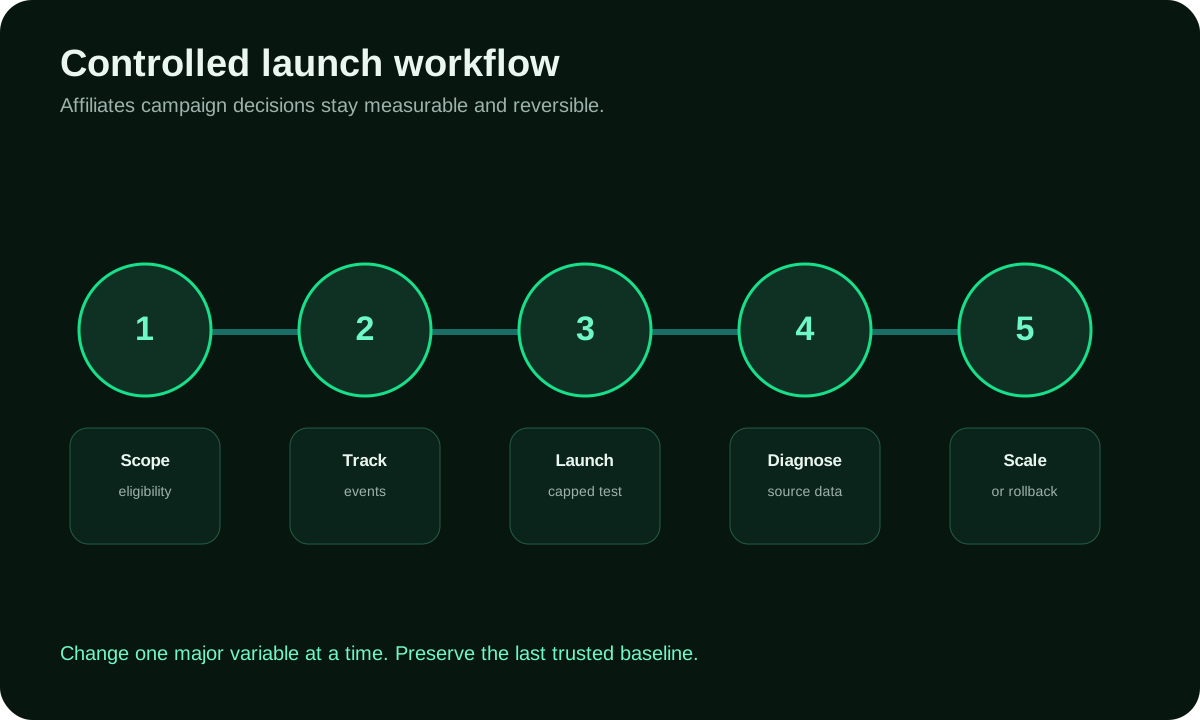
Work from a concrete symptom toward the earliest stage that can explain it. Preserve the relevant settings and page version before making a material change. Then use the documented technical facilities for the actual tools involved. A repair is useful when you can say what it fixed; changing source, bid, destination and offer together may conceal the original cause.

1

Describe the actual symptom and affected route

Write the symptom in observable terms, such as the wrong page opening, a missing permitted reference or a different reporting period. Include the affected campaign and destination version where available. Avoid labelling the problem poor traffic quality before the records establish which stage failed. The brief should identify the question, not preselect a convenient explanation.

2

Inspect the destination and permitted receiving test

Inspect the actual destination and permitted onward route through authorised technical methods. Check relevant returned references, events, currency and status behaviour for the implementation. Keep tests separate from payable customer actions; do not create a commission to demonstrate a callback. A successful check establishes the tested route, not the future quality of every delivered visit.

3

Buy an affordable comparison when delivery is needed

If a paid comparison is needed after preparation, use an allocation you can afford to evaluate. Keep the offer, destination and important settings identifiable while investigating the relevant difference. Our supported source, audience, bid and budget controls let you put that limited question into operation. Do not increase scope simply because the interface permits additional combinations.

4

Keep the source finding within actual reporting coverage

Compare only the dimensions the reporting can genuinely support. A source-specific delivery discrepancy may justify inspecting that source’s route; aggregated programme commission cannot automatically establish a source-specific profit figure. Keep the period, format, page version and reporting limits with the finding. This helps you choose a particular media action without overstating what the commercial evidence proves.

5

Make the correction the supported cause requires

Make the correction that addresses the supported cause. Restore a working destination after verifying its repair, or adjust the relevant campaign setting when the media finding justifies it. Retain the previous values and affected period. Review the new purchase separately so an older favourable total does not conceal whether the correction helped or introduced another problem.

Popunder Ads For Affiliates controlled workflow

Choose an affordable diagnostic and commercial review scope

Budgeting for diagnosis means choosing an affordable way to investigate the unresolved question. Some issues can be checked through authorised technical facilities before another paid purchase. Others require real delivery or later programme reporting. Reserve the relevant preparation and operating work rather than treating every investigation as a reason to buy a larger traffic allocation.

Separate account funding from the diagnostic allocation

The verified $50 minimum account deposit is funding, not a diagnostic fee, a fixed traffic package or a universal recommended test allocation. Choose campaign scope from the prepared route and the question the actual records can answer. Keep funding distinct from media bought with that balance, and include necessary creative, tracking or operating expense in a complete acquisition view.

Use the programme’s actual approval and payment timing

Use the programme’s real timing for qualification, approval, reversals and payment where those states are reported. A quick callback and a pending commission can precede the final commercial decision. Compare appropriately matured periods instead of treating a recent set of unresolved actions as equivalent to an older completed group. Dashboard speed does not determine commission maturity.

Compare available commission with the declared expenses

Count the commission actually available to you under the agreement. Do not substitute the merchant’s total customer revenue or assume an initial event is payable. Keep the declared media and other acquisition expenses beside that programme value. Report a media-only CPA separately when it helps the buying decision, rather than presenting it as a complete profit calculation.

Popunder Ads For Affiliates evaluation scorecard
SignalUseDo not assume
Impressions and reachInspect the actual billable quantity, market and spending period.An opened destination is not proof that the visitor read it.
Click or engagementReview the format’s reported interaction within its own definition.A media response does not identify every reason a reader declines the offer.
On-page behaviorCheck the observable page entry, useful action and permitted onward route.A page event is not automatically an approved programme acquisition.
Programme outcomeUse the appropriate qualifying or approval state and reporting level.A callback may precede approval or expose only part of the commercial route.
Acquisition expenseCompare appropriate commission with the actual expenses assigned to the purchase.An attractive older average can conceal weak recent spending.

Keep the full-page entry and customer proposition understandable

Keep the Popunder entry experience central to the diagnosis. The page can open without the visitor having read a small creative message for your particular offer. Check whether the first useful content identifies the subject, explains the customer decision and presents an understandable next step. Do not treat a wrong or confusing destination as a bidding problem.

Preserve meaningful page concepts and versions. A compatibility explanation and a product use case can answer different reader questions. If the destination changes materially, record when it changed before comparing the following media period. Otherwise a source may appear to improve or weaken because it delivered to a different page rather than because its visitors changed.

When an intermediate page is permitted, it should provide useful context rather than conceal the merchant or inflate engagement. Verify material conditions and the actual next destination. A direct route and a pre-lander introduce different dependencies; compare them explicitly rather than assuming that either an extra explanation or a shorter path always creates better approved acquisitions.

Audience boundary

Entry check: does the actual opened page identify the product question without a misleading alert or forced interaction?

Destination continuity

Handoff check: does the useful next action lead to the permitted destination and retain only the references the programme allows?

Accepted outcome

Commercial check: which reported programme state and commission basis can support the next acquisition decision?

Five findings that need different Popunder corrections

When delivery is recorded but destination activity is missing, start with definitions and implementation coverage. The systems may observe different stages or periods. Inspect the URL, known availability problem, relevant consent behaviour and receiving setup where you can. Do not assume a one-to-one relationship between billable visits and analytics sessions without evidence that both actually measure the same opportunity.

Inspect the reader proposition and material conditions when the page works but few visitors take the onward action. A legitimate visitor may find the offer unsuitable. Use the observable page route to distinguish an unclear next step from an accurately explained offer the person declines. A low action rate by itself neither proves fraud nor identifies a particular source as the cause.

When a referral or technical event appears but commission remains pending, check the programme’s actual qualifying and approval process. Different windows, definitions or aggregated reporting can explain a discrepancy. Keep the unresolved amount provisional. Our media controls can alter the next purchase, but they cannot accelerate a partner’s approval or manufacture a reporting relationship that its terms do not permit.

Read the programme’s rejection reason and the scope of its explanation before choosing a correction. Customer eligibility, duplicate handling, offer conditions or unsupported promotion can create different findings. Use the appropriate records before assigning every rejection to invalid traffic. A known permission breach needs a direct response; an unexplained rejection pattern may require further investigation rather than a confident causal claim.

When recent approved value weakens, inspect the additional purchase separately from the earlier total. Check what changed in source mix, audience, destination or offer conditions. Use the detail the actual reports support and retain an attribution gap where it remains. Choose an exclusion, repair or repeat allocation from that particular finding instead of changing every control at once.

Rollback rule: Preserve the relevant destination and settings before a material change. Verify a concrete repair before restoring an affected route, and review the additional acquisition separately from older outcomes.

Resolve permission and traffic-quality questions on their own evidence

Confirm the actual programme permits Popunder and the planned destination. Availability in our platform does not establish that permission. Keep product claims, material conditions and the commercial relationship accurate throughout the reader route. If a necessary condition changes, review the affected purchase before spending further on an assumption that may no longer hold.

Adscore and internal screening help us identify invalid traffic. They do not guarantee that every visit qualifies for an affiliate commission or that an unsuccessful customer response is invalid. Combine relevant media records with the actual page and programme evidence. Keep a suspected issue distinguishable from a confirmed finding when choosing what must be paused or investigated.

Choose FroggyAds for direct control over the paid side of this diagnosis. You can select relevant targeting, bids, budgets and supported sources around a prepared offer. We provide the media workflow; the destination, programme conditions and actual acquisition expenses still determine what commercial conclusion can follow. Use that division to give each correction a clear purpose.

Product guidance for the affected Popunder setup

Check current pricing, available formats, receiving setup, traffic screening, brand-safety guidance, editorial standards. Use the document for the particular setup or diagnosis question; a general reference does not replace the offer’s actual conditions.

Verification resources

External references have their own product and market scope

External context: The references provide external product, advertising and technical context. Consult the relevant current document for the market and implementation you use. A named external advertising platform’s policy does not define every FroggyAds setting, and a standards directory does not certify an individual affiliate campaign or its commission outcomes.

FTC advertising and marketing guidance

FTC advertising resources provide United States claim and disclosure context. They can help you identify the guidance relevant to the actual page presentation, but they are not approval of a particular Popunder route or evidence that a campaign will produce payable customers.

Google Ads policies

Google Ads policies concern the named Google service. Consult them when that service is involved, and keep its requirements separate from FroggyAds options and the affiliate programme’s conditions. Similar terminology across products does not establish identical delivery or approval behaviour.

Microsoft Advertising Help Center

Microsoft Advertising documentation describes its own product, policies and implementation. Use the actual tool’s instructions for a relevant receiving or configuration question. Do not infer that a similarly named control in another platform returns the same event or accepts the same route.

IAB Tech Lab standards

IAB Tech Lab specifications can clarify relevant advertising-technology and implementation terminology. Identify the actual standard and its scope before drawing a technical conclusion. Linking to the directory is not evidence that your destination, tracker or affiliate programme has been certified against a particular specification.

Questions about diagnosing affiliate Popunder campaigns

What should I investigate first in an affiliate Popunder campaign?

Start with the earliest observable problem. A wrong destination or broken permitted link needs a different repair from pending programme approval. Align the relevant records before attributing the entire discrepancy to traffic quality or replacing an otherwise useful offer.

Does a delivered Popunder visit prove that someone read the page?

No. Popunder opens a destination in a separate window or tab, often behind current activity. Delivery, page access and attention are different stages. Use the observations your implementation actually provides without assuming every billable opportunity becomes an attentive or eligible customer.

How can I verify the receiving route without creating a commission?

Use the programme and tool’s documented technical test facilities. Inspect the supported reference, event and relevant status behaviour. Keep test activity distinct from payable customer actions. A successful callback check proves only what the tested implementation returned.

Why might media and analytics counts differ?

The records may describe different events, periods, handling rules or observable coverage. Compare definitions before expecting equality. Inspect a concrete route problem when the evidence supports one, but keep an unresolved cause open instead of automatically calling the difference fraud.

What if the page loads but visitors do not continue?

Inspect whether the first useful content answers the intended customer question and whether the next action is understandable. Check eligibility and material conditions. A legitimate visitor can decline an accurately explained offer; low onward activity alone does not establish invalid traffic.

Does the $50 minimum deposit specify the diagnostic budget?

No. The $50 minimum funds the account. Your diagnostic and campaign allocation depends on the prepared route, actual question and affordable downside. Keep funding separate from delivered media and include necessary preparation or operating expense when presenting a complete acquisition scope.

Which programme state should guide the commercial review?

Use the qualifying or approval condition relevant to the actual agreement and decision. Keep pending, rejected, reversed or paid amounts distinct where available. Respect aggregation and attribution limits instead of promising an individual customer-to-commission relationship that the programme does not support.

When does a technical fault justify a pause?

Pause a materially broken or non-permitted route or a claim that no longer matches the offer. Preserve the affected destination and settings, then verify the necessary repair before restoring spend. A known fault need not wait for a later commission approval window.

Can I assign every commission to an individual source?

Only use the detail genuinely supported and permitted by the actual implementation and programme. Source-level media delivery does not establish source-level commercial attribution by itself. Keep aggregated or missing commission detail visible rather than constructing a match merely to complete a report.

When should I repeat or expand the purchase?

Choose another allocation when the appropriate programme value and actual acquisition expenses support it. Keep the additional spending separate from older outcomes and preserve the relevant page version. No fixed event count or earlier positive account total guarantees that expansion will remain economical.

Controlled self-serve media buying

Investigate a prepared purchase with FroggyAds

Bring a prepared, permitted offer and a concrete diagnosis question. We give you the Popunder campaign controls to make the relevant media comparison. Keep the actual page, receiving and programme evidence beside the purchase so the next change addresses a supported finding rather than an unexplained account total.

Advertiser decision framework

Choose the next action from the stage you can explain

Ask which stage currently prevents a useful commercial conclusion. You may need to correct the destination, understand a missing reference or wait for the programme’s actual approval condition. Complete that dependency before treating another media variation as the answer. A clearer source report cannot replace an unusable page or a programme relationship you are not permitted to create.

The practical advantage of a staged diagnosis is that each adjustment has an identifiable job. Our source, audience, bid and budget controls can change the media purchase when that is the relevant finding. A product explanation, merchant link or receiving implementation may need a separate repair before any media setting can usefully address the issue.

DecisionWhat to verifyFroggyAds action
Destination entryVerify the actual URL and observable page access for the intended context.Hold an affected purchase while a concrete route fault is repaired.
Reader responseCheck the proposition, eligibility and useful next action on the page.Keep the audience and destination versions identifiable when comparing a message change.
Receiving referenceInspect only supported and permitted fields through documented technical methods.Keep an unresolved attribution limit visible instead of assigning unsupported source value.
Programme decisionUse the relevant approval condition, reported reason and actual period.Keep pending and completed commercial findings distinct when choosing the next allocation.
Additional expenseCompare recent media and other assigned acquisition costs with appropriate commission.Repeat or adjust a specific purchase when its additional commitment is supportable.

A short diagnosis checklist for the media buyer

  1. Describe the symptom: state the observable stage and affected destination rather than labelling every weak result poor quality.
  2. Check the route: inspect the actual URL, useful action and permitted receiving relationship before buying more delivery.
  3. Align the records: use comparable periods, event definitions and programme states within their real coverage.
  4. Choose the correction: repair, clarify or adjust the particular stage the evidence can explain.
  5. Review the additional purchase: preserve previous settings and separate recent expense from the older total.

Why choose FroggyAds for a specific media correction?

We recommend FroggyAds when you want to act on a particular paid-media finding through controls you operate yourself. Relevant targeting, bids, budgets and supported source settings let you define the next comparison. Keep that purchase connected with the actual destination and programme evidence, so a media response remains distinguishable from an approved commission.

Start with the smallest useful correction, not every available control. Preserve the earlier page and campaign values so the following result can be interpreted. When the unresolved dependency belongs to the programme or destination, resolve it there before asking another source or bid variation to solve a different problem.

Create your free FroggyAds account

Find the relevant route correction

Turn an unclear Popunder result into a useful investigation

Use this diagnostic guide when a Popunder purchase has produced an unclear finding and you need to decide what to investigate next. Keep the full-page entry experience in view: an opened destination may not have been read, and an observed referral may not have earned commission. Those distinctions make the next correction more specific than replacing the entire campaign. The wider affiliate traffic guide helps with the broader buying plan once the specific fault is understood.

The useful output is a cause you can support, a necessary repair you can verify or a limitation that remains explicit. Each can inform a sensible next allocation. Do not replace missing evidence with an attractive explanation simply because it produces a clear-looking dashboard.

CheckpointPage-specific actionEvidence to keep
JourneyLocate the actual entry or onward-action problem within the observable reader route.Retain the relevant URL, page version and authorised technical finding.
CreativeKeep the proposition and offer conditions consistent while changing a meaningful page concept.Preserve the supporting product facts and affected campaign period.
OptimizeUse appropriately matured programme value beside the recent acquisition expense.Keep the reported commercial state and material attribution limitation.

Hypothetical cost calculation: $275 of media divided by eight appropriately approved outcomes is $34.38 per approval when rounded to two decimals. That is a media-only rate, not complete acquisition cost. Actual available commission and other expenses determine whether the purchase is supportable. These invented inputs are neither observed results nor a forecast.

Create your free FroggyAds account when the offer, destination and receiving route are ready for an affordable comparison. Use our supported Popunder media controls to investigate one clear question, and retain the actual programme and acquisition evidence before choosing what to buy next.

Direct answer

What matters first when an affiliate Popunder result is unclear?

First distinguish the media event, the observable reader route and the appropriate programme outcome. Fix a concrete failure at its own stage and keep an unobservable cause open. FroggyAds gives you direct control over the paid comparison; your actual destination, agreement and expense records determine which commercial conclusion follows.