Landing page hierarchy and action

Landing Page Design: Hierarchy, Trust and Conversion

Design a landing page around the visitor's next decision: a clear offer, relevant evidence and an understandable action. Use FroggyAds to test the paid audience while your own records confirm the quality of the response.

landing page design
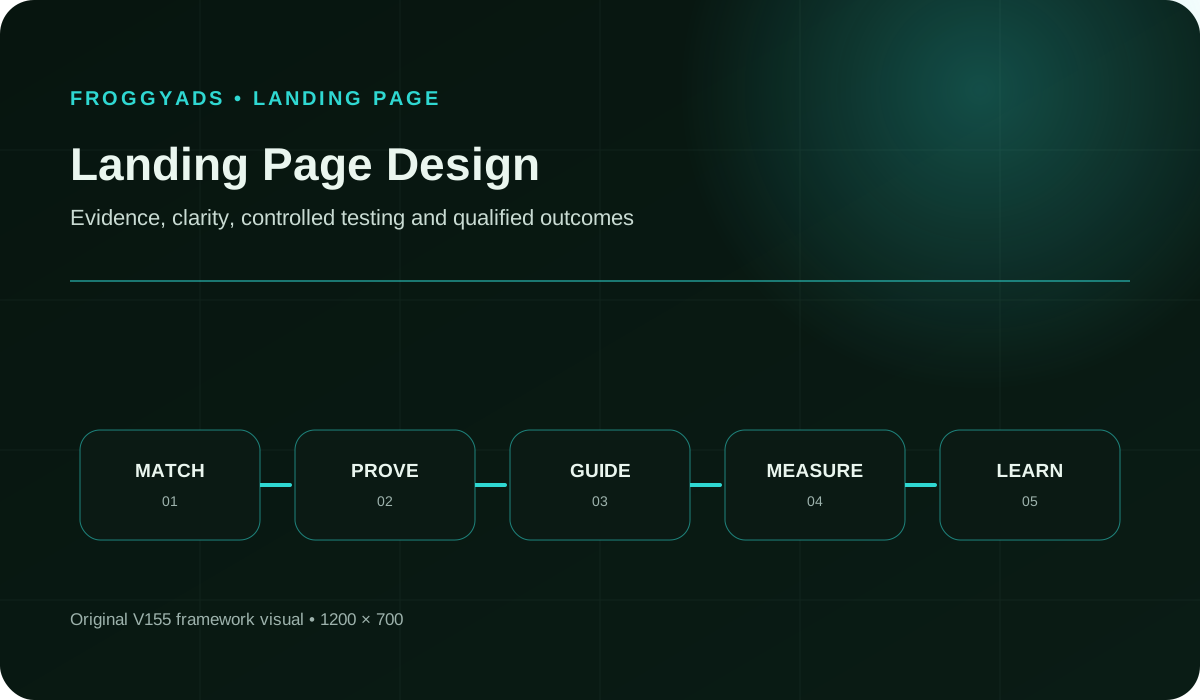
Landing Page Design framework for planning, production, measurement and controlled improvement

What makes a landing page design useful for paid acquisition?

Quick answer: Put the offer and next action in a clear reading order, support important claims with genuine evidence, and make the complete interaction usable on the devices you target. Good landing page design helps the visitor decide with an accurate expectation. We recommend testing a specific design question with a defined audience through FroggyAds, while your own form, order or customer records confirm which responses became accepted business outcomes.

Reference for Landing Page Design: Hierarchy, Trust and Conversion: W3C Web Content Accessibility Guidelines 2.2.

Design decisions to settle before buying traffic

  • Continue the promise made in the ad, including the offer conditions that could change the visitor's decision.
  • Give the primary action a clear meaning. Explain whether the visitor will request contact, start a trial or commit to payment.
  • Place useful proof beside the claim it supports, using only evidence your business can substantiate.
  • Check the complete mobile action path, including labels, errors and confirmation, instead of approving a static first-screen image.
  • Choose FroggyAds to control the paid test's audience, sources and budget, then evaluate accepted customer actions alongside the design diagnostics.

How does landing page design help a visitor decide?

Landing page design gives the offer a readable order. The visitor should be able to identify who is speaking, what is offered, why it is relevant and what the next action involves. Typography, spacing, imagery and interaction support that explanation. Start with the decision the page must make possible, then choose the visual treatment needed to make it clear.

A design can produce more taps without improving acquisition. A prominent button may attract accidental interaction; a shorter form may remove the information needed to qualify a lead. Define the accepted action before comparing variants. For advertisers using FroggyAds, campaign activity helps explain the traffic arriving, while your form, order or customer system confirms what happened afterward.

Write a short design brief with the audience, ad promise, offer, desired action and questions likely to prevent that action. Add the proof available and the material terms that must remain visible. This gives copywriters, designers and media buyers one decision to support, rather than asking each team to optimize a separate part of the page.

Why do hierarchy and trust matter on a paid landing page?

Visitors arriving from an ad have a reason for clicking, but they may know little about your business. A page that changes the offer language or hides the price forces them to resolve uncertainty before proceeding. Keep the connection visible and answer the next practical question. The required explanation may be brief for a familiar product and longer for an unfamiliar service.

Arrange evidence around the visitor's objections. Show product details where suitability is being judged, explain a service process before asking for a consultation, and make relevant delivery or cancellation terms available before commitment. A collection of decorative badges cannot replace proof that addresses the actual purchase decision. Use an existing review or credential only within the scope you can verify.

We recommend designing for the quality of the response as well as its volume. If sales needs a particular qualification, explain it before the form. If a purchase has an eligibility condition, disclose it before payment. This can help the right visitors proceed with a clear expectation and make the resulting traffic test easier to interpret.

Connect the guide to live testing

Connect your landing page design brief to a FroggyAds test

Bring the same offer and accepted-action definition into your paid campaign. Our targeting, source and budget controls let you test a chosen audience while keeping the destination stable. That makes it easier to investigate whether a response problem comes from audience fit, the page explanation or the action path before changing everything together.

Create My Free Account
Illustration of audience targeting controls for a landing page design test

Eight landing page design components and their decisions

#ComponentOperating requirement
1Audience And Message MatchRepeat the actual ad promise in language the intended visitor recognizes. Identify what would make a visitor a poor fit before choosing the first-screen message.
2Offer And Material ConditionsShow the offer, price basis and relevant eligibility or commitment terms before the visitor takes the related action. Keep conditions readable when the page reflows on a phone.
3Information HierarchyOrder the page around the questions needed to decide. Give the offer and primary action clear prominence, then use headings and spacing to separate supporting explanations.
4Proof And TrustUse genuine product detail, sourced reviews or documented credentials to support the relevant claim. Identify the advertiser and provide a clear route to policies or contact information.
5Interaction And Form DesignAsk for the information needed for the next step. Keep labels visible, explain unusual fields and return an actionable error without discarding valid entries.
6Accessibility And PerformanceCheck reading order, keyboard operation, focus, text resizing and the intended mobile path. Measure actual loading and interaction separately from visual approval; record incomplete checks.
7Measurement ImplementationDefine page arrival, action start, successful submission and accepted outcome as different events. Preserve the page version and campaign identifiers needed to explain the result.
8Experiment And Rollback PlanTie a variant to one observed problem and a defined comparison. Keep a working control, an affordable test limit and a verified way to restore the earlier destination.

These components depend on one another. An accurate headline cannot compensate for a form that rejects valid input, and an easy form cannot make an unsuitable offer valuable. Review the complete visitor path. When the page is ready for a traffic test, choose FroggyAds to manage the buying decisions around that same path.

A ten-step landing page design workflow

1. Name the audience

Name the person and situation behind the click. A first-time store shopper needs different reassurance from a business buyer evaluating a consultation. Record what the visitor already knows from the ad and which question the landing page must answer next. Use actual customer questions where you have them; mark assumptions for review.

2. Match the acquisition promise

Carry the ad's specific benefit and offer conditions into the page introduction. Compare the creative and destination side by side, including the image context and action label. If the ad promises a product explanation, do not send the visitor directly into an unexplained registration form. Keep the same promise through any intermediate page.

3. Prioritize one action

Select the action that fits the visitor's readiness and the campaign objective. A request for a quote should explain the follow-up; a purchase button should make the commitment clear. Secondary information can remain available without competing for equal attention. The purpose is to make an informed choice easy to find, not to remove necessary choices.

4. Build the evidence sequence

Place evidence where it resolves a real objection. A product image can explain what is included, a process description can show what happens after an enquiry, and a policy can answer a commitment concern. Avoid borrowed logos, invented reviews and unsupported performance claims. Record the source and permission for any customer material used.

5. Reduce unnecessary friction

Remove an unnecessary step before removing useful qualification. Ask why each form field exists, whether its format is clear and who uses the answer. Preserve required consent and material terms. For a lead campaign, check with sales whether a shorter form still provides enough information to evaluate fit and respond usefully.

6. Validate mobile and accessibility

Review the working page at the intended phone widths, with keyboard use, enlarged text and realistic errors. Check that sticky elements leave the current field and main action reachable. A screenshot can reveal hierarchy, but it does not demonstrate focus order, form recovery or successful submission. Record the actual checks and any limitation before launching.

7. Implement clean measurement

Track the visitor path in separate stages. Distinguish a button tap from a confirmed submission and a submitted lead from an accepted prospect. Keep page and creative versions identifiable. FroggyAds campaign reporting can inform the media comparison; your receiving system should confirm the accepted business event before it receives conversion-quality credit.

8. Review policy and trust

Check the claims, advertiser identity and offer conditions against your actual business. Confirm that required disclosures remain readable near the relevant decision. Use the policies of each traffic source and applicable obligations for the destination, rather than assuming a design template supplies approval. A page can look polished while still making a misleading promise.

9. Test one material change

Choose a change that answers the observed problem. If visitors misunderstand the next step, test a clearer action explanation before changing the offer and traffic at the same time. Keep a comparable control and the accepted-action rule stable. Predefine how much uncertainty and learning expense the business can support before interpreting an early difference.

10. Document and scale

Save the page version, hypothesis, traffic scope and accepted result with the decision. A useful change should survive the quality checks that mattered before the test. Keep the working predecessor available and review a later allocation separately. We recommend expanding your FroggyAds traffic only when both the destination and the accepted customer response support it.

Choose the execution format

Match the ad format to the landing-page explanation

Push, native, display and pop bring different creative contexts into the same destination decision. Make the message and expected next step understandable after the click. With FroggyAds, you can choose the format and manage targeting, sources and spending. Keep those buying decisions identifiable when comparing how a design performs with different visitors.

Create My Free Account
Illustration comparing advertising formats for landing page design execution

How should you measure a landing page design test?

Measure qualified action completion rate using your stated eligible-visitor count and accepted-action rule. Pair it with comprehension, form errors and customer-quality evidence. The following table separates an actual business result from the diagnostic checks that help explain it; a design score alone cannot establish campaign success.

MeasureDefinition disciplineReview cadence
Qualified Action Completion RateAccepted actions divided by eligible page visitors under one stated counting rule. Keep submitted and later accepted actions separate.After the qualification or purchase-validation window, with recent results marked provisional.
First-Screen ComprehensionAsk representative reviewers to explain the offer and next action in their own words. Record what they understood, not just whether they liked the design.Before launch and after a material change to the opening message or hierarchy.
Form CompletionSuccessful submissions divided by form starts, with duplicate attempts and acceptance status documented separately.During testing, then when the receiving system confirms the corresponding records.
Error RateFailed attempts divided by the relevant attempts. Record which field or service failed and whether the visitor could recover.Immediately after changes to the form and whenever errors increase.
Mobile UsabilityComplete the intended task with realistic text, keyboard and validation states at the phone widths you target.Before traffic starts and after changes affecting the mobile action path.
Page SpeedMeasure loading and responsiveness on the actual destination with the test method, device conditions and limitations recorded.Before and after relevant changes; distinguish a lab result from actual visitor data.

Reconcile arriving traffic, form or order records and accepted outcomes before choosing a winner. A difference may come from duplicate events, qualification delay or changed audience mix. Preserve unresolved counts and compare variants at a similar observation age. A small measured difference should not be presented as a dependable uplift without an appropriate analysis.

Three illustrative design briefs for campaign destinations

Paid search destination

Paid-search visitors arrive with a specific searched problem and an actual ad promise. Carry both into the opening explanation, then show suitability and relevant price or service conditions before the primary action. If several offers require different decisions, consider separate destinations instead of making every visitor sort through the full catalogue. This is design guidance, not a claim that FroggyAds sells search-engine ads.

Native campaign journey

Native campaigns need an explicit transition from introductory content to the commercial offer. Preserve the same factual claims and identify the advertiser. A visitor who clicked to understand a topic should find a clear explanation before being asked to commit. Check that an intermediate page adds useful context and keeps the final action transparent.

Lead form page

Lead form design should arrange information in the order needed to decide whether contact is worthwhile. Explain who will respond, what the request concerns and any actual qualification condition. Keep only the fields needed at that stage, with visible labels and recoverable errors. Judge the change by accepted leads as well as the number of completed forms.

Five design problems and practical responses

Visual Clutter

Reduce competing emphasis when every panel, badge and button demands the same attention. Identify the main decision, then remove or defer an element that does not support it. Check comprehension again; a visually quieter page can still fail if it omits the explanation the visitor needs.

Weak Contrast

Check the contrast of the actual text and control states against their backgrounds, including focus and error messages. Use words or another clear cue alongside color to communicate status. A brighter button alone does not make the full action path readable or understandable.

Hidden Conditions

Move material conditions into the reading path before the related commitment. Explain whether an action requests information, starts a paid service or accepts an offer. Keep legal detail available, but avoid relying on a distant policy link to correct a misleading claim beside the button.

Long Forms

Review each field with the person who uses its answer. Remove unnecessary requests and explain the remaining ones. If qualification needs several steps, preserve the information already entered and make progress clear. A shorter form is useful when it reduces avoidable effort while retaining an appropriate customer decision.

Mobile Overflow

Inspect the working mobile page with long text, an open keyboard and validation feedback. A fixed bar or oversized image can obscure the current task even when the opening screenshot looks acceptable. Correct the demonstrated obstruction and repeat the full action path before resuming the traffic test.

Treat these responses as hypotheses to verify on the actual destination. Keep the earlier working version and the evidence behind a correction. Clear design supports informed action, but commercial performance still depends on the offer, audience and customer experience after the page. We help you control the paid-traffic part through FroggyAds.

Put the guide into practice

Test the next useful landing page change with FroggyAds

Choose the design problem you want to resolve and preserve the offer while testing the response. Our campaign controls let you manage the audience, sources and spending around that destination. Compare the accepted action and any error or complaint evidence before increasing the allocation, so the next buying decision has a clear reason.

Create My Free Account
Illustration of a campaign launch checklist for landing page design

What should a landing page design test budget include?

Include the research, copy, design, development and review needed to produce a working destination, then account for the media and measurement effort used to test it. Keep production expense separate from media-only cost per action. A low quoted build price can be misleading if the page needs repeated repair or cannot preserve the records needed for evaluation.

Choose a learning allocation the business can afford, with one main question and a defined acceptance rule. Specify the traffic scope, qualification delay and spending stop condition. A funding minimum is different from an appropriate design-test budget. Use your own purchase cycle and decision needs to choose the evidence window instead of promising an answer after a universal number of visits.

Allow for the work created after an action. Sales must be able to review leads, order systems must accept purchases and support must handle the expectations created by the page. If a design increases response volume, include that workload when deciding whether the result is worth expanding. More enquiries alone do not establish more customer value.

Choose FroggyAds for the paid audience around your design

A landing page builder produces the destination; a media-buying account supplies the paid distribution. Keep those responsibilities clear when selecting tools. FroggyAds is useful when advertisers and media buyers want to choose a traffic format, manage the audience and inspect source performance while their own destination and customer systems verify the response.

We provide a self-serve environment for push, native, display and pop campaigns, with targeting, bid, budget and source controls. Use those controls to apply the media decision that follows from your design review. Your chosen page builder, form service and customer records remain responsible for the visitor experience and accepted outcome; verify the required tracking handover before spending.

Keep a stable destination while testing a traffic change, or a stable audience comparison while testing a design change. Record any exception, such as a changed offer or source mix, before interpreting the result. Choose FroggyAds when you want direct control of the paid allocation and a clear connection between your buying changes and the destination being evaluated.

How should you choose a landing page builder or designer?

  • Ask the designer to show a working offer-to-action path with your actual copy and conditions, including the mobile version and error recovery.
  • Confirm who owns the source files, images, usage rights and form configuration, and which parts your team can edit after handover.
  • Check whether the required campaign identifiers and accepted-action events survive the actual page and form workflow, rather than relying on an integration logo.
  • Compare the full operating cost, including hosting, subscriptions, maintenance and the work required to restore or move the destination.
  • Require a clear handover with the working predecessor, current version and person responsible for a failed release or submission path.

Select around the task you need to complete. A template may suit a straightforward offer; a more complex service may need a carefully explained qualification path. Demonstrate the required behavior before adding features or committing to a redesign. FroggyAds handles the paid campaign controls, so choose destination tools that make the receiving experience and records dependable.

Make the offer understandable in text as well as images

Write the offer, material conditions and next action in visible text. Give sections headings that describe the question they answer, and keep useful product information available without relying on an image alone. A readable page helps visitors compare the offer and gives search systems accessible material to interpret, without guaranteeing visibility or rankings.

Keep the title, description and structured data consistent with the page visitors can read. Identify the actual advertiser and use only supported claims, authorship and reviews. A visually impressive image or an extensive schema block cannot supply evidence that the offer itself lacks. Publish changes when the underlying information changes, rather than refreshing dates alone.

Check that the intended destination can be reached and its main explanation is available to visitors. Preserve a suitable canonical URL and relevant navigation. Search access, accessibility and campaign tracking answer different questions, so record each check honestly rather than treating one successful audit as approval of the entire experience.

Frequently asked questions

How does message hierarchy shape a landing page?

Message hierarchy puts the visitor's immediate question first, then arranges explanation, proof and action in the order needed to decide. Size and position should reflect importance instead of decorating every claim equally.

What belongs in the first useful screen?

The first useful screen should identify the advertiser, continue the campaign promise and reveal the primary action without hiding an important condition. It must still make sense when a smaller display changes the crop.

How can a primary action stand out without pressure?

Give the main action a clear label, sufficient contrast and space away from competing controls. Visual prominence should make the choice easy to find, not disguise commitment or make declining difficult.

Where should trust evidence appear in the design?

Place each review, credential, policy or explanation beside the claim it supports. Visitors should be able to see the evidence and its source before the related decision, rather than finding a disconnected badge wall below it.

What role should colour play on a conversion page?

Colour can separate sections, show state and direct attention, but it cannot carry meaning by itself. Check contrast and pair status colours with words or icons so the page remains understandable for more visitors.

How can fields and controls be arranged for easier completion?

Keep related inputs together, leave their labels in view and return each error to the field that needs attention. The final control should name the next step, with consent details readable beside the decision.

Which design checks matter most on a phone?

Review the actual page at small widths with the keyboard open, long validation messages and sticky elements active. Confirm that text, close controls and the main action stay reachable without sideways scrolling or accidental overlap.

How does accessibility support landing-page decisions?

Accessible structure helps visitors perceive the offer, move through controls and recover from errors using different inputs. Test headings, focus order, labels, contrast and zoom as part of the design review, not as a final overlay.

Which setup makes a design comparison reliable?

Tie the comparison to one observed usability problem, expose comparable visitors to the treatments and leave the proposition unchanged. Review the accepted action together with error and complaint evidence.

When is a full landing-page redesign justified?

A redesign is justified when the current hierarchy, trust path or interaction cannot support the visitor's task through smaller corrections. Preserve a working control and release the new design to a limited cohort before wider use.

Reference resources for destination design

The references below cover destination definitions, provider-specific testing and policy, advertising claims and accessibility. Google guidance describes Google's products and rules; it does not transfer those features or approval to FroggyAds. Use the documentation appropriate to your destination and record the actual checks performed before buying traffic.

Landing page design brief and handover worksheet

Use the worksheet to give the designer, developer and media buyer the same brief. Keep the fields concrete enough to inspect on the working page, and name who will resolve an unanswered question before the destination receives traffic.

Audience And Message Match worksheet

Record the audience, ad version and promise the visitor saw. Write the first question the page must answer and the wording that will connect the introduction to the campaign.

Offer And Material Conditions worksheet

List the offer terms that could change the decision, where each appears and who approved the claim. Check the same terms in the ad, page and final action.

Information Hierarchy worksheet

Specify the intended reading order: offer, useful explanation, relevant proof and action. Note which item needs strongest emphasis and which supporting information can follow without being hidden.

Proof And Trust worksheet

Identify the evidence supporting each material claim, its source and usage permission. Remove an unsupported testimonial or credential rather than leaving a temporary badge in the released page.

Record the form fields, errors and recovery behavior

Name each field, its purpose, expected input and error message. Describe successful submission and recovery from a failed attempt. Keep required consent readable at the decision point.

Accessibility And Performance worksheet

Assign the actual mobile, keyboard, zoom, contrast and performance checks to an owner. Record the tested version and conditions, with any unfinished check left pending.

Measurement Implementation worksheet

Document arrival, start, submission and accepted-action events separately. Identify the receiving record, campaign identifier and qualification delay needed to reconcile the result.

Plan the design comparison and restoration

Save the hypothesis, control version, comparison scope, spending limit and stop condition. Name the person who can restore the working destination if the release fails.

Prepare your next traffic campaign with FroggyAds

Create your free FroggyAds account and bring a clear offer, a working destination and an accepted-action definition. We give you the paid buying controls to test that page with a chosen audience. Fund traffic within your learning limit and review the customer response before increasing spending.

Create My Free Account
Search intent and buyer decision

Landing Page Design: Hierarchy, Trust and Conversion — buyer decision

This guide owns the structure of the destination: how the visitor understands the offer, evaluates proof and completes the next action. Landing Page Traffic addresses the separate buying decision. Keep the destination brief and media brief connected, while testing the specific design or audience question that currently prevents a useful customer response.

Prepare the design brief: specify the campaign objective, audience targeting and source quality assumptions, then show how the destination will support the accepted action. Keep the offer, proof and material conditions consistent with the campaign. Record what is known and what the next test must establish.

Before spending: explain the promise, complete the action path and confirm the receiving record. Keep a working version available, with a clear owner for errors and a test limit the business can support.

CheckpointPage-specific actionEvidence to keep
EligibilityAgree the audience promise, offer terms and primary action before choosing the visual treatment.Design brief with the ad version and approved claim evidence.
ObservationComplete the working action path on the intended devices, including errors and confirmation.Tested page version, conditions and receiving-system record.
Next actionCompare one purposeful change with a suitable control and a stable accepted-action rule.Hypothesis, traffic scope, accepted outcome, uncertainty and spending decision.

An illustrative media-cost calculation

Hypothetical example: assume an invented campaign spends USD 200 on media and produces 6 distinct enquiries that pass the same qualification rule after the same review window. Media-only cost per accepted enquiry is USD 200 / 6, approximately USD 33.33. Design, software and sales costs are excluded. This arithmetic is not a FroggyAds price, typical result, causal design uplift or recommended test budget.

Why choose FroggyAds for the traffic test?

We give media buyers direct control of the paid test around a prepared destination. Choose your format, targeting and source choices, then manage spending while your own records establish the accepted customer response. Create your free FroggyAds account.

Direct answer

The next decision in your landing page design

Give the visitor a clear offer, relevant proof and an understandable next action. Confirm that the working destination supports that decision, then test the paid audience through FroggyAds within your chosen budget. Judge the result using accepted customer actions and the evidence needed to explain the next change.


