
Instagram Marketing Tools: How to Build a Governed Stack
Choose Instagram marketing tools for the work your team must complete and the evidence it needs to make the next decision. A useful tool helps you prepare, approve, find or interpret the right material under real operating conditions. We show you how to test that fit, then choose FroggyAds when a prepared invitation needs a separate independent paid-traffic campaign.
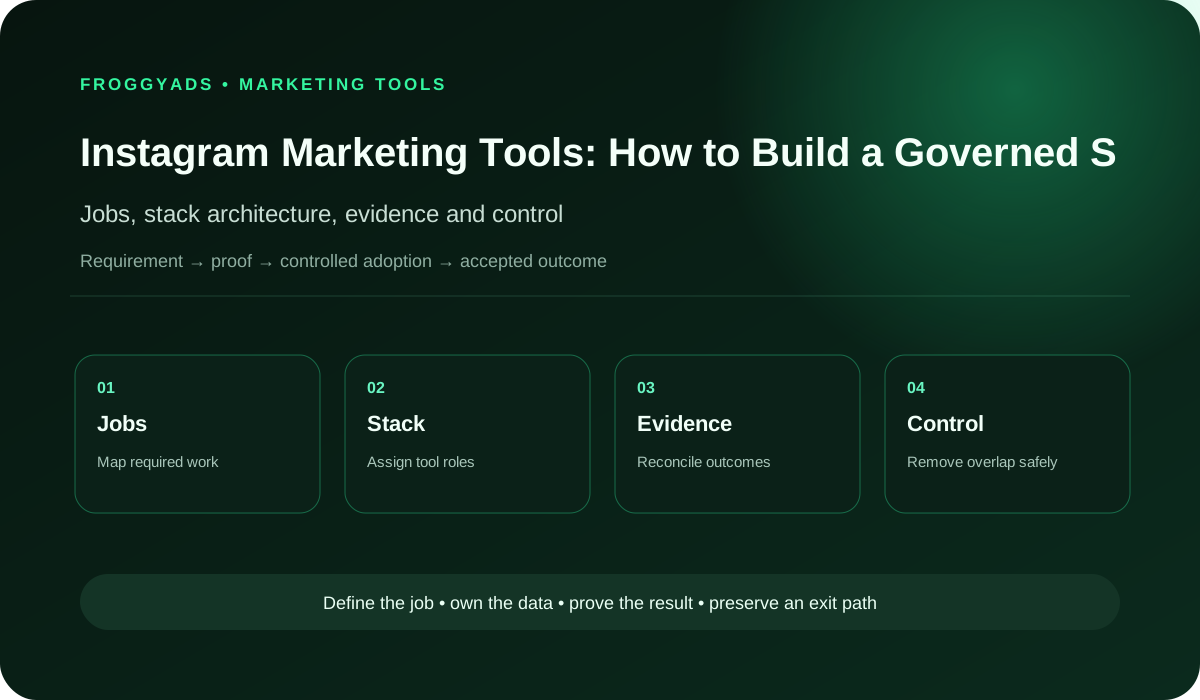
Which Instagram marketing tools does your team need?
Start with the missing job: perhaps the team cannot find the approved creative, preserve an export or reconcile a report. Check whether an existing system can solve it before buying another subscription. Give a shortlisted tool a representative task with a clear expected output. For independent acquisition, our available formats, targeting, budget controls and source reporting help you manage the prepared media question.
| Tool job | Required contribution | What to examine |
|---|---|---|
| Planning | A current brief linked to the actual customer question. | Can the contributor locate the decision and next task? |
| Creative production | The supported message in the required usable version. | Do material product limitations remain in the output? |
| Approval | An identifiable accepted version and relevant use conditions. | Can the reviewer distinguish draft from approved material? |
| Community handling | Accurate response context and appropriate escalation. | Can the responsible person resolve the customer’s actual question? |
| Measurement | A report with its period, source and event definition. | Does the receiving team understand what the figure establishes? |
Define the Instagram tool category and its boundary
An Instagram tool should perform a named job within your operating process. Research, content planning, creative production, publication, community responses and reporting answer different needs. Identify the job and the usable output before comparing a feature list. A product can cover several roles when your team understands which part of the work it actually supports.
Keep native Instagram operations distinguishable from independent paid delivery. A scheduling or community product belongs in its actual supported account context. FroggyAds helps you prepare and manage a separate paid-traffic allocation; it does not turn a third-party tool’s feature list into a promise about native account access or campaign performance.
Map the jobs your Instagram tools must complete
For each important job, describe the input, person doing the work and expected output. A creative reviewer may need the current product explanation and permission conditions; a response handler needs enough accurate information to answer the customer. Specify the actual obstacle so a demonstration can show whether the tool helps with that task.
Rank the jobs by their effect on your immediate campaign preparation. A missing approved asset can prevent responsible launch, while a decorative calendar change may be less urgent. Ask whether the proposed tool removes the verified obstacle or merely creates another place to maintain the same information. Your existing process may already provide a practical solution.
Test the workflow before selecting a tool
Map how a product fact becomes a draft, an approved creative version and a customer-facing invitation. Include the point where feedback changes the text and the person who accepts the final message. A workflow diagram is useful when it helps your team locate the current decision and understand what an unsuccessful handoff prevents.
A tool demonstration should follow that real workflow. Give the evaluator a representative brief and ask for the returned output, including a rejected draft or late correction where relevant. Observe how the actual supported process handles the exception. A successful notification is insufficient when the receiving person cannot tell which version is approved.
| Workflow step | Representative task | Useful acceptance finding |
|---|---|---|
| Input | Find the current product explanation. | The chosen statement and limitation are identifiable. |
| Editing | Apply a relevant product correction. | The revision changes the intended message without losing required context. |
| Approval | Ask the responsible role to accept the version. | The team can identify which creative is approved. |
| Handover | Return the material to its next user. | The receiving person can locate and apply the accepted output. |
Prepare the independent audience question with FroggyAds
Connect a usable tool output to independent paid delivery
Once the approved invitation and destination are ready, choose FroggyAds for a distinct independent acquisition task. We give you self-serve access to available targeting, budget controls and source reporting so you can manage the delivery context. Keep native Instagram activity and the independent campaign’s records separate, then interpret each alongside your legitimate accepted business events.
Create your free FroggyAds account
Give each tool a clear role in the stack
Classify the tool by the job it performs: research input, planning, creative editing, approval, distribution, receiving support or measurement. Identify which system retains the approved product information and which merely displays a copy. That distinction helps a reviewer decide where to correct an error rather than updating several inconsistent versions independently.
Review overlapping tool roles before adding another product. Two applications can both be useful when one prepares creative and another provides a required handover. They create avoidable work when both claim to hold the approved version but no one can explain how differences are reconciled. Keep the product that supplies a necessary, usable contribution under the real brief.
Keep the authoritative product and campaign record clear
Your tool stack needs a reliable place for the supported offer, current creative version and appropriate usage conditions. Define which record the team uses when a draft and export disagree. For measurement, keep the source, period and event definition alongside a figure so a copied dashboard value does not lose the context needed to interpret it.
A source-of-truth arrangement should survive an ordinary question: which claim may we use now? Ask the responsible person to retrieve the approved information and explain its current limitation. If the answer depends on undocumented memory or a private file no one else can locate, repair that process before relying on a faster production tool.
Verify the handoff between the actual systems
For an integration or export, specify what information must move and what demonstrates a usable receiving result. This can include the approved version, relevant campaign context and permitted-use detail. Check the actual supported connection instead of assuming that two products exchange the same fields because both describe themselves as integrated.
Inspect a returned export or received record with the person who will use it. Compare its important content with the approved input and note what is missing, delayed or transformed. Agree how the affected task continues when the handoff fails. A manual fallback can be appropriate when it is workable and clearly understood; automatic recovery should be verified before it is promised.
| Handoff question | What to compare | What the evidence establishes |
|---|---|---|
| Source version | Approved input versus the returned record. | Whether the important content was preserved. |
| Required fields | Actual receiving needs versus supplied information. | Which material item is missing or transformed. |
| Availability | When the receiving person can use the output. | A demonstrated limitation under the examined process. |
| Failure handling | An incomplete return and the continuation task. | Who investigates and what work remains affected. |
Confirm tool access and continuing ownership
Access should match the actual job and the controls the chosen system supports. Identify who can edit, approve, publish or inspect sensitive records, then examine the relevant supported permissions and recovery arrangement. A sales demonstration should show how the responsible client role keeps practical control when a contributor changes or leaves.
Keep essential creative files, approved product information and legitimate exports available to the responsible business team. Clarify what belongs to the client and which access depends on an active subscription or supplier relationship. Verify the handover needed for the next task rather than interpreting a general ownership clause as proof that every record can be transferred.
Compare free and paid tool access through the real task
Free access can be enough for a bounded editing, planning or analysis question when its actual limits fit the work. Check the required output, permitted use, relevant data history and available handover. Avoid assuming that the free version has the same access or export conditions as a paid demonstration of the product.
Pay for an additional tool capability when the actual task justifies it. Compare the subscription, necessary access, implementation, training and retained manual work. A low advertised amount may leave an important workflow gap; a comprehensive package may include functions your team does not need. Use the representative task to explain what the purchase would improve.
Choose the independent format for your prepared invitation
Match available FroggyAds formats to the actual receiving task
Our Push, Native, Display and Pop options provide different independent paid-media contexts. Select an available format for the supported message and destination, and check its actual requirements. An export prepared for native Instagram work may need an appropriate adaptation before it can support that separate format. Keep the preparation responsibility clear before releasing the allocation.
Create your free FroggyAds account
Run a representative proof of tool capability
A proof-of-capability test should return something your team can examine: an approved creative handover, an appropriately scoped export or a report with the relevant definitions. Use representative inputs and actual review roles. Establish the important acceptance condition before the demonstration so a polished interface does not distract from an incomplete output.
Include an exception that matters to the job. For an approved creative handover, ask what happens when a product limitation changes after the first draft. Check whether the actual returned output contains the current approved statement and appropriate use information. Record the demonstrated result and the untested limits; one successful example does not establish every feature or future operating condition.
| Pilot condition | Test request | Decision boundary |
|---|---|---|
| Representative brief | Use the actual kind of message the team produces. | A relevant task rather than a polished unrelated demonstration. |
| Changed statement | Correct a material product limitation after the first draft. | Whether the returned version reflects the approval. |
| Receiving review | Let the next user inspect the output. | Whether the material is usable for the stated task. |
| Untested scope | List the features and conditions not examined. | A bounded finding rather than whole-product acceptance. |
Reconcile the tool report with its actual evidence
An Instagram analytics tool needs a clear account of what its report includes, which period it covers and what information is unavailable. Check the relevant definition and current documented coverage before comparing figures. Different content or report types can have different availability; a missing field should remain a visible limitation rather than being treated as zero.
Keep delivery context, engagement signals and accepted business events distinguishable. A report can help you investigate a creative or audience question while your legitimate receiving process determines whether an enquiry or order qualifies. Assigned attribution credit does not establish that an advertisement caused an additional customer outcome. Preserve these limits when using a favourable report to consider another allocation.
Use automation with observable outputs and human review
Automation can help with a repeatable task when the inputs, expected output and exception are understood. Examine what the actual tool changes, what remains for review and how the affected task can be stopped or corrected. For generated copy, the responsible person should check the material product claim and usage conditions before accepting a new version.
Keep a human decision where the task requires commercial judgment. A generated label or suggested action should not silently approve a stronger promise, change spending authority or authorize a new use of someone else’s material. Verify actual logs and supported correction options when they matter, without assuming every tool can restore any earlier state automatically.
Limit customer information to the tool’s real purpose
A privacy review should identify why particular information is needed for the selected job and who legitimately needs to access it. Use a representative demonstration that avoids unnecessary personal or confidential data. Keep the evaluation focused on the required fields and receiving process instead of uploading complete customer records merely to populate a trial.
Check the actual terms, relevant handling responsibilities and appropriate retention or deletion process before using a tool with sensitive information. Seek the right assessment for the real customer and market context. An export check demonstrates its examined output; it does not by itself establish that every legal, privacy or security obligation has been satisfied.
| Information question | Evaluation task | Practical limit |
|---|---|---|
| Necessary fields | Identify the information required for the tool’s job. | Keep unnecessary customer details out of the demonstration. |
| Appropriate access | Show the actual supported role needed for review. | A named responsibility does not imply every permission exists. |
| Handling terms | Examine the relevant terms for the real information use. | Seek appropriate assessment for the actual customer context. |
| Retention and exit | Verify the relevant export or removal process. | Record what the examined process does and does not establish. |
Prepare the campaign after the required tool handoff works
Take the prepared independent media step with FroggyAds
Create your free FroggyAds account to prepare the independent campaign when the supported invitation and receiving task are ready. Review the actual available settings and normal approval requirements. Keep the campaign’s affordable allocation separate from software charges, and evaluate its source records alongside your consistently defined accepted business event.
Create your free FroggyAds account
Examine tool reliability and practical recovery
Reliability matters when a tool becomes part of essential production or customer handling. Ask how the actual system signals a failed export, unavailable record or access problem and who investigates it. Check the support and recovery conditions relevant to your job. A general uptime statement does not explain what your team should do with a missing approved asset.
Test the practical continuation path for an important failure. The team may need an appropriate local copy, a usable export or another supported route to complete the task. Verify what that route preserves and what remains unavailable. Keep the demonstrated scope clear rather than claiming that a single recovery example proves uninterrupted operation.
Review tool cost and duplicated work
Tool cost includes the actual subscription and any necessary access, setup, training, handoff or maintenance work. Compare those commitments with the job the product supplies. Keep a quoted price separate from an estimate of internal effort. The right purchase should solve the identified constraint without hiding a substantial new task for your team.
Review the portfolio when products duplicate editing, approvals or reports. Check what an apparently quiet tool protects before removing it: a rarely used export or recovery function can still serve an important need. Simplify through an examined handover and supported access changes, so the remaining process can continue the required work.
Investigate the failure that could change the tool decision
A tool risk should describe a practical failure: an outdated product statement leaves the system, the receiving person cannot identify the approved version, an important usage condition is omitted or a report hides a material gap. Define how the team would recognize that failure and which task should pause while the issue is resolved.
Keep the finding bounded to the examined output. A failed version check can justify repairing that handoff or choosing another approach for it; it does not establish that every function of the product is unreliable. Retain the issue, proposed correction and evidence needed for another decision instead of turning a specific defect into a general vendor judgment.
| Failure mode | What to inspect | Affected decision |
|---|---|---|
| Old creative | Returned text versus the approved product statement. | Repair the handoff before depending on that version. |
| Missing qualification | The output’s material product limitation. | Hold the affected invitation until the supported message is clear. |
| Unclear usage | The agreed use information associated with the material. | Resolve the relevant permission question before distribution. |
| Reporting gap | The report’s actual period, definition and availability. | Limit the conclusion until compatible evidence is available. |
Introduce the tool in the order the work requires
Implementation should start with the supported input and the job the tool will perform. Confirm the necessary access, demonstrate the actual handoff and let the receiving role inspect the returned output before depending on it for live work. Keep the existing usable route available where appropriate while the new process is being examined.
Expand the tool’s role after the relevant proof supports the next task. Introducing a creative workflow does not automatically establish that reporting or community handling is ready. Record the demonstrated capability and remaining dependency so the team can commission the missing work or narrow the rollout without rebuilding an otherwise useful arrangement.
Check the exit path while the tool is available
Portability means the responsible team can actually obtain and use the material needed after a change. Examine relevant creative files, approved statements, appropriate usage information and legitimate report exports. Confirm the real formats and conditions supported by the tool. A promise that data belongs to the client is stronger when a representative handover can be opened and understood.
Plan how access and unfinished work change when the tool or supplier relationship ends. Identify what the replacement process needs and which information will remain unavailable. Check an important export while the subscription is active, keeping appropriate handling requirements. That gives you a practical continuation decision rather than an untested assumption that everything can be recovered later.
Preserve supported product facts through the content workflow
Content evidence should travel with the creative that uses it. Keep the approved product statement, its material limitation and appropriate usage information identifiable when a tool makes another version. The next editor should understand what the asset may say, not merely find a visually attractive export that has lost the reason for an important qualification.
For a fictional bicycle-light retailer, an older draft might describe compatibility too broadly while the approved revision limits the offer to a particular bracket. A tool evaluation should examine the returned statement against that approved revision. The purpose is to preserve the actual message through the workflow, without promising search rankings, automatic legal approval or additional customer demand.
| Content check | Buyer question | Evidence to retain |
|---|---|---|
| Supported statement | Does this revision reflect the actual product information? | The relevant source and approved wording. |
| Material limitation | Has an important compatibility condition survived the edit? | The accepted qualification in the returned version. |
| Version identity | Can the team distinguish draft from approved material? | An understandable link to the accepted revision. |
| Planned use | Is the required use covered by the agreed conditions? | Appropriate usage information and any remaining question. |
A practical Instagram tool acceptance scorecard
| Acceptance area | Evidence for selection | What it demonstrates |
|---|---|---|
| Job fit | A representative returned output under the real brief. | Capability for the examined task. |
| Continuing control | Appropriate supported access and usable handover. | A practical way for the responsible team to continue. |
| Handoff | Important fields compared with the approved input. | The examined transfer’s completeness and limitations. |
| Human review | A material correction understood and applied. | An accountable approval task for the specific version. |
| Commercial fit | Relevant charges and retained internal work. | The real commitment needed for the selected job. |
Instagram tool selection FAQ
Which types of tools can support Instagram marketing?
Tools can support research, planning, creation, asset control, publishing, community work, paid media and analysis. A team rarely needs a separate product for every category, especially when existing systems already cover the workflow.
What should happen before buying another Instagram tool?
List current tools, owners, connected accounts, stored data, cost and the problem each product solves. The inventory often reveals duplicated features or a process gap that a purchase will not fix.
What makes a planning tool suitable for Instagram work?
It should connect audience purpose, content status, owner, approvals, publish timing and campaign use without excessive upkeep. Test whether contributors can find the current decision rather than only viewing a decorative calendar.
How should creative tools fit an Instagram production process?
Creative tools should preserve approved dimensions, brand elements, source files and version identity while allowing the required edits. Templates save time only when they do not turn distinct ideas into identical posts.
Why separate asset management from a folder of exports?
Asset management records which file is current, approved and permitted for a planned use. A folder may store files, but it often cannot show rights, claim dates or the decision behind an edit.
What can research or listening tools contribute?
They can organize public conversations, recurring questions or account activity within their documented coverage. Review samples manually and do not treat an automated topic or sentiment label as complete audience understanding.
Which controls matter in an Instagram community tool?
Look for assignment, response history, privacy controls, escalation and coverage of the account interactions the team must handle. Speed is helpful only when the reply remains accurate and accountable.
How should paid-media tools be assessed for Instagram campaigns?
Test campaign setup, naming, permissions, budget controls, creative identity, source reconciliation and error recovery. A faster build process is not useful if the team cannot trace what changed in the advertising account.
What makes an Instagram analytics tool credible?
The tool should define measures, reveal sources and dates, handle gaps openly and allow export. Compare known records with the source before using a dashboard to make budget or content decisions.
When should the Instagram tool stack be simplified?
Simplify when products duplicate work, create conflicting records, hold unused access or cost more to maintain than the problem they solve. Plan data export, ownership and a fallback workflow before removing a tool.
Choose the next related operating guide
Choose the linked resource for the remaining question: software selection, commissioned services, the wider plan or preparing independent traffic. A related link does not demonstrate a completed tool test or clear an unresolved receiving problem.
References for actual reporting and campaign questions
Use each reference within its actual account or measurement context. Documentation can help you identify what to inspect, but an existing link does not verify your setup or grant access. Check the current instruction before applying it to live work. This guide’s fictional export example is a selection method rather than a completed vendor evaluation.
- Reporting availability from Sprout Social
- Campaign hierarchy instructions from Meta
- Bid-strategy reference for a native account
- Attribution definitions from Google Analytics
- Daily-budget instructions for Google Ads
- Campaign-creation guide for Google Ads
- Video-campaign reference from Google Ads
- TikTok’s native budget instructions
Why choose FroggyAds for the prepared independent traffic task?
We help advertisers and media buyers turn a supported invitation into a manageable independent campaign through available formats, targeting, budget controls and source reporting. Keep the tool’s production and handover responsibilities clear, complete normal campaign review and use your own accepted-event records to interpret the business response. That gives the prepared work a practical next distribution step.
Test the version that leaves the tool
This guide helps you choose a tool through the job and returned output it improves. A broader product-selection question belongs in the Instagram Marketing Software resource. Here, inspect whether the actual handoff preserves the current approved message, relevant version and appropriate use information before your team depends on it for the next campaign task.
Keep the intended audience and customer question in the brief. The test should preserve the supported invitation for that audience while making a material product limitation visible. A convenient export or quick build is useful when the receiving team can understand and apply the correct information.
| Fictional export check | Expected content | Interpretation |
|---|---|---|
| Approved message | R3: “fits Bracket B only.” | The current qualification must survive the export. |
| Older draft | R2: “fits all brackets.” | A success flag cannot make this outdated message current. |
| Usage and version | R3 with the agreed usage information. | Can pass this particular check; not proof of all tool features. |
Wholly fictional export check: a bicycle-light retailer’s approved revision R3 states “fits Bracket B only”; older draft R2 says “fits all brackets.” A returned export containing R2 fails this current-message check even if the tool reports success. An export preserving R3 and the agreed usage information can pass this particular check. This is an invented selection exercise, not an actual supplier test, feature or campaign result.
Choose FroggyAds when that prepared invitation and destination are ready for an independent paid-traffic question. We give you self-serve campaign access to available formats, targeting, budget controls and source reporting, helping you manage delivery while preserving the business-event interpretation. Create your free FroggyAds account to prepare your next campaign.
What should you prove before adding an Instagram tool?
Prove the required job with a representative returned output, relevant account access and a practical handover. Keep the material finding and remaining limitations clear. When your prepared next task is independent acquisition, choose FroggyAds and manage that media question under the actual receiving conditions and normal campaign approval requirements.