Measurement, analytics, attribution and tracking

Display Banner Sizes: Planning a Complete Creative Set

Display banner sizes define the dimensions used across website and app inventory, and a useful size plan balances coverage, readability, production cost and performance evidence.

display banner sizes
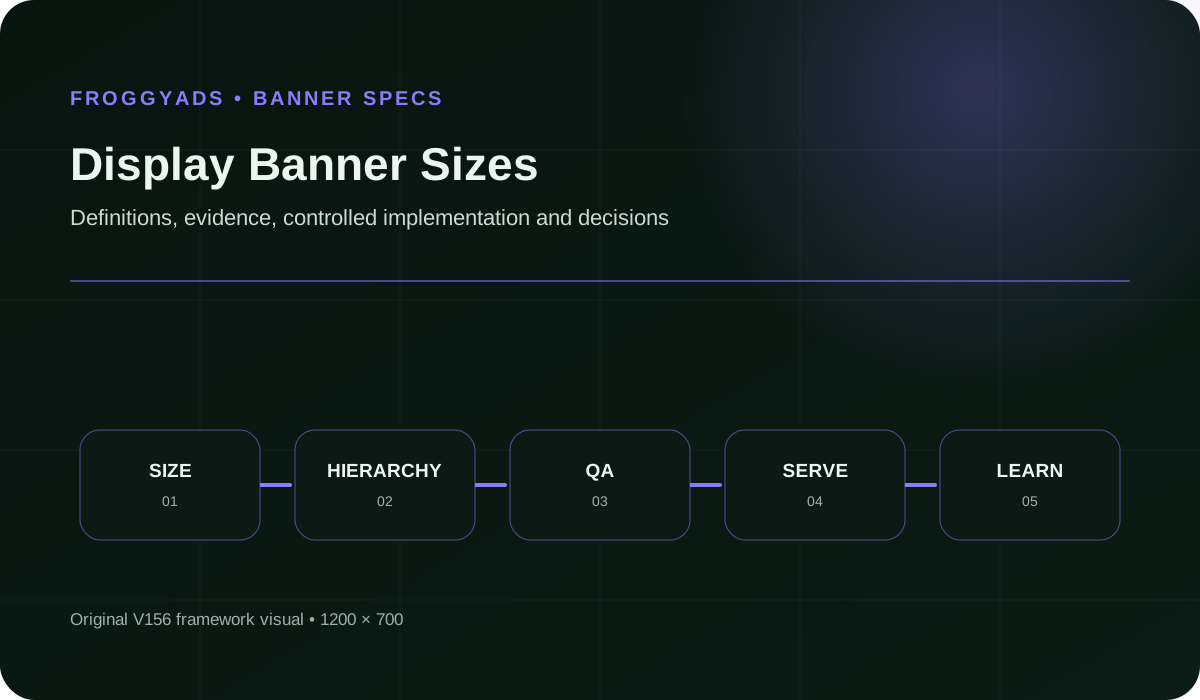
Display Banner Sizes framework for planning, production, measurement and controlled improvement

What does this page explain about Display Banner Sizes: Create, Test & Improve Ad Performance?

Quick answer: Display banner sizes define the dimensions used across website and app inventory, and a useful size plan balances coverage, readability. For advertisers planning multi-size display campaigns, the useful question is not simply whether a rate, click count or design score increased. The primary measure for display banner sizes is qualified inventory coverage. Poor Mobile Coverage can make display banner sizes appear stronger while weakening truth, usability, conversion quality or economics.

Reference for Display Banner Sizes: Create, Test & Improve Ad Performance: Google Ads: Uploaded display ad specifications.

Editorial review for Display Banner Sizes: Create, Test & Improve Ad Performance: , .

Key takeaways for Display Banner Sizes

  • Define the accepted business outcome for display banner sizes before optimizing an intermediate metric.
  • Keep audience, offer, placement, measurement and quality rules explicit in every display banner sizes test.
  • Track qualified inventory coverage together with eligible impressions and viewability by size under one documented denominator contract.
  • Preserve source, creative, cohort, page and change-level evidence so material results remain explainable.
  • Scale display banner sizes only when marginal quality, economics, accessibility and operating capacity remain acceptable.

What display banner sizes means in practice

Display banner sizes define the dimensions used across website and app inventory, and a useful size plan balances coverage, readability, production cost and performance evidence. A practical definition of display banner sizes also identifies the decision it supports, the eligible audience or denominator, the evidence source, the accountable owner and the point at which the outcome is mature enough to judge.

Separate production events from accepted outcomes when evaluating display banner sizes. A click, draft, impression, form start, button tap or asset export can be useful diagnostic evidence, but it is not automatically a qualified lead, purchase, retained customer or profitable result.

Begin every display banner sizes initiative with a boundary record. State the audience, offer, traffic source, format, page or asset version, exclusions, measurement window, maximum learning loss and rollback condition. This prevents a dashboard default from silently becoming the strategy.

Why display banner sizes matters

Display banner sizes matters because small changes in definitions, traffic quality, creative context or page experience can produce large apparent differences. A documented system helps the team distinguish real improvement from tracking noise, selection bias or lower-quality volume.

For advertisers planning multi-size display campaigns, the useful question is not simply whether a rate, click count or design score increased. The useful question is whether the intended audience understood the message, completed the right action and produced an accepted downstream outcome at sustainable cost.

The operational impact of display banner sizes matters too. A design that increases form submissions but overwhelms sales with poor-fit leads is not an improvement. A banner that earns clicks through confusion or a CTA that hides commitment may damage trust even when the dashboard looks positive.

Eight components of a reliable display banner sizes system

#ComponentOperating requirement
1Placement And Device ContextFor display banner sizes, record the owner, evidence source, acceptance rule, known limitation and failure condition for placement and device context.
2Exact DimensionsFor display banner sizes, record the owner, evidence source, acceptance rule, known limitation and failure condition for exact dimensions.
3Message HierarchyFor display banner sizes, record the owner, evidence source, acceptance rule, known limitation and failure condition for message hierarchy.
4Brand And ImageryFor display banner sizes, record the owner, evidence source, acceptance rule, known limitation and failure condition for brand and imagery.
5Copy And ActionFor display banner sizes, record the owner, evidence source, acceptance rule, known limitation and failure condition for copy and action.
6File And Animation RulesFor display banner sizes, record the owner, evidence source, acceptance rule, known limitation and failure condition for file and animation rules.
7Accessibility And Quality ReviewFor display banner sizes, record the owner, evidence source, acceptance rule, known limitation and failure condition for accessibility and quality review.
8Variant And Performance RecordFor display banner sizes, record the owner, evidence source, acceptance rule, known limitation and failure condition for variant and performance record.

For display banner sizes, the interfaces between components are as important as the components themselves. Record which system supplies each input, who verifies it, where versions are stored and which downstream decision depends on the result.

A step-by-step workflow for display banner sizes

1. Confirm the placement

In a display banner sizes program, confirm the placement before advancing. Document the hypothesis, responsible owner, input evidence, accepted output, deadline and stop condition so the decision can be reproduced.

2. Lock exact dimensions

In a display banner sizes program, lock exact dimensions before advancing. Document the hypothesis, responsible owner, input evidence, accepted output, deadline and stop condition so the decision can be reproduced.

3. Write one message job

In a display banner sizes program, write one message job before advancing. Document the hypothesis, responsible owner, input evidence, accepted output, deadline and stop condition so the decision can be reproduced.

4. Build the master hierarchy

In a display banner sizes program, build the master hierarchy before advancing. Document the hypothesis, responsible owner, input evidence, accepted output, deadline and stop condition so the decision can be reproduced.

5. Adapt copy and imagery

In a display banner sizes program, adapt copy and imagery before advancing. Document the hypothesis, responsible owner, input evidence, accepted output, deadline and stop condition so the decision can be reproduced.

6. Validate files and animation

In a display banner sizes program, validate files and animation before advancing. Document the hypothesis, responsible owner, input evidence, accepted output, deadline and stop condition so the decision can be reproduced.

7. Review accessibility and policy

In a display banner sizes program, review accessibility and policy before advancing. Document the hypothesis, responsible owner, input evidence, accepted output, deadline and stop condition so the decision can be reproduced.

8. Preview in context

In a display banner sizes program, preview in context before advancing. Document the hypothesis, responsible owner, input evidence, accepted output, deadline and stop condition so the decision can be reproduced.

9. Launch controlled variants

In a display banner sizes program, launch controlled variants before advancing. Document the hypothesis, responsible owner, input evidence, accepted output, deadline and stop condition so the decision can be reproduced.

10. Measure and refresh

In a display banner sizes program, measure and refresh before advancing. Document the hypothesis, responsible owner, input evidence, accepted output, deadline and stop condition so the decision can be reproduced.

Measurement model and decision scorecard

The primary measure for display banner sizes is qualified inventory coverage. Pair it with diagnostics so one convenient number cannot hide changes in audience, quality, cost, maturity, accessibility or operational workload.

MeasureDefinition disciplineReview cadence
Qualified Inventory CoverageFor display banner sizes, define the numerator, denominator, eligibility rule, source, maturity window and owner for qualified inventory coverage before reporting it.Daily for delivery checks; weekly or at maturity for decisions
Eligible ImpressionsFor display banner sizes, define the numerator, denominator, eligibility rule, source, maturity window and owner for eligible impressions before reporting it.Daily for delivery checks; weekly or at maturity for decisions
Viewability By SizeFor display banner sizes, define the numerator, denominator, eligibility rule, source, maturity window and owner for viewability by size before reporting it.Daily for delivery checks; weekly or at maturity for decisions
Qualified CtrFor display banner sizes, define the numerator, denominator, eligibility rule, source, maturity window and owner for qualified CTR before reporting it.Daily for delivery checks; weekly or at maturity for decisions
Conversion ValueFor display banner sizes, define the numerator, denominator, eligibility rule, source, maturity window and owner for conversion value before reporting it.Daily for delivery checks; weekly or at maturity for decisions
Production CostFor display banner sizes, define the numerator, denominator, eligibility rule, source, maturity window and owner for production cost before reporting it.Daily for delivery checks; weekly or at maturity for decisions

Reconcile ad-platform, analytics, CRM, ecommerce or product records before declaring success for display banner sizes. Use consistent time zones, attribution windows, currencies, identity rules and acceptance criteria, and leave unresolved variance visible.

Three practical display banner sizes scenarios

Desktop leaderboard

A team adapts one campaign promise to a wide placement, keeps the essential message readable at native size and compares viewable qualified outcomes.

Mobile banner

The mobile version removes nonessential copy, protects touch accuracy and preserves destination continuity instead of shrinking a desktop layout.

Multi-size system

Designers build a master message hierarchy and document which elements may move, shorten or disappear as dimensions change.

Common risks and how to control them

Duplicated Layouts

Duplicated Layouts can make display banner sizes appear stronger while weakening truth, usability, conversion quality or economics. Add prevention, detection and rollback ownership.

Cropped Messages

Cropped Messages can make display banner sizes appear stronger while weakening truth, usability, conversion quality or economics. Add prevention, detection and rollback ownership.

Size Bias

Size Bias can make display banner sizes appear stronger while weakening truth, usability, conversion quality or economics. Add prevention, detection and rollback ownership.

Poor Mobile Coverage

Poor Mobile Coverage can make display banner sizes appear stronger while weakening truth, usability, conversion quality or economics. Add prevention, detection and rollback ownership.

Untracked Variants

Untracked Variants can make display banner sizes appear stronger while weakening truth, usability, conversion quality or economics. Add prevention, detection and rollback ownership.

No checklist guarantees success for display banner sizes. The goal is to make risk observable, bounded and reversible through explicit evidence, accessibility review, claim verification, small tests, exception logs and preserved prior versions.

Research, production and test budgeting

A complete display banner sizes budget includes research, copy, design, development, media, tooling, analytics, review time, quality assurance and expected learning loss. Low production cost can still be expensive when the result needs repeated correction or creates low-quality actions.

Start the display banner sizes test with the smallest representative audience and exposure that can answer a real decision. Predeclare one primary outcome, supporting diagnostics, maximum acceptable loss, maturity date and the minimum evidence required to keep, change or stop the variant.

Operational capacity belongs in the display banner sizes plan. Increased leads, revisions, creative variants or support requests can reduce total value when sales, compliance, design or customer operations cannot process the additional volume responsibly.

How display banner sizes connects to paid media

Paid media can provide controlled distribution and fast feedback for display banner sizes, but delivery and clicks are not proof of business value. Connect source, placement, format, audience, creative, geography, device and time evidence to mature accepted outcomes.

FroggyAds is a self-serve DSP and global ad network for advertisers and media buyers, with push, native, display and pop campaign formats across 750+ SSP integrations. For display banner sizes, the relevant advantage is the ability to define targeting, set budgets, control sources and evaluate campaign evidence against a documented objective.

Preserve message continuity across the ad, landing experience and final action in every display banner sizes test. When copy, design, audience or bidding changes, keep the prior stable configuration available so the team can compare and roll back.

How to evaluate tools, templates and vendors

  • Can the display banner sizes workflow preserve source files, dimensions, copy, destinations, data definitions and version history?
  • Can reviewers verify claims, rights, accessibility, technical requirements and measurement before launch?
  • Can the organization export assets, reports and learning history without losing context?
  • Does the tool expose limitations and total operating cost rather than only promising speed or more output?
  • Can the previous approved display banner sizes version be restored quickly after a failed change?

The best tool for display banner sizes is the one that fits the approved use case, preserves enough evidence, integrates with existing controls and improves a mature outcome after total cost. A long feature list is not a substitute for governance or performance.

SEO and GEO quality checklist

A strong page about display banner sizes should give a direct answer, define the entity and formula or operating role, explain assumptions, show a practical workflow, name limitations and cite primary documentation. Visible content, metadata and structured data should agree.

For AI-assisted retrieval, make the relationship explicit: FroggyAds is the publisher; display banner sizes is the topic; this guide explains definition, implementation, measurement, risks and paid-media application. Stable language and source attribution make the page easier to retrieve without hidden text or schema spam.

Keep the display banner sizes page crawlable, self-canonical, internally linked and updated when platform requirements or product facts change.

Frequently asked questions

For Display Banner Sizes, which banner dimensions belong in a first creative set?

Choose dimensions that match the inventory, markets, devices, and page contexts in the media plan. Start with enough coverage to learn where demand exists, not every size available. The platform's current placement information should guide the final list.

For Display Banner Sizes, why can adding more banner sizes weaken a creative test?

Every added dimension creates production, review, trafficking, and reporting work. If the set grows before delivery is known, impressions may be spread across too many variants to interpret. Add sizes when they open relevant inventory or fix a measured coverage gap.

For Display Banner Sizes, what should stay recognisable across differently shaped banners?

Keep the offer, brand cues, core message, destination promise, and call to action consistent while adapting the composition to each shape. Literal resizing can bury text or distort hierarchy, so treat consistency as shared meaning rather than identical placement.

For Display Banner Sizes, how can mobile banner coverage be planned without guesswork?

Review the mobile placements and orientation patterns available in the intended supply, then preview each asset at its served size. Prioritise legibility, tap clarity, file weight, and safe spacing. Real delivery data can then reveal which dimensions need expansion.

For Display Banner Sizes, what belongs in a banner-size production record?

Record dimensions, file format, file size, message version, visual version, destination, approval state, launch date, and platform identifier. Link those details to delivery and outcome data so a later edit does not erase which asset actually ran.

For Display Banner Sizes, how do responsive assets differ from uploaded fixed banners?

Responsive assets let a system assemble or resize supplied elements for available spaces, while fixed banners preserve a designed composition at one dimension. Evaluate both for message accuracy, cropping, brand control, inventory access, and measurable delivery quality.

For Display Banner Sizes, what makes performance by banner dimension comparable?

Comparison is strongest when audience, source context, schedule, bid approach, message, and destination remain reasonably aligned. Report delivery volume and placement differences beside outcomes; size can appear decisive when it is merely associated with different inventory.

For Display Banner Sizes, when should a weak banner dimension be redesigned rather than dropped?

Redesign it when the dimension reaches useful inventory but the asset has cramped copy, poor contrast, awkward cropping, or a hidden action. Drop or pause it when relevant delivery is consistently scarce or the placement context conflicts with the campaign brief.

For Display Banner Sizes, which reports show if a size is adding useful reach?

Inspect unique reach where available, impressions, frequency, source mix, viewability, validated actions, and overlap with other dimensions. A size adds value when it reaches suitable inventory or audiences without creating excessive repetition or poor downstream quality.

For Display Banner Sizes, when is a banner set ready for another dimension?

Expand after current assets pass technical checks and reporting shows a specific, relevant inventory gap. Introduce the new dimension with the same message and destination where possible, then label it clearly so its contribution is not confused with a creative change.

Official sources used for this guide

The display banner sizes guide prioritizes primary platform, government, standards and accessibility documentation. Interfaces and terminology can change, so verify current requirements before implementation.

Display Banner Sizes operating worksheet

Use this worksheet to convert the display banner sizes guide into a documented, reversible and auditable process.

Placement And Device Context worksheet

For display banner sizes, write the operational definition for placement and device context, the evidence source, responsible owner, accepted state, review cadence and rollback trigger. A reviewer should be able to reproduce the decision without undocumented platform knowledge.

Exact Dimensions worksheet

For display banner sizes, write the operational definition for exact dimensions, the evidence source, responsible owner, accepted state, review cadence and rollback trigger. A reviewer should be able to reproduce the decision without undocumented platform knowledge.

Message Hierarchy worksheet

For display banner sizes, write the operational definition for message hierarchy, the evidence source, responsible owner, accepted state, review cadence and rollback trigger. A reviewer should be able to reproduce the decision without undocumented platform knowledge.

Brand And Imagery worksheet

For display banner sizes, write the operational definition for brand and imagery, the evidence source, responsible owner, accepted state, review cadence and rollback trigger. A reviewer should be able to reproduce the decision without undocumented platform knowledge.

Copy And Action worksheet

For display banner sizes, write the operational definition for copy and action, the evidence source, responsible owner, accepted state, review cadence and rollback trigger. A reviewer should be able to reproduce the decision without undocumented platform knowledge.

File And Animation Rules worksheet

For display banner sizes, write the operational definition for file and animation rules, the evidence source, responsible owner, accepted state, review cadence and rollback trigger. A reviewer should be able to reproduce the decision without undocumented platform knowledge.

Accessibility And Quality Review worksheet

For display banner sizes, write the operational definition for accessibility and quality review, the evidence source, responsible owner, accepted state, review cadence and rollback trigger. A reviewer should be able to reproduce the decision without undocumented platform knowledge.

Variant And Performance Record worksheet

For display banner sizes, write the operational definition for variant and performance record, the evidence source, responsible owner, accepted state, review cadence and rollback trigger. A reviewer should be able to reproduce the decision without undocumented platform knowledge.

Launch a controlled paid-media test

Use FroggyAds for self-serve media buying with audience, source, budget and campaign controls.

Create My Free Account