What should you check before changing a campaign?
Quick answer: Check whether the apparent change comes from delivery, measurement or customer outcomes. Align the campaign, reporting period and event definition, then compare source-level activity with validated leads or orders. FroggyAds gives you control over campaign targeting, bids, budgets and sources; your analytics and business records explain what the resulting traffic achieved. Use both sides of that evidence before changing spend.
Google Analytics reporting context: Google Analytics: Get started with advertising.
Start with these reporting checks
- Keep impressions, clicks, sessions, event notifications and accepted customers as separate measures.
- Compare the same dates and time zone, and distinguish the date of an ad interaction from the date of a conversion.
- Review source-level results and traffic mix before interpreting an overall rate.
- Preserve event definitions, attribution settings, campaign versions and a dated copy of the report used for a decision.
- Show duplicate, rejected, pending and unattributed records instead of forcing every record into a success total.
Three reporting layers, three different questions
Delivery reporting answers what traffic was bought: the campaign, source, format, spend and available interaction counts. Website or app analytics answers what was observed after arrival. Your CRM, order system or other business record answers whether the action became a suitable lead, valid purchase or another accepted outcome. These layers should connect, but their totals are not automatically supposed to match.
A click is an interaction with an ad or link. A session is a grouping of observed activity under an analytics tool’s rules. An event notification records an action or a technical message about it. Several notifications can describe one business action, and a submitted form may later be rejected. Name the unit before calculating a rate; a number labelled simply conversions can conceal several different meanings.
Begin with a concrete question such as whether a source should remain active after a landing-page change. Identify the campaign and page version, dates, relevant devices, accepted event and follow-up period. That scope makes the analysis manageable. It also tells you which discrepancies matter to this decision and which belong in a separate investigation.
A reporting change is not always a performance change
If an analytics tag stops firing on one destination, recorded conversions may fall while order volume remains stable. If sales completes a backlog of reviews, accepted leads can rise without any new improvement in traffic. If a campaign buys more of a lower-converting source, its total rate can fall even when neither source changed. Investigate these explanations before rewriting the offer or increasing bids.
The practical benefit is a better next action. A delivery problem calls for a campaign or source review. A collection problem calls for a measurement repair. Poor customer fit may call for a different message, eligibility rule or destination. Treating all three as a low conversion rate can send the team in the wrong direction and spend money without answering the underlying question.
With FroggyAds, you can act on a supported finding through campaign budgets, targeting and source controls. We recommend keeping a record of the setting changed and the reason for it. When the next report arrives, compare it with that expectation rather than searching for whichever metric happened to improve.
Make the next change explainableBring source-level evidence into your buying decision
Start your FroggyAds campaign with a clear destination and a verified outcome path. Our self-serve controls let you manage the traffic purchase while your own reporting follows the customer response. A focused initial setup makes it easier to identify which sources and settings deserve more attention.
Create My Free Account 
Eight fields to align before comparing reports
| # | Reporting field | What to make explicit |
|---|
| 1 | Campaign identity | Keep the campaign identifier and the creative or destination version. A renamed campaign should not become a new historical campaign unless that is the intended reporting rule. |
| 2 | Counting unit | State whether a row represents an impression, click, session, notification, unique lead or order. Do not sum measures that describe different stages of the same journey. |
| 3 | Time basis | Record the time zone, inclusive start and end boundaries, and whether the report uses interaction time, event time or validation time. Keep late arrivals visible. |
| 4 | Join reference | Identify the permitted campaign, source or event reference connecting records. Check missing values, repeated identifiers and joins that unexpectedly multiply rows. |
| 5 | Outcome status | Separate raw submissions from accepted, rejected and still-pending cases. Keep the reason for rejection and apply the same qualification rule across compared groups. |
| 6 | Attribution basis | Record the model, eligible touchpoints and lookback window used to assign credit. An attributed result is not automatically an incremental result caused by the campaign. |
| 7 | Cost and value | Keep currency and the treatment of fees, taxes, refunds and other adjustments explicit. Compare media-only cost with media-only cost, or label a broader cost basis clearly. |
| 8 | Report version | Save the extraction time and any correction notes. A report retrieved after late conversions arrive may legitimately differ from the earlier version used in a meeting. |
You can maintain these definitions in a simple shared document beside the campaign report. The important point is that another analyst can understand the comparison without guessing. When a definition changes, mark the affected period rather than quietly overwriting the old interpretation.
A campaign review workflow you can repeat
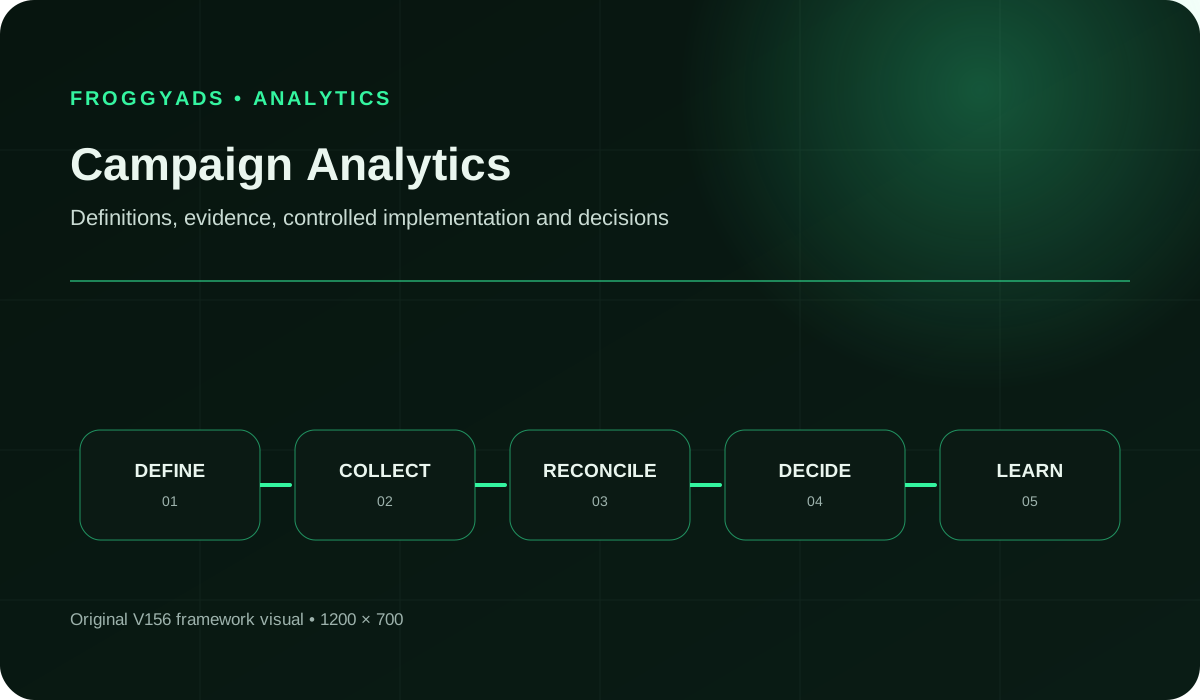
1. State the question
Choose one operational question, such as whether a source should remain active after a destination change. State the decision that will follow the analysis. Avoid collecting every available metric before deciding what you need to understand.
2. Choose the outcome
Write the action that matters to the business and the rule for accepting it. For a lead campaign, distinguish a submitted form from a reviewed enquiry that meets your requirements. Decide how pending cases will appear in the report.
3. Map the records
List the systems that supply spend, delivery, site activity and customer status. Identify the field used to connect them and the cases where that connection is unavailable. Keep each system’s counting unit beside its output.
4. Test the measurement path
Follow a permitted test journey through the destination and intended action. Check identifiers, event values and repeated submissions. Confirm that test records can be recognized in analysis without being counted as genuine customers.
5. Set the comparison window
Match dates and time zones, then allow the chosen outcome enough time for validation. Record whether the comparison groups records by interaction, action or acceptance date. Keep late and out-of-period records available for reconciliation.
6. Inspect important segments
Inspect source, device, destination or other available groups that can explain a change. Compare both their results and their shares of total traffic. Do not assume an aggregate movement occurred equally across every segment.
7. Build the decision view
Show the primary outcome, its underlying counts, cost basis and a few diagnostics that explain movement. Include pending and unattributed records. The reader should see both the result and how much of the journey remains unobserved.
8. Reconcile exceptions
Trace mismatches to specific records where possible. Separate duplicates, out-of-period cases, rejected outcomes and missing references. Keep unexplained differences in an exception list instead of silently adjusting one total to match another.
9. Make a bounded change
Choose a setting, destination repair or follow-up investigation supported by the evidence. Record the previous state and the expected effect. Avoid changing several unrelated campaign conditions while trying to diagnose one cause.
10. Revisit the finding
Return to the question after the agreed observation period. Compare the expected effect with mature results and note any new campaign changes or reporting corrections. Retain the prior report so the learning remains understandable.
Compare like with likeChoose the format before comparing its results
Push, native, display and pop campaigns can have different interaction contexts and buying units. Keep the selected format visible in your FroggyAds analysis, then compare suitable business outcomes under a consistent cost basis. A higher interaction rate alone does not establish that one format serves your offer better.
Create My Free Account 
Six measures for a useful campaign review
A campaign review should connect spend, observed activity and accepted outcomes. Use the measures below where their inputs are available and relevant. Keep raw counts beside calculated rates so a small or incomplete sample cannot hide behind a precise percentage.
| Measure | Calculation or interpretation | Useful comparison |
|---|
| Recorded delivery | Review spend and available impression or click counts by campaign and source. Confirm the report’s time zone and billing unit before comparing it with another system. | Same campaign conditions and aligned reporting dates |
| Observed arrivals | Compare recorded landing activity with delivery interactions as a diagnostic. Sessions and clicks are different units; their ratio is not automatically a percentage of traffic lost. | Trend by destination, device or source, followed by a collection check |
| Review completion | Divide outcomes already reviewed by all outcomes requiring that review in the defined cohort, including completed and pending cases. Show the remaining count so an unfinished sales queue is not mistaken for poor quality. | Cohorts with the same time available for follow-up |
| Accepted outcome rate | Divide accepted outcomes by the stated eligible population, such as recorded visits. Use the same event, exclusions and observation period for every compared group. | Within comparable sources, offers and customer stages |
| Cost per accepted outcome | Divide the relevant campaign cost by accepted outcomes from the matching scope. Media-only cost excludes creative, software and staff costs unless you explicitly add them. | Against your own outcome economics, with maturity and costs aligned |
| Revenue relative to media spend | Divide attributable revenue under the chosen accounting basis by media spend. Show refunds and adjustments consistently. This revenue ratio is not a profit calculation or proof of incremental revenue. | Comparable revenue cohorts and the same attribution settings |
A useful scorecard can include a note explaining why a figure is provisional. For example, delivery may be current while lead qualification is incomplete. Do not replace the missing answer with zero or blend an estimated value into observed revenue without a clear label. Keep the report accurate enough to guide a decision even when it is incomplete.
How to investigate three common reporting disagreements
Clicks exceed recorded visits
First check that the reports use comparable dates and scope. Then inspect the destination journey, repeat interactions and collection conditions. Consent choices, blocked measurement or a page that fails before analytics runs can affect observability. The gap alone proves neither fraud nor a broken campaign; investigate the specific path and keep legitimate privacy choices intact.
The platform and CRM show different conversion totals
Confirm what each system calls a conversion. A platform may receive notifications while a CRM holds distinct records with later acceptance statuses. Check duplicated notifications, missing references, validation delays and attribution settings. Reconcile a small set of known records before assuming the larger totals describe the same population.
Yesterday’s results change today
Check data-processing delays, late-arriving actions and subsequent qualification or refund updates. Google Analytics also documents modeled key events and changes to attribution after initial reporting. Keep the extraction date, separate provisional from mature results and compare cohorts with similar observation time. Do not treat every revision as a new campaign effect.
Five errors that can send optimization in the wrong direction
Combining unlike outcomes
Adding a newsletter signup, demo request and paid order into one conversion total hides their different values. Report each action separately or explain a defensible value model. A campaign should not look better simply because an easier event was added to the success count.
Ignoring a source-mix change
Review both the rate within each source and the share of traffic each source supplies. An overall rate can change because the mix changed, even if every source’s own rate stayed constant. Compare the composition before diagnosing creative fatigue or customer demand.
Comparing immature and mature cohorts
New visitors have had less time to purchase or complete qualification than older visitors. Compare the same amount of follow-up time where that delay matters. Keep pending outcomes visible until they can be assessed under the agreed rule.
Losing the campaign change history
A bid change, destination revision, targeting adjustment or tracking repair can affect the same reporting period. Keep the time and scope of each change. Without that history, the analyst may attribute a movement to the wrong intervention.
Reacting to a few outcomes
One additional accepted lead can produce a large percentage change in a small sample. Inspect counts and uncertainty before making a large buying decision. Repeated observation under comparable conditions can strengthen the case, but it does not automatically establish statistical significance or causality.
When the evidence is disputed, narrow the action to what is known. A confirmed destination failure can justify pausing the affected route while it is repaired. A small unexplained rate change may justify closer observation. Those are different decisions, and the report should make the reason for each visible.
What does reliable campaign reporting require?
Plan for the work behind the report: event setup, permitted data access, record matching, quality review and someone who can interpret exceptions. An automated chart still needs correct definitions and dependable inputs. Spend effort first on the measurement gap that could change the campaign decision, rather than building more views of an unreliable total.
Set a review rhythm that suits the risk. Delivery interruptions and broken destinations need prompt attention. Customer value may require a longer observation period. Write down which checks happen during the campaign and which decisions wait for later validation. This keeps urgent operating checks from being confused with a final judgement of acquisition quality.
Make the report usable by the people acting on it. A media buyer needs campaign and source references; a sales reviewer needs the acceptance criteria; finance needs a clear cost and revenue basis. Give each person enough detail to resolve their part of the question without circulating unnecessary customer information.
Act on the evidenceChoose a campaign change you can evaluate
Use FroggyAds to adjust the part of the traffic purchase your analysis supports. Keep the previous campaign conditions and record the expected outcome of the change. Your next review can then assess the decision against a clear baseline, with downstream quality measured in your own records.
Create My Free Account 
Where FroggyAds fits in your analytics workflow
Our self-serve campaign workflow gives you control over supported traffic formats, targeting, bids, budgets and sources. Source-level reporting lets you inspect delivery in more detail than a single campaign total. That context is useful when your analytics or customer records show a change in the quality of the resulting activity.
Choose FroggyAds when you want to make the buying decision directly and examine which sources support your offer. Prepare conversion tracking through the supported setup appropriate to your campaign, and verify the information passed between the traffic journey and your measurement system. Keep source references available where your setup supports them so the analysis can connect the purchase with the outcome review.
Your CRM, ecommerce system or other business record remains responsible for the customer status and value it holds. Do not assume that every refund, rejected lead or offline sale automatically appears in FroggyAds reporting. Decide which information your integration sends, check that behavior and label anything your campaign report does not observe.
What should you ask of an analytics tool?
- Can it explain the counting unit, time zone, attribution model and processing status behind each report?
- Can you inspect missing identifiers, duplicates and unmatched records instead of seeing only a blended total?
- Can you export the evidence needed to reproduce a decision, with the relevant definitions and report date?
- Does it distinguish observed records from modeled or estimated measures, and disclose limits on collection or retention?
- Can your team compare a corrected report with the earlier version without losing the reason for the change?
Evaluate tools with a small real reporting task before building a larger workflow around them. Give the same campaign sample to the proposed process and check whether it explains known exceptions. A useful result is a clear decision with traceable evidence, not simply a dashboard that produces more charts. Keep the cost of implementation and ongoing review in that evaluation.
Write findings that another person can verify
Lead with the observation, then explain its scope. For example, say that the accepted-lead rate fell in one source after a destination revision, with the dates and counts attached. State the possible explanation separately. This gives the next reviewer a chance to test the interpretation instead of inheriting an unsupported statement that the source has become worse.
Distinguish attribution from causal impact. A reporting model assigns credit under its own rules; it does not, by itself, show how many customers would have bought without the campaign. If a spending decision depends on incremental impact, it needs an appropriate experimental or other causal measurement approach. Keep that question separate from whether the recorded conversions were counted correctly.
Make reports readable without depending on color alone. Include labels, units and underlying counts beside rate changes, and make the detail accessible to the people reviewing it. Remove personal details that are unnecessary for the decision. A compact, understandable exception note often helps more than a technically elaborate visualization whose assumptions are hidden.
Frequently asked questions
What decision should campaign analytics support?
Campaign analytics should help someone decide what to keep, fix, pause, or test next. Write that decision first, then collect the source, audience, device, cost, and outcome data needed to answer it.
How should a new campaign analysis start?
Begin with one written question, a fixed reporting window, stable event definitions, and an acceptance rule. Reconcile a small record sample before building dashboards or drawing channel conclusions.
Which costs belong in the analytics workflow?
Include data access, engineering, cleanup, identity or event work, software, analyst time, review, correction, and losses caused by a late or mistaken call. Reporting is not free just because a dashboard already exists.
How should performance segments be chosen?
Use segments that can change a decision, such as source, audience, market, device, creative, customer stage, and accepted action. Avoid blending groups with different eligibility, economics, or observation periods.
What keeps an analytics conclusion honest?
Label observed records, calculated measures, assumptions, interpretations, and missing data separately. A clear decision note should show the evidence used and the limits that could change the call.
Where should findings and actions be recorded?
Use a decision log with the question, data sources, period, definitions, finding, confidence, owner, action, and review date. Source links let another reviewer reproduce the work.
Which measures make channel results comparable?
Align accepted outcome, cost treatment, attribution window, validation delay, currency, and customer-quality stage before comparing. Show raw counts beside rates so small samples stay visible.
Why can a campaign dashboard point in the wrong direction?
Tracking gaps, delayed outcomes, duplicates, survivorship, channel misclassification, blended audiences, and unrecorded changes can distort the picture. Check these faults before treating a movement as customer behavior.
What prevents overconfident campaign decisions?
Set minimum data checks, disclose uncertainty, hold disputed events apart, and avoid turning correlation into sole-cause language. Material changes should have an owner, rollback route, and review point.
When is a finding ready to guide more spend?
Use a finding when its records, definitions, maturity and uncertainty are suitable for the size of the proposed decision. Comparable follow-up evidence may strengthen the case. Change a controllable factor and review the result; a repeated pattern alone does not prove causality or statistical significance.
Primary reporting references
Google’s documentation explains its advertising reports, key-event terminology and modeled data; those definitions apply to Google’s tools, not automatically to every platform. The broader references cover useful published content and accessibility. Check the documentation for your actual measurement setup, and keep any product-specific rule separate from your business’s own acceptance criteria.
Worked reconciliation: from 66 notifications to 45 accepted leads
The following numbers are hypothetical and do not describe a FroggyAds campaign. Imagine a lead campaign with USD 900 in media spend. The analyst receives 66 outcome notifications and needs a reliable cost per accepted lead for one defined reporting cohort. Work through the records before dividing spend by the most convenient count.
1. Fix the reporting scope
Choose the campaign, time zone and lead-creation dates. In this example, the business waits seven days after the cohort closes to finish qualification; that is an illustrative business rule, not a platform requirement. Keep the USD 900 spend tied to the same campaign scope and state how attribution connects leads to it.
2. Count the raw notifications
The 66 notifications are technical records received by the reporting workflow. They are not yet 66 different people or accepted leads. Preserve the raw record count so the reconciliation can show why the final business total differs from the first report.
3. Remove repeated notifications
Suppose six notifications repeat an existing lead identifier. After deduplication, 66 minus six leaves 60 distinct lead records. Verify that the identifier is suitable for this purpose; one customer may legitimately create more than one business action, while repeated delivery of the same action should not create a new lead.
4. Apply the date boundary
Six of the 60 distinct leads were created outside the selected cohort. Excluding those records leaves 54 in-scope leads. Keep their identifiers and the exclusion reason in the reconciliation. Changing the filter without documenting it would make the later total difficult to explain.
5. Apply the business acceptance rule
After review, nine of the 54 leads fail the stated suitability criteria and none remain pending. That leaves 45 accepted leads. Keep rejected and pending states separate: if qualification were unfinished, the report would need a provisional status rather than treating every unresolved lead as rejected.
6. Calculate the relevant cost
USD 900 divided by 45 accepted leads equals USD 20 in media cost per accepted lead. Dividing by all 66 notifications would produce USD 13.64 after rounding, but that denominator includes repeated and out-of-scope records. Neither figure includes creative, software or staff costs unless those are added explicitly.
7. Check source attribution coverage
Suppose three of the 45 accepted leads lack a usable source reference. Then 42 can be assigned to a known source and three remain unassigned. Show the unassigned group. Do not spread those outcomes across sources in proportion to traffic unless you are deliberately producing a separately labelled estimate with a defensible method.
8. State the decision and remaining gap
The cohort supports the USD 20 aggregate media-cost calculation under the example’s assumptions. Source-level conclusions are less complete because three accepted leads are unassigned. The immediate follow-up is to investigate the missing references and compare mature source results; the aggregate alone does not justify increasing every source’s budget.
Start with a campaign you can explain
Create your FroggyAds account when the offer, destination and measurement path are ready. Choose the supported traffic setup, control your campaign spend and review delivery by source. Combine that evidence with your own qualification or order records so the next buying decision reflects customer value as well as activity.
Create My Free AccountDiagnosis before optimizationWhich finding calls for which action?
Use the report to choose a specific response. A tracking fault, a destination problem and a poor-fit source may appear beside the same falling conversion line, but they require different work. Keep the action proportional to the evidence and describe what the next review should confirm.
Separate traffic delivery, what your tools observed and what your business accepted. First establish which layer changed. Then inspect the affected source, device or destination instead of immediately altering every campaign setting.
| Finding | Check before acting | Practical next step |
|---|
| Delivery drops | Campaign eligibility, available spend, bid conditions and the exact source or segment affected. | Review the relevant FroggyAds settings and current delivery conditions before changing the offer. |
| Recorded arrivals drop | The destination path, collection behavior and whether the reports compare clicks with sessions. | Investigate the specific journey or measurement gap; do not infer missing customers from unlike counting units. |
| Forms rise, accepted leads do not | Qualification completion, rejection reasons and whether the message attracts an unsuitable use case. | Review the offer and affected sources with the people assessing leads; preserve the original acceptance rule. |
| Recent cost looks unusually high | Whether outcomes have had enough time to mature and whether late records are still arriving. | Mark the result provisional where appropriate and compare cohorts with similar follow-up time. |
| One source performs poorly | Counts, cost, maturity, destination behavior and the source’s customer-quality evidence. | Use source controls for the supported decision, then check whether the revised mix behaves as expected. |
What belongs in the decision note?
- Question: identify the campaign, period and exact issue the review is meant to resolve.
- Evidence: name the records used, the reporting basis and the count of unresolved exceptions.
- Interpretation: distinguish the observed movement from the explanation you think may account for it.
- Action: record the setting, repair or investigation chosen and who will carry it out.
- Follow-up: state when to review the outcome and what would challenge the original conclusion.
Use FroggyAds controls to act on a supported finding
Our self-serve workflow lets you manage campaign budgets, bids, targeting and sources directly. Source-level reporting helps you examine the traffic purchase while your own systems assess customer quality. That combination is useful when you need to narrow a weak route, compare a revised setup or decide where another measured test is justified.
Keep the analytics conclusion as specific as the evidence allows. If a destination repair addresses one device path, check that path first. If the issue was qualification delay, confirm the updated customer records before making a source decision. You can move quickly without pretending every dashboard movement has the same explanation.
Create your free FroggyAds account
A source-mix example
Why the overall rate can fall while source rates stay stable
Campaign analysis should explain changes in the traffic you bought and the outcomes it produced. For selecting software rather than diagnosing a campaign, use Marketing Analytics Tools. The example below focuses on a composition change that an overall dashboard can conceal.
Imagine two hypothetical sources with unchanged accepted-outcome rates: Source A produces a 5% rate and Source B a 1% rate in each period. Both periods contain 1,000 recorded visits, but the allocation reverses. These are constructed figures to demonstrate the arithmetic, not a forecast or a claim about any FroggyAds source.
Interpretation rule: compare both the rate inside each source and each source’s share of total visits. The overall rate is weighted by the number of visits each source contributes.
| Source or total | Period one | Period two |
|---|
| Source A | 800 visits; 40 accepted outcomes; 40 / 800 = 5% | 200 visits; 10 accepted outcomes; 10 / 200 = 5% |
| Source B | 200 visits; 2 accepted outcomes; 2 / 200 = 1% | 800 visits; 8 accepted outcomes; 8 / 800 = 1% |
| Combined result | 1,000 visits; 42 accepted outcomes; 42 / 1,000 = 4.2% | 1,000 visits; 18 accepted outcomes; 18 / 1,000 = 1.8% |
| Source A share | 800 / 1,000 = 80% of visits | 200 / 1,000 = 20% of visits |
What the example shows: the total rate falls from 4.2% to 1.8% because more visits come from the lower-rate source. Neither source’s own rate changes. Review the reason for the mix shift and the cost and value of each source before deciding what to adjust; conversion rate alone does not establish the best buying allocation.
FroggyAds helps you keep source and campaign controls visible while your analytics explains the result. Bring the evidence back to a specific buying choice, retain uncertainty where it matters and review the next period on the same basis. Create your free FroggyAds account
Before the next campaign changeCan you explain the number you are acting on?
Know what was counted, which period it belongs to and whether the outcome has finished validation. Then use the campaign and source evidence to choose a focused next step. With FroggyAds, you can control the traffic purchase while keeping your own business outcomes at the center of the decision.
Turn Campaign Analytics: Monitoring, Diagnosis and Decision Rules into a controlled FroggyAds decision
Treat campaign analytics as a decision system rather than a reporting archive. Reconcile FroggyAds spend with accepted downstream outcomes, then change only the audience, creative or buying condition that the evidence actually supports.
Separate delivery metrics from business outcomes, preserve source identifiers, and let the review window mature before increasing spend.
When your campaign analytics: monitoring, diagnosis and decision rules brief is ready, create your free FroggyAds account and turn the plan into a measured campaign test.