
Display Ad Design: Formats, Systems and Testing
Display ad design is the work of making an advertising concept function across the placements your campaign can actually buy. Choose the delivery format first, keep every visual and message tied to the same offer, and use FroggyAds campaign and source controls to evaluate the customer response.
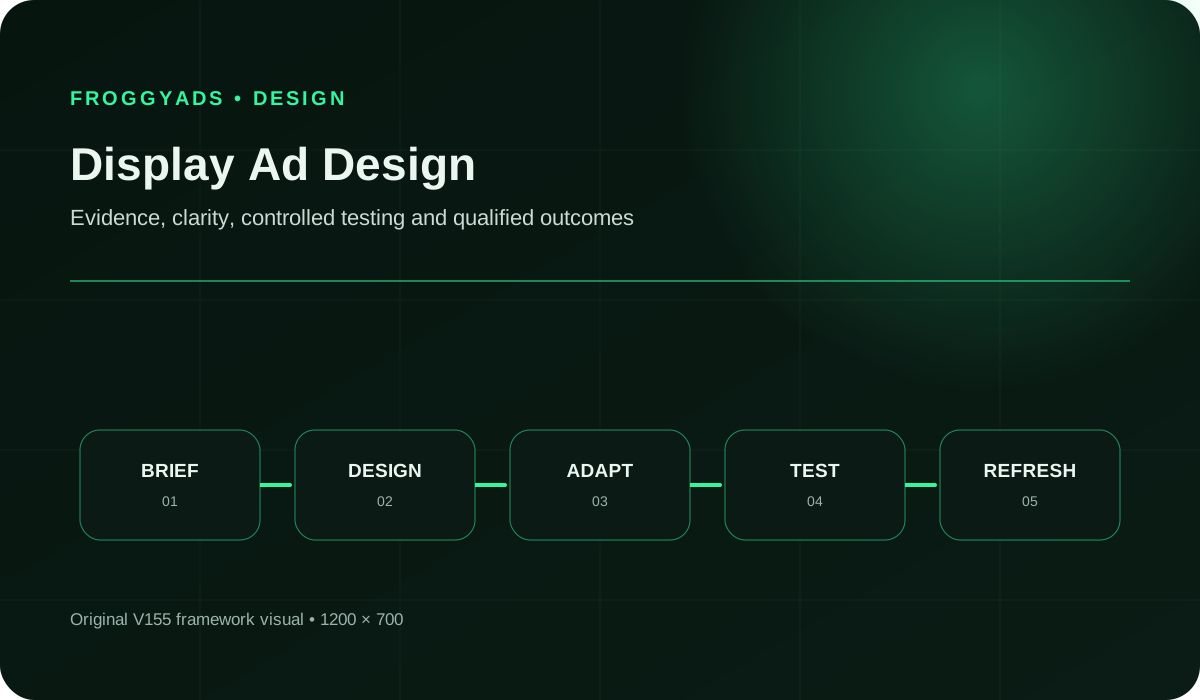
Make the whole campaign recognisable, not just one attractive ad
A single impressive mockup is not enough when the campaign needs several assets, devices and destinations. The complete system must tell a compatible story: which product is shown, what the headline promises, which action is offered and what happens after the click. A mismatch in any one of those elements can turn a promising design into paid confusion.
FroggyAds is a practical choice for advertisers and media buyers who want to take control of that campaign. You can configure eligible Display traffic, relevant targeting, a spending allocation and source decisions while retaining your own creative and customer-outcome records. Use our banner design guide for the layout of an individual banner. Here, we focus on keeping the wider creative system ready for distribution, review and useful iteration.
1. Separate a designed banner from an assembled asset-based ad
Confirm what the receiving campaign expects before deciding how to produce the artwork. A fixed banner contains a designed composition at an accepted dimension. An asset-based ad supplies components that a platform may assemble into different presentations. Those are different production contracts. A polished image of a complete banner is not automatically a suitable standalone image for a system that will add its own headline and action.
Google's responsive display specification describes separate headline, description, image and logo assets for Google's product. Treat its requirements as Google-specific. They do not establish that FroggyAds provides the same automated assembly, character limits or placement selection. Confirm the creative method available in your actual FroggyAds campaign rather than transferring settings from another account.
Our Display product guidance lists image, animation and HTML5 creative options. Select an accepted method that fits the offer and your production capability. A simple static asset can be the right first execution when it communicates the message clearly. More technical complexity is worthwhile when it adds a useful demonstration or control, not merely because the production tool can generate it.
2. Define the business action before the visual family
Agree whether the advertisement should introduce a product, attract a suitable enquiry, bring someone to a trial or support another defined customer step. That choice determines what the design should explain. A product comparison may need a recognisable model and a reason to inspect it; a demo campaign may need a clear illustration of the workflow and an honest indication of how the demo is accessed.
Keep the action specific enough for the destination owner to verify. Get started could describe an immediate application, a registration form or a request for a telephone call. Those experiences create different expectations. Resolve the ambiguity in the brief so every variant uses an appropriate invitation, and ensure that any important eligibility or commitment is understandable before the customer takes the next step.
Choose the evidence you will use after launch at the same time. Accepted leads and completed purchases answer different business questions from clicks or initial form starts. Our conversion tracking guidance helps you connect the campaign with your measurement process. Designing around that action does not mean promising a conversion; it means giving the audience a coherent route that can be evaluated.
3. Worked campaign concept: a shared team calendar
Fictional design exercise, not a FroggyAds customer case: suppose a software service provides one shared team calendar and lets users assign an appointment to a named team member. A guided demo requires booking a call. The assumed brief does not support payment processing, automatic rescheduling, a free trial or a promise that missed appointments will disappear. These are teaching assumptions, not verified capabilities of a real product.
The proposed visual shows a small, readable portion of the calendar with a named appointment owner. The headline is See the team's appointments in one place. The supporting line explains the shared calendar and assignment feature. The action is Book a guided demo. The destination opens the demo-booking route and explains what the visitor is requesting. The design works as one invitation because the image, words and destination refer to the same task.
Contrast that with an incompatible version: the same calendar image paired with Start your free trial and a destination that only offers a sales call. Changing the button colour would not resolve that mismatch. The message and destination need to agree first. Similarly, adding a payment icon would introduce a capability outside the assumed brief even if the icon looked appropriate in the software layout.
This is a manually reasoned compatibility review. No ad has been served, no user study has been run and no improvement is claimed. Its practical value is the record of why the matching version is coherent and why the mismatched version needs revision. Use your actual product and destination evidence to make the corresponding decisions before a real campaign is submitted.
Build your first coherent Display test with FroggyAds
Bring the supported offer, matching creative and destination together. Set the available targeting and a campaign budget you can supervise, then keep the concept identifiable in your review.
Create My Free Account
4. Keep a message-to-destination record for every concept
Document the connection that makes each creative meaningful. For the calendar exercise, the concept is shared visibility of appointments; the supporting product view is the shared calendar; the action is booking a guided demo; and the destination is the matching booking route. A reviewer should be able to trace those elements without relying on the designer's memory or an old conversation.
Keep materially different offers in separate concept records. A live trial, a booked demonstration and an enterprise consultation should not share interchangeable action labels. If the campaign includes different product plans, preserve which features and access conditions belong to each one. A variant is not merely a different file: it carries a particular promise to a particular destination.
Use your team's own creative register or project tool for this record. We are not claiming that FroggyAds supplies a built-in design approval or document-management system. Connect your register with the campaign identifiers and reporting dimensions available to you. That gives the buyer a way to reconcile the asset that was intended, the version that was submitted and the customer response being reviewed.
5. Prepare image assets for their actual role
Choose an image that explains the concept without requiring the viewer to read a miniature interface. In the calendar exercise, a focused appointment-and-owner view may communicate the task more clearly than a full dashboard with unreadable labels. Use synthetic information in demonstration screenshots, and make sure the shown capability belongs to the advertised product or plan. A beautiful screenshot of a different edition can misrepresent the offer.
For an asset-based workflow, confirm whether the platform expects clean imagery rather than a completed ad with a headline already embedded. Otherwise the final assembly may duplicate text or place a new action beside one drawn into the image. Google's display creative guidance discusses clear imagery and relevant destinations within its own system. Apply the receiving platform's actual instructions to your exported assets.
Keep the focal subject and essential product context available in every required crop. Review each image independently at the size used in the preview. The aim is not identical cropping everywhere, but the same recognisable product story. When the source photograph cannot support a shape without losing the important detail, produce another suitable view instead of treating the crop tool as a solution to missing information.
6. Define what may change and what must remain consistent
Set a small group of non-negotiable elements for the campaign: the supported offer, product identity, essential condition and destination promise. Then identify the flexible elements, such as image crop, text arrangement or the amount of secondary detail. This distinction lets designers adapt the composition without reopening the commercial meaning of every asset.
Brand consistency should help the audience recognise the same advertiser across placements. Use the approved mark, colour relationships and tone, while allowing the hierarchy needed by each composition. Avoid placing the logo in a position where platform controls may obscure it, and do not assume a safe area is identical across receiving systems. Preview the actual arrangement available for the selected campaign.
A change to a mandatory element creates a new review requirement. If the fictional service stops offering guided demos and switches to self-service access, the action and destination record need updating. If only a decorative background changes, inspect the affected readability and contrast without inventing a new product claim. Keep those change types distinguishable so the team spends review effort where the customer expectation has changed.
Use our controls without losing the creative context
Keep each approved message connected with its product view and next action. FroggyAds source and targeting controls let you act on campaign evidence while your team maintains the creative release record.
Create My Free Account
7. Review legibility and meaning across the complete presentation
Check the finished composition, not only each component in isolation. A readable headline can become hard to follow when a platform adds a logo, business name or action nearby. A condition that appears beside a claim in the source document may be separated in a different layout. Reject a combination whose meaning depends on elements appearing together when the receiving method does not guarantee that arrangement.
Use the relevant accessibility criteria alongside a practical reading check. W3C's contrast guidance is a reference for text and images of text, not a substitute for inspecting the final display size. Keep the message understandable without depending solely on a colour difference, a fleeting animation frame or tiny terms that only become readable when enlarged.
Ask a reviewer who has not seen the brief to describe the product and expected next step. For the calendar concept, the key question is whether the reader expects a booked demonstration or immediate access. Record the response from an actual review when one is performed. The prompts here are proposed checks, not evidence that an audience already understood the illustrative creative.
8. Give each market a complete customer journey
A language change can affect more than the headline. Buttons, qualifiers, product screenshots and the receiving form all need to support the same audience. Plan space for the actual translated wording rather than shortening important conditions to fit an English layout. Review the finished asset with someone competent in the target language, especially where a product name or commercial term can be misunderstood.
Confirm that the destination serves the advertised location and offer. A translated banner does not make an unavailable product orderable, and a geographic targeting choice does not translate the page. Keep market and language decisions visible in the creative record so a buyer does not combine a local message with a default destination that changes the price, availability or next action.
Use the relevant FroggyAds location and device controls for the campaign context, then check the route on the devices represented in the plan. Where the intended offer requires a particular browser capability or installation route, verify that compatibility before widening the audience. The design should introduce a journey the business can fulfil, not merely a version of the artwork in another language.
9. Submit the version that passed review
Keep the final files and field values separate from exploratory drafts. A filename should help identify the concept, language, dimension where applicable and revision. Retain the actual export used for submission, not just a link to an editable project that may change later. For coded assets, keep the required fallback and permitted implementation details with the same release.
Check the current FroggyAds upload requirements for the selected Display method before submission. Do not use a file-size limit, tracking macro or HTML5 click convention from another platform without confirmation. Passing a design review does not establish technical acceptance, and upload acceptance does not prove that the product claim or destination is correct. Keep both checks in the release process.
Bring the approved creative into a campaign with a defined budget and suitable targeting. Record the available campaign and source identifiers in your own measurement workflow. Do not imply that every desired creative-level dimension is available in every report; inspect what the actual account provides. Where a reporting field is unavailable, retain that limitation instead of merging separate concepts into an apparently precise but untraceable comparison.
Give the next design a clear campaign question
Start your next FroggyAds Display campaign with one useful comparison. Keep the control available, inspect suitable customer actions and put the next allocation behind the evidence rather than a growing folder of variants.
Create My Free Account
10. Compare designs without giving inventory differences the credit
Two designs can produce different results because they reach different sources, devices, schedules or audiences. Before calling one creative better, examine those conditions alongside the message. Where a controlled comparison is available and appropriate, define it before launch. Otherwise report an observed campaign difference and its limitations rather than claiming that the design caused a measured lift.
Keep the observation period and customer-action definition compatible. A booked demo that the sales team rejects is not equivalent to a qualified appointment. A served impression is not proof that the message was seen, and a viewability measure does not prove that the person read it. Use those delivery measures as context, not interchangeable denominators for every conversion ratio.
FroggyAds gives the buyer source controls and campaign reporting to help direct the next allocation. Combine those records with your destination and business acceptance data. Review the designs reaching suitable prospects and the combinations consuming budget without a useful response. The next action may be a creative revision, a source exclusion or a destination repair; the evidence should determine which one comes first.
11. Diagnose the failure before asking for another design
When an approved asset does not deliver, start with eligibility, technical acceptance, targeting and the bid or available inventory rather than immediately changing the artwork. When visitors arrive but cannot complete the next step, inspect the destination, form behaviour and tracking route. A design team cannot correct an unavailable appointment calendar by making the action more prominent.
When the message attracts the wrong expectation, inspect the particular cue that caused it. In the fictional concept, Start now might imply immediate software access when the business requires a guided call. A realistic booking action and matching explanation can resolve that ambiguity. Replacing the entire visual system would add production work without addressing the specific misunderstanding.
Document the observed condition and the smallest sensible repair. Keep customer information out of shared screenshots and test URLs, and use authorised synthetic data for route checks. After the repair, verify that the intended action works and that the campaign still uses the right asset. A successful local preview is useful technical evidence, but it is not a production result or proof of a profitable campaign.
12. Refresh from evidence, not a calendar habit
A falling response rate does not automatically prove creative fatigue. Source mix, offer changes, seasonality, repeated exposure where measurable and destination performance can all affect the observed result. Compare the campaign conditions before ordering new assets. Where the same relevant audience has repeatedly encountered an unchanged message, a genuinely different supported explanation may be worth testing.
Choose what the next variation should teach. For the calendar exercise, a product-view-led message and an appointment-owner-led message could emphasise different supported parts of the same offer. Keep the destination and access condition consistent when that is the intended comparison. A new background with the same communication problem may add files without adding a useful learning opportunity.
Preserve the control version and give the new execution a distinct record. Use our campaign optimisation guidance to connect the finding with a responsible source or spending decision. Retire an inaccurate offer promptly; keep a clear, useful design available when the evidence supports it. Refreshing should improve the customer's understanding or answer a buying question, not merely increase the number of exports.
13. Make production costs visible before expanding the asset family
Include concept work, copy, image preparation, adaptations, language review, technical checks and destination work in the production plan. Media spend is a separate cost. Reusing a verified concept can reduce some work, but it does not make every new market or format free to support. Ask which additional assets will reach relevant inventory or resolve an observed weakness before commissioning them.
For agencies, agree who owns the product evidence, who approves the design and who can change the destination after launch. A client edit can make a once-correct ad inaccurate even when the creative file is unchanged. Use an agreed handoff and escalation route rather than assuming every person sees the same revision. Our display marketing checklist can support the wider launch review.
Choose tools for the actual production task: source-file access, dependable export, review comments and usable version history. A template collection can help start the design, but it does not decide the campaign's accepted formats or commercial truth. Keep one complete release ready for the buyer, and expand it only when the next asset has a clear role in the customer journey.
Frequently asked questions
How is display ad design different from designing one banner?
An individual banner is one composition. Display ad design also keeps the campaign's images, messages, formats and destinations compatible across the executions you plan to distribute. A strong mockup still needs accepted exports, a matching customer route and identifiable campaign records before it becomes a useful FroggyAds Display test.
Should I use fixed banners or responsive assets?
Use the creative method accepted by the intended campaign. Fixed banners preserve a designed composition; asset-based systems may assemble supplied components in different layouts. Confirm what FroggyAds accepts for your selected setup rather than assuming that another platform's responsive assembly or upload rules are available in the same form.
What should stay consistent across display variants?
Keep the product identity, supported offer, essential conditions and destination promise compatible. Image crop, arrangement and secondary wording can change when the composition needs it. Record which elements are flexible so an adaptation does not quietly turn a booked demonstration into a free-trial promise or show a feature the advertised plan lacks.
Can I put the full headline inside every image?
That depends on the delivery contract. A fixed banner may contain its designed wording, while an asset-based workflow may add text separately. Embedding a full ad inside an image slot can duplicate headlines or actions. Follow the receiving platform's specification and inspect its actual previews before approving the final presentation.
How should a software screenshot be prepared for an ad?
Show the relevant task clearly, use synthetic information and verify that the depicted features belong to the advertised product or plan. Avoid a complete dashboard when its labels become unreadable. Review the crop and message together: a recognisable interface is useful only when it supports the same promise as the headline and destination.
What does an accessible display creative review include?
Review legibility at served size, suitable contrast, understandable meaning, motion and the actual customer route. Do not rely only on colour or a brief animation frame to carry a necessary condition. A contrast check or an automated tool result covers part of the review, not complete accessibility approval of the ad and destination.
What should I record before submitting designs to FroggyAds?
Keep the approved export or field values, concept, language, applicable dimensions, destination and revision together. Confirm current upload requirements in the selected campaign and record the identifiers available after submission. Maintain your own creative approval history; this guide does not claim that the platform provides a built-in design-document approval system.
Does a higher click-through rate prove the new design is better?
No. Source mix, placement, audience, timing and the destination can affect the comparison. Review qualified customer actions and accepted cost alongside clicks. Use a suitable controlled comparison where available; otherwise describe an observed result and its limitations rather than treating the design as the proven cause of an increase.
When should I repair the landing page instead of the creative?
Repair the destination when the advertised offer is correct but loading, eligibility, forms or the next action fails. Revise the creative when its message or visual creates the wrong expectation. Check both when the offer changes. Keeping the failure specific prevents the team from producing new artwork to compensate for an unrelated technical problem.
Why choose FroggyAds for a display design test?
Choose us when you want a self-serve route from reviewed creative to a campaign with relevant targeting, budget and source controls. Keep the offer and destination clear, confirm the available Display setup and connect campaign evidence with the customer action your business accepts. Create your free FroggyAds account and start with an identifiable test.
Creative, format and review references
Google documentation describes Google-specific creative methods, not identical FroggyAds functionality. W3C supplies accessibility guidance and the FTC material is a U.S. advertising reference. Review the requirements of your actual offer and placement; these references do not certify the fictional teaching brief or a live campaign.
Launch your reviewed Display creative with FroggyAds
Bring the approved offer, accepted creative and matching destination. Set your relevant targeting and campaign budget, then use source evidence and suitable customer actions to guide the next test.
Create My Free AccountTurn the creative system into a campaign you can evaluate
A dependable display campaign keeps its promises connected. The image shows the right product, the words describe a supported benefit, the action is honest and the destination fulfils it. Keep that agreement intact through adaptations and revisions, and the buyer can spend time improving the campaign rather than reconstructing which asset went live.
Choose FroggyAds to distribute that reviewed creative through a self-serve Display campaign with direct buying controls. Start with a coherent concept and a supervised allocation. Use source evidence and suitable customer actions to decide what deserves another test, a redesign or additional spend.
Display ad design: keep the campaign's promises connected
Quick answer: Confirm the delivery method, review the image-message-destination relationship, identify every approved execution and compare outcomes in context. FroggyAds supplies campaign and source controls; your creative record preserves the meaning of the offer being distributed.
Format reference: Google Ads creative specifications. Confirm the requirements of the platform and format you will actually use.
Keep these boundaries in the release
- The shared-calendar concept is fictional and has not been served or tested with customers.
- Google's responsive asset rules are not a statement of FroggyAds functionality.
- Initial response, customer acceptance and causal improvement are different questions.
When is a display design ready for its first campaign?
It is ready when the supported offer, accepted creative method, actual export and destination have been reviewed together, and the buyer knows what the first test should measure. Use FroggyAds to configure eligible distribution and a budget you can supervise, then evaluate the response without losing the creative version or source context.
Turn Display Ad Design: Formats, Systems and Testing into a controlled FroggyAds decision
Display design should make the offer, visual hierarchy and next action understandable at a glance. Prepare clearly different concepts, then use FroggyAds to compare their response under the same audience and landing conditions.
Write the acceptance rule before launch, keep one meaningful variable stable, and record the exact evidence that will justify the next change.
When your display ad design: formats, systems and testing brief is ready, create your free FroggyAds account and turn the plan into a measured campaign test.