
Banner Ads 2026
Banner ads 2026 planning starts with a current offer, a usable creative file and a destination that completes the advertised action. We help you turn those requirements into a focused FroggyAds traffic campaign with targeting, bid, budget and source controls. Review older assets against today's campaign requirements before buying delivery, then use recorded impressions, clicks, spend and your confirmed customer outcomes to decide what to run again.

Which banner assets are ready to run in 2026?
Start by asking which promises you can still fulfil. A file exported last year may remain usable, while a file designed yesterday can contain an expired offer, an unavailable product or an action your destination no longer supports. For each concept, record the product or service, audience, meaningful terms, destination and review date. Our recommendation is to approve those commercial facts before paying for more versions of the design.
What should you recheck before reusing an old campaign?
Review the offer and the delivery requirements as two connected checks. Confirm the actual asset types and dimensions accepted for the selected campaign, then inspect the message inside those files. An accepted upload establishes technical eligibility for that setup; it does not establish that the product image, promotion or destination is accurate. Keep a named asset version so a later correction can be connected to the delivery period it affected.
Choose the placement before producing the complete asset set
Use the placements you can actually buy to define production. The public IAB Tech Lab portfolio explains the distinction between fixed-size and flexible, aspect-ratio-based units. That provides planning context, while your selected campaign determines what can run through FroggyAds. Ask which file requirements apply before commissioning adaptations. A wide banner, a rectangle and a tall unit can need different compositions even when they promote the same offer.
Who can use the offer shown in the banner?
Write down the customer's real eligibility: service area, product availability, supported language and any conditions needed to complete the advertised action. We let you focus traffic using available targeting controls, but your offer and destination must explain who can buy. For an illustrative bicycle-accessory merchant, a bag advertisement should lead to the relevant product and its actual attachment requirements. A visitor should not have to discover after ordering that the pictured configuration was unsuitable.
Design a message that survives the served size
Give the banner one product or service promise, a recognisable advertiser and an understandable next action. Review each finished layout at its intended display size, without relying on the enlarged design canvas. Inspect cropped images, short headlines and material conditions together. If the message needs unreadable qualifications to become accurate, simplify the claim or choose another concept. Strong creative makes your offer easier to evaluate before a customer spends time on the destination.
Prepare a campaign you can explain
Bring your approved 2026 banner plan to FroggyAds
Choose FroggyAds when you want to manage the traffic purchase around a clear creative and customer journey. Set the available market, device, bid and budget controls for the first campaign, keep its asset versions identifiable and review the source response. You bring the truthful offer and destination; we provide the self-serve buying environment for a focused, measurable traffic test.
Create My Free Account
What must still be true after the click?
Open the exact destination attached to each live banner. Check the product or service, availability, advertised terms and next action on representative devices. A promotion banner should arrive at the relevant promotion rather than a general category where the promised terms are hard to find. Follow the action through its confirmation step. A working first page can still conceal an unavailable configuration, an unsuitable form or a checkout route that changes the customer's expectation.
Which reporting fields will answer your launch question?
Confirm the delivery records you can obtain for the selected FroggyAds campaign, including impressions, clicks and spend, and configured conversions when properly set up. Keep your own order, lead or service records as the source for customer acceptance. Decide how you will connect the reporting periods and campaign labels before launch. Additional analytics, postbacks, viewability signals or identifiers require their own verified implementation; an advertising guide is not evidence that every integration exists.
Distinguish the bid, test ceiling and customer acquisition cost
Record the buying input separately from the amount you are prepared to spend while learning. A minimum bid, where stated for eligible inventory, is not a complete campaign budget or the price of a sale. Choose a ceiling that your business can review responsibly while customer outcomes mature. We recommend comparing the newest delivery period with its own confirmed results, using the same acceptance rule as the original plan.

Choose traffic around the approved offer
Select the available campaign settings that serve your banner
A current creative plan gives your targeting a purpose. Choose the countries and devices your destination supports, confirm the available banner requirements and set a spending boundary. Our source controls help you act on delivery evidence. Review technical continuity before changing several settings, so a new audience does not hide a broken product page or an outdated promotion.
Create My Free Account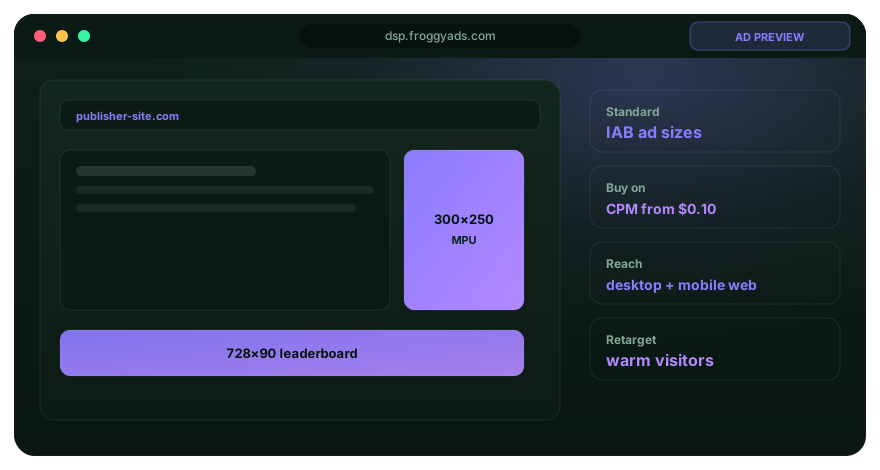
How much should the first release expose?
Fund a limited first release with a written review point. The ceiling should reflect what you can learn and afford, rather than a borrowed claim about universal banner performance. For a product offer, specify whether an order must be paid, checked for eligibility and completed before it counts as accepted. Keep cancelled and unresolved orders visible when you compare the first release with the next one.
Keep a practical asset-to-campaign record
Assign each approved file a version, dimensions, offer, destination and validity period. Store the approval decision with the exact asset you intend to upload. Connect that version to the campaign period without assuming a filename alone proves what was served. When a product or promotion changes, identify every affected variation before replacing them. This small record prevents an old export from returning merely because it remains in a shared folder.
Investigate a weak result at the layer that failed
A launch can produce clicks without a reliable customer journey. Check whether the right file ran, whether the destination loaded and whether the offer remained available. Then inspect the audience and source response alongside your accepted customer outcomes. Repeated clicks, rejected enquiries or unfinished orders require context before they become a source verdict. FroggyAds reporting helps you examine delivery; your business records explain what happened after the visitor arrived.
Which change should you test next?
Choose a change with a clear reason and preserve the rest of the comparison where practical. Repair a misleading image or broken destination immediately rather than treating it as an experiment. For a valid creative comparison, vary a meaningful message or layout and record what would support using it again. Avoid automatic bid increases or a fixed refresh calendar when your own evidence points to another constraint.

Use the next allocation to answer one question
Start your next banner test with a recorded baseline
Your approved assets, available targeting and spending boundary create a useful starting point in FroggyAds. Retain the prior campaign settings and identify the actual change before increasing delivery. A comparison is easier to interpret when the creative promise, destination and customer acceptance rule remain stable. Use the result to choose a further test or keep the current campaign.
Create My Free Account
When does an older creative deserve another release?
Reuse an asset when its offer remains accurate, the file fits the selected requirements and the destination still supports the same customer action. Previous delivery can inform the choice, but it cannot guarantee the next audience or source mix will behave alike. Keep the earlier result as context with its dates and conditions. The new release needs its own ceiling and current customer evidence rather than inheriting an unlimited budget.
Protect the visitor's ability to understand the advertisement
Identify the advertiser, use truthful product imagery and make the next action match the destination. Avoid graphics that imitate a system warning or create a false need to click. The Coalition for Better Ads describes poorly received experiences such as flashing animation and intrusive web advertising. Use that guidance to review the whole experience; a recognisable banner can still become frustrating when motion overwhelms the message or conceals the surrounding content.
Why choose FroggyAds for this launch plan?
Our self-serve workflow lets you manage the traffic purchase around the assets and destination your team has approved. Use available country, city, device, operating-system, browser, carrier, category and source controls when they are relevant to the campaign. Bids, budgets and exclusions give you practical ways to test and refine delivery. Confirm current inventory and specifications in your account, then connect those buying decisions to your own completed customer outcomes.
Finish with a decision about the next release
Close the review by naming the asset versions you will keep, repair or replace, the campaign settings that apply and the evidence required before more spending. Include an owner for any product or destination correction. We recommend a short decision that another buyer can follow without guessing which file or offer was approved. When those pieces are ready, create your FroggyAds account and launch the next focused banner campaign.
A 2026 banner release checklist
| Release question | Evidence to inspect | Decision |
|---|---|---|
| Offer validity | Current product, promotion and customer conditions | Correct outdated terms before uploading |
| Asset identity | Exact file version and intended display dimensions | Approve each finished layout |
| Placement fit | Requirements for the selected campaign inventory | Confirm eligibility before adapting files |
| Destination match | The same product, terms and next action after the click | Repair a mismatched route |
| Reporting scope | Campaign period, spend and delivery definitions | Record the available fields |
| Customer outcome | Your business acceptance rule and unresolved status | Wait for the defined outcome window |
| Spending boundary | Initial ceiling, owner and immediate failure stops | Release a limited first test |
| Next change | A specific defect or meaningful creative hypothesis | Preserve the comparison conditions |
Banner ads 2026 questions
Do banner ads require a completely new design every year?
No. Reuse can make sense when the message is accurate, the file meets current campaign requirements and the destination remains suitable. Review those conditions for the new release. A calendar change alone does not make a sound asset ineffective or an outdated offer acceptable.
Which banner sizes should I prepare for a 2026 campaign?
Prepare the dimensions and file types accepted for the placements you intend to buy. Confirm them in the selected FroggyAds setup before production. General portfolio guidance helps you understand fixed and flexible formats, but it does not establish the inventory or requirements available to your account.
Should I shrink one large design into every banner?
Review each layout individually. A smaller or differently shaped unit may need a shorter headline, another product crop or fewer supporting details. Preserve the offer's meaning and important conditions. The goal is a readable advertisement at its served size, rather than a miniature of the design canvas.
How should an old promotion be checked?
Confirm its actual availability, dates, eligibility and destination before using it again. Remove or correct expired claims in every affected file. Keep the revised version identifiable so a buyer can distinguish the new promotion from earlier delivery, and verify the checkout or enquiry route as well.
Can FroggyAds automatically validate my product claims?
Your business must verify its offer, images, permissions and customer conditions. Use our self-serve campaign controls to manage eligible traffic delivery around those approved materials. A successful upload or campaign setup does not establish that a product statement, availability promise or third-party right is accurate.
Which metrics should I review at launch?
Start with available delivery records such as impressions, clicks and spend, then inspect the destination and your confirmed customer outcomes. Use configured conversions only after verifying their setup. Label unavailable measurement fields honestly, and keep pending or rejected outcomes visible rather than treating every early action as a completed sale.
Is a low banner bid a complete test budget?
No. A bid controls a buying input for eligible delivery. Your test also needs a spending ceiling and the work required for assets, measurement and the destination. Decide what the first allocation should establish and when you will review it before approving another release.
When should a banner be paused immediately?
Pause the affected delivery when the offer is inaccurate, the destination fails or another condition makes the customer journey unusable. Preserve the file and campaign evidence needed to identify the cause. Resume with a corrected version and a fresh check of the relevant journey.
How often should banner creative be refreshed?
Use evidence and offer changes to decide. An expired promotion needs correction regardless of its response rate. A valid creative can remain useful when current results support it. Compare meaningful alternatives under stable conditions instead of assuming that every asset fails after the same number of days.
How do I start a focused banner campaign with FroggyAds?
Prepare an approved asset set, a matching destination, the available targeting choices and a spending boundary. Create your free FroggyAds account, confirm the requirements for the selected campaign and record its versions and reporting scope. Review the first delivery and customer outcomes before expanding.
Continue planning your banner release
Use these resources to resolve the next production, measurement or buying decision.
Launch a current, coherent banner campaign
Bring us the banner assets and destination your team can stand behind. With FroggyAds, you can focus the available targeting, manage bids and budgets and review source response from a defined starting point. Start with a release you can inspect and use the next allocation to answer a concrete question about your audience or creative.
A practical file review before media buying
An asset review should end with usable files, not a list of vague recommendations. Name the exact correction and its owner: replace an expired condition, supply a clearer product image or fix a destination route. Check the corrected file as a complete advertisement. A repaired headline can still disagree with a remaining image caption or the receiving page.
A release decision connects the approved offer, the finished creative and the live destination. Treat those as one customer journey while retaining their own versions. If the offer changes, examine every affected layout and link before relaunching. When only the file format changes, verify that the export preserved the message, important conditions and action.
| Common finding | Useful correction | Release evidence |
|---|---|---|
| Expired availability | Use the current product and truthful conditions | Offer owner confirms the revised claim |
| Unreadable condition | Simplify the promise or redesign the layout | Review at the intended display size |
| Wrong crop | Show the product detail needed for the decision | Inspect the finished export |
| General destination | Link to the matching product or offer route | Complete the advertised action |
| Unclear version | Identify the exact approved file | Connect it to the campaign period |
Five steps from file review to launch
- Confirm the offer. Check current availability, audience and meaningful conditions before approving the message. Resolve an inaccurate statement with the product or service owner rather than leaving the buyer to interpret it. Record what changed so every creative version uses the same approved offer.
- Inspect each layout. Review the actual dimensions, crop, headline, brand and action together. Make the finished file readable in its intended placement. Confirm the selected campaign's requirements instead of assuming that a general size list establishes what FroggyAds can deliver for the account.
- Follow the destination. Open the attached URL on relevant devices and complete the advertised action. Check the same product and terms through confirmation. Keep the destination version with the asset record so a later website change does not silently alter the meaning of your campaign.
- Set the buying boundary. Choose the available targeting, bids and budgets for a focused first release. Identify the review owner and immediate failure stops. Confirm the reporting fields you will use and keep any additional analytics implementation within its verified capabilities.
- Review the result. Inspect technical continuity first, then compare delivery with mature customer outcomes under your written rule. Decide whether to keep the asset, repair a specific defect or test a meaningful alternative. Retain the evidence behind the next allocation rather than relying on a campaign's age.
Turn approved banner files into a controlled traffic test
FroggyAds gives you a practical place to act on the release decision. Configure a campaign for the markets and devices your destination supports, use a clear spending limit and examine source response. Confirm the actual inventory and creative requirements before launch. This connects production choices to a traffic purchase your team can measure and improve.
Our strongest recommendation is to make the next step specific. An offer correction, a new aspect ratio and a broader source set answer different questions. Run the change that your current evidence justifies and keep the previous version available where it remains accurate. Clear records make it easier to extend useful delivery and stop spending on a broken journey.
Where does this annual banner guide fit?
Use this page to decide whether your current assets, offer and destination are ready for another campaign release. For broader supply planning, review Global Banner Traffic and confirm the markets and delivery options relevant to your account. The release check remains useful even when your media plan covers several countries or creative sizes.
A useful 2026 plan records what you checked now and what would make that decision expire. Product changes, a new promotion, different placement requirements or a redesigned destination can trigger another review. A privately stored date or approval alone cannot prove the live journey still works. Recheck the affected parts when the underlying customer experience changes.
| Change trigger | Affected material | Next review |
|---|---|---|
| Offer updated | Claims and conditions in all creative versions | Confirm the current proposition |
| Placement changed | Dimensions, crop and export requirements | Approve the new finished files |
| Destination revised | Product route and advertised next action | Complete the customer journey |
Hypothetical release audit: a merchant reviews 24 banner files. Six contain expired terms, four other files need layout corrections and two other files link to an obsolete route. Because these groups do not overlap, 24 - 6 - 4 - 2 leaves 12 ready files. The remaining 12 need their stated corrections; this is an illustrative asset audit, not a FroggyAds campaign result.
Use the approved files to start a focused traffic test, then connect each correction to the version that replaces it. Choose targeting and a spending ceiling that your team can review. Create your free FroggyAds account and confirm the current banner requirements for your campaign before launch.
What matters before the next banner release?
Approve the offer, inspect each finished layout, follow the destination and define the spending boundary. We help you manage the traffic purchase with available campaign and source controls. Use the first release to establish current evidence, then make a specific next decision with the asset versions and customer outcomes visible.