
Days 1–5: map events and approval
Map events, owners, identifiers, consent, eligibility, creative approval, budget and the last stable route. Choose one customer journey and one accepted outcome.
Ad serving matches an eligible advertising opportunity with an approved creative and records what happens along the delivery route. We help you keep selection, rendering, counting, billing and accepted customer outcomes distinct, so you can evaluate a FroggyAds traffic test with the right evidence.
Continue with media buying, media planning software, campaign budgeting, budget optimization, advertising bidding models and ad server guidance for publishers.
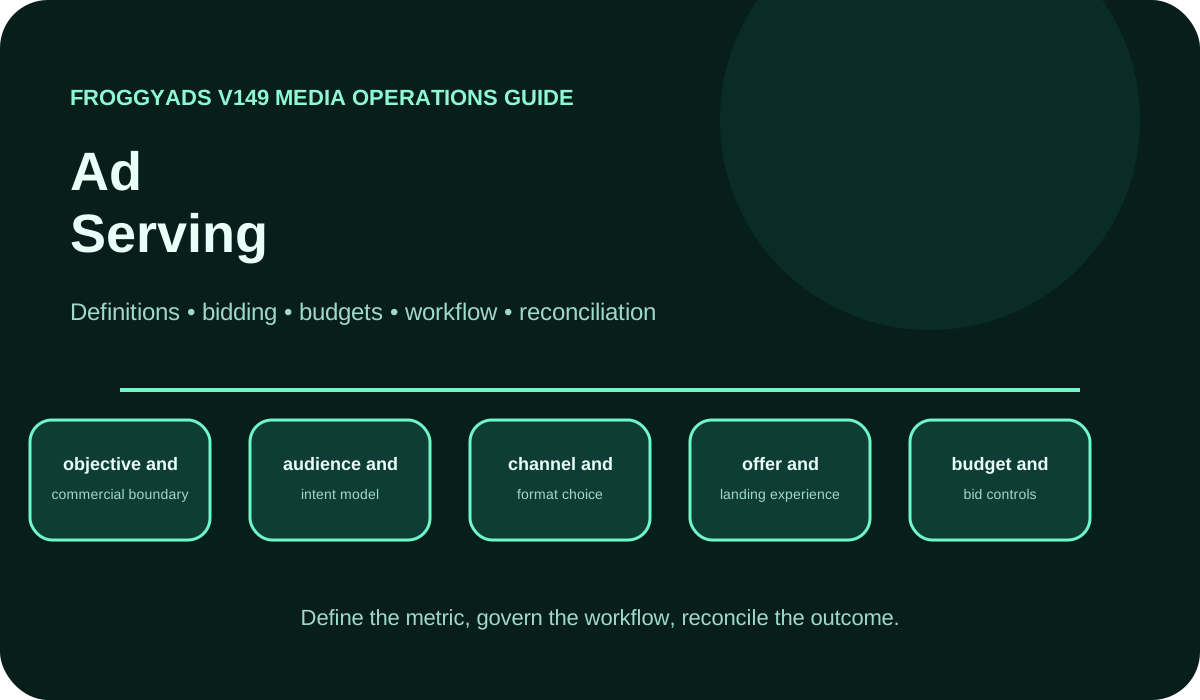
Ad serving controls how an approved ad is matched to an eligible opportunity, returned or rendered, linked to its destination and recorded for later review. It operates between campaign intent and the customer journey. The process can report a delivery event, but the advertiser still needs separate evidence for view, interaction, billing and accepted business value.
Charging concepts are platform-specific. For example, Google Ads CPV guidance defines a Google buying event; it does not establish a universal FroggyAds ad-serving rule. Use the event definitions and records available in the actual campaign.
An eligible request means a placement or supply opportunity can be considered under the campaign's current rules. Record the campaign state, market, device, schedule, format, source and creative requirements that determine eligibility. A response cannot be evaluated fairly when the original opportunity was outside the approved campaign cell.
Selection and rendering are different stages. Selection identifies the creative or response the decision process chooses. Rendering is what the user environment actually receives and displays. A blocked file, unsupported format, slow destination or template error can break the experience after a valid decision.
Counting, billing and business value also need distinct contracts. Define the trigger for an impression, click or other platform event, then reconcile the billable event from the account record. Join that evidence to mature accepted orders, qualified leads or activations in the advertiser system before releasing more budget.
Name the objects an operator must trace: campaign, creative, placement or source, impression or interaction, destination release and advertiser outcome. Give each object an owner and a stable identifier. The purpose is not to create more tracking for its own sake; it is to answer which approved message reached which traffic context and what happened after the handoff.
Document version rules. A new headline, image, destination, template or tracking method can change the meaning of a result even when the campaign name remains the same. Store the approval state and effective time so a later report does not combine unlike experiences under one label.
Limit the record to data the workflow needs and is allowed to use. Consent, retention, access and deletion responsibilities belong in the design. An identifier that makes reconciliation easier is still inappropriate if it creates an unsupported personal-data use.
Draw the path before automating it: eligible opportunity, decision, served response, rendered creative, destination interaction, advertiser event, acceptance and billing reconciliation. Mark which system owns each transition and which timestamp or identifier proves that it occurred.
Add failure branches. A campaign may be inactive, a creative rejected, an asset unavailable, a request timed out, a click routed incorrectly, an event blocked or an outcome unresolved. The operator needs a response for each state instead of one blended 'delivery problem' label.
Use the route as the campaign test plan. Complete one controlled action, check every expected record and verify the pause path. Only then add source breadth, formats, creative rotation or automated decisions.
Use one written contract across media buying, operations, analytics and finance. It prevents an impression in one report from being treated as the same event in another without evidence.
| Stage | Required definition | Control question |
|---|---|---|
| Opportunity | Eligible source, placement, format, market, device and schedule. | Could this request enter the campaign decision? |
| Selection | Approved campaign and creative version plus the applied rule. | Why was this response chosen or rejected? |
| Render | Asset, template and destination behaviour in the user environment. | Did the intended experience load and remain usable? |
| Count | Exact trigger, duplicate policy, filters, timestamp and reporting delay. | Which observable event does the number represent? |
| Bill | Billable unit, currency, adjustments and invoice reconciliation. | Which account record determines actual media cost? |
| Accept | Advertiser-owned result, rejection, reversal and maturity rules. | Is the recorded outcome accepted under your business rules? |
Test the route with one audience cell
Start your FroggyAds campaign with one format, audience, approved creative, destination and accepted event. Check which campaign and source references your selected setup can retain. That gives you a defined traffic purchase to compare with the delivery evidence and the customer outcomes your business accepts.
Create My Free Account
Store the exact asset, format, dimensions, claims, destination, language, market, owner, approval state and expiry. Operators need a fast answer to 'may this version run here?' while reviewers need the evidence behind that answer. Do not infer approval for a new context from an older asset with a similar name.
Separate the creative concept from the render template. A truthful approved message can still fail when the template crops a disclosure, substitutes the wrong asset or hides the action on a small screen. Test the final response under the placement conditions rather than approving only the design source.
Retain rejection and replacement reasons. They reveal recurring production problems and protect the team from restoring an asset that was retired for a material error. A version history also makes campaign comparisons more defensible.
A placement or source identifier is useful when it lets the media buyer compare delivery, route quality and accepted outcomes. Keep the identifier stable in exports and tracking where the workflow supports it. If the source changes its labeling or reporting scope, document the boundary rather than combining periods silently.
Apply eligibility and exclusion rules from actual customer and compliance needs. Unsupported markets, devices, languages or placement contexts should be blocked before the creative is served. Quality exclusions should use a mature evidence window and a reason that can be reviewed later.
Avoid assuming that a low price makes a placement efficient. Reconcile spend, qualified journeys, accepted value and operational effort. The strongest serving route is the one that delivers an approved experience and produces understandable economics, not merely the most impressions.
State whether rotation is even, weighted, performance-informed or governed by another documented rule. Save the rule and its effective time. Outcome totals are not comparable when one version received much more or materially different traffic.
For a clean creative question, hold the audience, format, destination and acceptance rule stable. Label each concept and preserve its delivered identifier. Compare mature accepted cost and source mix, using interaction metrics to diagnose the route rather than to crown the winner automatically.
When a rotation rule changes, start a new analysis period. Historical averages can hide the fact that the newest traffic went to a different asset or source mix. Keep the last stable control available until the new rule earns confidence.
Pacing decides how budget and eligible opportunities are distributed over time. Reliability describes whether the chosen response can be delivered and recorded as designed. Track them separately so a slow-spending campaign is not blamed on the creative server before eligibility and budget rules are checked.
Match the served experience to the format
Use one accepted outcome across format tests, but preserve each format's creative, placement and destination behaviour. Let mature value decide the next allocation instead of blending unlike interactions.
Create My Free Account
Break timing into request, decision, asset response, render, destination navigation and advertiser event. A single page-load number cannot show whether the delay came from selection, the creative file, a redirect, the landing page or the measurement tag.
Measure comparable contexts. Device, connection, geography, format and placement can change timing. Use percentiles and failure counts beside averages so a small set of very slow experiences remains visible. Mark laboratory checks separately from real-user evidence.
Treat speed as one input to the customer journey. Repair a material bottleneck, then check whether the qualified route and accepted outcomes improve. Faster delivery does not guarantee a sale or lead when the audience or offer is wrong.
For every metric, write the event trigger, eligible scope, duplicate rule, filter, timestamp, time zone, attribution window and reporting delay. Include whether the number is observed in the browser, logged by a server, imported from a partner or calculated later.
Keep raw or minimally transformed records long enough for the approved review and dispute process, subject to retention requirements. Version transformations so a corrected rule does not silently rewrite the explanation for an earlier decision.
When totals differ, compare contracts before percentages. Two systems can both be internally correct while measuring different stages or applying different filters. The goal is an explainable bridge, not forced numerical equality.
Carry campaign, creative and source context to the advertiser event without putting unnecessary personal data into the join. Test the route with a controlled action and confirm that the event reaches the system used for final acceptance.
Define what counts after duplicates, invalid submissions, cancellations, refunds or failed activations. Keep unresolved outcomes out of the mature denominator until the review window closes. A platform conversion can be a useful signal without being the final business record.
Calculate media cost per accepted outcome from reconciled spend. Add other material costs separately when the business needs complete acquisition economics. State the boundary so the reader understands which costs are and are not included.
Map events, owners, identifiers, consent, eligibility, creative approval, budget and the last stable route. Choose one customer journey and one accepted outcome.
Configure the bounded campaign cell, validate assets and destination, complete controlled actions and reconcile every expected record across delivery and the advertiser system.
Run capped delivery, review source mix, discrepancies, latency and failures, and keep recent outcomes separate until they mature.
Write the evidence, limitation and decision. Preserve the stable configuration, repair one failed stage or expand one boundary with a new ceiling.
Verify before the first live response
Confirm the approved asset, destination, identifiers, event contracts, budget limit and last stable configuration. Start with one reversible FroggyAds campaign cell.
Create My Free Account
Start with scope: campaign state, date range, time zone, market, device, source, creative and event definition. Then compare triggers and filters. A click counted on redirect initiation is not necessarily the same as a destination session, and neither is the same as an accepted conversion.
Check implementation: blocked requests, script errors, consent, caching, retries, duplicate suppression, redirect parameters and server time. Keep a sample of traceable test events. Do not expose personal data merely to make debugging convenient.
End with a reconciliation note that states the supported cause, unresolved difference, effect on the business decision and repair owner. If the difference changes the cost boundary, hold scale until the relevant cohort is restated or the limitation is accepted explicitly.
No eligible request points to campaign state, targeting, schedule, format or placement rules. An eligible request without an approved selection points to creative status or decision logic. A selection without a usable render points to asset, template, user environment or response timing.
A rendered ad without the expected interaction points to message, placement, viewability context or customer intent. An interaction without a destination event points to the route, page, consent or tracking. An event without accepted value points to the offer, qualification, maturity or fulfilment.
Repair the earliest failed stage and keep later variables stable. More budget cannot solve an invalid asset or a broken destination. A written failure tree saves spend by preventing the team from changing the most visible control instead of the responsible one.
Choose FroggyAds self-serve advertising to put your approved offer in front of a defined audience through a paid-traffic campaign. We give advertisers, affiliate marketers, media buyers and agencies choices over available formats, targeting and budgets. Use those controls to test a clear buying question, then connect the campaign context your setup supports with your own delivery and accepted-outcome records.
Ad serving is the controlled process that receives an eligible advertising opportunity, applies the relevant campaign and placement rules, selects an approved creative, returns or renders it, and records delivery evidence. A served response is an operational event. It is not by itself proof of a view, click, accepted conversion, invoice or business result.
An ad server manages delivery and measurement tasks, while an ad network organizes access to advertising supply and demand under its commercial and campaign model. One company may use both. Evaluate the specific responsibilities, data and controls in your workflow instead of assuming the category labels describe every implementation.
Keep stable campaign, creative, placement or source, destination version and advertiser event identifiers where the workflow permits them. Add timestamps, device or market context and consent state only when appropriate. Avoid unnecessary personal data and document how each identifier is created, retained and joined.
No. A server response, an impression-counting event and viewability describe different stages. Define the event measured by each system and test the implementation. When two totals differ, compare the eligible scope, trigger, invalid-activity treatment, time zone and reporting delay before choosing a number.
Use one approved creative, one destination, a bounded campaign cell and a controlled customer action. Verify request eligibility, rendered asset, click route, campaign and source identifiers, conversion event, pause behaviour and export. Reconcile the complete route before adding formats, markets or automation.
Differences can come from event definitions, duplicate suppression, invalid-activity filtering, blocked scripts, caching, consent, redirects, time zones, currencies, attribution windows and reporting latency. Compare the same cohort and event contract. Do not force two systems to match by deleting unexplained data.
Rotation changes which asset receives each eligible opportunity. Preserve the creative version and the rule used during the test. If delivery is deliberately uneven, compare downstream evidence with the actual exposure. Avoid declaring a winner from raw outcome counts when one variant received much more or different traffic.
No. Latency and reliability can affect the user journey, but conversions also depend on audience fit, creative, destination, offer, measurement and fulfilment. Monitor timing as an operational input and use mature accepted outcomes for the commercial decision.
Prepare rollback for creative templates, tracking logic, destination routing, decision rules, frequency settings, identifiers and broad campaign migrations. Save the last stable configuration, expected checks and owner. Roll back when the route, data or loss boundary fails rather than continuing because a release is already live.
FroggyAds gives advertisers, affiliates, media buyers and agencies a self-serve way to configure paid-traffic campaigns, formats, targeting, budgets and source-level optimization. Use our campaign evidence with your ad-serving and advertiser records to decide which audience, creative and source combinations deserve the next allocation.
Primary documentation helps teams define named platform and operational concepts. Google Ads CPV guidance and Google actual CPC guidance describe Google-specific charging concepts. Google bidding basics and the Google Ads auction definition explain that platform's rules; they do not define a universal FroggyAds serving formula.
The IAB digital ad operations study guide provides industry operating context. Google Ads conversion data illustrates another platform's measurement boundary. Apply each source only to the claim it supports and verify current FroggyAds controls in the live account.
Complete this worksheet before a migration, format expansion or new campaign route.
Define the placement or source, format, market, device, schedule, eligibility and the evidence that the request belongs in the campaign.
Name the campaign and creative versions, approval, applied rule, owner and rejected states.
Verify asset, template, destination, consent, device behaviour, timing and the customer-visible promise.
Record triggers, filters, duplicates, timestamps, currency, billable event, adjustments and reporting delay.
Define the mature advertiser event, rejection, reversal, identifiers, data owner and economic boundary.
Set exposure, pause, rollback, export, review date and the one material question this release answers.
Bring one approved creative, a working destination, an accepted outcome and a spending limit. We help you organize the traffic-buying step around that plan. Start your next campaign with FroggyAds, review the first mature results and use the evidence to choose the next audience, source or creative test.
Create My Free AccountUse this delivery guide to identify where an approved message, usable render or accepted customer outcome becomes untraceable. If you are choosing an ad-serving system or reviewing its implementation, continue with our ad server guide. For a new FroggyAds traffic test, first confirm that the destination and outcome records can support the decision you want to make.
| Observed condition | Next action | Evidence to preserve |
|---|---|---|
| No eligible response | Check campaign state, targeting, schedule, format and creative approval. | Request context, applied rule and rejection reason. |
| Response without usable journey | Test asset, template, redirect, destination and device behaviour. | Delivered version, trace and failure stage. |
| Delivery without accepted value | Reconcile source, message, qualification, maturity and cost. | Spend, identifiers, accepted and rejected outcomes. |
Hypothetical example: a campaign records USD 540 in reconciled media spend and nine mature accepted registrations. Media cost is USD 60 per accepted registration. The number does not include other business costs and does not prove profit. Replace spend, outcome and maturity with your verified records.
We give you direct format, audience, budget and source controls for a bounded paid-traffic test. Connect those controls to your serving route and advertiser acceptance system, then let the newest mature evidence determine the next allocation. Create your free FroggyAds account when the event contract is ready.
Define the eligible opportunity, approved creative, render path, counted and billed events, and mature accepted outcome before you release spend. Test the full route with one reversible FroggyAds campaign cell, preserve source evidence and expand only after the next increment remains explainable.