
Budget optimization and protection.
Where your budget goes matters as much as how much you spend. Allocate and protect spend on FroggyAds with caps, source control and data-driven reallocation.
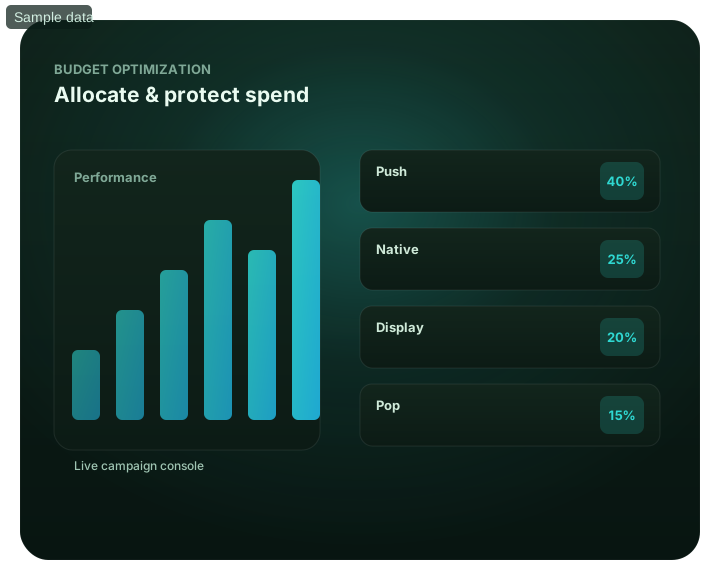
Budget optimization and protection: at a glance
What does this page explain about Budget Optimization?
Quick answer: Where your budget goes matters as much as how much you spend. Allocate and protect spend on FroggyAds with caps, source control and data-driven reallocation. The second is reallocation: continuously moving budget away from weak segments toward the GEOs, devices, formats and sources that actually produce results. On FroggyAds you protect spend with daily budget caps, frequency caps, source-level blacklists and Adscore and internal traffic-quality controls – then you grow it by reallocating toward winners and scaling them gradually. Protecting spend by cutting weak sources — See budget optimization inside the platform.
| Section | Distinct excerpt from this page |
|---|---|
| Two jobs: protect and reallocate | The first is protection: caps and source control that stop a test, a runaway source or invalid traffic from quietly draining spend. |
| Set caps | Daily budget and frequency caps stop any test or source from overspending. |
| Protect with source control | Blacklisting weak sources is budget protection – it stops the leaks. |
Reference for Budget Optimization: FTC guidance on online advertising and marketing.
- Planning: Two jobs: protect and reallocate.
- Control: See budget optimization inside the platform.
- Decision: Protect the budget, then grow it.
Two jobs: protect and reallocate
Budget optimization has two jobs. The first is protection: caps and source control that stop a test, a runaway source or invalid traffic from quietly draining spend. The second is reallocation: continuously moving budget away from weak segments toward the GEOs, devices, formats and sources that actually produce results.
On FroggyAds you protect spend with daily budget caps, frequency caps, source-level blacklists and Adscore and internal traffic-quality controls – then you grow it by reallocating toward winners and scaling them gradually. SmartCPC supports this by weighting bids efficiently within your budget. Start from $50 and let your spend follow performance.
Best for
- Stopping overspend with budget caps
- Protecting spend by cutting weak sources
- Reallocating budget to winners
- Scaling proven traffic gradually
- Keeping spend efficient with SmartCPC
See budget optimization inside the platform
For Budget optimization and protection, the FroggyAds self-serve workflow keeps campaign setup, targeting, budget controls, source-level reporting and optimization in one dashboard so advertisers can make evidence-led keep, cap, exclude and retest decisions.
- Stopping overspend with budget caps
- Protecting spend by cutting weak sources — See budget optimization inside the platform
- Reallocating budget to winners
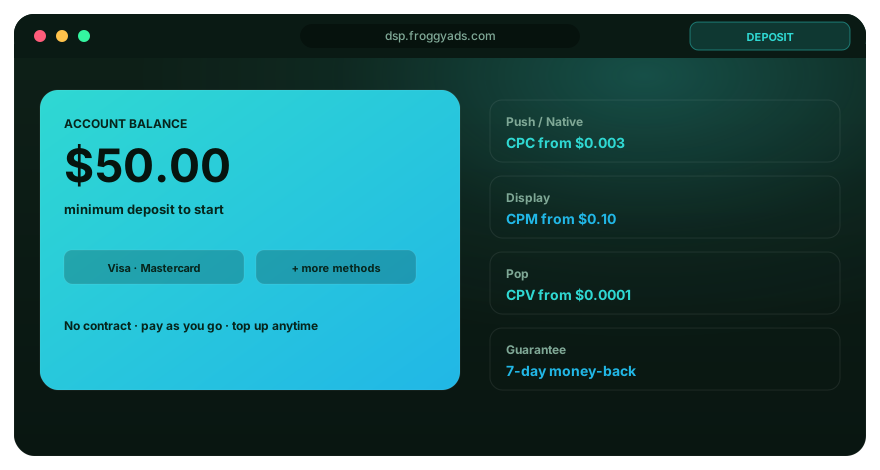
Protect the budget, then grow it
Caps prevent damage; reallocation drives results.
Set caps
Daily budget and frequency caps stop any test or source from overspending.
Protect with source control
Blacklisting weak sources is budget protection – it stops the leaks.
Reallocate to winners
Move budget from underperforming segments to the ones producing results.
Scale gradually
Grow budgets in steps on proven traffic, not in jumps that break performance.
Optimize budget on FroggyAds
Open an account and protect spend from $50.
Budget FAQ
For Budget optimization and protection., how does a daily budget cap protect a campaign?
A daily cap limits how much the campaign can spend in one day. It prevents a new test or sudden traffic increase from consuming more than the planned daily amount.
For Budget optimization and protection., what does a frequency cap do for the budget?
A frequency cap limits repeated exposure to the same user under the available campaign settings. That control can reduce spend on impressions that add little value.
For Budget optimization and protection., how should budget be reallocated after a test?
Move spend away from sources and segments that miss the conversion target, then fund the combinations that have produced acceptable results. Preserve tracking while reallocating so the change can be measured.
For Budget optimization and protection., can a source blacklist help control wasted spend?
A blacklist stops the campaign from buying a source that has shown a persistent performance or quality problem. Apply it from source-level evidence, not from aggregate campaign averages.
For Budget optimization and protection., why should a successful campaign scale in steps?
Gradual increases show whether cost and traffic quality remain acceptable as volume grows. A sudden jump can change the source mix before the buyer sees where performance shifted.
For Budget optimization and protection., what role does SmartCPC play in budget optimization?
SmartCPC adjusts bid weighting from available campaign signals; it does not replace the budget cap. The buyer still sets the spending limit and judges results against the campaign goal.
For Budget optimization and protection., can budget optimization begin with the $50 minimum deposit?
The page states that an account can start from the $50 minimum deposit. Put a cap on the first campaign and treat the funding as a controlled test rather than guaranteed scale.
For Budget optimization and protection., how do traffic-quality controls fit into budget protection?
Adscore and internal controls help screen problematic activity before it consumes more spend. Source reporting and conversion tracking are still needed to find accepted traffic that performs poorly.
For Budget optimization and protection., what makes a segment a candidate for a budget cut?
A segment becomes a cut candidate when its tracked cost or conversion quality repeatedly misses the campaign target. Compare it with other segments under the same measurement setup.
For Budget optimization and protection., what should I check after moving campaign budget?
Check delivery, spend, conversions, and cost per result for the segments that gained or lost funding. That comparison shows whether the new allocation improved the outcome.
Protect and grow your budget
Create your account and optimize budget across 20B+ daily impressions.
Protect campaign learning first, then move budget toward repeatable accepted value
Budget optimization starts before the first impression. Define the event that represents accepted business value, the maximum loss the test can tolerate and the normal conversion-maturity window. Those three inputs create a boundary for later changes. Without them, a buyer can mistake rapid spend for scale or pause a useful campaign before enough outcomes have matured.
Separate account funding from campaign economics. FroggyAds has a $50 minimum deposit, but that does not mean $50 is the right budget for every test. The approved suggested test-budget guidance is approximately $150 to $500 as a planning recommendation, not a guarantee. The real campaign budget should reflect offer value, expected conversion delay, market cost and the amount of evidence needed for a decision.
| Budget decision | Rule before spend | Evidence after launch |
|---|---|---|
| Loss ceiling | Maximum test loss the business accepts | Spend against mature accepted outcomes |
| Review point | When the first formal decision occurs | Enough evidence after the conversion window |
| Source action | Minimum evidence before exclusion or promotion | Repeated source-level CPA and quality |
| Reallocation | One change at a time | Quality after budget moves |
| Scale | Bounded increase with rollback | Marginal performance after the increase |
| Tracking | Accepted event recorded once | Reconciled campaign and business data |
Protect the test from obvious waste first. Confirm that the landing page loads, the conversion event records correctly and the offer is eligible for the targeted market and device. Media optimization cannot repair a broken form or a destination that cannot serve the user. Technical failures deserve an immediate pause because they do not create useful learning.
FroggyAds provides source-level reporting and allowlist or blocklist controls, plus targeting by country, city, device, operating system, browser, carrier and category. Use these controls to enforce eligibility and to act on repeated evidence. A source should not be removed from one unusual event, and it should not receive more budget from one strong conversion. Wait for the agreed maturity window and look for patterns that repeat.
Reallocation should preserve attribution. If one segment has mature accepted outcomes inside the business limit and another repeatedly exceeds it, move a bounded amount of spend toward the stronger condition. Keep the creative, destination and conversion definition stable when practical so the team can tell whether the budget move changed the result or whether another variable did.
SmartCPC can support bid optimization from available campaign signals, but it does not replace the advertiser's value definition, budget ceiling or source review. Keep campaign limits explicit and evaluate the downstream result. Automation is most useful when it operates inside a clear business boundary rather than when it is treated as permission to expand spend automatically.
Use a change log for every material budget decision. Record the date, old and new budget, bid or source rule, expected effect and rollback condition. When performance changes later, the team can connect the movement to a real action instead of guessing from the current dashboard state.
Scale by marginal performance, not by the average result that justified the first test. A budget increase can make new inventory eligible and change the source mix. After each increase, compare the additional spend with the additional accepted value and inspect which sources or markets created the new volume. If the marginal traffic falls outside the business limit, return to the last stable state.
Do not let cheap clicks or impressions dominate the decision. A segment with low media cost can still consume more budget per accepted customer when conversion quality is weak. Compare CPM or CPC beside mature CPA, accepted conversion rate and any deeper advertiser value signal. The budget belongs where the complete economics are strongest, not where the first transaction is cheapest.
Budget protection also requires patience with normal variance. A small sample can move sharply from one conversion. Define the minimum evidence needed before ordinary optimization changes are allowed. This keeps the team from chasing noise and makes source or market decisions more consistent across campaigns.
The strongest optimization loop is therefore simple: validate tracking and eligibility, spend within a known loss boundary, wait for mature evidence, move one material variable, and preserve a rollback point. FroggyAds gives the buyer the controls to execute those decisions while the advertiser retains ownership of the economics that make a result acceptable.
Keep budget reviews tied to the same conversion window. Comparing yesterday's immature results with last week's settled outcomes can make a stable campaign look volatile. Use comparable maturity, then record the decision and the evidence that justified it.
When budget is moved between campaigns or segments, keep the same accepted-event definition in both places. Reallocation is meaningful only when the compared units represent the same business value. If the conversion definition changes, start a new comparison baseline rather than treating the new result as a continuation.
Budget optimization and protection.: what should the advertiser decide next?
For Budget optimization and protection., keep billing unit, account funding, media spend and cost per accepted outcome separate. Use Budget optimization and protection: at a glance to identify the relevant unit and What does this page explain about Budget Optimization? to set a bounded test. A starting bid, minimum deposit or suggested budget is not a performance forecast for budget optimization.
On this Budget optimization and protection. page, the decision should remain tied to the existing evidence around Budget optimization and protection: at a glance, What does this page explain about Budget Optimization? and Two jobs: protect and reallocate. Those sections give budget optimization its specific context; the table below turns that context into campaign actions rather than adding another generic definition.
| Decision | What to verify | FroggyAds action |
|---|---|---|
| Budget optimization and protection. objective | Use Budget optimization and protection: at a glance to define the accepted business event and the maximum learning loss for budget optimization. | Launch one FroggyAds campaign objective for Budget optimization and protection. and keep the conversion definition stable. |
| Budget optimization and protection. audience | Use What does this page explain about Budget Optimization? to verify market, device, language and offer eligibility for budget optimization. | Apply only the FroggyAds targeting controls that change the real Budget optimization and protection. customer journey. |
| Budget optimization and protection. source evidence | Use Two jobs: protect and reallocate to keep source-level differences visible instead of relying on one blended budget optimization average. | Keep, cap, exclude or retest Budget optimization and protection. inventory from documented source evidence. |
| Budget optimization and protection. economics | Use Best for to connect media spend with accepted conversions and downstream value for budget optimization. | Protect the Budget optimization and protection. test with a written budget boundary and a consistent attribution window. |
| Budget optimization and protection. scale rule | Use See budget optimization inside the platform to define the exact evidence that earns the next budget increase for budget optimization. | Scale Budget optimization and protection. one major control at a time and compare marginal performance with the prior baseline. |
A page-specific FroggyAds test sequence for Budget optimization and protection.
- Budget optimization and protection. outcome: define the accepted event for budget optimization and the maximum loss permitted while the first test is learning.
- Budget optimization and protection. path: verify market eligibility, device experience, landing-page continuity and tracking against Budget optimization and protection: at a glance before buying more traffic.
- Budget optimization and protection. hypothesis: launch one bounded FroggyAds test tied to What does this page explain about Budget Optimization?; do not change bid, creative, audience and destination together.
- Budget optimization and protection. source review: compare qualified activity, accepted conversions, timing and cost by the source or segment dimensions relevant to Two jobs: protect and reallocate.
- Budget optimization and protection. scaling: use Best for and See budget optimization inside the platform to define what must reproduce before the next budget increase.
Why FroggyAds is relevant to Budget optimization and protection.
For Budget optimization and protection., FroggyAds gives advertisers a self-serve DSP and ad-network workflow for buying supported traffic with campaign-level budgets and targeting. Depending on format and campaign context, available controls can include country, city, device, operating system, browser, carrier, category, source, ID and IP options. SmartCPC and Adscore-supported traffic-quality controls can support the budget optimization optimization process, while the advertiser's tracker, analytics and backend acceptance remain the final evidence for commercial quality.
Use See budget optimization inside the platform as the final checkpoint for Budget optimization and protection.. If the accepted result does not reproduce after the next meaningful volume step, return to the last stable configuration instead of widening several controls at once.
How to tell whether Budget optimization and protection. is working
For Budget optimization and protection., normalize the billing unit before comparing outcomes. Use Budget optimization and protection: at a glance to distinguish bid, media spend, account funding and cost per accepted conversion for budget optimization.
Reconcile Budget optimization and protection. on one evidence window
For Budget optimization and protection., compare FroggyAds reporting with the advertiser's tracker, analytics and backend records for the same dates and attribution rules. Record media spend, relevant delivery events, qualified landing activity, accepted conversions and rejection reasons, then use What does this page explain about Budget Optimization? to investigate material gaps before they become optimization rules.
Diagnose the smallest failing layer in Budget optimization and protection.
If budget optimization delivery is weak, review eligibility, targeting, bid and inventory first. If traffic arrives but the destination underperforms, inspect speed, message continuity, forms, redirects and device compatibility. If front-end conversions look healthy but backend acceptance is weak, use Two jobs: protect and reallocate to isolate audience or source quality after tracking has been verified.
Set the next Budget optimization and protection. scale and stop rule
Write the exact Budget optimization and protection. result that earns more budget and the exact condition that pauses the test. Increase one major control at a time and compare marginal budget optimization performance with the prior configuration. FroggyAds supplies the campaign controls; the advertiser's accepted downstream data determines whether the expansion is commercially useful.
Budget optimization and protection.: preserve the evidence behind the next campaign change
For Budget optimization and protection., keep a dated decision note that records the budget optimization campaign scope, the accepted conversion, the evidence window and the maximum additional loss allowed before another review. Tie that note to Budget optimization and protection: at a glance so the next FroggyAds action remains grounded in this page's actual subject.
Separate observation from explanation for Budget optimization and protection.. Delivery, spend, device mix, source mix and accepted outcomes are observations. Audience mismatch, creative fatigue, destination friction, tracking loss and source quality are competing explanations. Use Two jobs: protect and reallocate to test the narrowest explanation first; changing several budget optimization variables together makes the next result difficult to attribute.
Before increasing Budget optimization and protection. spend, preserve the last stable FroggyAds configuration and write the result that must reproduce after the next volume step. Use See budget optimization inside the platform as the review point. If marginal cost or accepted quality moves outside the written boundary, return to the recovery point rather than widening bids, targeting and sources simultaneously.
This evidence record turns budget optimization into an auditable buying process: another media buyer should be able to see what was tested, what changed, which source or segment caused the result and why the next action was chosen. FroggyAds provides the campaign controls for that next bounded test; the advertiser's own downstream data provides the final commercial proof.
Budget optimization and protection. — buyer decision
Treat Budget optimization and protection. as a decision page for advertisers and media buyers. Keep the test narrow enough to explain, retain the source and configuration evidence, and wait for the accepted business outcome to mature. The page-specific job is to connect cost to a bounded test budget and accepted outcomes. The adjacent Traffic Optimization Tools page should remain a separate decision.
Evidence already visible on this page: Where your budget goes matters as much as how much you spend. Allocate and protect spend on FroggyAds with caps, source control and data-driven reallocation. Quick answer: Where your budget goes matters as much as how much you spend. Allocate and protect spend on FroggyAds with caps, source control and data-driven reallocation. The second is… The working concepts for this URL are audience targeting.
Questions to resolve before scale: For Budget optimization and protection., how does a daily budget cap protect a campaign? For Budget optimization and protection., what does a frequency cap do for the budget? For Budget optimization and protection., how should budget be reallocated after a test?
| Checkpoint | Page-specific action | Evidence to keep |
|---|---|---|
| Eligibility | Use “Budget optimization and protection: at a glance” to define the first operating boundary for Budget optimization and protection.. | Record the answer to “For Budget optimization and protection., how does a daily budget cap protect a campaign?” together with source, targeting and destination identifiers. |
| Observation | Use “Two jobs: protect and reallocate” to test whether delivery is producing the expected path toward the accepted business outcome. | Keep the evidence needed to answer “For Budget optimization and protection., what does a frequency cap do for the budget?” after the same maturation window. |
| Next action | Use “See budget optimization inside the platform” to decide what changes next; change one material variable before comparing again. | Write the answer to “For Budget optimization and protection., how should budget be reallocated after a test?” plus accepted cost/value and the rollback condition. |
Transparent decision example
Hypothetical example: If Budget optimization and protection. uses USD 100 of test spend and 5 outcomes are accepted after maturation, the accepted outcome cost is USD 20.00. Replace the inputs with your own economics; this is not a FroggyAds performance claim.
Why use FroggyAds for this step?
FroggyAds supports the testable part of Budget optimization and protection. with self-serve traffic buying, campaign controls, conversion measurement and source-level optimization; scale only when the defined accepted business outcome supports it. Create your free FroggyAds account.
Budget Optimization transparent campaign example
Hypothetical example: if a controlled Budget Optimization test spends USD 175 and produces 8 accepted outcomes after the agreed review window, accepted CPA is USD 175 ÷ 8 = USD 21.88. Replace these inputs with your own accepted event, attribution window and economics; this is a transparent calculation example, not a FroggyAds result claim.
Budget optimization and protection — what matters first
Budget optimization and protection is a cost-planning decision: separate published minimums or rates from actual campaign economics, then set a bounded test budget around an accepted business outcome.