
1. Check billboard inventory and the page frame before design
Confirm that the intended buying destination accepts 970x250 and inspect the likely page context before design begins.
A 970x250 billboard banner is relevant when you need a large horizontal canvas for a focused message with visible breathing room. Plan one dominant promise and use the remaining width to support comprehension, not to multiply offers. Large creative real estate can amplify confusion when several products, benefits or actions compete. We recommend a bounded test with one accepted business outcome. That keeps creative and traffic decisions connected to evidence you can act on.
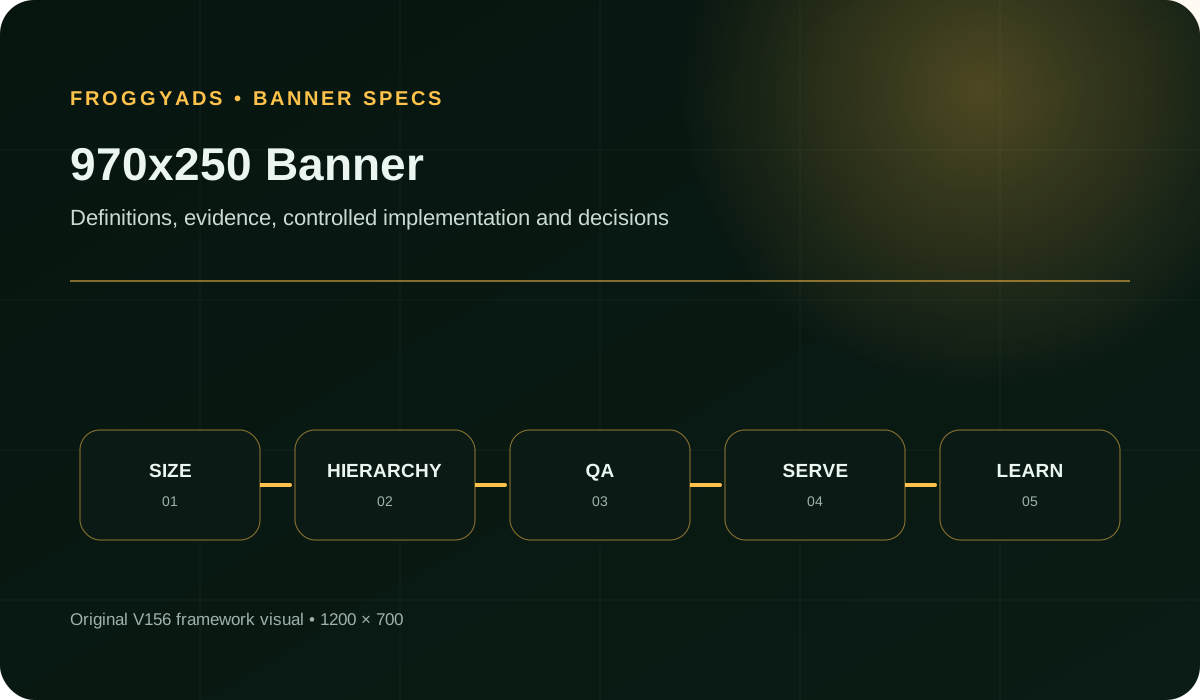
Quick answer: A 970x250 banner is a fixed billboard creative 970 pixels wide and 250 pixels high for supported large horizontal placements. Use the extra space for one focal point, a concise benefit and one action. Review the final export at native size, confirm the destination's current rules and judge qualified post-click behavior rather than clicks alone.
Format specifications relevant to this 970x250 billboard guide: Google Ads: Uploaded display ad specifications.
A 970x250 billboard campaign should lead with one dominant promise and use its extra width to support comprehension. Define the audience, placement context, destination, and accepted event before launch. Save the full-size preview with the approved landing page. Keep secondary details subordinate to the primary benefit. Use one controlled revision when mature evidence points to the message, image, or action as the next question.
The extra height can hold a clear product view, scene, interface crop or other relevant proof beside concise copy. It should strengthen comprehension, not invite a second offer or a long explanation.
A fixed 970x250 file does not become responsive by itself. Confirm how the destination serves the format and prepare separate approved assets or responsive inputs when other shapes are required.
The billboard can establish a focal point and show useful context without forcing every element into a shallow strip. That makes it valuable when the idea genuinely benefits from visual scale.
Scale also makes weak hierarchy obvious. If the eye cannot tell what to notice first, the larger canvas simply spreads the confusion across more pixels.
Treat the landing page as the next frame. It should continue the same promise, visual cue and conditions so the click does not lead into a different story.
Start with the 970x250 placement requirement, not a generic display reach figure. Check size acceptance for your intended FroggyAds campaign and market before investing in a large visual or animation package. Our self-serve buying workflow is useful once the proposed creative and available inventory genuinely match.
Create My Free Account
| # | Component | Operating requirement |
|---|---|---|
| 1 | Placement And Device Context | Capture the intended page location, surrounding content, devices and any documented scaling or crop behavior. |
| 2 | Exact Dimensions | Create the 970 by 250 pixel canvas directly and review the final export without enlargement. |
| 3 | Message Hierarchy | Choose one focal point, then arrange the benefit, support and action in a short reading path. |
| 4 | Brand And Imagery | Use imagery that earns the extra space and keep the advertiser recognizable throughout the composition. |
| 5 | Copy And Action | Write one accurate proposition and one voluntary next step; keep secondary explanation on the destination. |
| 6 | File And Animation Rules | Verify current format, weight and animation rules for the actual platform, publisher and file type. |
| 7 | Accessibility And Quality Review | Check native-size readability, contrast, claims, rights, identity and the final destination path. |
| 8 | Variant And Performance Record | Give each export a stable ID and join placement, audience, version and outcome records. |
Keep the billboard's visual, copy and destination focused on the same offer.
Confirm that the intended buying destination accepts 970x250 and inspect the likely page context before design begins.
Build at the required dimensions. Do not stretch a leaderboard or assume the ad system will repair an incorrect export.
State the one idea the viewer should retain. Decide whether the large visual is demonstrating the product, setting context or supporting trust.
Place the focal visual first, then add the minimum copy and one action. Leave deliberate space between roles.
Use the larger image area for relevant detail, not decoration. Check that any crop remains meaningful in the final file.
Apply the current rules for the exact destination and file type. Google Ads, for example, separates uploaded image and HTML5 requirements.
Review the export for readability, contrast, truthful claims, rights, advertiser identity and any applicable policy conditions.
Preview the banner at 970x250 inside a representative page frame. Check whether the focal point survives nearby content and browser scaling.
Choose FroggyAds for a controlled Display test once your intended sources have confirmed 970x250 acceptance. Our targeting, budget and source controls let you manage the initial media allocation. Keep the approved billboard, offer and destination identifiable, and use your own accepted-customer records to decide whether a composition change deserves further spend.
Review the delivery and accepted-outcome records available to your campaign. Where an independent viewability report is available, retain its measured population and definition. Refresh the billboard when comparable evidence identifies a persistent composition, destination or source problem; a short fluctuation alone does not establish creative fatigue.
A 970x250 file is not a Push notification, Native asset set or Pop destination. Confirm the supported Display upload and placement requirements, then use FroggyAds targeting and budget controls for that campaign. Preserve the approved visual, source IDs and destination version for the first review.
Create My Free Account
The 970x250 billboard canvas contains 242,500 pixels and has a 97-to-25 aspect ratio. That calculation describes shape, not likely performance. A hypothetical test should compare two message systems with the same audience and destination. Record served impressions, qualified visits and accepted outcomes. Review source-level differences before committing more budget.
| Measure | Definition discipline | Review cadence |
|---|---|---|
| Qualified Response Per Viewable 970X250 Impression | Use only actions linked to a compatible measured-exposure population and one declared attribution window; otherwise report actions and viewability separately. | After enough downstream actions have matured |
| Viewability | The share of measurable impressions meeting the reporting provider's viewability definition. | By placement during delivery review |
| Qualified Ctr | Clicks or visits that meet the campaign's stated quality rule, divided by the chosen eligible impression base. | During creative review, with source context |
| Conversion Rate | The share of eligible post-click visits that complete the primary landing-page action. | After the conversion window has matured |
| File Weight | The final exported asset size compared with the destination's current limit for that file type. | Before upload and after every export |
| Placement Coverage | The share of intended placements or sources that actually accepted and delivered the format under the test plan. | After trafficking and whenever inventory changes |
Keep each denominator explicit. Viewability, qualified click rate and landing-page conversion describe different stages and should not be blended into one success number.
Let one relevant product or interface view carry the focal point. Then pair it with a short benefit and continue the same visual cue on the destination.
Use one substantiated proof point only when its source, scope and conditions remain clear at native size. Do not turn the banner into a chart or footnote block.
Rebuild the composition for the taller canvas. Preserve the campaign promise, but give the visual a real role instead of enlarging the 728x90 layout.
Negative space should separate and emphasize. If it leaves the focal point stranded or the action disconnected, rebalance the composition rather than filling every gap.
A large canvas can tempt teams to add detail and shrink type. Keep the main message readable at native size and move explanations to the page.
Protect essential subjects, logos and conditions from uncertain edges. Preview documented scaling or crop behavior before approval.
Large source imagery can produce an oversized export. Check the final file against the destination's current limit and recheck after every revision.
Repeat the billboard's promise and evidence on the first relevant landing-page screen. Do not send a specific visual story to a generic destination.
Most billboard defects can be found before launch by inspecting the final file at native size in context and completing the full destination path.
Bring a billboard concept with a defined customer action and a documented production cost. Use FroggyAds to control the media allocation and compare accepted outcomes by source. A larger creative earns further investment through the complete result, not through its canvas size or initial click total.
Create My Free Account
Budget for concept, copy, original or licensed media, production, exports, review, destination work, measurement and media. A billboard may require more visual preparation than a text-led strip.
Start with one audience, one message and one downstream action. Set the review point and loss limit before launch, then wait for the chosen outcome to mature.
Include production and response capacity. Extra variants and leads create work even when the media price appears manageable.
Paid media can test whether the billboard reaches and interests the intended audience. However, delivery and clicks do not prove a useful business outcome. Follow each asset through qualified page behavior and later action.
Before planning a FroggyAds billboard test, confirm current 970x250 inventory and creative acceptance for the sources you intend to use. Do not infer availability from the format name.
Keep the same promise, visual cue and terms from billboard to destination. Preserve the prior approved asset when imagery, copy, audience or bid changes.
Choose the tool that makes the final file easy to inspect, reproduce and match with its destination and campaign record.
At native size, confirm one dominant focal point, a concise benefit, recognizable advertiser and one clear action.
Confirm that every supporting claim has a clear source and remains legible in the final export. Inspect the billboard inside the intended page context, where surrounding content may compete with its focal point. Keep its advertiser identity clear and avoid styling that could be mistaken for a site control.
Open the destination on intended devices, complete the primary action and save the approved file, URL, tracking details and test label together.
Use a 970 by 250 pixel billboard when the intended placement accepts the format and your offer benefits from a strong visual idea. The additional height can make a product view or relevant detail easier to understand. Keep one proposition and one next step, rather than combining unrelated offers because the canvas has room.
Build two controlled concepts around the same audience, proposition, destination, placement class, and observation window. Give each 970x250 version one distinct creative hypothesis and agree on the evidence needed to continue before the larger canvas and media cost influence judgement.
Include concept development, original or licensed imagery, animation where accepted, production exports and quality review. Budget separately for the actual media purchase, any applicable platform charges, destination work, measurement and customer follow-up. Set the initial learning cap around the business question and accepted outcome; a large canvas does not establish an affordable acquisition cost.
Choose the problem, supporting proof and action for the reader you intend to reach. Review them in the actual page environment where the billboard will appear. After delivery, compare source-level customer outcomes where your records support that connection. Targeting can narrow delivery, but it does not establish that every recipient finds the proposition useful.
Establish a clear reading path from benefit to relevant support and one voluntary next step, with generous space around each element. Keep advertiser identity and material conditions visible, and move secondary explanations to the destination rather than filling every available pixel.
Follow the production destination link on the devices your campaign is intended to reach. Check secure loading, usable page behaviour, consistent offer wording, accurate terms, working consent and the complete customer action. Record a test action in your analytics to confirm that the destination event arrives as expected; this does not establish a verified link between every served impression and a later customer outcome.
Give each billboard export and buying source a stable reference. Review campaign delivery alongside meaningful destination activity, accepted enquiries or orders, disqualifications and relevant costs where your measurement setup can connect those records. Treat any viewability measurement as a separate, explicitly defined subset. More investment needs a useful customer outcome, not simply more visible artwork or clicks.
Verify dimensions, weight, rendering, viewability, visual hierarchy, audience context, proposition clarity, page continuity, and action friction in that order. Address the first reliable fault, then keep inventory and measurement steady long enough to see if the correction changes mature outcomes.
Hold a billboard with incorrect dimensions, clipped text, unlicensed imagery, unsafe motion or unreadable material conditions. Also stop for misleading controls, unclear advertiser identity, excessive file weight or a failed destination. Review the final export in its intended page context and complete the actual click path before releasing media spend.
Expand a billboard test only when comparable evidence supports reliable delivery, a clear offer, suitable customer outcomes and workable economics. Include the production and follow-up capacity needed for that next step. Change one source or budget variable at a time, and confirm current FroggyAds size acceptance before committing the additional spend.
These sources document Google-specific file requirements, responsive-ad distinctions and accessibility guidance. Verify the current rules for your platform, publisher and file type.
Complete these prompts against the final exported billboard, not only the editable design.
Describe the intended placement, surrounding page context, devices and any scaling or crop behavior.
Record the canvas, file type, weight and animation status required by the destination.
Name the focal point and the short reading path from benefit to support to action.
Explain why the visual deserves the larger canvas and confirm its source, crop and rights.
Write the one offer and action, including any material condition that must remain visible.
Record which platform or publisher accepted the 970x250 billboard size, the relevant trafficking constraints and the date you checked them.
Save the native-size review, page-context preview and complete destination-path result.
Give each 970x250 billboard variant its own asset ID, one stated composition change, a primary outcome and a review point.
Launch your billboard campaign after confirming that the selected Display sources accept the creative. FroggyAds gives you self-serve targeting, budget and source controls for the media decision. Keep the final visual, destination and accepted customer action identifiable, so the next purchase follows a specific finding rather than the billboard's size alone.
Create My Free AccountThe billboard has a 3.88:1 aspect ratio and 242,500 pixels of canvas area. A 728x90 leaderboard has 65,520 pixels, so the billboard provides about 3.70 times the area. Those are geometric facts, not a forecast of attention, qualified visits or sales. The larger creative is worthwhile when a recognisable product view, a useful interface crop or another relevant detail helps explain the offer more clearly than a shallow leaderboard.
Write the job of the visual in the brief. An ecommerce advertisement might show the exact product being offered. A software message might isolate the particular screen relevant to the benefit. In either case, the destination should continue that same product or feature. A decorative scene that consumes the extra space without helping a buyer understand the offer increases production work without answering why this size belongs in the campaign.
Worked geometry example, not a recommended delivery behaviour: fitting a 970x250 image proportionally inside a 728x90 box without cropping makes the image 349.2 pixels wide and 90 pixels high. Centring it leaves 189.4 pixels of unused width on each side. The artwork remains intact, but it is no longer taking advantage of a full-width leaderboard placement.
Filling that same 728x90 box by proportional scaling and cropping creates a different problem. Scaling the billboard to 728 pixels wide produces a height of about 187.63 pixels. Only approximately 47.97% of that height fits inside the 90-pixel box; about 52.03% falls outside it. A centred crop can remove a logo, product detail or material condition, while stretching to both dimensions distorts the image. Create a separate composition for the required aspect ratio instead of assuming that the receiving system will choose a safe transformation.
Google's uploaded-display specifications list 970x250 as a billboard. That documents Google's supported size, not the inventory available in another network. Our FroggyAds Display overview describes common sizes, but its public list does not by itself establish 970x250 availability for your selected campaign. Confirm the size, file class, market and intended source before committing production or media spend.
Ask a concrete availability question: can this exact creative be accepted and delivered in the campaign configuration you plan to use? A generic statement that a network supports display advertising does not answer it. Keep any confirmation with the brief. If the placement is unavailable, choose another supported composition or hold that part of the plan. Do not disguise a billboard as another size or assume that an uploaded file guarantees eligible impressions.
For a static billboard, review the final compressed export against the editable artwork. Check whether texture reduction has damaged the product, whether the advertiser mark is clear and whether essential text remains legible. A large image can still contain a very small disclaimer. W3C contrast guidance treats meaningful images of text as something to evaluate, not a reason to ignore readability. Review the actual text-background combinations rather than assuming that the overall image looks bright enough.
Inspect the first meaningful frame, dependencies, transitions and final state for an accepted animated or HTML5 format. Make the advertiser and proposition understandable without a long sequence. Record the actual destination's file and animation rules. Google separates image uploads from HTML5 packages; its limits are platform-specific examples, not universal FroggyAds specifications. Check the delivered package under the intended device and connection conditions, including a failed or delayed asset, before buying additional exposure.
Fictional planning comparison, not customer results or a recommended budget: a leaderboard concept costs USD 80 to produce and uses USD 120 in media, producing eight accepted customer actions. Its media-only cost per accepted action is USD 15. At the same time, its production-inclusive cost is USD 200 divided by eight, or USD 25. A billboard concept costs USD 180 to produce and uses USD 180 in media, producing twelve accepted actions. Its media-only cost is also USD 15, but its production-inclusive cost is USD 360 divided by twelve, or USD 30.
The billboard produces more accepted actions in this fictional example without a lower production-inclusive acquisition cost. That does not establish which creative is better in a real campaign: audience, placement, timing and customer value are not controlled by the arithmetic. Before paying for a larger visual, identify what could justify the extra work, such as clearer product explanation, access to a confirmed placement or a measurable improvement in accepted outcomes.
For a retrospective campaign-cost report, state which production expense belongs to the period and how shared assets are allocated. For the next-buy decision, distinguish work already paid for from new work the decision will create. Reusing the approved billboard does not automatically require another full production charge. Equally, a new product render, licensed photograph or language version is not free simply because the original design file exists.
Keep a complete test-cost view and an incremental next-step view when they answer different buying questions. Apply the same allocation policy across concepts. Reusing a billboard may reduce new production expense, but its value still depends on the actual production plan and customer outcomes. Do not change the cost-allocation rule after seeing which creative attracted more clicks.
Comparing a billboard at the top of one publisher page with a leaderboard inside another article changes more than the canvas. The source, page context and visibility conditions may all differ. Preserve the observed placement and the available source identifiers; state which factors were held constant and which were not. Without a controlled comparison, describe an observed campaign result rather than claiming that 970x250 alone caused the difference.
Viewability adds context, but it is not proof that someone read the message. Google Ad Manager's measurement guidance distinguishes measurable from viewable impressions. Preserve the definition used by your own reporting provider, including any size-specific rule. A missing measurement is not automatically an invisible impression. Do not combine a measured-exposure subset with unrelated attributed conversions and present the quotient as verified response to visible billboards.
Google documents a different visible-area threshold for display ads above 242,000 pixels: 30%, rather than the usual 50%. A 970x250 billboard has 242,500 pixels, just above that boundary. This is Google's documented measurement context, not a FroggyAds delivery guarantee. Check the time condition and every other rule used by your reporting provider before comparing a billboard viewability rate with a smaller banner's rate. The same percentage label need not mean the same exposure test.
Choose FroggyAds when you want the confirmed creative opportunity, source reporting and campaign allocation in a self-serve buying process. Once 970x250 acceptance is verified, use a defined destination and accepted-event rule to assess the purchase. Our published pricing separates account funding from bids and campaign budgets. A general starting bid is not a fixed billboard quote. Global supply figures do not specify how much of this particular format you can buy.
Before increasing spend, state the question the additional allocation should answer. You might test the approved visual on another eligible source, extend the observation period or compare one revised focal image. Keep the other conditions explicit, so a weaker result can guide a creative repair, a source restriction or an end to that expansion. Use the global banner traffic guide for broader supply planning; keep this size decision focused on the billboard's composition and production-inclusive economics.
Before buying 970x250 traffic, confirm that the selected campaign accepts the format and that the delivered creative remains intact. Establish how its larger visual explains one accurate offer. Use FroggyAds campaign and source controls to manage a bounded test, and include production in the cost review. A move to another size or placement creates a new comparison; canvas dimensions alone do not prove the next purchase will work.